Structured Data for Schema.org
| 开发者 | philstudio |
|---|---|
| 更新时间 | 2026年3月13日 05:33 |
| 捐献地址: | 去捐款 |
| PHP版本: | 7.4 及以上 |
| WordPress版本: | 6.9 |
| 版权: | GPLv2 or later |
| 版权网址: | 版权信息 |
详情介绍:
Structured Data for Schema.org helps you add valid Schema.org markup to your WordPress content. This improves how search engines understand your content and may qualify for Google Rich Snippets (depending on schema type and page structure).
Supported Schema Types
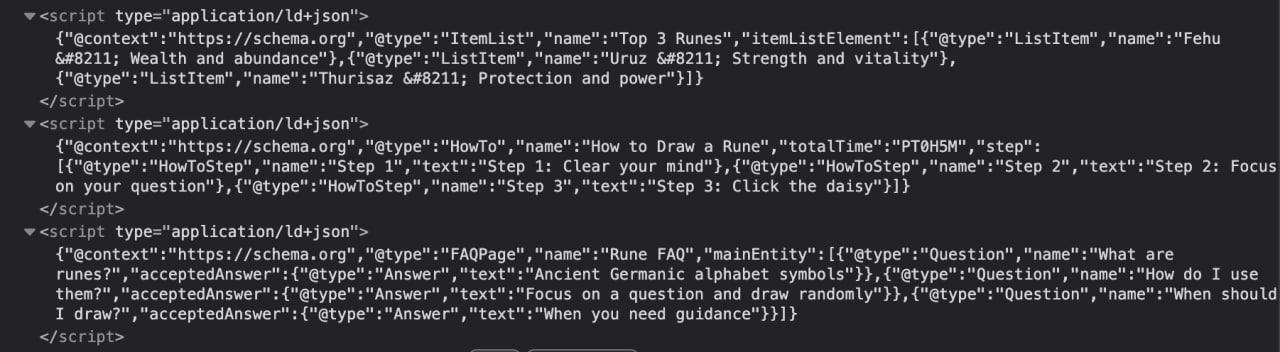
- HowTo — Step-by-step tutorials (Google Rich Result eligible, 1 per page recommended)
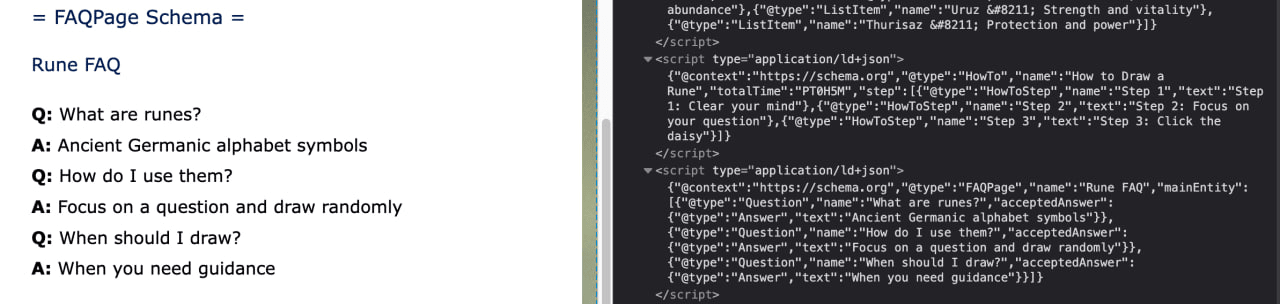
- FAQPage — Questions & Answers (Google Rich Result eligible, 1 per page limit enforced)
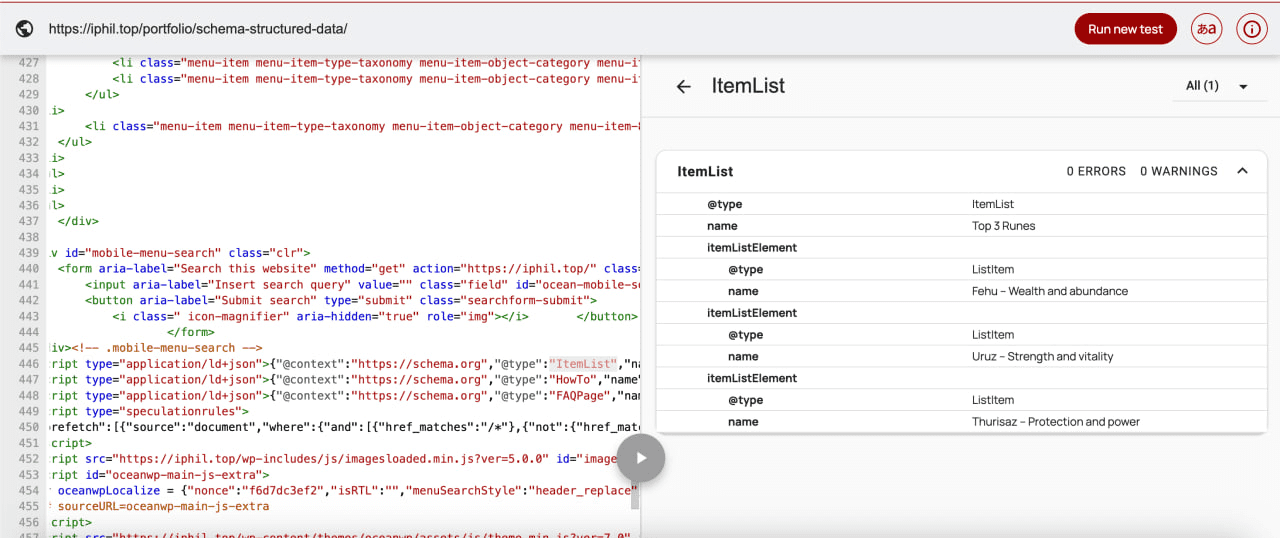
- ItemList — Ordered/unordered lists (Google Rich Result eligible)
- CreativeWork — General content (SEO only, no Rich Result)
- HowTo: Best results with ONE main tutorial per page
- FAQPage: Only ONE FAQPage schema per page is eligible for Rich Results (plugin enforces this)
- ItemList: Works well for top-10 lists, product collections
- CreativeWork: Helps SEO but does not trigger Rich Results
安装:
Using the WordPress Plugin Installer
- Go to WordPress Dashboard → Plugins → Add New.
- Search for "Schema Structured Data".
- Click "Install" then "Activate".
- Add
[schema]shortcodes to your posts or pages.
- Download the plugin zip file.
- Unzip and upload to
/wp-content/plugins/structured-data-for-schema-org. - Activate via Dashboard → Plugins.
- You're ready! Add
[schema]shortcodes to your content.
屏幕截图:
常见问题:
Will I get a Google Rich Snippet?
Schema markup may qualify for Rich Snippets, but Google has specific requirements:
- HowTo: Use ONE per page for best results
- FAQPage: Only ONE per page is eligible (plugin enforces this limit)
- ItemList: Works well for ranked lists
- CreativeWork: SEO benefit only, no Rich Result
Can I use multiple shortcodes on one page?
Yes, but with limitations:
- HowTo: Multiple allowed, but Google may only show one as Rich Result
- FAQPage: Only the FIRST one is processed (Google limit enforced by plugin)
- ItemList: Multiple allowed
- CreativeWork: Multiple allowed
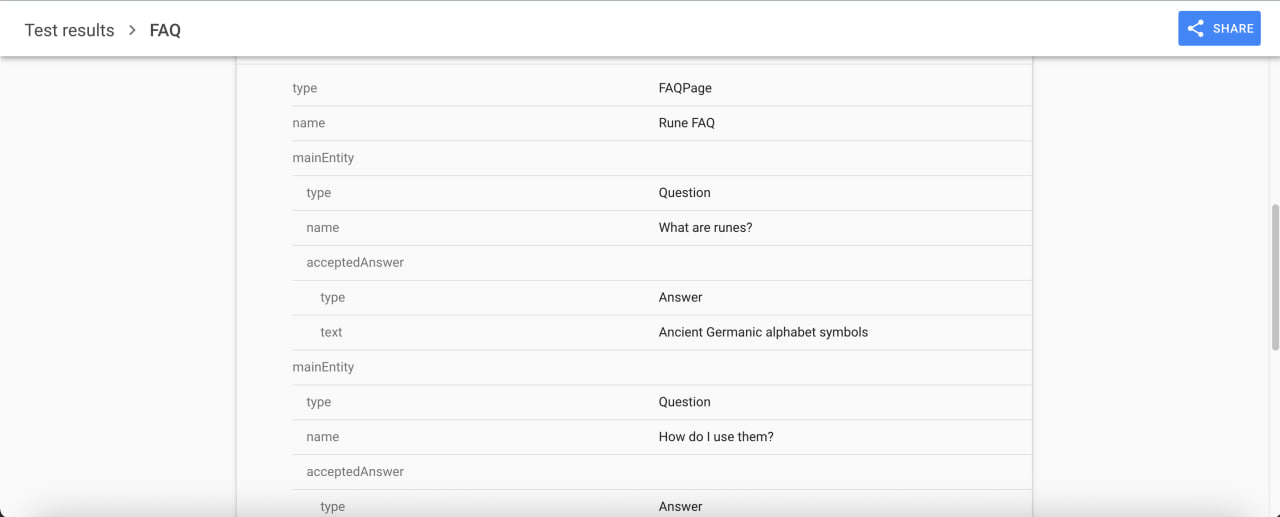
How do I verify the schema is working?
- Publish your page
- Visit Google Rich Results Test
- Enter your page URL
- Check for detected schema types
Why does FAQPage only work once per page?
Google explicitly states that only one FAQPage schema per page is eligible for Rich Results. This plugin enforces that limit to prevent invalid markup and improve your chances of getting a Rich Result.
What is the Q|A format for FAQPage?
Each line should contain a question and answer separated by a pipe character (|):
Question 1 | Answer 1 Question 2 | Answer 2 Question 3 | Answer 3
The plugin automatically parses this format and generates proper FAQ schema markup.
Can I hide the HTML output but keep the schema?
Yes! Add hidden="1" to any shortcode:
[schema type="FAQPage" name="FAQ" hidden="1"] Question | Answer [/schema]
This outputs the JSON-LD schema without visible HTML on the page.
更新日志:
1.0.0
- 🎉 Initial release
- ✅ Multi-schema support: HowTo, FAQPage, ItemList, CreativeWork
- ✅ FAQPage limited to 1 per page (Google compliance)
- ✅ Q|A format for FAQ content (simple, no nested shortcodes)
- ✅ ItemList supports ol/ul via
items-tagattribute - ✅
hiddenattribute for schema-only output - ✅ WordPress Coding Standards compliant