
Subscription Manager for Stripe
| 开发者 |
profinto
freemius |
|---|---|
| 更新时间 | 2026年3月31日 03:47 |
| PHP版本: | 8.0 及以上 |
| WordPress版本: | 6.9 |
| 版权: | GPLv2 or later |
| 版权网址: | 版权信息 |
详情介绍:
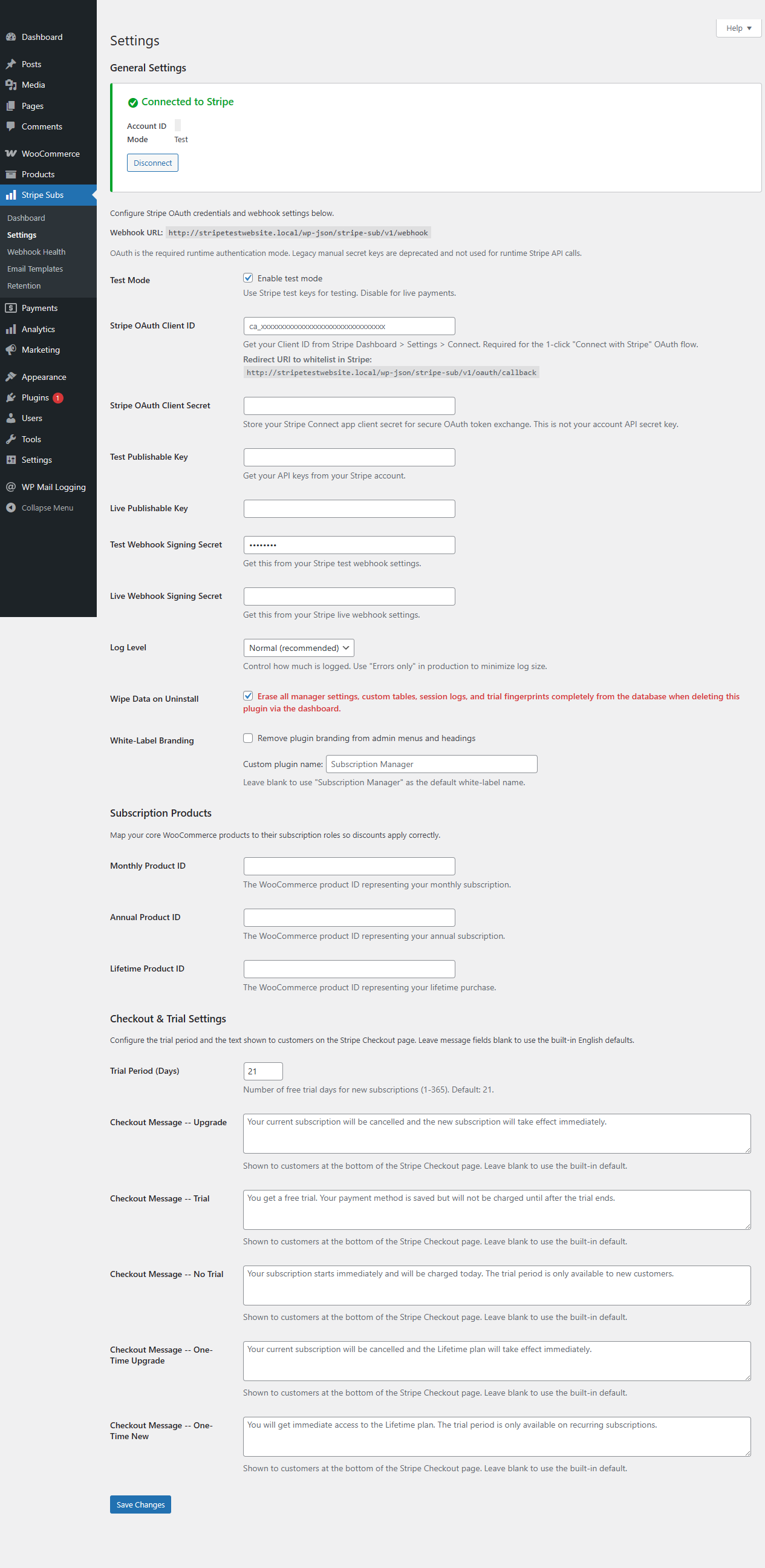
- Stripe OAuth 2.0 connection (no manual API key entry)
- Stripe Checkout for payments (PCI compliant, supports Apple Pay, Google Pay)
- Stripe Billing Portal so customers can update cards, switch plans, and download invoices themselves
- Stripe Tax for automatic sales tax, VAT, and GST
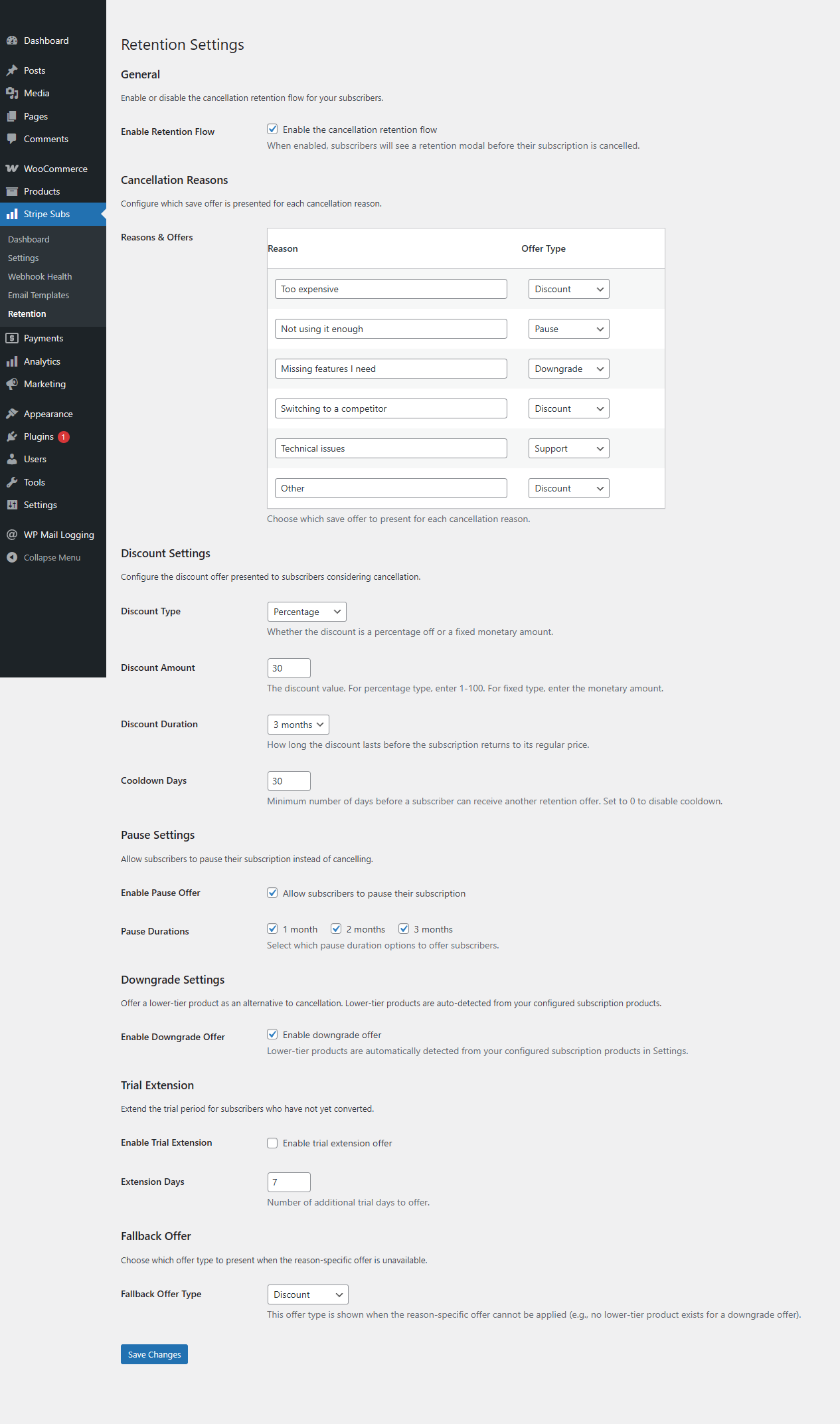
- Cancellation retention flow that presents save offers before a subscription is cancelled
- Analytics dashboard with MRR, churn rate, and revenue charts
- Affiliate system with referral tracking, commission calculation, and payout management
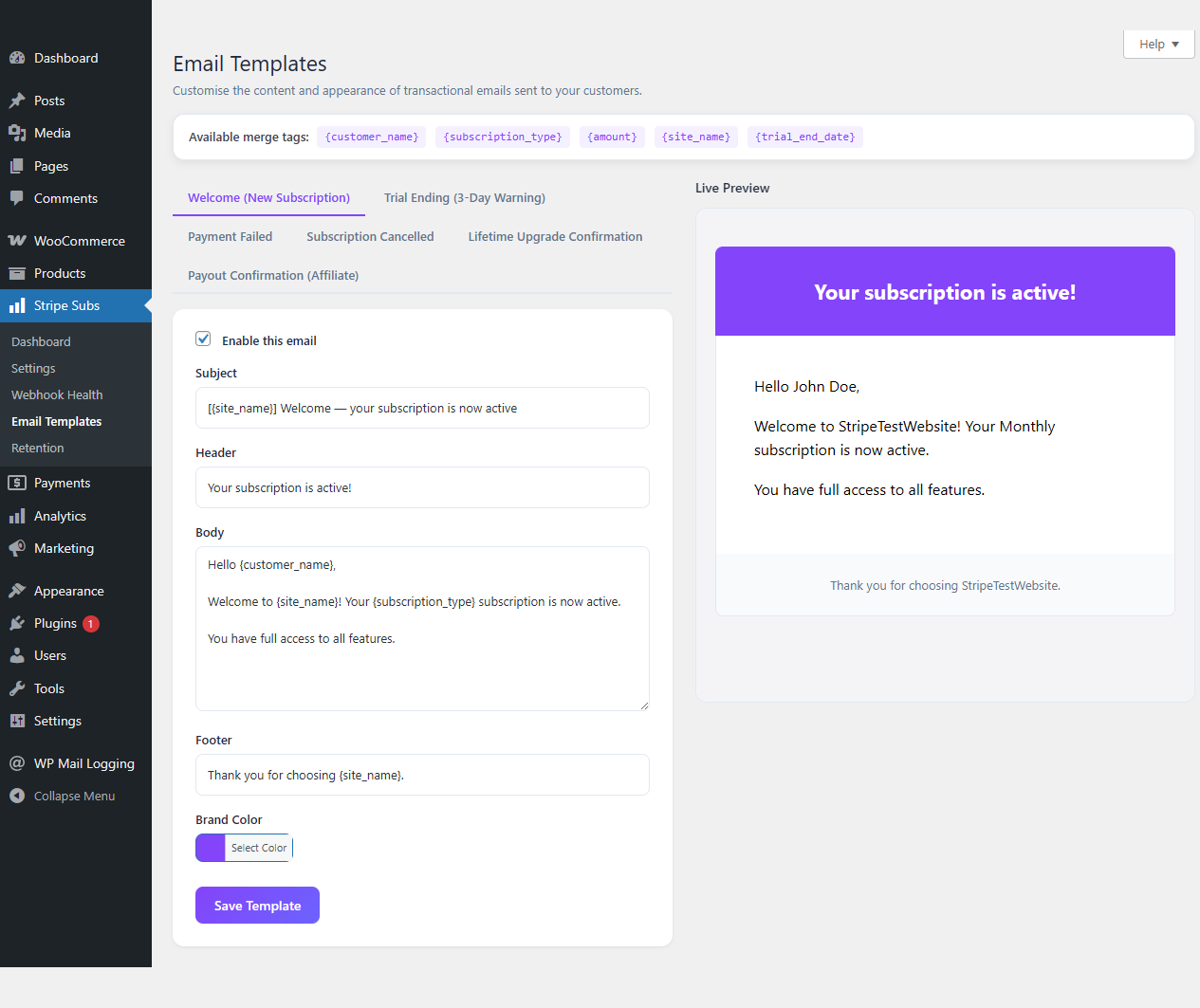
- Six customizable WooCommerce email types for payment confirmations, renewals, and trial reminders
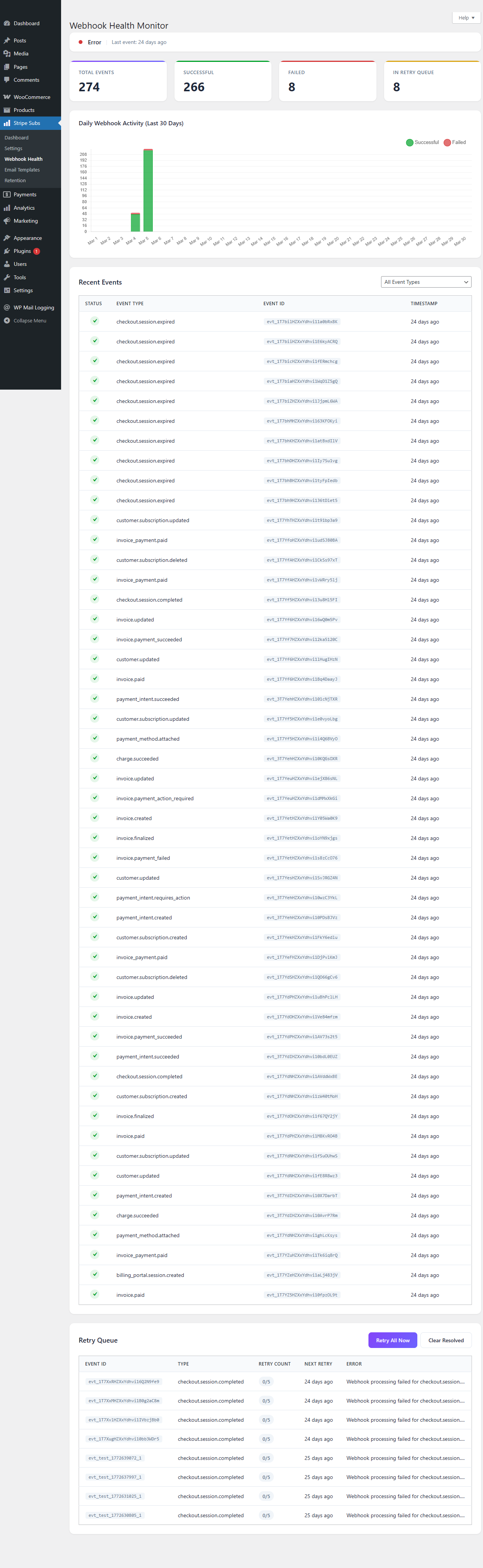
- Webhook retry queue with exponential backoff so no payment events get lost
- 14-day free trial on all paid plans
- SaaS founders running their site on WordPress
- Membership and course operators who want Stripe-native billing
- Newsletter creators selling paid subscriptions
- API and AI providers who need usage-based billing
- Agencies building subscription sites for clients
安装:
- Upload the
stripe-subscription-pluginfolder to/wp-content/plugins/, or install directly through the WordPress plugin screen. - Activate the plugin through the Plugins menu in WordPress.
- Go to Stripe Subs in your admin sidebar. The setup wizard launches on first activation.
- Connect your Stripe account via OAuth 2.0. The wizard walks you through each step.
- Set up your products and pricing, then run a test transaction in Stripe test mode.
屏幕截图:
常见问题:
Does this plugin require WooCommerce?
Yes. WooCommerce handles order management, customer accounts, and emails. This plugin adds Stripe-native subscription billing on top of WooCommerce.
What payment methods are supported?
Cards (Visa, Mastercard, Amex), Apple Pay, Google Pay, iDEAL, Bancontact, and SEPA Direct Debit. All available on every plan, including free. Payment methods are handled by Stripe Checkout, so new methods Stripe adds show up automatically.
Are there really no transaction fees?
Yes. You pay Stripe's standard processing fees and nothing on top. No revenue sharing, no per-transaction surcharge. This applies to every plan, including free.
How does metered (usage-based) billing work?
You send usage events from your application to a REST endpoint provided by the plugin. Stripe aggregates usage per billing period and invoices automatically. Works well for API calls, AI token usage, storage, bandwidth, or anything where customers pay based on consumption.
How does the 14-day free trial work?
All paid plans include a 14-day trial with the full feature set. A credit card is required to start. If you do not cancel before the trial ends, billing begins automatically.
Can customers manage their own subscriptions?
Yes. There is a link to Stripe's Billing Portal on the WooCommerce My Account page. Customers can update payment methods, switch plans, download invoices, and cancel from there.
How do refunds work?
Issue full or partial refunds from the Stripe Dashboard or API. The plugin picks up the refund webhook and updates the WooCommerce order status automatically.
Does this work on WordPress multisite?
Yes. It works with network-activated WooCommerce on multisite. Each site keeps its own Stripe connection and subscription settings.
How is customer payment data secured?
No card numbers or bank details are stored on your server. Payments go through Stripe Checkout, which is a hosted page on Stripe's end. The plugin only stores Stripe customer IDs and subscription references as order metadata.
How does Stripe Tax work with this plugin?
Enable it in the plugin settings. Stripe then calculates and collects the right sales tax, VAT, or GST based on your customer's location. Tax reports are in your Stripe Dashboard.
What happens when a customer tries to cancel?
When a customer clicks cancel, they see a save offer first (discount, downgrade, or pause). If they still want to cancel after that, the cancellation goes through normally via Stripe.
Is there a built-in affiliate system?
Yes. Affiliates get referral links and coupon codes. The system tracks referrals, calculates commissions on initial and renewal payments, and has a payout management screen in your WordPress admin.
更新日志:
- Added 14-day free trial on all paid plans.
- Added cancellation retention flow with configurable save offers to reduce subscriber churn.
- Analytics dashboard now includes MRR trend charts, churn tracking, and revenue breakdowns.
- Setup wizard now has streamlined Stripe OAuth connection and automatic webhook configuration.
- Updated Freemius SDK integration with fail-closed plan checks for premium feature security.
- Fixed churn rate calculation to correctly match webhook handler subscription status values.
- Fixed currency symbol handling across webhook processing, renewal emails, and email previews.
- Replaced all JavaScript alert dialogs with styled inline notice elements.
- Full internationalization pass with 579+ translatable strings and .pot file generation.
- Fixed churn rate always showing 0%. The analytics query now matches the webhook handler's spelling of 'cancelled'.
- Fixed invalid payout date fallback producing 1970-01-01 when admin submitted empty date.
- Fixed missing
strp_sub_webhook_logtable cleanup in uninstall.php. - Fixed missing
retrieve_coupon()method on the Stripe API class. - Fixed payout partial state corruption. DB insert now runs before balance decrement.
- Fixed hardcoded currency symbols in webhook commission reversal, renewal email, and email customizer preview.
- Fixed XSS via
.html()in analytics dashboard JS. Replaced with safe DOM methods. - Fixed unescaped HTML entities in KPI cards. Now wrapped in
wp_kses_post(). - Replaced 11
alert()calls with styled inline notice elements across admin and frontend JS. - Fixed hardcoded English labels in analytics and affiliate JS. Now localized via
wp_localize_script(). - Wrapped Freemius plan labels and OAuth UI strings in translation functions.
- Added
.potfile with 579 translatable strings. - Added
index.phpdirectory listing prevention to all 14 plugin subdirectories.
- Made Stripe Checkout custom_text messages configurable with i18n support.
- Made trial period configurable (1-365 days).
- Added extensibility hooks on Stripe Checkout session data before API calls.
- Added WooCommerce Email integration with six customizable email types.
- Decoupled webhook handler email dispatch via action hooks.
- Rewrote all email methods to use self-contained wp_mail() with translatable strings.
- Fixed transient lock leak in checkout session handler.
- Removed blocking sleep loop in concurrency handler.
- Replaced hardcoded Dutch URLs with portable WordPress page URL helpers.
- Added function_exists guards for affiliate integration calls.
- Replaced fatal legacy email function calls with wp_mail() and translatable strings.
- Fixed hardcoded Dutch coupon name and admin notices.
- Removed side-effects from sanitize_settings() callback.
- Standardised text domain to stripe-sub-manager across all files.
- Added idempotency key support for meter events.
- Added Stripe Meter Event Name field to metered-billing product meta box.
- Hardened OAuth-first runtime: legacy secret keys no longer persisted.
- Added privacy section and commercial operations documentation.
- Added OAuth-based Stripe connection flow.
- Added Stripe Billing meter-event usage endpoint.
- Added Stripe Customer Portal integration.
- Added webhook retry subsystem.