
SubscriptionFlow for Gravity Forms
| 开发者 | appssf |
|---|---|
| 更新时间 | 2026年10月28日 21:03 |
| PHP版本: | 7.2 及以上 |
| WordPress版本: | 7.1 |
| 版权: | GPLv2 or later |
| 版权网址: | 版权信息 |
详情介绍:
- Customer sync - Matches customers by email, updates existing customers or creates new ones
- Subscription creation - Creates a termed, auto-renewing subscription on the selected plan and plan price
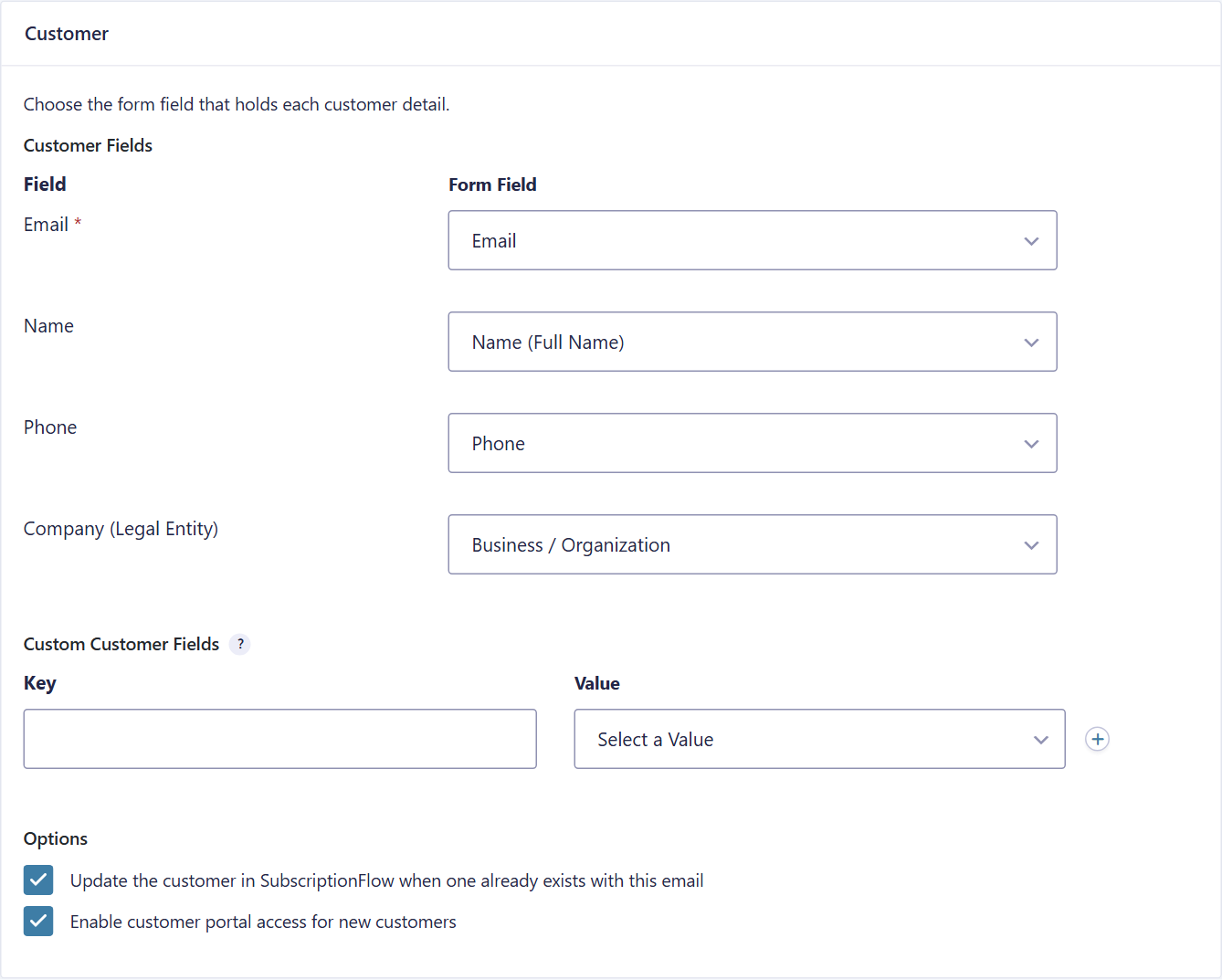
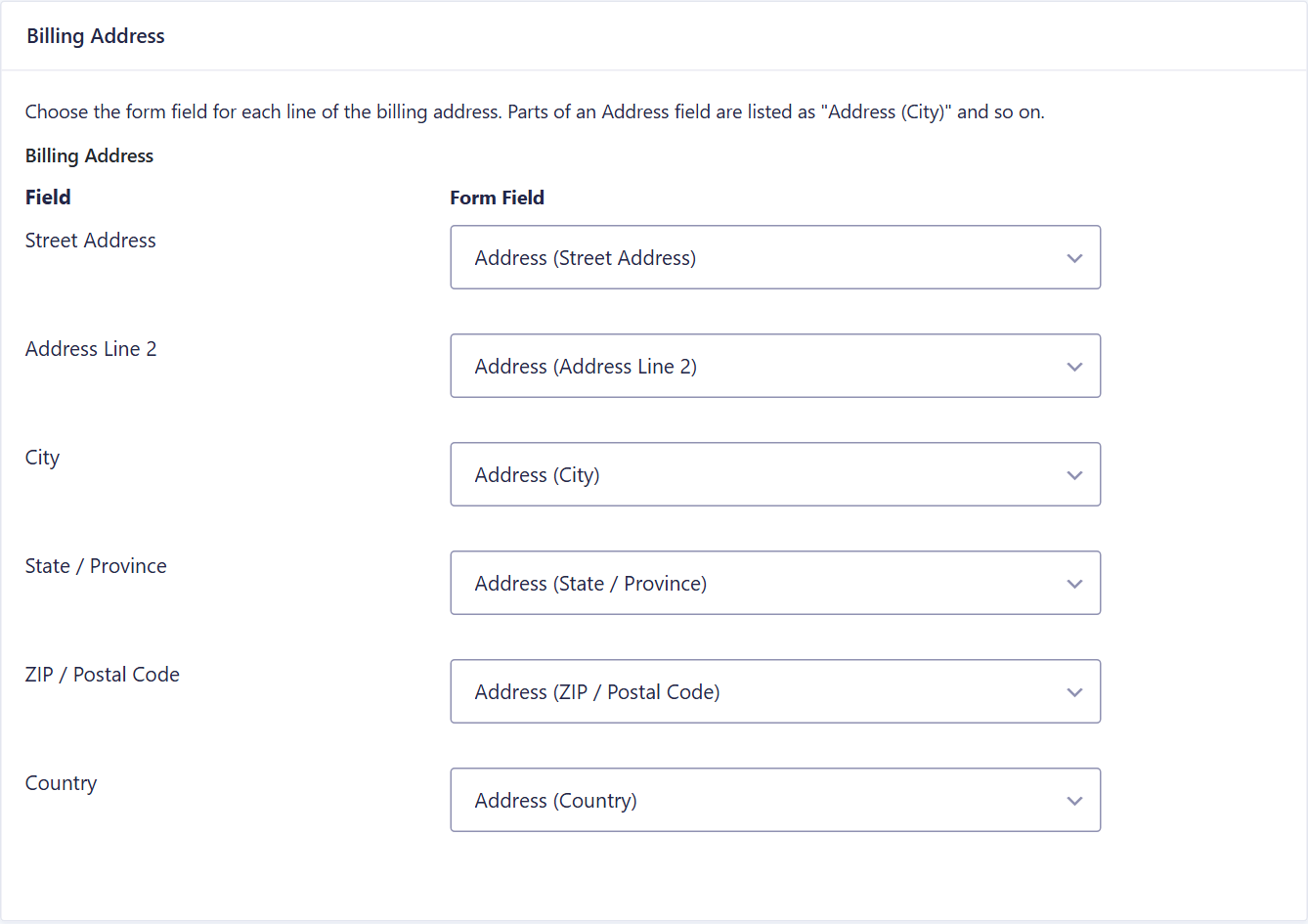
- Field mapping - Map name, email, phone and company, each billing and shipping address line (street, city, state, ZIP, country), plus any custom SubscriptionFlow customer and subscription fields
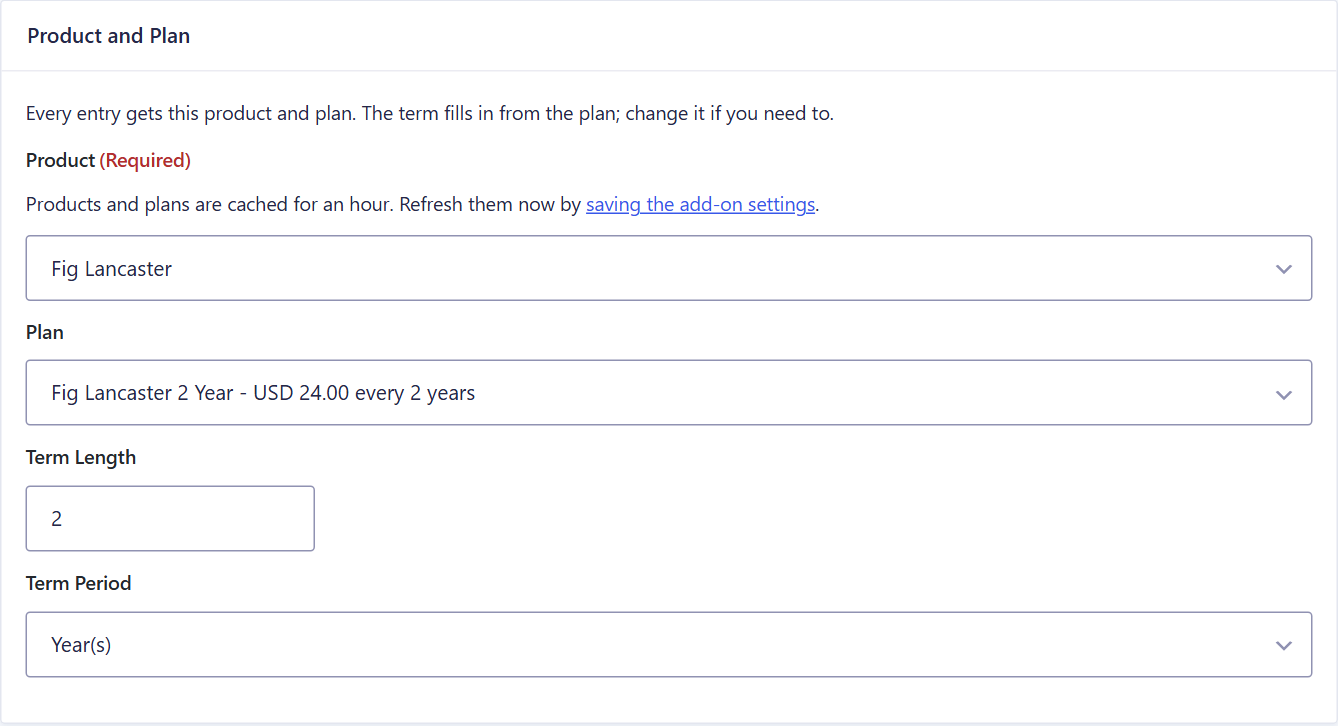
- Product and plan picker - Choose the SubscriptionFlow product and plan from drop downs loaded from your account
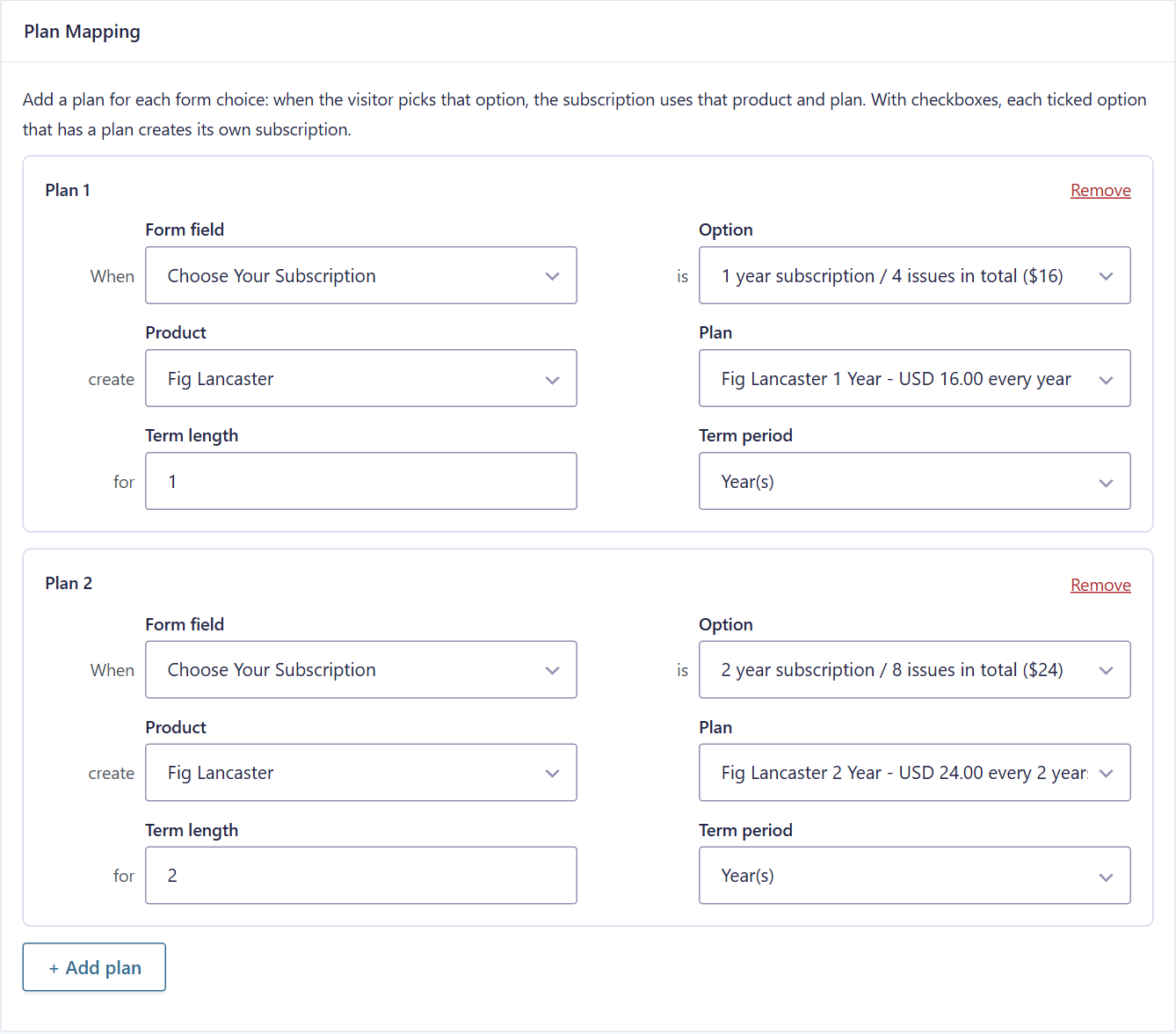
- Plans mapped to form choices - Click "Add plan" to map a radio button, drop down or checkbox option (for example "1 year" / "2 years") to any SubscriptionFlow product and plan. The term fills in from the plan's billing period. Each ticked checkbox option with a plan creates its own subscription
- Dynamic plans - Or enter the product, plan and plan price IDs with merge tags, so a form field can choose the plan
- Sync after payment - When Stripe, PayPal or another Gravity Forms payment add-on collects the first payment, the customer and subscription are created only once the payment is confirmed
- First payment in the form, renewals in SubscriptionFlow - When Stripe or another payment add-on takes the first payment, the add-on records it against the subscription's first invoice so SubscriptionFlow only charges the renewals
- Save the card for renewals (Stripe) - Stripe keeps the card on the Stripe customer when it takes the first payment, so SubscriptionFlow can charge the renewals with it
- Send to SubscriptionFlow - Send an entry again by hand from the entry page, without creating duplicates
- Conditional logic - Only send entries that match your conditions
- Shared connection - Reuse the connection from SubscriptionFlow Recurring Payments for WooCommerce, or enter separate credentials
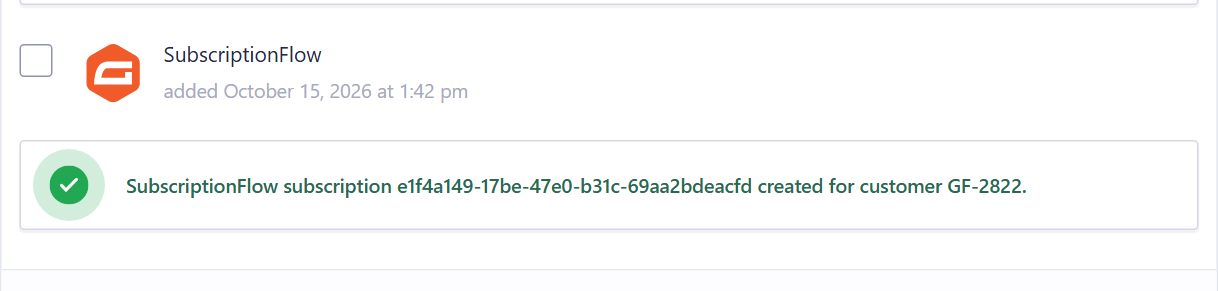
- Entry notes and logging - Results are added to the entry notes and to the Gravity Forms logging add-on
- Gravity Forms 2.5 or later
- A SubscriptionFlow account with API credentials (Instance URL, Client ID and Client Secret)
安装:
- Upload the plugin to the
/wp-content/plugins/directory, or install it from the Plugins screen. - Activate the plugin.
- Go to Forms > Settings > SubscriptionFlow and connect your SubscriptionFlow account.
- Open a form, go to Settings > SubscriptionFlow and add a feed: map the customer and address fields, then choose one product and plan for every entry, or map plans to the form's choices.
屏幕截图:
常见问题:
Do I need a SubscriptionFlow account?
Yes. The add-on sends customers and subscriptions to your SubscriptionFlow account. See plans and pricing or book a demo.
A new product or plan doesn't appear in the feed settings
Products and plans are cached for an hour. Save the add-on settings (Forms > Settings > SubscriptionFlow) to refresh them right away.
Stripe takes the first payment in my form. Will SubscriptionFlow charge it again?
No, if you set the feed's "Who collects the first payment?" to "Stripe, PayPal or another payment add-on in this form". The add-on waits for the payment to be confirmed. The subscription is created without charging its first invoice, the Stripe payment is recorded against that invoice with the Stripe transaction ID, and the invoice is marked paid. SubscriptionFlow charges from the next billing date.
Can SubscriptionFlow charge the renewals to the card used in the form?
Yes, with Stripe. When the feed's "Who collects the first payment?" is set to the payment add-on, "Save the card for future recurring payments" is ticked by default: Stripe saves the card on the Stripe customer when it takes the first payment. Untick it if Stripe shouldn't save the card. SubscriptionFlow must be connected to the same Stripe account. This applies to Stripe "Products and Services" feeds (Card field, Payment Element and Stripe Checkout).
Can entries whose payment failed be sent to SubscriptionFlow too?
Yes. In the feed's Payment section, set "Send to SubscriptionFlow" to "Also when the payment doesn't go through". Paid entries are sent as Paid, and an entry whose payment failed or was never completed is sent an hour after it was submitted, with Payment Status Pending and no payment recorded, so SubscriptionFlow collects it. It isn't sent if the customer paid with a new attempt, or if the entry is in the trash or marked as spam. "Instantly when the form is submitted" sends every entry straight away, without waiting for the payment; for this option "Subscription Payment Status" decides how it is sent: "Paid" (the default) always marks the subscription and its first invoice paid, "Pending" leaves them pending, without recording the payment. The default, "Only when the payment succeeds", sends paid entries only, always as Paid.
Stripe took the payment, but the entry stays "Processing"
Gravity Forms Stripe 7 marks an entry paid when Stripe's webhook reaches your site, so set up the webhook in Forms > Settings > Stripe > Webhooks. The add-on doesn't wait for it: right after the card is confirmed, and again a few minutes later while the entry is "Processing", it asks Stripe whether the payment succeeded and then sends the entry to SubscriptionFlow. You can also click "Send to SubscriptionFlow" on the entry page. Gravity Forms Stripe 7 requires Gravity Forms 3.0 or later.
Where do I see what was sent?
Each entry gets a note with the SubscriptionFlow subscription and customer IDs, or the error message. The SubscriptionFlow box on the entry page shows the customer and subscription IDs and has a "Send to SubscriptionFlow" button. For full request details, enable logging for this add-on in Forms > Settings > Logging.
Will an entry create duplicate subscriptions?
No. Each feed creates at most one subscription per entry.
更新日志:
- Changed: "Save the card for future recurring payments" (Stripe) can be ticked and unticked. Ticked (the default): Stripe saves the card for the renewals. Unticked: Stripe only takes the first payment and doesn't save the card. Feeds saved before 1.1.6 keep saving the card.
- New: "Send to SubscriptionFlow" feed setting when a payment add-on takes the first payment. "Only when the payment succeeds" (the default, as before): Payment Status Paid, with the payment recorded. "Also when the payment doesn't go through": paid entries as Paid, and an entry whose payment failed or was never completed is also sent, an hour after it was submitted, as Pending. Skipped when the customer paid with a new attempt, or the entry is in the trash or marked as spam. "Instantly when the form is submitted": every entry is sent on submit, without waiting for the payment.
- New: with "Instantly when the form is submitted", a "Subscription Payment Status" setting appears. "Paid" (the default): the subscription is always created with Payment Status Paid and the first payment recorded, so its first invoice is Paid, even before the payment add-on confirms the payment or when it fails; a payment that fails after that is flagged on the entry. "Pending": always Payment Status Pending, without recording the payment, so SubscriptionFlow collects the first invoice.
- Changed: the recorded payment's description says how it was paid, for example "First payment paid with Stripe (pi_...) - Gravity Forms Entry #2828".
- Fixed: when a payment add-on takes the first payment, the subscription's Payment Status follows the payment (Paid or Pending), not the hidden "Subscription Payment Status" setting.
- New: save the card for future recurring payments (Stripe). When Stripe takes the first payment, it saves the card on the Stripe customer, so SubscriptionFlow can charge the renewals. Always on; the feed settings show it as a ticked box.
- New: the add-on confirms Stripe payments with Stripe itself. Right after the card is confirmed (while the customer waits for the confirmation message), and again after 2, 5, 15, 60 and 360 minutes while the entry is "Processing", it asks Stripe whether the payment succeeded, marks the entry paid and sends it to SubscriptionFlow. Entries reach SubscriptionFlow within seconds even when Stripe's webhook is late or missing. Payments Stripe hasn't confirmed are never sent.
- New: SubscriptionFlow box on the entry page with the customer and subscription IDs and a "Send to SubscriptionFlow" button.
- New: the feed settings warn when Gravity Forms Stripe has no webhook set up.
- Fixed: card payments are recorded with the payment type ExternalPayment. SubscriptionFlow rejected "Card", which left a warning note on every card payment.
- New: the plugin can be installed and updated with Composer (package subscriptionflow/subscriptionflow-for-gravity-forms, type wordpress-plugin), for example on Bedrock sites. The Composer package contains only the plugin files. No change to how the plugin works.
- New: with Gravity Forms logging set to "Log all messages", every authentication step is logged: whether the cached access token is reused or why a new one is requested, the token request (URL, the address the host resolves to, request headers including the User-Agent, timeout, SSL verification, proxy, WP_HTTP_BLOCK_EXTERNAL, WordPress/PHP/OpenSSL versions), how long it took, and the full response, also when authentication succeeds. A 401 that triggers a token refresh is logged too.
- Changed: the Client ID, Client Secret and access tokens are shown in the log as their first and last 4 characters and their length.
- New: with Gravity Forms logging enabled, a failed connection or API request logs the request URL and the full response: HTTP status, every header (showing whether Cloudflare, Azure or a proxy answered) and the whole body, plus the Client ID and Client Secret masked to their first and last 3 characters. A firewall block can then be told apart from wrong credentials.
- New: every SubscriptionFlow log line starts with the add-on version, e.g. [v1.1.2].
- Changed: a payment collected outside SubscriptionFlow (by Stripe, PayPal or another payment add-on, or a feed set to Paid) is sent with the subscription as its external payment. SubscriptionFlow records the transaction and marks the first invoice paid in the same request.
- Fixed: the connection status on the settings page now checks the credentials you just saved, instead of the previous ones until the page was saved a second time.
- New: "Who collects the first payment?" setting. With Stripe, PayPal or another payment add-on, the customer and subscription are created only after the payment is completed, and the first invoice is marked paid with the payment's transaction ID.
- New: Subscription payment status (Pending or Paid) when SubscriptionFlow collects the payment.
- Changed: all functions, methods and variables use the sfgf prefix.
- Initial release.