SubtleForms
| 开发者 |
subtleforms
smhz101 |
|---|---|
| 更新时间 | 2026年11月9日 18:45 |
| PHP版本: | 8.1 及以上 |
| WordPress版本: | 7.2 |
| 版权: | GPLv2 or later |
| 版权网址: | 版权信息 |
详情介绍:
- Visual drag and drop builder with a live canvas and undo
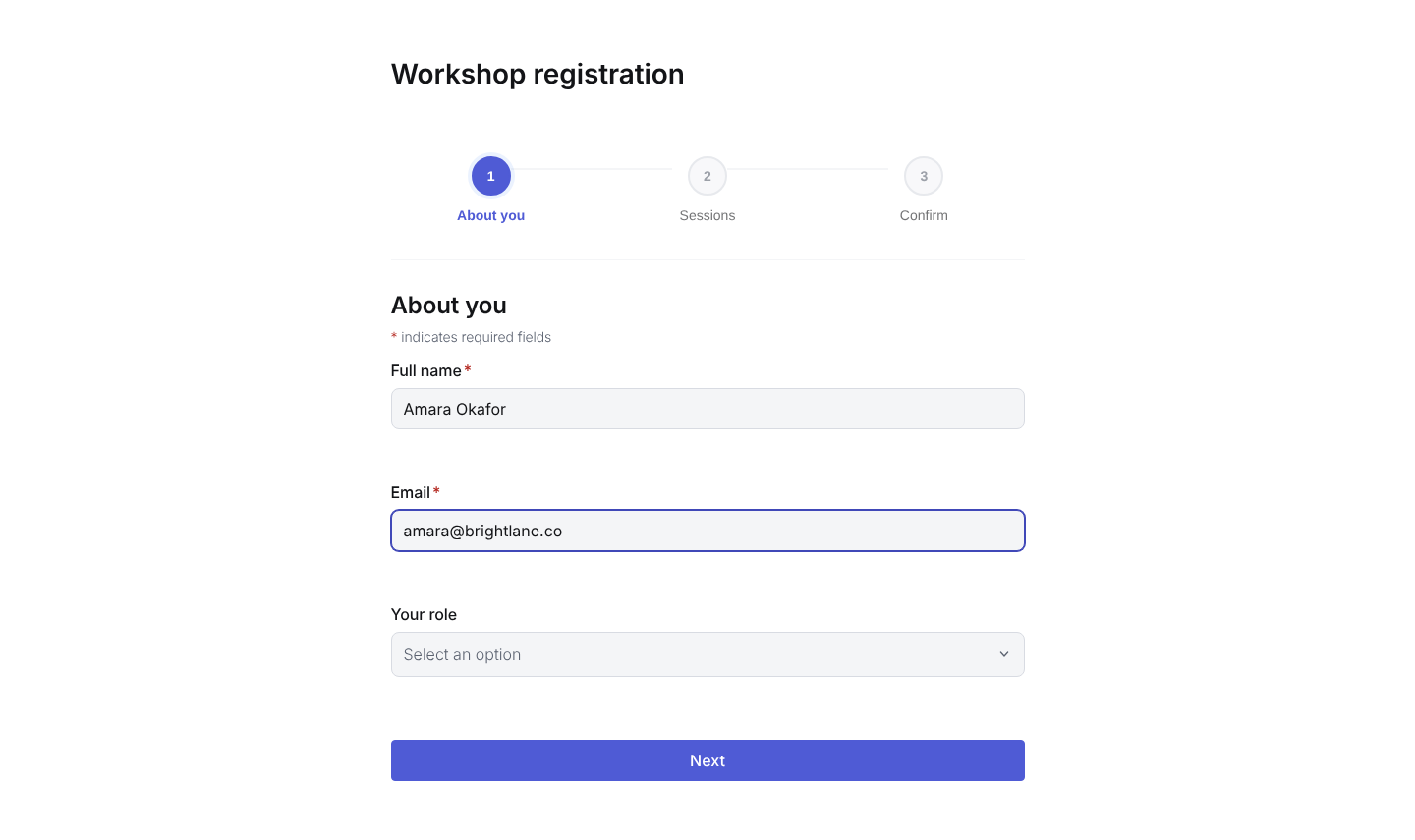
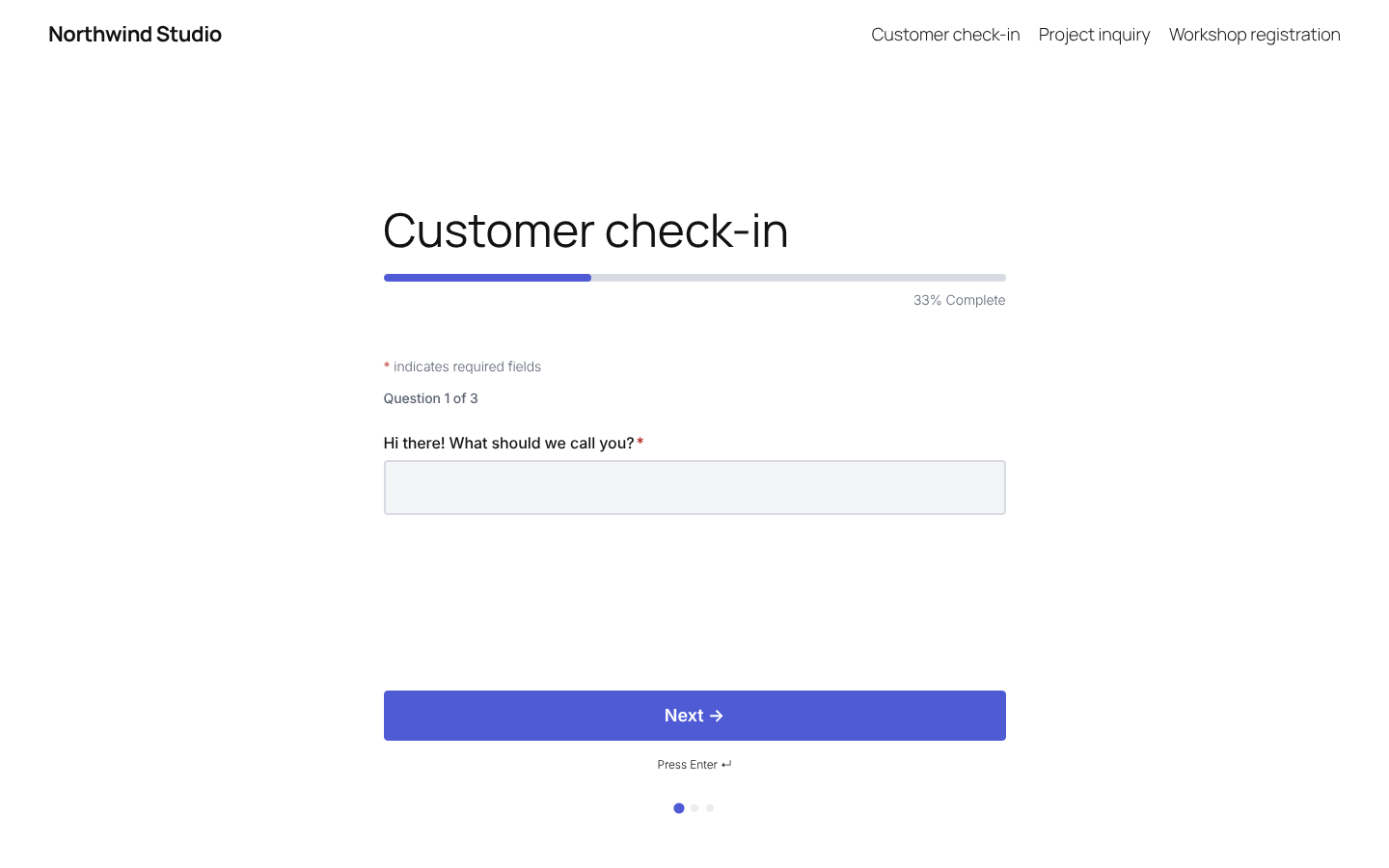
- Regular, multi-step and conversational (one question at a time) forms
- 38 field types, including file and image uploads
- 12 ready-made templates, plus a blank form
- Field widths to place fields side by side
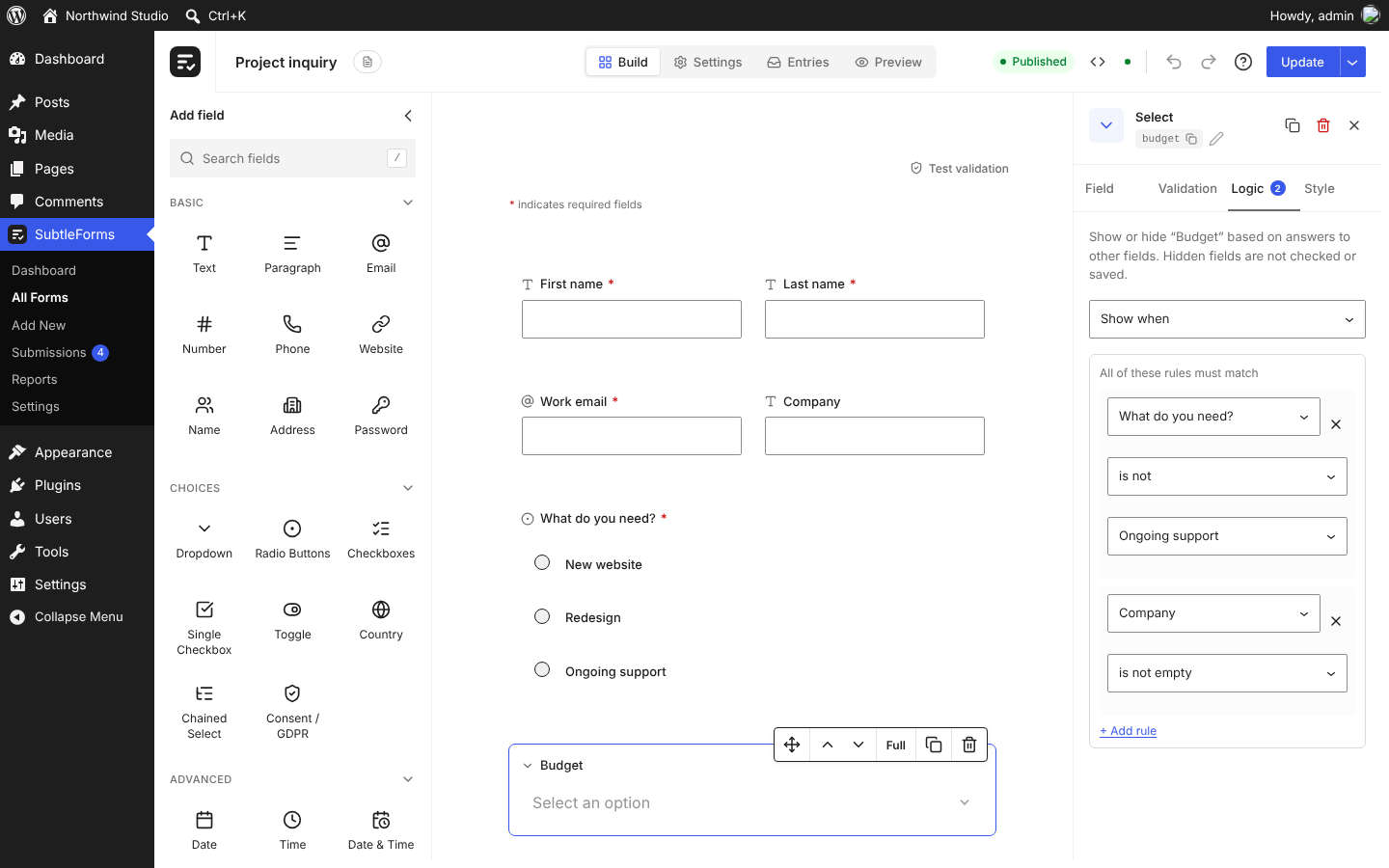
- Conditional logic: show or hide a field based on other answers
- Per-field settings for validation, logic and style
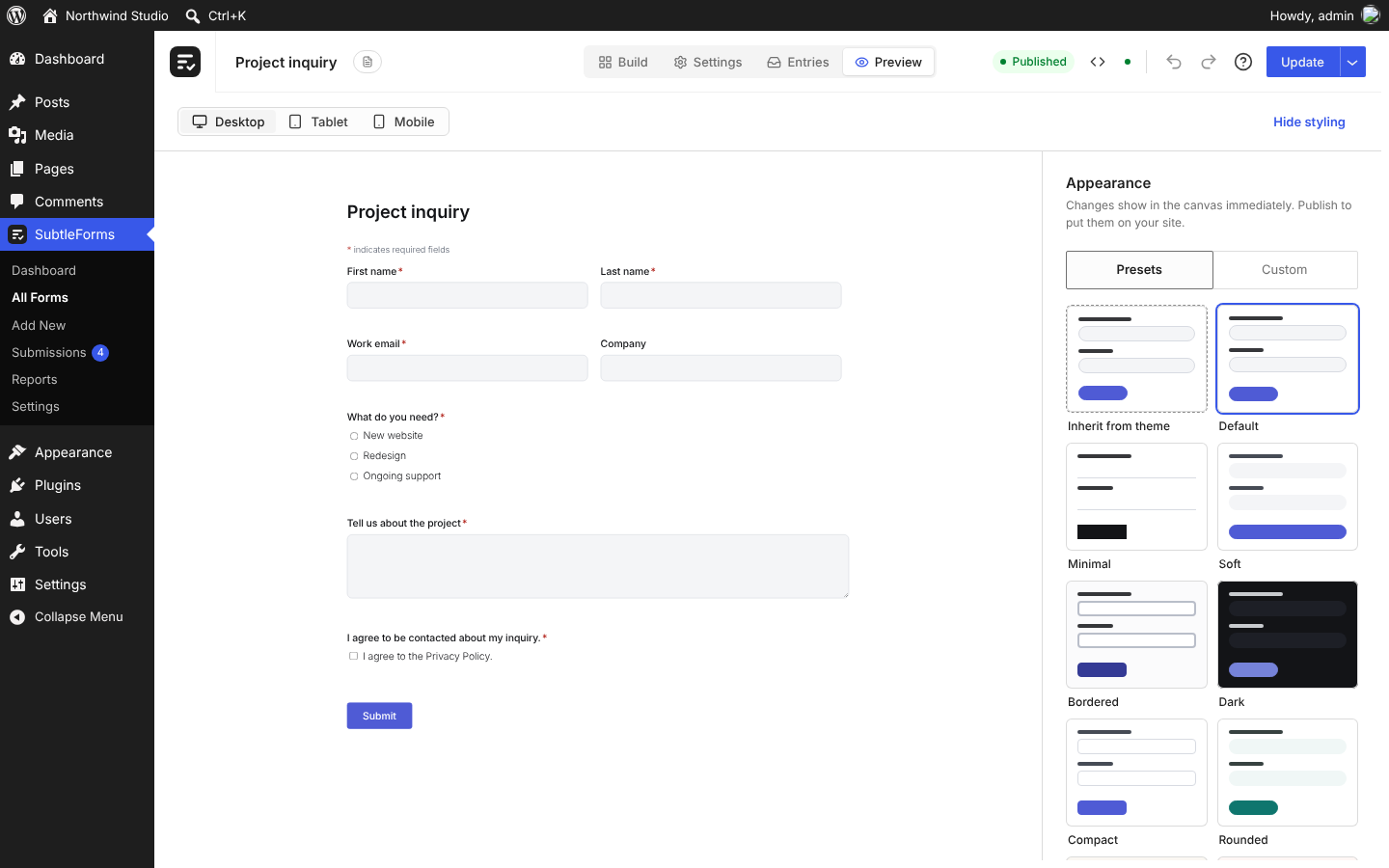
- Appearance presets, or custom colours and fonts that start from your theme
- Desktop, tablet and mobile preview
- The SubtleForms block and a shortcode
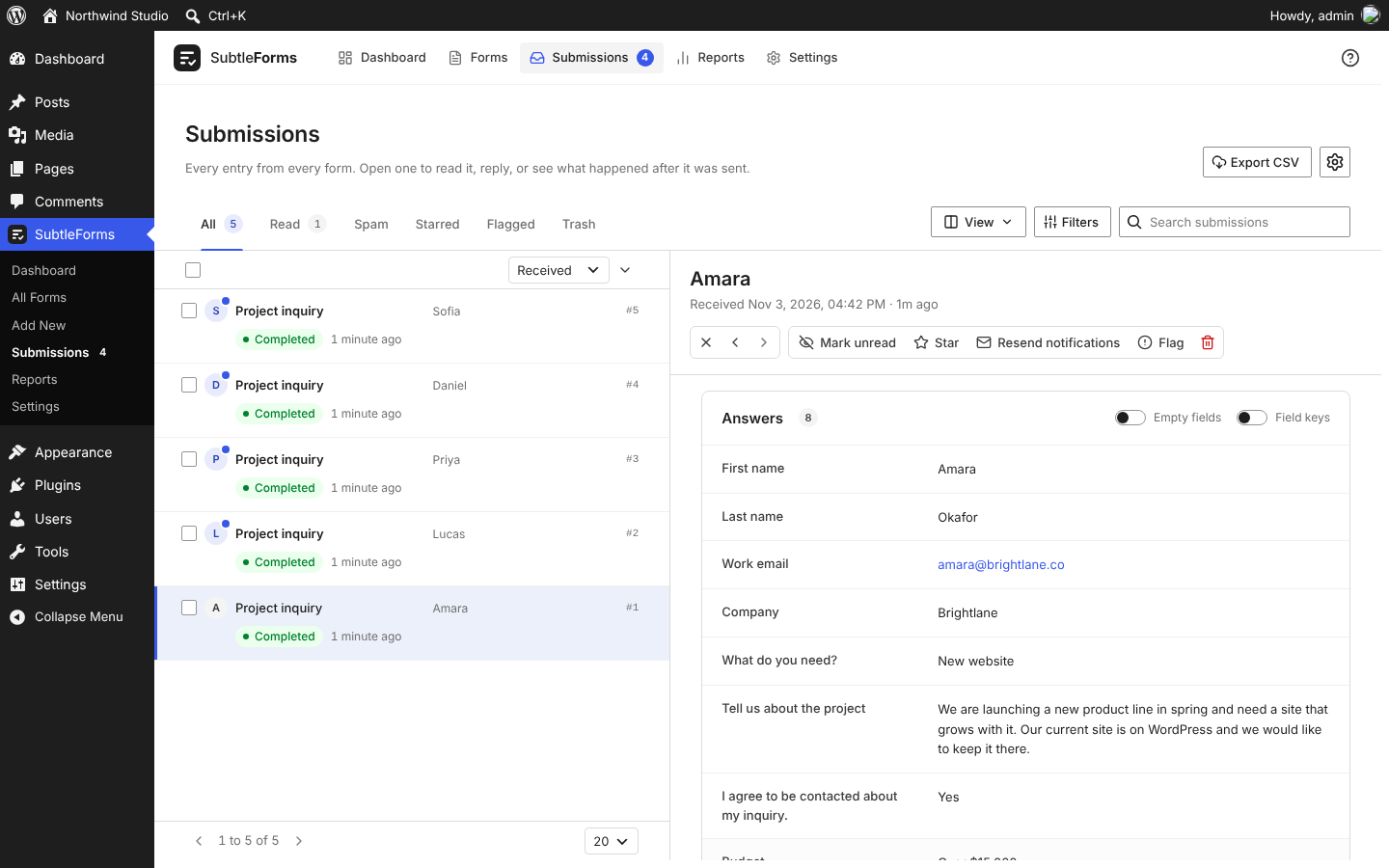
- Entries inbox with search, filters, stars, flags, notes and a Trash
- Unread entries counted in the admin menu
- Reports with a chart of recent submissions
- Email notifications with merge tags, plain text or HTML
- Webhooks after each entry, with a test button
- Confirmation message or redirect after submit
- Open and close dates, entry limits and logged-in-only forms
- CSV export of entries, JSON export and import of forms and entries
- Honeypot, minimum time and rate limiting on every form
- Optional Google reCAPTCHA, hCaptcha or Cloudflare Turnstile
- Data retention settings and WordPress personal data export and erase support
- Import forms from Contact Form 7, Gravity Forms and Fluent Forms
- Translation ready, with an RTL stylesheet
- Basic: Text, Paragraph, Email, Number, Phone, Website, Name, Address and Password
- Choices: Dropdown, Radio buttons, Checkboxes, Single checkbox, Toggle, Country, Chained select (dependent dropdowns, typed in or loaded from CSV) and Consent
- Date and time, and more: Date, Time, Date and time, Rating, Opinion scale, NPS, Slider, Matrix, Colour picker, Rich text and Hidden (with merge values such as {user_email} and {get:param})
- Uploads: File and image uploads, one file per field, with allowed types and size limits, kept in a private folder and downloaded by admins only
- Layout: Section heading, Custom HTML, Notice, Page Break and Repeater
- Spam protection: reCAPTCHA, hCaptcha and Turnstile fields
subtleforms text domain with a translation template included.
SubtleForms Pro
SubtleForms Pro is a separate plugin sold at subtleforms.com/pro. It adds Signature, Calculation and Picture choice fields, several files per upload field, advanced conditional logic, form analytics, Stripe payments with coupons, WooCommerce checkout, extra email marketing options, HubSpot, Salesforce, Pipedrive and Close connections, Zapier, Make and n8n, entry PDFs and more templates.
Documentation and support
- Documentation: subtleforms.com/docs
- Support forum: wordpress.org/support/plugin/subtleforms
- Bug reports and source code: github.com/smhz101/subtleforms
安装:
- In wp-admin, go to Plugins, Add New, search for "SubtleForms", then click Install Now and Activate. Or upload the plugin ZIP under Plugins, Add New, Upload Plugin.
- Go to SubtleForms, Add New, and start from a template or a blank form.
- Build the form on the canvas, set where notifications go, and click Publish.
- Add the form to a page with the SubtleForms block, or paste the shortcode
[subtleforms id="123"]where you want it.
屏幕截图:
常见问题:
Do I need to know how to code?
No. You build forms by dragging fields onto a canvas and setting options in panels. Writing code is never required.
Will SubtleForms slow down my site?
The plugin loads its scripts and styles only on pages that contain a form, and the code for a date picker, uploads or other bigger fields only when a form uses it. See "Fast and light" in the description for measured sizes.
How do I add a form to a page?
Publish the form, then add the SubtleForms block in the block editor, or paste the shortcode shown in SubtleForms, All Forms, for example [subtleforms id="123"].
Does it work with my theme and page builders?
The block works in the block editor, and the shortcode works anywhere WordPress runs shortcodes, such as a Shortcode or Text widget in a page builder. By default the form follows its own appearance preset, and you can set it to inherit your theme's colours and fonts.
Can I build multi-step forms?
Yes. Add a Page Break between fields and the form becomes multi-step. Visitors move through one step at a time and see their progress.
What is a conversational form?
A form that asks one question at a time, full screen, and lets the visitor review their answers before sending. Choose Conversational as the form type in the form settings.
Can I use conditional logic?
Yes. Open a field, go to its Logic tab and choose to show or hide it when other answers match. A hidden field is not validated or saved.
Can I put fields side by side?
Yes. Give fields a width such as 50% or 33% and they sit in one row. The inline layout puts an email field and a button on one row.
Can I export entries?
Yes. The Submissions screen exports entries as CSV, and SubtleForms, Settings, Tools exports forms and entries as JSON.
Can I import my forms from another plugin?
Yes, from Contact Form 7, Gravity Forms and Fluent Forms. Open SubtleForms, Settings, Tools, Migrate, pick the forms and import them as drafts. Entries are not imported.
Is SubtleForms translation ready?
Yes. All text uses the subtleforms text domain and a translation template is included, so it can be translated on translate.wordpress.org or with a translation plugin. Forms also have an RTL stylesheet.
How do I stop spam?
Every form has a honeypot, a minimum time check and rate limiting. You can also turn on one CAPTCHA provider under SubtleForms, Settings, Security and privacy.
Does SubtleForms contact any outside server?
Not by default. It only contacts a CAPTCHA provider if you turn one on, and the URLs you enter yourself for webhooks. It sends no usage data or telemetry. See External services.
Are uploaded files private on nginx?
Files are saved under a folder with a random name, without file extensions, and are only served to admins through wp-admin. Apache and IIS also get rules that deny direct access. On nginx, you can add location ~* /wp-content/uploads/subtleforms-uploads { deny all; } to your server block.
What data does SubtleForms store?
The answers a visitor sends, the time, and the visitor's IP address and browser user agent for spam checks. You can set how long entries are kept, and the WordPress privacy tools can export or erase a person's entries.
Where do I report a bug or get help?
Ask in the support forum on WordPress.org, or open an issue on GitHub. Documentation is at subtleforms.com/docs.
更新日志:
- New: HubSpot is built in: connect a HubSpot service key (a legacy private app access token also works) under Settings, Integrations, CRM, then switch HubSpot on for a form to create or update a contact for each entry, with field mapping, custom properties, a consent checkbox and a line in each entry's activity log with an Open in HubSpot link.
- New: The SubtleForms menu shows the total number of entries as a short count (1k, 1.2k, 12k) with the full number as its tooltip.
- Change: The admin bar icon lines up with the other items, the bubble keeps its place on hover, and the SubtleForms menu has an Upgrade to Pro item on free sites.
- Change: Every connection screen (Mailchimp, Brevo, Kit, MailPoet, HubSpot and webhooks) now has numbered steps in plain words, and each step on another website links straight to that page; a rejected HubSpot key says to paste the new one.
- Change: All notices in the admin follow WordPress styling: square corners, the core border colours and a white background.
- Change: The "How to connect" steps on every service screen sit in an accordion that starts open until the service is connected, then closed, and remembers your choice.
- Fix: Forms with AJAX off lost every entry: the classic post handler was only registered on REST requests (broken since 2.4.0). The block default is now AJAX on, so form blocks saved without an AJAX setting now submit with AJAX.
- Fix: The New form page has the same space above its heading as the other screens.
- Fix: A form post without AJAX from a logged-in visitor now carries the REST nonce; a post without a valid one is handled as a guest post, so a cross-site post cannot act as the logged-in user.
- Fix: Behind Cloudflare each visitor now has their own rate limit: the visitor address from Cloudflare is used for requests that come from Cloudflare's published ranges without turning on a setting, and Security & privacy shows a dismissible notice when it sees Cloudflare in front of the site.
- Fix: The CSV export includes every matching entry instead of stopping at the newest 10,000, and the answer now carries the number of entries exported.
- Fix: The CSV export, Export selected included, is now sent as a file while it is written instead of being built in memory, so a very large form no longer runs out of memory, and a download that cannot start says why instead of failing silently.
- Fix: Notification emails are no longer lost when WP-Cron runs late: the queued email waits in the options table until it is sent instead of a transient that expired after 6 hours, and an email whose stored copy is gone is built again from the saved entry.
- Fix: A logged-in visitor whose page was open for a long time can send a form with the time trap again (the form retries once with a fresh token instead of repeating "Please send it again"), and a form with AJAX off no longer creates a second entry when Submit is clicked twice while the page is posting.
- Fix: An answer with a "<" in it, such as "Budget <5000", is saved and emailed in full instead of being cut at that point, and an entry is no longer lost when the visitor's browser sends a User-Agent longer than 255 characters (Facebook and Instagram in-app browsers on iPhone).
- Security: The Rich Text field now cleans its starting value with the same allowlist as typed text, so a value filled in from the block, a default or the page address can only show the allowed formatting and safe links.
- New: Email marketing is built in: connect Mailchimp, Brevo or Kit under Settings, Integrations, Email marketing, then switch it on for a form to add people to a list with field mapping, tags, double opt-in, a consent checkbox and a line in each entry's activity log.
- New: Import forms from WPForms and Ninja Forms, from the site or from an export file, and copy their entries too if you tick the box that asks first.
- New: Text, Number and Phone fields have an Input mask setting that formats the answer as the visitor types, with presets for phone numbers, dates, times and US ZIP codes and a custom pattern, and the server checks the same format.
- New: MailPoet joins Mailchimp, Brevo and Kit under Email marketing, so people who fill a form can be added to a MailPoet list (never again if they unsubscribed or bounced), and each service now shows its own logo, in colour while it is on.
- New: Every admin page now has one shared page header with its actions, the menu is ordered with Settings last and an Upgrade page, the Dashboard and Reports show more, and there is a WordPress dashboard widget and an admin bar item with the unread count. Submissions has an Unread tab again, and "last 7 days" means the same seven calendar days (site timezone) on the Dashboard, the Submissions list and the widget.
- Change: Admin screens can receive their first data with the page, so lists appear without a loading step.
- Change: Settings has a Logs tab between Integrations and Tools for the activity, webhook and API logs, every Settings screen now uses the same content width as Integrations, and add-ons can reuse the section list and header that Integrations is built with.
- Change: Settings > Tools is a section panel like Integrations and Logs, add-ons share the admin app's data cache, and Settings opens with its data already loaded.
- New: The SubtleForms menu and its Submissions item show the number of unread entries in a bubble, like the Comments menu, with counts above 9 shown as 9+.
- Change: SubtleForms has a new logo: the admin menu icon, the header mark and the block icon now use it.
- Change: Notices from WordPress and other plugins now appear under the SubtleForms header instead of above it.
- Change: SubtleForms screens have a footer with the version, documentation and support links and the list pagination, while the page content scrolls between the header and the footer. The full history is in changelog.txt in the plugin folder.