Sudan Online Payments for WooCommerce
| 开发者 | mosabelhag |
|---|---|
| 更新时间 | 2025年12月25日 15:44 |
| 捐献地址: | 去捐款 |
| PHP版本: | 7.4 及以上 |
| WordPress版本: | 6.9 |
| 版权: | GPLv2 or later |
| 版权网址: | 版权信息 |
详情介绍:
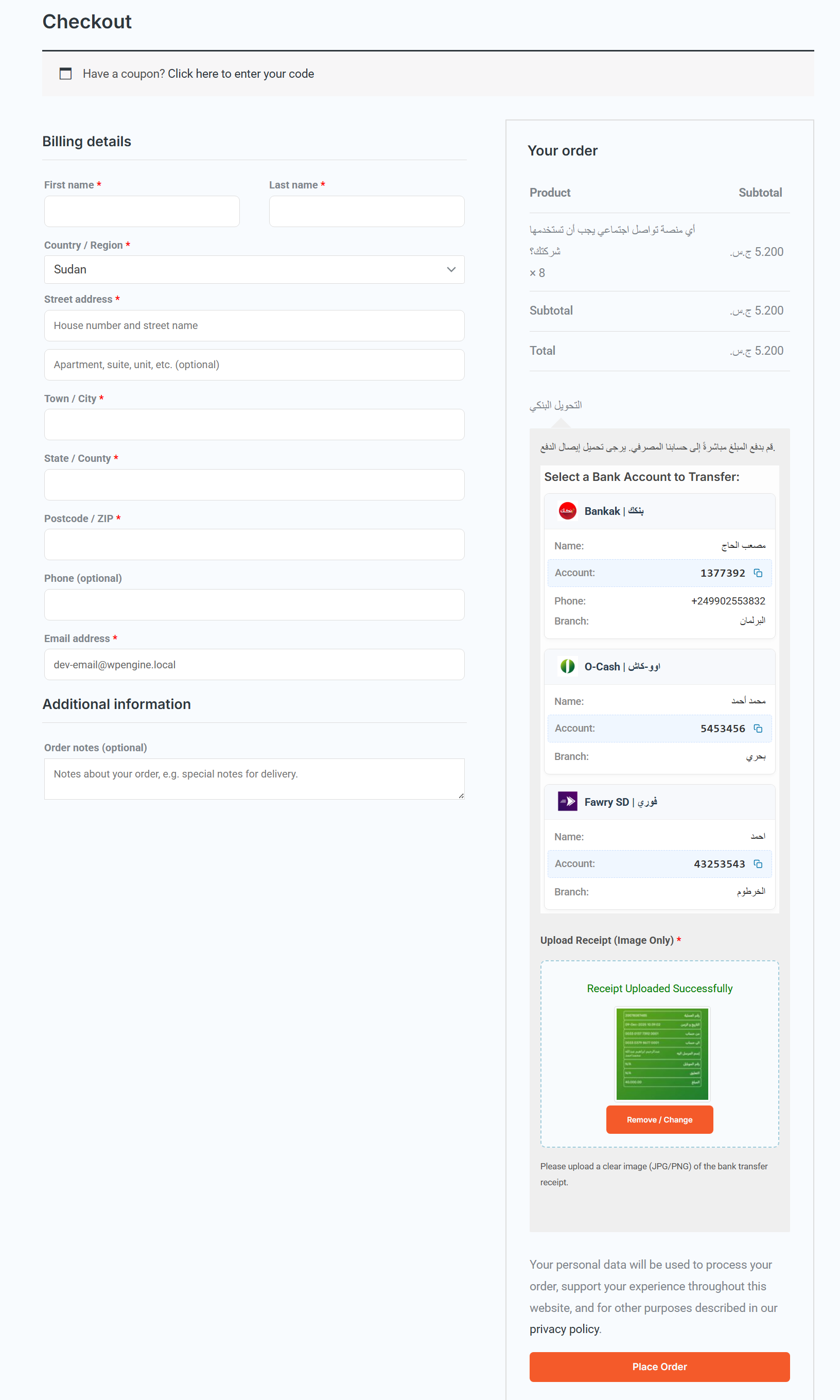
- Support for Popular Sudanese Services: Pre-configured options for major banks and mobile money services:
- 🏦 Bankak (Bank of Khartoum)
- 🏦 O-Cash
- 🏦 Fawry (Faisal Islamic Bank)
- 🏦 SyberPay
- 🏦 MyCashi
- 🏦 Bravo
- 🏦 Custom Bank/Service
- Integrated Receipt Upload:
- AJAX-powered upload without page reload.
- Client-side Validation: Accepts common image formats (JPG, PNG) with configurable size limits.
- Upload Preview: Customers see a thumbnail of their uploaded receipt.
- User-Friendly Checkout Interface: Modern grid layout for payment options with a "Copy Account Number" button for convenience.
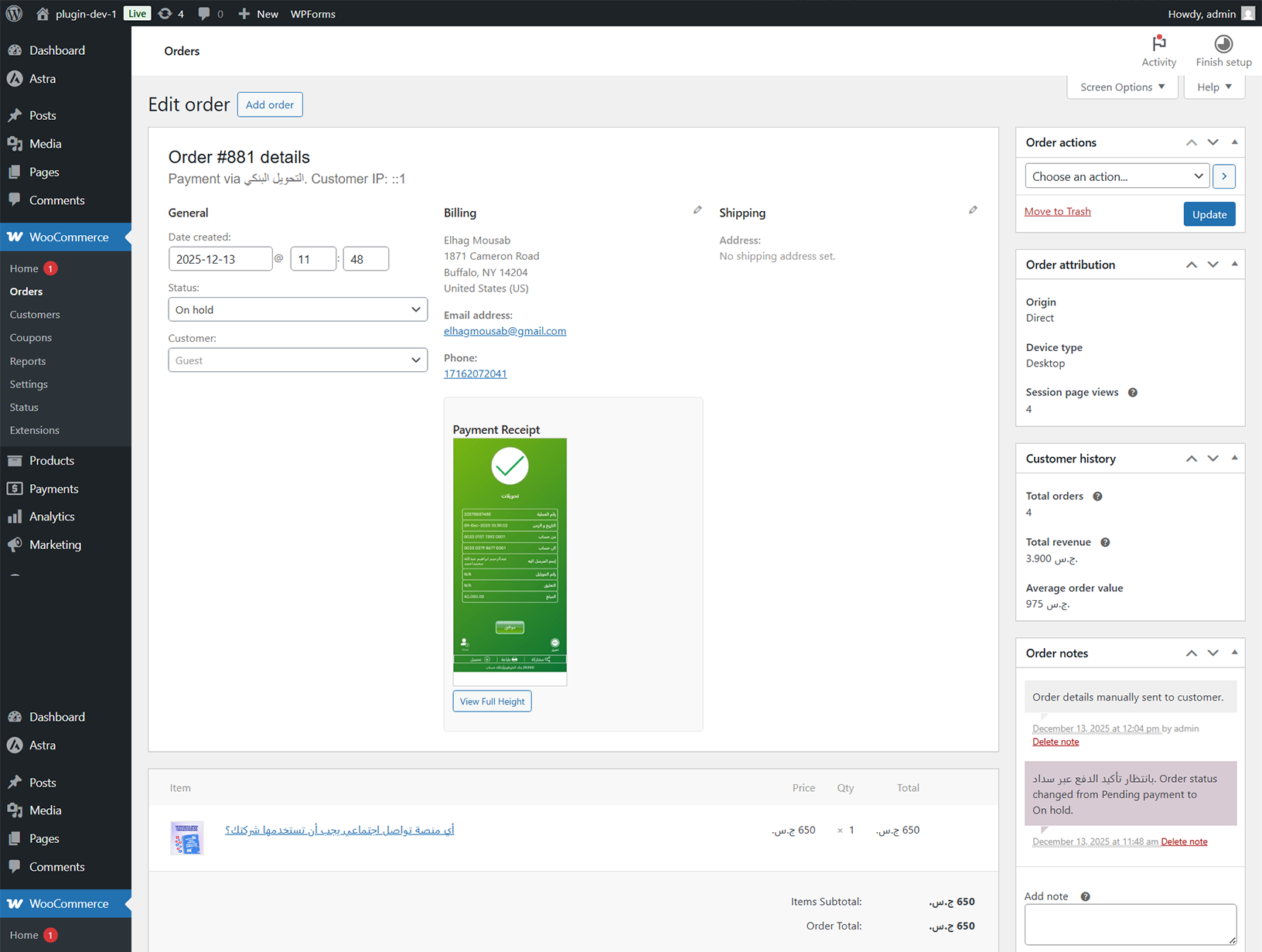
- Complete Admin Management: Dynamically add, edit, or remove account details from the WooCommerce settings. View uploaded receipts directly in the order details.
- Localization Ready: Includes translation files and is fully translated into Arabic and English.
安装:
- Upload the
sudan-online-payments-for-woocommercefolder to your/wp-content/plugins/directory, or install the plugin directly via the WordPress admin panel. - Activate the plugin through the 'Plugins' menu in WordPress.
- Navigate to WooCommerce > Settings > Payments.
- Find "Sudan Online Payments" in the list and click "Enable".
- Click the "Manage" button to configure your bank account details and settings.
屏幕截图:
常见问题:
Is this plugin officially made by Bankak, O-Cash, or any bank?
No. This is an unofficial, independently developed plugin created by a freelance developer to serve the Sudanese e-commerce community. It supports interoperability with these services but is not a product of those companies.
Does the plugin automate the payment confirmation?
No. This gateway facilitates a manual bank transfer process. The customer makes the transfer via their banking app, uploads proof, and the store admin must manually verify the receipt and update the order status (e.g., to "Processing" or "Completed").
Is it compatible with the WooCommerce Blocks (the new checkout)?
The plugin is primarily built and tested for the classic WooCommerce checkout shortcode ([woocommerce_checkout]). For full functionality, including the receipt upload field, using the classic checkout is recommended.
Can I add a bank or service that is not in the list?
Yes. The settings include a "Custom Bank/Service" option where you can specify any other transfer method.
更新日志:
- Initial public release.
- Complete rename to "Sudan Online Payments for WooCommerce" to clarify unofficial, independent status.