Sugar Calendar Bookings Scheduling Appointments Lite
| 开发者 |
jaredatch
alexandersakal capuderg land0r smub |
|---|---|
| 更新时间 | 2026年8月26日 02:24 |
| PHP版本: | 6.2 及以上 |
| WordPress版本: | 7.1 |
| 版权: | GNU General Public License v2 or later |
| 版权网址: | 版权信息 |
详情介绍:
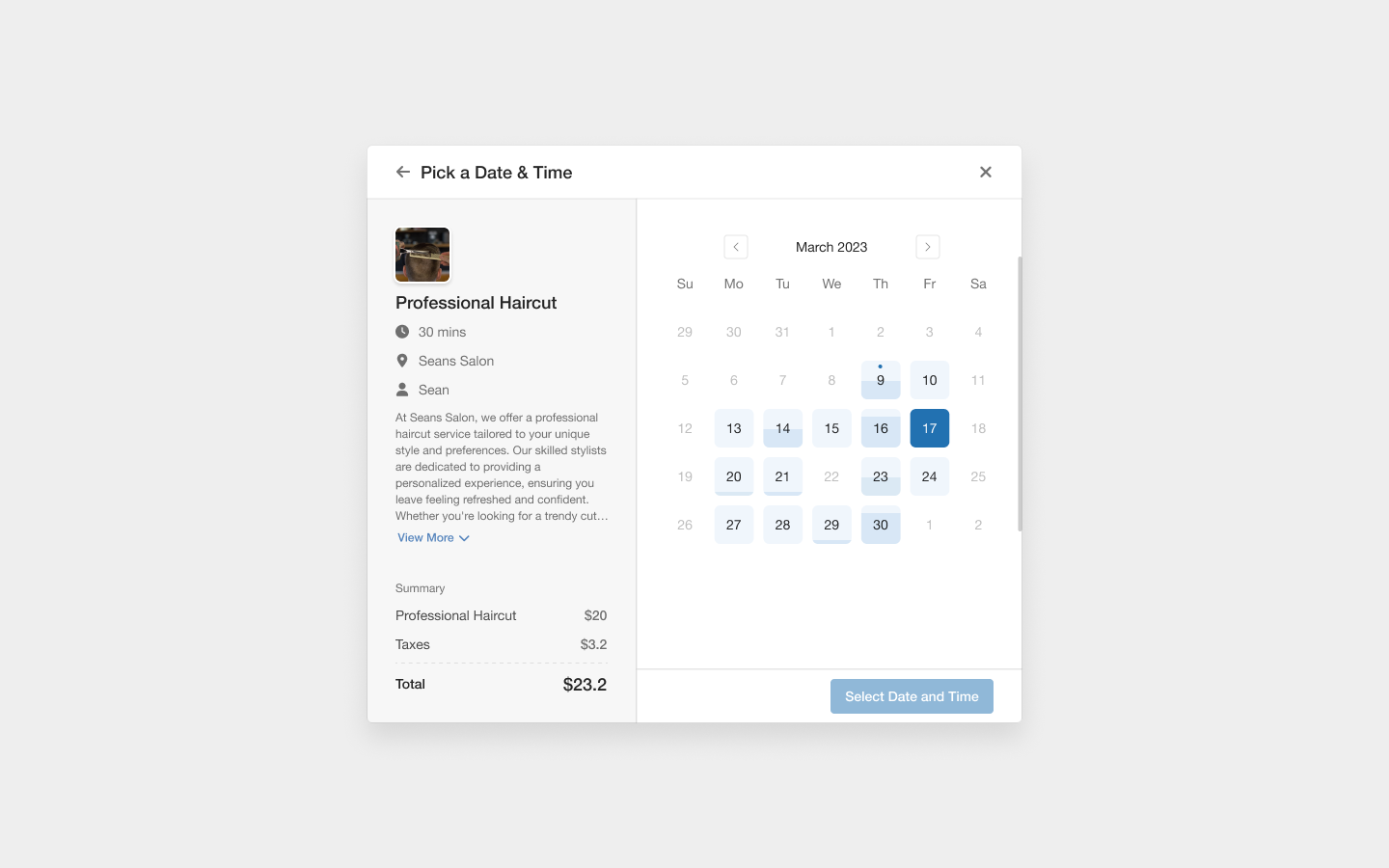
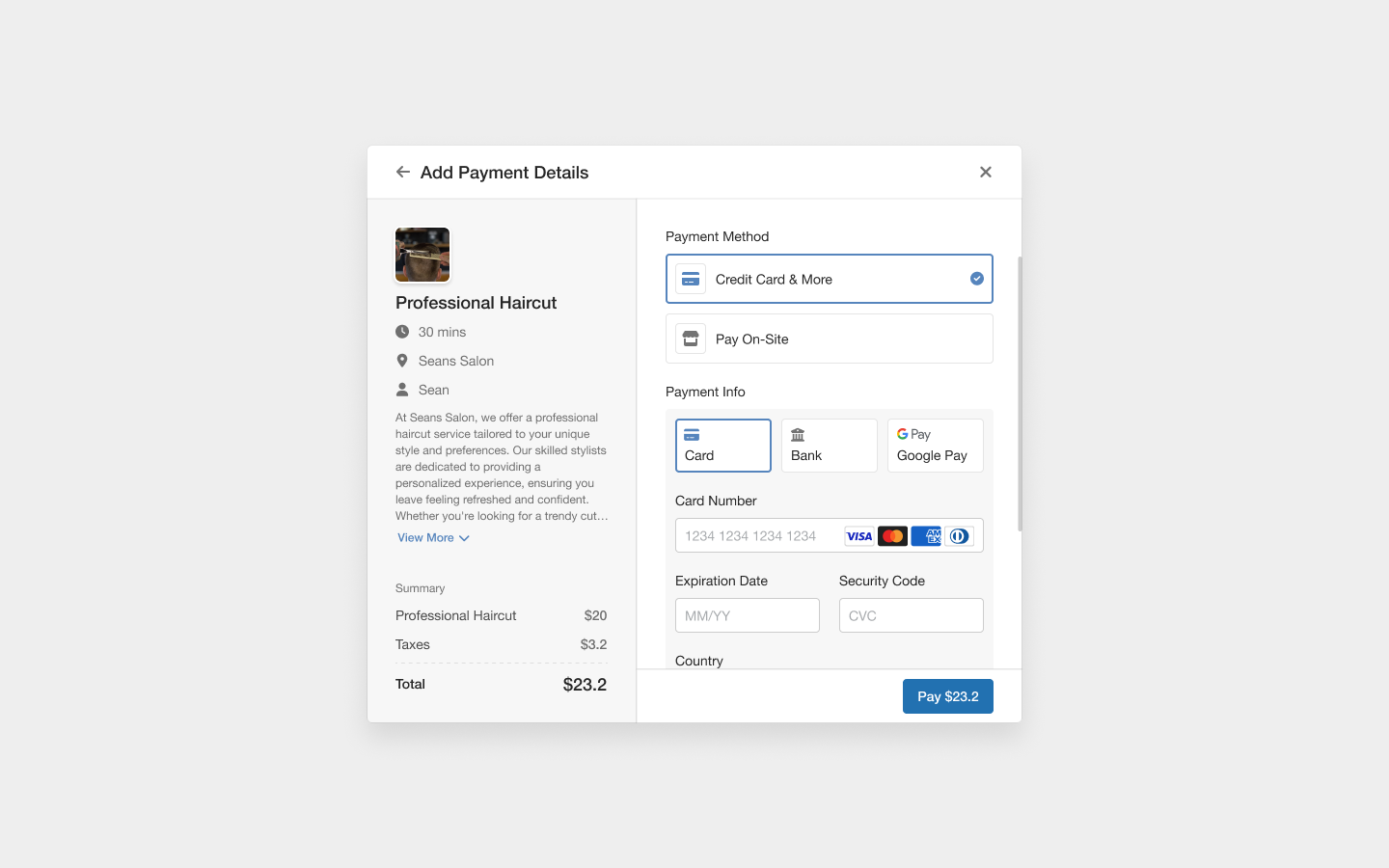
Sugar Calendar Bookings Pro This plugin is the Lite version of Sugar Calendar Bookings Pro, which comes with multiple employee management, staff scheduling, per-service email templates, and more. Click here to purchase the best premium WordPress appointment booking plugin now!Booking Forms That Convert Add a professional booking form to any page on your WordPress site in seconds. Your customers choose a service, pick an available date and time from the booking calendar, enter their details, and complete payment. The entire booking process takes about 60 seconds from start to finish. The booking form is fully responsive, works on all devices, and is designed for maximum conversions. Embed it anywhere using the dedicated Gutenberg block, the
[sugar_calendar_bookings_form] shortcode, or the native Elementor widget.
You can customize the form appearance with light and dark modes, choose between 2-column and 3-column time slot layouts, and filter which services to display on each page.
Service Management
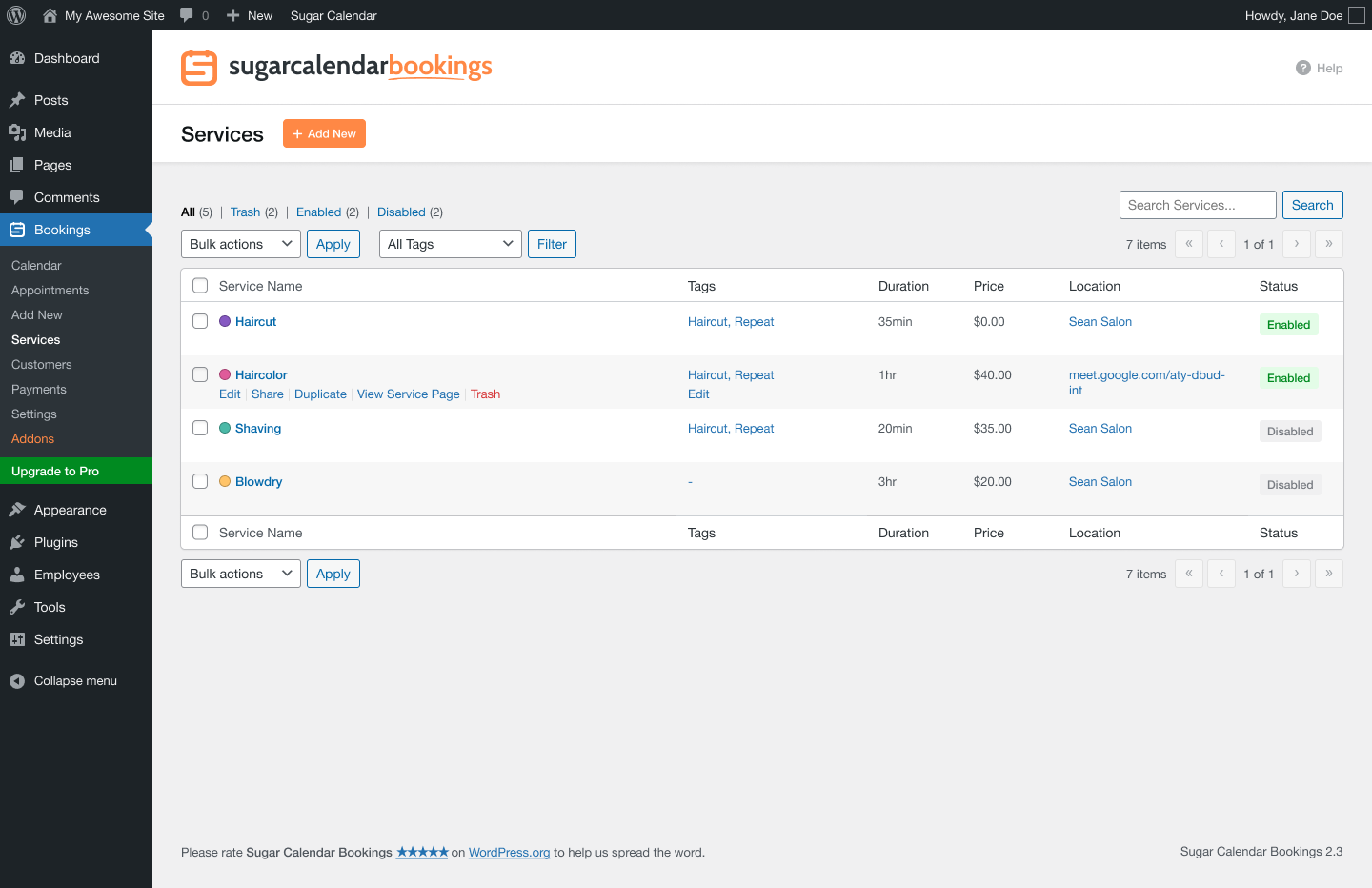
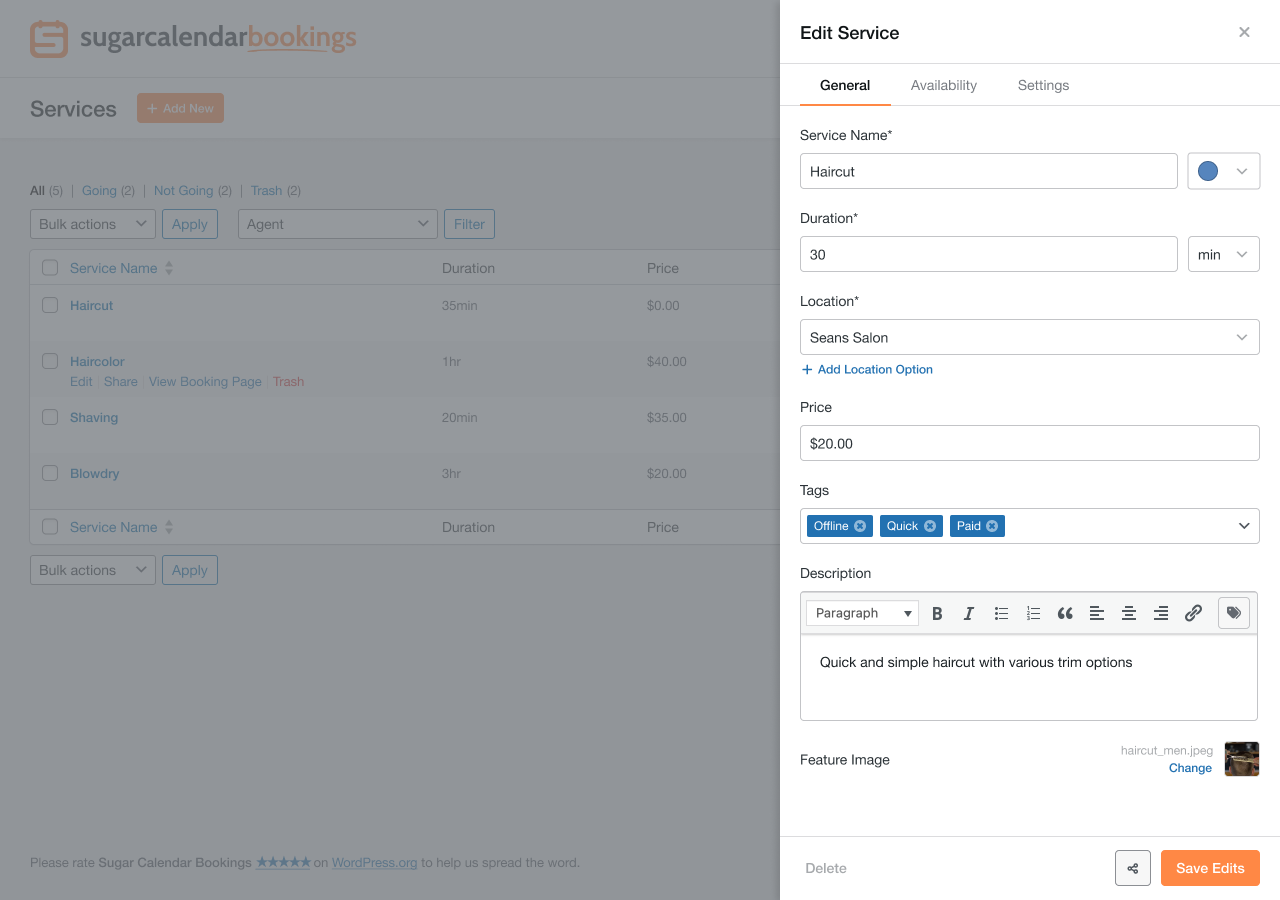
Create unlimited services with custom names, descriptions, feature images, colors, durations, and pricing. Organize your services with tags and assign them to specific locations and staff members.
Each service can have its own working schedule, so you can offer different appointment types at different times. Support both in-person appointments and online meetings with flexible location options.
Admin Calendar & Appointment Management
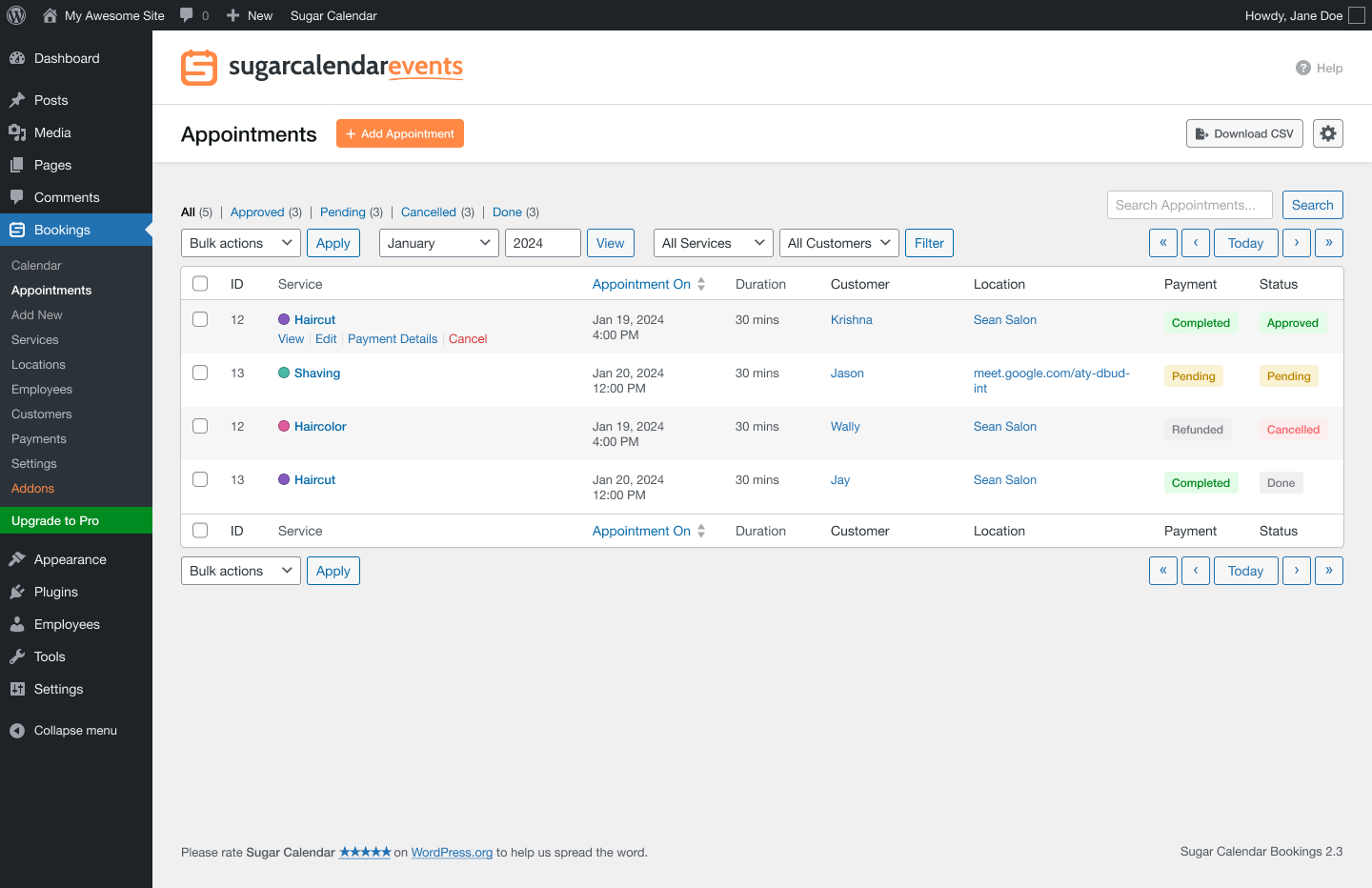
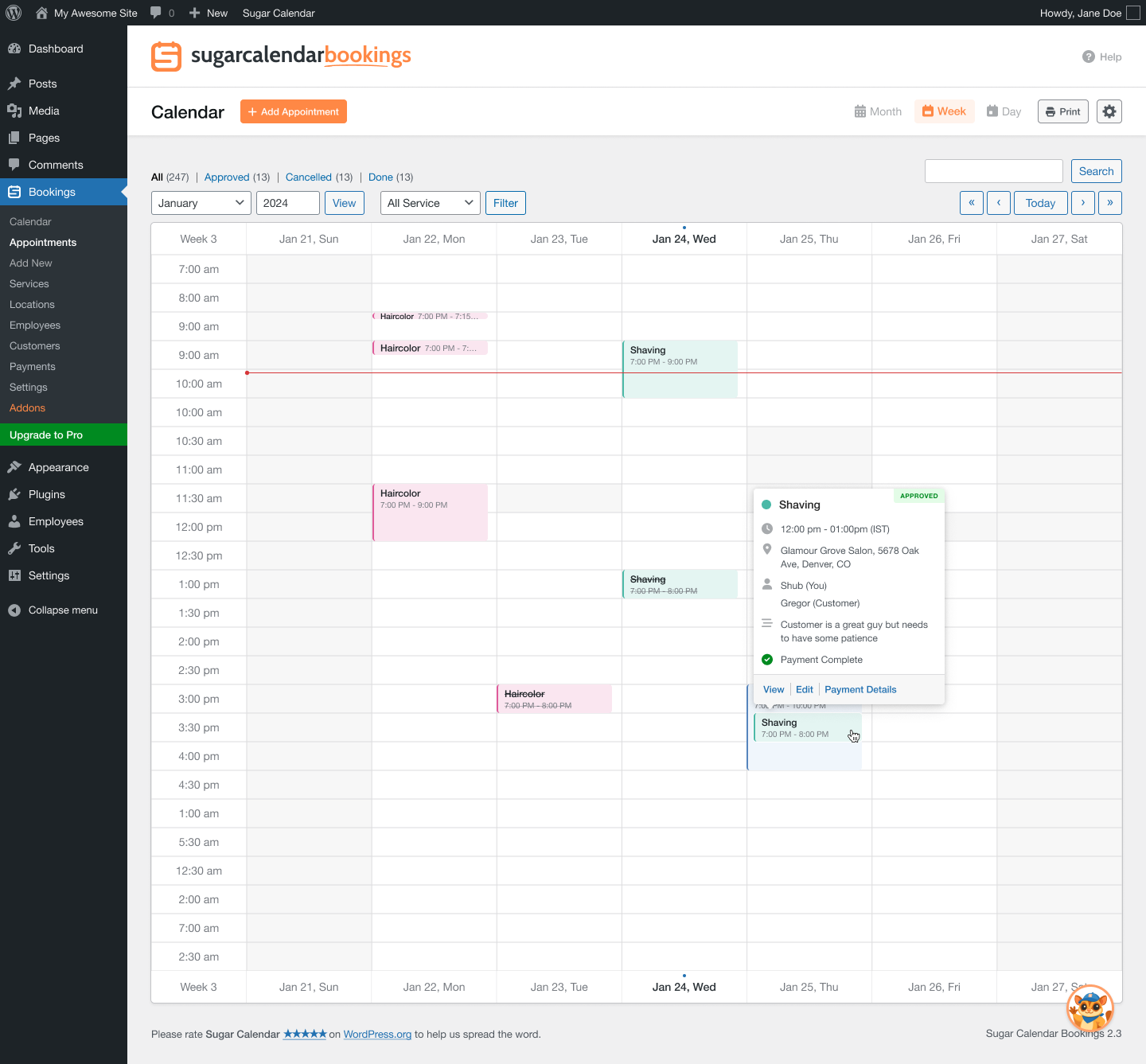
Manage all your bookings from a clean, intuitive admin calendar built right into your WordPress dashboard. Switch between month, week, day, and agenda views to see your appointment schedule exactly how you want it. Appointments are color-coded by service for quick visual reference.
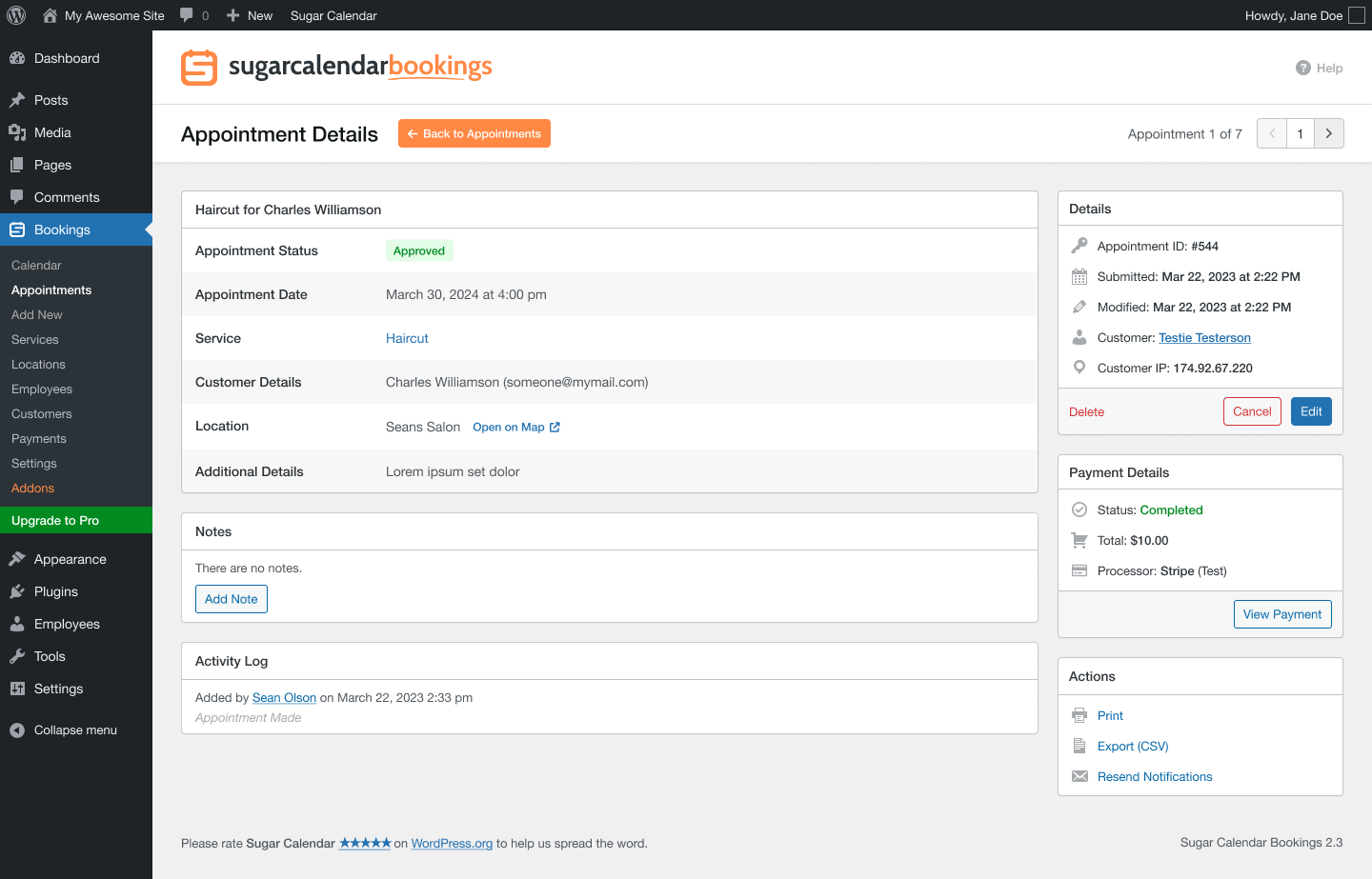
View appointment details, reschedule bookings, process cancellations, and keep track of customer notes with the built-in activity log. Filter by service, status, or search by customer name, email, or phone number to find any appointment instantly.
Availability & Scheduling
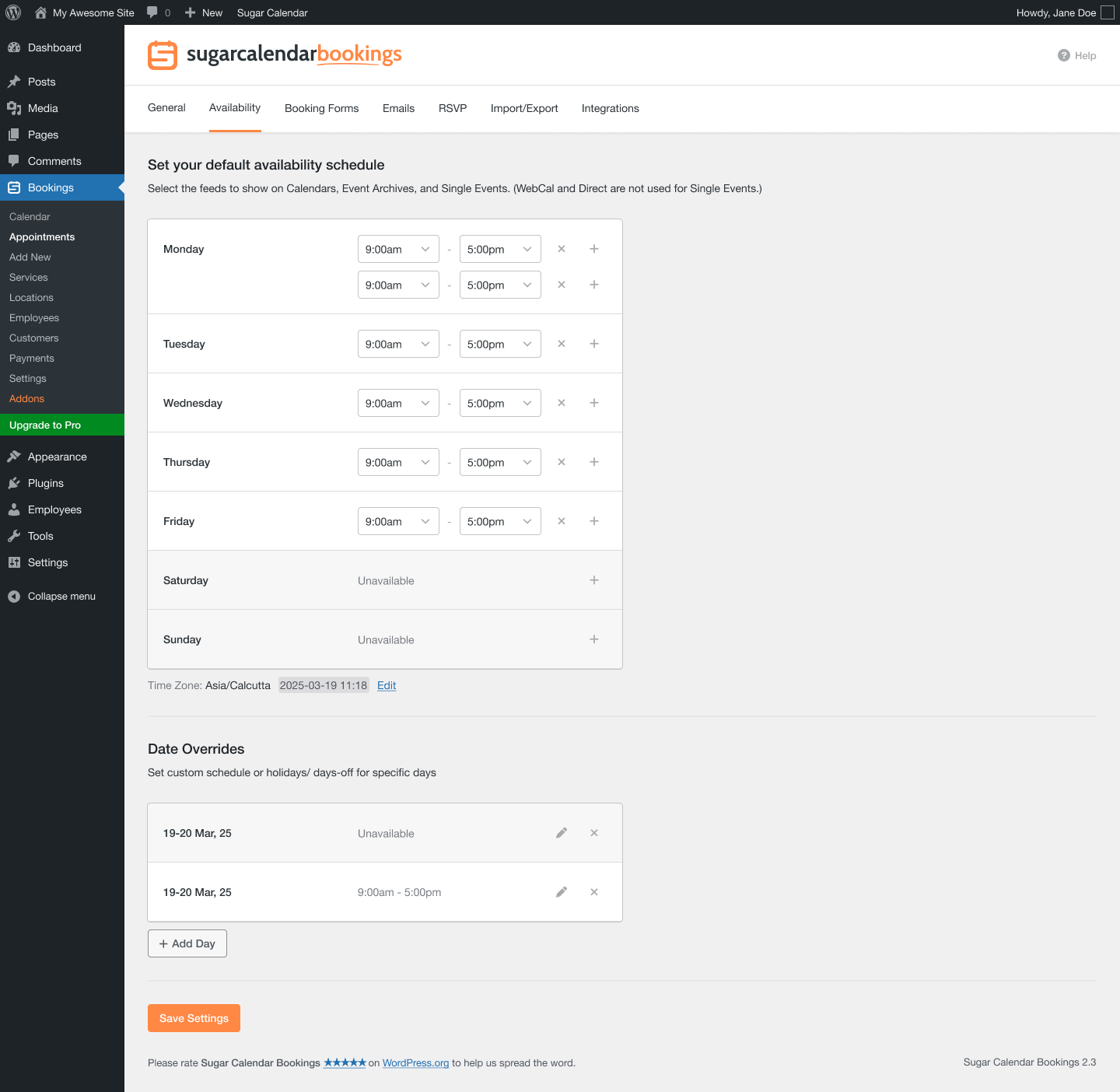
Set your availability with weekly working hours and multiple time periods per day. Need to block off holidays or set special hours for a specific date? Use date overrides to manage your booking calendar with ease.
Control how far in advance customers can book with minimum and maximum advance booking windows. The availability system automatically prevents double-booking and only shows open time slots on your booking form.
Online Payments with Stripe
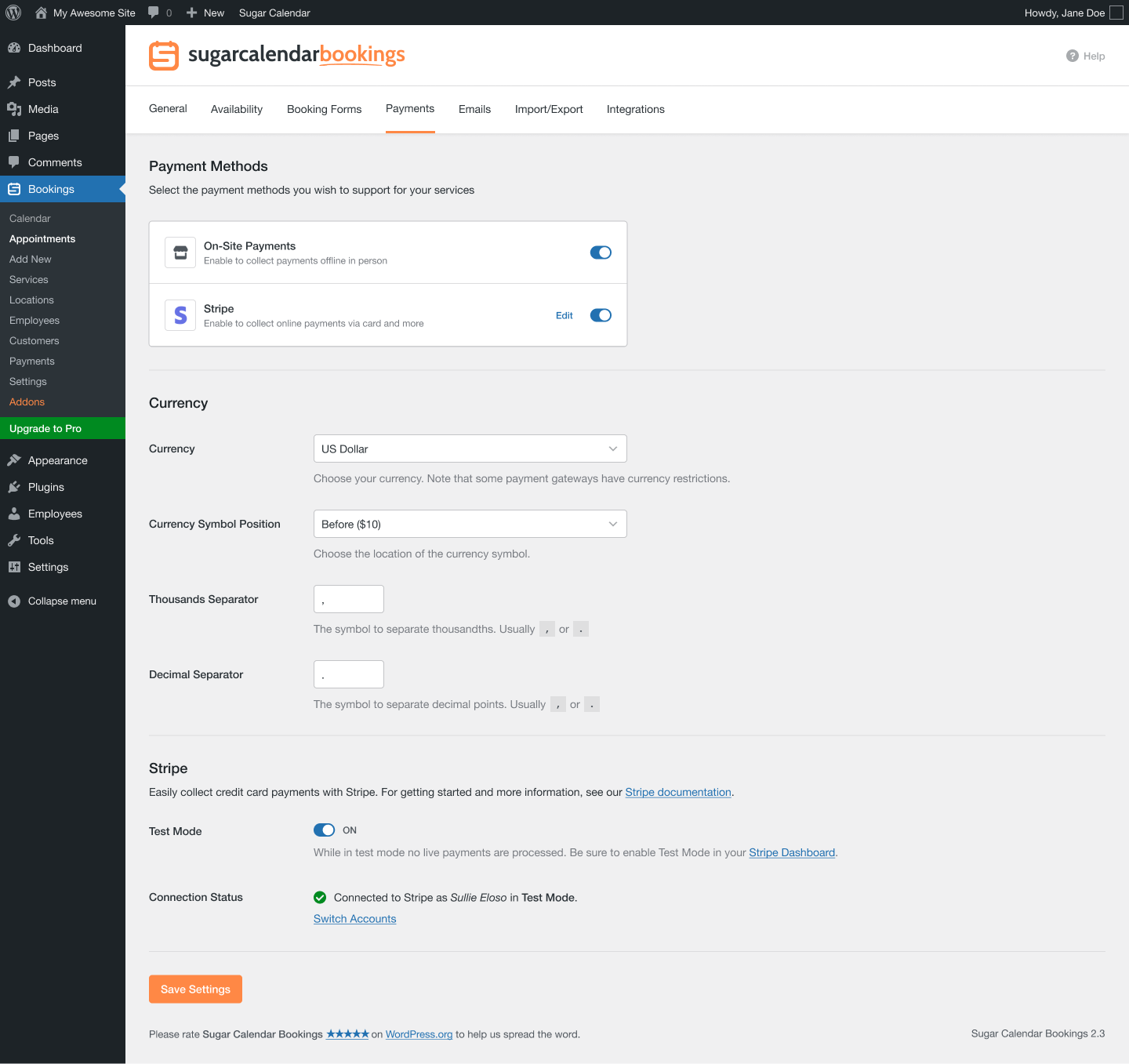
Accept credit card payments directly through your booking form with the built-in Stripe integration. Customers pay when they book, reducing no-shows and saving you time.
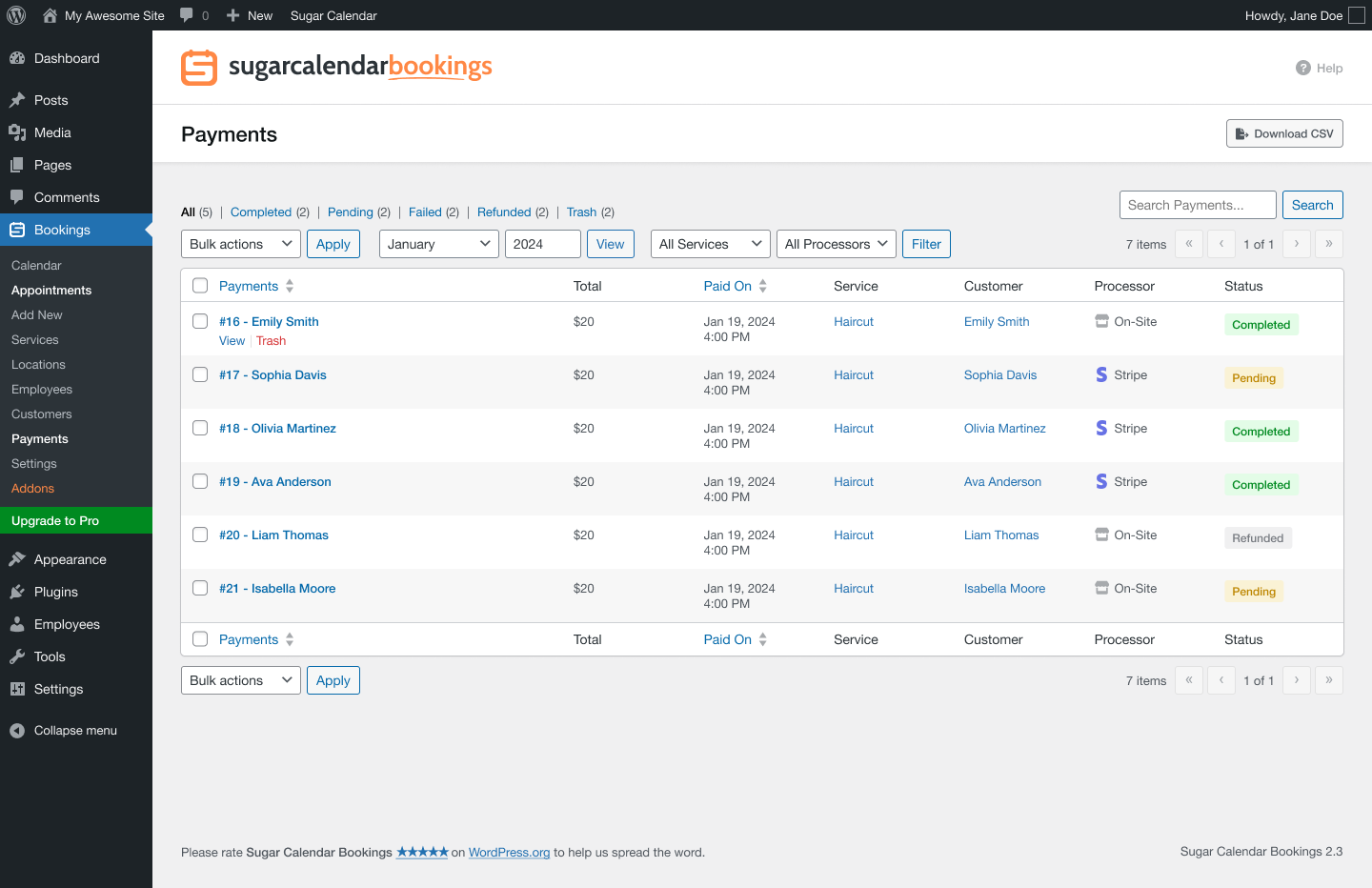
The plugin uses Stripe Connect for a quick, secure setup. You can also accept on-site payments for customers who prefer to pay in person. Manage all transactions, issue refunds, and track revenue from the payments dashboard in your WordPress admin.
Email Notifications & Reminders
Keep everyone informed with automated email notifications. Customers and staff receive instant emails when bookings are created, confirmed, updated, or cancelled. Customize every email template with smart tags that automatically fill in appointment details like customer name, service, date, time, and location.
Set up appointment reminders to reduce no-shows. Customers receive a reminder email before their scheduled appointment so they never forget.
Customer Management
Build your customer database automatically as bookings come in. Every customer profile includes their contact information, complete booking history, and any notes you add. The system automatically detects returning customers by email or phone to avoid duplicate records.
Who Is Sugar Calendar Bookings For?
Sugar Calendar Bookings is the ideal appointment scheduling solution for any service-based business that needs a simple, reliable system to manage calendars and accept reservations on WordPress.
Salons & Spas
Hair stylists, beauty therapists, and wellness practitioners love this plugin because clients can schedule their own appointments 24/7. Set up services with different durations and prices, manage your availability, and accept payments online to reduce no-shows.
Consultants & Coaches
Business consultants, life coaches, and career advisors use our appointment scheduling plugin to let clients reserve one-on-one sessions directly. Your availability calendar syncs with your schedule so clients always see accurate openings.
Healthcare Providers
Doctors, therapists, dentists, and other healthcare professionals rely on Sugar Calendar Bookings to manage patient appointments efficiently. The clean scheduling form and automated confirmations save front-desk staff hours of manual work.
Fitness & Personal Training
Gym owners, personal trainers, and yoga instructors use the scheduling system to let clients reserve training sessions and classes. Set different services for different workout types and manage your weekly availability with ease.
Education & Tutoring
Tutors, music teachers, and academic advisors use our scheduling plugin to manage student appointments. Students pick available time slots from your calendars and receive automated reminders so no session gets missed.
Professional Services
Photographers, lawyers, accountants, and real estate agents use Sugar Calendar Bookings to manage client meetings and consultations. The professional scheduling form makes a great first impression.
Easy Setup in Minutes
The plugin comes with a guided setup wizard that walks you through the entire configuration. Create your first service, set your working hours, connect Stripe for payments, and you're ready to accept appointments. The whole process takes less than 5 minutes.
Switching from Another Plugin?
Moving to Sugar Calendar Bookings from Amelia? Our built-in migration tool imports your services, locations, customers, and appointments automatically. No manual data entry required.
Zoom Integration for Online Appointments
Take your online appointments to the next level with the built-in Zoom integration. When a customer books an online service, a Zoom meeting is automatically created and the unique meeting link is included in the confirmation email and the booking confirmation tab. No copy-pasting links, no manual meeting setup.
Connect your Zoom account in seconds with the one-click setup, and every online booking gets its own unique Zoom meeting. With the Pro version, each employee can connect their own Zoom account so meetings are created under the right host automatically.
Employee Accounts & WordPress User Linking
Connect employees to existing WordPress user accounts so each team member gets their own dedicated admin pages inside WordPress. Staff see only their own appointments, customers, and payments, while admins keep full oversight across the whole business.
Full Sugar Calendar Bookings Feature List
- Online booking form - Multi-step booking flow with service selection, date/time picker, contact form, and payment.
- Stripe payments - Accept credit card payments via Stripe Connect. Free to set up.
- On-site payments - Accept in-person payments without online processing.
- Service management - Unlimited services with custom names, descriptions, images, colors, durations, and pricing.
- Multiple employees - Full staff management with individual profiles and working schedules.
- Smart employee assignment - Automatic best-available staff selection when customers choose "Any".
- Availability management - Weekly schedules with multiple time periods and advance booking windows.
- Per-employee scheduling - Custom working hours and availability for each staff member.
- Date overrides - Holiday management and special hours for specific dates.
- Appointment calendar - Month, week, day, and agenda views with color-coded bookings.
- Employee calendar columns - Day view with separate columns for each team member.
- Email notifications - 11 notification types for customers and staff (booking confirmation, booking pending, update, cancellation, reminder, and payment refund).
- Appointment reminders - Automated email reminders before scheduled appointments.
- Service-level email templates - Custom notification content per service.
- Smart tags - Dynamic content in email templates (customer name, service, date, time, location).
- Location management - Support in-person and online appointment locations.
- Customer management - Customer profiles with booking history and contact details.
- Customer self-cancellation - Customers cancel bookings via unique confirmation code.
- Payment management - Track payments, process refunds, and monitor revenue.
- Service-level payment settings - Different payment gateways per service.
- Currency settings - Multiple currencies with custom symbol and format options.
- Employee real-time availability - Live availability status for staff members.
- Gutenberg block - Dedicated booking form block for the WordPress editor.
- Shortcode support -
[sugar_calendar_bookings_form]for any editor or page builder. - Elementor widget - Native Elementor integration for drag-and-drop booking form placement.
- Setup wizard - Guided configuration for quick first-time setup.
- Dashboard widget - Appointment and revenue overview on the WordPress admin dashboard.
- Tags system - Organize services and customers with custom tags.
- Activity log - Notes and audit trail on appointment detail pages.
- Translation ready.
- Stripe - Accept credit card payments directly through your booking form via Stripe Connect.
- Zoom - Automatic Zoom meeting creation for online appointments with one-click account setup.
- Elementor - Native booking form widget for the Elementor page builder.
- Gutenberg - Dedicated booking form block for the WordPress block editor.
安装:
- Install Sugar Calendar Bookings Lite either via the WordPress.org plugin repository or by uploading the files to your server. (See instructions on how to install a WordPress plugin)
- Activate Sugar Calendar Bookings Lite.
- Follow the setup wizard to configure your first service, working hours, and payment settings.
- Add the booking form to any page using the Gutenberg block, shortcode, or Elementor widget.
- Want more features? Purchase the full version of Sugar Calendar Bookings!
屏幕截图:
常见问题:
Who should use Sugar Calendar Bookings?
This plugin is ideal for any business or individual that needs to accept appointments on their WordPress website. Whether you run a salon, consulting firm, healthcare practice, fitness studio, tutoring service, or any other service-based business, this appointment scheduling plugin makes it easy to manage your schedule and accept payments online.
Do I need coding skills to set up the booking system?
Not at all. The plugin is designed to be the most beginner-friendly appointment scheduling solution available. The guided setup wizard walks you through creating your first service, setting your working hours, and connecting Stripe for payments. You can have your scheduling form live on your site in less than 5 minutes.
What types of booking forms can I create?
The plugin creates professional appointment forms that include service selection, date and time picking from your availability calendar, customer contact information, and payment processing. You can customize which services appear on each form, choose light or dark mode, and select your preferred time slot layout.
Can customers cancel their own bookings?
Yes. When customers book an appointment, they receive a unique confirmation code via email. They can use this code to cancel their booking directly from your website without needing to contact you.
Does the plugin accept online payments?
Yes. Sugar Calendar Bookings includes a free Stripe integration via Stripe Connect that lets you accept credit card payments directly through your scheduling form. You can also offer on-site payment for customers who prefer to pay in person. Manage all payments, track revenue, and process refunds from the admin dashboard.
Can I manage multiple services with different availability schedules?
Yes. You can create unlimited services, each with their own duration, pricing, and working schedule. Services can share a global availability schedule or have their own custom hours. Use date overrides to manage holidays, special hours, and blocked dates across your calendars.
Does the plugin work with Elementor, Gutenberg, and other page builders?
The plugin provides three ways to embed your appointment form: a dedicated Gutenberg block, a shortcode ([sugar_calendar_bookings_form]) that works with any editor or page builder, and a native Elementor widget. All three methods offer the same booking experience.
Can I migrate from Amelia or another booking plugin?
Yes. The plugin includes a built-in migration tool that imports your services, locations, customers, and appointments from Amelia automatically. No manual data entry needed. Just activate both plugins, go to the import settings, and start the migration.
Does the plugin send email notifications?
Yes. The plugin sends automated email notifications for bookings, confirmations, updates, and cancellations to both customers and staff. You can customize every email template using smart tags that auto-fill appointment details. Appointment reminder emails help reduce no-shows.
Is the plugin translation ready?
Yes. Sugar Calendar Bookings has full translation and localization support. Based on your site language, translation files will be loaded automatically.
Does the plugin integrate with Zoom for online appointments?
Yes. Sugar Calendar Bookings includes a built-in Zoom integration that automatically creates a unique Zoom meeting for every online appointment. The meeting link is included in the confirmation email sent to both you and your customer. Connect your Zoom account with a single click from the Integrations settings tab.
更新日志:
- Fixed: Compatibility with WordPress 7.1, including row actions on the admin list tables.
- Changed: Setup Wizard improvements, including a new welcome screen in your WordPress admin.
- Fixed: Translation support for the booking form, Gutenberg blocks, and dynamic admin UI elements rendered with JavaScript.
- Added: Outlook Calendar integration with one-click setup, two-way appointment sync, and built-in conflict checking.
- Added: Anti-spam protection for the booking form, with CAPTCHA support.
- Added: Shareable booking pages for individual services.
- Added: WordPress Abilities API integration, letting AI assistants and other tools securely view your bookings data, including appointments, services, customers, and employees.
- Fixed: Issue with trashed entities.
- Security fixes and other improvements.
- Added: Zoom integration with one-click setup for online appointments.
- Added: Misc settings tab.
- Added: Reset button for email templates.
- Fixed: WordPress 7 compatibility.
- Other fixes and improvements.
- Added: Timezone Override setting.
- Changed: Setup Wizard and booking flow improvements.
- Changed: Various UI enhancements and bug fixes.
- Added: Agenda view for Calendar.
- Added: Import from Amelia migration tool.
- Changed: Various UI enhancements and bug fixes.
- Changed: Various UI enhancements and bug fixes.
- Changed: filters for admin pages.
- Added: SetupWizard.
- Added: Lite Upgrade and license key field.
- Added: Dashboard Widget.
- Added: Calendar Day view.
- Added: Customer Notification Email for Payment Refunds.
- Added: Availability Date Overrides.
- Changed: Various UI enhancements.
- Fixed: Booking form script initialization in Elementor widgets and shortcodes.
- Added: Calendar month and week views.
- Added: Stripe payment gateway.
- Added: Elementor support.
- Added: Email notifications.
- Added: Availability management.
- Added: Online service locations.
- Added: Core booking functionality.
- Added: Bookings calendar in the admin area.
- Added: Service management in the admin area.
- Added: Location support (in-person and online)
- Added: Customer management in the admin area.
- Added: Availability management.
- Added: Frontend booking form.