
SUMALE – Loyalty Club for WooCommerce
| 开发者 | fabrivelazquez |
|---|---|
| 更新时间 | 2026年10月3日 21:40 |
| PHP版本: | 7.4 及以上 |
| WordPress版本: | 7.1 |
| 版权: | GPLv2 or later |
| 版权网址: | 版权信息 |
详情介绍:
- Automatic points on every paid order, calculated on the order total excluding shipping.
- If an order is refunded (fully or partially) or cancelled, points are adjusted automatically.
- An opt-in checkbox at checkout shows how many points the purchase earns. For stores in the European Union it is unchecked by default.
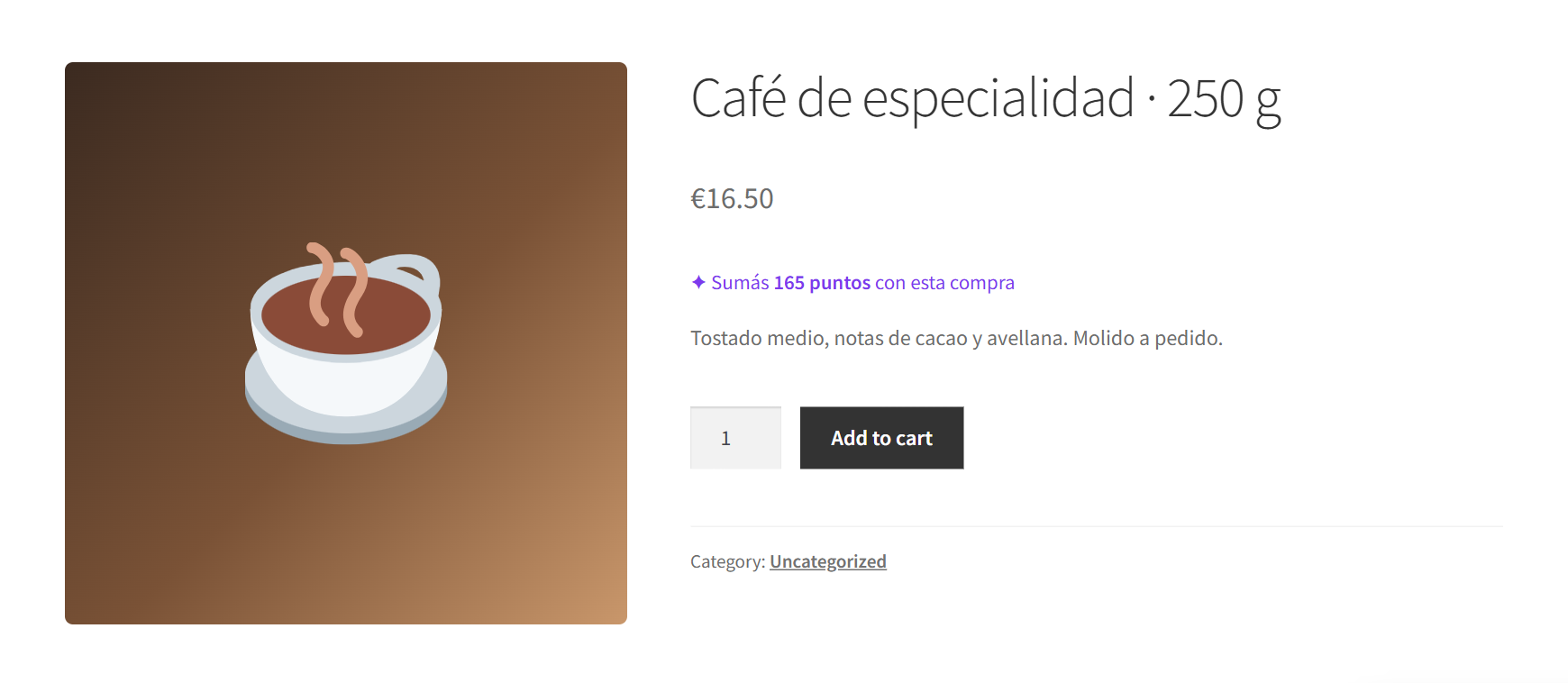
- "You earn 115 points with this purchase" under the price of each product, updated when a variation is selected. For themes built with Elementor or other page builders, use the
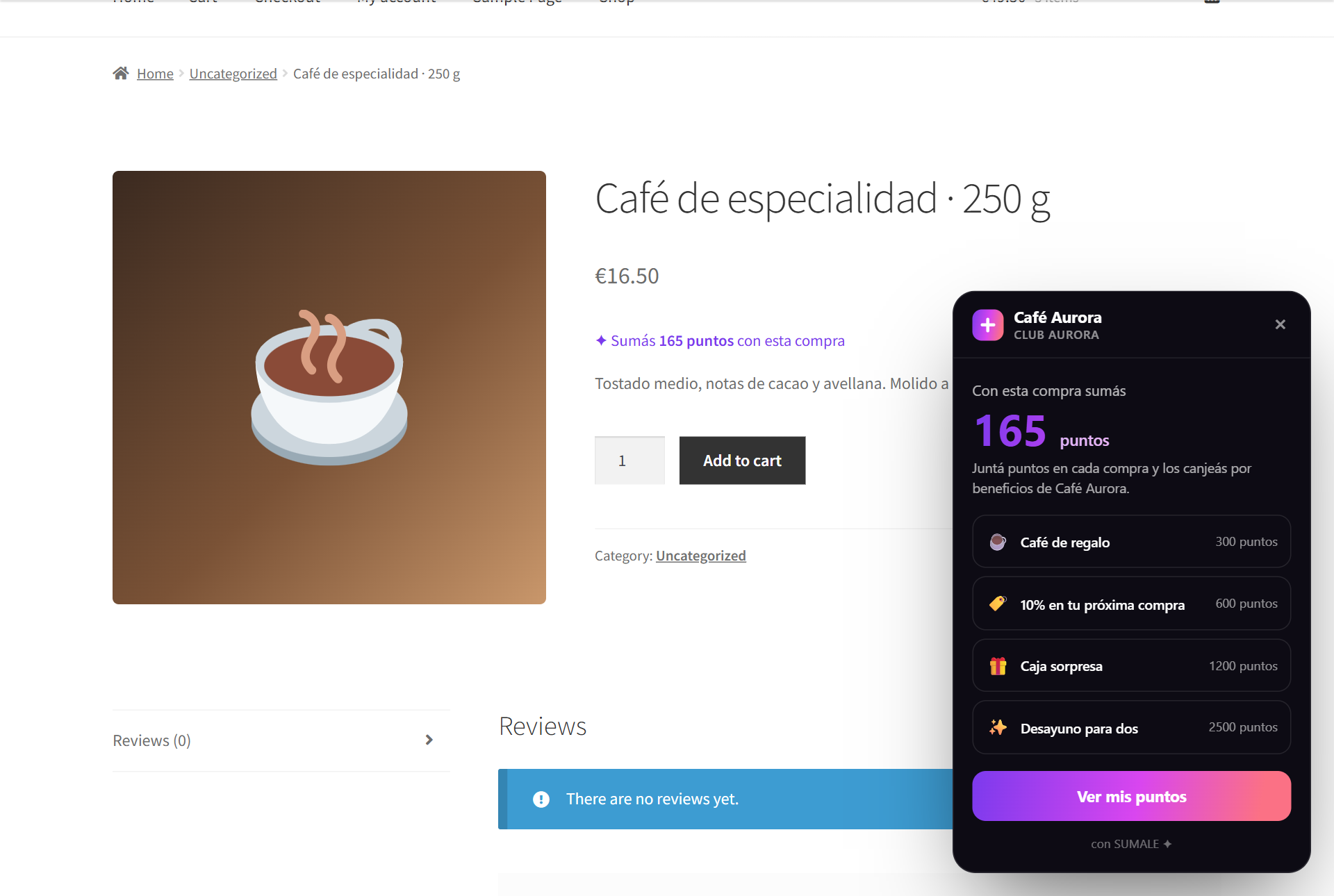
[sumale_puntos]shortcode. - A floating club bubble with your club's colors and wording: it shows what each product or the cart earns, the club's rewards and, for logged-in customers, their balance.
- "My points" in My Account: the customer's balance, how far each reward is, and a link to the club app.
- Compatible with the classic checkout (including Elementor), the block-based checkout, and High-Performance Order Storage (HPOS).
安装:
- In your WordPress dashboard, go to Plugins → Add New and upload the SUMALE zip file (or search for it once it is available in the directory).
- Activate the plugin. WooCommerce must be installed and active.
- Go to WooCommerce → SUMALE and paste your club's connection key. Generate it in your SUMALE dashboard at https://sumale.app, under "Tienda online" (Online store).
- Save. The plugin confirms the connection and loads your club's name, points rule, wording and rewards.
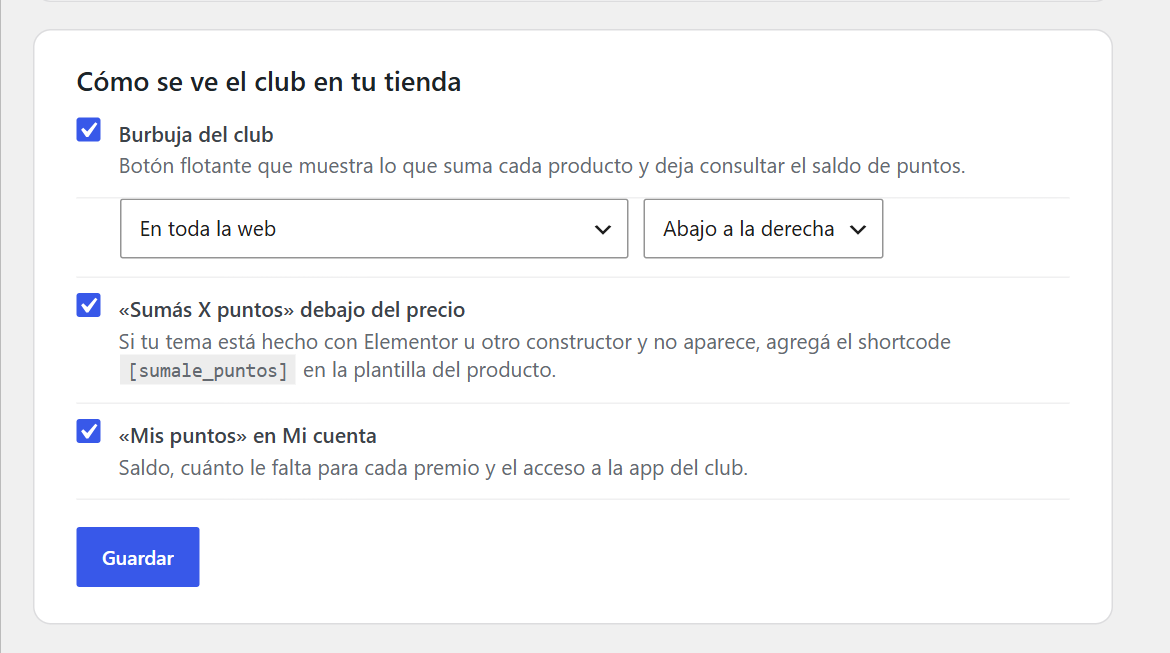
- On the same screen, choose what appears in your store: the "you earn X" line under the price, the club bubble (and on which side), and "My points" in My Account.
[sumale_puntos] shortcode where you want it.屏幕截图:


常见问题:
Do I need a SUMALE account?
Yes. The plugin connects your store to a club that lives in SUMALE (https://sumale.app). Without a club and its connection key, the plugin does nothing.
What does a customer see in the club bubble?
What the product or the cart earns, and the club's rewards. Logged-in customers also see their own balance. Visitors who are not logged in are invited to log in: a balance is never shown for an email address typed into the store. For privacy, names and transaction history are never shown either; the full history is in the club app.
Can I hide or move the bubble?
Yes, in WooCommerce → SUMALE: show it on the whole site or only on shop pages, at the bottom right or bottom left, or turn it off. It never appears on the checkout page.
Which languages does the plugin support?
Its texts are in Spanish, the language of the SUMALE clubs it connects to. The club's own wording, such as what points are called, comes from your club's settings in SUMALE.
更新日志:
- The connection key is now generated by the merchant in the SUMALE dashboard, under "Tienda online".
- Screenshots added to the plugin page.
- Points balances are only shown to logged-in customers, for their own account. Visitors are invited to log in instead of typing an email address.
- The My Account styles are loaded through the WordPress style queue.
- Readme translated to English.
- Declared compatibility with WordPress 7.1 and WooCommerce 11.1.
- Minimum WordPress version raised to 6.5, the version that supports the declared WooCommerce dependency.
- The bubble never covers the cookie notice: it hides while the notice is open (on mobile it covered "Reject all") and sits below notices and chat widgets.
- The club inside the store: a "you earn X" line on each product (and the
[sumale_puntos]shortcode), a floating bubble and "My points" in My Account. - Settings to show or hide each element and to position the bubble.
- The club summary (rewards, wording) refreshes every hour.
- Automatic points on purchases, adjusted for refunds and cancellations.
- Consent checkbox in the classic and block-based checkouts.
- Each connection key is bound to a single store, so a copy of the site cannot move points.
- Suggested text for the store's privacy policy.
- Store connection to the SUMALE club using a signed key.