
Sunshine Photo Cart - Client Photo Gallery & Photo Proofing for Photographers
| 开发者 |
sunshinephotocart
wpsunshine sccr410 |
|---|---|
| 更新时间 | 2026年10月22日 04:42 |
| PHP版本: | 7.4 及以上 |
| WordPress版本: | 7.1 |
| 版权: | GPLv2 or later |
| 版权网址: | 版权信息 |
标签
下载
详情介绍:
"I would say my sales went up at least 300% since installing Sunshine Photo Cart." - Edward Amos "Sunshine elevated my small photography business and I know it can elevate yours as well." - Kendra Heller "Sunshine Photo Cart has allowed me to deliver proof galleries quickly, efficiently, and effortlessly. This plugin has really taken out the aggravation of setting up galleries, allowed me to work more efficiently, and gives my clients such an easy-to-use interface for viewing. I am grateful I found it and highly recommend it to other photographers!" - Drew Johnston "AUS$1500 worth of sales within 3 days of installing Sunshine Photo Cart. Need I say more? This system is simple to use, easy to customize, and doesn't force you to dive into the depth of your server to run." - William Debois "The biggest benefit for me was the stand alone style, do your own stuff, sell as much as you can without a commission." - Dan Spineanu "I have seen a huge increase in sales compared to other photo websites." - Nadia HallWhy Choose Sunshine Photo Cart for Your Client Photo Gallery? Whether you're a wedding photographer, portrait photographer, school/sports photographer, or fine art photographer, Sunshine Photo Cart gives you everything you need to create beautiful client photo galleries and streamline your photo proofing workflow. ✨ Deliver proof galleries that convert - Share password-protected galleries with expiration dates that create urgency and encourage clients to purchase before time runs out. Your clients can easily browse, select favorites, and share with family and friends to increase your sales. 💰 Sell photos with zero commissions - Keep 100% of your profits. Unlike other platforms that take 15-30% of every sale, Sunshine Photo Cart charges no commissions, no monthly fees, and no hidden costs. You own your client galleries and your revenue. 🚀 Set up in minutes, not hours - Create your first client photo gallery in under 5 minutes. Upload images via FTP or drag-and-drop, set your products and pricing, and start sharing galleries with clients immediately. 🔒 Professional security built-in - Protect your images with automatic watermarking, password protection, and private gallery access. Your photos stay secure while clients enjoy a seamless viewing experience. 📱 Works beautifully on any device - Your clients can browse galleries, select favorites, and purchase photos from their phone, tablet, or computer. Responsive design means your client photo galleries look perfect everywhere. 🌍 Sell to clients worldwide - Support for all currencies and translations in German, French, Spanish, Dutch, Finnish, Portuguese, British English, Norwegian, and more. Learn more about translations 🎨 Works with any WordPress theme - Sunshine Photo Cart seamlessly integrates with all WordPress themes and popular page builders. Your client photo galleries automatically match your website's design, or choose from our custom design layouts for a dedicated gallery experience. What You Get with Your Free Client Photo Gallery Plugin This free version is fully functional and includes everything you need to start selling photos to clients: Photo Proofing & Client Gallery Features
- Unlimited client photo galleries - Create as many galleries as you need for weddings, portraits, events, or any photography project
- Photo proofing workflow - Let clients browse proof galleries, select favorites, and share with family members to increase engagement. Create proofing-only galleries (no products) for client approval workflows
- Multiple display formats - Choose from various layout formats for your galleries and images to match your style and client preferences
- Password-protected galleries - Keep your client photo galleries private with password protection, email requirements, or user account access
- Gallery expiration dates - Create urgency and encourage faster purchases with automatic expiration notices
- Sub galleries - Organize large events like weddings into hierarchical galleries (ceremony, reception, portraits, etc.)
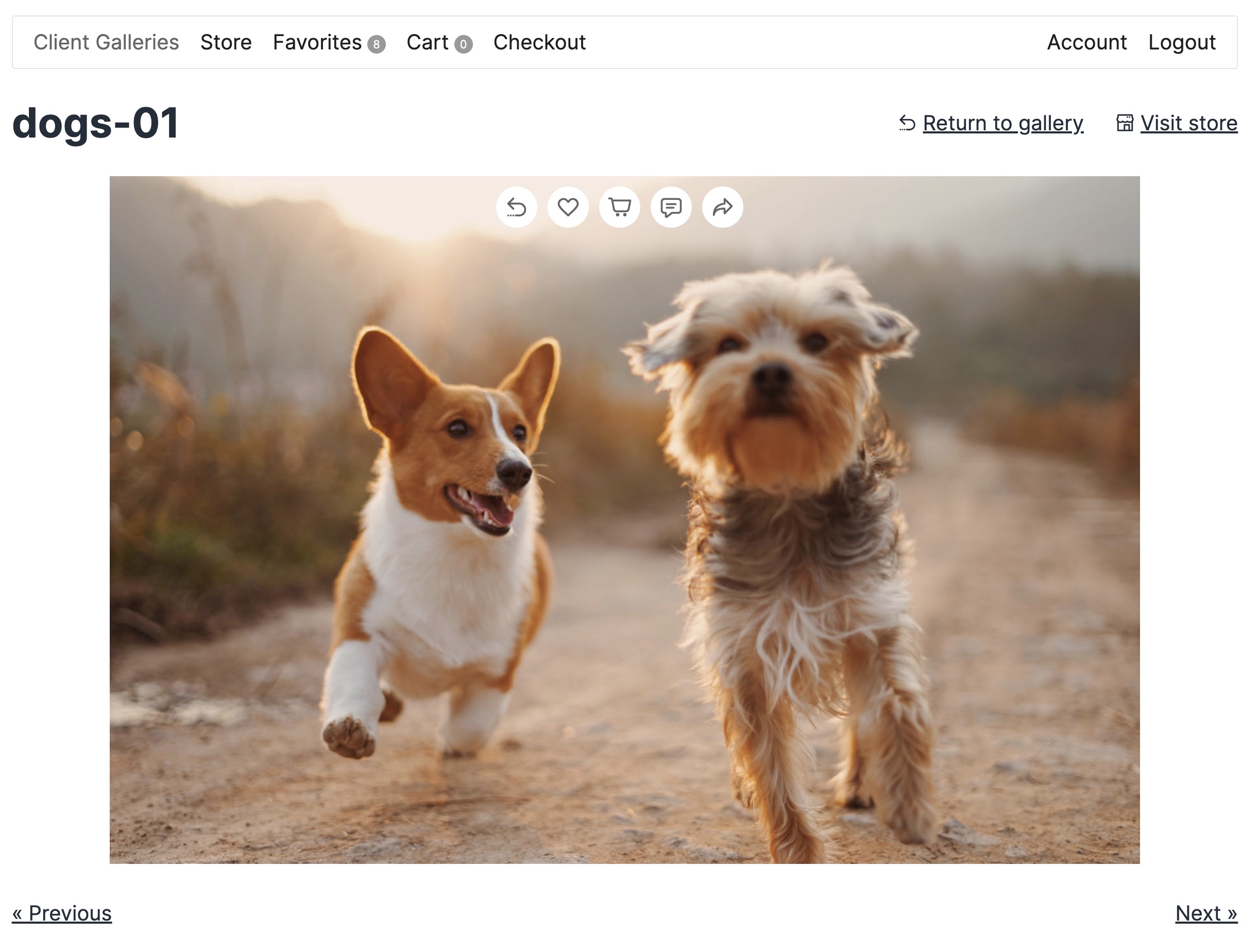
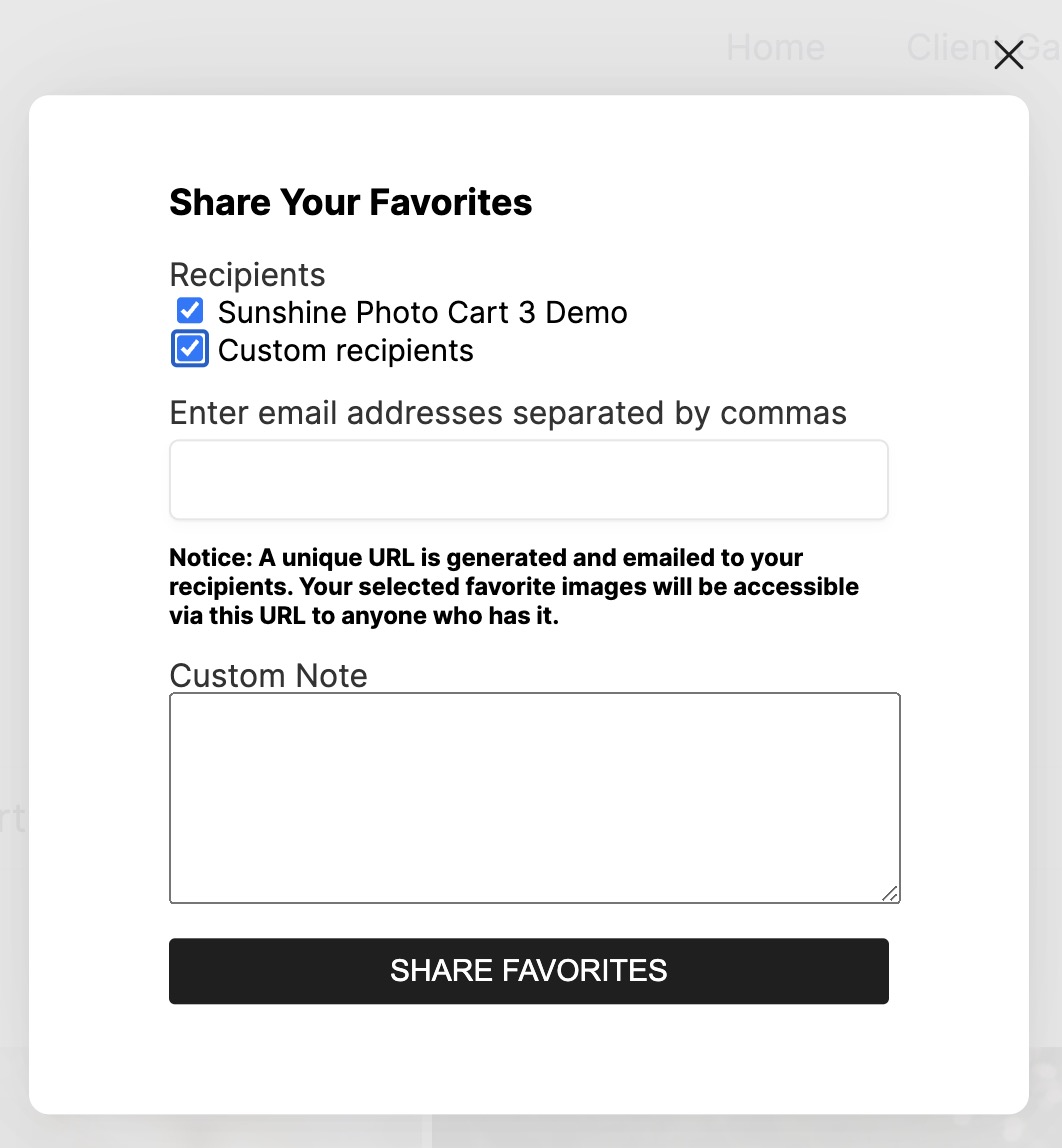
- Favorites system - Clients can mark their favorite photos, and you can view all favorites in the admin to understand client preferences
- Comments on images - Enable clients to leave comments on photos during the proofing process for better communication
- Social sharing - Enable clients to share galleries and images on social media to increase exposure and drive more sales
- Automatic watermarking - Protect your images with watermarks automatically applied when images are uploaded to galleries
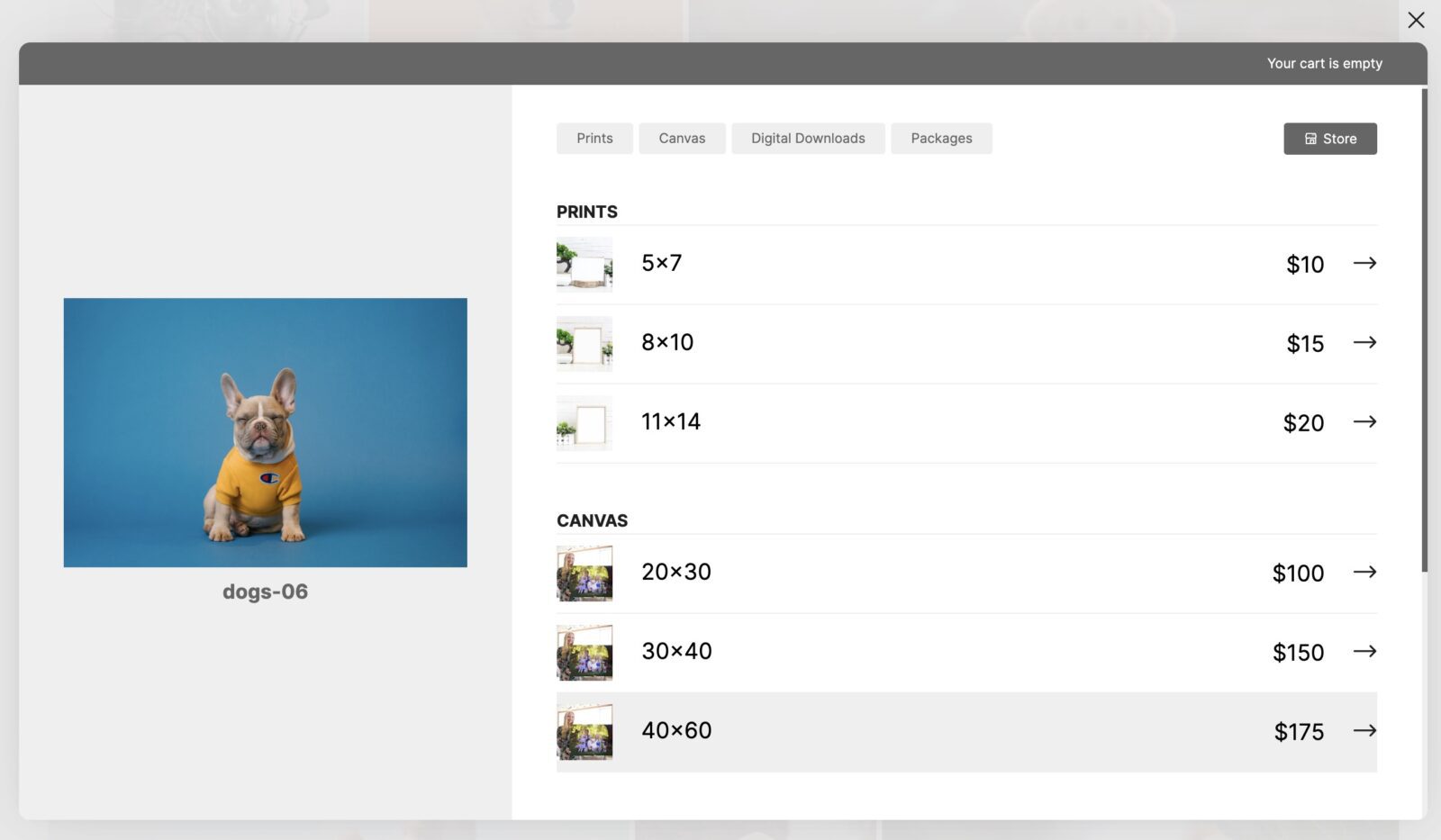
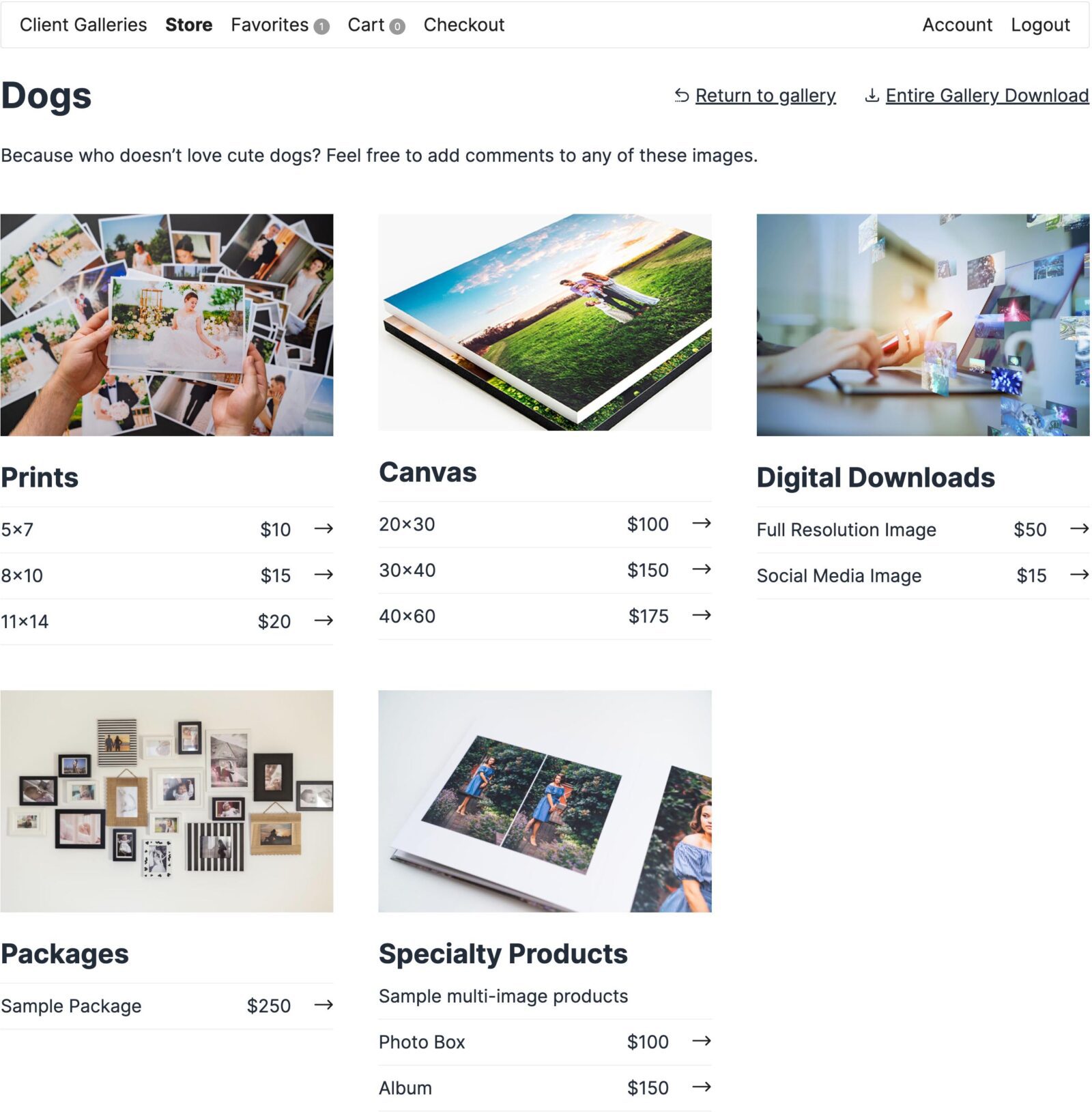
- Shopping cart system - Professional cart that lets clients select photos, choose products (prints, digital downloads, etc.), and add multiple items
- Multiple payment options - Accept offline payments (check) or online payments. PayPal is included free with the core plugin. Stripe and Square are also available in the free version (with 5% platform fees) or upgrade to remove fees.
- Registered or guest checkout - Choose whether to require user accounts or allow guest checkout for faster purchases
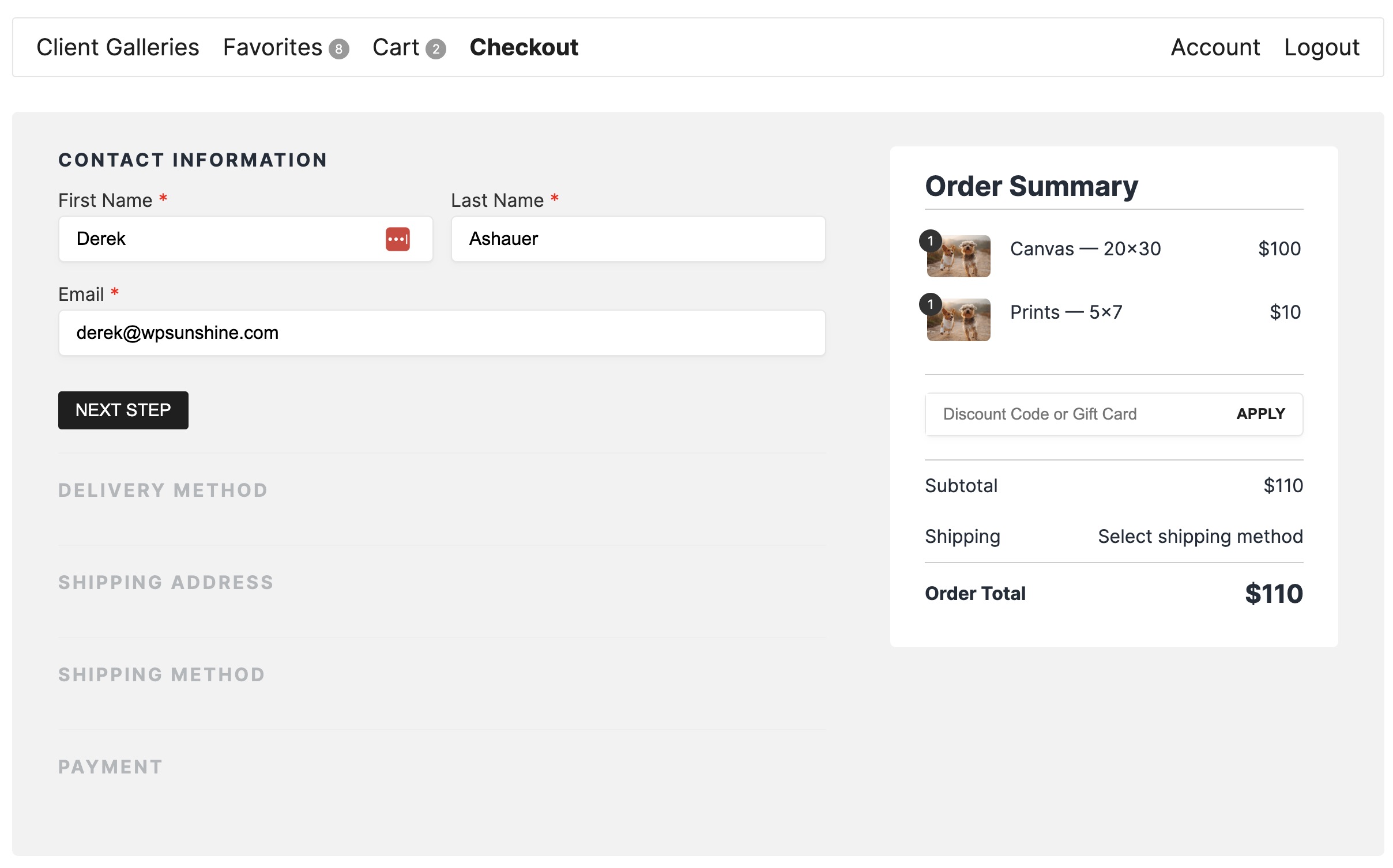
- Optimized checkout page - One-page checkout optimized for conversions with optional distraction-free experience to maximize sales
- Advanced tax settings - Set specific tax rules down to the zip or postal code level for precise tax calculations in your area
- Flexible shipping - Offer flat rate shipping, local delivery, or pickup options to meet your business needs
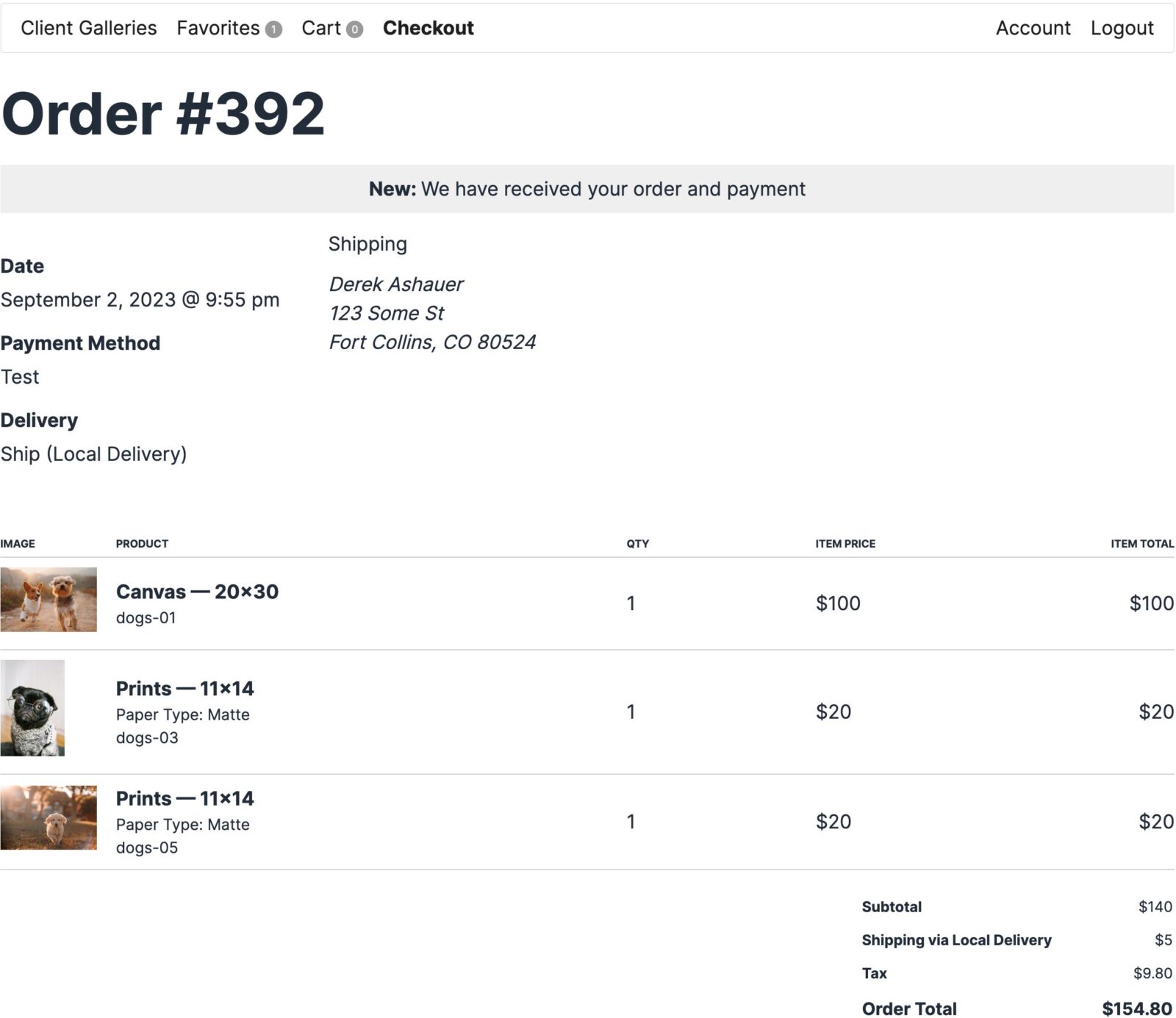
- Order management - Easy-to-use admin dashboard to track orders, manage customers, change order status, and notify clients of updates
- Printable invoices - Generate professional invoices for every order automatically
- No limits - Unlimited galleries, unlimited images, unlimited products, unlimited orders
- Theme integration - Automatically integrates with your WordPress theme or choose from our beautiful design layouts
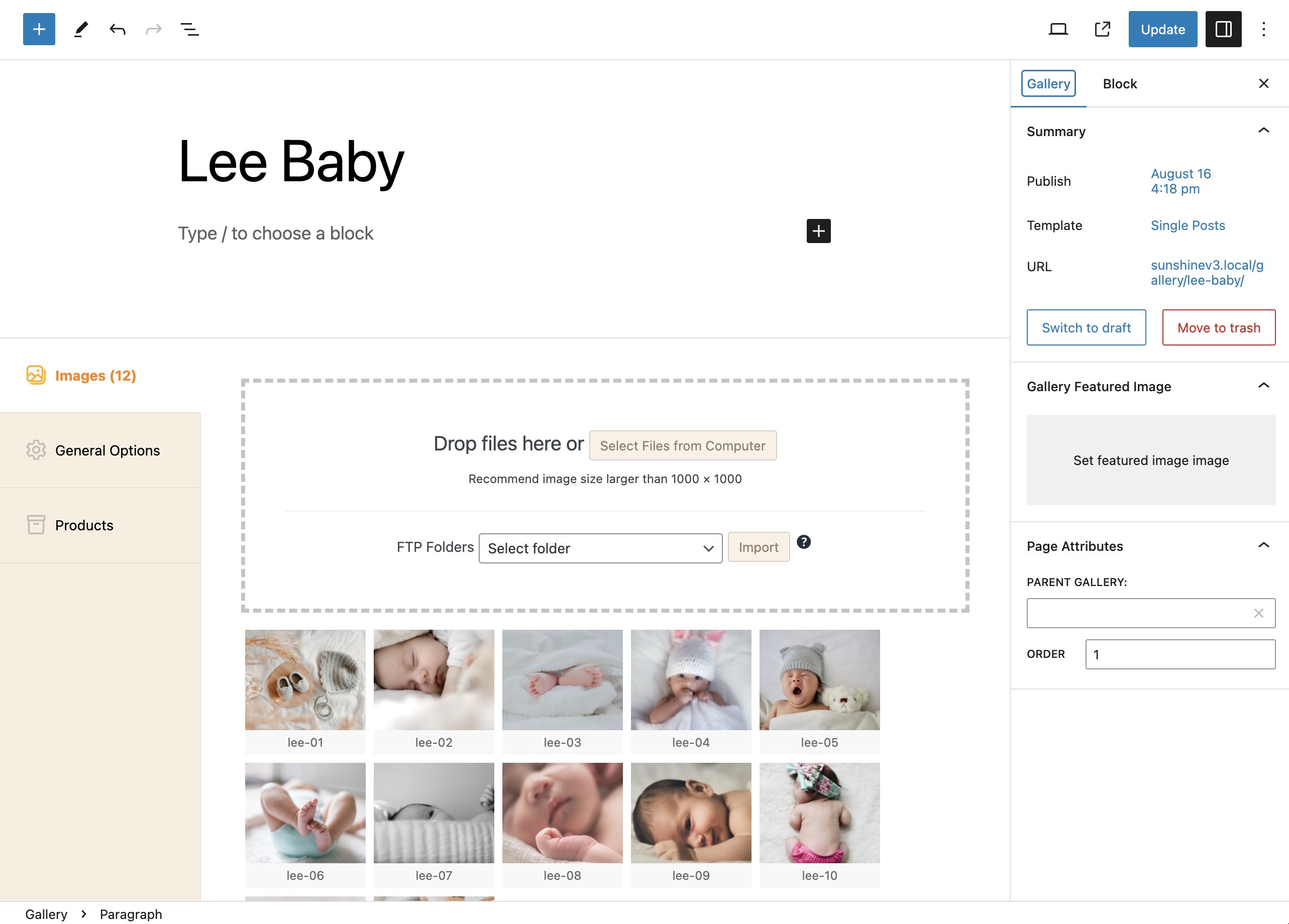
- FTP upload support - Upload hundreds of images quickly via FTP or use the convenient browser upload
- Mobile-responsive - Your client photo galleries look perfect on phones, tablets, and desktops
- Digital Downloads 📥 - Sell digital files at any size with instant, secure download access for your clients
- Discount Codes 🎟️ - Boost sales with flexible discount codes that encourage larger purchases
- Lightbox 🖼️ - Deliver a premium browsing experience with beautiful lightboxes and slideshows for your client photo galleries
- Price Levels 💰 - Set unique prices per gallery for complete pricing control and maximum profits
- Packages 📦 - Bundle products together to encourage larger orders and increase average order value
- Product Options ⚙️ - Offer customizable options like frames, paper types, and finishes to increase sales
- Advanced Analytics 📊 - Understand what sells best with detailed gallery analytics, best sellers, and profit insights
- Multi Image Products 🖼️ - Sell products like photo boxes or albums where clients select multiple photos
- Automated Emails 📧 - Send automated emails based on client gallery interactions to nurture relationships and drive sales
- Client Messaging 💬 - Simplify gallery invitations with professional message templates
- Session Fees 📅 - Offer bookable time slots with online payments and include products with your session fees
- Volume Galleries 📚 - Build hundreds of galleries in a quick, easy workflow perfect for school photographers and high-volume events
- Cloud Storage ☁️ - Offload images to Amazon S3, Google Cloud, or DigitalOcean Spaces for unlimited storage and faster delivery
- Gift Cards 🎁 - Sell gift cards that clients can redeem for prints and products in any gallery
- Minimum Order 🛒 - Set minimum order amounts to ensure every sale is worth your time
- Price List 📋 - Display your product pricing anywhere on your site with a simple shortcode
- Quantity Discounts 📉 - Reward bulk purchases with automatic volume discounts to increase order sizes
- Sell Anything 🛍️ - Sell products that don't require a photo selection, like gift prints or studio merchandise
- Video Sales 🎬 - Sell video clips and slideshows alongside your photo galleries
- Exports 📤 - Simplify financial reporting and order fulfillment with effortless CSV exports of order data
- PayPal 💳 - Fully included in the free core plugin with no platform fees or add-on required! Available in Free Version (with 5% platform fee):
- Stripe 💳 - Accept credit cards and all Stripe-supported payment methods. Upgrade to remove platform fees
- Square 💳 - Accept payments in-person or online. Upgrade to remove platform fees Available with Add-ons (Pro/Plus plans):
- Authorize.net - Enterprise payment processing for businesses
- Mollie - European payment gateway with iDEAL support
- Mercado Pago - Popular payment gateway for Latin America
- Payfast - South African payment gateway
- Paystack - African payment gateway
- Quickpay - Danish payment gateway View all payment gateways | Don't see your payment option? Request it
- MailChimp - Grow your email list automatically
- Campaign Monitor - Email marketing integration
- Light Blue CRM - Connect with popular photography CRM
安装:
- Activate the plugin - Install and activate Sunshine Photo Cart from your WordPress admin
- Configure settings - Go to Sunshine > Settings to set up your business information, payment methods, and shipping options
- Create products - Add your print products (e.g., 8x10, 11x14, 16x20) or digital download options
- Create your first gallery - Upload images and create your first client photo gallery
- Start selling - Share your gallery with clients and start accepting orders with zero commissions! 💰
屏幕截图:

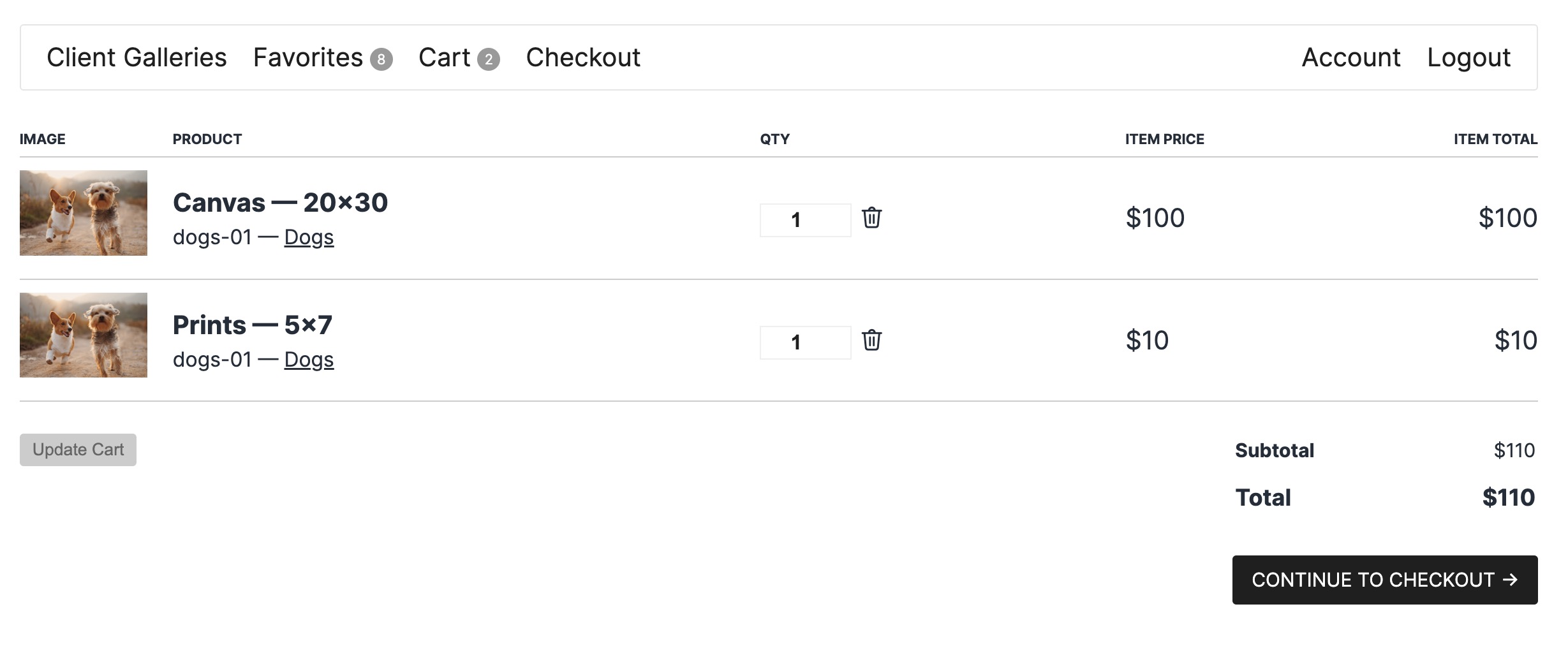
常见问题:
How do I create a client photo gallery for my photography business?
Sunshine Photo Cart makes it easy to create professional client photo galleries. After installing the plugin, go to Sunshine > Galleries and click "Add New Gallery." Upload your images via drag-and-drop or FTP, set gallery access (password, email, or private), and share the gallery link with your clients. Your clients can browse photos, select favorites, and purchase prints or digital downloads directly from the gallery.
What is photo proofing and how does Sunshine Photo Cart help with photo proofing?
Photo proofing is the process of sharing photos with clients so they can review, select favorites, and approve images before final delivery or purchase. Sunshine Photo Cart streamlines photo proofing by letting you create password-protected proof galleries where clients can browse images, mark favorites, share with family, and purchase photos. Features like gallery expiration dates and favorites selection make the proofing process efficient and help convert more sales.
Can I sell photos to clients with this plugin?
Yes! Sunshine Photo Cart is built specifically for photographers who want to sell photos to clients. The plugin includes a full shopping cart system, multiple payment gateways (PayPal, Stripe, Square), product management, and order fulfillment tools. You can sell prints, digital downloads, and custom products with zero commissions or monthly fees.
How do I accept payments for photo sales?
Sunshine Photo Cart supports multiple payment methods. PayPal is included free with the core plugin—no fees, no add-on required! The free version also includes Stripe and Square, but these have a 5% platform fee (upgrade to remove fees). You can also accept offline payments like checks. Upgrade to unlock additional payment gateways including Authorize.net, Mollie, Mercado Pago, Payfast, Paystack, and Quickpay. See all payment gateways
Are there any limits on galleries, images, or products?
No! Sunshine Photo Cart has no limits on galleries, images, products, or orders. You can create unlimited client photo galleries, upload unlimited images, and sell unlimited products. The only limitation is your web hosting storage space. If you need more storage, Sunshine integrates with Amazon S3 via the WP Offload S3 plugin for unlimited cloud storage.
Can I password protect my client photo galleries?
Absolutely! Sunshine Photo Cart offers multiple ways to protect your client photo galleries. You can require a password, require an email address, require a user account, or make galleries completely private for specific users only. This ensures only your clients can access their photos.
Does this work for wedding photographers?
Yes! Sunshine Photo Cart is perfect for wedding photographers. Features like sub galleries let you organize large wedding shoots into categories (ceremony, reception, portraits, etc.), favorites help couples select their must-have photos, and social sharing lets them share galleries with family and friends. Many wedding photographers use Sunshine to deliver proof galleries and sell prints and albums to couples and their families.
Can clients download digital photos?
Yes, with the Digital Downloads add-on. This add-on lets you sell digital files at any size with instant, secure download access. Clients can purchase high-resolution digital files and download them immediately after payment.
Is there a demo I can try?
Yes! You can try our live demo to see how client photo galleries work, or create your own sandbox environment with full admin access to test all features.
What types of photographers use Sunshine Photo Cart?
Sunshine Photo Cart is used by wedding photographers, portrait photographers, school/sports photographers, event photographers, and fine art photographers. Any photographer who needs to share client photo galleries, deliver photo proofing galleries, or sell photos to clients can benefit from Sunshine.
Does Sunshine Photo Cart work with my WordPress theme?
Yes! Sunshine Photo Cart works with any WordPress theme and popular page builders. The plugin automatically integrates with your existing WordPress theme, using your theme's styling and layout so your client photo galleries seamlessly match your website's design. You can also choose from our custom design layouts if you prefer a dedicated gallery look. No technical expertise required—it just works!
Can I use this for client proofing without selling photos?
Yes! While Sunshine Photo Cart includes powerful e-commerce features, you can also use it purely for photo proofing. Create password-protected proofing-only galleries (with products disabled), let clients browse and select favorites, leave comments on images, and use the favorites system to understand which photos clients prefer—all without requiring purchases.
Where can I get help or support?
We offer comprehensive support through our support documentation and support forums. Our team is here to help you succeed with your client photo galleries.
Does this work with any currency?
Yes! Sunshine Photo Cart supports all currencies worldwide. Set your currency in Settings, and all prices, cart totals, and invoices will display in your chosen currency.
Can I help translate Sunshine Photo Cart?
Yes! We welcome translation contributions. Visit our translation site to see active translations, help refine existing translations, or start a new translation.
How do I report security vulnerabilities?
Security is important to us. Please report security bugs through the Patchstack Vulnerability Disclosure Program. The Patchstack team helps validate, triage, and handle security vulnerabilities responsibly.
更新日志:
- Security: Every payment method now confirms with the payment company that an order was really paid, in full, before the order is marked paid
- Security: Gallery photos, comments and sub-galleries follow the gallery's access settings in more places, including feeds, sitemaps, sharing, favorites and the REST API
- Security: Visitors never get a photo's original file, whatever image size a theme or plugin asks for
- Security: More checks on admin actions, settings and account changes, and limits on repeated login, gallery password, sharing and signup attempts
- Security: Connecting Stripe or Square no longer passes your keys through the browser. Square stores now keep and renew their own connection, and stores connected to Square the old way see a notice asking them to reconnect
- New: Admin Payment Problem email that tells you when a payment is declined, fails, or doesn't match the order, or when an order is marked Failed. It's off by default. Turn it on in the email settings, add who should get it, and pick which of those events send it
- New: Checkout tells the customer when an order is below the smallest amount a payment method accepts, like Stripe's per-currency minimums, instead of failing at payment
- New: When a customer cancels or fails a payment on the payment company's site, they come back to checkout to try again instead of a receipt page. Trying again reuses the same order
- New: Marking an unpaid order paid by hand now finishes it the same way checkout does: store credit, discount code uses, gift cards, stock and the receipt email
- New: Importing from an FTP folder now brings in as many photos as it can in each request instead of one at a time, which makes large imports several times faster
- New: While photos are being imported, Sunshine loads only itself, its add-ons and the plugins an import needs (cloud storage and code snippet plugins), so other plugins don't slow down every photo. The rest of your site loads normally. This is done by a small file Sunshine adds to your must-use plugins, which is removed if Sunshine is deactivated. If an import ever stops because it needed one of the plugins it left out, imports go back to loading every plugin until your plugins or theme change
- Change: Cart, checkout and saved orders now work out every total in one place, so discounts, tax, fees, gift cards, store credit and shipping add up the same everywhere
- Change: Saved orders keep exactly what was charged for each line, even if prices or tax rates change later
- Fix: Orders paid on another site (Mollie, PayFast, Paystack, QuickPay, Systempay, Mercado Pago, PayPal Standard, Stripe's hosted page) now finish fully, including gift card balances, bought gift cards, session bookings and stock
- Fix: Paying another way while a payment on another site is still open makes a new order, so the first payment can't pay twice for the same order
- Fix: A discount code no longer lowers the tax twice when shipping is taxed, so the right tax is charged
- Fix: With discounts applied after tax, the discount no longer also lowers the tax when the order is placed
- Fix: A fixed amount discount can't be worth more than the order, and lowers the tax only by its share on taxed items
- Fix: A discount that includes shipping no longer lowers the tax when shipping isn't taxed
- Fix: A percent discount on the order and shipping still comes off shipping when the items cost nothing
- Fix: A discount code limited to a number of each product no longer takes off more than that number
- Fix: Discount codes no longer take money off gift card purchases, and gift cards are never taxed
- Fix: A discount code's minimum order amount counts the tax inside prices that include tax
- Fix: A tax of exactly one cent is now charged instead of dropped
- Fix: Tax rates set by ZIP or postcode now match with any state, a ZIP+4 code matches a ZIP range, 0% rates are kept, and the billing address is used once nothing is being shipped
- Fix: Store credit keeps its cents, is given back once when an order is refunded or cancelled, and shows as money off on invoices and emails
- Fix: A percent payment method fee is now worked out on what's left to pay after a gift card
- Fix: Shipping prices and Extra Shipping Cost read decimal commas correctly (4,95 no longer charges 4.00), the Price Type setting works for Local Delivery and Pickup, and items that don't ship add no Extra Shipping Cost
- Fix: Product prices saved with a decimal comma no longer turn into a much larger price when the product is saved again, and Bulk Edit only changes the price levels you typed in
- Fix: Negative amounts put the minus before the currency sign
- Fix: Stripe's hosted checkout page now charges exactly the order total, including with gift cards, store credit, discounts after tax and taxed shipping, and works after switching Stripe accounts or between test and live mode
- Fix: Returning from Stripe's hosted checkout page with the cancel link now cancels the payment
- Fix: Square and PayPal now charge and refund the exact order total, including currencies without cents, and show gift cards as a discount
- Fix: Refunds and refund notes use the order's own currency, and a failed PayPal refund shows PayPal's reason
- Fix: A partial refund through Stripe, Square or PayPal no longer marks the order Refunded, and no longer puts back gift cards, store credit or stock
- Fix: The Dashboard, Reports, summary email and customer "total spent" count refunds and partly refunded orders the same way
- Fix: Report date buttons use the store's time zone, and the All time chart shows every month
- Fix: An order that needs an account can't be placed as a guest
- Fix: The guest cart now carries over on every login form, not only the login popup
- Fix: A text product option left empty is no longer saved or charged
- Fix: Saving an order no longer stops on a photo that was deleted while it sat in the cart
- Fix: Changing the quantity of one cart item no longer changes a matching item added at the same moment
- Fix: Order status emails show each line's full tax
- Fix: The default price level is the one marked default, not the first by name
- Fix: Updating Sunshine adds back any order status your store is missing that checkout and payments need
- Fix: Order lines can have quantities over 255, and loading an order's items is faster on large stores
- Fix: Account-only galleries and galleries inside protected galleries are left out of Rank Math and SEOPress sitemaps
- Fix: Add-on downloads and license checks work on sites with "localhost" in the address
- Fix: Emails no longer show a PHP 8.2 deprecation notice
- Fix: Importing into a gallery that already has thousands of photos no longer gets slower with every photo added
- Fix: A gallery whose cover photo has no recorded size now shows a normal tile in the justified layout instead of a broken one
- Fix: Regenerating images now gives each new thumbnail and large image its own new file name, the same as an upload. Browsers could keep showing the old copy because the address never changed
- Fix: Regenerating images now removes the old thumbnail and large image files instead of leaving them behind on the server
- Fix: Regenerating images now uses your Image Quality setting for every size, not just the watermarked large image
- Fix: Tools > Install process no longer turns your emails back on or resets who receives the admin emails
- Fix: The Sunshine log now notes when an order status can't be set, like when that status has been deleted
- Security: Visitors can no longer see photos from a gallery they don't have access to, like a password-protected or private gallery, through the share, add to cart, or product options windows
- New: Each tax rate can have a name, like GST or VAT, that shows in place of "Tax" on the cart, checkout, order pages, emails and invoices. Picking a country on a tax rate fills in the usual name for that country, and rates without a name keep showing "Tax"
- New: Packages can be added from "Add all to cart" on the Favorites page. One package goes in the cart, and the customer then picks a photo for each item in it, starting from their favorites
- Fix: Invoices no longer list tax on its own line when prices are displayed with tax included, so the totals add up. The order total now says how much tax it includes, the same as the order page and emails
- Security: Visitors can no longer use the favorites share link to send harmful data to the site
- Security: Visitors can no longer post image comments in a gallery they don't have access to, like a password-protected or private gallery. Thanks to Raphael P. Cigana for reporting this
- Fix: Downloading a very large Sunshine log or PHP error log could crash the site with a memory error
- Fix: Gallery cover photos smaller than 1800px no longer cause PHP warnings in the Media Library list view
- Fix: A free shipping method set to "Via Discount" now stays selected at checkout instead of the shipping step reopening with nothing chosen
- Fix: Stripe orders now move to New as soon as checkout confirms the payment, even with a webhook signing secret filled in. Before, they stayed on Pending until Stripe's webhook arrived, and stayed there for good if it never did
- Fix: An order can no longer be completed twice when checkout and a payment webhook both finish it, which could send the receipt emails twice and count a discount code twice
- Fix: Customers who take more than 15 seconds to approve a Stripe payment with their bank no longer see an error while they're still approving, and the order is no longer marked Failed in the meantime. Checkout now shows a note that it's still waiting on the bank
- New: A "Refresh photo details" button on the gallery edit screen reads the keywords, title, caption and photo date from your original files for photos already in that gallery and its sub-galleries, so galleries imported before this update can be searched by keyword
- Fix: Viewing a gallery no longer gives a guest a session cookie, so galleries can be served from a page cache until the visitor adds to their cart, saves a favorite, or enters a gallery password. The cart's "Return to gallery" link still points to the gallery the item came from
- Fix: The "Set your password" link in new account emails, including accounts created during bulk gallery creation, and password reset links showed the login/register screen instead of the new password form on sites where the account URL settings had never been saved
- New:
sunshine_cart_item_tax_ratefilter to charge a different tax rate on individual cart items, such as a reduced VAT rate on some products - Tweak: Renamed the Privacy settings tab to Privacy & Data, and the Data tab to Usage Tracking
- Fix: When the watermark image file is missing from the server (for example after it was moved to cloud storage), an admin notice now says new images aren't being watermarked, and the Sunshine log records each image that was skipped. Before, images were processed without a watermark and nothing said so
- Fix: A license check that got back a page that wasn't license data, such as a firewall or maintenance page, no longer wipes the saved license status and expiration for every addon, and no longer logs PHP warnings
- Fix: Pickup no longer adds products' Extra Shipping Cost to its price. Since 3.6.10, a Pickup set to 0 could charge the extra cost for each large item in the cart
- Fix: The "Check your system information" link in the images-waiting warning opened a page that no longer exists. It now opens Tools > Site Health > Info, where the image queue details (images waiting, queue running, next run) have been added to the Sunshine section
- Fix: A background image queue that lost its scheduled task is now rescheduled automatically on the next admin page load, instead of waiting for another upload. The warning now only shows when WordPress cron genuinely has not run, and says how long it has been
- Change: The old Sunshine System Info page, unreachable since its menu entry was removed, is now deleted. Site Health is the one place for system information
- Fix: Photos saved to favorites from a gallery that asks for an email address showed no add to cart option when the visitor came back in a new browser session
- Security: Stored meta and option values were unserialized a second time after WordPress had already done so. A user with permission to edit orders or galleries could store a specially crafted value that would then be turned into a PHP object when the order or gallery was viewed. Values are now read only once, so a stored string stays a string
- Change: An order now builds the customer it belongs to once instead of rebuilding it for every piece of customer information read from the order, which speeds up any screen or export that lists a lot of orders
- Change: Added
sunshine_get_order_ids()for developers, which takes the same arguments assunshine_get_orders()but returns only order IDs, for code that needs to count or list orders without loading each one - Fix: The cart, checkout, account and favorites pages now send a header telling caches to skip them. Sunshine already set the flag that caching plugins look for, but a cache running on the server in front of WordPress never saw it, and could save one visitor's checkout page and hand it to the next person. Galleries keep their caching benefit until a visitor has a cart, a favorite, or a gallery password they entered
- Fix: Choosing a photo for a print or download from the store page could fail with an error on sites with a large number of galleries
- New: Automated Emails can now be sent when a gallery is published. The email waits until the gallery has photos and they have all finished processing, so it never goes out on a half-built gallery. Also available to developers as the
sunshine_gallery_readyaction - New: Warning in the admin when images are waiting to be processed but nothing is scheduled to process them, which usually means WordPress cron has stopped running
- New: System Information now reports how many images are waiting to be processed, whether the queue is running, and when it next runs
- Performance: Background image processing now runs continuously instead of 20 seconds out of every minute. Large uploads finish in roughly a third of the time
- Performance: Saving a visitor's session no longer runs an extra database query on every request
- Performance: Working out which galleries a discount or product source covers no longer refetches every gallery on the site once per selected gallery
- Change: Images are no longer shown until they have finished processing. An image with no thumbnails yet used to fall back to the full-resolution original, so a customer opening a gallery mid-upload was served untouched, unwatermarked files. A placeholder is shown instead, and the gallery admin marks those images as processing
- Change: Expired galleries are now listed in the customer's account area instead of quietly disappearing, and opening one explains that the gallery expired and when
- Change: Every screen now records allowed customers on a gallery the same way. Galleries saved before this update keep working
- Fix: Image processing no longer runs during a visitor's page load, where it could add up to 20 seconds to an unrelated page view and, on a timeout, lose the rest of that request's database writes including scheduled tasks
- Fix: Background image processing could stop partway through and never restart on its own. A recurring check now picks the queue back up
- Fix: Thumbnails no longer land in the wrong gallery's folder when one background run handles images from more than one gallery
- Fix: A gallery that has had every one of its images deleted no longer leaves a check running every minute for good
- Fix: An image whose processing failed now says so in the gallery admin instead of sitting there marked as still processing
- Fix: Regenerating images now applies the new watermark and sends the rebuilt sizes to cloud storage when the rebuilt files end up named differently from the originals
- Fix: Regenerating every image now works through them in a fixed order, so an image can no longer be done twice while another is never reached
- Fix: Regenerating images no longer ends in a server error when the number of images changes mid-run. The missing position is reported and the run continues
- Fix: Private galleries assigned to a customer through quick edit, bulk edit, bulk gallery creation or the API now appear in that customer's account area
- Fix: Sessions were being deleted early on sites not set to UTC, by the site's timezone offset, clearing carts, favorites and gallery passwords too soon
- Fix: Order pages no longer log a warning when opened without an order key, and an order with no key stored can no longer be opened by anyone
- Fix: Gallery, product and customer selection boxes no longer show a blank entry when something that was selected has since been deleted
- Fix: Payment methods your Stripe account cannot process can no longer be switched on, and card can no longer be switched off. Those toggles were meant to be locked and were not
- Fix: The fee warning in the admin can now be dismissed
- New: Billing address is now its own step at checkout, so you can record the address of the person paying even when the order is being shipped somewhere else. Invoices need the buyer's address, and the buyer is not always who the parcel goes to. On orders that ship, the customer gets a "use shipping address as billing address" box that is already ticked, so nothing extra to fill in unless the two differ
- New: Warning in the admin when the added fee is being charged but your license already includes the add-on that removes it
- Security: The session cookie is now flagged HttpOnly, and Secure on sites served over HTTPS, so it can no longer be read by scripts in the browser
- Performance: The session cookie is now only set once a visitor has something to remember (items in the cart, a favorite, a gallery password), instead of on every request. Pages with no Sunshine content no longer send a cookie, so hosts and caching plugins can serve them from cache again
- Performance: Visitors who already have a session are no longer sent a replacement cookie on every page view, only when the existing one is close to expiring
- Performance: The session cookie is now removed once there is nothing left to remember, such as after a cart is emptied, so returning visitors can be served cached pages again instead of waiting for the cookie to expire
- Performance: With an empty cart, the shipping, delivery, payment, tax and checkout form setup no longer runs on every page load, cutting around 11 database queries from every request across the whole site
- Performance: Gallery listings, in-gallery search, and anywhere Sunshine needs a gallery's sub-galleries now use a single database query instead of one per gallery. On a site with 14,000 galleries this replaces thousands of queries per page load with one
- Performance: The galleries page now loads galleries a page at a time instead of all at once, significantly reducing memory usage on sites with a large number of galleries
- Change: The "Always collect an address" setting is now "Always collect a billing address" and applies to every order, not only orders with nothing to ship
- Change: Payment methods that require a billing address, such as Square, now collect it at its own step rather than partway through the payment step
- Change: Tax is now worked out from where the order actually changes hands. Shipped orders use the shipping address, orders collected in person use your store's address because the goods never move, and downloads use the customer's billing address. Previously anything without a shipping address fell back to the store address whether that was right or not
- Change: Square card verification now happens as part of tokenizing the card, which is the method Square currently recommends. The older separate verification step has been deprecated by Square
- Change: The added fee now shows with the order totals, not just in the payment method tab
- Change: The fee note on an order now links to the Add-ons page instead of telling you to upgrade when you already have
- Fix: Tax shown on the first view of the cart or checkout could be based on a different address than the order total used, because items worked out their own tax before the delivery method was known
- Fix: Choosing a pickup location and continuing no longer leaves the order thinking it still needs shipping. The pickup location was being saved in a form the checkout could not read back, so the order was treated as being shipped, which could apply the wrong tax and ask for a shipping address that was not needed
- Fix: Changing the address at checkout to one that no tax rate covers now correctly removes the tax. Previously the rate found for the earlier address stayed applied, so a customer could be charged tax that does not apply where they are, at an amount that shrank each time the checkout refreshed
- Fix: Square was being sent the buyer's name and country under field names it does not recognise, so it ignored them and verified cards without knowing where the buyer was. Card verification is required for European cards, and missing details there are a common cause of declines
- Fix: Square now receives the billing address the customer actually gave. It was read from the checkout form as the payment was taken, which no longer works now the billing address is collected at an earlier step, and the copied address was only being saved to the order rather than passed on. Both the card verification and the payment record now get the right address whether the buyer typed one or reused their shipping address
- Fix: Orders no longer store a meaningless billing_method value alongside the real billing address
- Fix: Gallery, product and order names containing an ampersand could show as "&" in admin dropdowns, breadcrumbs, order screens and on the gallery page. The name was being escaped twice on sites where WordPress had already stored the ampersand encoded
- Fix: The parent gallery path in the orders list gallery filter now shows a real ">" between gallery names instead of the raw code for it
- Fix: Orders can no longer be submitted with a required section left unfilled, which could produce an order with no address on it at all. Checkout now re-checks every required field before the order is created and sends the customer back to whatever still needs completing
- Fix: The Delivery Method step no longer appears or disappears partway through checkout, which could walk customers through the steps out of order (shipping address before delivery method). Whether an order can be shipped or picked up is now decided independently of the address, and shipping options that don't cover the customer's address are reported at the Shipping Method step instead
- Fix: A customer can no longer skip ahead to a later checkout step, including payment, by way of the section links in the page URL
- Fix: A checkout step that no longer applies after the customer changes their delivery method is no longer remembered as completed, which could let its address step be skipped
- Fix: When no shipping option covers the address entered, the Shipping Method step can no longer be stepped past. Previously the customer could continue and only be stopped at payment, away from the message explaining the problem
- Fix: A checkout step that fails validation on the server no longer leaves the page sitting on the loading spinner. The step now reloads and shows what needs fixing
- Fix: Removing the last product that requires shipping from the cart (leaving only digital products) now removes the shipping fee instead of leaving it applied at checkout
- Fix: Selecting Apple Pay or Google Pay in the Stripe payment method settings no longer causes a checkout error, and payment methods your Stripe account can't process are now greyed out so they can't be enabled by mistake
- Fix: A JavaScript error no longer appears in the browser console on admin pages outside of Sunshine. The admin script sets up tooltips that rely on a library only loaded on Sunshine's own screens, and it now checks for that library first
- Fix: The Add-ons page switch no longer flips back off without saying why
- Fix: Order profit now has the added fee and any discount codes taken off. Figures for past orders change to match
- Fix: Stripe's hosted checkout charged the fee in India, Mexico and Malaysia, which are exempt
- Dev: A payment method now asks for a billing address by setting $needs_billing_address on its own class, and the checkout works the rest out from there, so an add-on gateway declares it the same way the built in ones do. New filters sunshine_checkout_needs_billing_address and sunshine_checkout_section_billing. The checkout no longer uses the customer_ address prefix, which only ever existed to be renamed to billing_ when the order was saved; sunshine_checkout_section_address is gone with it
- Dev: New filters sunshine_session_lazy_cookie and sunshine_session_destroy_when_empty to restore the previous session cookie behavior
- Dev: New filter sunshine_email_headers to modify outgoing email headers
- Dev: New filters sunshine_shipping_fields and sunshine_billing_fields for modifying the checkout address fields, such as offering a different country list for shipping than billing. The existing sunshine_shipping__fields and sunshine_billing__fields filters (double underscore) still work
- Dev: New sunshine_plan_covers_addon(), get_effective_application_fee_percent(), get_order_application_fee(), get_application_fee()