
Sunshine UTM Builder
| 开发者 |
wpsunshine
sccr410 |
|---|---|
| 更新时间 | 2026年10月27日 06:00 |
| PHP版本: | 7.4 及以上 |
| WordPress版本: | 7.1 |
| 版权: | GPLv2 or later |
| 版权网址: | 版权信息 |
详情介绍:
- All five tags: source, medium, campaign, term and content
- The link updates on every keystroke, with copy and open buttons
- Pick a shortener for the link: your own domain, Bitly or Rebrandly
- Add other parameters too, like
ref=partnerorutm_id - UTM tags already on a link are replaced, and the link's other parameters are kept
- Tags go before any
#anchorin the link, where Google Analytics can read them - Suggestions for common sources and mediums, spelled the way Google Analytics expects
- See which Google Analytics 4 channel the link will land in, before you share it
- A QR code for any link, to download as PNG or SVG for flyers, menus and signs
fb, newsletter or qr, sends those visits to "Unassigned", where they're hard to make sense of. The builder shows the channel for every link as you type, and warns you when it would be Unassigned, with a medium to use instead. The Bulk Builder's preview shows it for every link too.
Consistent tags, every time
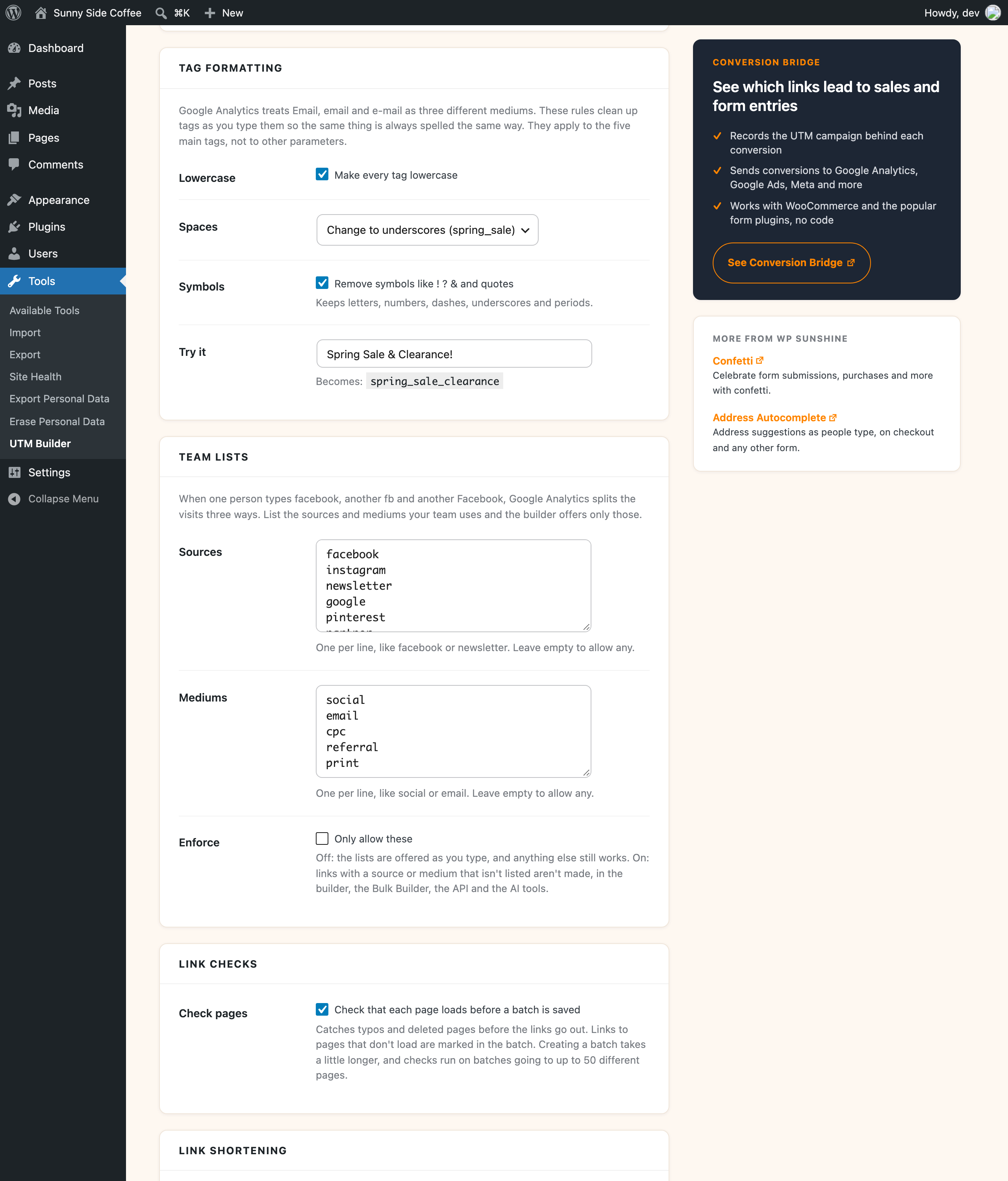
Google Analytics treats "Email", "email" and "e-mail" as three different mediums. The formatting rules clean up tags as you type them, so the same thing is always spelled the same way:
- Make every tag lowercase
- Change spaces to underscores or dashes
- Remove symbols like ! ? and &
{date}and{date_short}for today's date{slug}for the last part of the link's path{page_title}for the title of the post or page, for links on your own site{index}for the link's number in a batch
- A list of links. Paste them in and they all get the same tags.
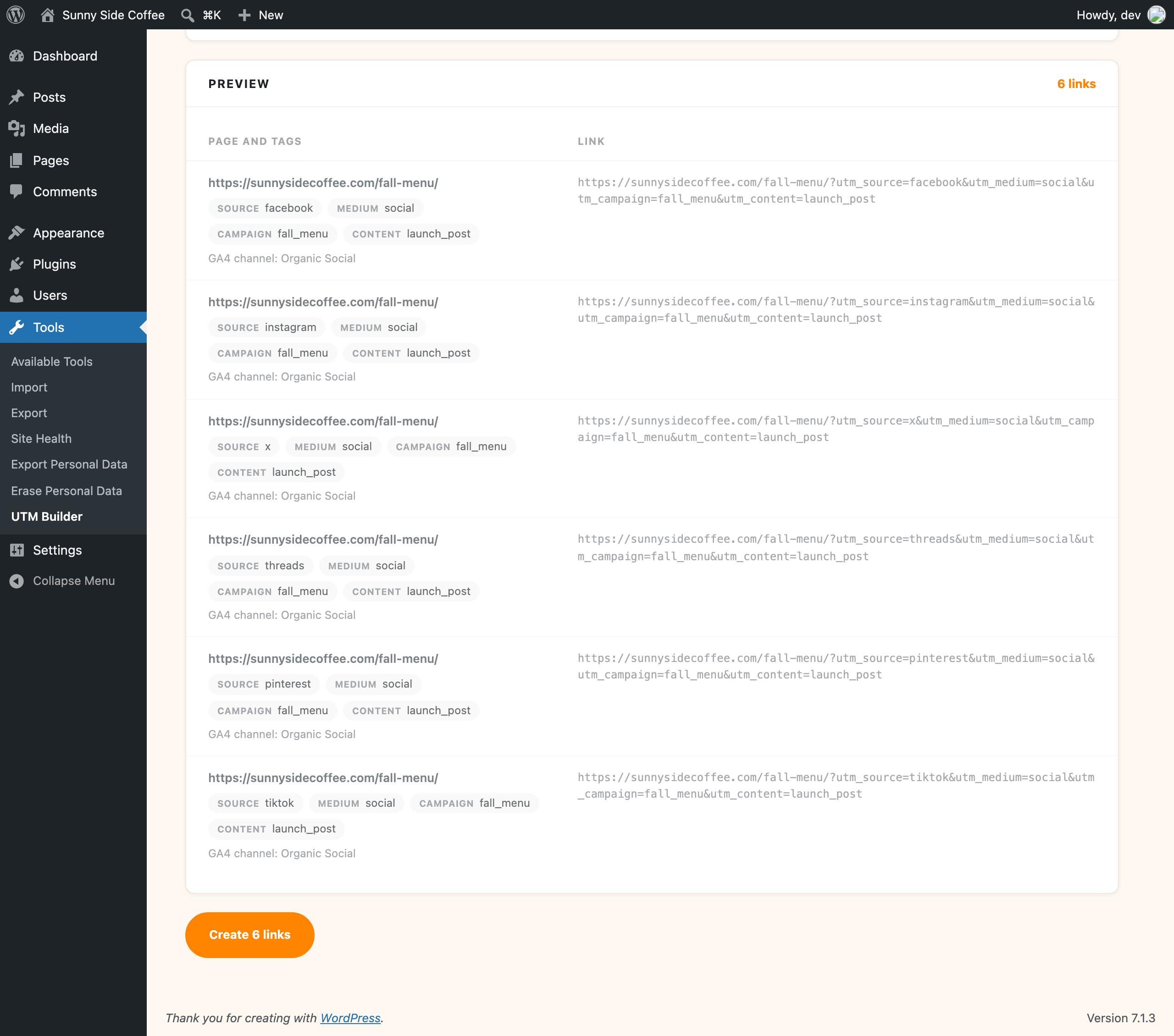
- Social networks. One link per network, with the network as the source and social as the medium. Facebook, Instagram, X, LinkedIn, Threads, Bluesky, Pinterest, YouTube, TikTok and Reddit are built in.
- Every combination. List a few values for any tag and get a link for every mix, which is handy for testing ad versions.
- A CSV file. One row per link with its own tags. Blank cells use the shared tags, and any extra column (like
ref) is added to that row's link as its own parameter. Commas, semicolons and tabs all work, so files saved from Excel in any language are fine.
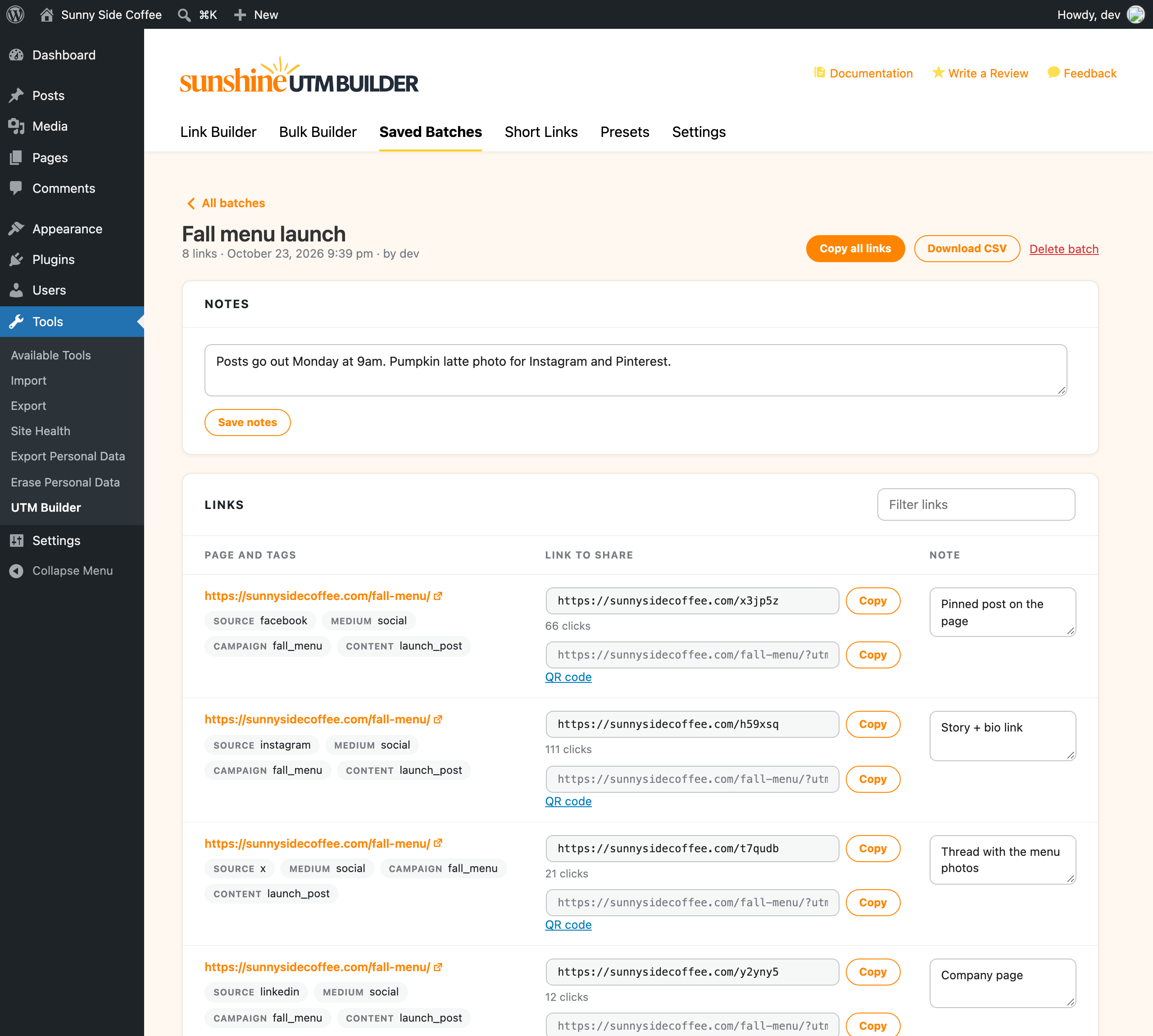
- Search batches by name or notes
- Notes for the batch, and a note on each link (where it's used, who asked for it)
- Copy one link or every link at once
- Download the batch as a CSV file that opens cleanly in Excel and Google Sheets
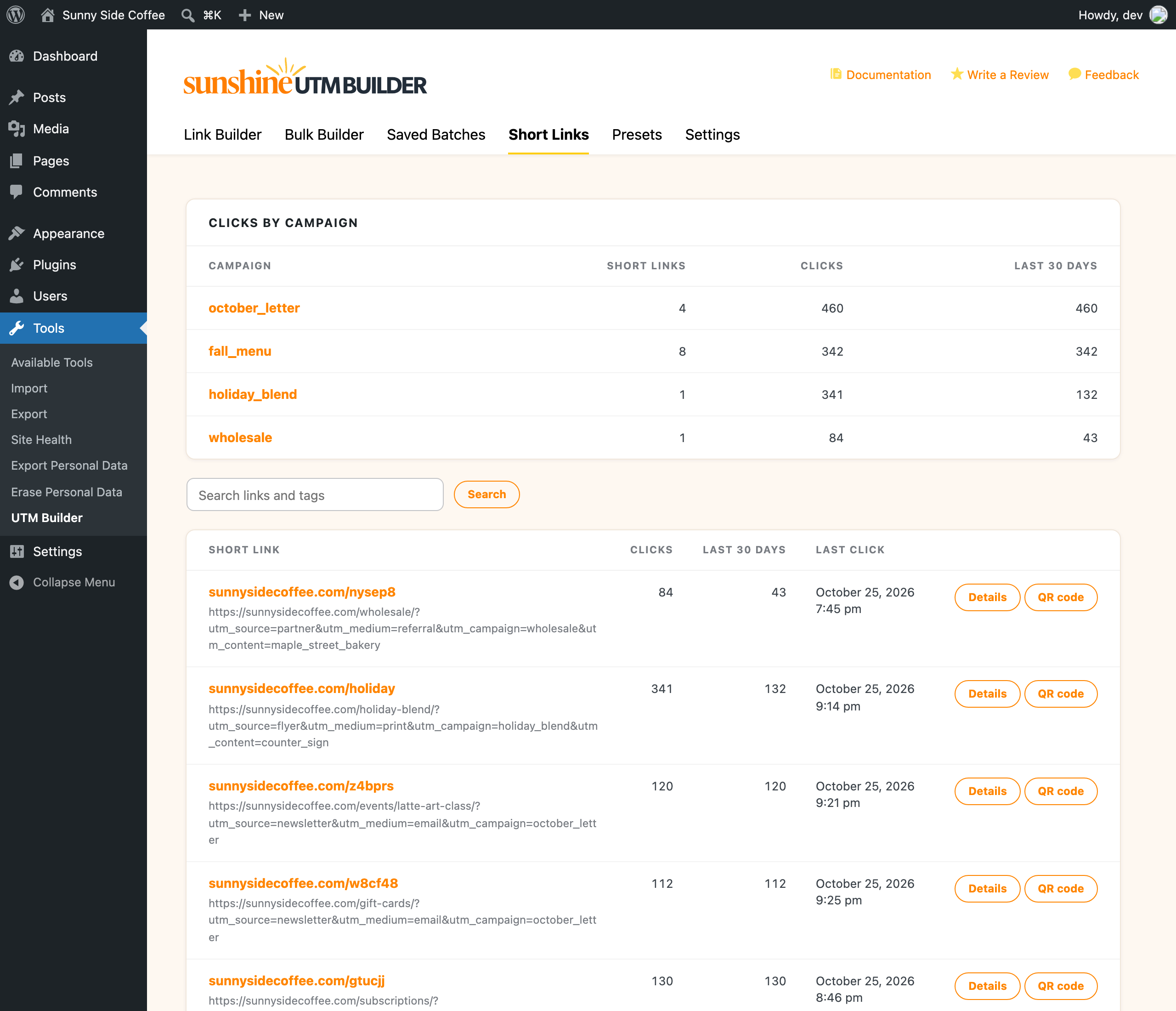
yourdomain.com/sale/?utm_source=facebook&utm_medium=social&utm_campaign=spring_sale into yourdomain.com/x8d89c, which sends visitors on to the full link so the tags still reach Google Analytics. There's no account to sign up for, and the same long link always gets the same short link. Each one counts its clicks, so you can see which posts people actually clicked.
Short links don't slow down the rest of your site. A short link is only looked up when no page exists at that address, so normal page views never touch it, and a real page always wins over a short link. If you'd like them answered even faster, add a short word in front, like yourdomain.com/g/x8d89c, and they're handled before WordPress looks for a page. Links you've already shared keep working if you change that word later.
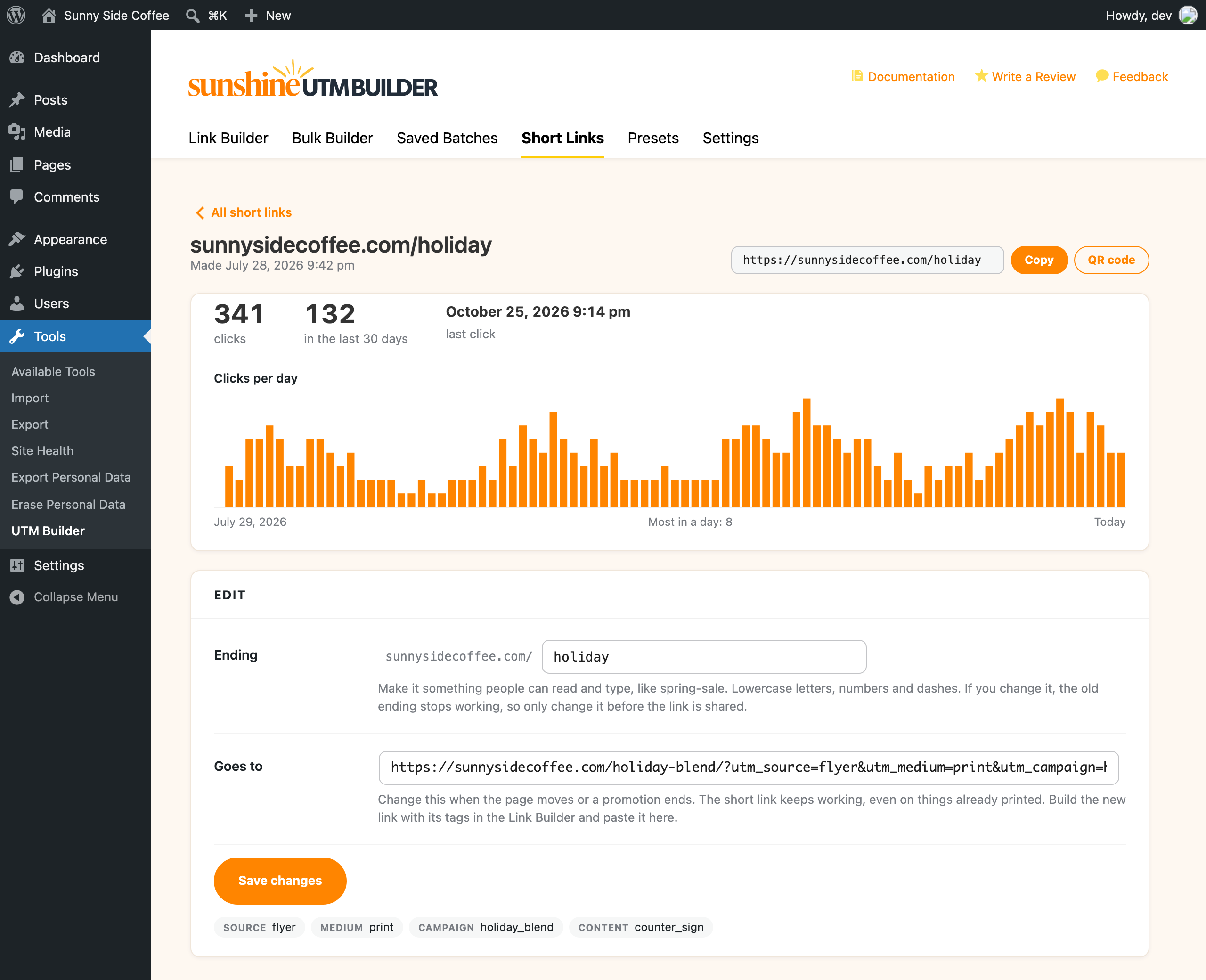
Each short link has its own page under Tools → UTM Builder → Short Links:
- Clicks per day for the last 90 days, plus totals and the last click
- Change where it goes when a page moves or a promotion ends, and links already printed keep working
- Choose your own ending, like
yourdomain.com/spring-sale, so people can read and type it - A QR code, and a delete button
- A "UTM link" button in the admin bar opens the builder with the page you're looking at already filled in
- A "UTM link" action under each published post and page does the same from your post lists
- A "UTM link" panel in the block editor's sidebar, with a button to build a link to the post and the post's short links with their clicks
- Choose which post types get them
- Build a UTM link for one page, with an optional short link from any shortener you've set up
- Build many UTM links with any of the Bulk Builder's four ways, and save them as a batch
- List UTM presets, so the AI uses the tag spellings you already use
/wp-json/wp-abilities/v1/abilities/sunshine-utm/build-link/run. Both need an administrator login, and an Application Password works well for that.
REST API
Send a POST to /wp-json/sunshine-utm/v1/links with a list of urls and the tags (source, medium, campaign, term, content) to get tagged links back. Add "save": true to keep them as a batch. The endpoint only answers requests from administrators.
See which links lead to sales
This plugin makes the links and counts clicks on your short links, and Google Analytics shows the visits they bring. If you'd like to see which campaigns turn into sales and form entries on your WordPress site, Conversion Bridge records the UTM tags behind each conversion. When both plugins are active, the Short Links tab shows conversions next to clicks for each short link, and Conversion Bridge's own small UTM builder steps aside for this one.
Credits
QR codes are made with QRCode for JavaScript by Kazuhiko Arase (MIT license). "QR Code" is a registered trademark of DENSO WAVE INCORPORATED.
安装:
- In your WordPress admin, go to Plugins → Add New and search for "Sunshine UTM Builder".
- Install and activate it.
- Go to Tools → UTM Builder and build your first link.
屏幕截图:

常见问题:
Is it really free?
Yes, every feature is in this plugin and there is no paid version.
Does it work with Google Analytics 4?
Yes, GA4 reads the same utm_source, utm_medium, utm_campaign, utm_term and utm_content tags, and you can add utm_id and GA4's other tags under "More parameters".
Why is a source required?
Google Analytics needs a source to report a link's campaign, so the builder won't make a link without one.
Does it track clicks on my links?
Short links on your own site count their clicks. You'll find each link's total, its clicks per day and its last click under Tools → UTM Builder → Short Links. Only the number is stored, nothing about the person who clicked. Bots and link previews (like the one Facebook makes when you post a link) aren't counted. You can delete a short link there too, and it stops working right away. Full-length links and Bitly or Rebrandly links aren't counted by the plugin. The visits they bring show up in Google Analytics, or whichever analytics tool you use that reads UTM tags.
Is the Google Analytics 4 channel check always right?
It follows Google's published default channel rules. GA4 also sorts by source using a long list of sites, and only well-known ones (Google, Facebook, YouTube and the like) are included here, so for an unusual source the check may warn when GA4 wouldn't. It won't tell you a link is fine when GA4 would call it Unassigned. If you've set up your own channel groups in GA4, those aren't known to the plugin.
Can I change a short link after I've shared it?
Yes, where it goes. Open the link under Tools → UTM Builder → Short Links and change "Goes to", and everyone who clicks the link from then on lands on the new page, even from something already printed. Changing the ending (the part after your domain) is different: the old ending stops working, so choose the ending before you share the link.
Do QR codes stop working?
No. A QR code just holds a link, and it's made in your browser with nothing stored anywhere else. Make QR codes from a short link on your own domain and you can change where it goes later without reprinting, and the scans are counted as clicks.
What happens to parameters already on my link?
Any UTM tags already on the link are replaced with the new ones. Other parameters, like ?ref=abc, stay as they are.
What should my CSV look like?
The first row names the columns. You need a column called url, and you can add any of source, medium, campaign, term and content (or utm_source and so on), like this:
url,source,medium,campaign
https://example.com/sale/,newsletter,email,spring_sale
How many links can a batch have?
A batch can have up to 2,000 links, and short links on your own domain work for all of them. Bitly, Rebrandly and link checks make one request per link, so they work on batches of up to 50.
Can an AI assistant make links for me?
Yes, through the Abilities API and the MCP Adapter plugin (see "Let AI build your links" above). The AI uses the same formatting rules and presets as the link builder, and needs an administrator login to make links.
Do short links on my own domain need anything set up?
They're on from the start and only need pretty permalinks, which almost every site already has (any setting other than Plain under Settings → Permalinks).
Where is my data stored?
Everything is stored in your WordPress database, including short links on your own domain and their click counts, and presets and batches never leave your site. QR codes and the Google Analytics 4 channel check run in your browser. Links are only sent out when you shorten them with Bitly or Rebrandly, or when link checks load your pages. When Conversion Bridge is active, its conversions are read from the same database.
What happens to my data if I delete the plugin?
It's kept, so reinstalling brings back your presets, batches and short links. Turn on "Delete presets, batches, short links and settings when the plugin is deleted" in Settings if you'd like it all removed.
更新日志:
- Each screen links to its step-by-step guide on wpsunshine.com, and the Documentation link opens the UTM Builder docs
- The empty Short Links tab now names your site's domain, which is how the builder lists it under "Shorten with"
- First release