Right Click Menu Builder – Custom Context Menu Maker
| 开发者 | josevarghese |
|---|---|
| 更新时间 | 2026年8月25日 03:33 |
| 捐献地址: | 去捐款 |
| PHP版本: | 7.4 及以上 |
| WordPress版本: | 7.1 |
| 版权: | GPL v2 or later |
| 版权网址: | 版权信息 |
详情介绍:
安装:
- Log in to your WordPress admin panel.
- Navigate to Plugins > Add New.
- Search for "Right Click Menu Builder".
- Click Install Now and then Activate.
- Go to Settings > Right Click Menu to start building.
屏幕截图:
常见问题:
Can I disable the custom menu on mobile devices?
Yes! There's a "Mobile Settings" option that allows you to disable the custom right-click menu on mobile and touch devices. When enabled, mobile users will see the default browser context menu instead.
Does this work on mobile devices?
Yes! The plugin includes touch support with long-press functionality for mobile devices. However, you can choose to disable it on mobile devices if you prefer users to have the default browser menu.
Can I add submenus?
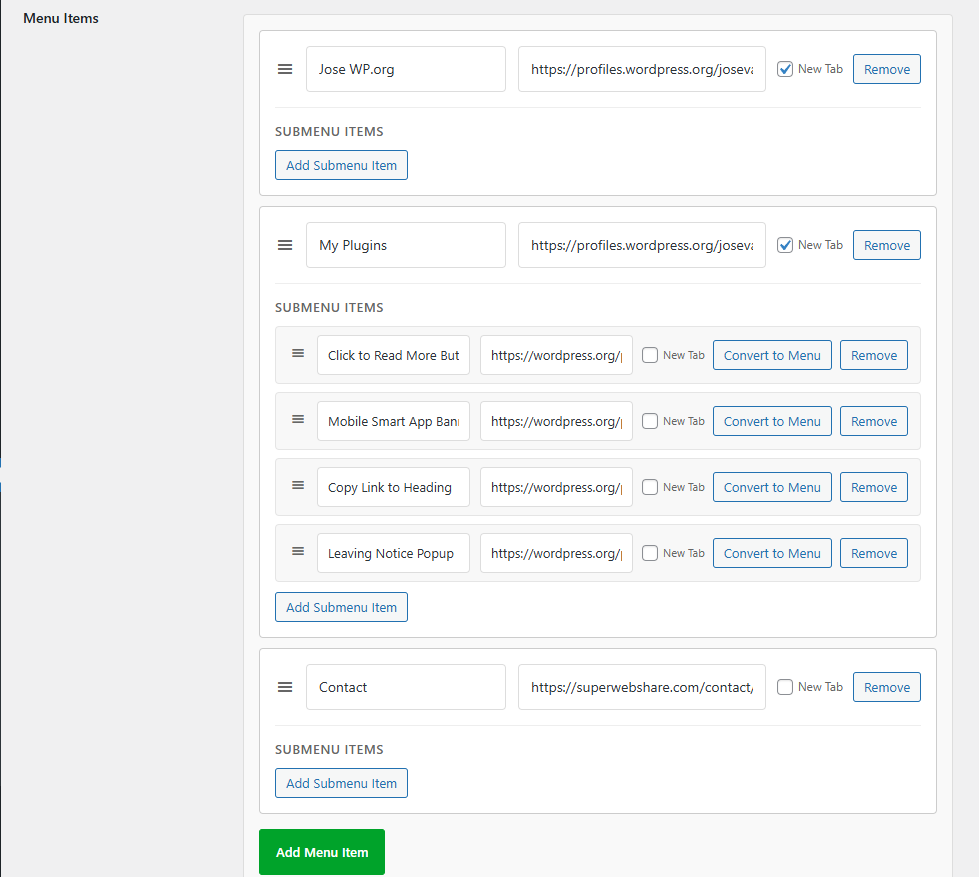
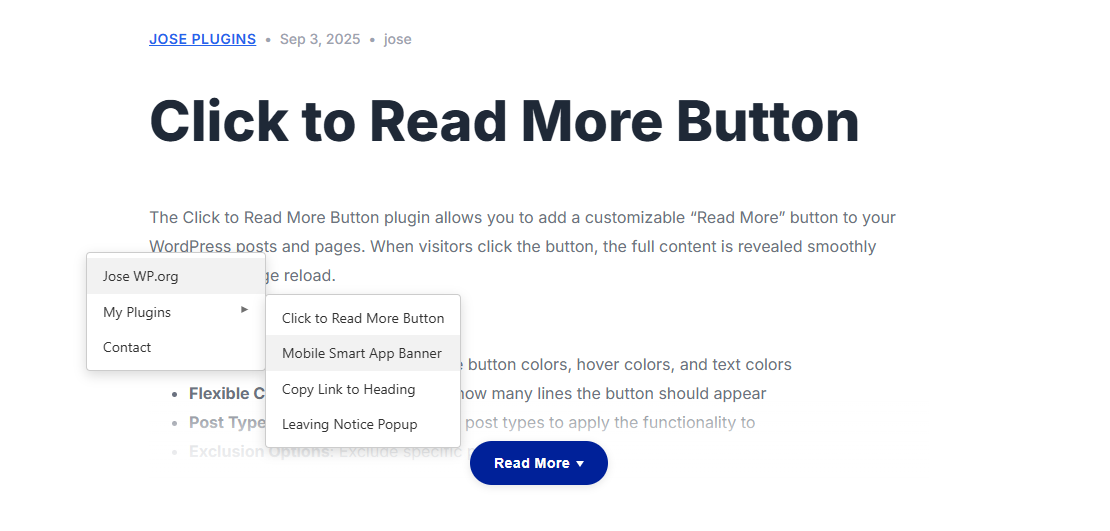
Absolutely! Each main menu item can have multiple submenu items that you can add and organize using the drag & drop interface.
Is the plugin accessible?
Yes, the plugin includes full keyboard navigation support and follows accessibility best practices.
Will this affect my website's performance?
No, the plugin is lightweight and optimized for performance. It only loads the necessary CSS and JavaScript files.
Can I control whether links open in new tabs?
Yes! Each menu item and submenu item has a "New Tab" checkbox that allows you to control whether the link opens in the same tab or a new tab.
Can I convert submenu items to main menu items?
Absolutely! Each submenu item has a "Convert to Menu" button that allows you to promote it to a main menu item with one click.
Can I disable the menu on specific pages like checkout or login?
Yes! Under Display Conditions there is a "Disable on Specific Pages" field. Enter comma-separated page/post IDs or slugs (e.g. 10, checkout, cart) and the menu will be hidden on those pages regardless of other settings.
Can I control the menu's corner radius and shadow?
Yes! The settings page includes a Border Radius field (0–50px) and a Box Shadow selector (None / Light / Medium / Heavy) so the menu fits naturally with your site's design.
Can I add separators between menu items?
Yes! You can add separator dividers between menu items directly from the menu builder using the "Add Separator" button.
Can I control who sees the menu?
Yes! Under Display Conditions you can choose to show the menu to everyone, logged-in users only, or logged-out users only.
Can I show the menu only on specific pages?
Absolutely! Under Display Conditions you can restrict the menu to the front page, specific post types, or specific page/post IDs.
Can I customize the appearance?
Yes, you can customize the text color, background color, hover color, and font size of your custom menu through the settings page. The plugin is designed to work with any properly coded WordPress theme. If you experience any issues, please contact support.
Does it work with all themes?
The plugin is designed to work with any properly coded WordPress theme. If you experience any issues, please contact support. Currently, the custom menu appears site-wide. Future versions may include page-specific controls.
Is it translation ready?
Yes, the plugin is fully translation ready and includes proper text domains for all strings.
更新日志:
- Tested with WordPress 7.1
- Security: Added a capability check to the activation notice dismissal handler.
- Fix: Removed a redundant nonce check in the settings page that had no effect on form processing.
- Minor tweaks to the modal.
- New: Added Donate link to the plugin row on the Plugins page.
- Fix: Deactivation modal window feedback bug fix.
- New: Hover color setting -choose a custom background color for menu item hover state.
- New: Separator support -add visual dividers between menu items from the drag-and-drop builder.
- New: Display Conditions -show the menu on all pages, front page only, specific post types, or specific page/post IDs.
- New: Disable on Specific Pages -exclude the menu from specific pages/posts by ID or slug.
- New: Border Radius control -adjust corner roundness of the menu (0–50px).
- New: Box Shadow presets -choose from None, Light, Medium, or Heavy shadow.
- New: User Role Visibility -restrict menu visibility to everyone, logged-in users only, or logged-out users only.
- Initial release of Right Click Menu Builder.
- Full drag-and-drop support for menu items.
- Submenu and mobile support features.
- New tab option for all menu items and submenus
- Color and font size customization
- Touch device support
- Accessibility features
- Translation ready