
Super Speedy Performance Analysis
| 开发者 | dhilditch |
|---|---|
| 更新时间 | 2026年11月24日 18:14 |
| PHP版本: | 7.4 及以上 |
| WordPress版本: | 7.1 |
| 版权: | GPLv3 |
| 版权网址: | 版权信息 |
详情介绍:
- Every key page: home, posts, archives, search and wp-admin, plus shop, products, cart, checkout and orders with WooCommerce
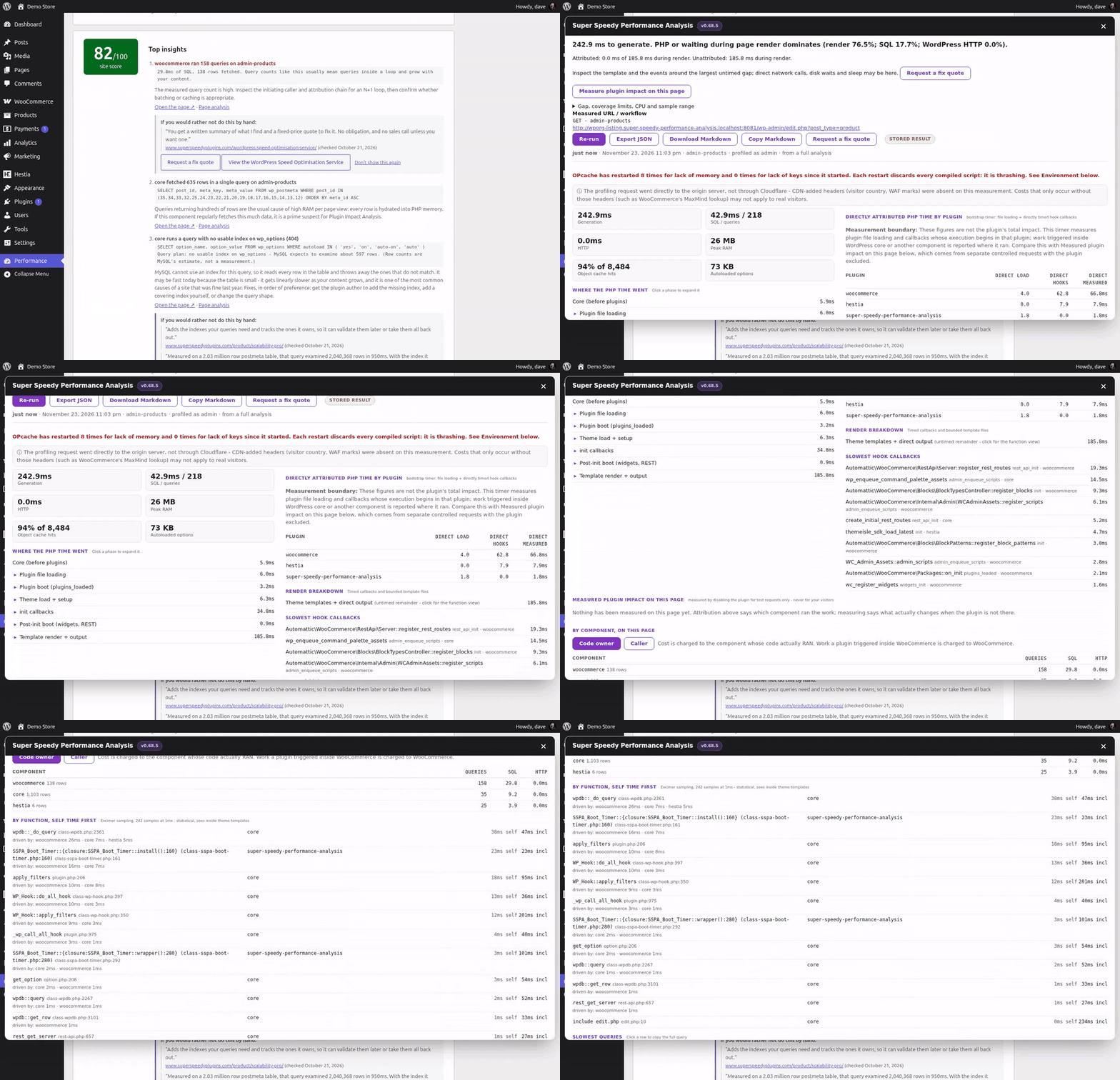
- Worst first: slow queries and the plugin that ran them, queries in loops, queries fetching hundreds of rows, slow calls to other servers
- One click to the cause: every finding links to the page it was measured on
- Full page profile: request phases, cost per plugin and the slowest queries
- Admin screens too: measured with your own login, so you see what your team waits for
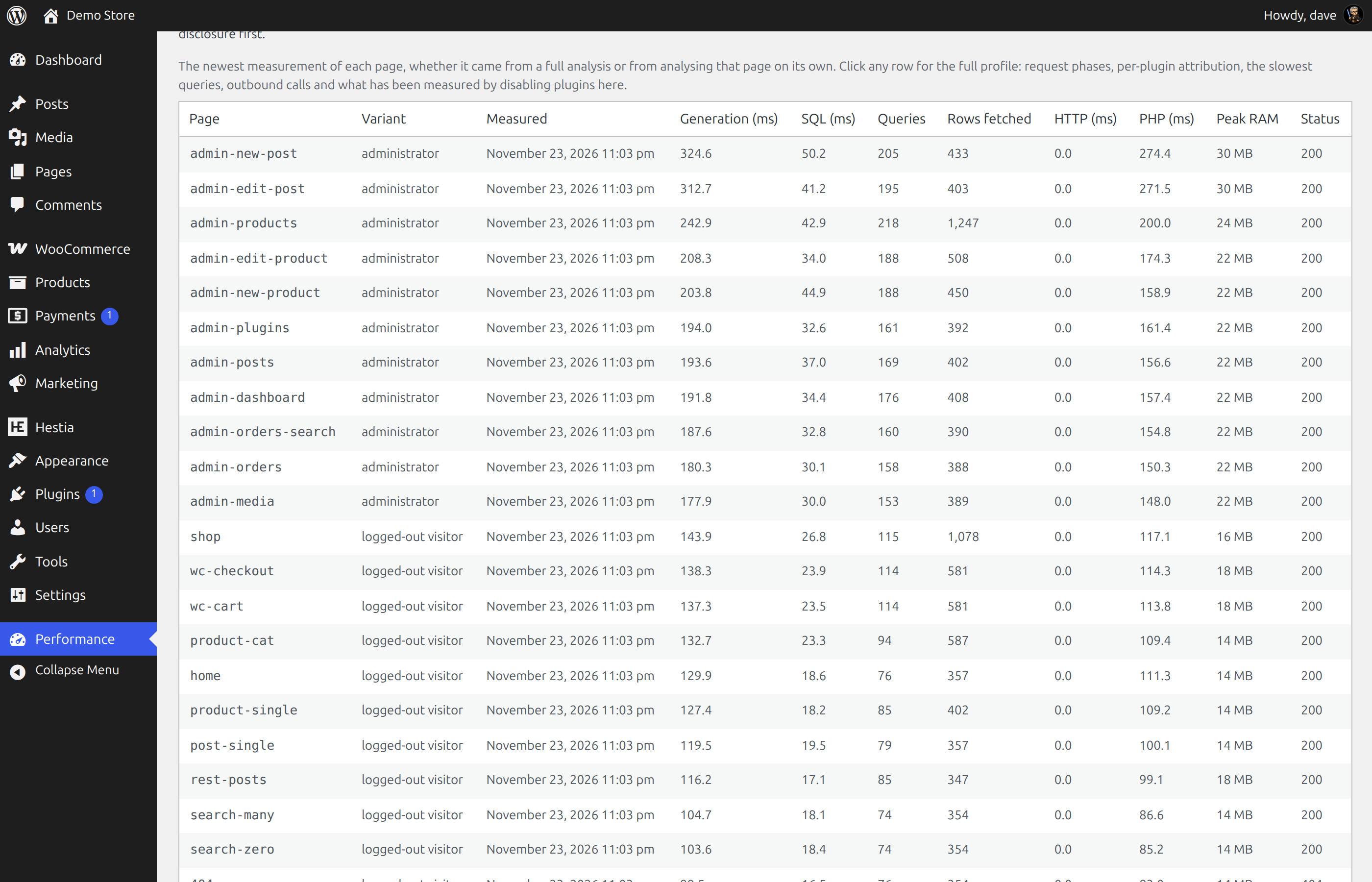
- Every page side by side: time, database time, queries, rows and memory
- Cost per plugin: database time, queries, rows and memory, charged to the plugin or theme whose code ran
- Plugin Impact Analysis: pick your suspects and every page is measured again without them. Visitors still get the full site; nothing is deactivated
- Function by function: with the excimer PHP extension, see which functions used the time, theme templates included
- Who gets cached pages: new visitors, returning visitors and shoppers with a basket
- Which cookies stop them
- Ad-click links: whether gclid, fbclid or utm_source skip your cache, and which code is responsible
- Checkout and orders: a test purchase on a hidden zero-price product, then view, complete, refund and trash the order. No payment provider is contacted
- Saving: how long a post, page, product or order takes to save
- AJAX and REST: record a real workflow, such as filtering or adding to basket, and see what each request costs
- Every analysis is saved. Compare two side by side: response time first, then new errors, warnings or changed output
- After plugin updates it offers a quick comparison
- Sites like yours: load public figures from superspeedy.org, sending nothing about your site
- Markdown reports for a support ticket, your developer or an AI assistant
- WP-CLI and read-only WordPress abilities for scripts and AI agents
- Tools tab: the profiler switch and install commands for your server's optional extras
安装:
- In Plugins -> Add New, search for Super Speedy Performance Analysis and install it.
- Activate it through the Plugins menu.
- Open Performance in the admin menu and press Run Analysis. Your first analysis installs the profiler, and the screen shows what it adds before you press the button.
屏幕截图:


常见问题:
Do I need Query Monitor or any other tool?
No. The plugin brings its own profiler. Your first analysis installs it, and Disable profiler in Tools or deactivating the plugin removes it.
Does it slow down my site for visitors?
No. The profiler switches on only for the plugin's own test requests, which carry a signed, expiring token; every other request skips it. Plugin Impact Analysis leaves plugins out of those test requests only, so your visitors always get the full site and no plugin is ever deactivated.
Is WooCommerce required?
No. WordPress page and administrator profiling work without WooCommerce. Shop, cart, checkout and order measurements need WooCommerce.
What does an analysis create on my site?
Administrator pages are measured with your own login; the plugin never creates, edits or deletes a user account. With guest checkout disabled, WooCommerce itself creates a customer account for the checkout test purchase, and the results link to Delete Users for it. Opt-in save measurements use private temporary posts, products and a temporary order, deleted afterwards. The checkout flow keeps its hidden test product and its refunded orders in Trash for you to inspect.
Do analyses send emails?
Yes, to the site administrator: three mail probes with the default three baseline samples, plus any messages that save and checkout measurements trigger. Analyse update/save profiles a real save, so it keeps that save's normal recipients.
Which requests does the Cache performance check send?
Only requests to your own site, after you press "Check cache performance": up to four public pages (home and, with WooCommerce, the shop, a category and a product), at most 36 requests in all, as a new visitor, a returning visitor and a shopper with a basket. Nothing goes to any other host, and no cache is purged or changed.
Does Traffic recording send visitor data anywhere?
No. Traffic recording keeps pseudonymous visitor, order and path joins, timestamps, event codes, timings, query counts and aggregate basket values in your own database, within time and row limits you set, until you delete the collection in Traffic. It is never sent to the community service. Suggested privacy-policy wording is in Settings -> Privacy.
Can I delete what I shared with superspeedy.org?
Yes. Email support@superspeedyplugins.com with the installation identifier shown on the Share tab. Uninstalling the plugin does not delete earlier submissions.
What happens when I delete the plugin?
Saved analyses are kept by default. To remove its tables, settings and test objects too, enable "Delete all SSPA data when the plugin is deleted" on the Compare tab first.
更新日志:
- First release on WordPress.org.
- Starting an analysis installs the profiler, so there is no separate Enable profiler step; Disable profiler in Tools keeps it off until you enable it again.
- Fixed the Compare tab saying "Could not load this tab: Unexpected server response." after a site's first analysis; it now says this is the first saved point in time. Complete changelog