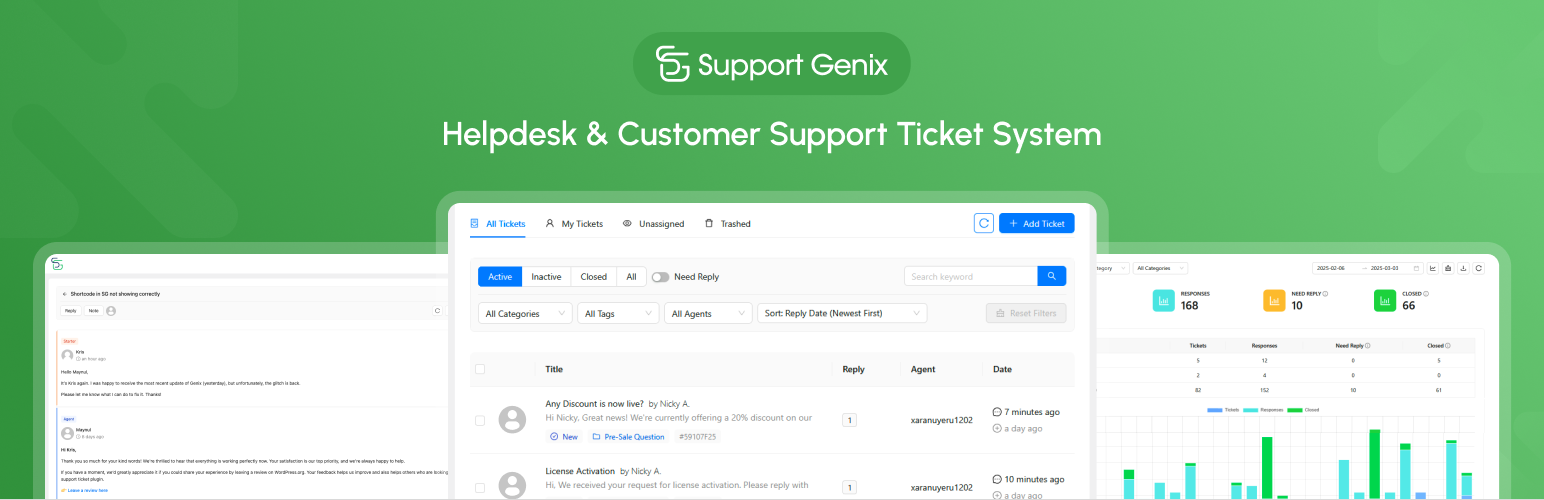
Support Genix – Helpdesk, AI Chatbot, Knowledge Base & Customer Support Ticketing System
| 开发者 |
palscode
PalsCode nazmulhudadev sharifdev aslamhasib tarekht devitemsllc |
|---|---|
| 更新时间 | 2026年10月22日 14:14 |
| PHP版本: | 7.4 及以上 |
| WordPress版本: | 7.1 |
| 版权: | GPLv2 or later |
| 版权网址: | 版权信息 |
标签
下载
详情介绍:
安装:
- Install that plugin via your WordPress dashboard
- Then activate the plugin
- Access your new support center from the Support Genix menu item in your dashboard
屏幕截图:
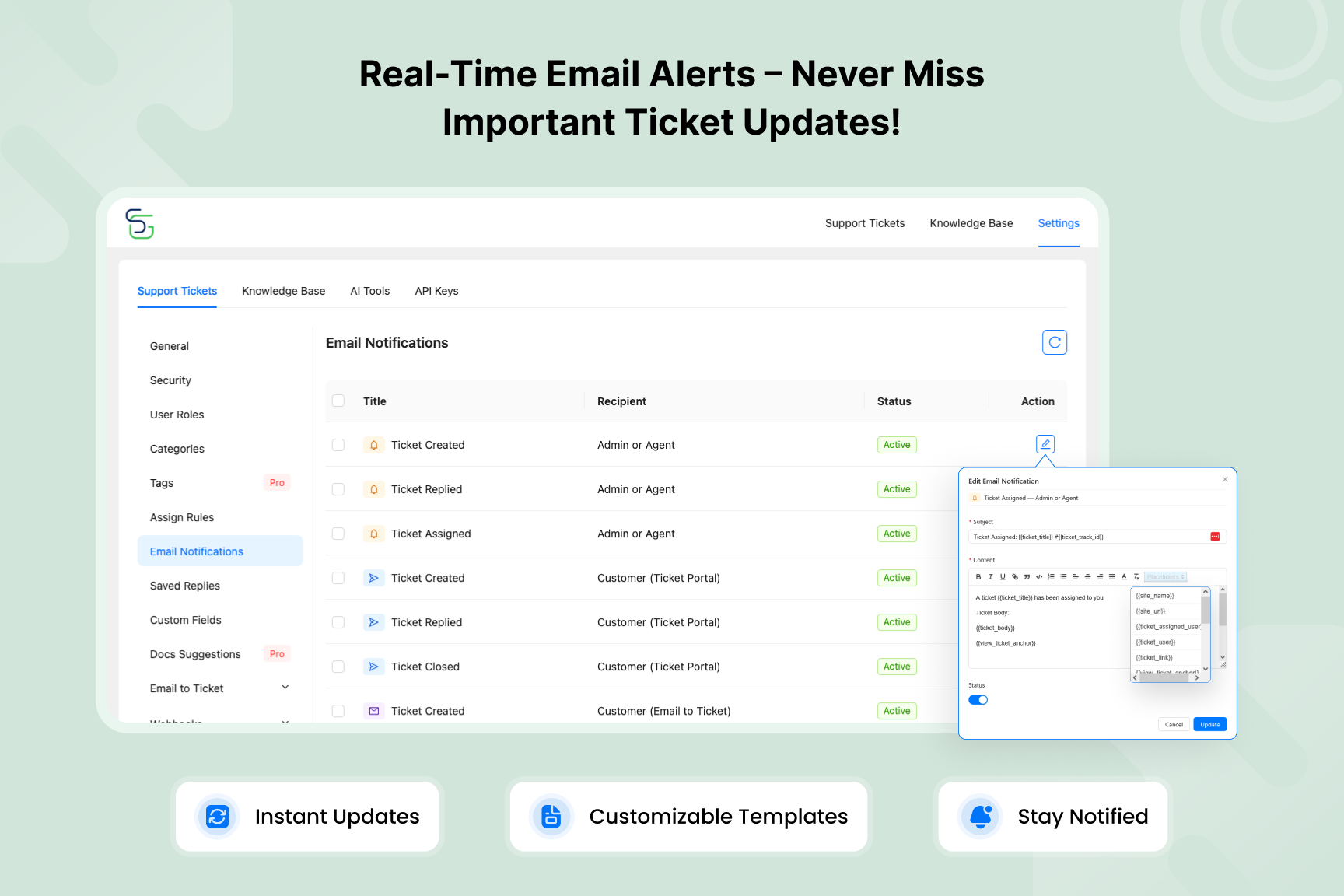
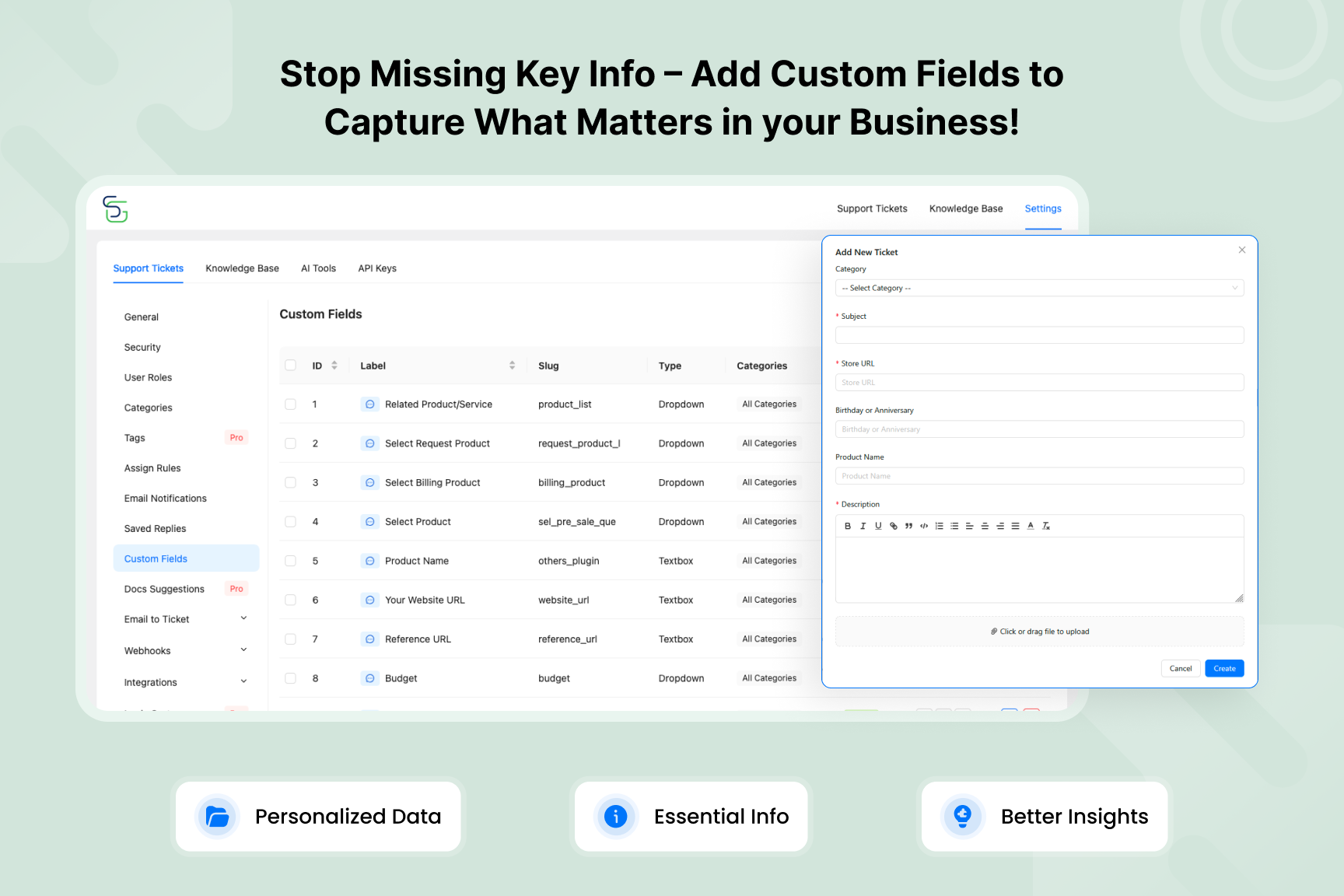
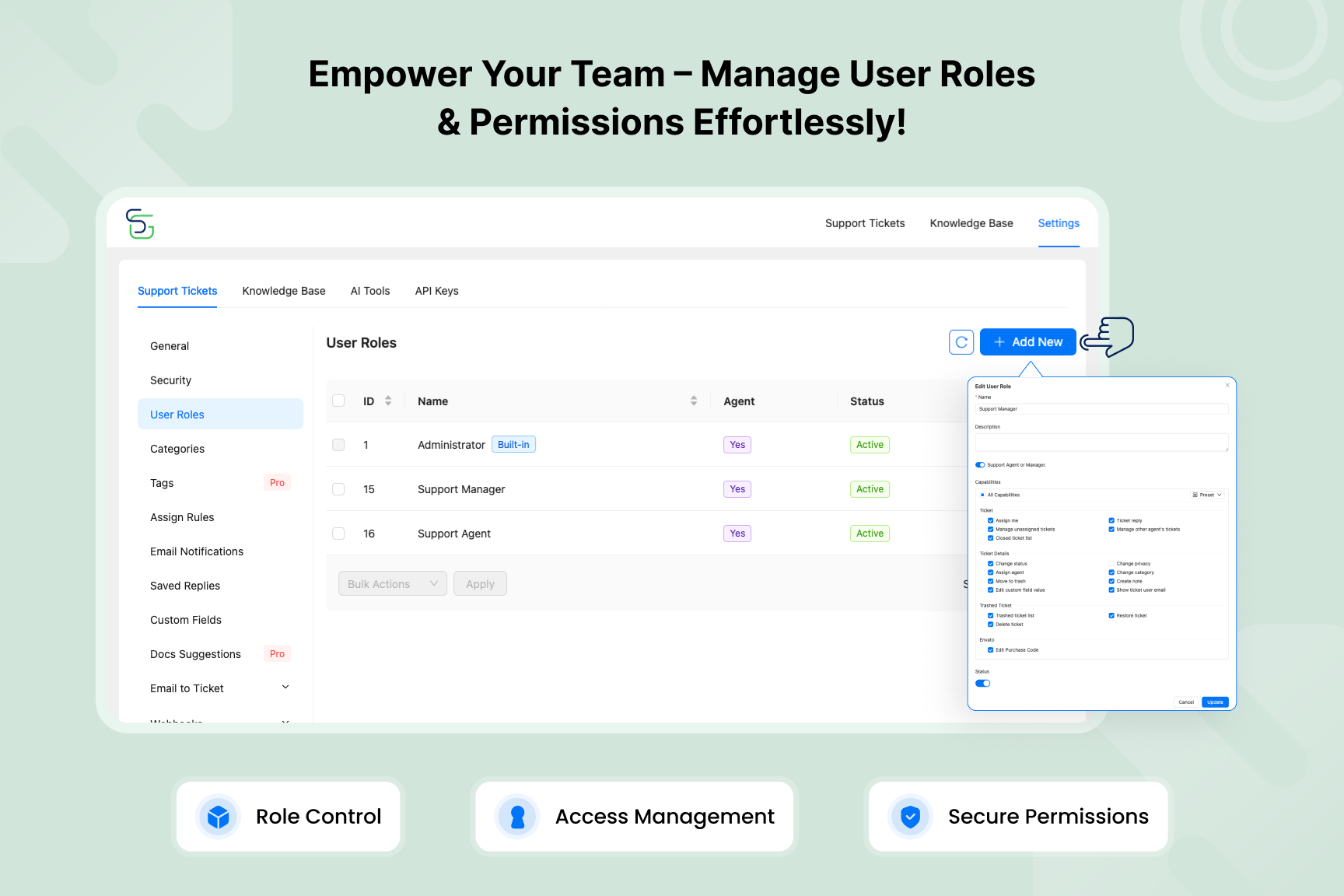
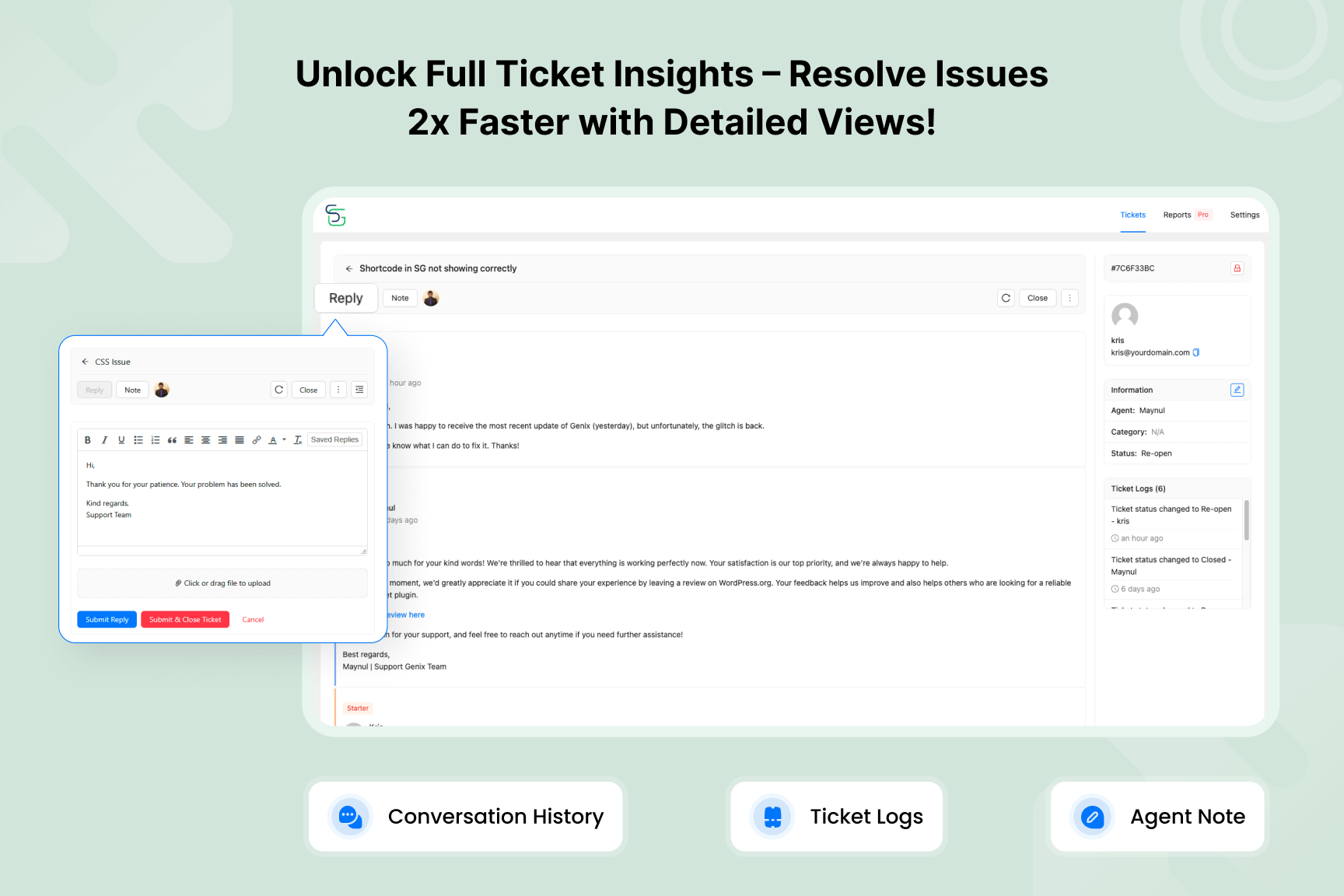
常见问题:
Is there a limit to how many support tickets I can manage?
Absolutely not! Both the free and Pro versions support unlimited tickets, unlimited customers, and unlimited agents. Your support capacity will never be restricted by our plugin.
How does the AI Chatbot work?
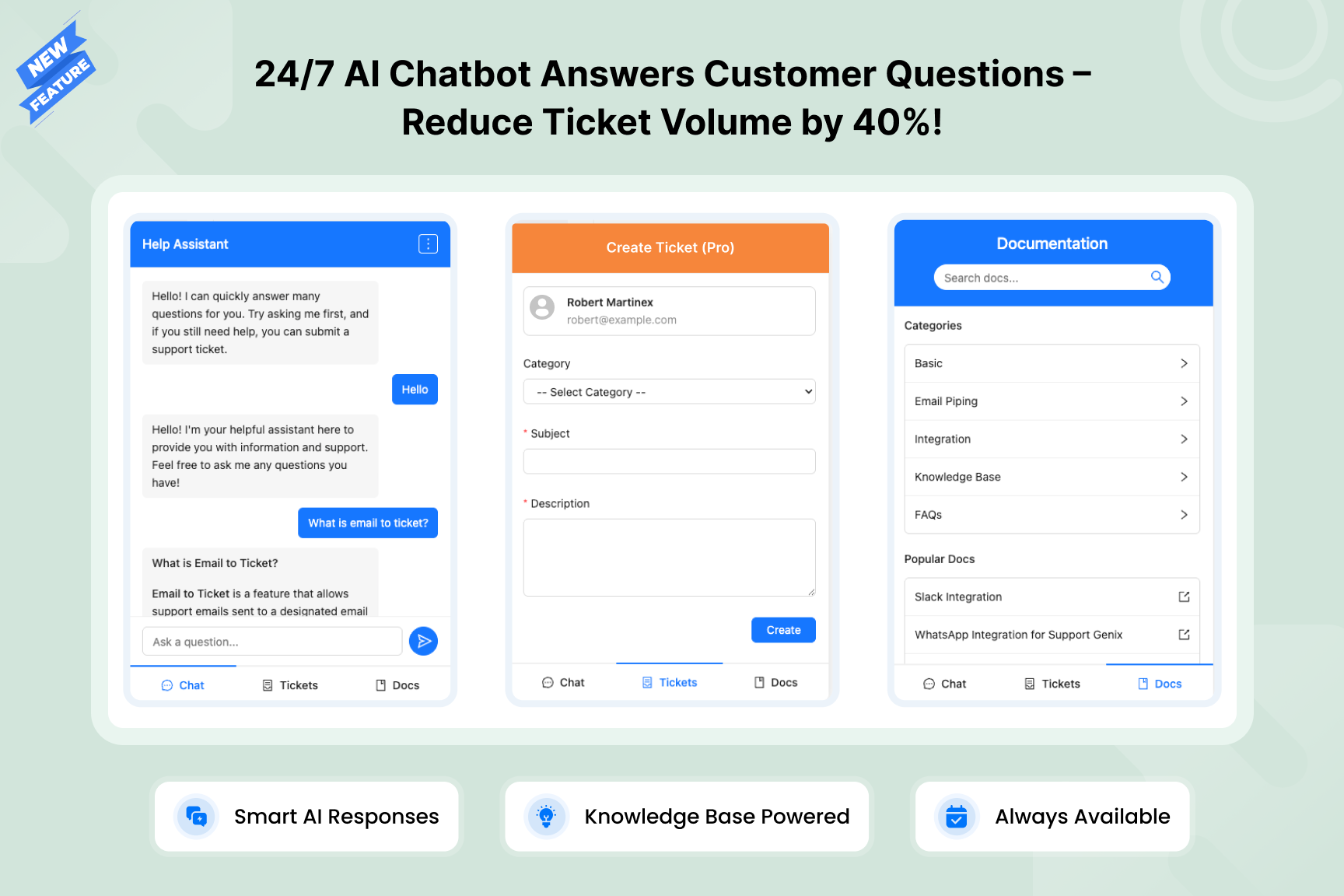
The AI Chatbot uses your Knowledge Base content to provide instant answers to customer questions 24/7. When a visitor asks a question, the chatbot intelligently searches your documentation and delivers relevant answers automatically. It can be displayed as a floating widget across your entire site. You can also track chatbot performance with built-in analytics including conversation history, daily trends, and helpfulness rates.
What AI providers does Support Genix support?
Support Genix supports OpenAI (GPT) and Claude (Anthropic) for AI-powered features like AI Ticket Reply, AI Docs Writer, and AI Chatbot. Add your API key in Settings > API Keys to enable them.
Does Support Genix include a Knowledge Base?
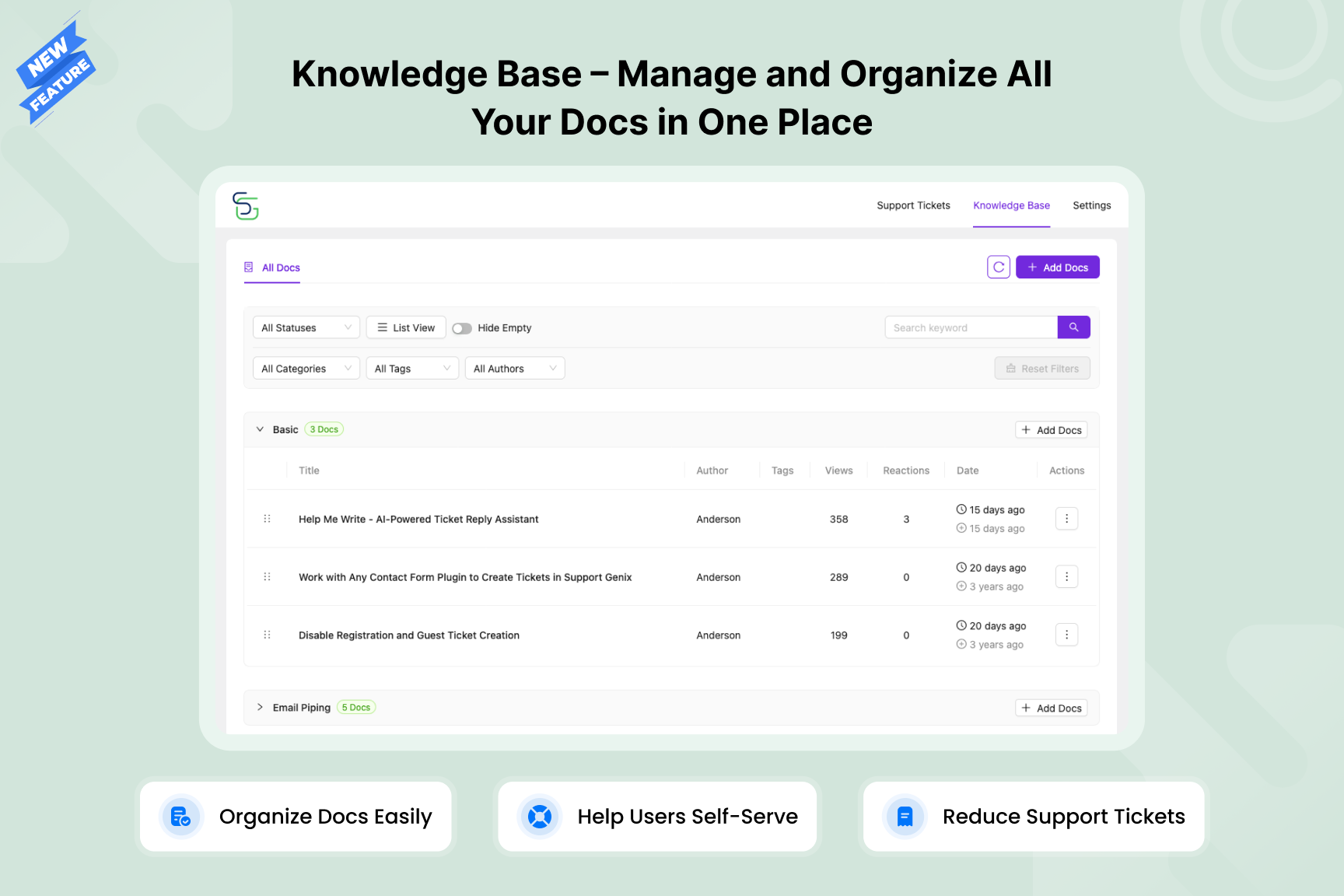
Yes! Support Genix includes a full-featured Knowledge Base system in the free version. You can create and organize help documentation with categories, tags, and authors. It includes an AI Docs Writer to generate professional help articles quickly, Full Site Editing (FSE) compatibility, style customization, and built-in analytics to track content performance and user search behavior. The Knowledge Base also powers the AI Chatbot for automated support.
Can I migrate from other helpdesk or documentation plugins?
Yes! Support Genix includes built-in migration tools for both tickets and documentation. You can import tickets, customers, and conversation history from other helpdesk plugins, and migrate your existing documentation into the Support Genix Knowledge Base — with one-click migration that preserves your existing data structure.
Is there a customer-facing support portal?
Yes! Support Genix includes a modern, React-based customer portal that you can embed on any page using the [supportgenix] shortcode. Customers can submit new tickets, track existing ones, and manage their support requests — all from a responsive, easy-to-use interface. Guest ticket submission is also supported.
Does it work with WooCommerce?
Yes! Support Genix integrates with WooCommerce, allowing agents to view customer order history directly within support tickets for instant purchase context and faster resolution.
Does Support Genix support multiple languages?
Yes! Support Genix is fully compatible with WPML and Polylang for multilingual support. The plugin already includes translations for 10 languages — German, Spanish, French, Italian, Polish, Portuguese, Turkish, and Ukrainian — and is fully translation-ready for any additional language.
Is Support Genix GDPR compliant?
Yes, 100%. Core ticket functionality stores all data securely within your WordPress database. Users maintain complete control over their personal information and can remove personal data from their account at any time. Optional AI and third-party integrations (OpenAI, Claude, Google, etc.) may transmit data to external services when enabled.
Can I use Support Genix on multiple websites?
Yes! The free version can be used on unlimited websites with no restrictions. The Pro version has pricing plans for multiple websites — depending on the chosen plan (developer or agency plan), it can be used on 5 websites or up to 100 websites, respectively.
Does Support Genix work with my theme?
Yes! Support Genix is designed to work with any WordPress theme. The admin dashboard and customer portal are built as self-contained React applications, so they are not affected by your theme's styling. The Knowledge Base supports both classic themes and modern Full Site Editing (FSE) themes with dedicated Gutenberg blocks.
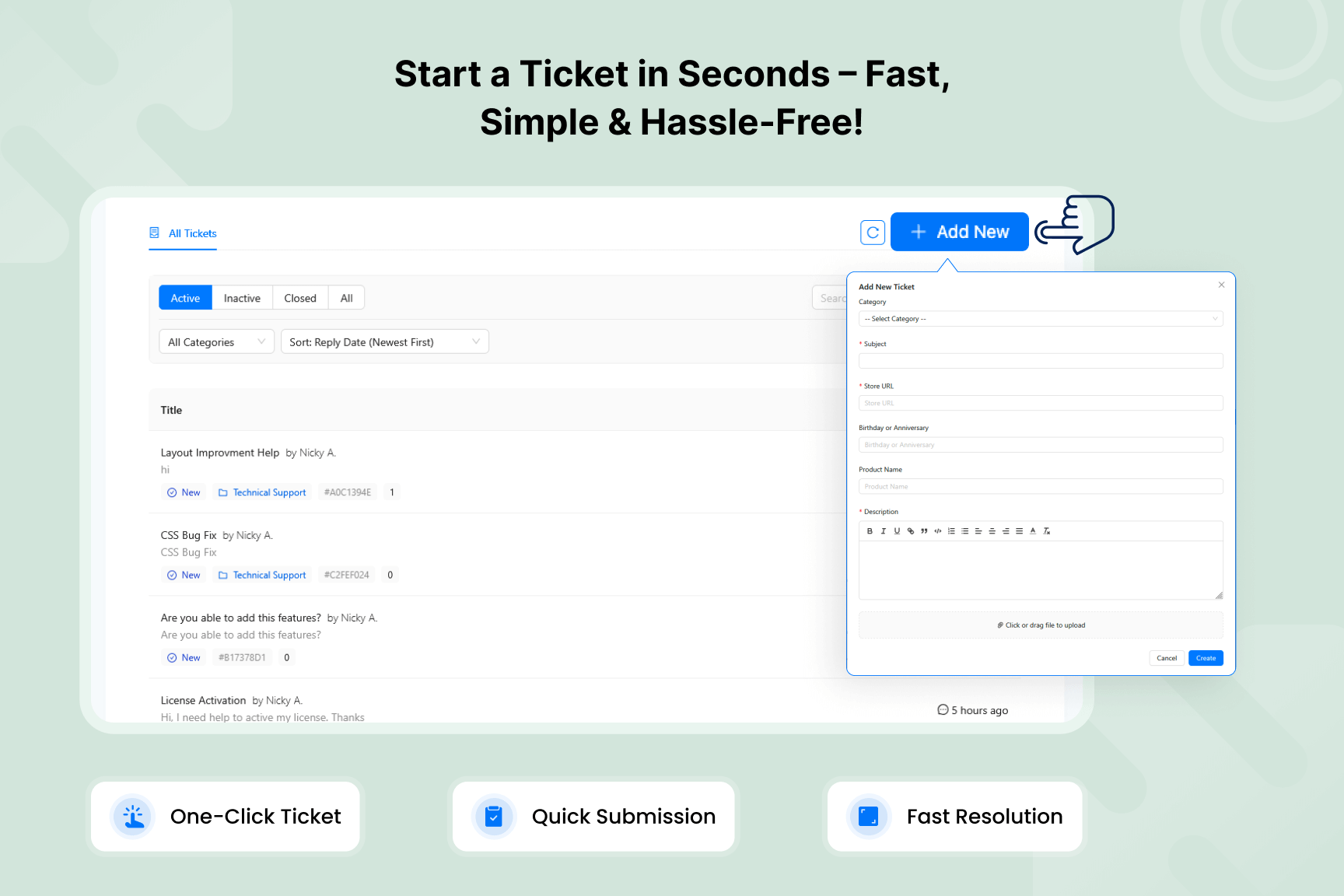
Can I customize the ticket submission form?
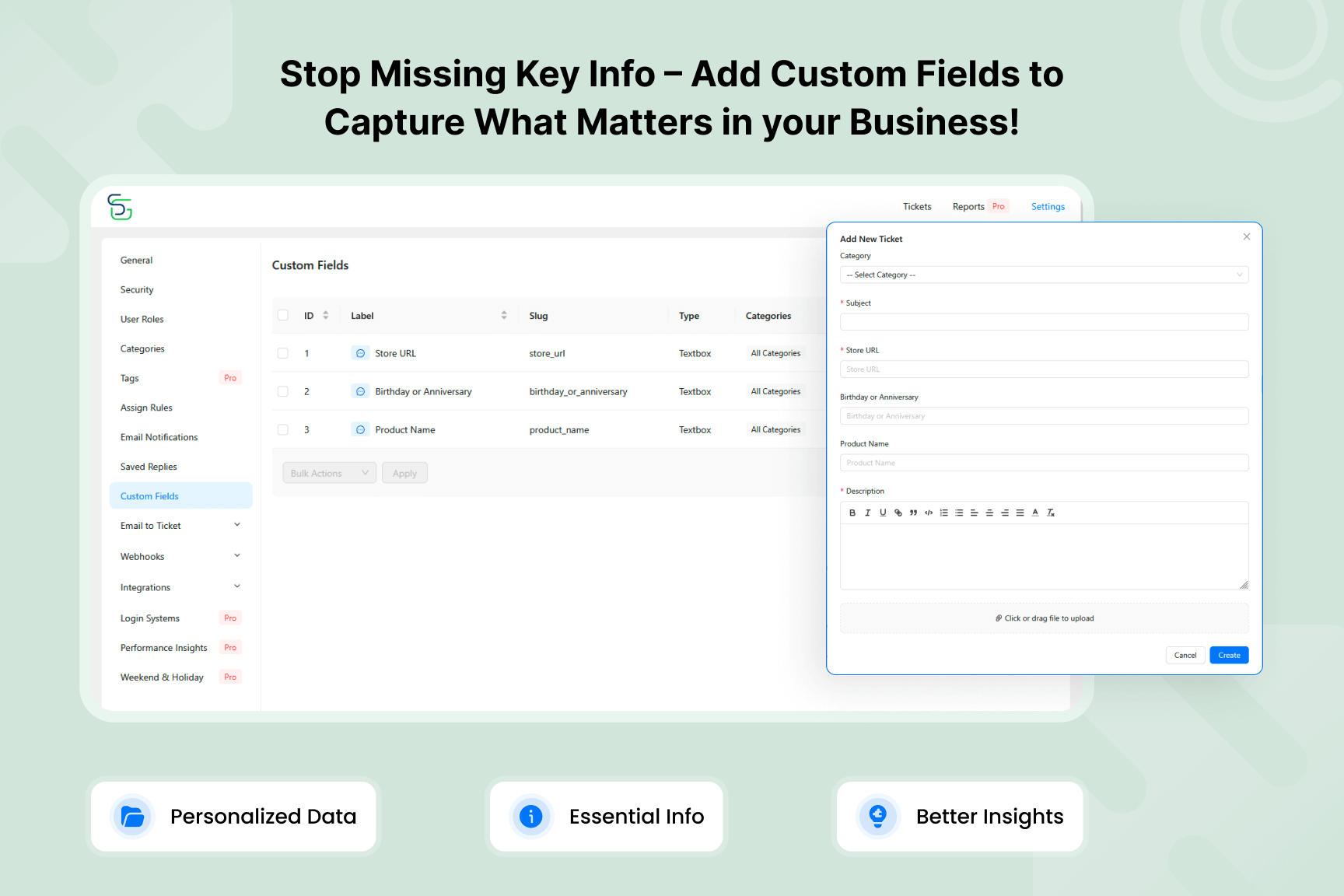
Absolutely! Both the free and Pro versions allow you to create custom ticket fields to collect exactly the information you need from customers.
Will Support Genix slow down my WordPress site?
Not at all! Performance was our top priority during development. Support Genix is built with React JS for both the dashboard and portal interface, ensuring the plugin remains lightweight and responsive even with thousands of tickets.
How secure is Support Genix?
Extremely secure. We follow WordPress security best practices, use proper data sanitization, and regularly audit our code for vulnerabilities. All sensitive data is properly encrypted, and access controls ensure only authorized agents can view ticket information.
更新日志:
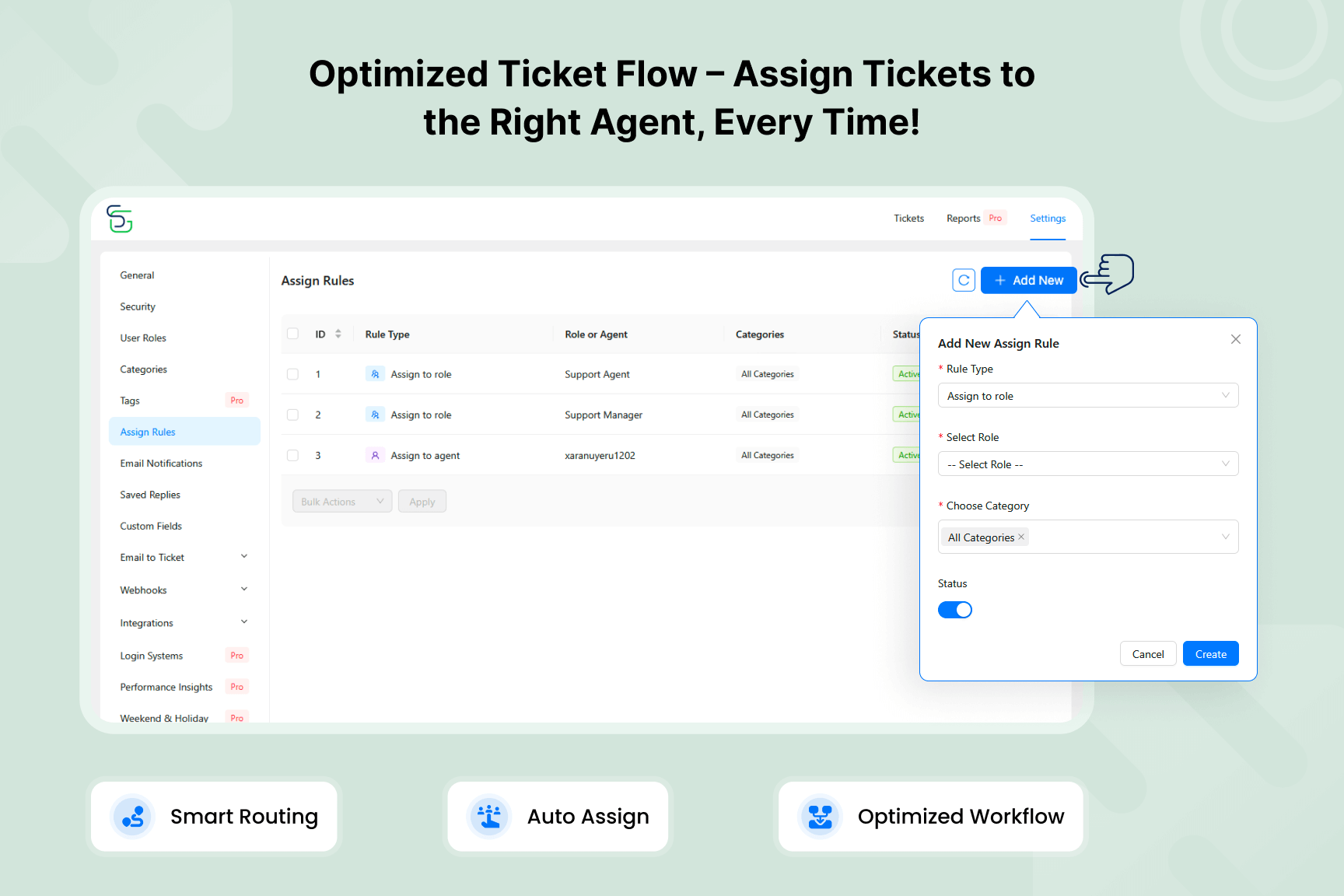
- Improved: Automation Rules for more accurate ticket assignment.
- Improved: Email Notifications for more accurate details.
- Fixed: Minor bugs and issues to enhance functionality and user experience.
- Security: Fixed an SQL injection issue in database queries.
- Security: Stricter input validation for ticket filters and admin list searches.
- Security: Tighter permission checks on admin AJAX actions.
- Security: Ticket lists now always respect ticket access restrictions.
- Fixed: The site no longer crashes if a malware scanner empties a plugin file by mistake.
- Improved: Code reorganized for better maintainability.
- Added: Verify button for the reCAPTCHA v3 keys, so a wrong or mismatched key pair is reported before it blocks visitors.
- Fixed: Support portal, AI Chatbot and Knowledge Base not loading on sites using the Plain permalink structure.
- Improved: Knowledge Base archive and article pages load significantly faster on large sites.
- Fixed: Minor bugs and issues to enhance functionality and user experience.
- Security: Hardened guest ticket link authentication and token generation.
- Tested: Compatibility with the latest version of WordPress.
- Fixed: Ticket list and ticket creation not loading in certain server setups.
- Fixed: Knowledge Base and chatbot statistics not being recorded in certain server setups.
- Fixed: Minor bugs and issues to enhance functionality and user experience.
- Updated: Support Genix AI is being retired and will be discontinued soon. Add your own OpenAI or Claude API key in Settings > API Keys to keep using AI Ticket Reply, AI Docs Writer and the AI Chatbot.
- Fixed: AI Chatbot not responding to visitor questions in certain configurations issues.
- Fixed: Minor bugs and issues to enhance functionality and user experience.
- Updated: Appreciation Offer banner artwork and extended the offer end date.
- Added: Limited-time Appreciation Offer notice in the admin dashboard (dismissible).
- Security: Hardened access control and file handling.
- Thanks to Alessandro Greco (Aleff) and Giovanbattista Ianni (University of Calabria, UNICAL), and Artus KG for responsibly disclosing these issues.
- Improved: Support for handling content in tickets and replies reliably.
- Improved: Ticket list loading speed for a lighter, faster response.
- Improved: Reply rendering performance for tickets with large content.
- Improved: Overall plugin performance and stability for smoother, more reliable usage.
- Fixed: Text colors and alignment not displaying correctly in tickets.
- Fixed: Minor bugs and issues to enhance functionality and user experience.
- Improved: Overall plugin performance and stability for smoother, more reliable usage.
- Fixed: Minor bugs and issues to enhance functionality and user experience.
- Tested: Compatibility with the latest version of WordPress.
- Improved: Handling of "Disable replies on closed tickets" for customer and email replies.
- Improved: Overall translation coverage and locale handling for a more consistent multilingual experience.
- Improved: File upload and download validation for better security.
- Improved: Overall plugin performance and stability for smoother, more reliable usage.
- Fixed: Minor bugs and issues to enhance functionality and user experience.
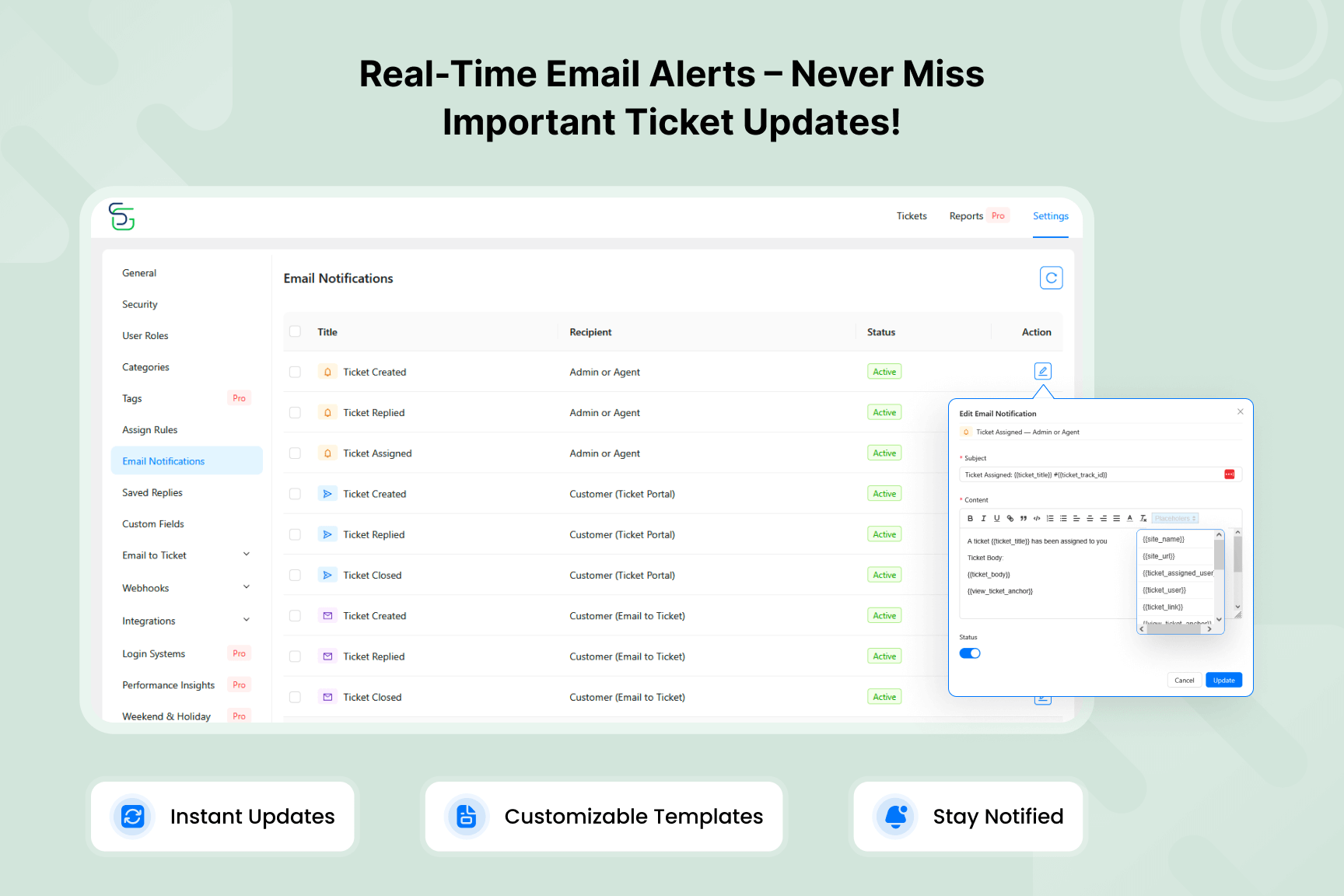
- Added: New email template placeholders for ticket track ID, priority, and assigned user.
- Improved: Email template rendering with CSS inlining for better email client compatibility.
- Improved: Ticket details page loading experience during navigation.
- Improved: Overall plugin performance and stability for smoother, more reliable usage.
- Fixed: Minor bugs and issues to enhance functionality and user experience.
- Improved: Overall plugin performance and stability for smoother, more reliable usage.
- Fixed: Minor bugs and issues to enhance functionality and user experience.
- Added: Change ticket user from the ticket details sidebar.
- Added: Edit ticket user info from the ticket details sidebar.
- Added: Display user custom fields in the ticket details sidebar.
- Improved: Earlier validation of custom fields during ticket creation.
- Improved: Database compatibility by replacing generated columns with regular columns.
- Improved: Added nocache headers to all REST API responses.
- Improved: Simplified WooCommerce and Envato integration settings.
- Improved: Overall plugin performance and stability for smoother, more reliable usage.
- Fixed: Envato support expiry validation.
- Fixed: Minor bugs and issues to enhance functionality and user experience.
- Added: WooCommerce integration to display customer order history within tickets for agents.
- Added: Chat sessions now show whether they were initiated from the main site or a specific embed.
- Added: Chat sessions now display the page URL where the conversation started.
- Improved: Overall plugin performance and stability for smoother, more reliable usage.
- Fixed: Minor bugs and issues to enhance functionality and user experience.
- Added: Ticket current viewers indicator to show who is actively viewing a ticket.
- Improved: Ticket and reply content formatting for a better user experience.
- Improved: Overall plugin performance and stability for smoother, more reliable usage.
- Fixed: Automatic ticket creation issue for new WooCommerce orders.
- Fixed: Chat history access permission issue.
- Fixed: Docs count issue in multiple knowledge base setups.
- Fixed: Minor bugs and issues to enhance functionality and user experience.
- Improved: Overall plugin performance and stability for smoother, more reliable usage.
- Fixed: Minor bugs and issues to enhance functionality and user experience.
- Added: Classic UI view mode for Knowledge Base screens.
- Added: "Change ticket user" permission for agents while creating tickets.
- Improved: Multilingual compatibility with WPML and Polylang.
- Improved: Overall plugin performance and stability for smoother, more reliable usage.
- Fixed: Minor bugs and issues to enhance functionality and user experience.
- Improved: Overall plugin performance and stability for smoother, more reliable usage.
- Fixed: Minor bugs and issues to enhance functionality and user experience.