
Swift PWA
| 开发者 | Navoto |
|---|---|
| 更新时间 | 2026年7月7日 18:25 |
| PHP版本: | 7.4 及以上 |
| WordPress版本: | 6.9 |
| 版权: | GPLv2 or later |
| 版权网址: | 版权信息 |
详情介绍:
Swift PWA is a comprehensive WordPress plugin that transforms your website into a Progressive Web App (PWA) with enterprise-grade security features.
Key Features
- Security First: Comprehensive security fixes including file upload validation, SQL injection prevention, XSS protection, and CSRF protection
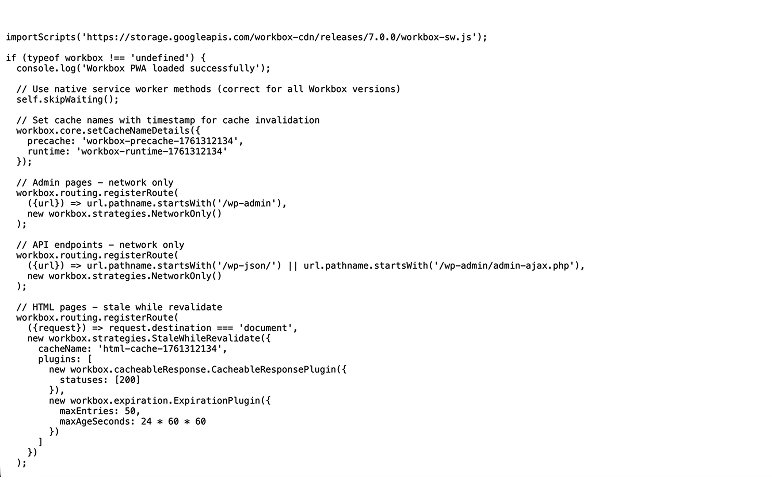
- Modern Workbox: Uses Workbox 7.0.0 with latest security patches and caching strategies
- Smart Caching: Intelligent caching for HTML, CSS, JS, images, and fonts
- Cache Management: Option to clear cache manually for better control
- Offline Support: Full offline functionality with customizable offline pages
- App Manifest: Automatic generation of web app manifest for app-like experience
- Service Worker: Advanced service worker with cache management
- Admin Interface: User-friendly WordPress admin interface
- File Upload Security: Secure file uploads with validation and size limits
- Rate Limiting: Built-in protection against abuse
- Access Control: Admin-only access with proper capability checks
- File upload validation (PNG, JPG, GIF, WebP only)
- 2MB file size limits
- MIME type validation
- SQL injection prevention with prepared statements
- XSS protection with proper output escaping
- CSRF protection with nonce verification
- Rate limiting on form submissions
- Admin capability checks
- Input sanitization and validation
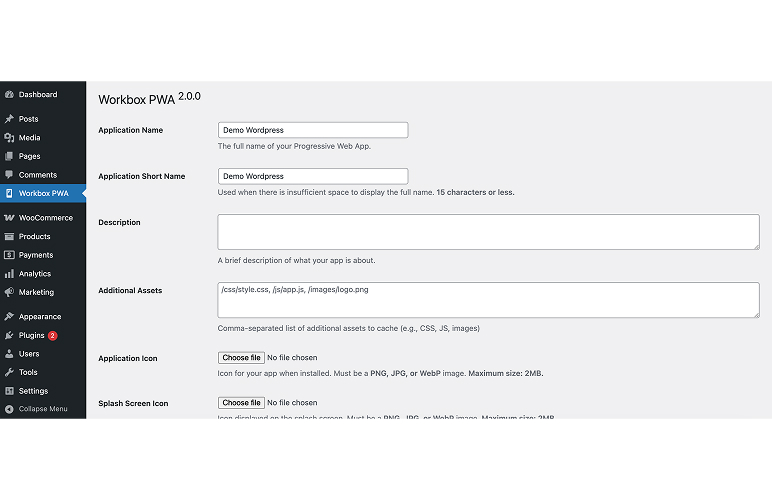
- Web App Manifest generation
- Service Worker registration
- Offline page support
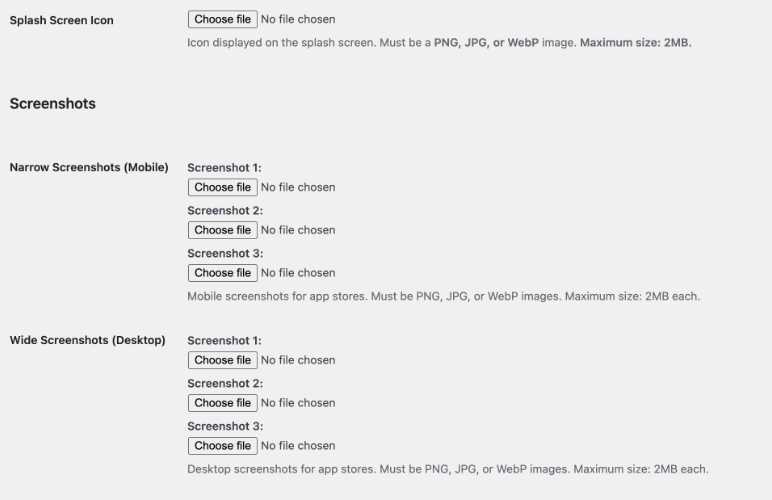
- App icons and splash screens
- Theme and background colors
- Display modes (standalone, fullscreen, etc.)
- Orientation settings
- Precache pages selection
- Asset precaching
- WordPress 5.0 or higher
- PHP 7.4 or higher
- HTTPS (required for PWA functionality)
- File upload permissions
- Database write permissions
安装:
- Upload the plugin files to the
/wp-content/plugins/swift-pwadirectory, or install the plugin through the WordPress plugins screen directly. - Activate the plugin through the 'Plugins' screen in WordPress
- Use the Swift PWA menu in your WordPress admin to configure your PWA settings
- Upload your app icons and configure colors
- Save settings to generate manifest and service worker files
屏幕截图:

常见问题:
Do I need HTTPS?
Yes, PWA functionality requires HTTPS. The plugin will show a warning if your site is not served over HTTPS.
What file types are supported for icons?
The plugin supports PNG, JPG, JPEG, GIF, and WebP image formats with a maximum file size of 2MB.
Can I customize the offline page?
Yes, you can select any page from your site to be displayed when users are offline.
Is this plugin secure?
Yes, this plugin includes comprehensive security features including file upload validation, SQL injection prevention, XSS protection, and CSRF protection.
What caching strategies are used?
The plugin uses Workbox 7.0.0 with smart caching strategies:
- CacheFirst for static assets (CSS, JS, images, fonts)
- StaleWhileRevalidate for HTML pages
- NetworkOnly for admin and API endpoints
更新日志:
2.0.0
- Initial release with comprehensive security features
- Workbox 7.0.0 integration
- Modern caching strategies
- File upload security
- SQL injection prevention
- XSS protection
- CSRF protection
- Rate limiting
- Admin capability checks