
SwiftMigrate
| 开发者 | qaziwebsitewala |
|---|---|
| 更新时间 | 2026年10月6日 22:59 |
| PHP版本: | 7.4 及以上 |
| WordPress版本: | 7.1 |
| 版权: | GPLv2 or later |
| 版权网址: | 版权信息 |
详情介绍:
- Install and activate SwiftMigrate on both sites. The new site can be a fresh WordPress install on any domain.
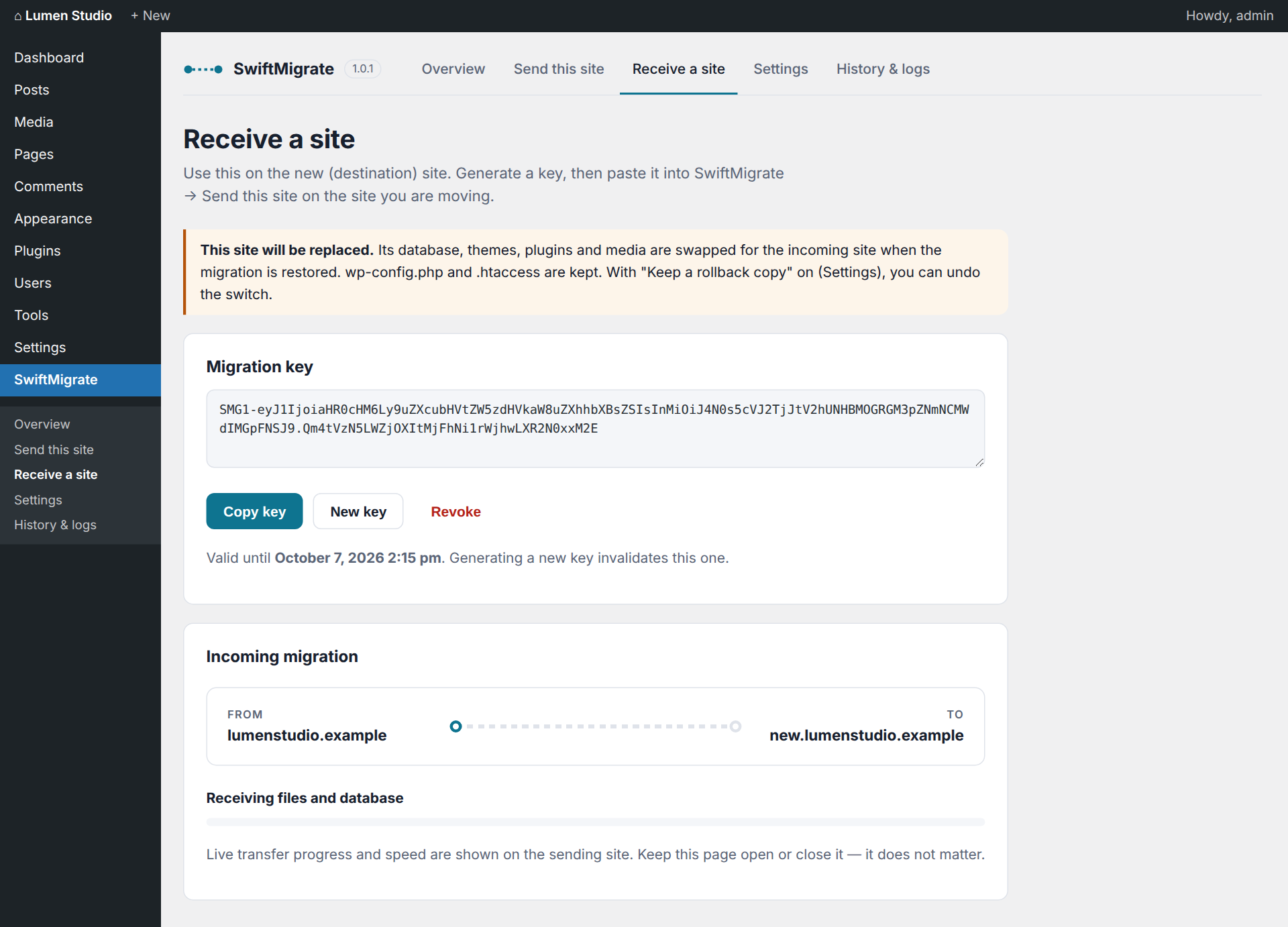
- On the new site, open SwiftMigrate → Receive a site → Generate migration key, then copy the key.
- On the old site, open SwiftMigrate → Send this site, paste the key and click Connect.
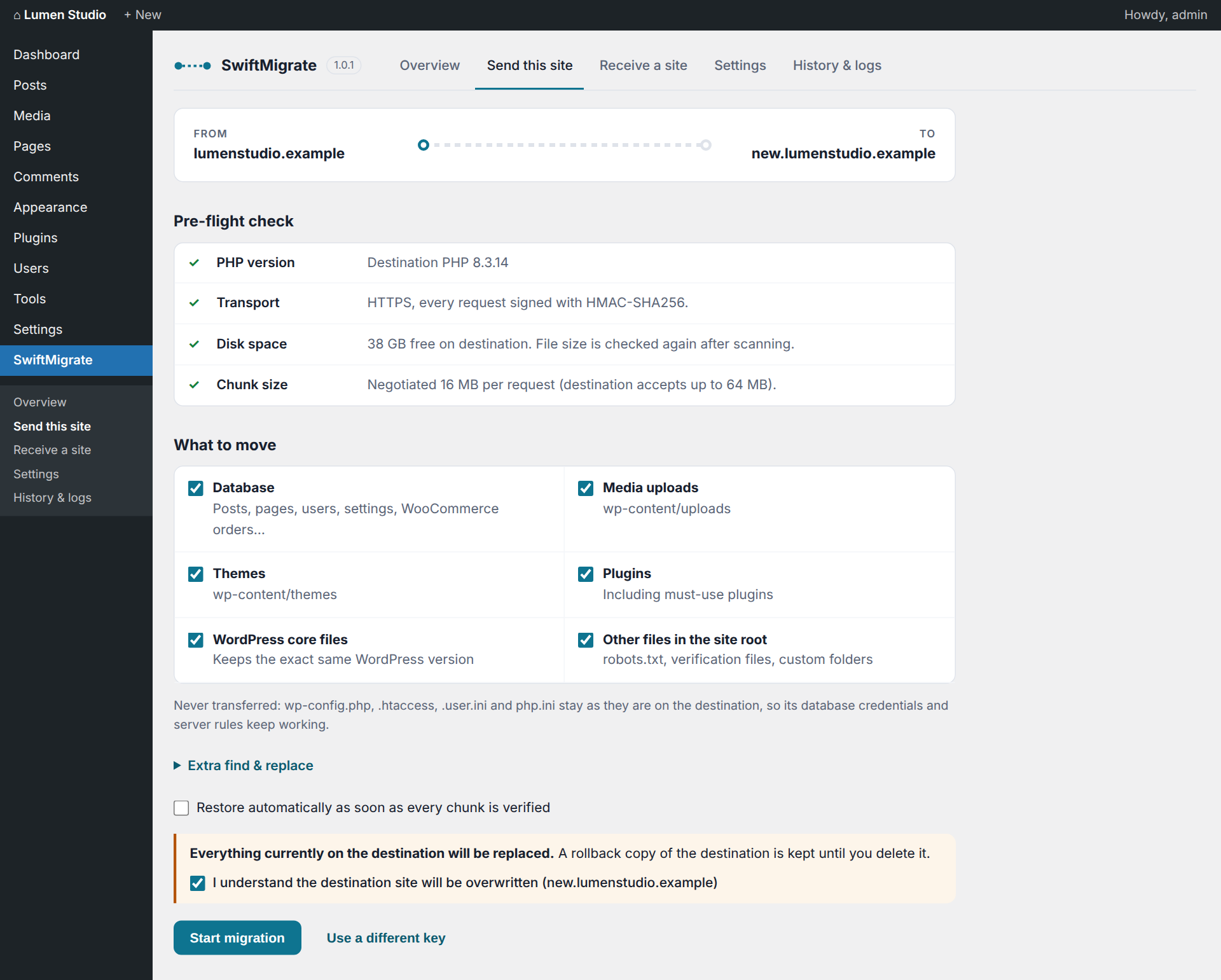
- Review the pre-flight check, choose what to move and confirm that the destination may be overwritten. Click Start migration.
- When every chunk has been verified on the destination, click Restore on destination (or tick "Restore automatically").
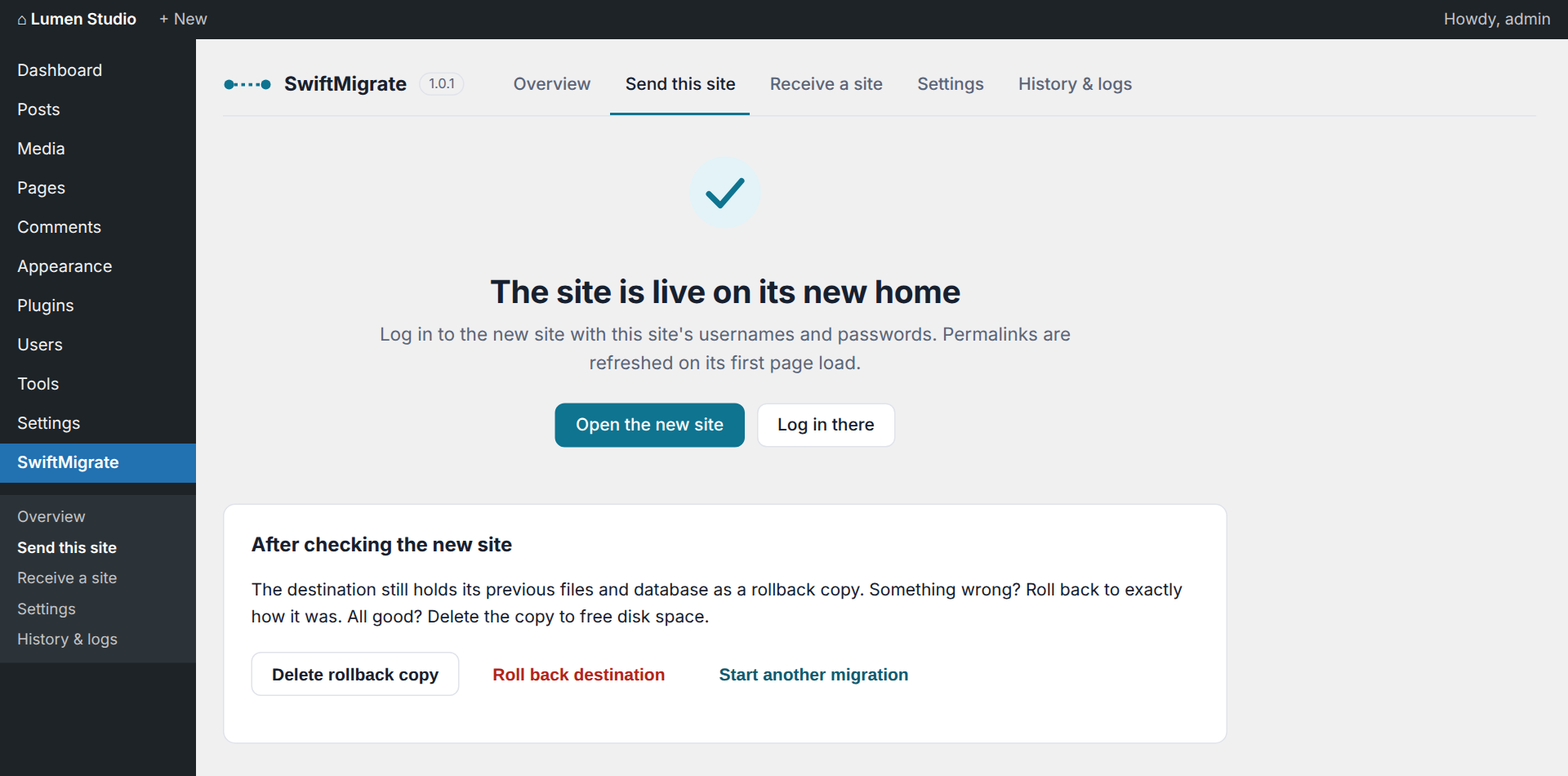
- Log in to the new site with the old site's username and password.
- Check the new site, then click "Delete rollback copy" – or "Roll back" if something is wrong.
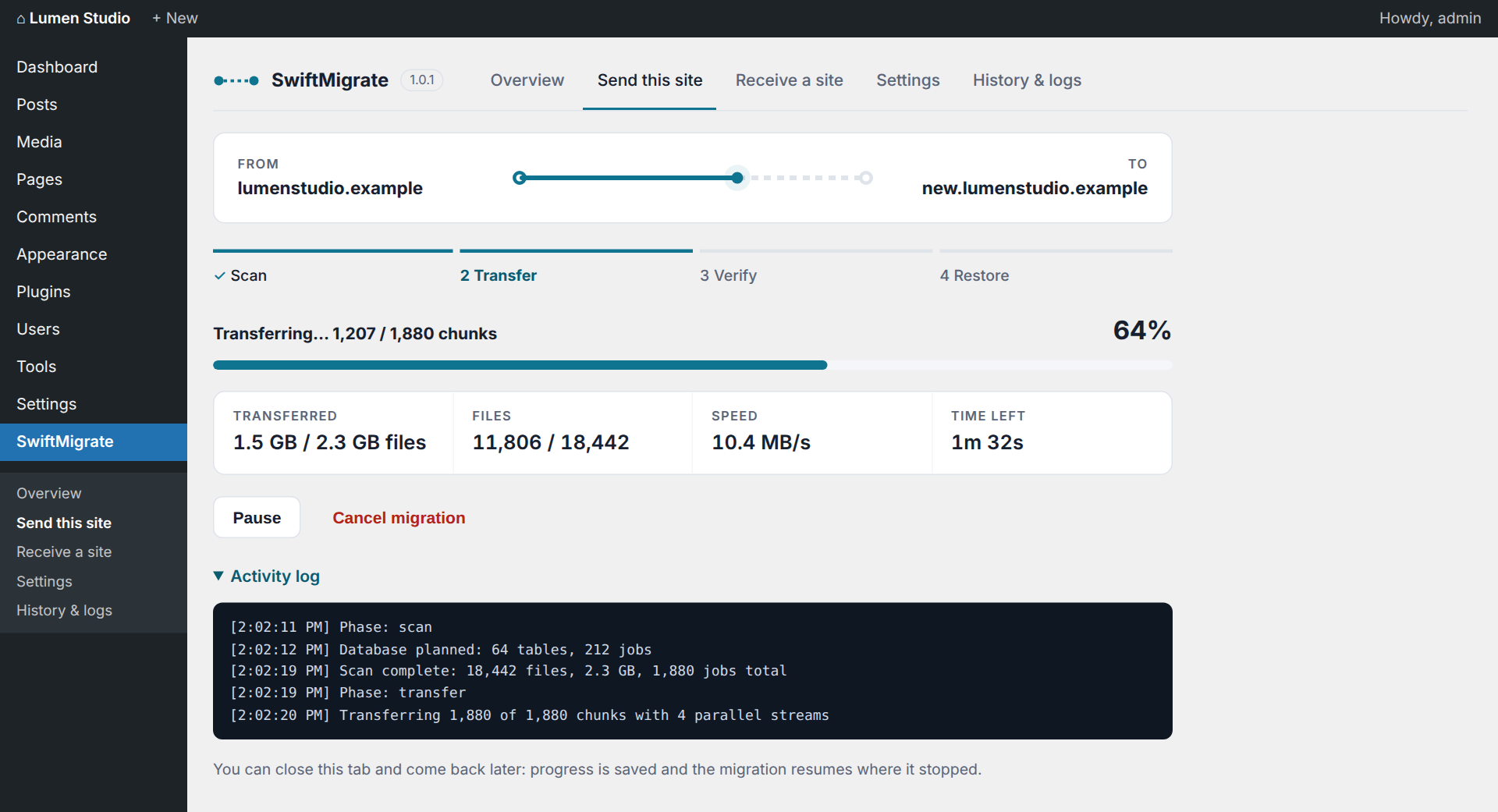
- Direct server-to-server transfer with parallel streams (4 by default, configurable).
- Small files are packed together; large files of any size are split into chunks.
- Every file and chunk carries a SHA-1 checksum, and the destination rejects anything that does not match.
- After the transfer, the destination confirms every single chunk. Missing or damaged chunks are resent automatically before a restore is allowed.
- Fast database export using primary-key ranges, binary-safe values and statement sizes adapted to the destination's MySQL limits.
- The restore imports into temporary tables, rewrites URLs and server paths (including serialized, JSON-escaped and URL-encoded data), then switches all tables at once. Different table prefixes are handled automatically.
- Rollback: the destination's previous database and replaced files are kept until you delete them.
- Resumable: close the browser tab at any time and press Resume later.
- Full log of every migration under SwiftMigrate → History & logs, downloadable as a text file.
- A migration key is generated on the destination. It contains the destination's address and a random 256-bit secret, and it expires after 24 hours by default.
- Every request between the two sites is signed with HMAC-SHA256, time-limited and single-use, so it cannot be altered or replayed.
- If the destination does not use HTTPS (or certificate verification is turned off), every request and response is additionally encrypted end-to-end with a key derived from the migration secret (XChaCha20-Poly1305, via PHP's sodium extension or the library bundled with WordPress). Site data is never sent in clear text. If encryption is not available, a non-HTTPS migration is refused.
- Temporary data is kept in a private folder inside the uploads directory with a random, unguessable name, protected against web access. Received files are stored under hashed names with a .bin extension until the restore, so no received code can run from that folder.
- Keys are revoked when the plugin is deactivated.
- All admin screens and actions require the
manage_optionscapability.
- Speed: parallel streams, maximum request size, small files per request, database rows per chunk, request timeout and compression.
- What is left behind: skip post revisions, transients, or spam and trashed comments; skip whole database tables; exclude files and folders with simple rules (for example
*.logor*/node_modules). - Safety and connection: rollback copy, migration key lifetime, SSL verification and a firewall-friendly mode for hosts that block binary uploads.
- Multisite networks are not supported.
- Files that exist only on the destination are left in place.
- Changes made on the source while a migration runs may not all be captured. Avoid editing content during the transfer.
- Rollback needs the "Keep a rollback copy" setting (on by default) and enough free disk space on the destination.
安装:
- In your WordPress admin, go to Plugins → Add New Plugin, search for "SwiftMigrate", then click Install Now and Activate. Alternatively, upload the
swiftmigratefolder to/wp-content/plugins/and activate it on the Plugins screen. - Do the same on the second site (both the old and the new site need SwiftMigrate).
- Follow the steps under "How a migration works" in the Description.
屏幕截图:
常见问题:
Which site do I start on?
On the new site (the destination): generate the migration key there. Then paste the key on the old site (the source) and start the migration from the old site.
Will the destination site be overwritten?
Yes. When you restore, the destination's database, themes, plugins and media are replaced by the incoming site. wp-config.php and .htaccess are kept. With "Keep a rollback copy" enabled (the default), you can undo the switch with one click.
Which username and password do I use after the migration?
The ones from the old site. The destination now contains the old site's database, including its users.
Where does SwiftMigrate store temporary data?
In a private folder inside your uploads directory: uploads/swiftmigrate/data-<random>. The location is determined with wp_upload_dir(), and the folder has a random, unguessable name plus index.php, .htaccess and web.config rules that deny web access. Received files are kept there under hashed names with a .bin extension until the restore moves them into place, so nothing received can be executed from that folder. It is removed when you delete the plugin.
Is the transfer encrypted?
Yes. Over HTTPS, TLS encrypts it. If the destination does not use HTTPS, or you turned off certificate verification, SwiftMigrate encrypts every request and response end-to-end with the migration key (XChaCha20-Poly1305). Using HTTPS on the destination is still recommended.
The transfer fails with HTTP 401, 403 or 406. What can I do?
A security plugin or the host's firewall is probably blocking the REST API or binary uploads on the destination. Try these in order:
- In Settings, enable "Firewall-friendly mode" on the source site.
- Allow unauthenticated POST requests to
/wp-json/swiftmigrate/v1/transferin your security plugin on the destination. SwiftMigrate authenticates these requests itself with the migration key's signature. - If the REST API is disabled entirely on the destination, enable it for the duration of the migration.
The transfer times out on a slow host.
Lower "Parallel streams" and "Maximum request size" in Settings on the source site.
The destination has a self-signed SSL certificate.
Disable "Verify SSL certificates" in Settings on the source site. Only do this if you trust the network between both servers.
Can I close the browser during a migration?
Yes. Progress is saved on the server. Open SwiftMigrate → Send this site again and click Resume.
Can the new site use a different domain or table prefix?
Yes. The site URL and server paths are rewritten during the restore, including inside serialized, JSON-escaped and URL-encoded data, so page builder and plugin settings keep working. A different table prefix on the destination is handled automatically. You can add extra find-and-replace pairs (for example an old CDN address) before you start.
Can I leave things out to make the migration smaller?
Yes. On the Send screen you choose whether to include the database, media, themes, plugins, WordPress core and other root files. In Settings you can also skip post revisions, transients, spam and trashed comments, specific database tables, and files or folders that match your own rules.
What happens if a chunk fails or arrives damaged?
Failed requests are retried automatically. Every chunk carries a SHA-1 checksum that the destination checks on arrival, and after the transfer the destination confirms every chunk. Anything missing or damaged is sent again before the restore button becomes available.
Is multisite supported?
No. Both sites must be single-site WordPress installs.
What does uninstalling remove?
Deleting the plugin removes its settings, the uploads/swiftmigrate folder and any leftover staging or rollback tables. The migrated site itself is not touched.
更新日志:
- Working data moved to a private, unguessable folder inside the uploads directory (resolved with
wp_upload_dir()). - Received files are staged under hashed, non-executable names until the restore.
- Transfers to a destination without HTTPS (or with certificate verification off) are encrypted end-to-end.
- Site and content folders are resolved through the WordPress filesystem API.
- "Skip spam and trashed comments" now skips trashed comments too.
- All messages, including pre-flight checks, logs and the admin scripts, are translatable.
- First public release.