
SyncBeacon - Conversions API & Ad Automation
| 开发者 | syncbeacon |
|---|---|
| 更新时间 | 2026年10月2日 16:06 |
| PHP版本: | 7.4 及以上 |
| WordPress版本: | 7.1 |
| 版权: | GPLv2 or later |
| 版权网址: | 版权信息 |
详情介绍:
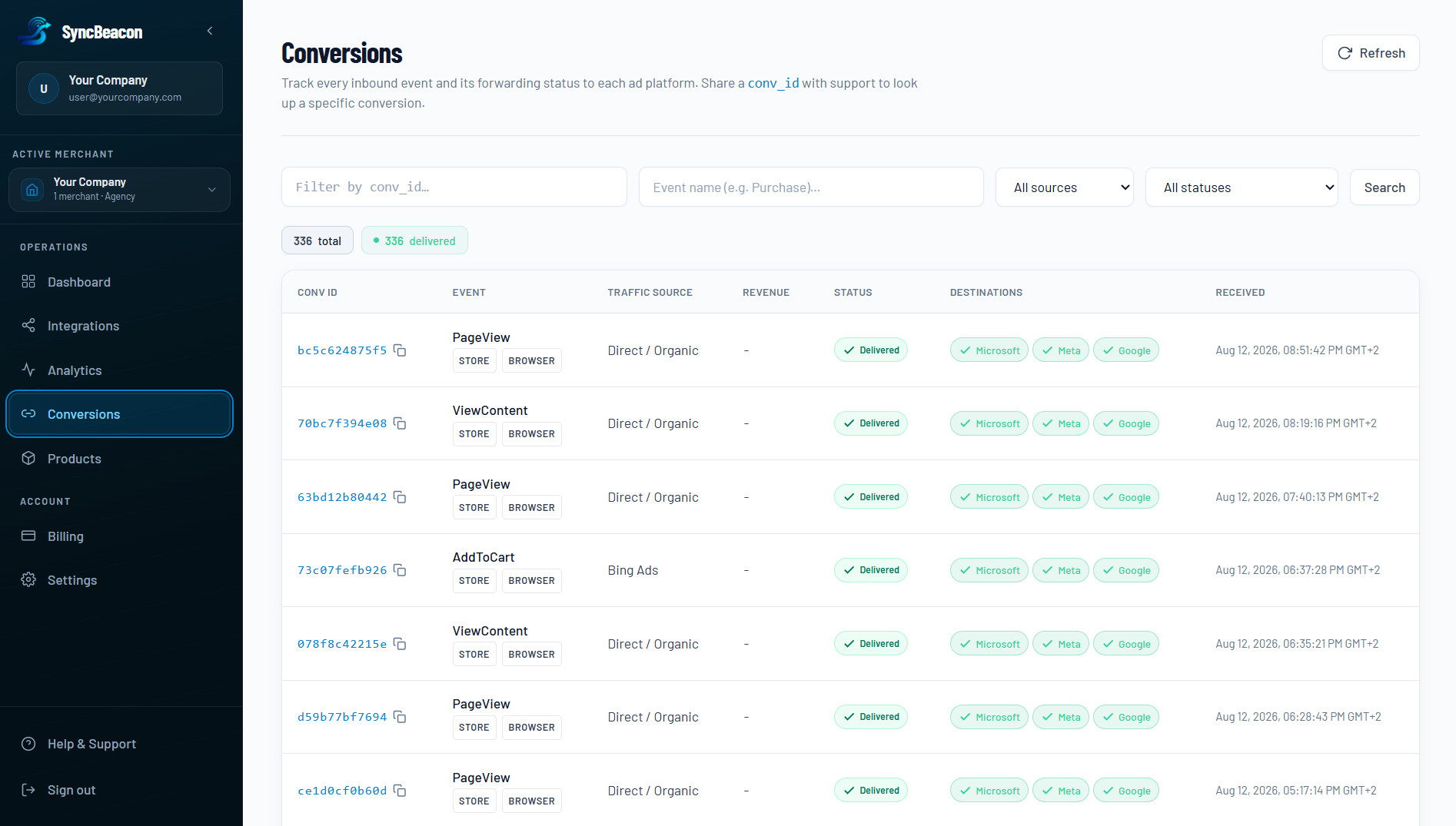
- Server-side conversion tracking - WooCommerce orders reach your ad platforms via secure APIs - not fragile browser pixels alone.
- Beacon Attribution Engine - credit conversions from store orders, click IDs, and UTMs with first/last touch, linear, time-decay, position-based, and Hybrid True ROAS models (Growth+ plans). See syncbeacon.cloud/attribution.
- Browser-side tracking with automatic deduplication - one lightweight
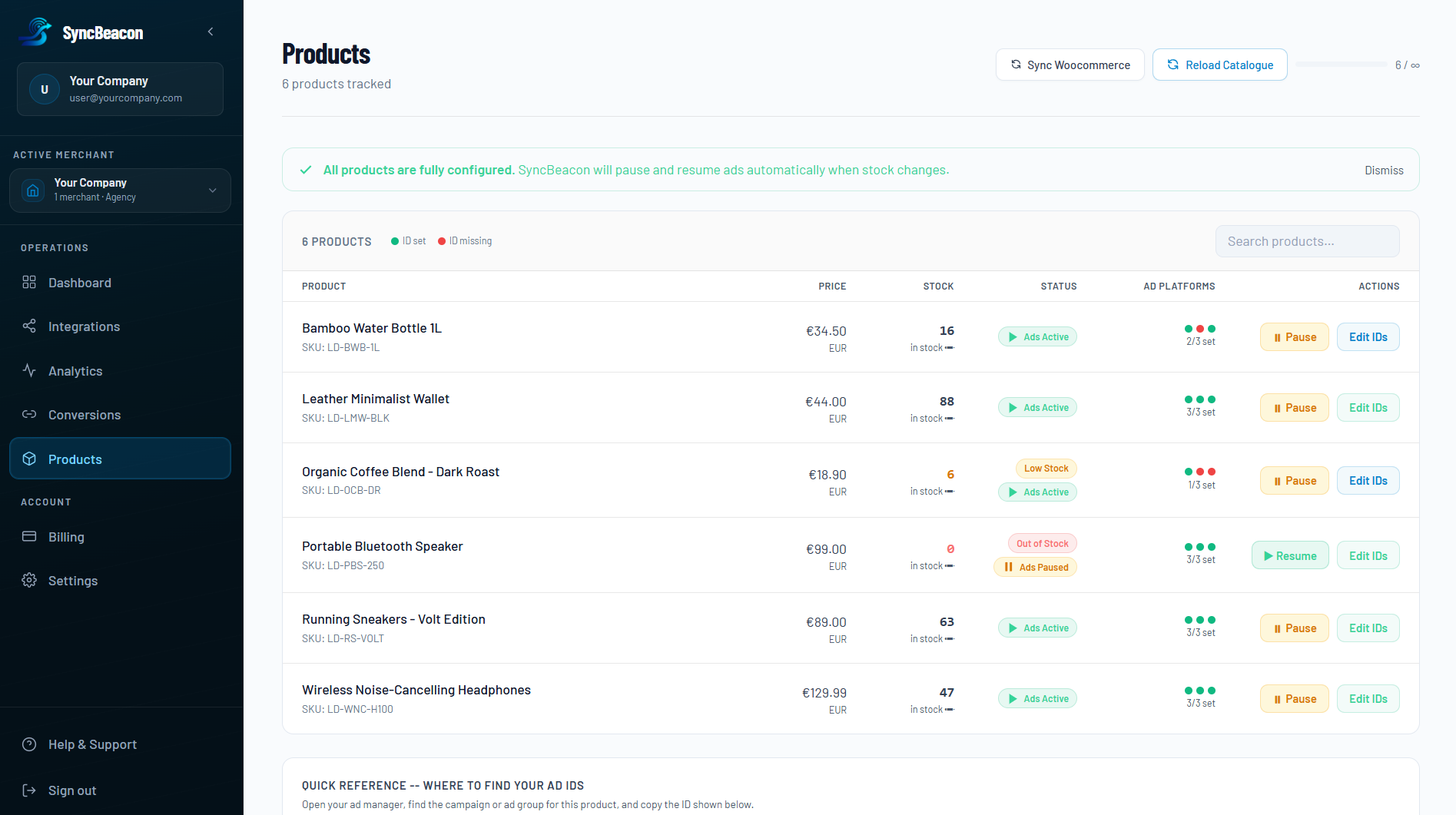
sb.jstag captures PageView, AddToCart, InitiateCheckout, and AddPaymentInfo. Mid-funnel events with live cart totals are also queued via WooCommerce Action Scheduler so checkout is not slowed. No Google Tag Manager. - Auto ad-pause on out-of-stock products - when a SKU goes OOS, SyncBeacon can pause linked ads so you stop paying for clicks that cannot convert.
- OpenAI Ads
- Meta (Conversions API)
- Google Ads (Enhanced Conversions)
- Snapchat
- X Ads
- Microsoft Advertising
- Ad blockers and browser privacy hide a large share of browser-only conversions
- GTM means a separate tag, trigger, and variable map per ad platform - ongoing maintenance
- Platform ROAS numbers disagree because each ad account only sees its own pixel - Beacon Attribution Engine builds one journey ledger from your store orders
- Out-of-stock products keep burning ad budget until someone notices
- SyncBeacon replaces that stack with one connect flow and one managed cloud service
- SyncBeacon registers order webhooks on your store (server-side purchases)
- The plugin injects
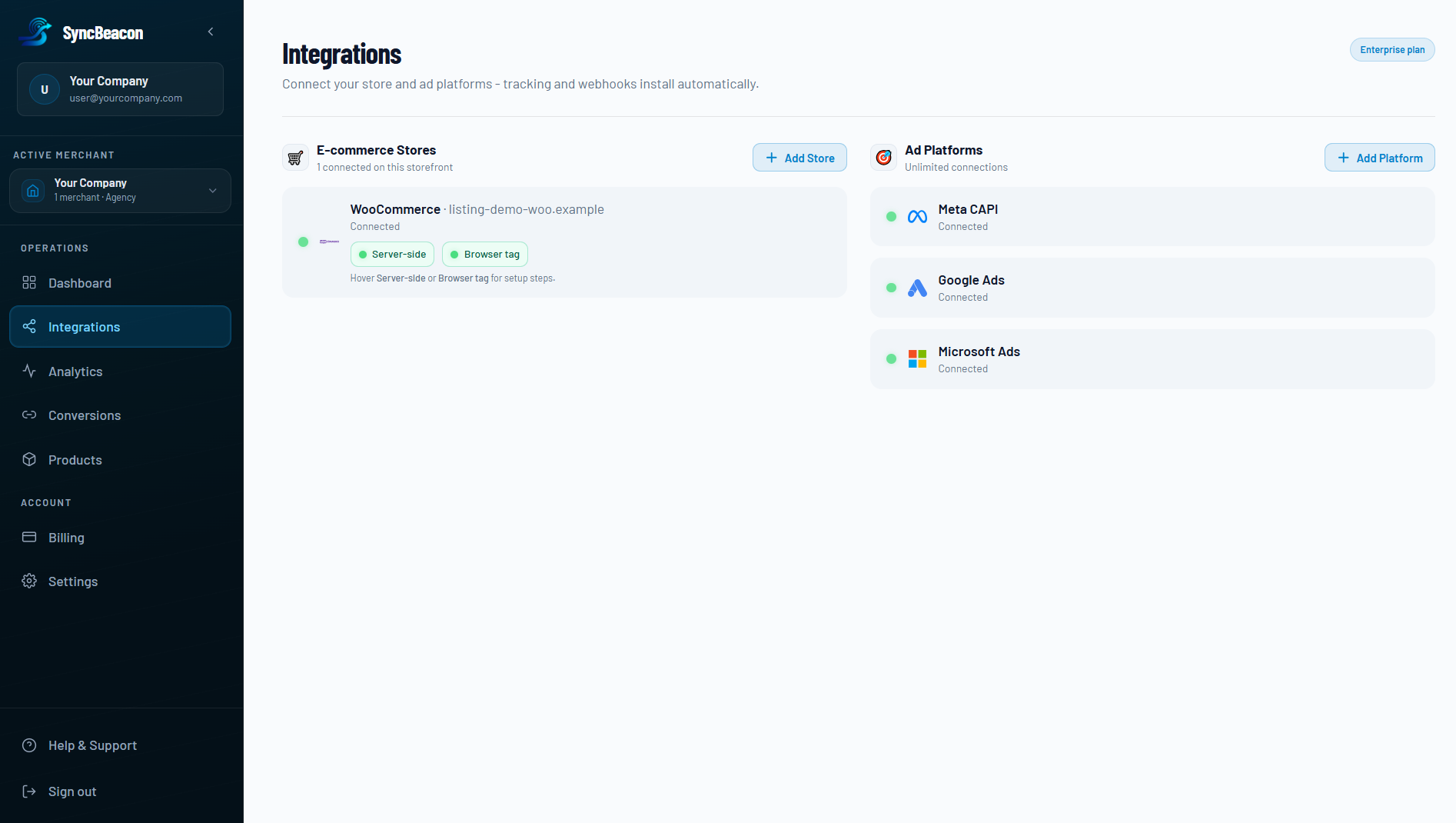
sb.json the storefront (browser events, no theme edits) - You connect OpenAI Ads, Meta, Google Ads, and other destinations once in the SyncBeacon dashboard
- Catalogue / stock signals power auto ad-pause when products go out of stock
- Growth+ plans unlock Beacon Attribution Engine for journey credit and Hybrid True ROAS
- Consent mode in SyncBeacon controls when customer data is forwarded
- WordPress 6.0 or later
- WooCommerce 7.0 or later
- PHP 7.4 or later (PHP 8.1–8.3 supported)
- A SyncBeacon account (free to connect; paid plan to forward events, use attribution, and ad-pause)
安装:
- Install via Plugins → Add New (search "SyncBeacon") or upload the ZIP
- Activate the plugin (WooCommerce must already be active)
- Go to WooCommerce → SyncBeacon
- Click Connect to SyncBeacon and complete authorization
- Activate a SyncBeacon plan at syncbeacon.cloud/app/billing
- Connect OpenAI Ads / Meta / Google (and enable catalogue / ad-pause / attribution) in SyncBeacon Integrations
屏幕截图:
常见问题:
Is this three separate products?
No - one SyncBeacon account covers server-side tracking, Beacon Attribution Engine (Growth+), browser tracking with deduplication (no GTM), and auto ad-pause on out-of-stock. The WooCommerce plugin is the free connector that installs the browser tag and links your store.
Is the plugin free? Do I pay twice?
Yes, the plugin is free. No - you only pay SyncBeacon for the cloud service. See pricing.
Which ad platforms does SyncBeacon support?
OpenAI Ads, Meta Conversions API, Google Ads, Pinterest, Snapchat, X Ads, and Microsoft Advertising. Connect them in the SyncBeacon dashboard - no extra WordPress plugins.
What is Beacon Attribution Engine?
It builds one journey ledger from your store orders, click IDs, and UTMs, then lets you assign credit (first/last touch, linear, time-decay, position-based) plus Hybrid True ROAS using ad spend. Included on Growth and Agency plans. Details: syncbeacon.cloud/attribution.
Do I need Google Tag Manager?
No. SyncBeacon replaces GTM + individual platform pixels with one sb.js tag injected by this plugin, plus server-side order webhooks. Connect ad accounts in the SyncBeacon dashboard instead of maintaining tags in GTM.
How does deduplication work?
Browser events and server (order webhook) events share a conversion identity. SyncBeacon merges duplicates so ad platforms do not count the same purchase twice when both paths fire.
Does this replace the Facebook Pixel or Google tag?
SyncBeacon is built to be your primary tracking layer: server-side CAPI / Ads APIs plus a single browser tag. You can remove redundant GTM pixels after you verify events in SyncBeacon and in each ads manager.
What is auto ad-pause?
SyncBeacon syncs product / stock signals from your store. When a product (or configured variant rule) is out of stock, linked ads can be paused automatically so budget is not spent on dead landing pages. Reconfigure destinations and catalogue rules in the SyncBeacon dashboard.
Is SyncBeacon GDPR-ready?
SyncBeacon provides GDPR-ready server-side tracking, hosted in the EU: consent-gated forwarding, hashed matching where applicable, and a clear controller / processor split (you are the controller; SyncBeacon is the processor under the DPA). Configure consent in SyncBeacon → GDPR. This plugin does not store customer personal data in WordPress. Your store’s overall compliance still depends on your consent setup and privacy policy.
Which data does the plugin store?
Only configuration options: public tracking key, merchant ID, tracker script URL, API URL, and configured-at timestamp. No customer emails, phones, or order payloads are stored by the plugin.
What happens when I uninstall?
Plugin options are deleted from WordPress. Your SyncBeacon account and history remain until you delete them in the dashboard. Remove leftover WooCommerce webhooks under WooCommerce → Settings → Advanced → Webhooks if needed.
What API scope does SyncBeacon need?
Read/Write on the WooCommerce REST API so SyncBeacon can register webhooks and read order / catalogue data needed for tracking, attribution, and stock-based ad-pause. Payment card data is not accessed.
更新日志:
- Sanitize HTTP_HOST / REQUEST_URI before building event page URLs (QIT / Plugin Check)
- Declare WC tested up to 11.1 and WordPress Tested up to 7.1
- Limit readme tags to 5 (WordPress.org Plugin Check)
- Listing: highlight Beacon Attribution Engine (Growth+) as a core SyncBeacon capability
- Document supported ad platforms with OpenAI Ads first, then Meta, Google Ads, Pinterest, Snapchat, X Ads, and Microsoft Advertising
- Tags and short description updated for attribution + OpenAI Ads discoverability
- Display name: SyncBeacon - Conversions API & Ad Automation (slug remains syncbeacon)
- Action Scheduler mid-funnel: InitiateCheckout and AddPaymentInfo with live cart totals (non-blocking)
- Localize cart context for sb.js so browser funnel events include real value/currency
- Document async checkout-safe delivery on WordPress.org listing
- WordPress.org review: document external SyncBeacon service (terms + privacy links)
- Remove directory banner/icon/screenshot files from the plugin package (upload via SVN assets after approval)
- Rely on WordPress.org language packs instead of load_plugin_textdomain()
- Initial release
- One-click OAuth connect to SyncBeacon (WooCommerce REST API)
- Automatic browser tracker (
sb.js) injection - no theme edits, no GTM required - REST endpoints for SyncBeacon install-push after OAuth
- HPOS (High-Performance Order Storage) compatibility declaration
- Designed to pair with SyncBeacon cloud: server-side CAPI, browser↔server dedup, OOS auto ad-pause, GDPR consent gates