
Syntax Highlight Nano
| 开发者 | ejointjp |
|---|---|
| 更新时间 | 2026年10月15日 12:19 |
| PHP版本: | 7.4 及以上 |
| WordPress版本: | 7.1 |
| 版权: | GPLv2 or later |
| 版权网址: | 版权信息 |
详情介绍:
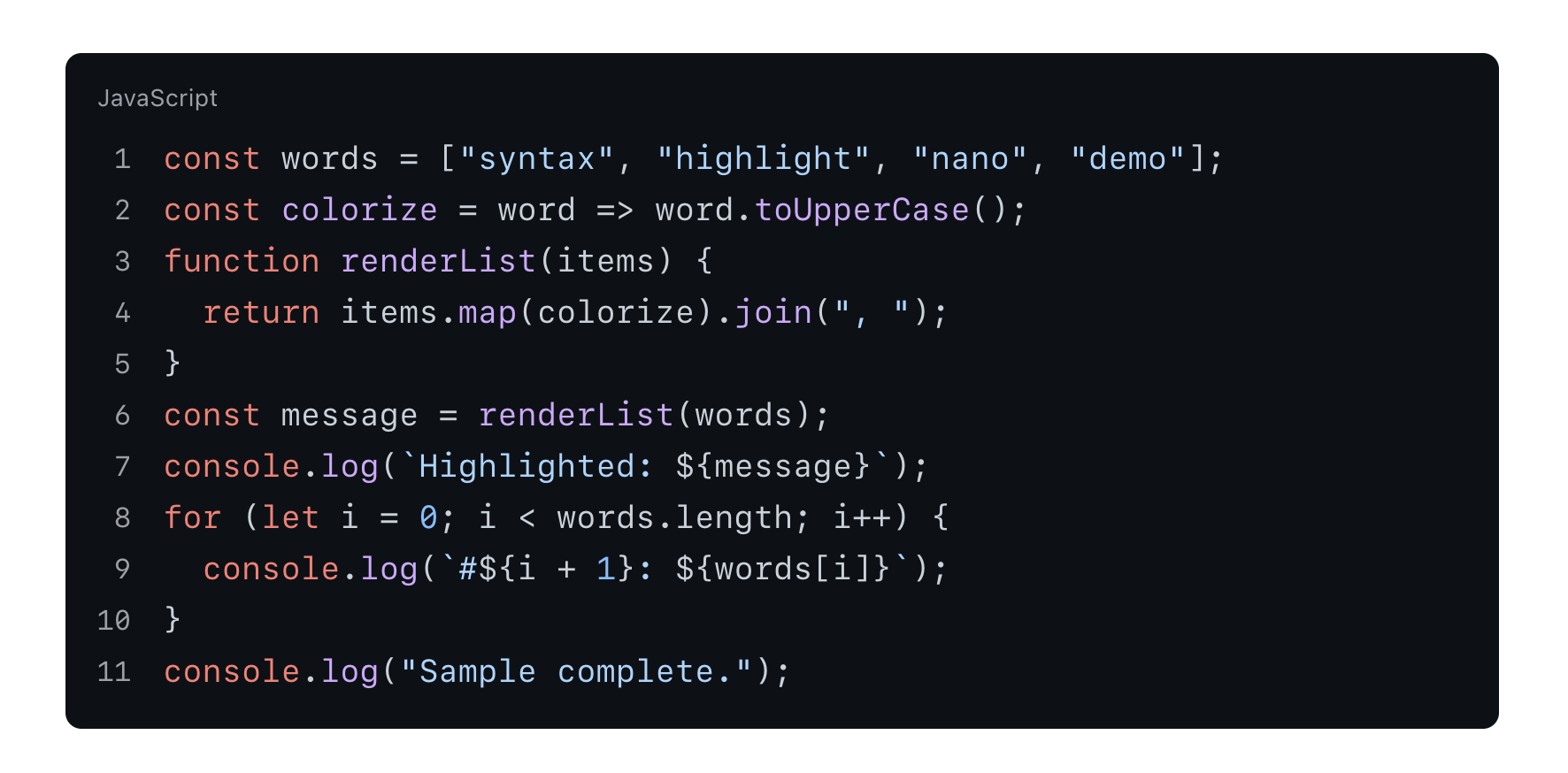
- Automatic language detection: Intelligently detects the programming language of your code.
- Customizable header: Optionally display a header above the code block with a filename or language name.
- Line numbers: Toggle line numbers on or off to improve code readability.
- Copy to clipboard button: A convenient button appears on hover, allowing users to copy the code with a single click.
- 10 color themes: Choose from light and dark themes including GitHub, Monokai, Solarized, and Catppuccin.
- Lightweight and performant: Uses highlight.js for efficient, optimized syntax highlighting.
- WordPress best practices: Built following WordPress development standards.
- Install and activate the plugin.
- In the WordPress editor, add a standard "Code" block.
- Enter your code.
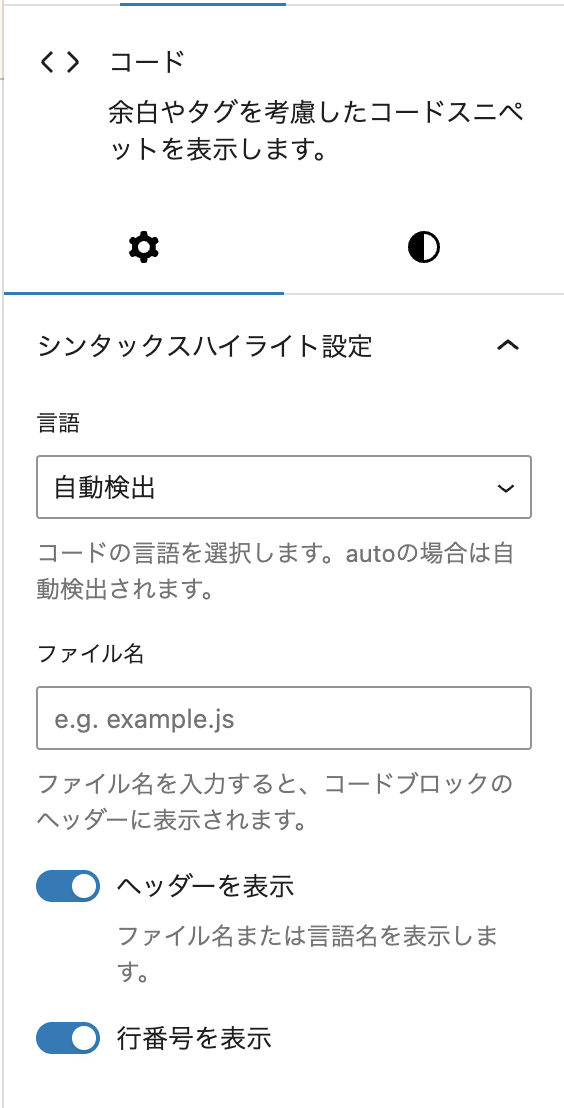
- In the block settings sidebar, you can:
- Select a programming language (or leave it for automatic detection).
- Add a filename.
- Toggle header visibility.
- Toggle line number visibility.
- The code block will be automatically highlighted on the frontend.
安装:
- Log in to your WordPress admin dashboard.
- Go to Plugins > Add New.
- Search for "Syntax Highlight Nano".
- Click Install Now, then click Activate.
屏幕截图:
常见问题:
What programming languages are supported?
Syntax Highlight Nano supports a wide range of languages including JavaScript, TypeScript, PHP, Python, Ruby, Java, C#, C++, C, Go, Rust, Swift, Kotlin, HTML, CSS, SCSS, Less, JSON, XML, YAML, Markdown, SQL, Bash, Shell, PowerShell, and AppleScript.
Will this affect my existing code blocks?
Yes. This plugin enhances all standard WordPress core/code blocks. Existing code blocks are automatically highlighted based on your settings.
Is it compatible with my theme?
The plugin uses its own scoped CSS to minimize conflicts with themes. It is designed to be as non‑intrusive as possible. If you encounter any styling issues, please report them.
Does it impact website performance?
The plugin is optimized for performance. Highlight.js is only loaded on pages that contain code blocks, and editor assets are only loaded in the WordPress admin.
Can I customize the styling?
Yes. You can override the default styles by adding custom CSS to your theme's style.css or via the WordPress Customizer. The plugin uses CSS variables to make theme adjustments easier.
更新日志:
- Fixed the support link, which pointed to a repository that does not exist. Support is now handled on the WordPress.org support forum.
- New: Four color themes added: Solarized Light, Solarized Dark, Catppuccin Latte, and Catppuccin Mocha. Pick one under Settings > Syntax Highlight Nano.
- Tested up to WordPress 7.1.
- Bug fix: Translations for the block editor and the settings screen were never applied on non-English sites, because the translation catalogs did not match the built scripts. Japanese now displays correctly.
- Improvement: Bundled PHP translation files (.l10n.php) so translations load faster on WordPress 6.5 and above.
- Improvement: Removed development files and screenshot assets from the plugin package, reducing the download size by about 500 KB.
- Tested up to WordPress 7.0.
- Bug fix: Line numbers, header, and copy button now take their color from the selected highlight.js theme instead of the site theme, so they stay readable when a dark code theme is used on a light site (and vice versa).
- Bug fix: The checkmark shown after a successful copy is now colored correctly.
- Build: Switched the build pipeline to @wordpress/scripts.
- Style: Migrated to CSS custom properties based on design tokens.
- Bug fix: Resolved 500 fatal error on code block save caused by undefined settings array keys in PHP 8.1+.
- Bug Fix.
- Added support for AppleScript.
- Update CSS.
- Bug Fix.
- Added copy and checkmark icons to the copy button for better visual feedback.
- Improved language detection accuracy with proper language name mapping.
- Implemented a "Copy to clipboard" button that appears when hovering over code blocks.
- Added
has-filenameCSS class to support filename-based headers.
- Optimized the frontend HTML structure to use the
<pre>tag directly for styling. - Improved CSS for better integration and responsive behavior.
- Switched to client-side language auto-detection using highlight.js.
- Initial release of Syntax Highlight Nano.
- Added syntax highlighting, custom headers, and line numbers to WordPress code blocks.