
Tabwright – Product Tabs for WooCommerce
| 开发者 | tabwright |
|---|---|
| 更新时间 | 2026年9月29日 05:44 |
| PHP版本: | 7.4 及以上 |
| WordPress版本: | 7.1 |
| 版权: | GPLv2 or later |
| 版权网址: | 版权信息 |
详情介绍:
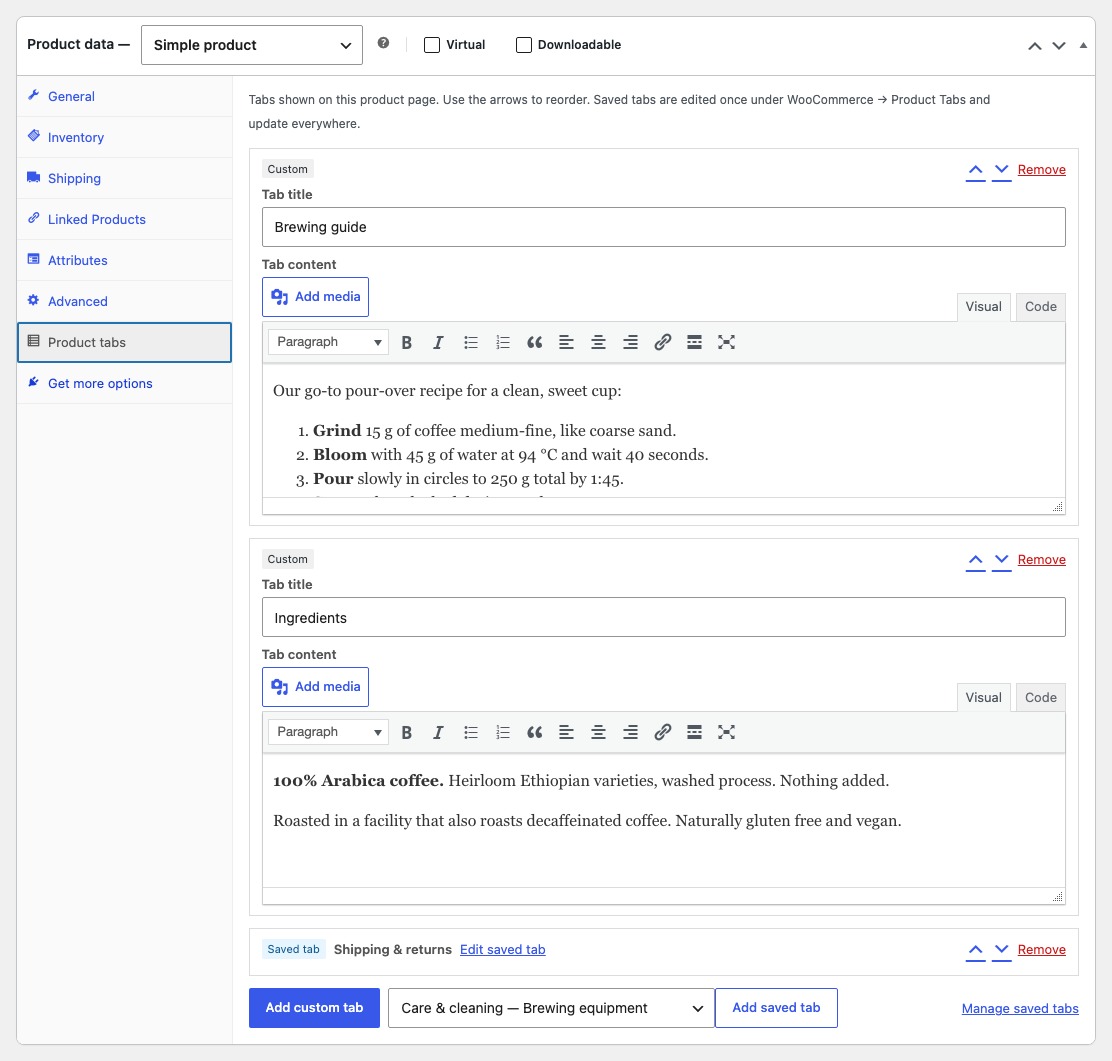
- Unlimited custom tabs per product. Add, edit, remove and reorder tabs right in the product editor (Product data → Product tabs), with the familiar WordPress editor: formatting, media, links, shortcodes and embeds.
- Saved (reusable) tabs. Write a tab once under WooCommerce → Product Tabs and add it to any number of products. Edit it once and it updates everywhere.
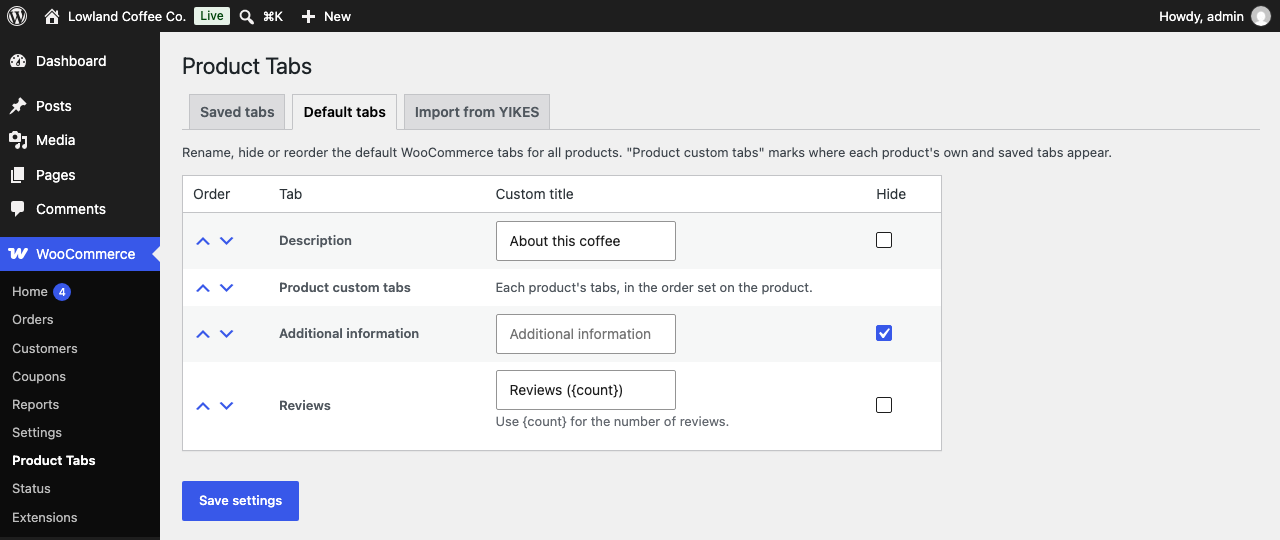
- Default tabs, your way. Rename, hide or reorder the Description, Additional information and Reviews tabs for the whole store, and choose where your custom tabs appear. Use
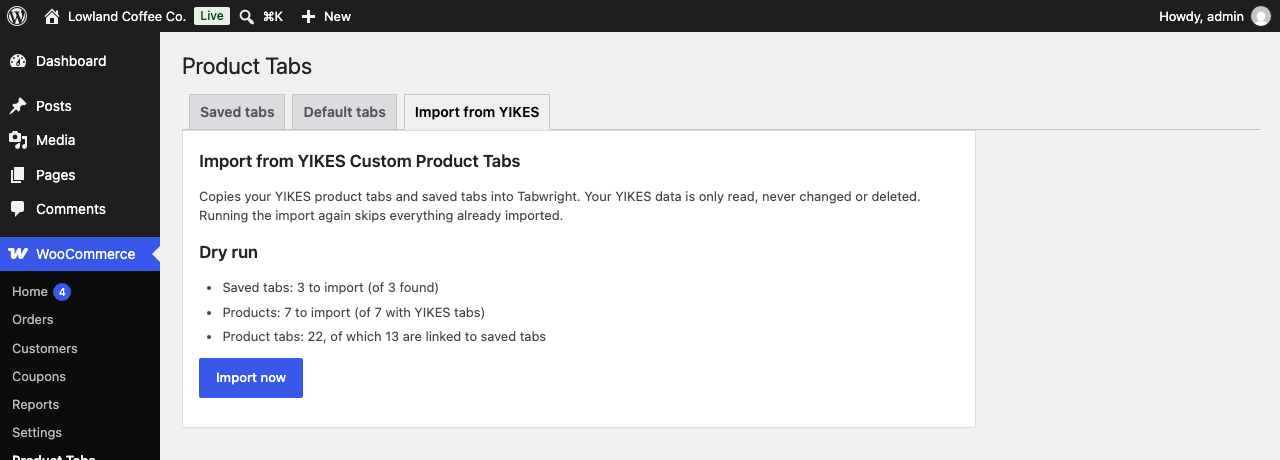
{count}in the Reviews title to show the number of reviews. - One-click import from YIKES Custom Product Tabs. Brings over every product tab and saved tab, and keeps saved tabs linked. It shows a dry run first, runs in batches for big catalogs, never changes your YIKES data and can be run again safely.
- Built for today's WooCommerce. Compatible with High-Performance Order Storage (HPOS) and block themes.
- Private and light. No tracking, no external requests, no ads in your dashboard. Tab content is stored in your own database.
- Install and activate Tabwright (keep YIKES active for now).
- Go to WooCommerce → Product Tabs → Import from YIKES.
- Check the dry-run numbers and click Import now.
- Check a few product pages, then deactivate YIKES Custom Product Tabs.
wp tabwright import-yikes --dry-run, then wp tabwright import-yikes.
For developers
tabwright_product_tabsfilters the final tab list of a product.tabwright_resolved_product_tabsfilters a product's Tabwright tabs before display.tabwright_tab_contentfilters the formatted HTML of a tab.tabwright_show_panel_heading(bool) turns the heading inside a tab panel on or off.tabwright_product_tabs_savedruns after a product's tabs are saved.
安装:
- Install Tabwright from Plugins → Add New, or upload the zip file.
- Activate it. WooCommerce must be active.
- Edit a product and open Product data → Product tabs to add tabs.
- Manage saved tabs and default tabs under WooCommerce → Product Tabs.
屏幕截图:
常见问题:
Migrating from YIKES Custom Product Tabs: how does it work?
Go to WooCommerce → Product Tabs → Import from YIKES. Tabwright reads the tabs YIKES stored for each product and its saved tabs, shows you how many it found, and imports them in batches. Tabs that were saved tabs in YIKES stay linked to one Tabwright saved tab, so you can keep editing them in one place. Your YIKES data is only read, never changed or deleted, so you can switch back at any time.
Can I run the YIKES import twice?
Yes. Products and saved tabs that were already imported are skipped, so nothing is duplicated.
Does it work with block themes?
Yes. Tabwright adds tabs through WooCommerce's standard woocommerce_product_tabs filter, which the Product Details block in block themes uses too. It is tested with Twenty Twenty-Five and Storefront.
Can I use shortcodes and embeds in tabs?
Yes. Tab content supports shortcodes, oEmbed links (for example a YouTube URL on its own line) and the usual formatting.
Does Tabwright work with the new WooCommerce product block editor?
Not yet. The Product tabs panel lives in the classic product editor, which is WooCommerce's default.
What happens to my tabs if I delete Tabwright?
Deleting the plugin from the Plugins screen removes Tabwright's own data (its tabs, saved tabs and settings). Data from other plugins, including YIKES Custom Product Tabs, is never touched.
更新日志:
- First release: per-product custom tabs, saved (reusable) tabs, rename/hide/reorder default tabs, YIKES Custom Product Tabs importer (admin and WP-CLI), HPOS and block theme support.