Tag Display
| 开发者 | s7ntech |
|---|---|
| 更新时间 | 2026年4月14日 03:22 |
| PHP版本: | 7.2 及以上 |
| WordPress版本: | 6.8 |
| 版权: | GPLv2 or later |
| 版权网址: | 版权信息 |
详情介绍:
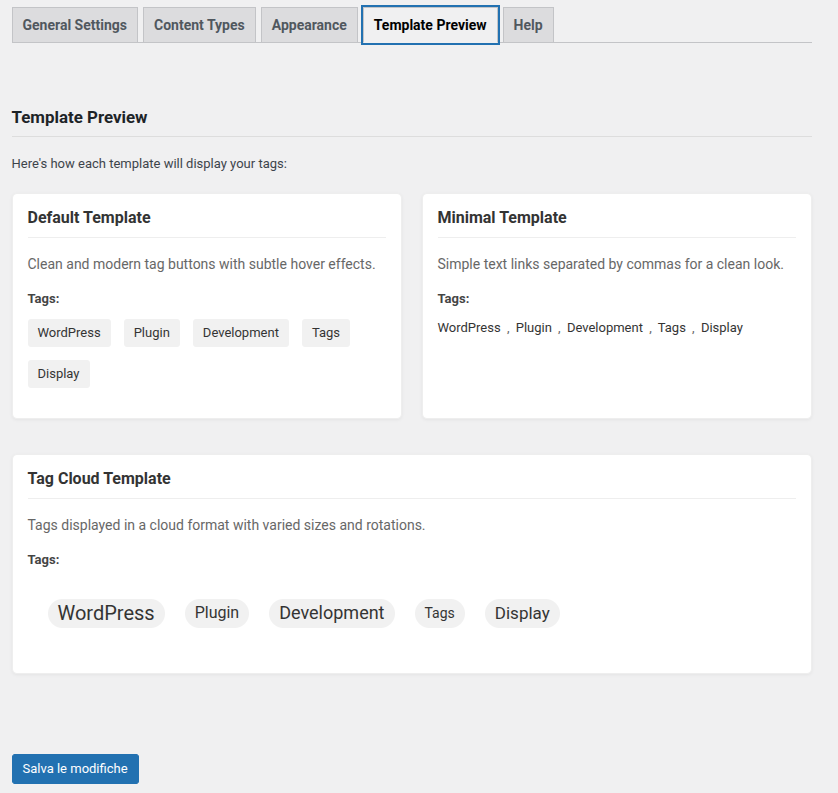
- Default - Tag buttons with hover effects.
- Minimal - Comma-separated text links, no extra markup.
- Tag Cloud - Font sizes proportional to post count.
- Outlined - Transparent background with colored border, pill-style.
- Hashtag - Tags prefixed with
#, social-style.
- Five tag templates: buttons, inline text, tag cloud, outlined pills, hashtag.
- Native Gutenberg block with sidebar controls (no shortcode needed).
- Shortcode support:
[s7n_tag_display]or[s7n_tag_display template="minimal"]. - Admin settings page with live template preview and color picker.
- Automatic or manual tag display (before or after content).
- Tag ordering: alphabetical, by post count, or random.
- Limit the number of tags shown and exclude specific tags by slug.
- Post count next to each tag (e.g. WordPress (12)) - opt-in per instance or globally.
- Support for custom taxonomies alongside WordPress tags.
- SEO options: rel="nofollow" and target="_blank" for tag links.
- Theme template override: place a custom template file in your theme folder to take over the output.
- Smart Visibility: automatically hide, collapse, or SEO-hide tags when the count falls below a configurable threshold - improving both SEO and UX.
- Content Density Analysis: trigger Smart Visibility based on the ratio of tags to words in the post, not just tag count.
- Per-instance FORCE bypass: disable Smart Visibility for a single shortcode or block without touching global settings.
安装:
- Upload the
tag-displayfolder to the/wp-content/plugins/directory. - Activate the plugin through the 'Plugins' menu in WordPress.
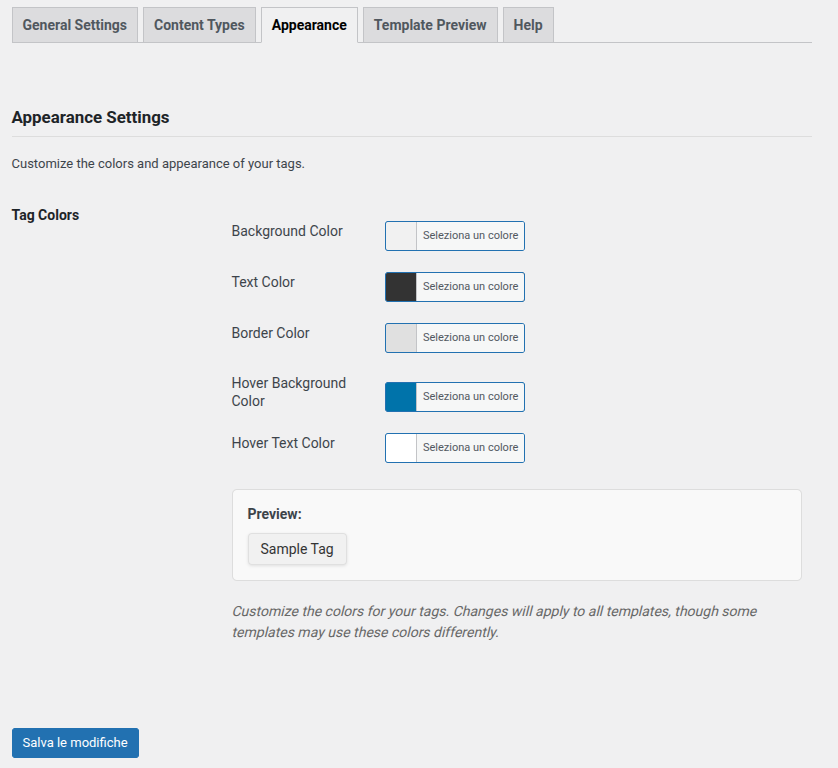
- Go to Tag Display in the main WordPress menu to configure templates, colors, tag ordering, and auto-display options.
- Display tags in one of three ways:
- Shortcode - add
[s7n_tag_display]to any post or page. - Gutenberg block - search for "Tag Display" in the block inserter.
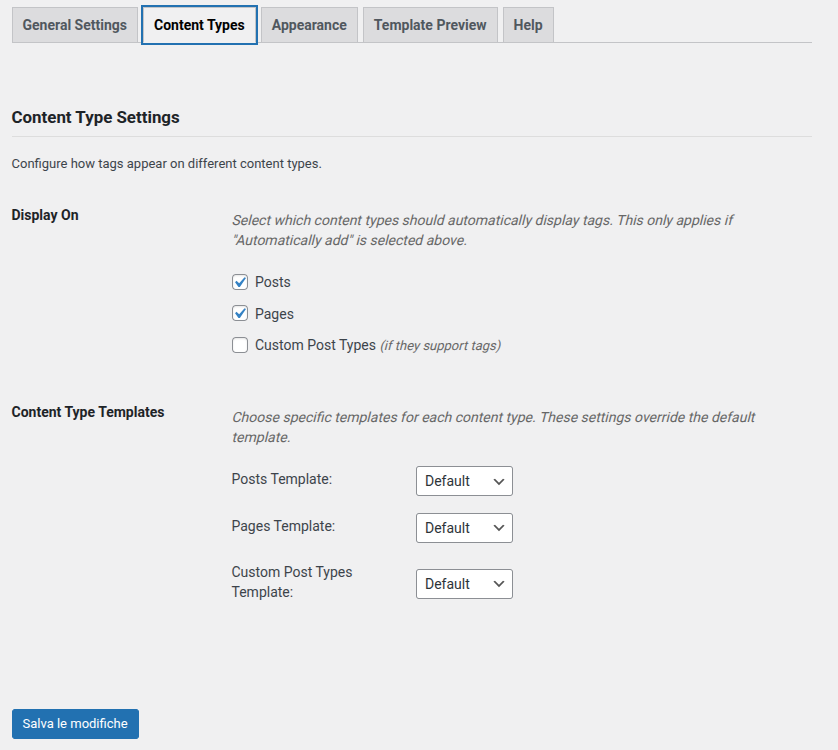
- Automatic - enable auto-display in Tag Display → Content Types to add tags to every post automatically.
屏幕截图:


常见问题:
How do I use the plugin?
Activate the plugin, then go to Tag Display in the main WordPress menu to pick a template and configure colors. From there, add tags to your posts in one of three ways:
- Shortcode - paste
[s7n_tag_display]into any post or page. - Gutenberg block - search for "Tag Display" in the block inserter.
- Automatic - enable auto-display in Tag Display → Content Types and tags appear on every post without touching the editor.
Can I change the template style?
Yes. Choose between Default, Minimal, Cloud, Outlined, and Hashtag templates:
- From the settings page: Tag Display → General Settings → Default Template.
- Via shortcode:
[s7n_tag_display template="outlined"] - Via Gutenberg block: select the block and use the Template option in the sidebar.
How do I use the Gutenberg block?
In the block editor, click the + button and search for "Tag Display". Add the block to your post. Use the sidebar panel (Display Settings, Link Options, Title) to override the template, ordering, tag limit, and other options for that specific block - independently of the global settings.
What shortcode attributes are available?
All attributes are optional and override the global settings for that specific instance:
[s7n_tag_display template="hashtag" order="count_desc" max="8" exclude="news,draft" nofollow="true" new_tab="true" show_count="true" title="Related topics:"]
template-default,minimal,cloud,outlined,hashtagorder-alpha_asc,alpha_desc,count_desc,count_asc,random(default: global setting)max- maximum number of tags to show, e.g.max="5"(0 = all)exclude- comma-separated slugs to hide, e.g.exclude="news,uncategorized"nofollow-trueto addrel="nofollow"to tag linksnew_tab-trueto open links in a new tabshow_count-trueto show the post count next to each tag, e.g. WordPress (12)title- custom label above the tags, e.g.title="Topics:"(empty string hides the title)
How do I limit or sort the tags?
Open Tag Display → General Settings:
- Tag Order - alphabetical (A→Z / Z→A), by post count (most/least used), or random.
- Max Tags - show only the first N tags (0 = show all).
- Exclude Tags - comma-separated slugs of tags to always hide.
How do I hide specific tags?
In Tag Display → General Settings → Exclude Tags, enter the slugs (not names) of the tags you want to hide, separated by commas. Example: news, uncategorized, draft.
To find a tag's slug, go to Posts → Tags in the WordPress admin.
Can I display tags automatically without a shortcode?
Yes. Go to Tag Display → Content Types, enable auto-display for posts, pages, or custom post types, and choose whether tags appear before or after the content.
How do I add rel="nofollow" or open links in a new tab?
Go to Tag Display → General Settings and enable the rel="nofollow" or Open in new tab checkboxes. These can also be set per-instance via shortcode (nofollow="true", new_tab="true") or Gutenberg block sidebar.
Can I create a fully custom template from my theme?
Yes. Place a file named tag-display-template-{name}.php in your theme (or child theme) root folder, where {name} is the template you want to override: default, minimal, cloud, outlined, or hashtag.
Example: to override the default template, create wp-content/themes/your-theme/tag-display-template-default.php.
The plugin picks it up on the next page load. A commented example file is included in the plugin's examples/ folder.
The following variables are available in your custom template:
$tags- array of WP_Term objects (->name,->slug,->count)$display_title- label text above the tags$display_nofollow- boolean, whether to addrel="nofollow"$display_new_tab- boolean, whether to open links in a new tab$display_show_count- boolean, whether to show post count next to each tag
What is Smart Visibility and how do I use it?
Smart Visibility automatically adapts tag display based on how many tags a post has - improving both SEO and user experience. When the count falls below a configurable threshold, the plugin applies the behavior you choose:
- Hide - suppresses the tag block entirely (no HTML output). Best for SEO: avoids thin tag sections.
- Hidden - renders tags with
display:noneso they are present in the DOM but invisible. Useful when you want to toggle them via JavaScript without a page reload. - Collapse - renders a "Show tags" button; the visitor can expand the list on click. Best for UX on posts with few tags.
- SEO hidden - tags are visually invisible to visitors but present in the DOM for search crawlers.
[s7n_tag_display smart="true" min="3" behavior="collapse"]
smart-trueto enable,falseto force-disable for this instance regardless of the global settingmin- minimum tag threshold for this instancebehavior-hide,hidden,collapse, orseo; useforceto bypass Smart Visibility entirely for this instance
Is it compatible with the latest WordPress version?
Tested up to WordPress 6.8. If you run into a compatibility issue, open a thread on the support forum.
更新日志:
- Fixed: Click Tracking statistics table not visible in admin after the 2.3.1 form restructure. Stats panel now shows correctly when the Click Tracking tab is active.
- Fixed: settings not saving due to nested HTML forms in the admin page. The main options.php form now closes before the Click Tracking statistics and SEO Audit sections, which use their own independent forms.
- Added SEO Audit tab: scans all published posts and classifies them as Critical (0 tags), Warning (below both thresholds), or Low (one threshold not met). Results are paged, filterable by severity, and link directly to the post editor.
- Gutenberg block: new "Smart Visibility" panel with Mode override per-block (Auto / Density / UX / Disabled). Overrides the global Smart Visibility mode for that block instance only.
- Smart Visibility: per-block
modearg now respected inis_enabled()andis_below_threshold(). - Updated Italian translations for all new strings.
- Added native click tracking: tag clicks are recorded in a dedicated database table (no external services).
- New "Click Tracking" admin tab with enable/disable toggle, statistics table (top 10 tags), period filter (7/30 days / all time), and reset button.
- Click data is automatically cleaned up after 90 days via WP Cron (scheduled on activation).
- All tag templates emit
data-track-taganddata-track-postattributes when tracking is enabled. - Uninstall routine drops the tracking table and removes all plugin options.
- Updated Italian translations for all new strings.
- Added Mode field in Smart Visibility admin: Auto, Density, UX, Disabled - replaces the Enable toggle when set.
- Added behavior
replace: when tags are below threshold, a related posts list is shown instead (WP_Query cascade: shared tags then shared categories, up to 5 results, transient-cached 1h). - New template
tag-display-related-posts.phpwith configurable title via admin field. - Transient cache automatically invalidated when post terms change (
set_object_termshook). - Admin: new "Related Topics Title" field; behavior dropdown includes "Replace".
- Added CSS for
.s7n-related-posts(neutral, theme-inheriting, responsive). - Updated Italian translations for all new strings.
- Added content density analysis: Smart Visibility can now trigger based on tag density (tags per word) in addition to tag count.
- New behavior: "Hidden" - renders tags with
display:none(DOM present, togglable via JavaScript) without a full PHP re-render. - Added FORCE bypass:
[s7n_tag_display smart="false"]orbehavior="force"disables Smart Visibility for a single instance. - Admin: new "Content Density Analysis" field in Smart Visibility tab with density threshold setting (default: 0.005).
- Updated translations: new strings for density and hidden behavior in
.potandit_IT.po/.mo.
- Added Smart Visibility: automatically hide, collapse, or SEO-hide tags when the post has fewer tags than a configurable threshold.
- Three behaviors: Hide (no output), Collapse (expandable with a button), SEO Hidden (invisible to visitors, present for crawlers).
- New admin tab: Tag Display → Smart Visibility with enable toggle, threshold setting, and behavior selector.
- Shortcode support: smart, min, and behavior attributes for per-instance override.
- Added Italian translations for all new strings.
- Fixed extra space before comma separator in Minimal template (frontend and admin preview).
- Moved settings menu to top-level WordPress admin navigation for easier access.
- Added automatic redirect to the settings page after plugin activation.
- Added internationalization (i18n) support: plugin strings are now translatable.
- Added Italian translation (it_IT).
- Added Text Domain header to plugin file.
- Fixed two admin strings missing translation wrappers.
- Modernized admin UI: new card-based layout, updated tab navigation, section wrappers, improved color picker area.
- Updated Template Preview tab: 5 cards with header/badge/body structure, fixed nesting bug (Outlined and Hashtag cards were incorrectly nested inside Tag Cloud).
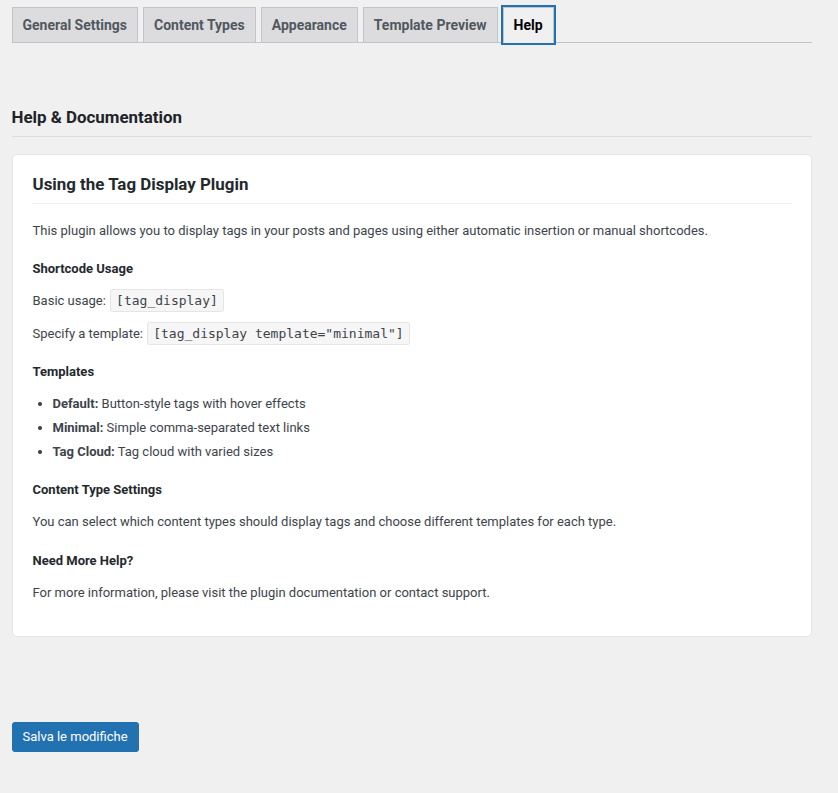
- Updated Help tab: 5-template documentation, Gutenberg block guide, full shortcode attribute reference, theme override instructions.
- Updated WordPress.org screenshots to reflect current admin UI with all 5 templates.
- Updated version in package.json and block.json to match plugin version.
- Added theme template override: place
tag-display-template-{name}.phpin your theme folder to fully customize the output. - Added
examples/tag-display-template-custom.phpwith a fully commented template starter. - Override is applied automatically for both shortcode and Gutenberg block rendering.
- Added native Gutenberg block (dynamic block, server-side rendered) with InspectorControls for all display options.
- Added Outlined template: transparent background with colored border pill-style buttons.
- Added Hashtag template: social-style tags prefixed with # (Instagram/Twitter look).
- Admin: improved admin preview cards for Outlined and Hashtag templates with live color updates.
- Admin: template select now switches to Template Preview tab and highlights the matching card in real-time.
- Added tag ordering options: alphabetical (A-Z / Z-A), by post count (most/least used), and random.
- Added maximum tags limit: show only the first N tags (admin setting + shortcode attribute).
- Added tag exclusion: comma-separated list of slugs to exclude from display.
- Added auto-display position: choose to insert tags before or after the post content.
- Added rel="nofollow" option for tag links (SEO).
- Added target="_blank" option to open tag links in a new tab.
- Added post count display option: show number of posts next to each tag (e.g. WordPress (12)).
- Extended shortcode with new attributes: order, max, exclude, nofollow, new_tab, show_count, title.
- Admin: added Reset to Defaults button for color settings.
- Admin: active tab is now remembered across page loads (localStorage).
- Admin: added unsaved-changes sticky notice when form fields are modified.
- Admin: changing the Default Template now switches to the Template Preview tab and highlights the matching card.
- Fixed tag cloud template: font sizes now scale proportionally to actual tag post counts instead of random values.
- Fixed accessibility: added :focus-visible outlines to all template links for keyboard navigation.
- Fixed accessibility: tag title changed from non-semantic div to p element with ARIA heading role.
- Added :active state on Default and Cloud template links.
- Added :visited state on Default and Minimal template links.
- Added prefers-reduced-motion support to disable CSS transitions for users who prefer it.
- Added reset for box-shadow, border-bottom and background-image that themes may add to links.
- Added tablet responsive breakpoint at 768px.
- Fixed admin preview links using href="#" (prevented scroll jump on click).
- Fixed admin color picker: hover style now updates a single persistent style tag instead of creating new ones on every change.
- Added support for custom taxonomies.
- Terms from selected custom taxonomies are now displayed alongside WordPress tags.
- Updated templates to use get_term_link() for better compatibility with custom taxonomies.
- Added new admin setting to select which custom taxonomies to include.
- Initial release.
- Added three customizable templates.
- Integrated shortcode support.
- Created admin settings page.