
TalkWidget – AI Chat Widget & AI Visibility
| 开发者 | sakkiekoekemoer |
|---|---|
| 更新时间 | 2026年7月20日 12:16 |
| PHP版本: | 7.2 及以上 |
| WordPress版本: | 7.0 |
| 版权: | GPLv2 or later |
| 版权网址: | 版权信息 |
详情介绍:
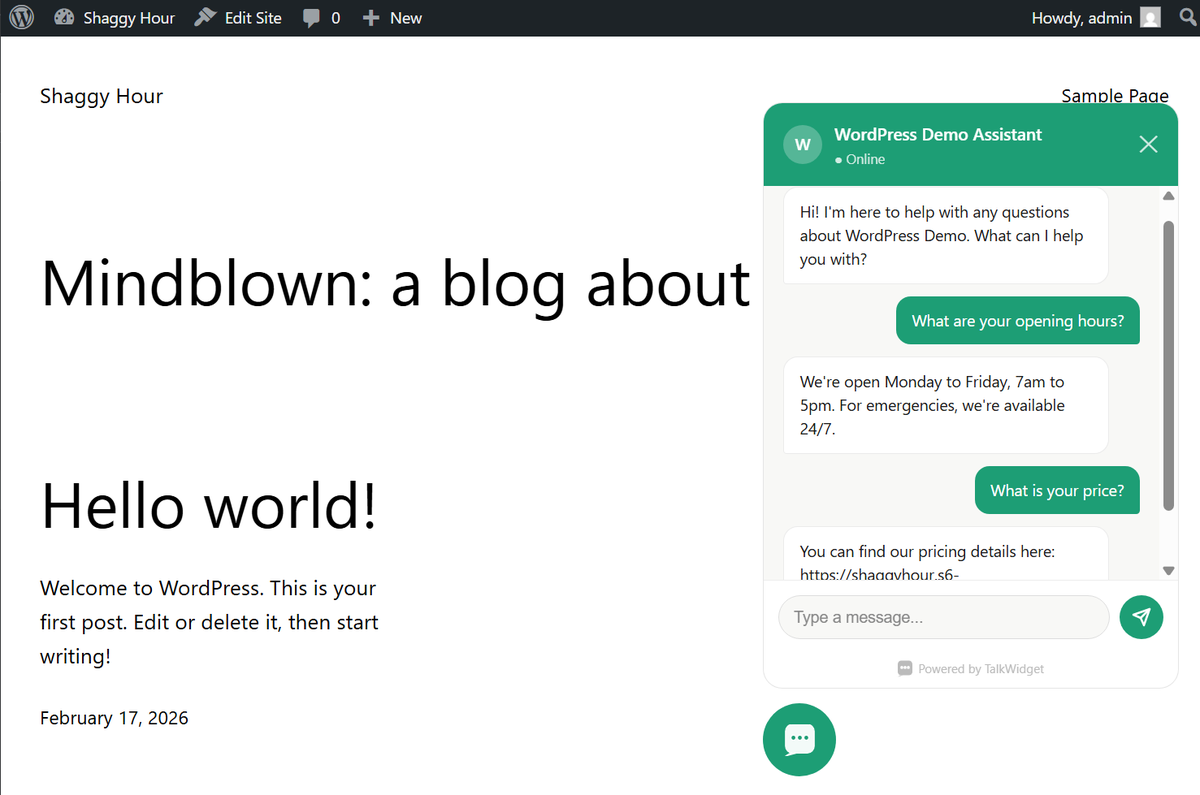
- Answers visitor questions automatically based on your FAQ
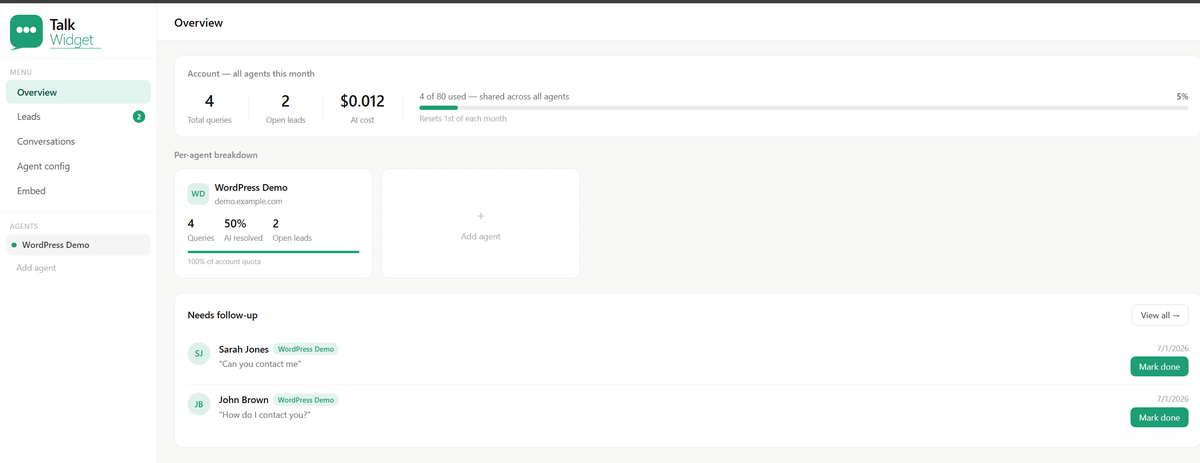
- Captures the visitor's name, email and phone when it can't answer, so you never miss a lead
- Automatically detects the visitor's language and responds in kind
- Matches your brand colour
- Works on every page of your site with zero configuration after setup
- AI visibility: makes your business readable — and recommendable — by AI assistants like ChatGPT, Gemini and Perplexity (see below)
- FAQ structured data — your FAQ is published as schema.org FAQPage JSON-LD on every page, machine-readable to Google, Bing and the crawlers behind AI assistants
- Business structured data — your business profile (description, contact details, address, social profiles) is published as schema.org LocalBusiness or Organization data
- llms.txt — an emerging convention, like robots.txt for AI. Your site automatically serves a machine-readable business summary at yoursite.com/llms.txt, refreshed hourly
- One knowledge base, everywhere — update your FAQ or business profile once in the TalkWidget dashboard and it flows to the chat widget, the structured data, and your llms.txt automatically
- You stay in control — every AI-visibility feature has its own on/off toggle in your dashboard
- Sign up for a free TalkWidget account at talkwidget.io
- Create an agent for your site and copy your Agent Key
- Install this plugin and paste your Agent Key into Settings → TalkWidget
- That's it — the widget appears on your site automatically
安装:
- Upload the
talkwidgetfolder to the/wp-content/plugins/directory, or install directly through the WordPress plugin directory - Activate the plugin through the 'Plugins' menu in WordPress
- Go to Settings → TalkWidget
- Enter your Agent Key (get one free at talkwidget.io)
- Save settings — the widget will appear on your site immediately
屏幕截图:
常见问题:
What is llms.txt and why does my site now serve one?
llms.txt is an emerging convention (similar to robots.txt) — a plain-text summary of your business that AI assistants like ChatGPT, Gemini and Perplexity can read. When TalkWidget is active, your site automatically serves one at yoursite.com/llms.txt, generated from the business profile and FAQ you configure in your TalkWidget dashboard. This helps AI assistants recommend your business accurately. You can disable it by disabling the widget.
Do I need a TalkWidget account?
Yes. Create a free account at talkwidget.io, add your site's domain, and you'll get an Agent Key to paste into this plugin's settings.
Does this slow down my site?
No. The widget loads asynchronously and doesn't block your page from rendering.
Can I customise the widget's appearance?
Yes — colour, position, greeting message and more can all be configured from your TalkWidget dashboard.
Is my data secure?
Yes. All conversations are encrypted in transit, and TalkWidget only responds to domains you explicitly authorise.
更新日志:
- Initial release