Tanvir Block
| 开发者 | 1mdalamin1 |
|---|---|
| 更新时间 | 2026年4月17日 23:44 |
| PHP版本: | 7.4 及以上 |
| WordPress版本: | 6.9 |
| 版权: | GPL-2.0-or-later |
| 版权网址: | 版权信息 |
详情介绍:
Tanvir Block adds three custom blocks to the WordPress block editor (Gutenberg) and Site Editor:
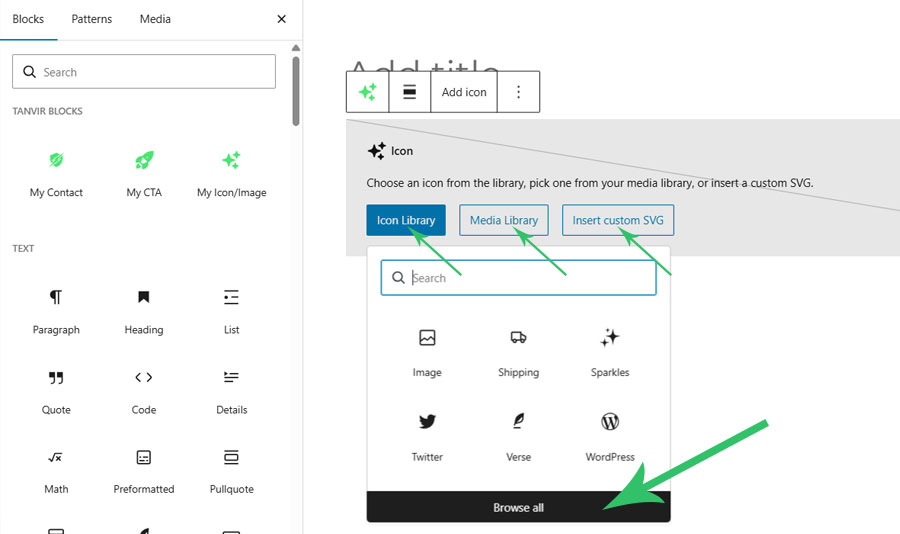
My Icon/Image Block
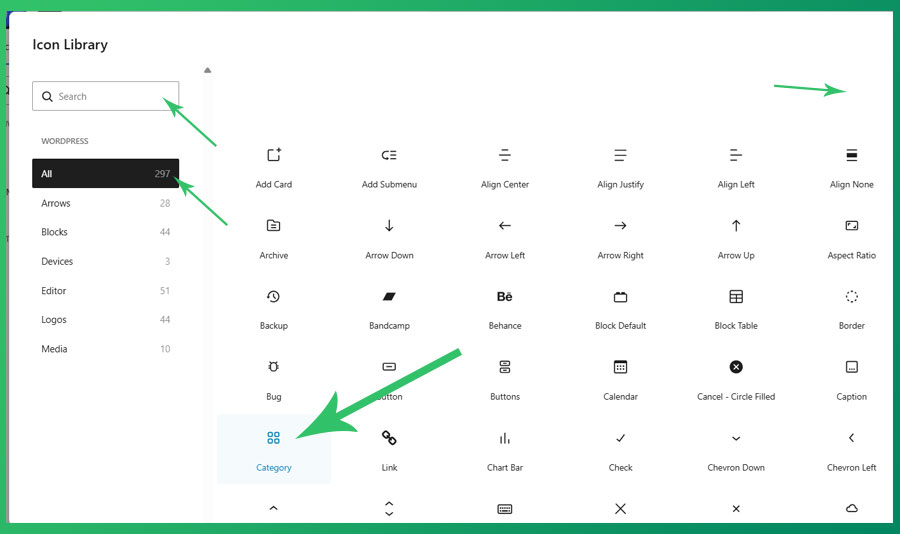
Insert any SVG icon or image into your content with full controls. Includes all 296+ native WordPress icons and social logos. Features include:
- 296+ built-in WordPress SVG icons, including social logos
- Use any custom SVG icon or graphic
- Insert images from the Media Library
- Controls for size, link, rotate, flip, alignment, color, border, padding, and margin
- Display an optional text description alongside the icon
- Fully compatible with the Site Editor
- No external library required
安装:
- Upload the plugin files to the
/wp-content/plugins/tanvir-blockdirectory, or install the plugin through the WordPress Plugins screen directly. - Activate the plugin through the Plugins screen in WordPress.
- Open any post, page, or the Site Editor and search for "Icon", "CTA", or "Contact" in the block inserter.
屏幕截图:
常见问题:
Does this plugin collect any user data?
No. This plugin does not collect, store, or transmit any user data to external services.
Does this plugin require any third-party services?
No. All icons are bundled with the plugin. No external API calls are made.
Which WordPress versions are supported?
WordPress 6.5 and later. Requires PHP 7.4 or later.
Can I use this plugin with the Site Editor (full site editing)?
Yes. All three blocks are fully compatible with the Site Editor.
Where can I report bugs or request features?
Please use the plugin support forum on WordPress.org.
更新日志:
0.1.0
- Initial release. Includes My Icon/Image, My CTA, and My Contact blocks.