
Business Places – Opening Hours Table & Local Business Schema
详情介绍:
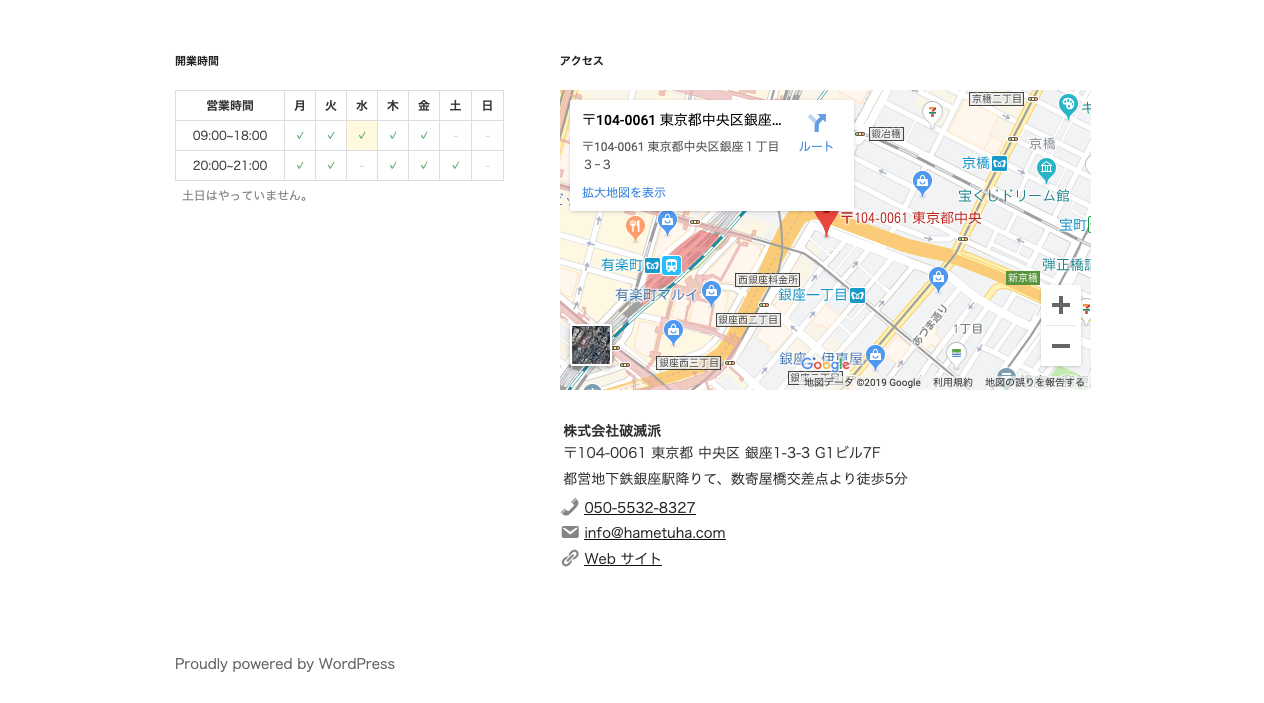
Show your business hours as a weekly opening hours table: time slots as rows, Monday to Sunday as columns, and a mark in every cell where you are open.
Add the table with a block, a widget or a shortcode, and output LocalBusiness structured data (JSON-LD) with
openingHoursSpecification for search engines.
Formerly known as "Taro Open Hour".
Who is it for?
- Clinics, dental offices, osteopaths and pharmacies that publish consultation hours.
- Beauty salons, hair salons and spas.
- Shops, cafés and restaurants with one or several branches.
- Directory sites (e.g. a database of gyms) where every post is a place with its own hours.
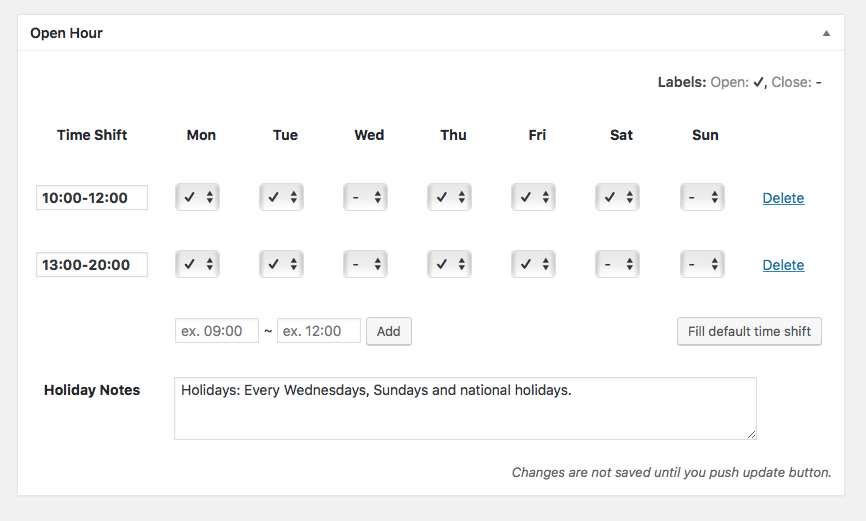
- Opening hours table – Add any number of time slots (e.g. 9:00–12:00 and 14:00–18:00) and tick the weekdays each slot is open.
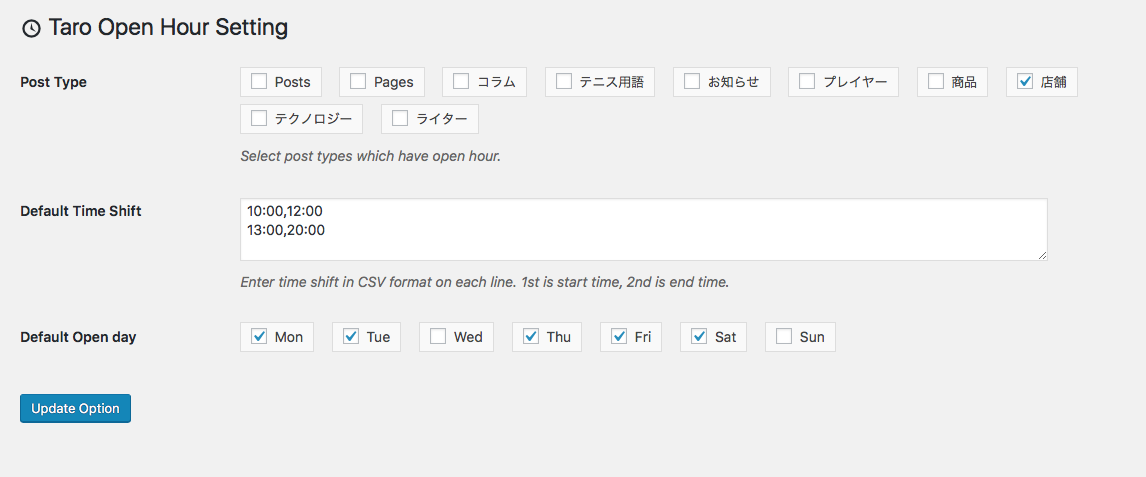
- Selectable marks – Choose the open mark (✓ ○ ● ◎ ✔) and the closed mark (- × ✕ or blank), or enter custom text, at
Settings > Business Places. - Holiday notes – Add a note such as "Closed on Sundays and public holidays" below the table.
- Blocks – "Open Hour" and "Business Place" blocks for the block editor.
- Widgets and shortcodes –
[open-hour]and[business-place], also usable in block themes. - Business places – Address, access information, phone, email and URL, with a Google Maps embed.
- Local Business schema – JSON-LD with a selectable schema.org type (MedicalClinic, Dentist, BeautySalon, Restaurant, Store, etc.), address and opening hours.
- Multiple places – Use the built-in place post type or any post type you choose; mark one place as the site's main location.
[open-hour] for the time table. If you are a theme developer,
just use the tsoh_the_timetable() function.
For business places, you can use [business-place post_id='10'].
The attribute post_id can be omitted and its default value is the current post.
Acknowledgements
- Banner images are a derivative of the work of the Geospatial Information Authority of Japan.
安装:
- Upload the plugin files to the
/wp-content/plugins/taro-open-hourdirectory, or install the plugin through the WordPress plugins screen directly. - Activate the plugin through the 'Plugins' screen in WordPress.
- Go to
Settings > Business Placesand set it up.
屏幕截图:


常见问题:
How can I display opening hours or places with a block theme?
Block themes have no widget areas. Add a Shortcode block and enter [open-hour] for the time table or [business-place] for the place information. Both accept the post_id attribute (default: the current post), e.g. [business-place post_id='10'].
How do I make a clinic hours table with ○ marks?
- Go to
Settings > Business Placesand choose "○" as the open mark and "×" (or a custom text such as "/") as the closed mark. - Edit the place (or the post) and add time slots such as
9:00–12:00and14:00–18:00. - Tick the weekdays each slot is open, e.g. leave Saturday afternoon and Sunday unticked.
- Enter "Closed on Sundays and public holidays" in the holiday notes.
- Add the "Open Hour" block (or the
[open-hour]shortcode) where you want the table.
Which schema type is output?
The JSON-LD uses the "Business Type" field of each place's location settings as @type.
Choose a schema.org LocalBusiness subtype such as MedicalClinic, Dentist, HairSalon, Restaurant or Store; common types are suggested as you type.
If the field is empty, LocalBusiness is used. Developers can change the default with the tsoh_default_local_business_type filter (and the final value with tsoh_local_business_type).
How can I contribute?
Please create an issue on GitHub.
更新日志:
2.3.0
- Add blocks: "Open Hour" (time table) and "Business Place" (location card). They also work in block themes without widget areas.
- Open/closed marks of the time table are now selectable in Settings > Business Places (✓ ○ ● ◎ ✔ / - / × ✕ or custom text), with screen reader text.
- Business type can be picked from common LocalBusiness subtypes (MedicalClinic, Dentist, BeautySalon...).
- Location widget can hide the map and access information. Widgets are renamed to "Business Places: ..." for clarity.
- Security: REST API endpoints now require the
edit_postscapability and return only necessary fields. - Bugfix: fatal error of
tsoh_is_open().tsoh_current_time_condition()is deprecated. - Bugfix: theme override path
template-part/tsoh/time-table.phpwas not detected. - Bugfix: "No post type is specified" notice was shown even when business places were available.
- Bugfix: database table schema caused SQL errors on update. Tables are dropped when a site is deleted on multisite.
- Bugfix: PHP warning in JSON-LD when only the second address line was set.
- Bugfix: time table overflowed narrow content areas.
$timestamparguments oftsoh_get_timetable(),tsoh_is_open()and[open-hour]are now real Unix timestamps (wp_date()is used).- JSON-LD uses
https://schema.org. - Requires WordPress 6.6 and PHP 7.4 or later. Tested with PHP 8.5.
- Map iframe is now
loading="lazy" - Fix admin link.
- Add widgets for place and time table.
- Drop support for WordPress 4.8 and below.
- Add shortcode
business-place. - Add filter and action hooks.
- Bugfix: version number changed.
- Change plugin name.
- Add location feature.
- Add widgets.
- Initial release.