TechnicalHimanshu ChatConnect
| 开发者 | technicalhimanshu |
|---|---|
| 更新时间 | 2026年8月17日 13:56 |
| PHP版本: | 7.4 及以上 |
| WordPress版本: | 7.1 |
| 版权: | GPLv2 or later |
| 版权网址: | 版权信息 |
详情介绍:
安装:
- Upload the plugin files to the
/wp-content/plugins/technicalhimanshu-chatconnectdirectory, or install via the WordPress plugin screen. - Activate the plugin through the 'Plugins' screen in WordPress.
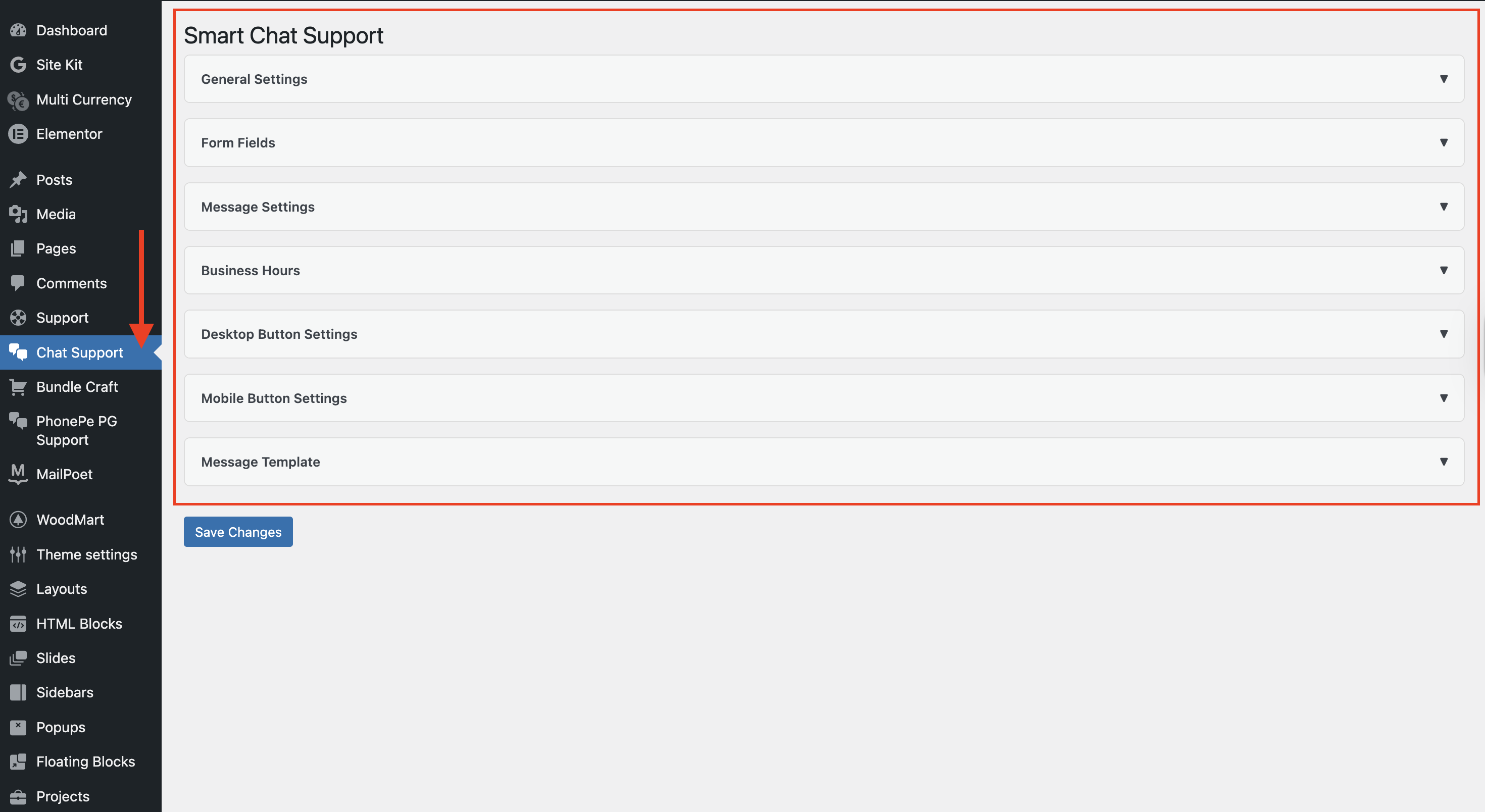
- Go to ChatConnect menu in the WordPress admin.
- Enter your WhatsApp number and configure the chat settings.
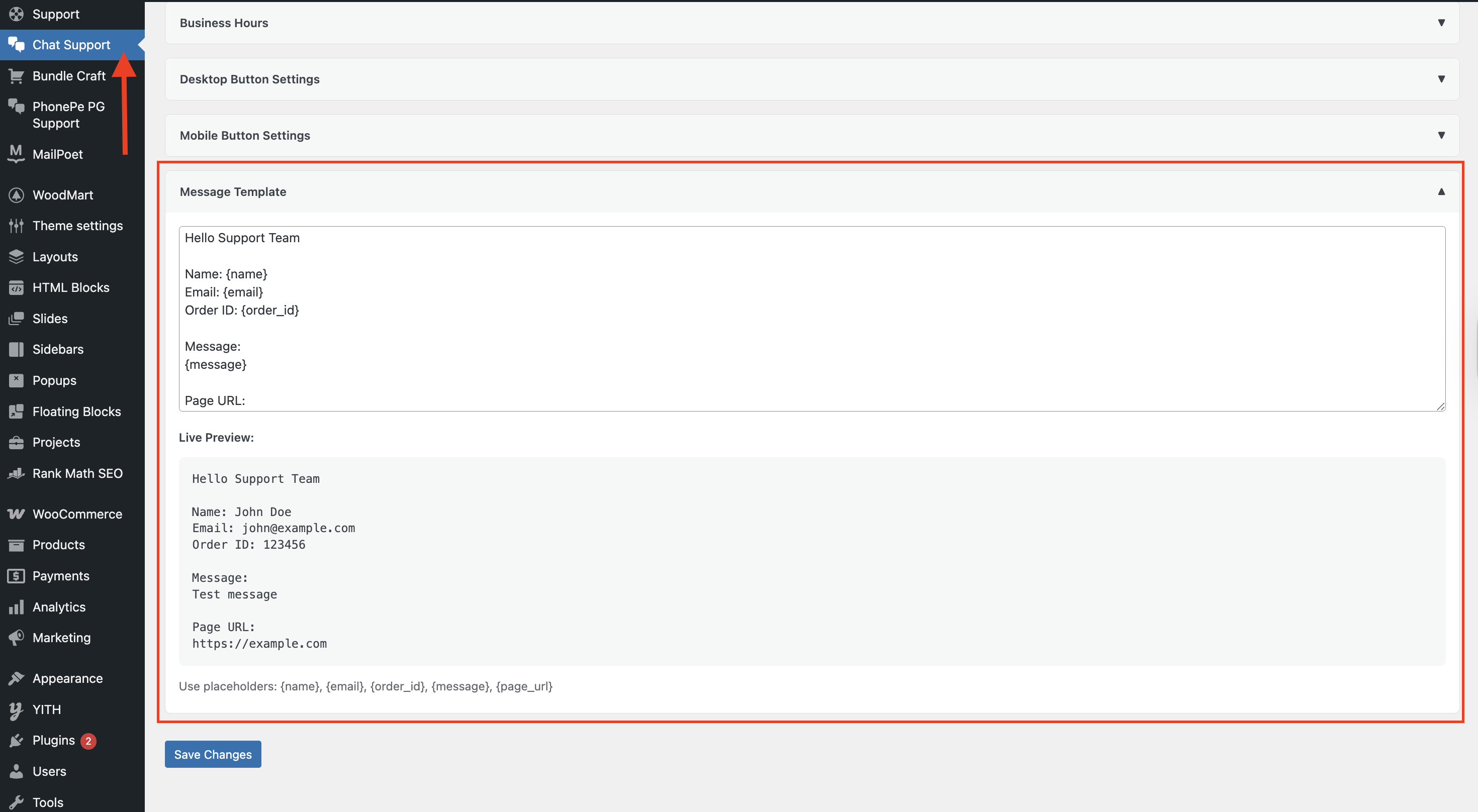
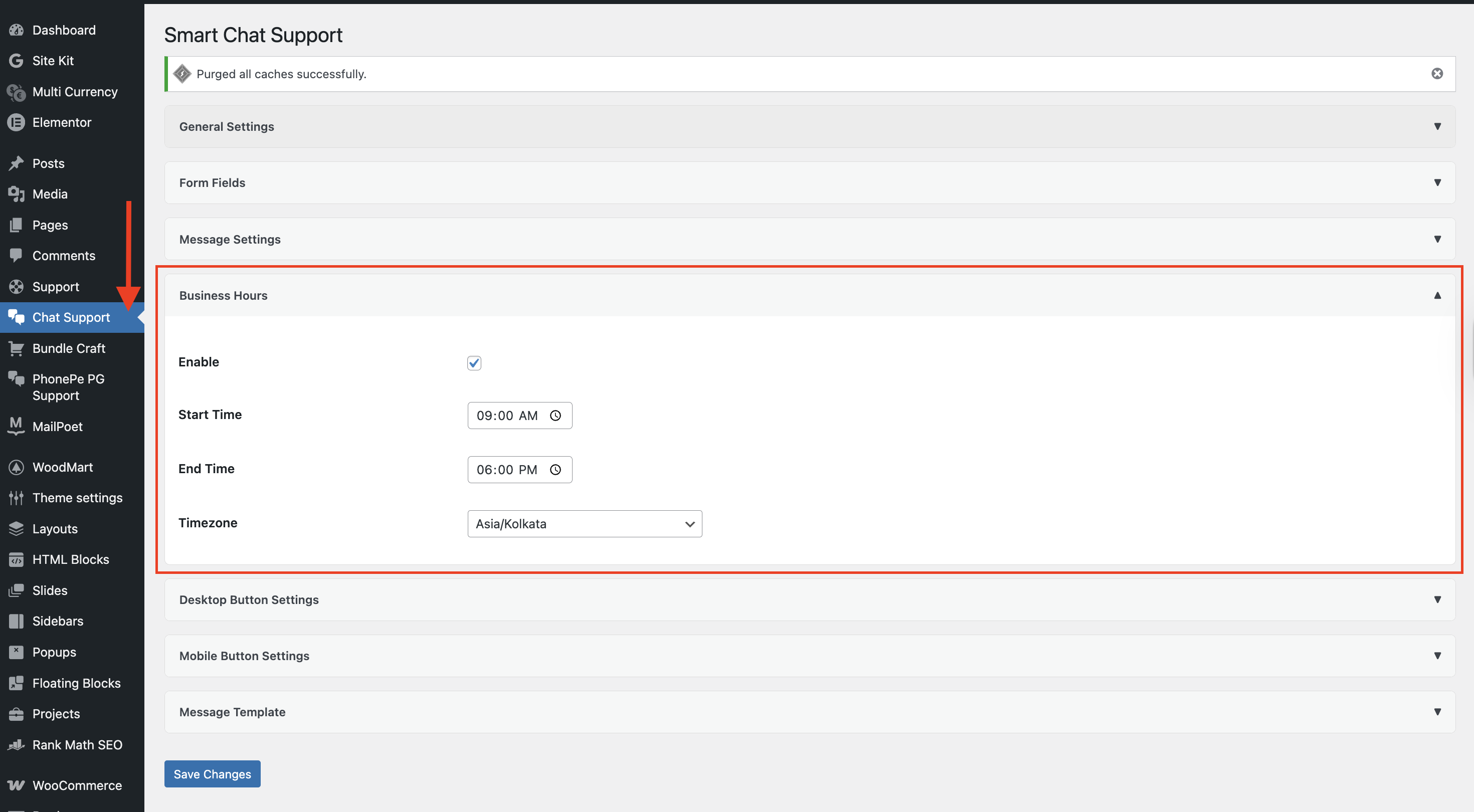
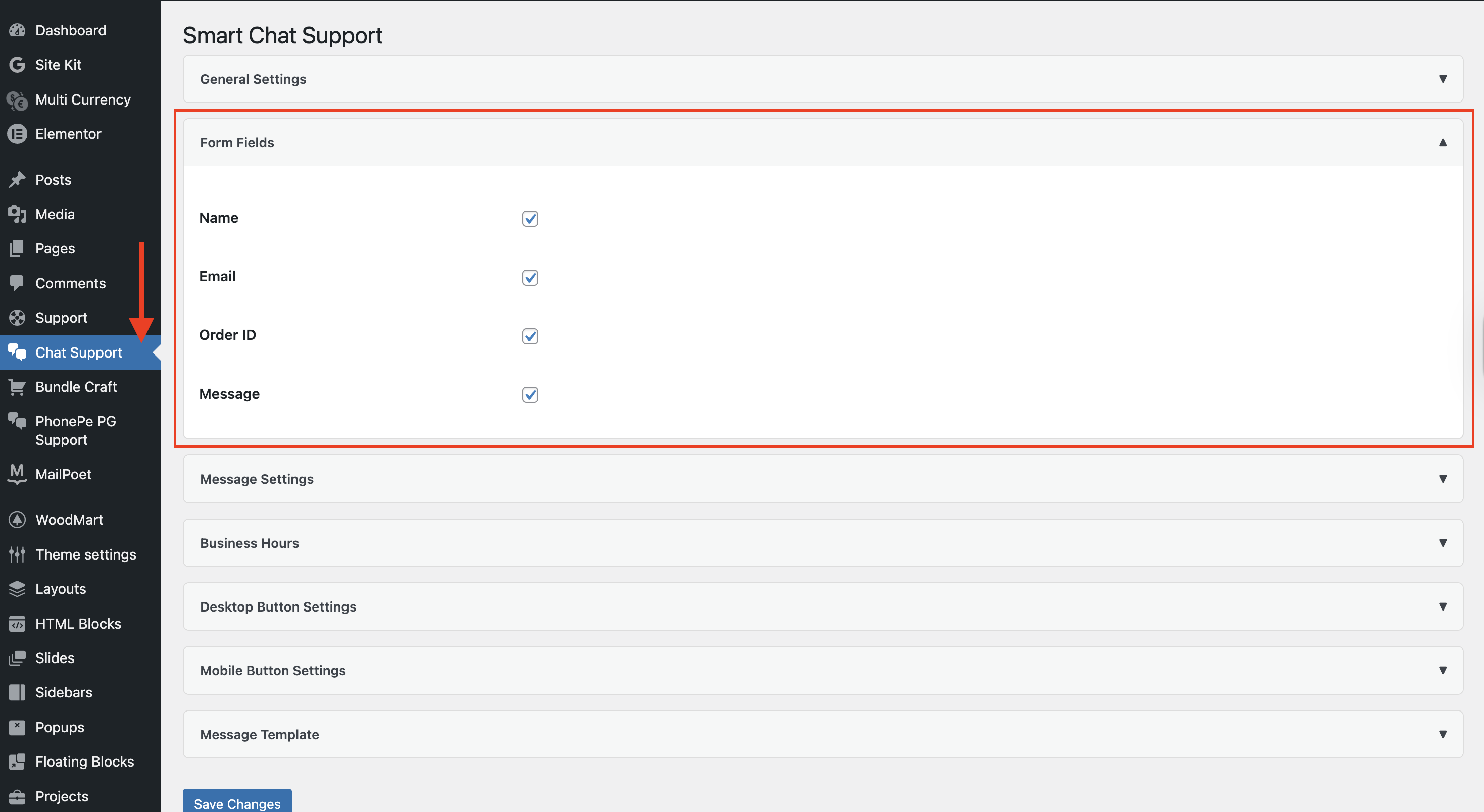
- Configure the welcome message, business hours, form fields, and message template as required.
- Save changes.
- Visit your website and test the floating WhatsApp button and popup.
屏幕截图:




常见问题:
Does this plugin require WhatsApp API?
No. ChatConnect uses the WhatsApp click-to-chat feature through wa.me. No WhatsApp API or external API account is required.
Can I customize the message format?
Yes. You can fully customize the WhatsApp message template using placeholders such as {name}, {email}, {order_id}, {message}, and {page_url}.
Can I enable a welcome message?
Yes. You can enable or disable the welcome message from the ChatConnect settings.
Can I control when the welcome message appears?
Yes. You can configure the welcome message delay from 1 to 60 seconds and choose how frequently it can appear. Available frequency options are every page load, once per browser session, once per day, or once every 7 days.
Can visitors dismiss the welcome message?
No. The welcome message does not include a dismiss button. Visitors can click the welcome message to open the chat popup.
Does the welcome message open the WhatsApp chat?
Yes. Clicking the welcome message opens the ChatConnect popup.
Does it work on mobile devices?
Yes. ChatConnect is responsive and includes separate mobile customization options for the floating button.
Can I customize the chat button position?
Yes. You can position the floating button on either the left or right side and configure its size, bottom spacing, and side spacing.
Can I control chat availability?
Yes. Business hours can be enabled to show an online or away status based on the configured start time, end time, and timezone.
Does it support overnight business hours?
Yes. ChatConnect supports business hours that cross midnight, such as 10:00 PM to 6:00 AM.
Can I select a custom chat icon?
Yes. You can upload or select a custom chat icon using the WordPress Media Library.
Does it slow down my website?
ChatConnect is designed to be lightweight and loads its frontend assets only when the plugin is enabled and the configured display rules allow the chat to appear.
Does ChatConnect collect visitor data?
No. ChatConnect does not use third-party tracking, does not require an external API, and does not collect visitor information on an external server.
更新日志:
- Added configurable welcome message display frequency.
- Added welcome message frequency options: every page load, once per session, once per day, and once every 7 days.
- Added configurable welcome message display delay from 1 to 60 seconds.
- Added optional automated welcome message to encourage visitor engagement.
- Added continuous WhatsApp icon attention animation while the welcome message is displayed.
- Improved welcome message positioning for left and right chat button layouts.
- Improved welcome message behavior when opening the chat popup.
- Removed the welcome message dismiss button and related dismiss functionality.
- Improved popup accessibility with keyboard interaction support.
- Improved business hours status handling and timezone-aware calculations.
- Improved WhatsApp number validation and click-to-chat URL generation.
- Improved frontend popup interaction and stability.
- Minor frontend UI, UX, and performance improvements.
- Verified compatibility with WordPress 7.1.
- Tested compatibility with WordPress 7.0.
- Verified compatibility using Plugin Check.
- Minor stability and maintenance improvements.
- Added ESC key support to close popup quickly.
- Added click outside popup to close functionality.
- Improved popup interaction and animation smoothness.
- Updated plugin icon, banner, and branding assets.
- Minor UI and UX refinements.
- Added full CSS isolation wrapper to prevent theme and plugin conflicts.
- Improved timezone handling with accurate local time display based on selected timezone.
- Replaced fixed IST display with dynamic GMT offset (e.g., GMT+3, GMT+5:30).
- Improved business hours logic including overnight (cross-midnight) support.
- Enhanced WhatsApp number validation and input handling.
- Optimized frontend performance with DOM caching and reduced reflows.
- Improved popup UI/UX and mobile responsiveness.
- Added smooth scrolling inside popup for better user experience.
- Added Settings quick link in plugin action row.
- Added Support link in plugin meta row.
- Strengthened input sanitization and overall security.
- Minor UI and layout refinements.
- Initial release.
- Floating chat button with popup form.
- WhatsApp integration.
- Smart message builder.
- Business hours feature.
- Mobile and desktop customization.