
SEO Autopilot for Google and AI Answers – Tedrix
| 开发者 | tedrix |
|---|---|
| 更新时间 | 2026年10月25日 06:45 |
| PHP版本: | 7.4 及以上 |
| WordPress版本: | 7.1 |
| 版权: | GPLv2 or later |
| 版权网址: | 版权信息 |
详情介绍:
- Watch only: Tedrix reads your Google search data every week and emails you when a page starts losing visitors.
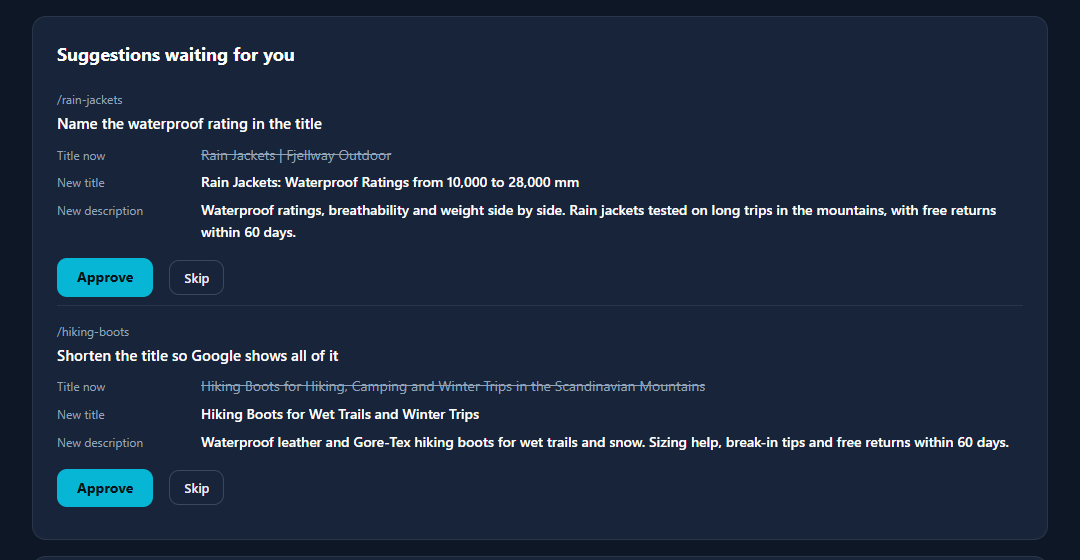
- Approve each fix: Tedrix writes the new titles, descriptions, text, FAQ or structured data, and nothing changes on your site until you approve it.
- Autopilot: Tedrix publishes the fix to WordPress itself and emails you every change with an undo in one click, then measures it after four weeks and rolls it back on its own if the numbers went down.
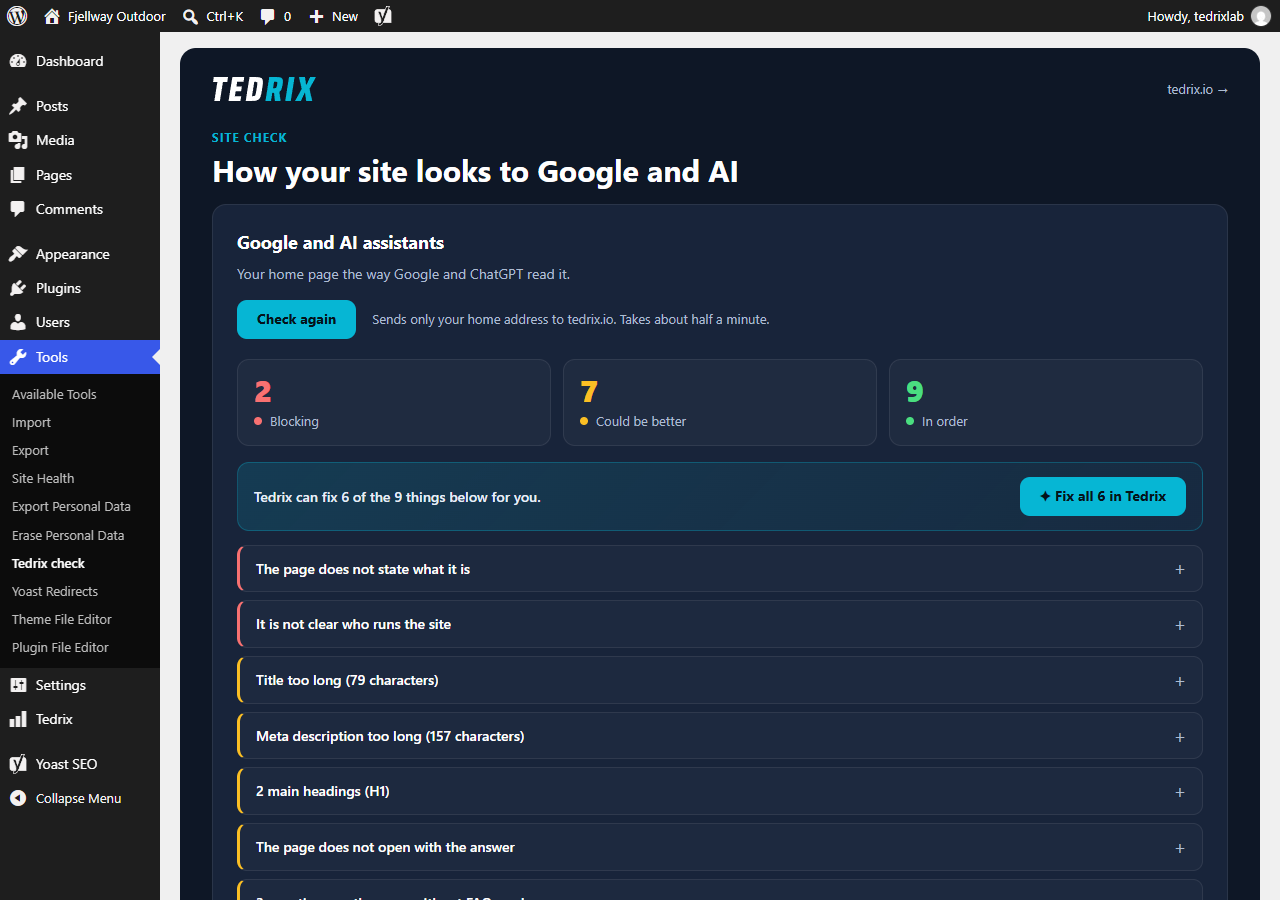
- Whether robots.txt shuts out AI crawlers such as ChatGPT, Claude or Perplexity
- Whether WordPress itself asks search engines to stay away
- Whether the text is there without JavaScript
- Whether the page answers something early, and has contact details and prices as text
- Whether the page states who you are in structured data
- Whether your company name can be found in public registers
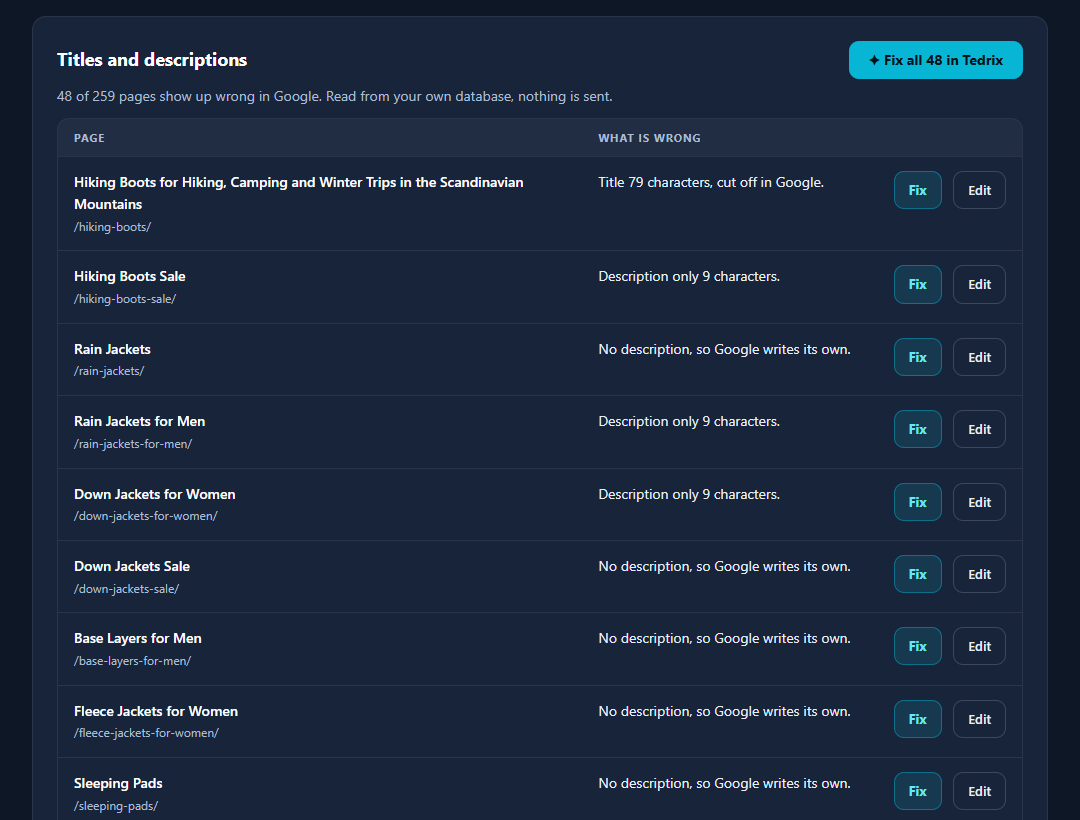
- Titles longer than 60 characters, which Google cuts off
- Pages with no meta description, where Google writes its own
- Descriptions over 155 characters, which get cut, or under 70, which waste the space
- Two or more pages sharing the same title, competing with each other
- Every change is approved by you in Tedrix first, or by the autopilot you switched on.
- Requests are signed with a secret that lives only on this site and in your Tedrix account. Unsigned or mismatched requests are rejected.
- Each change is saved as a normal WordPress revision, and the previous state is stored so a revert restores exactly what was there.
- Only whitelisted fields are touched: title, meta description, content and structured data.
- The description is written to the SEO plugin you use. With no SEO plugin, the plugin prints the approved description in the page head itself.
安装:
- Install the plugin from Plugins → Add New, or upload the folder to
/wp-content/plugins/. - Activate it.
- Go to Tools → Tedrix check and press "Check my site".
屏幕截图:
常见问题:
Do I need an account?
No. Both checks work without an account, and so do 5 rewrites a day. The account is for the rest: every page at once, the click data from Google, and each change measured after four weeks. You create it with "Connect with Google" on the Tedrix page, without leaving WordPress.
What is sent to Tedrix?
Without an account, only when you press "Check my site": your home address and admin language. When you press "Write new": also that page's public address. With a connected account, the Tedrix page fetches your results and sends your decisions. See "External services" above. The titles and descriptions check reads your own database and sends nothing.
Which Google account should I use?
The one that has Search Console for your site. If you pick an account without access to the site, Tedrix tells you which account you chose and asks you to pick another.
My site is not in Search Console. Can I still use Tedrix?
Yes. When you connect, Tedrix offers to add the site to Search Console for you. Google asks for your permission, the plugin puts Google's verification tag on the site, and Search Console starts collecting data that day. Google has no data from before that, so the first suggestions build on what the site's pages say, and the click data fills in over the following weeks.
Does it work with my SEO plugin?
Yes. The check reads the title and description from Yoast SEO, Rank Math, All in One SEO, SEOPress or The SEO Framework, whichever is installed. With no SEO plugin it uses the post title, and WordPress itself prints no description.
What do the "Fix" buttons do?
Without an account, each row has "Write new": Tedrix writes a new title and description for that page, and you apply or skip it. The "Let Tedrix fix" buttons take you to the Tedrix page, where you can connect with Google and start a free trial. Connected, you see the suggestions Tedrix wrote and approve them there. Nothing on your site changes before you approve. The checks in this plugin stay free either way.
Will it change anything by itself?
No. The checks only read and report. Nothing is modified unless you press Apply on a rewrite, approve a change in a connected account, or switch on autopilot yourself in Tedrix.
Why does the check say my site runs on a local address?
A site on localhost or a private network can't be fetched from the internet. The Google and AI check works once the site is online; the titles check works everywhere.
How many pages does the titles check cover?
The 300 most recently modified posts and pages, so it stays fast on large sites.
更新日志:
- Free rewrites: press "Write new" on a page in the titles check and Tedrix writes a new title and description, 5 pages a day with no account. Apply and Undo right there.
- Sites that are not in Search Console yet: Tedrix can add them for you. The plugin puts Google's verification tag on the site, and data is collected from that day.
- German, Norwegian, Danish and Finnish included, alongside Swedish.
- The plugin name now starts with what it does: SEO Autopilot for Google and AI Answers.
- When Tedrix's changes have measurably given your site more clicks, the Tedrix page shows the result and a link to review the plugin. Shown only then, never during setup, and it can be dismissed.
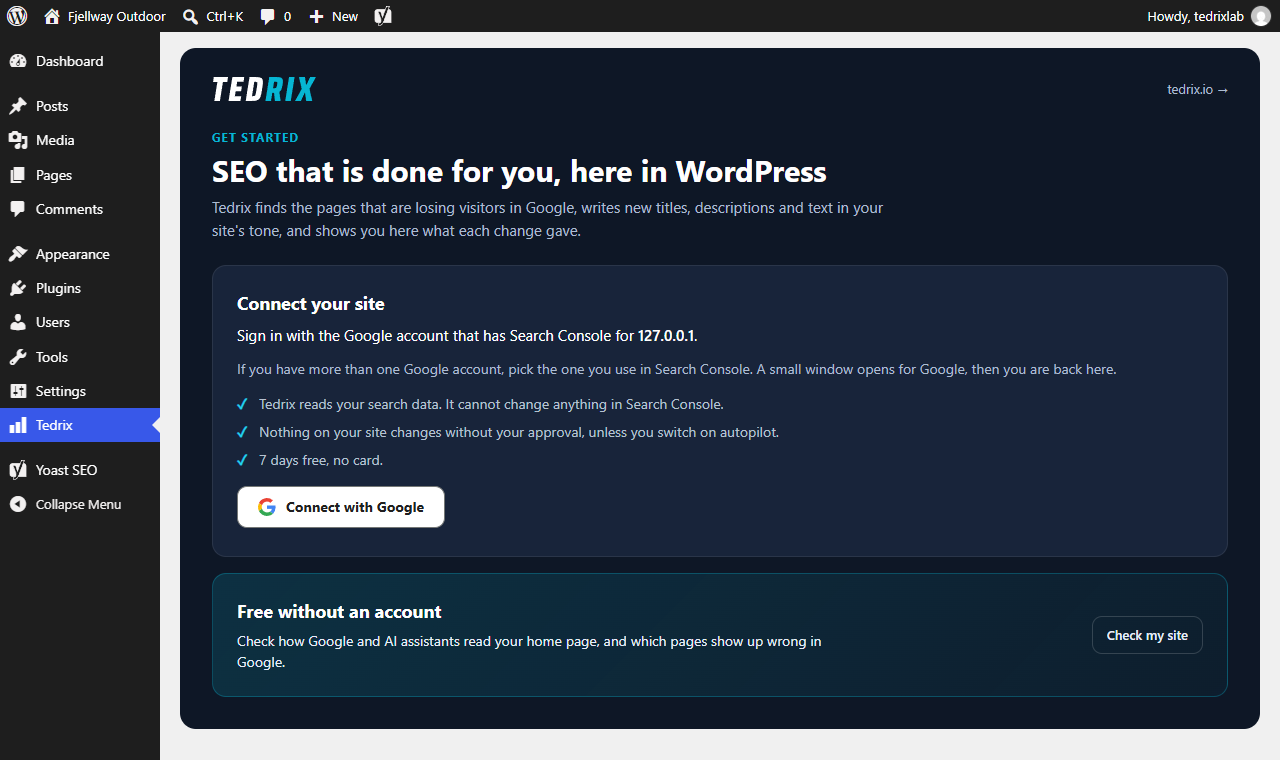
- Connect with Google from the new Tedrix page in wp-admin. Only Google's sign-in opens in a small window; no Site ID or secret to copy. The window says which Google account to pick, and tells you if the account you chose has no Search Console access to the site.
- The Tedrix page shows clicks from Google per month, what the changes gave, suggestions to approve or skip, and the latest changes with their measured result.
- The "Fix" buttons in the checks now stay in WordPress.
- Connecting with a Site ID and secret still works, under Settings → Tedrix.
- Swedish translation included. Shorter texts on the check page. No change in what the plugin does.
- New plugin name and description that say what Tedrix does for your site. No code changes.
- New look: the check and settings screens use the Tedrix design, with a score summary at the top of the Google and AI check.
- New: reads All in One SEO, SEOPress and The SEO Framework as well as Yoast SEO and Rank Math, including title variables such as %%title%%.
- New: pages set to noindex are skipped.
- New: "Let Tedrix fix all" sends every finding Tedrix can fix to Tedrix in one go, and a smaller "Fix" button sits next to each one.
- Fixed: titles with quotes or & were counted as longer than they are.
- Fixed: on sites without an SEO plugin, an approved description was saved but never printed on the page.
- Fixed: approved descriptions now reach All in One SEO, SEOPress and The SEO Framework.
- Settings and cached results are removed when the plugin is deleted.
- Translations are now delivered through translate.wordpress.org.
- New: Google and AI check. One click checks whether AI crawlers can read the home page, whether the text exists without JavaScript, structured data, and whether the company can be found in public registers.
- New: warning when WordPress asks search engines not to index the site.
- New: Swedish translation. Links go to tedrix.se for Swedish admins and tedrix.io for everyone else.
- Titles check shows its results in the viewer's language.
- New: free SEO check under Tools. Finds truncated titles, missing or badly sized meta descriptions, and duplicate titles.
- Structured data (JSON-LD) can be applied as its own field, stored as post meta and output in wp_head.
- IndexNow key endpoint so updated pages can be submitted for recrawl.
- First release: signed apply and revert of approved title, meta description and content changes.