
Telkari
| 开发者 | tercan |
|---|---|
| 更新时间 | 2026年5月12日 01:43 |
| 捐献地址: | 去捐款 |
| PHP版本: | 7.4 及以上 |
| WordPress版本: | 6.9 |
| 版权: | GPLv2 or later |
| 版权网址: | 版权信息 |
详情介绍:
- Social Icons and CTA Buttons can be shown or hidden independently.
- Social Icons and CTA Buttons have separate placement controls.
- Ribbon and Pillar layouts prevent social and CTA groups from overlapping when both are visible.
- CTA buttons support WhatsApp, phone, email, and custom URL destinations.
- Mobile layouts are compact and keep CTA labels on one line with controlled truncation.
- All icons, CSS, and JavaScript assets are bundled with the plugin.
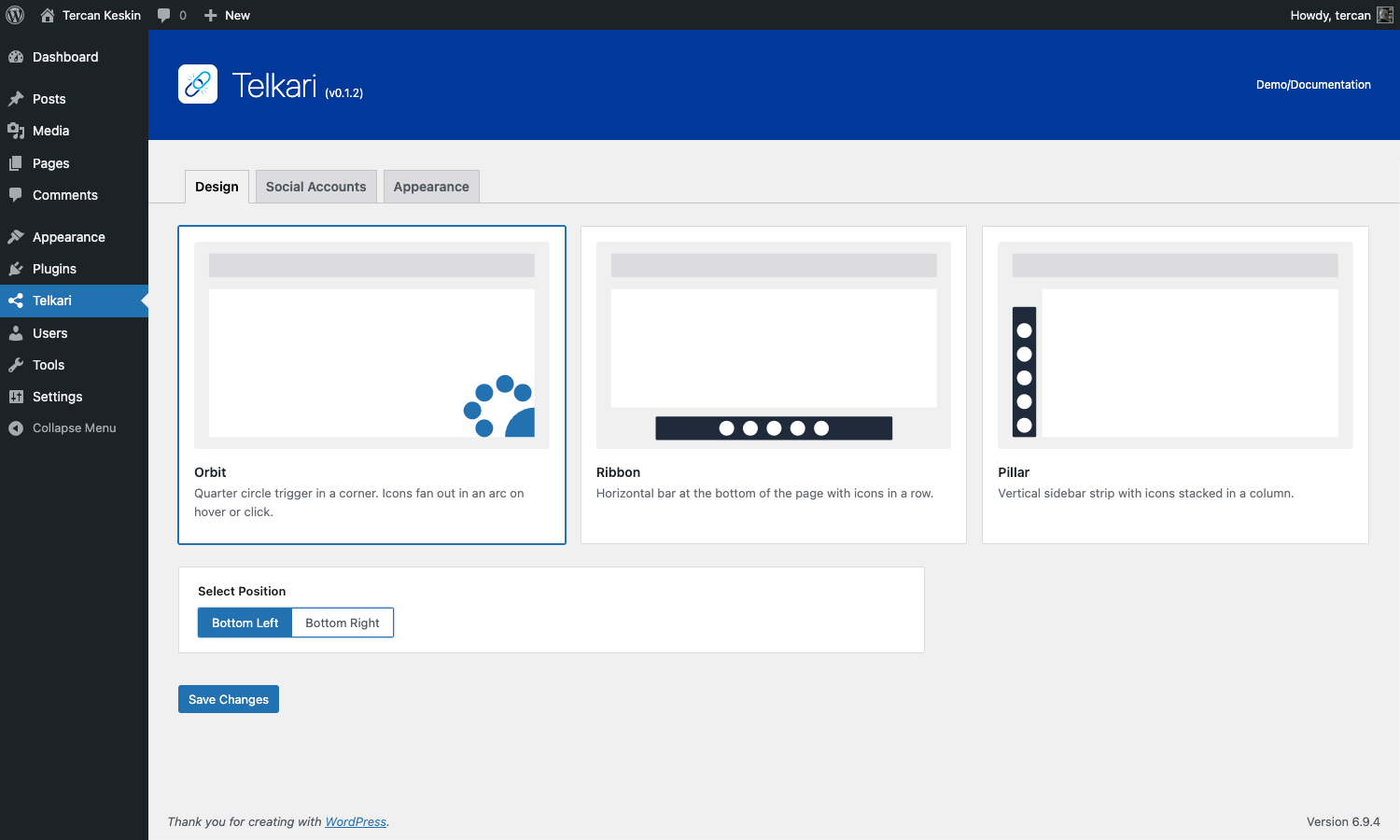
- Orbit - Corner trigger button with social icons opening in a quarter-circle arc. CTA buttons can be displayed with the same design without changing the Orbit toggle behavior.
- Ribbon - Bottom horizontal layout. Social icons stay in one row, and only one display group can use the center placement at a time.
- Pillar - Side layout. When both groups are visible, Social Icons and CTA Buttons are kept on opposite sides.
- WhatsApp number and optional message
- Phone number
- Email address
- Custom URL
- Custom label
- Per-button color
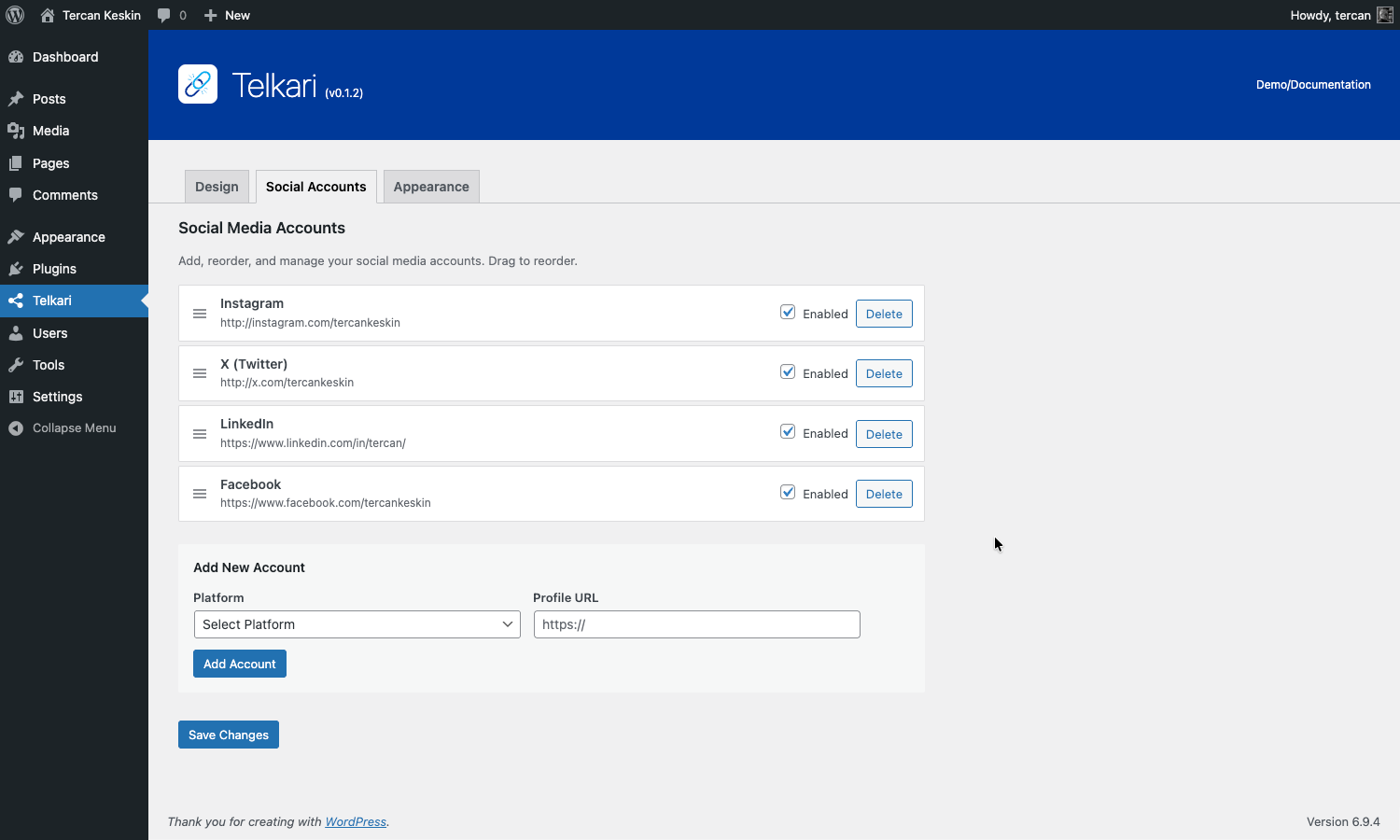
- Drag-and-drop ordering
- Enable/disable toggle
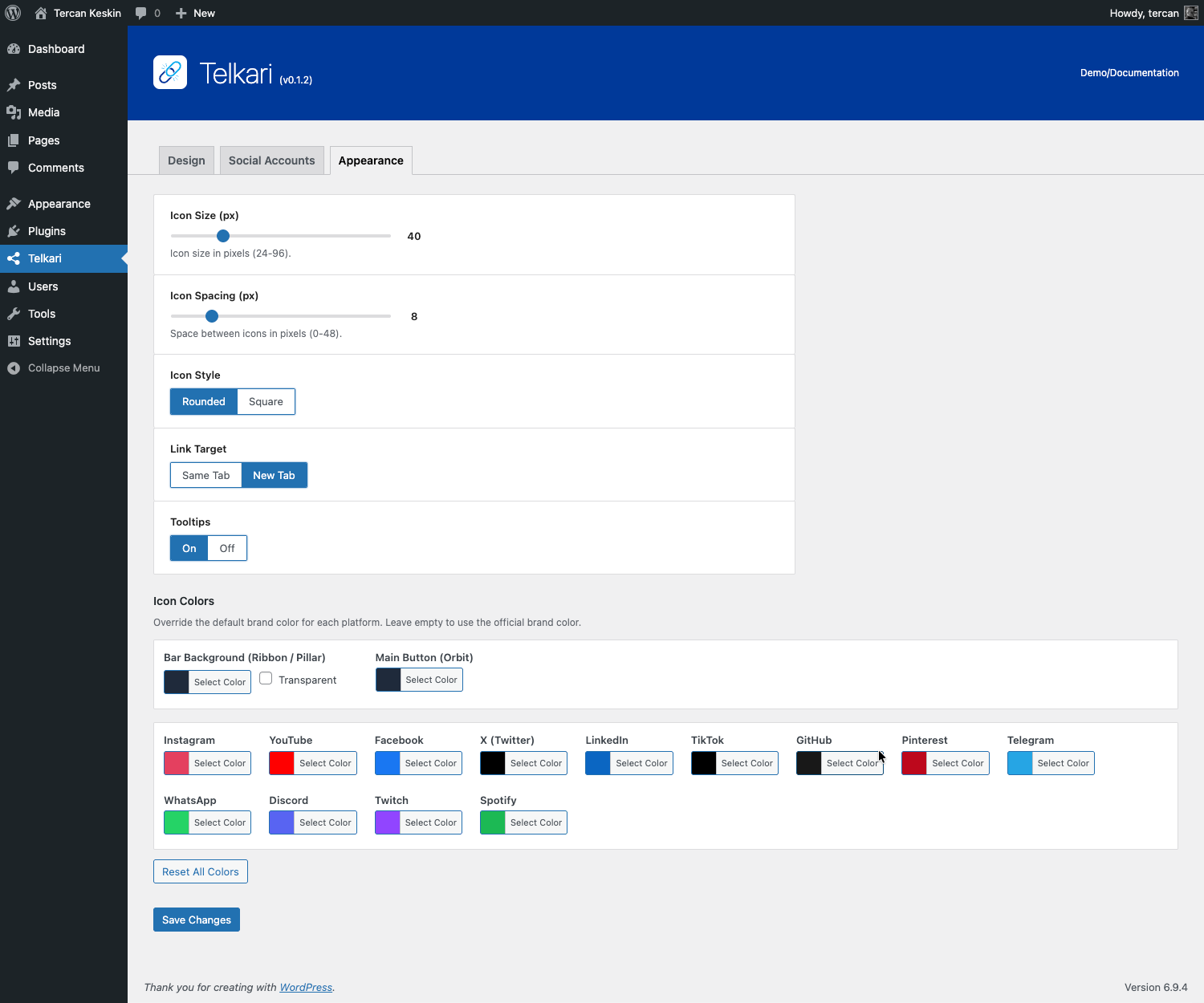
- Social icon size and spacing
- CTA button size, spacing, and width
- Icon style: Rounded or Square
- Link target: Same Tab or New Tab
- Tooltips
- Platform colors, wrapper background, and Orbit trigger color
安装:
- Upload the
telkarifolder to/wp-content/plugins/. - Activate Telkari from the Plugins screen in WordPress.
- Open the Telkari menu in the WordPress admin sidebar.
- Choose a design layout in the Design tab.
- Configure which display groups should be visible.
- Add social accounts in the Social Accounts tab.
- Add optional CTA buttons in the CTA Buttons tab.
- Adjust sizing, spacing, colors, tooltips, and link behavior in the Appearance tab.
屏幕截图:

常见问题:
Does Telkari require any external service?
No. Telkari does not require an external account, API key, remote service, or CDN.
Does Telkari track users?
No. Telkari does not track users or send analytics data to a third-party service.
Can I show only Social Icons or only CTA Buttons?
Yes. The Design tab includes visibility controls for Social Icons and CTA Buttons, so either group can be shown or hidden independently.
Can Social Icons and CTA Buttons use different placements?
Yes. Telkari includes separate placement controls for Social Icons and CTA Buttons. Ribbon and Pillar automatically prevent invalid same-side combinations when both groups are visible.
Why do Ribbon icons stay on one line?
Ribbon is designed as a horizontal bar. Social icons remain in a single row to preserve the layout, while mobile sizing is tightened to reduce horizontal space.
Which CTA button types are supported?
WhatsApp, phone, email, and custom URL buttons are supported.
Can I customize colors?
Yes. You can use the WordPress color picker to customize platform colors, CTA button colors, the wrapper background, and the Orbit trigger color.
Is Telkari translatable?
Yes. Telkari uses WordPress internationalization functions and includes translation files for Arabic, Bengali, Chinese (Simplified), French, German, Hindi, Italian, Portuguese, Russian, Spanish, and Turkish.
更新日志:
- Added CTA button management with WhatsApp, phone, email, and custom URL button types.
- Added independent Social Icons and CTA Buttons visibility controls.
- Added independent CTA placement support so CTA buttons can be positioned separately from social accounts.
- Added separate CTA appearance controls for button size, spacing, and width.
- Refreshed the admin interface for Design, Social Accounts, CTA Buttons, and Appearance with a shared workspace layout.
- Improved Ribbon and Pillar placement rules to prevent social and CTA group overlap.
- Improved mobile layouts for CTA buttons and social icons across all frontend designs.
- Updated WordPress.org readme metadata, FAQ, privacy notes, screenshots, and source documentation.
- Updated translations and localization templates for the expanded admin and CTA feature set.
- Moved design-1 toggle inline script to external file loaded via wp_enqueue_script to comply with WordPress plugin directory requirements.
- SVG icon output is now sanitized through wp_kses with a strict SVG element/attribute allowlist.
- Design preview SVG output in admin panel also sanitized via wp_kses at echo point.
- Refactored icon link attribute rendering to use late escaping at every echo point.
- All ternary CSS class outputs in admin templates wrapped with esc_attr() for proper late escaping.
- Removed inline JS function (replaced by enqueued external JS file).
- Removed phpcs:ignore EscapeOutput comments.
- Documentation updated: social account management wording now reflects add/delete flow.
- Removed unused security helper file (
includes/core/security.php) and unused admin i18n key (Edit).
- Initial release.
- Added Orbit, Ribbon, and Pillar design layouts.
- Added support for 13 bundled social platform SVG icons.
- Added drag-and-drop social account management.
- Added per-platform color customization.
- Added configurable icon size, spacing, style, link target, and tooltips.
- Added CSS-only frontend rendering with conditional asset loading.
- Added clean uninstall support for single site and multisite.
- Added bundled translations.