
Tenwrite: Publish Google Docs to Any Site
| 开发者 | tenwrite |
|---|---|
| 更新时间 | 2026年7月17日 08:05 |
| PHP版本: | 7.4 及以上 |
| WordPress版本: | 7.0 |
| 版权: | GPL-2.0-or-later |
| 版权网址: | 版权信息 |
详情介绍:
- manual exports from Google Docs
- updating an already linked WordPress post instead of creating duplicates
- document metadata and frontmatter support
- image handling and publishing cleanup
- supported SEO field syncing during export and later updates
- publish Google Docs content into WordPress through the Tenwrite workflow
- keep linked posts updated instead of creating duplicates
- store Tenwrite SEO data on WordPress posts and pages
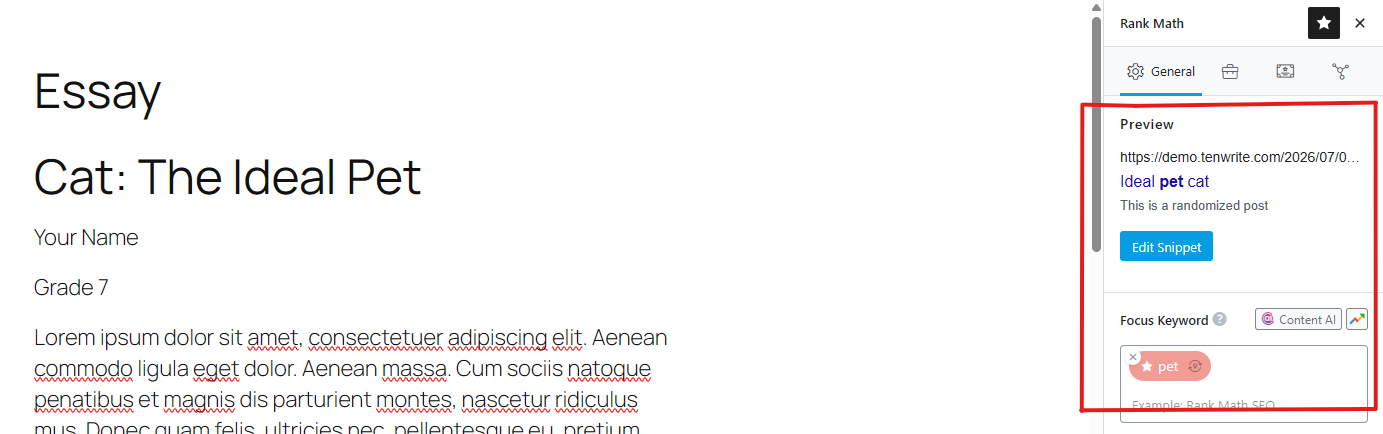
- sync supported SEO fields into Yoast SEO and Rank Math
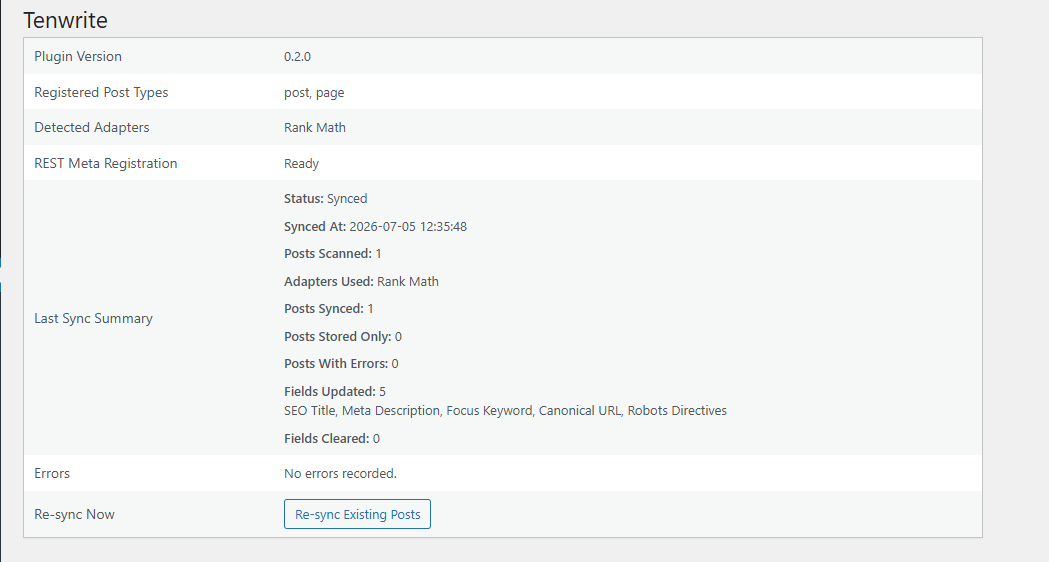
- check plugin status from a simple diagnostics screen in WordPress admin
- cleaning up formatting after paste
- re-uploading or re-checking images
- re-entering SEO fields in WordPress
- updating an existing post by hand later
- Yoast SEO
- Rank Math
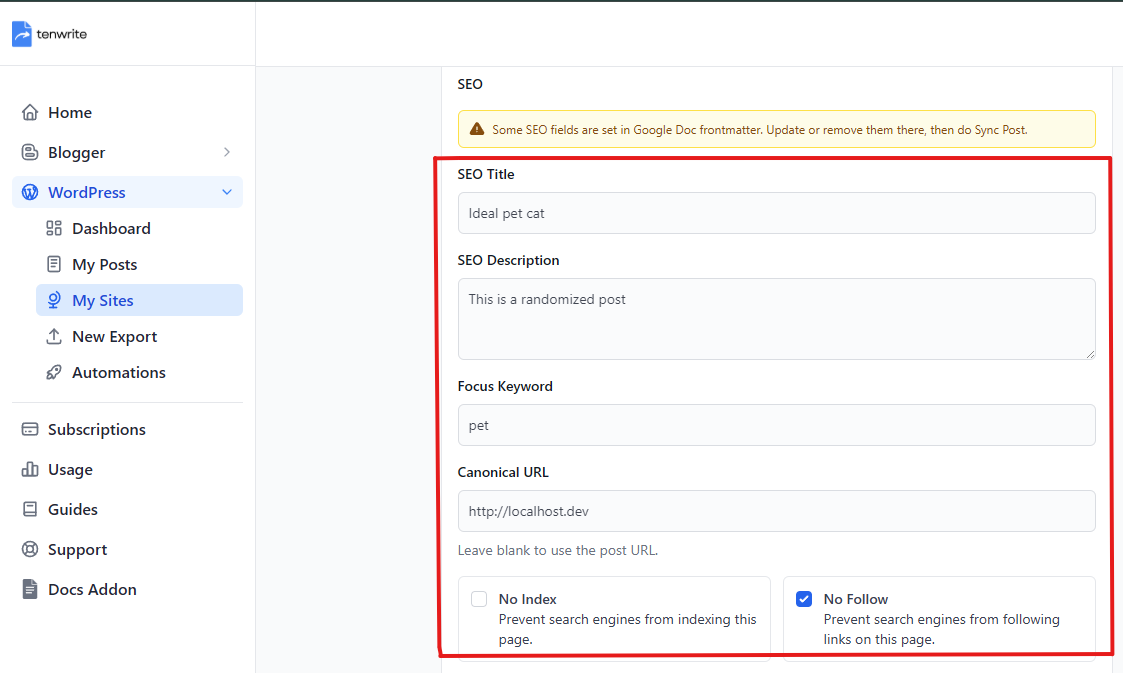
- SEO title
- Meta description
- Focus keyword
- Canonical URL
- Noindex
- Nofollow
- Tenwrite export and edit flows
- Google Docs frontmatter in supported Tenwrite flows
- bloggers who write in Google Docs and publish to WordPress
- content teams using Google Docs for reviews and approvals
- agencies managing repeat Google Docs to WordPress publishing workflows
- teams that want SEO fields to travel with the publishing workflow
安装:
- Log in to your WordPress admin area.
- Go to Plugins > Add New Plugin.
- Search for Tenwrite.
- Install and activate Tenwrite: Publish Google Docs to Any Site.
- Go to Tools > Tenwrite and confirm the diagnostics page loads.
- Connect your WordPress site inside Tenwrite.
- Start exporting posts from Google Docs through Tenwrite.
屏幕截图:

常见问题:
Does this plugin publish Google Docs directly from WordPress?
No. The publishing workflow runs through Tenwrite. This plugin is the WordPress connector used by that workflow.
Do I need a Tenwrite account?
Yes. This plugin works with the Tenwrite service.
Does this plugin support WordPress.com?
No. This version is for supported self-hosted WordPress sites.
Which WordPress content types are supported?
Posts and pages.
Which SEO plugins are supported?
Yoast SEO and Rank Math.
What happens if I do not use Yoast SEO or Rank Math?
The plugin still stores the Tenwrite SEO data on the post, but it does not mirror vendor-specific fields when no supported SEO plugin is active.
Can I set SEO fields from Google Docs?
Yes. Supported SEO fields can come from Google Docs frontmatter in supported Tenwrite workflows.
What happens when a field is already set in Google Docs frontmatter?
That field is treated as controlled by frontmatter during export and sync. To change it, update the Google Doc and then sync the post again from Tenwrite.
Can I edit SEO fields inside this plugin in WordPress admin?
No. This plugin provides the connection layer and diagnostics screen. SEO values are managed through Tenwrite and supported Google Docs frontmatter flows.
Where can I learn more about Tenwrite?
Visit https://tenwrite.com/ for product details, pricing, and documentation.
更新日志:
- First public release.
- Added diagnostics and supported SEO metadata syncing.