
Tevrna Business Manager Suite
| 开发者 | tevrna |
|---|---|
| 更新时间 | 2026年3月31日 01:39 |
| PHP版本: | 7.4 及以上 |
| WordPress版本: | 6.9 |
| 版权: | GPLv2 or later |
| 版权网址: | 版权信息 |
详情介绍:
Tevrna Business Manager Suite is a powerful, lightweight micro-ERP designed specifically for small businesses, agencies, and online stores. It transforms your standard WordPress backend into a complete command center to manage your daily operations, track your team's productivity, and monitor your business growth.
Whether you are managing a physical supply chain, tracking marketing spend, or assigning tasks to your team, everything is organized into clean, lightning-fast tabs.
Core Free Features
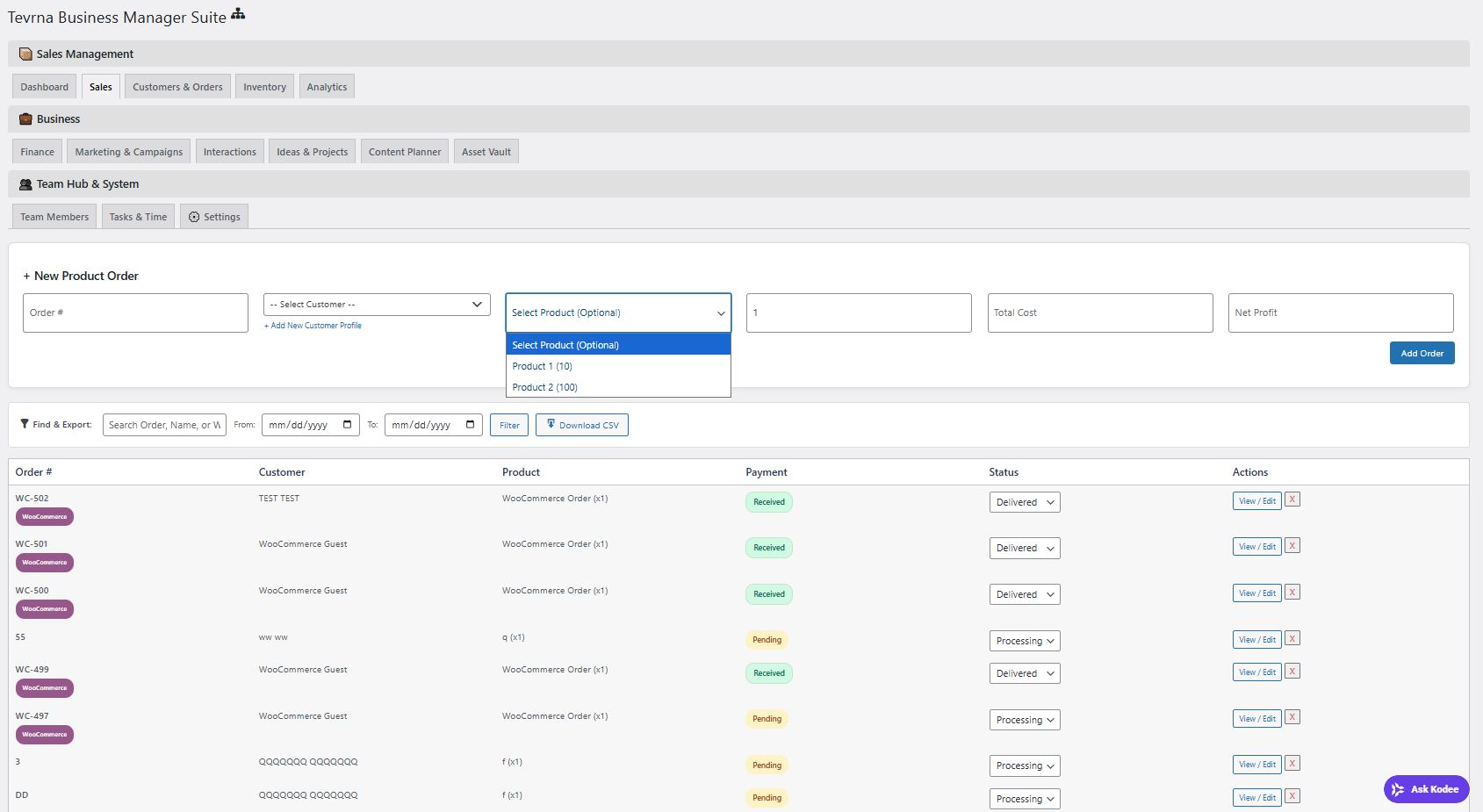
- Sales & Supply Chain: Quickly add new manual orders, track quantities sold, and calculate your net profit.
- WooCommerce Auto-Sync: Automatically captures and logs incoming WooCommerce orders and customer details directly into your ERP.
- CRM (Customer Profiles): Save detailed customer information, track their lifetime order history, and leave manual manager notes.
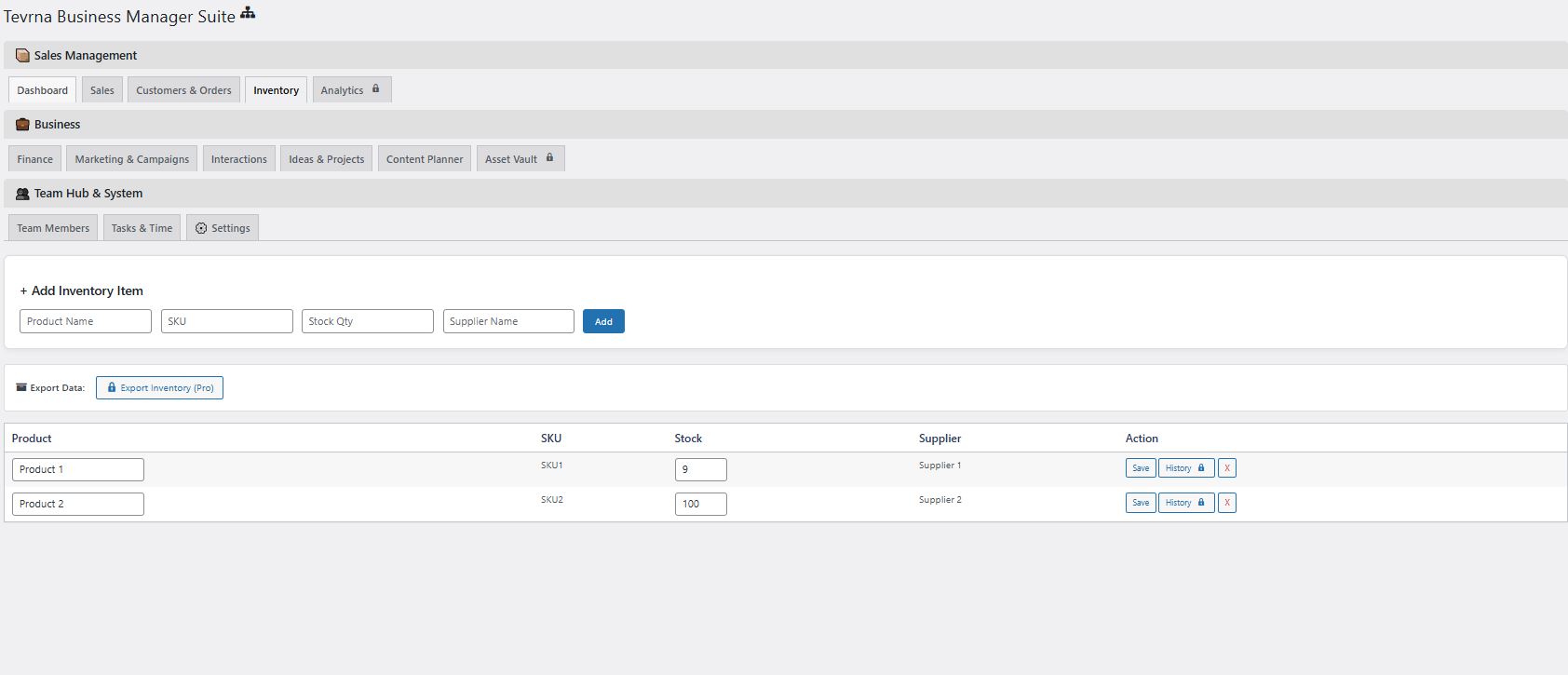
- Inventory Management: Add unlimited products/SKUs, track live stock levels, and automatically deduct stock when sales are recorded.
- Team & Task Management: Build a roster of your employees, assign them to specific departments, track their annual leave (PTO), and assign them daily tasks with due dates.
- Marketing Campaigns: Plan your ad spend, log your campaign targets across platforms like Facebook and Instagram, and log social interactions.
- Content & Idea Planner: A built-in scratchpad and content calendar to schedule your future social media posts and project ideas.
- WhatsApp Web Generator: Instantly generate a WhatsApp link to message your customers with a single click.
- Advanced Visual Analytics: Unlock 6 dynamic, date-filtered Chart.js graphs tracking your Sales & Profit timeline, Orders Per Month, Order Fulfillment, and Customer Demographics.
- Global CSV Data Exports: Download perfectly formatted spreadsheets of your sales, finances, customers, and inventory logs in one click.
- Asset Vault & Media Uploads: A secure digital locker to upload company documents. Plus, attach photos and videos directly to your Content Planner, Ideas, and Team Tasks!
- Custom WhatsApp Automation: Edit and save custom WhatsApp message templates with dynamic tags ({name}, {order}, {status}) for lightning-fast customer communication.
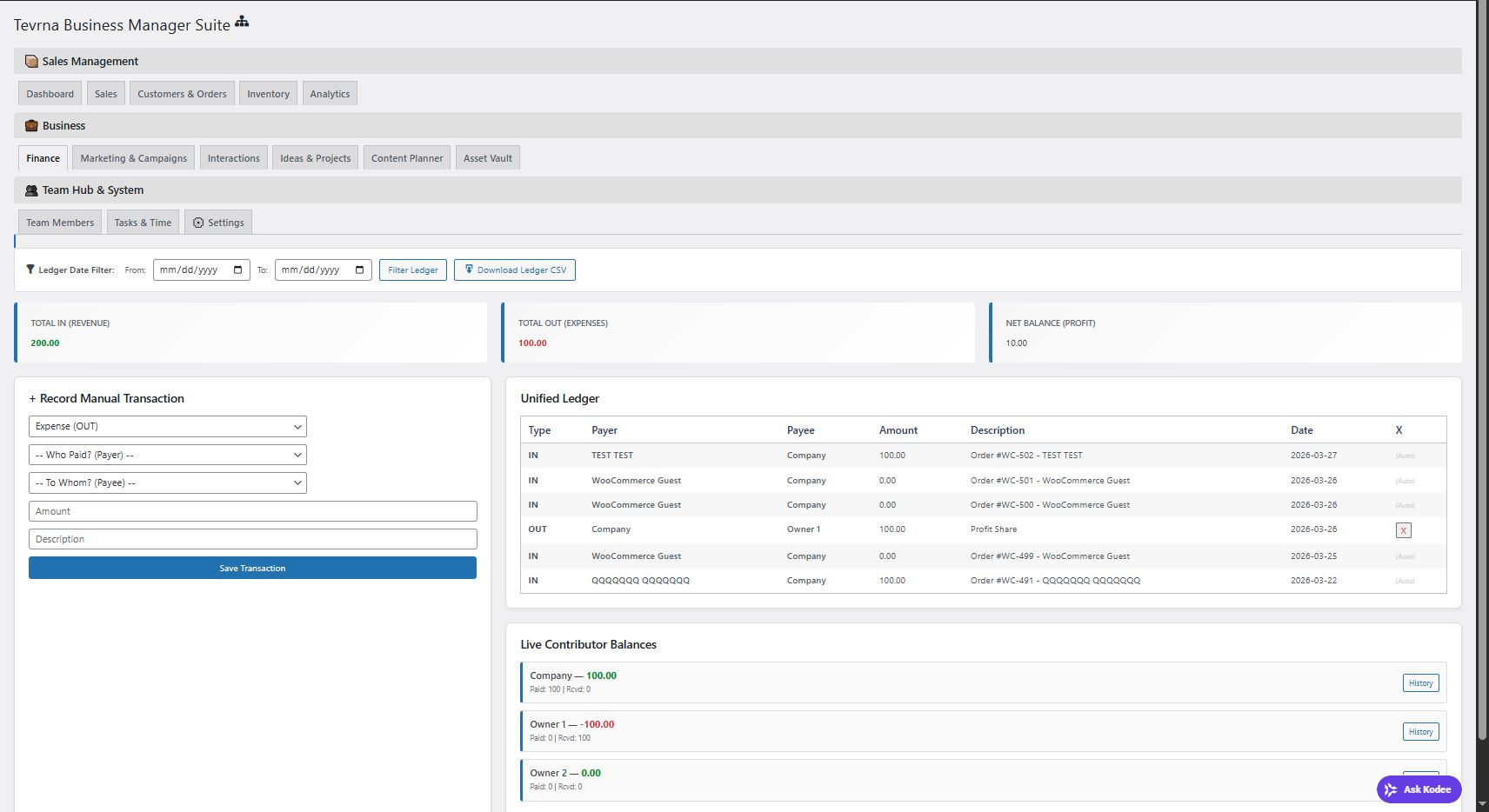
- Unified Finance Ledger: Manually record custom internal expenses (OUT) and business investments (IN) to track your true net profit and monitor individual partner balances.
- Permanent Team Note History: Keep a permanent, timestamped history of manager notes and performance reviews for every employee.
- Granular Access Control: Not everyone needs to see your finances. Secure your ERP by choosing exactly which tabs each employee account is allowed to view.
- Deep Inventory History: View timestamped, itemized logs of every time stock was added, deducted, or manually adjusted.
安装:
- Upload the plugin files to the
/wp-content/plugins/tevrna-business-managerdirectory, or install the plugin through the WordPress plugins screen directly. - Activate the plugin through the 'Plugins' screen in WordPress.
- Click on the new "Business Hub" menu item in your left-hand WordPress admin sidebar.
- Start adding your team members, logging your inventory, and tracking your sales!
屏幕截图:
常见问题:
Does this integrate with WooCommerce?
Yes! The free version automatically detects when WooCommerce is active. When a new order is placed in your WooCommerce store, the ERP automatically pulls the customer's data into the CRM and logs the sale in your Sales tab.
Is my data secure?
Absolutely. All ERP data is stored entirely on your own WordPress database. We do not transmit your private customer or financial data to any external servers.
How do I upgrade to the Pro version?
You can upgrade at any time by clicking the "Upgrade to Pro" buttons on any locked feature inside the plugin, or by visiting the Pricing tab in your WordPress dashboard.
更新日志:
6.5
- Initial stable release on the WordPress Plugin Directory.