FeedCraft Product Feed
| 开发者 | ahme1016 |
|---|---|
| 更新时间 | 2026年1月20日 18:01 |
| PHP版本: | 7.4 及以上 |
| WordPress版本: | 6.9 |
| 版权: | GPLv3 |
| 版权网址: | 版权信息 |
详情介绍:
- ⚡ Performance-First Architecture: Built to handle large catalogs with a configurable memory-limit warning and real-time REST API delivery—no more broken static files.
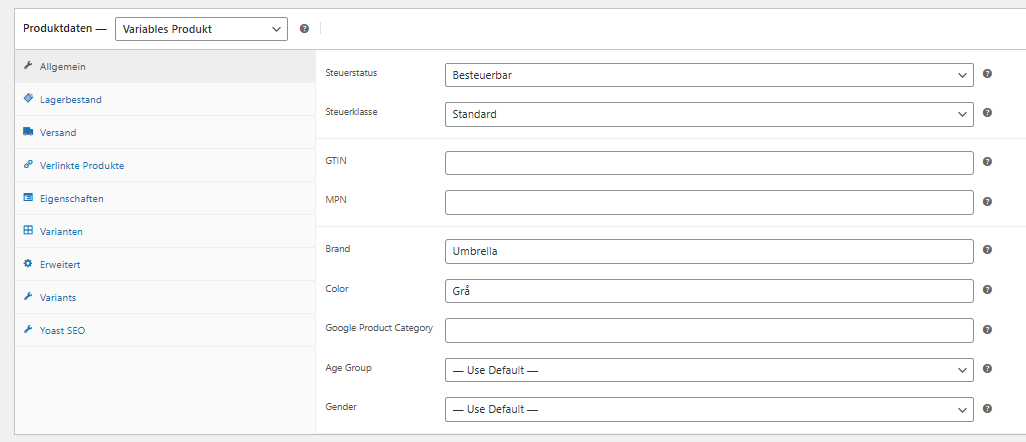
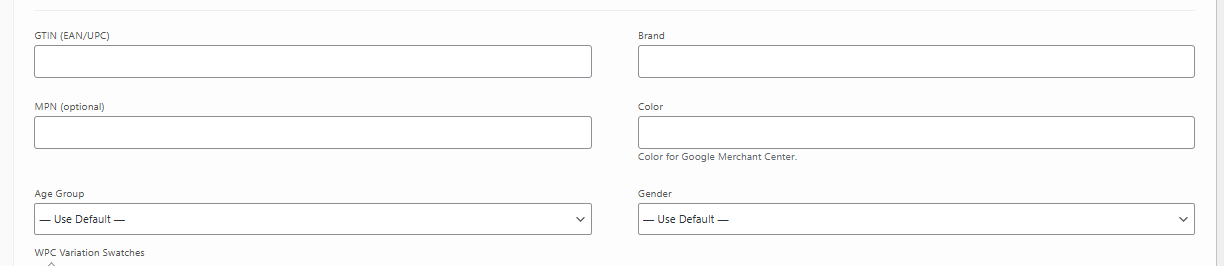
- 🛠 Advanced Product Mapping: Adds dedicated fields for GTIN (EAN/UPC), MPN, Brand, Color, and Google Product Category.
- 👗 Apparel Ready: Full support for Age Group and Gender, configurable at both the product and individual variation level.
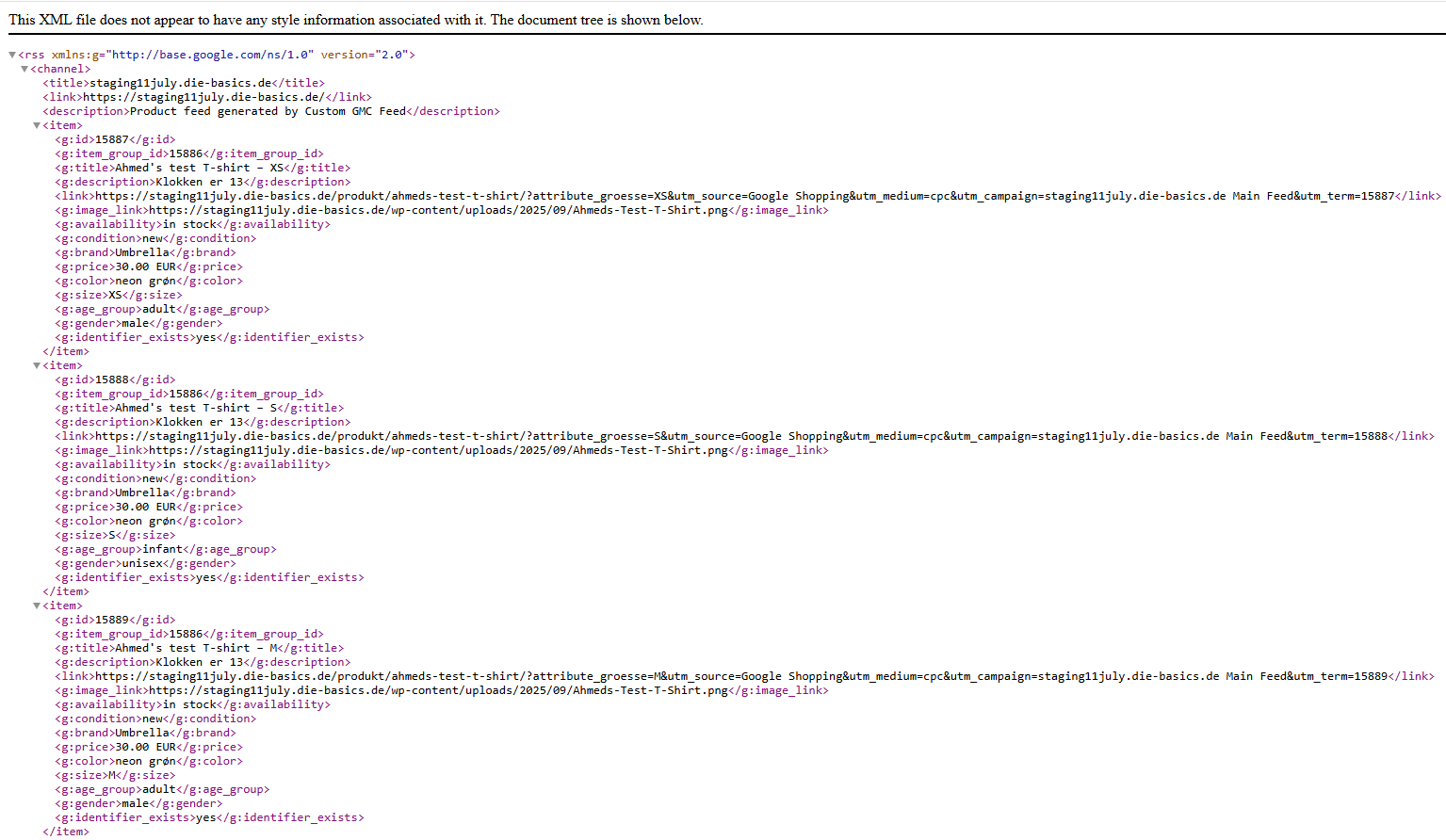
- 🔄 Smart Variable Support: Automatically links variations using
item_group_idand inherits parent data where appropriate to save you time. - 🎨 Dynamic Attribute Mapping: Map your existing WooCommerce attributes (like 'Color' or 'Size') to standard feed fields in seconds.
- 🌍 Two Essential Formats:
- XML: Fully optimized for Google Merchant Center and major marketplaces.
- JSON: Perfect for custom integrations, mobile apps, and third-party tools.
- 🔍 Intelligent Logic: Automatic generation of full category paths (
product_type) and an optional filter to exclude products missing images.
安装:
- Upload the plugin folder to your
/wp-content/plugins/directory, or install via the WordPress plugin installer. - Activate the plugin through the Plugins menu in WordPress.
- Ensure WooCommerce is active and that your Settings > Permalinks are NOT set to "Plain" (REST API requires pretty permalinks).
- Navigate to WooCommerce > Product Feeds to configure default settings, map your attributes, and find your unique feed URLs.
- Edit your products: You will find the new fields (GTIN, MPN, Brand, etc.) under the General tab for simple products and within the Variation editor for variable products.
- Access your feed: Copy the URLs from the settings page to see your live data:
- XML Feed:
.../wp-json/feedcraft-product-feed/v1/xml - JSON Feed:
.../wp-json/feedcraft-product-feed/v1/json - Connect to Google: Submit the XML feed URL in your Google Merchant Center (under Feeds > Add Primary Feed) to start syncing your products.
屏幕截图:
常见问题:
Where do I configure the plugin?
The settings page is located under WooCommerce > Product Feeds. Here you can set global defaults, map color/size attributes, and copy your live feed URLs.
Do I need to set Age Group and Gender for every product?
No. FeedCraft uses the smart defaults you configure on the settings page. You only need to edit individual products if they differ from your store-wide settings.
What if a product has no image?
Google requires images for most products. By default, the plugin skips products without images to keep your Merchant Center healthy. You can disable this check in the settings if needed.
How are variation colors and sizes handled?
The plugin first checks the dedicated "Color" field. If empty, it automatically pulls from the attributes you've mapped (e.g., pa_color or pa_size).
Is the feed updated automatically?
Yes. Because it uses the REST API, the feed is always live. When you update a product in WooCommerce, the change is reflected in the feed immediately.
Why is my feed URL showing a 404 error?
This usually happens if your WordPress Permalinks are set to "Plain". Please go to Settings > Permalinks and select "Post name" or any other option besides Plain.
更新日志:
- Initial public release with REST API architecture and multi-attribute mapping.