Buy Now for WooCommerce – Quick Checkout by TheForge
| 开发者 | thepluginforge |
|---|---|
| 更新时间 | 2026年4月23日 01:12 |
| PHP版本: | 7.4 及以上 |
| WordPress版本: | 6.9 |
| 版权: | GPLv2 or later |
| 版权网址: | 版权信息 |
详情介绍:
Quick Checkout adds a "Buy Now" button to your WooCommerce product pages. Customers skip the cart entirely and land straight on checkout.
Features
- Buy Now Button — Adds product to cart and redirects to checkout via AJAX. No page flicker.
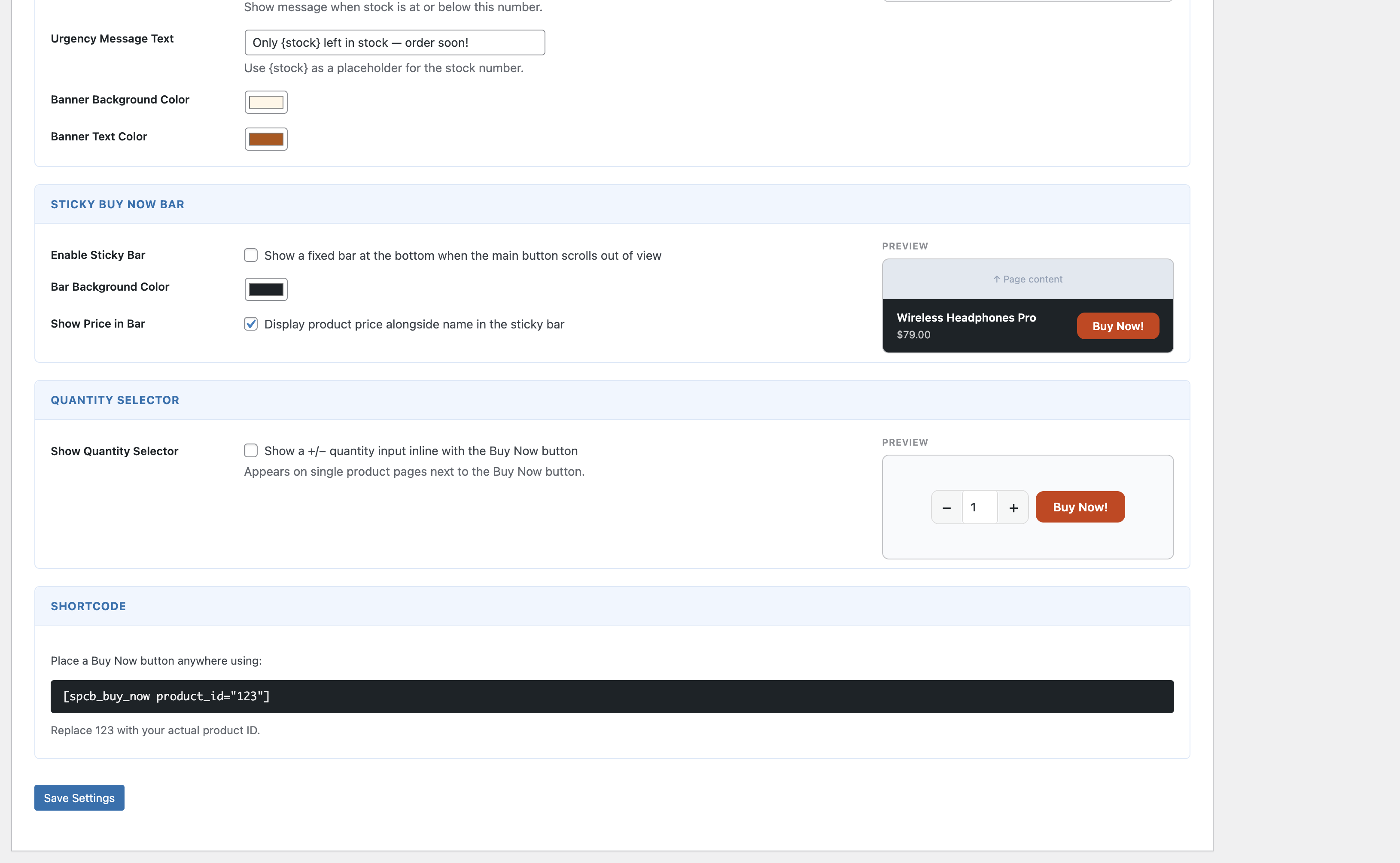
- Quantity Selector — Optional +/− input inline with the button so customers can adjust quantity before buying.
- Sticky Buy Now Bar — Fixed bar at the bottom of the screen that appears when the main button scrolls out of view.
- Per-Product Overrides — Override button text, color, and redirect per product. Disable the button on specific products.
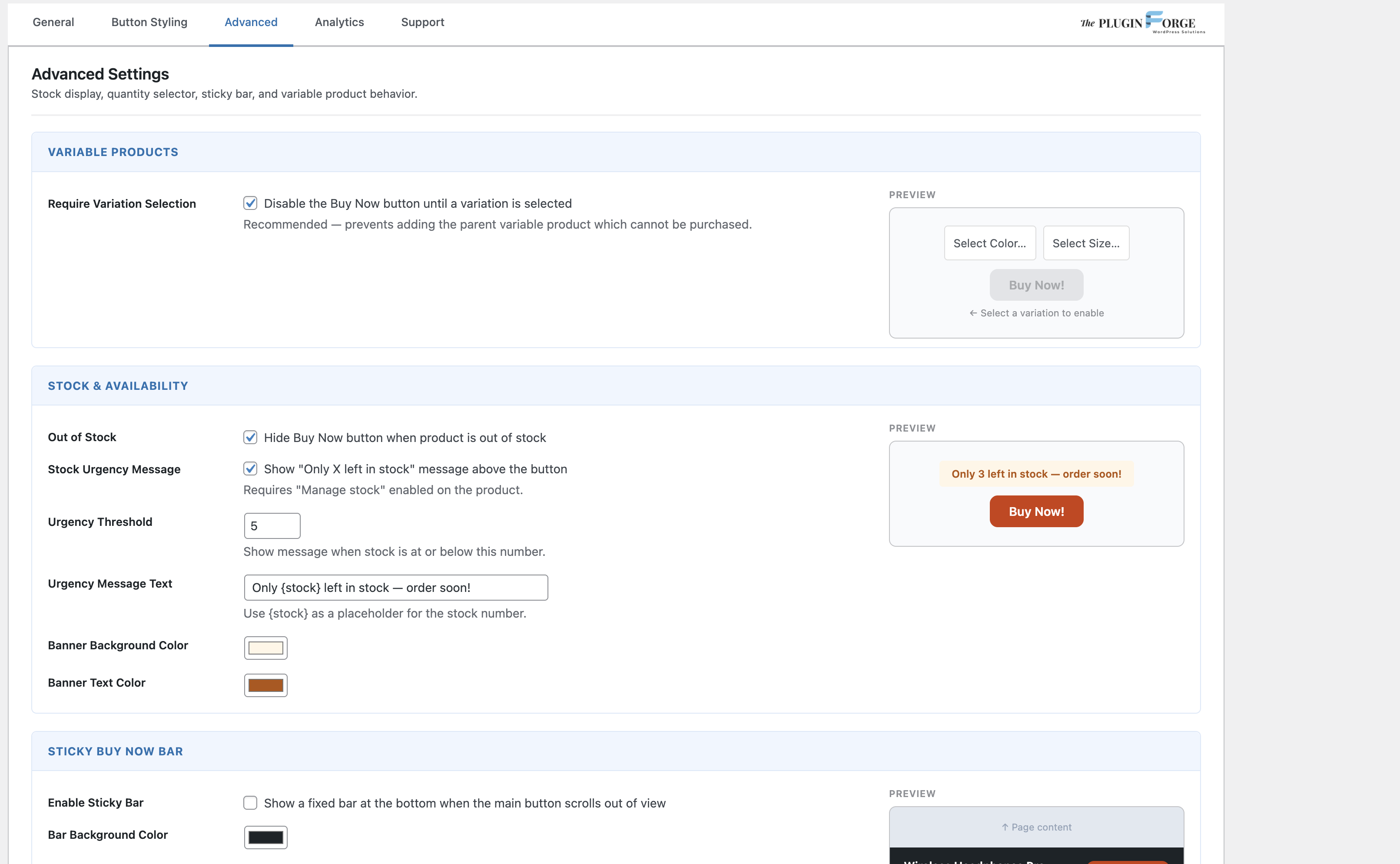
- Variable Product Support — Button stays disabled until a variation is selected, then activates automatically.
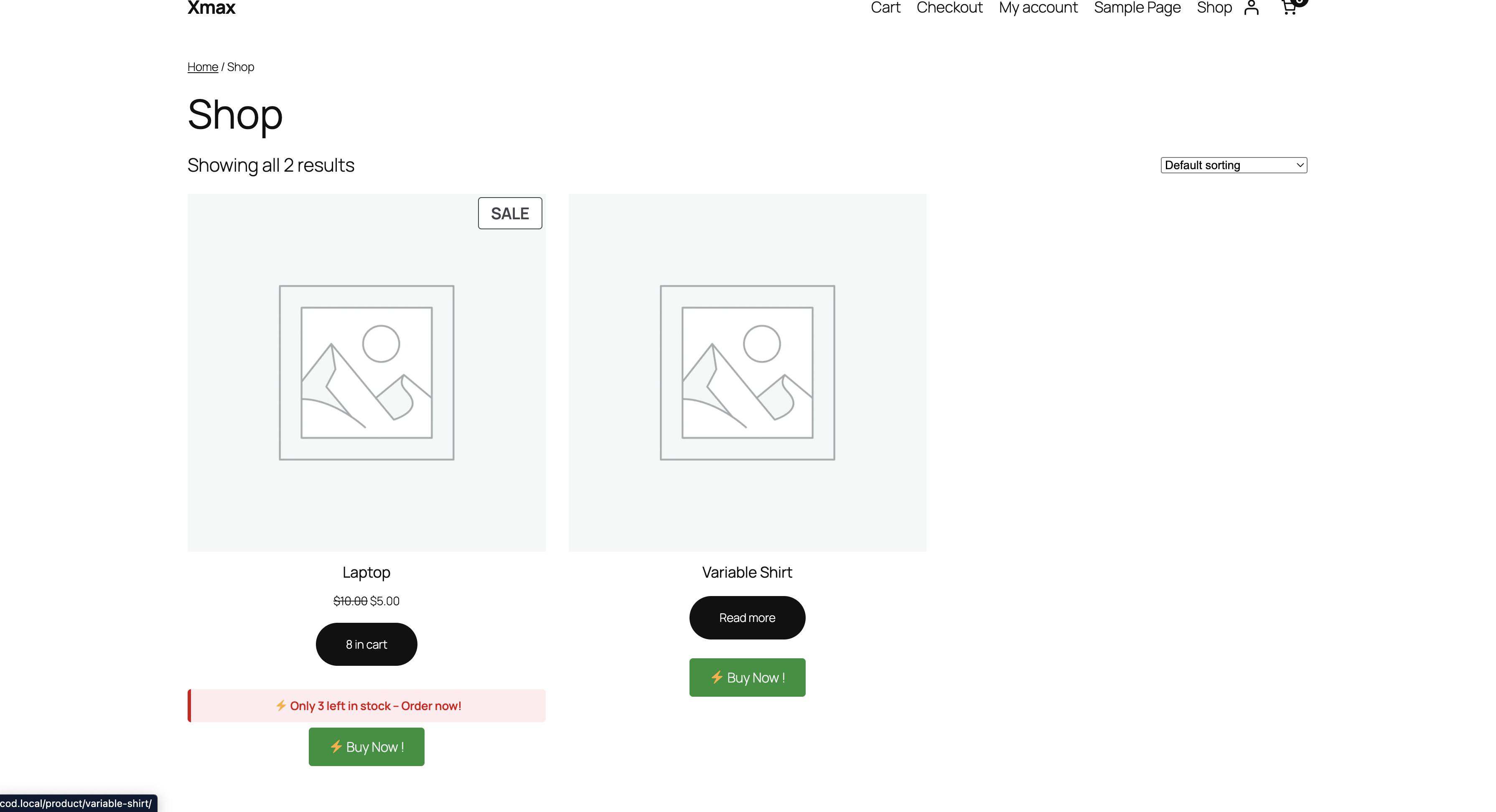
- Stock Urgency Message — Shows a customisable low-stock message above the button. Custom text, background, and text color.
- Advanced Styling — Solid, Outline, Gradient, or 3D style. Custom colors, size, border radius, and width.
- Category Targeting — Limit the button to specific product categories via AJAX-powered search.
- Shop Page Support — Show the button on archive/shop pages with configurable hook position.
- Analytics — Track button views, clicks, and conversion rates per product. Filter by Today, 7 Days, 30 Days, or All Time.
- Shortcode —
[spcb_buy_now product_id="123"]— place a Buy Now button anywhere.
- Checkout page (default)
- Cart page
- Custom URL
安装:
- Go to Plugins → Add New and search for Quick Checkout Buy Now
- Install and activate
- Go to WooCommerce → Quick Checkout
- Enable the button and configure your settings
屏幕截图:
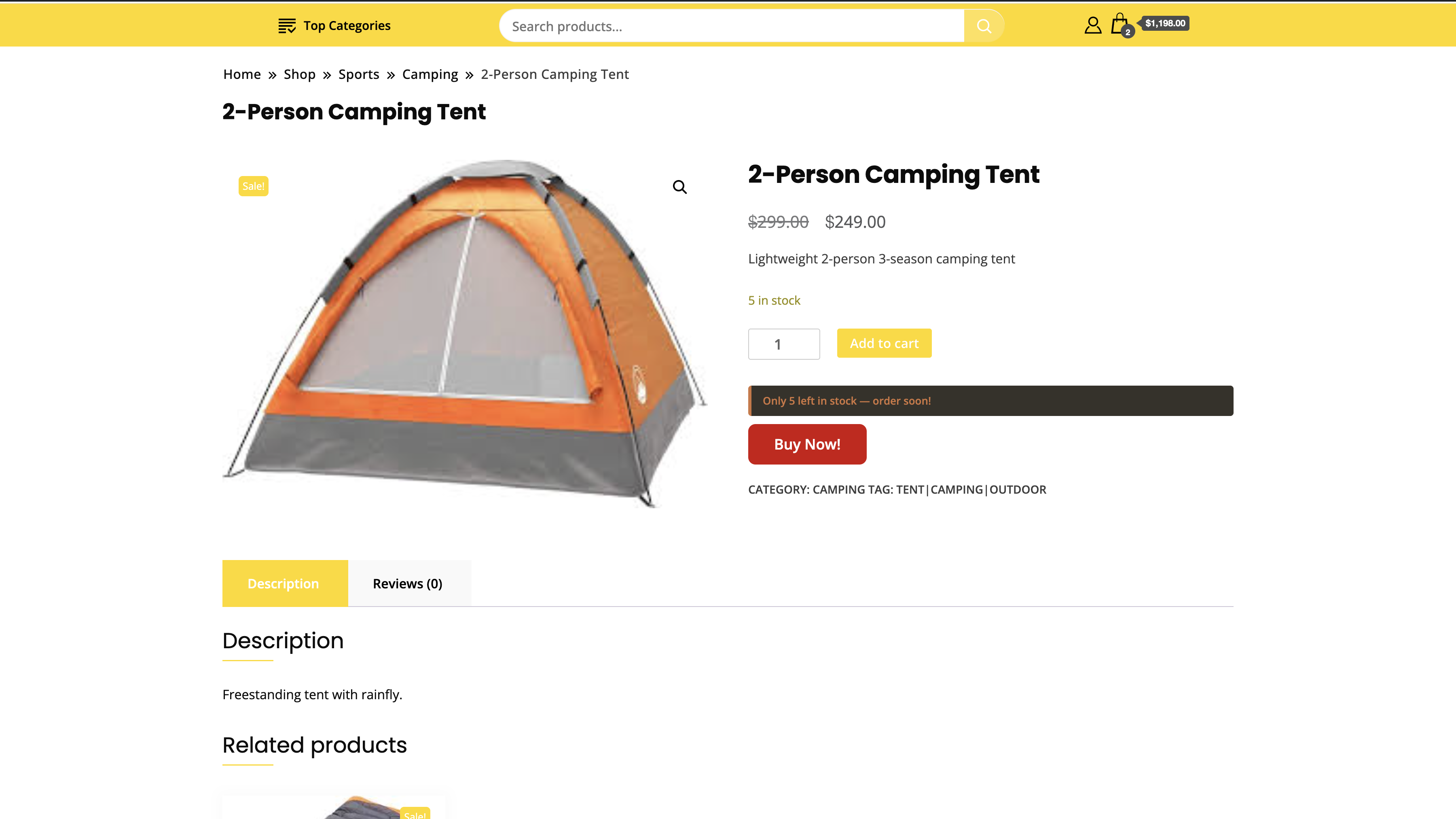
常见问题:
Does this work with WooCommerce Block Checkout?
Yes. The AJAX flow redirects to the block checkout URL.
What happens to existing cart items?
The cart is cleared and only the clicked product is added — true single-product checkout.
Does it work with variable products?
Yes. The button is disabled until a variation is selected, then updates to that variation automatically.
Can I override settings per product?
Yes. Each product has a Quick Checkout panel in the editor to override text, color, redirect, or disable the button.
Will this slow down my store?
No. Assets load only on product pages and admin. The AJAX handler runs only when Buy Now is clicked.
Is it HPOS compatible?
Yes. Fully compatible with WooCommerce High-Performance Order Storage.
更新日志:
2.4.2 - 2026-04-22
- Confirmed compatibility with WordPress 6.9 and WooCommerce 10.6.0
- Updated plugin icon
- NEW: Stock urgency banner — customisable text, background color, and text color
- NEW: Custom urgency message text with {stock} placeholder
- NEW: Category targeting replaced with AJAX-powered Select2 search (3-character minimum)
- NEW: Plugin logo in settings page header
- NEW: Advanced Settings sections redesigned as visual cards with live previews
- IMPROVED: Advanced Settings order — Variable Products first, Stock & Availability second
- IMPROVED: Button alignment default changed to Center
- IMPROVED: Stock message color fully synced between admin settings and frontend
- REMOVED: Button Icon feature removed
- NEW: Multi-file class architecture (replaces single-file structure)
- NEW: AJAX Buy Now flow — silent cart update, JS redirect, no page reload
- NEW: Quantity selector — +/− input inline with the button
- NEW: Sticky Buy Now Bar with IntersectionObserver-based show/hide
- NEW: Per-product overrides via product editor meta box
- NEW: Variable product support — button disables until variation selected
- IMPROVED: Button Styling tab redesigned as 2-column grid
- IMPROVED: Category list now scrollable
- FIX: Plugin version now displays correctly throughout
- NEW: Live button preview in Styling tab
- NEW: 3D Effect button style
- NEW: Button width options
- NEW: Separate text color picker
- IMPROVED: Tabbed admin interface
- NEW: Stock & Availability — auto-hide button for out-of-stock products
- NEW: Stock Urgency Messages
- NEW: Analytics Dashboard
- NEW: Advanced button styles