Smart Cash on Delivery Fraud Blocker & OTP Verification for WooCommerce
| 开发者 | thepluginforge |
|---|---|
| 更新时间 | 2026年4月26日 01:19 |
| PHP版本: | 7.4 及以上 |
| WordPress版本: | 6.9 |
| 版权: | GPLv2 or later |
| 版权网址: | 版权信息 |
详情介绍:
Fake COD orders costing your store money?
Returned shipments, wasted delivery costs, inventory stuck in transit — this plugin stops fraud at checkout before a single penny is spent on shipping.
Built by The Plugin Forge.
What It Does
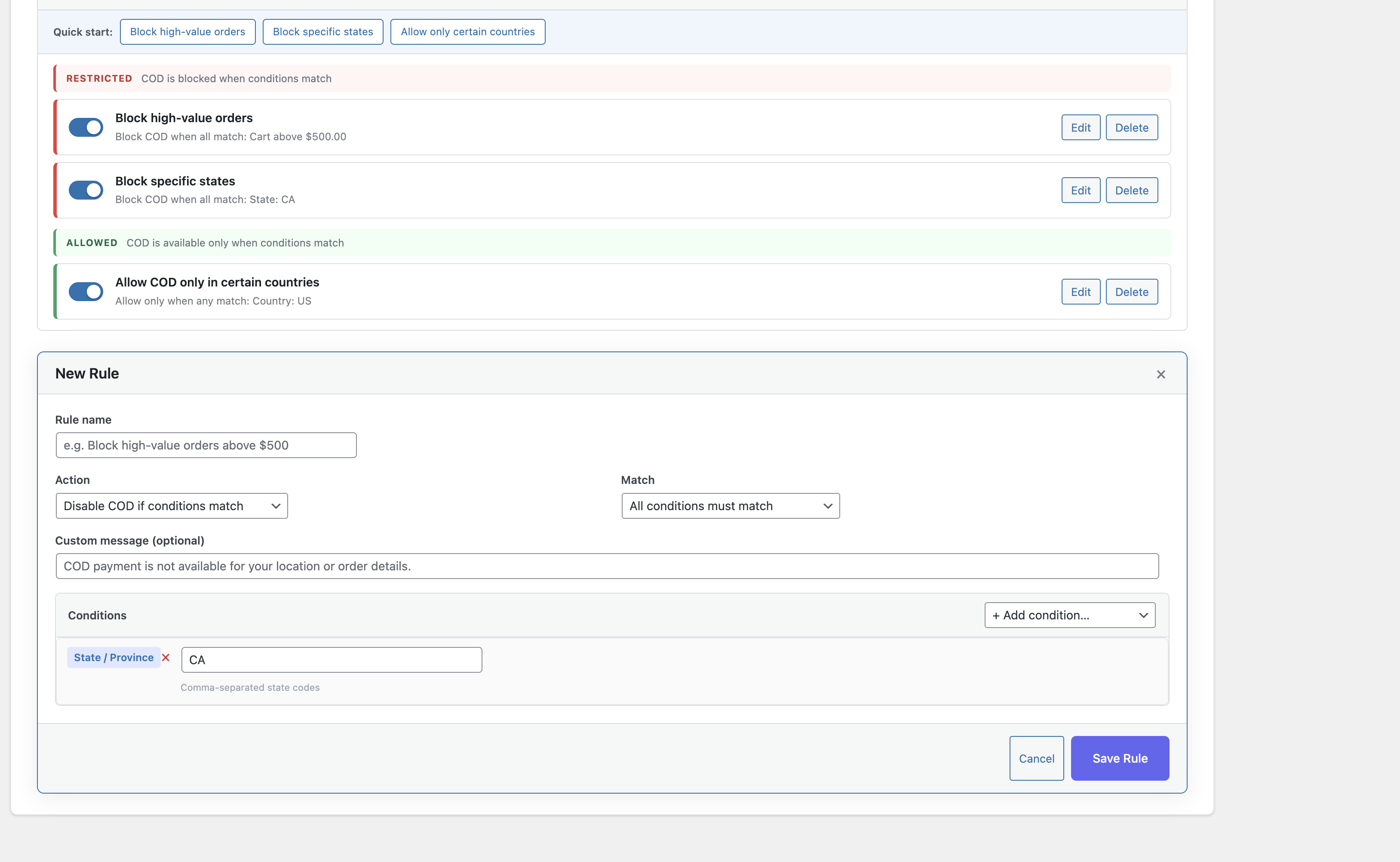
Visual Rule Builder — Create rules to block or allow COD based on conditions like cart value, country, state, postal code, schedule, user role, product, category, coupon, or weight. No code needed.
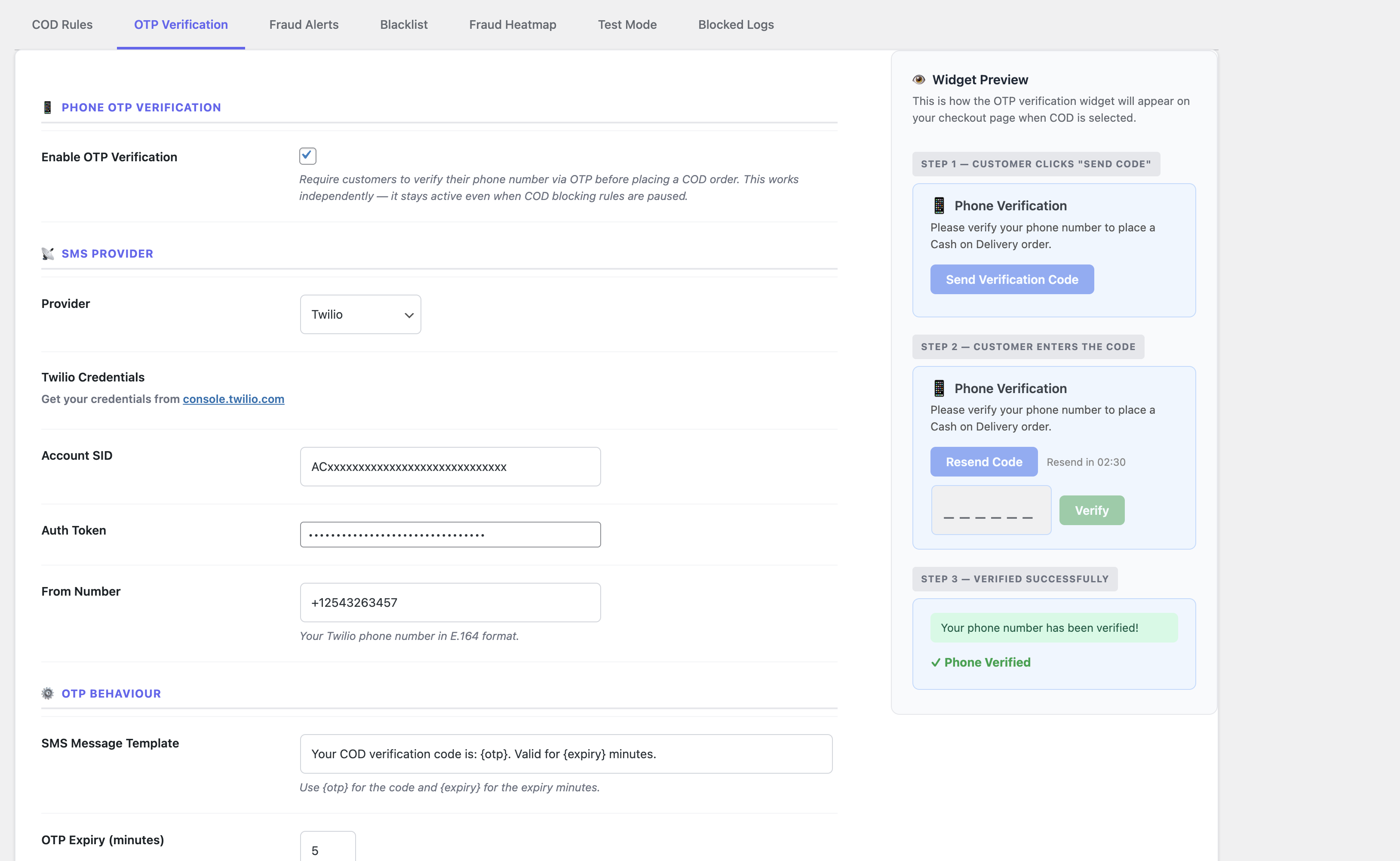
OTP Phone Verification — Customers verify their phone number via SMS before placing a COD order. Supports Twilio, Vonage, and custom webhooks.
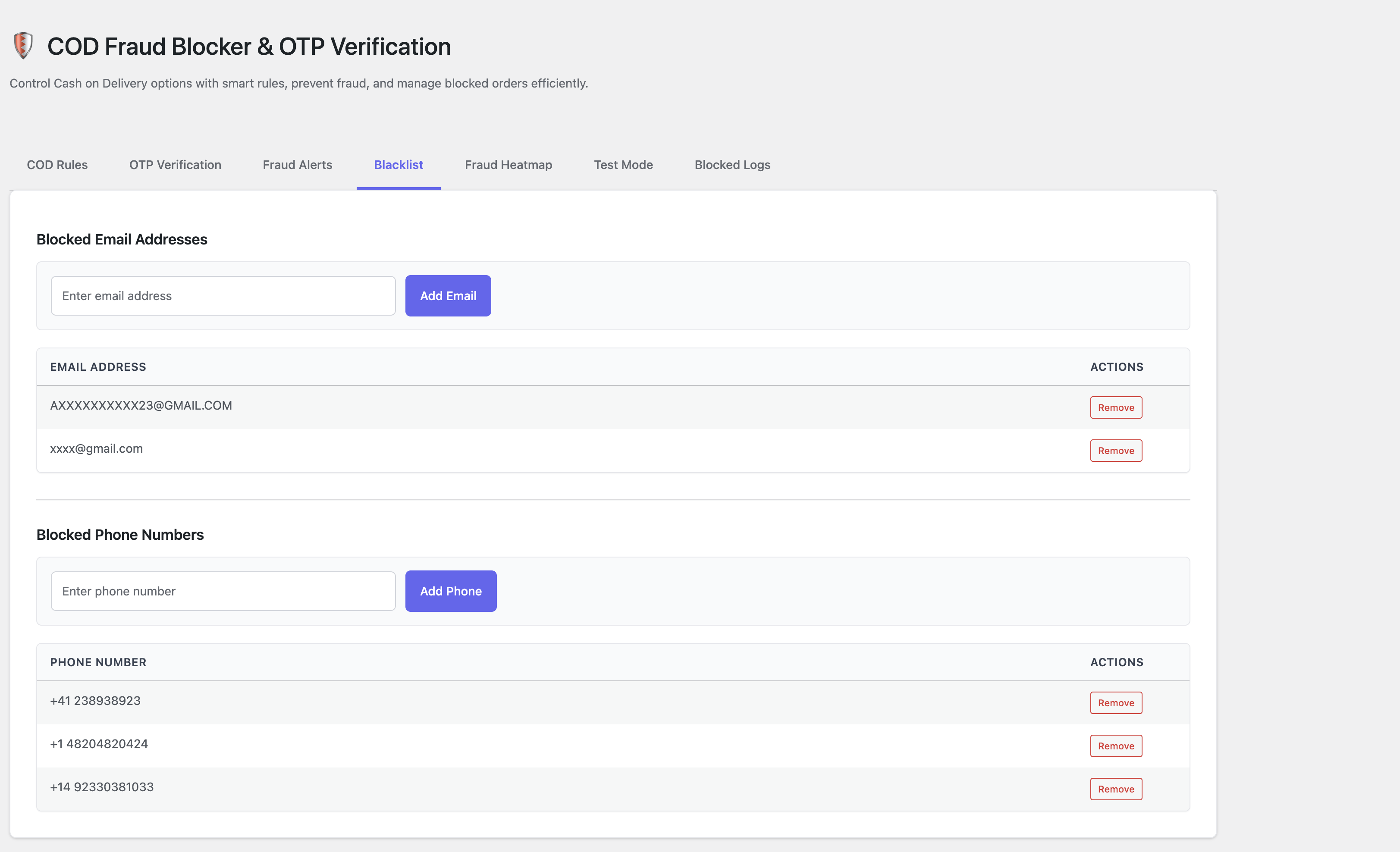
Auto-Blacklist — Automatically blocks customers who exceed a set number of failed deliveries or cancellations.
Manual Blacklist — Block any email or phone number with one click.
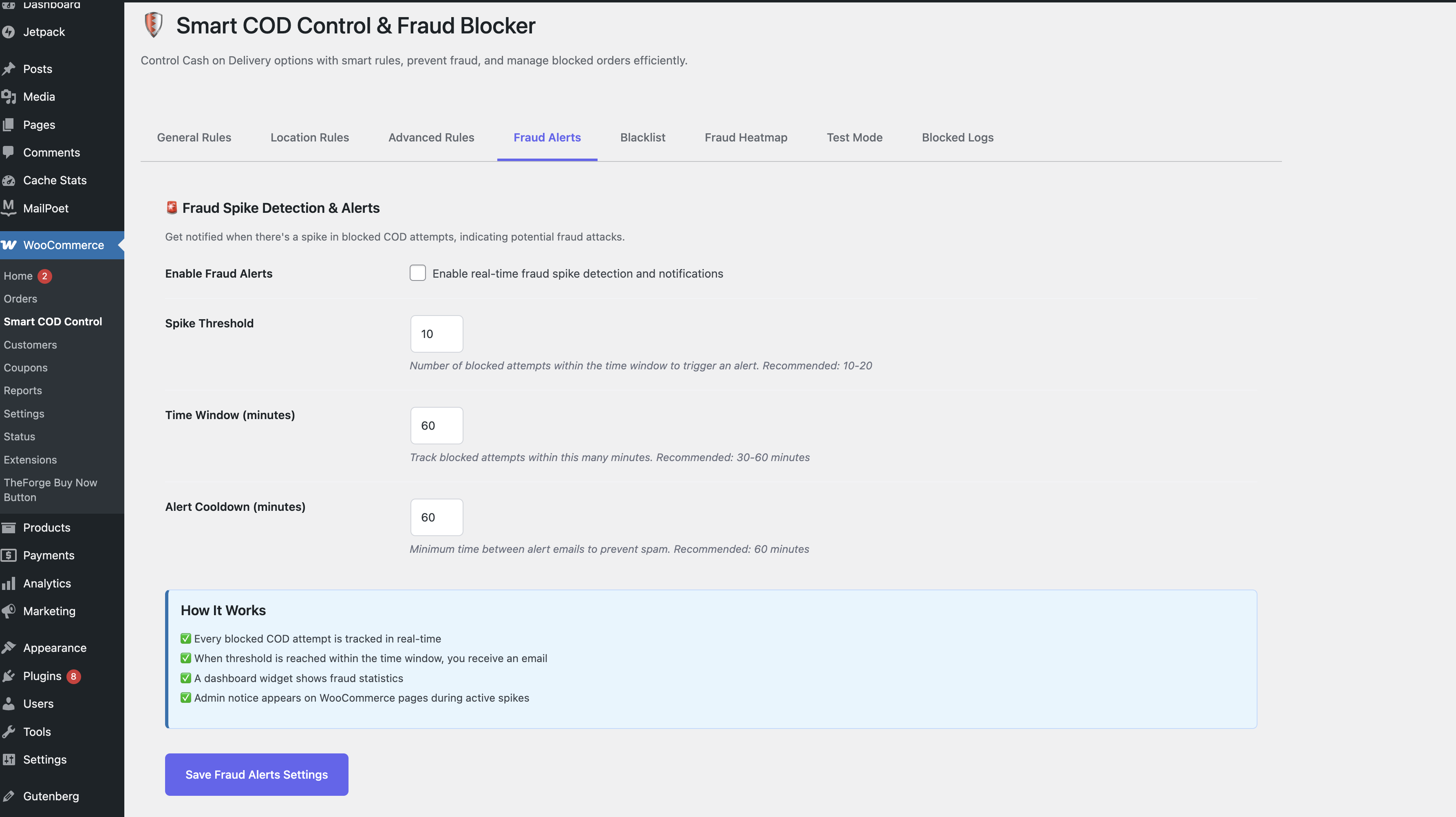
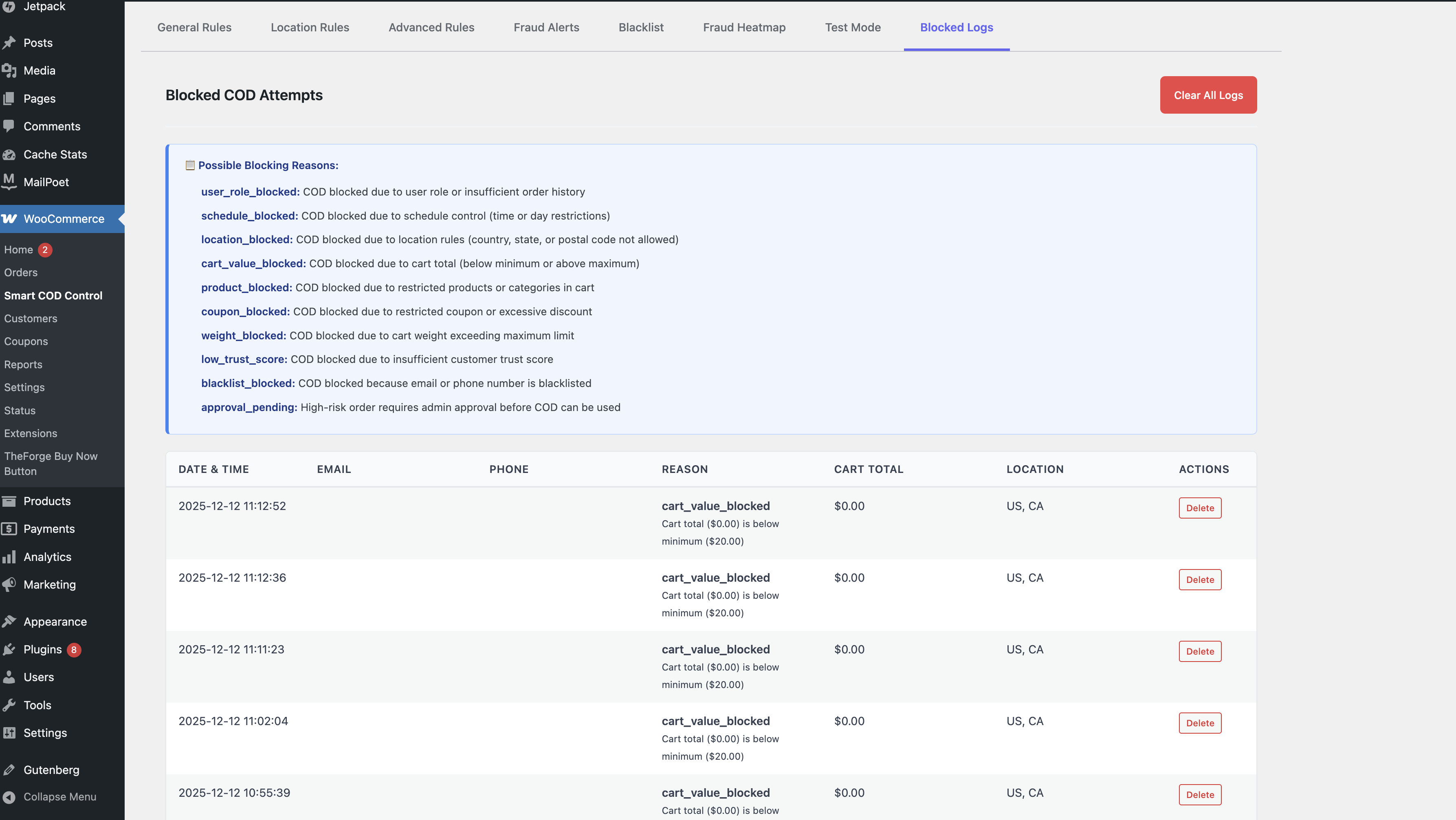
Fraud Logs — Every blocked attempt is logged with full detail — who, what, where, and why.
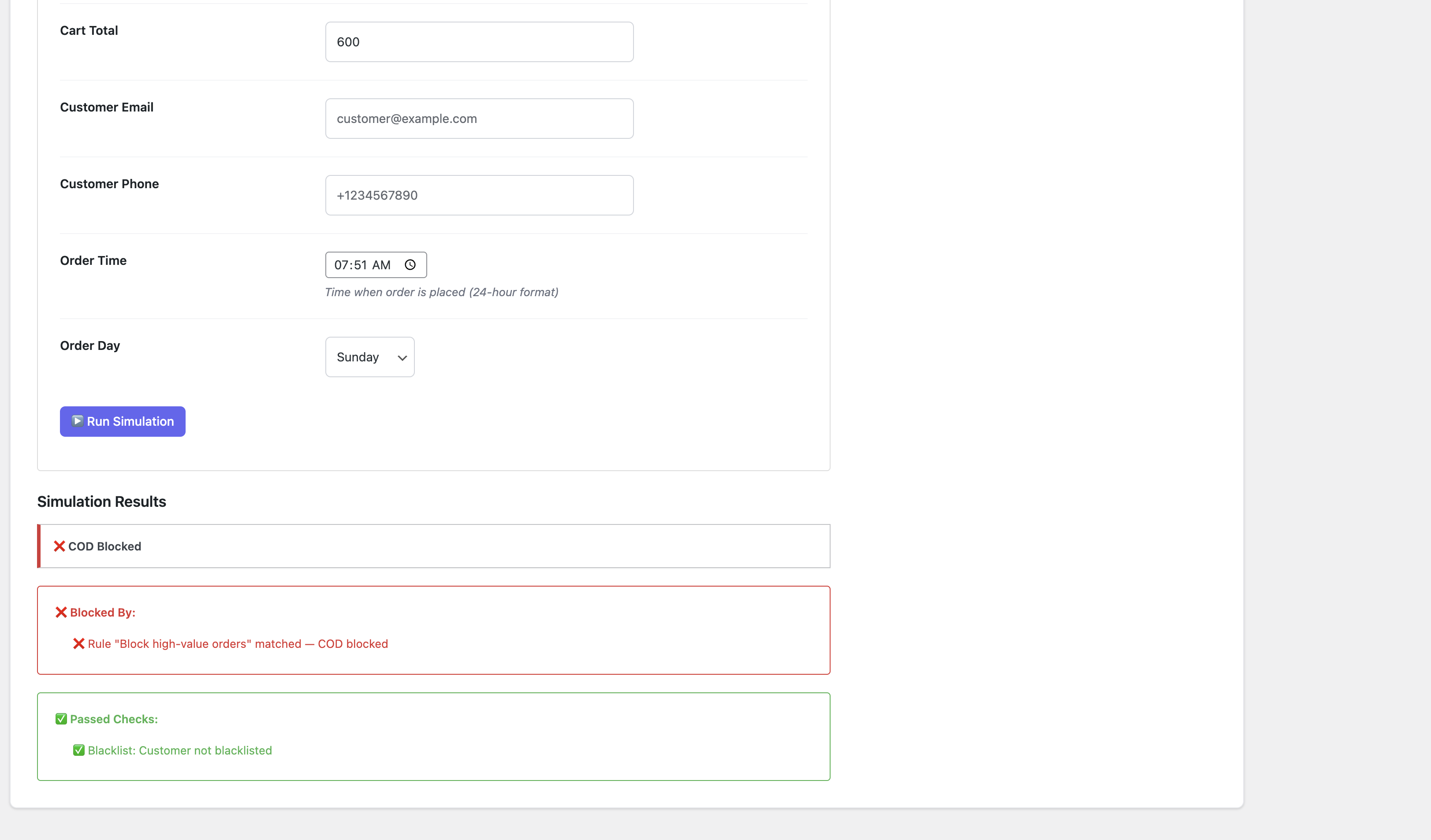
Test Simulator — Test your rules against any scenario before going live.
Admin Approval — Hold suspicious orders for manual review.
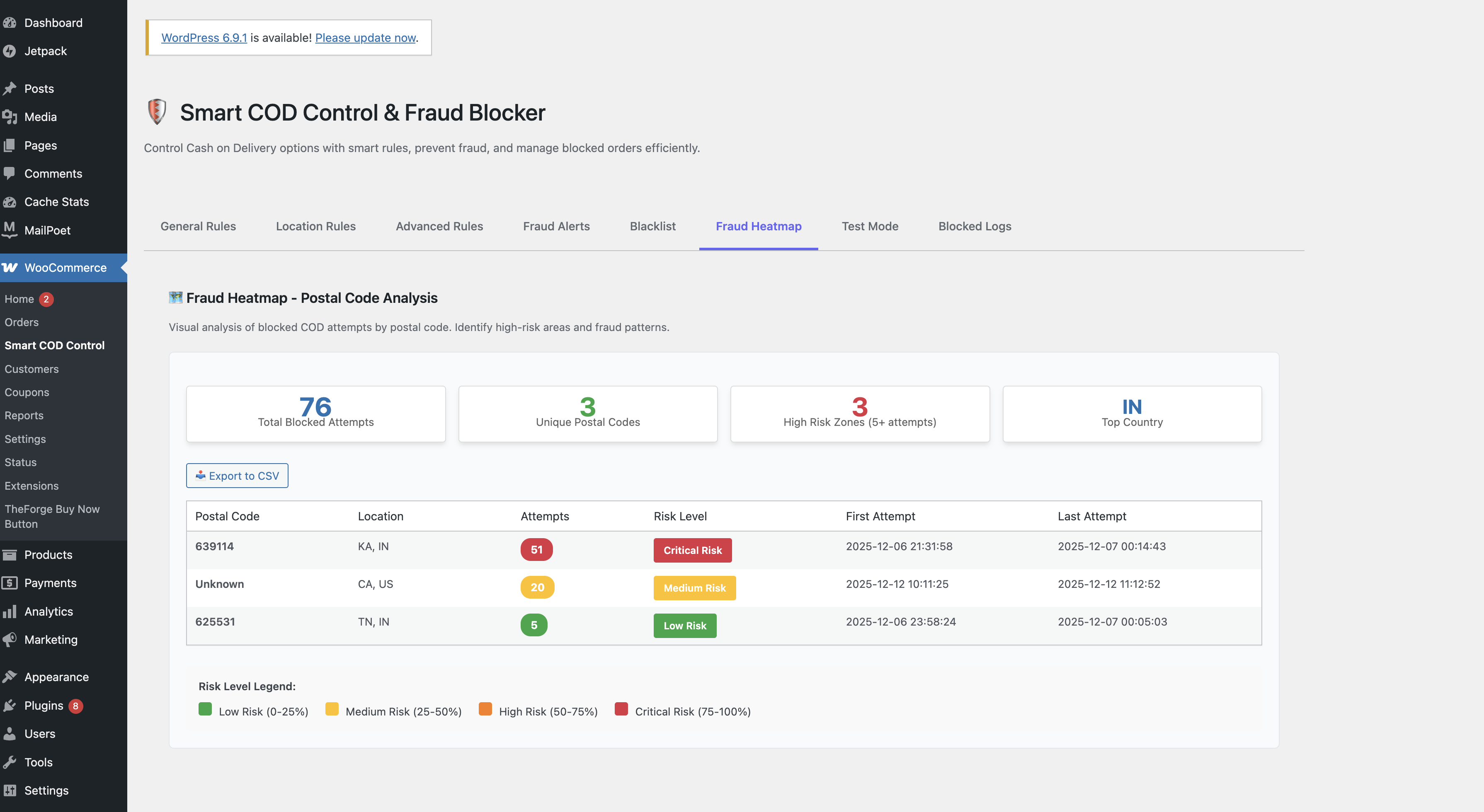
Fraud Heatmap — See where COD fraud is coming from geographically.
How Rules Work
Go to WooCommerce → Smart COD Control → COD Rules.
- Click Add New Rule (or pick a quick-start preset)
- Choose action: Block COD when conditions match, or Allow COD only when conditions match
- Choose match mode: All conditions must match (AND), or any one condition (OR)
- Add conditions and save
安装:
- Go to Plugins → Add New and search for "Smart COD Control"
- Install and activate
- Go to WooCommerce → Smart COD Control
- Enable the plugin and create your first rule
屏幕截图:
常见问题:
Does this require WooCommerce?
Yes. WooCommerce 5.0 or higher.
If I have no rules, is COD still available?
Yes. Rules only restrict availability. No rules = COD available for everyone.
What is OTP verification?
A 6-digit code is sent to the customer's phone via SMS. They must enter it before placing a COD order. Supports Twilio, Vonage, and any custom webhook.
Does OTP work with Block Checkout?
Yes. Works with both Classic and Block checkout.
Can I test rules without affecting real customers?
Yes. Use the Test Simulator tab to simulate any order scenario.
Will this slow down my store?
No. The plugin only runs at checkout.
What happens when I delete the plugin?
All data is permanently removed via uninstall.php.
Is it HPOS compatible?
Yes. Fully compatible with WooCommerce High-Performance Order Storage.
Does it send data externally?
Only OTP SMS — sent via your chosen provider. Nothing else leaves your server.
更新日志:
1.4.2 - 2026-04-22
- NEW: Setup wizard on first activation — get running in 60 seconds
- NEW: 7-day review nudge (shows only if at least one order was blocked)
- NEW: Deactivation survey — local-only, no data sent externally
- NEW: 🚨 fraud badge on WooCommerce orders list for flagged orders
- NEW: Dashboard widget — today / week / all-time blocked order counts
- Confirmed compatibility with WordPress 6.9 and WooCommerce 10.6.0
- NEW: COD Rules tab split into two sections — Simple Settings (quick toggles) and Custom Rules (rule builder)
- NEW: Simple Settings — one-click rules for block above $X, block below $X, and allow only one country; all disabled by default
- NEW: Custom Rules take priority over Simple Settings — allow_only rules act as explicit exceptions that bypass simple settings
- NEW: Condition picker redesigned as a card panel grouped by category (Cart, Location, Customer, Product, Time) with icons and descriptions
- NEW: General Settings tab now shows the COD enable/disable toggle and blocked message settings (previously on COD Rules tab)
- FIX: Hide message toggle alignment — was broken by a conflicting label CSS rule inside the message bar
- FIX: Add Condition dropdown (now picker panel) click not working — was using prop(hidden) instead of show/hide
- FIX: Quick Start presets and template cards now correctly open the rule editor — a deployment error in 1.3.2 had shipped an older rule-builder.js missing the preset functionality
- FIX: General, Location, and Advanced tab settings (min/max cart, schedule, countries, states, postcodes, roles, products, categories, coupons, weight) were silently ignored at checkout since 1.3.0 — all now enforced correctly
- FIX: Weight rule condition was inverted — was matching orders above the max weight instead of within range
- FIX: OTP "please verify" error no longer appears alongside "no payment methods" when COD is blocked by a rule
- FIX: Plugin toggle (enable/disable) no longer resets blocked message, colors, and cart limits to defaults
- FIX: Color/message Save button no longer disables the plugin
- FIX: First rule now appears immediately after saving without requiring a page refresh
- NEW: Visual COD Rule Builder with block and allow-only rule groups
- NEW: 11 condition types — cart, location, schedule, role, product, category, coupon, weight
- NEW: AND/OR logic with live connector badges between conditions
- NEW: Quick-start preset templates and empty-state preset cards
- NEW: Rule test simulator rewritten to evaluate actual saved rules
- NEW: OTP verification widget live preview in admin settings
- FIX: Blocked message text and colors now correctly applied on frontend
- FIX: Ajax COD check uses rule-resolved message
- NEW: OTP phone verification (Twilio, Vonage, custom webhook)
- NEW: Configurable OTP expiry, max attempts, message template
- NEW: 60-second resend cooldown
- NEW: Schedule, user role, product, category, coupon, weight rules
- NEW: Behavior risk scoring, admin approval, auto-blacklist
- NEW: Test simulator and fraud heatmap
- Initial release — location rules, cart value limits, COD fee, blacklist, fraud logs