
Theme Builder For Elementor
| 开发者 | theblockswp |
|---|---|
| 更新时间 | 2026年11月9日 01:33 |
| PHP版本: | 7.4 及以上 |
| WordPress版本: | 7.1 |
| 版权: | GPLv2 or later |
| 版权网址: | 版权信息 |
详情介绍:
- Go to Theme Builder › Templates and click New template – or start from a ready-made design in the Template Library.
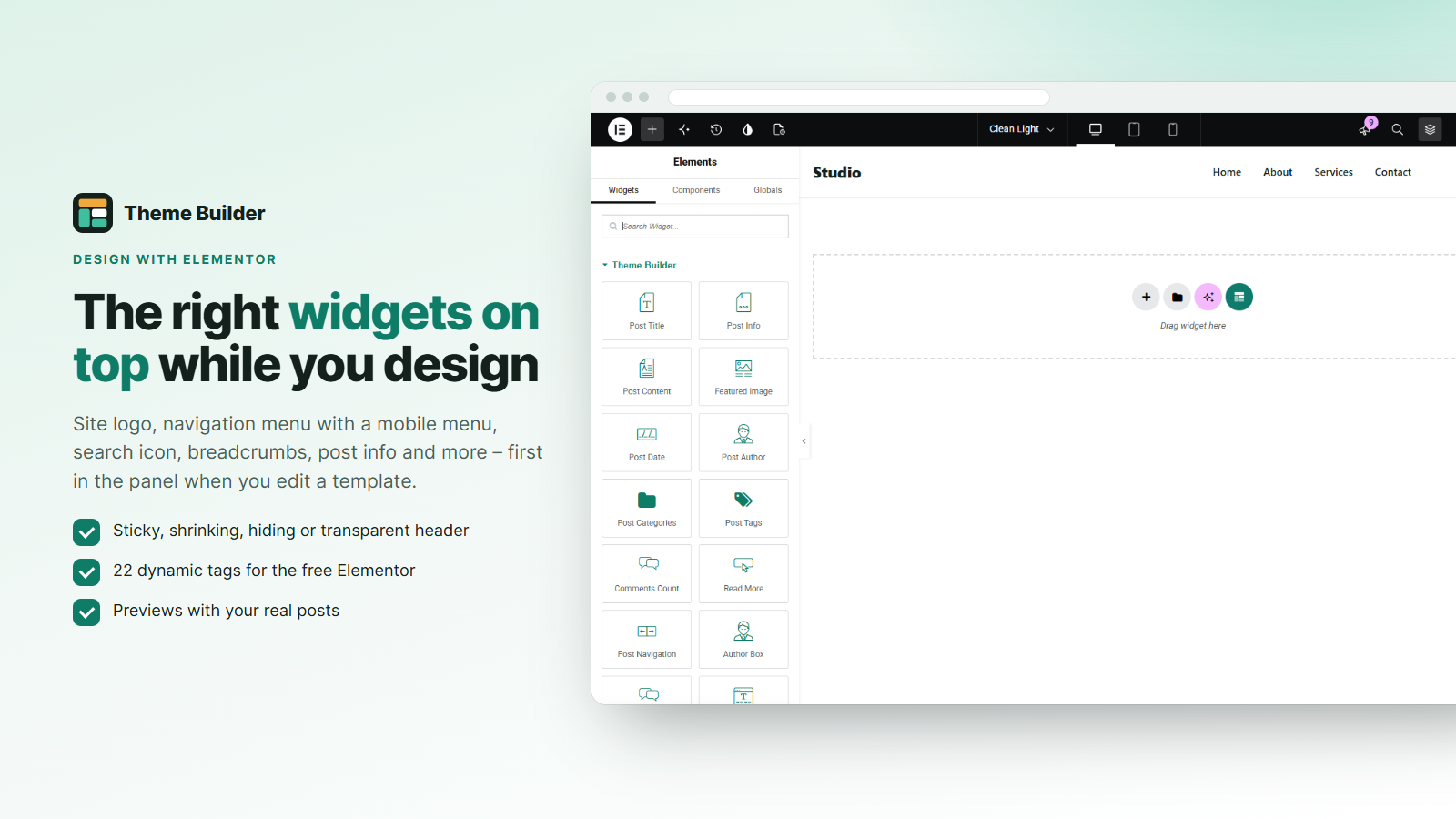
- Design it in Elementor with the widgets of the plugin: site logo, navigation menu, post title, posts grid and many more.
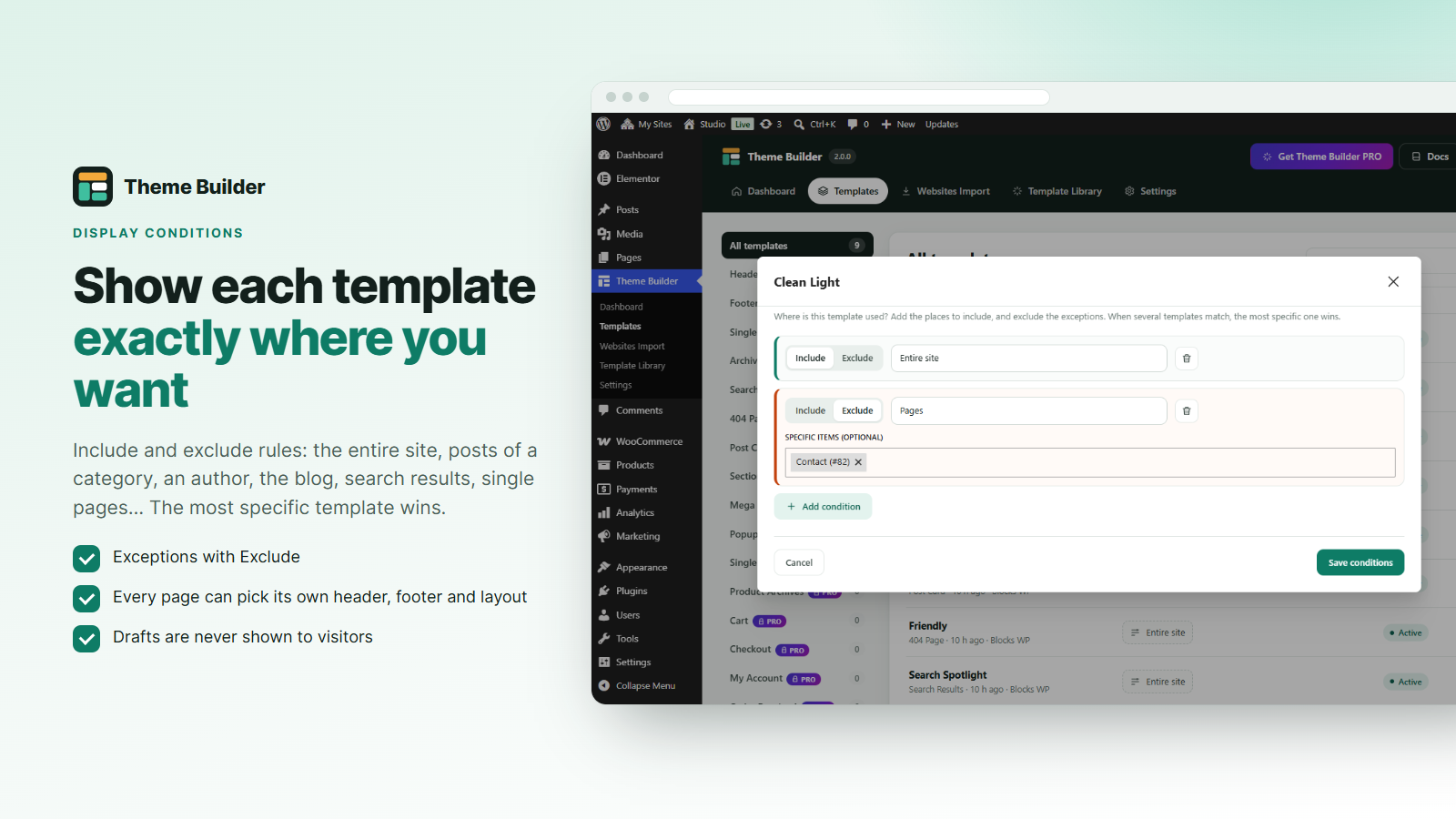
- Set its display conditions – the entire site, all posts, one category, the blog, search results… – and publish.
- Header and footer – for the whole site or only for some pages
- Single – the layout of posts, pages and custom post types
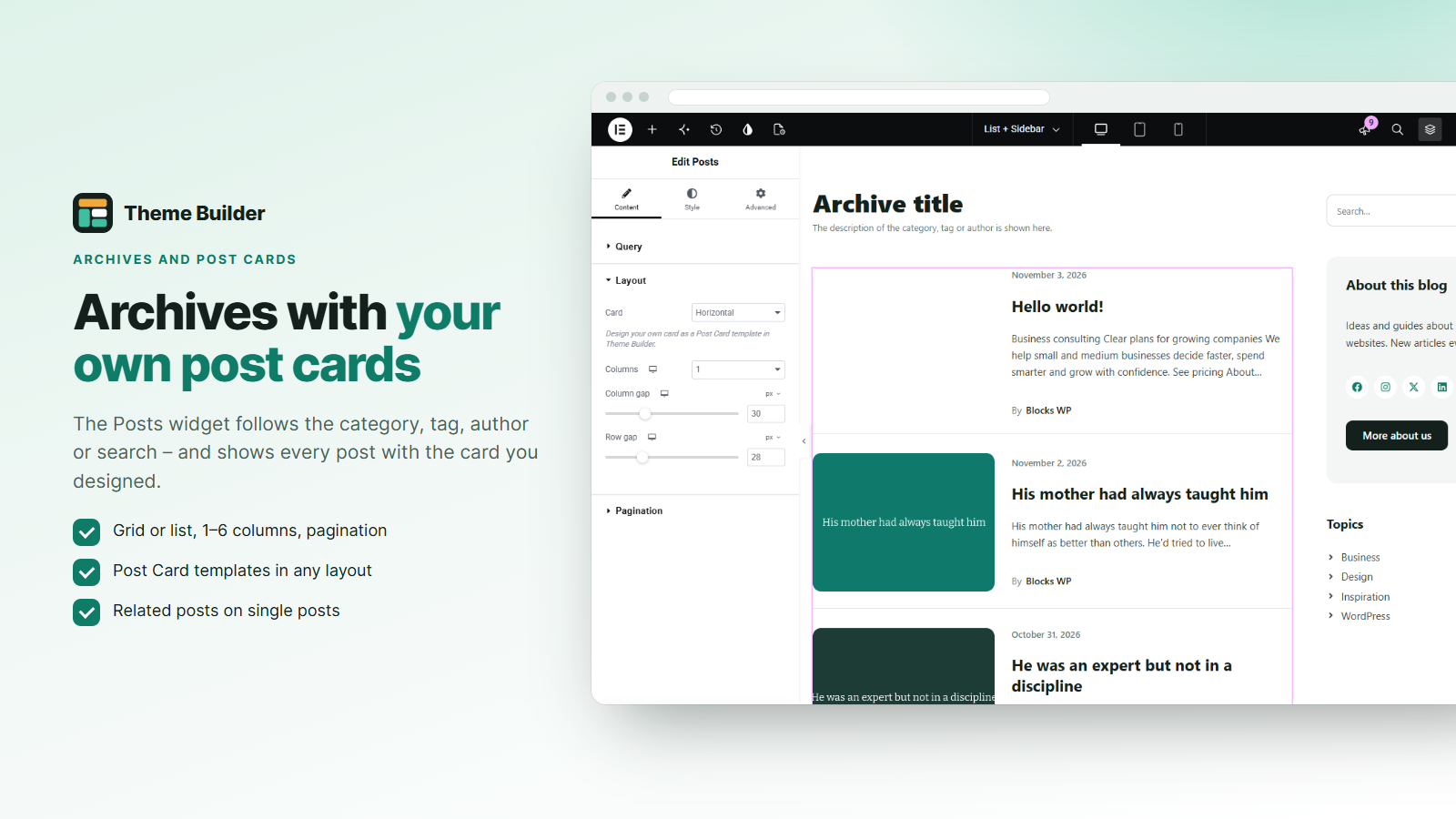
- Archive – the blog, categories, tags, authors and dates
- Search results and the 404 page
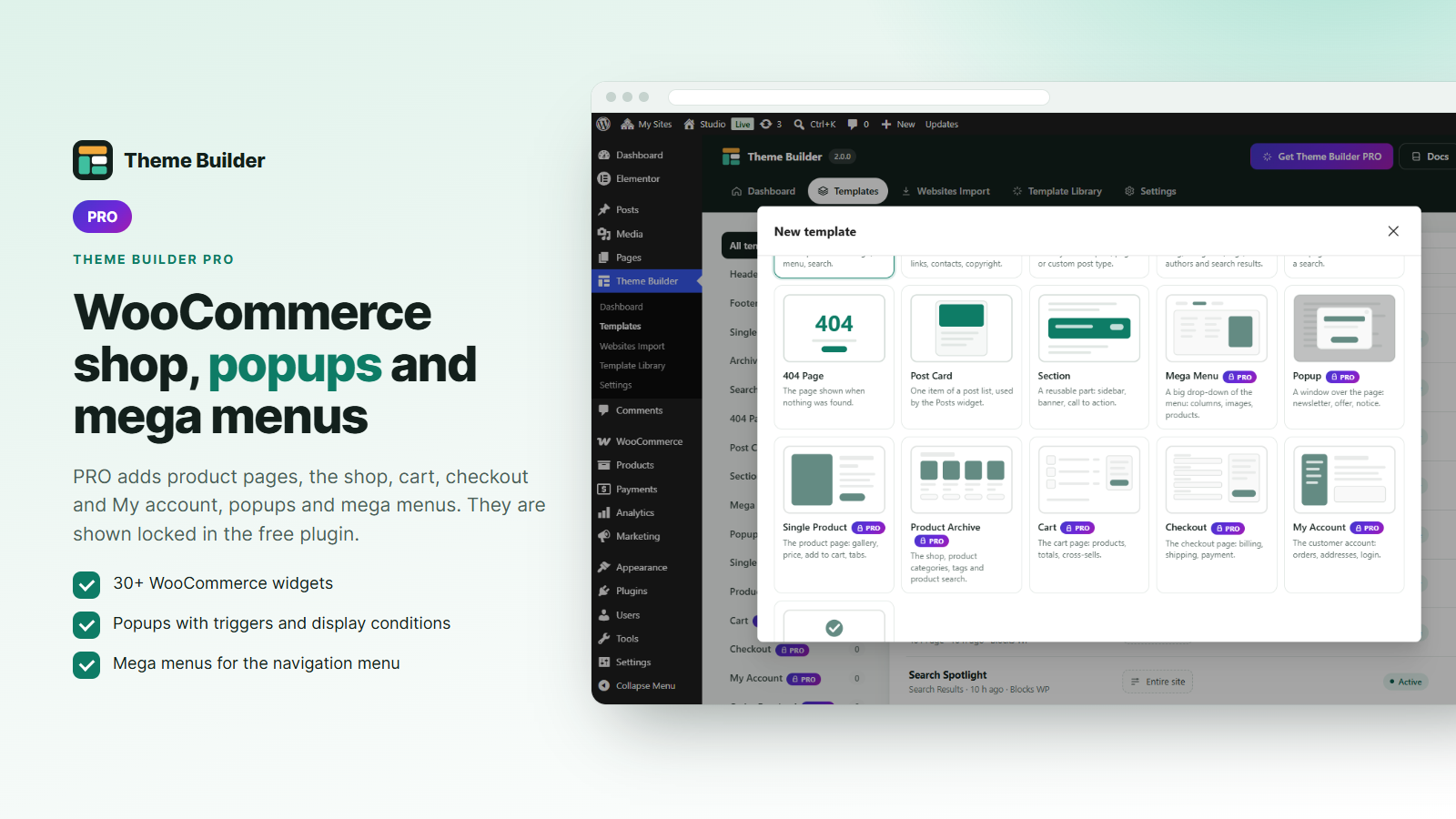
- Post Card – your own design of one post in a list, used by the Posts widget
- Section – reusable parts such as a sidebar, a call to action or the slides of a slider
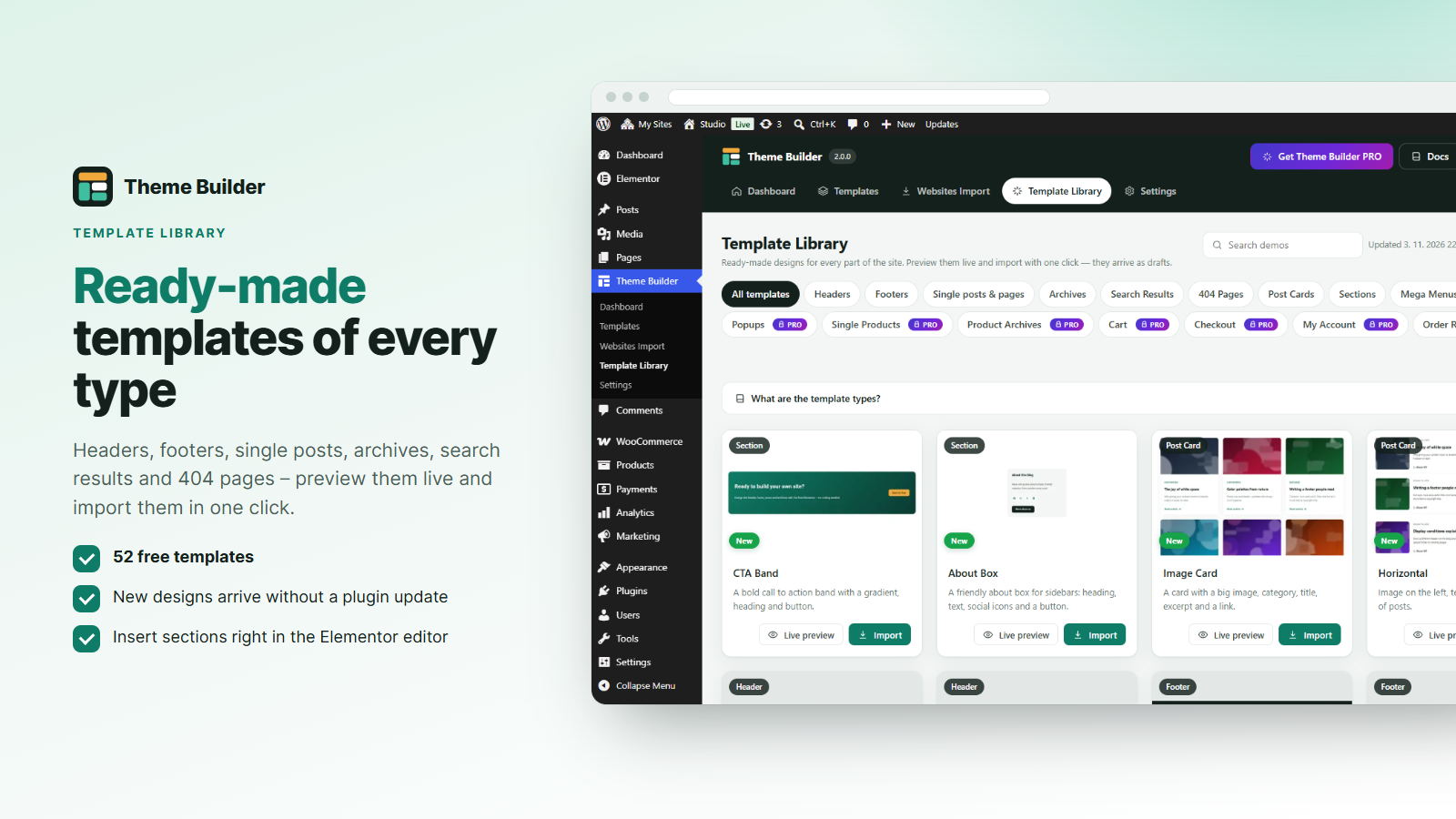
- Template Library – ready-made headers, footers, single posts, archives, search and 404 pages, post cards and sections. Preview them live and import them as drafts in one click, or insert a section right in the Elementor editor.
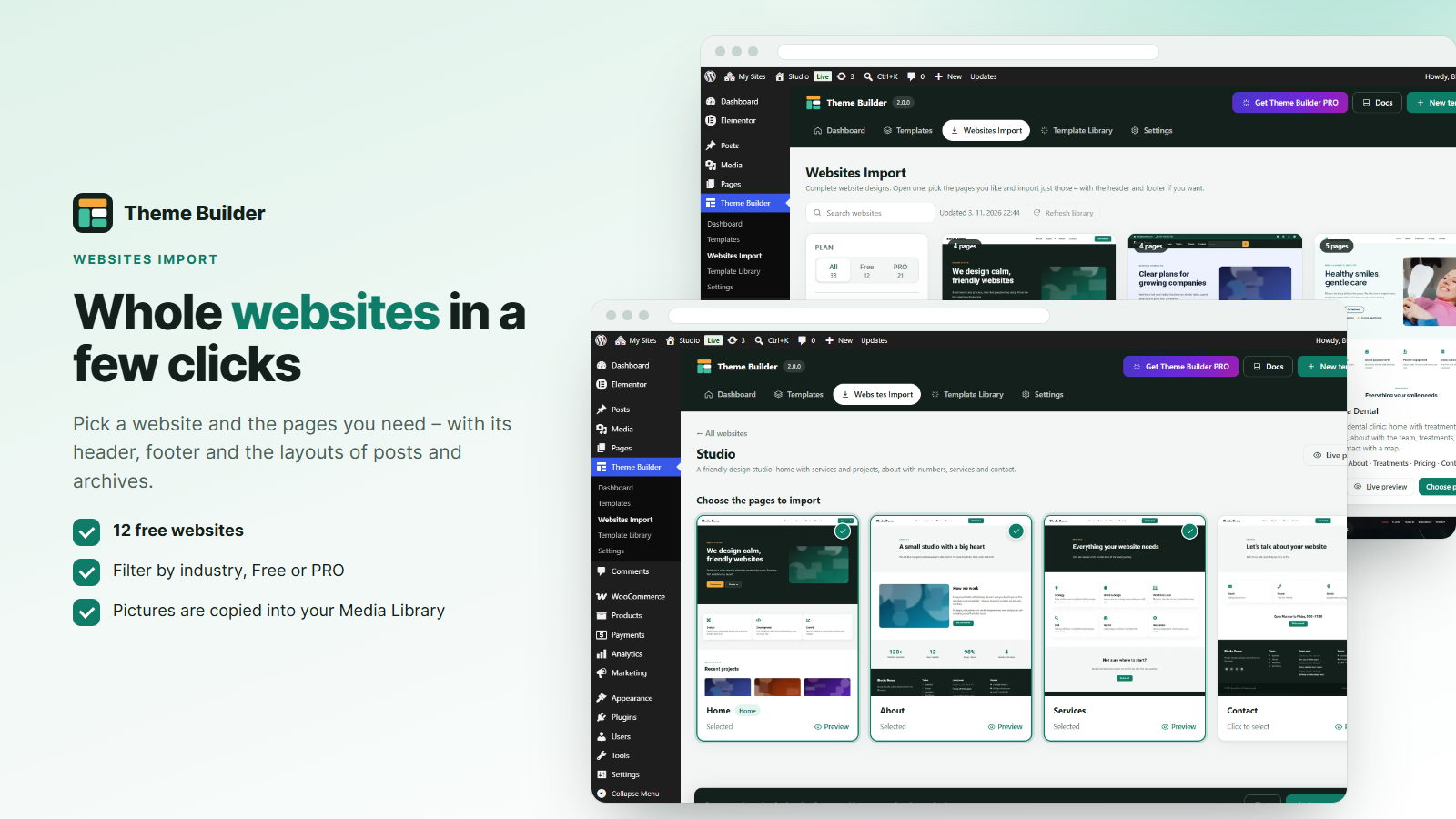
- Websites Import – complete websites. Filter them by industry, Free or PRO, open one, pick the pages you need and import them with the header, the footer and the layouts of posts and archives.
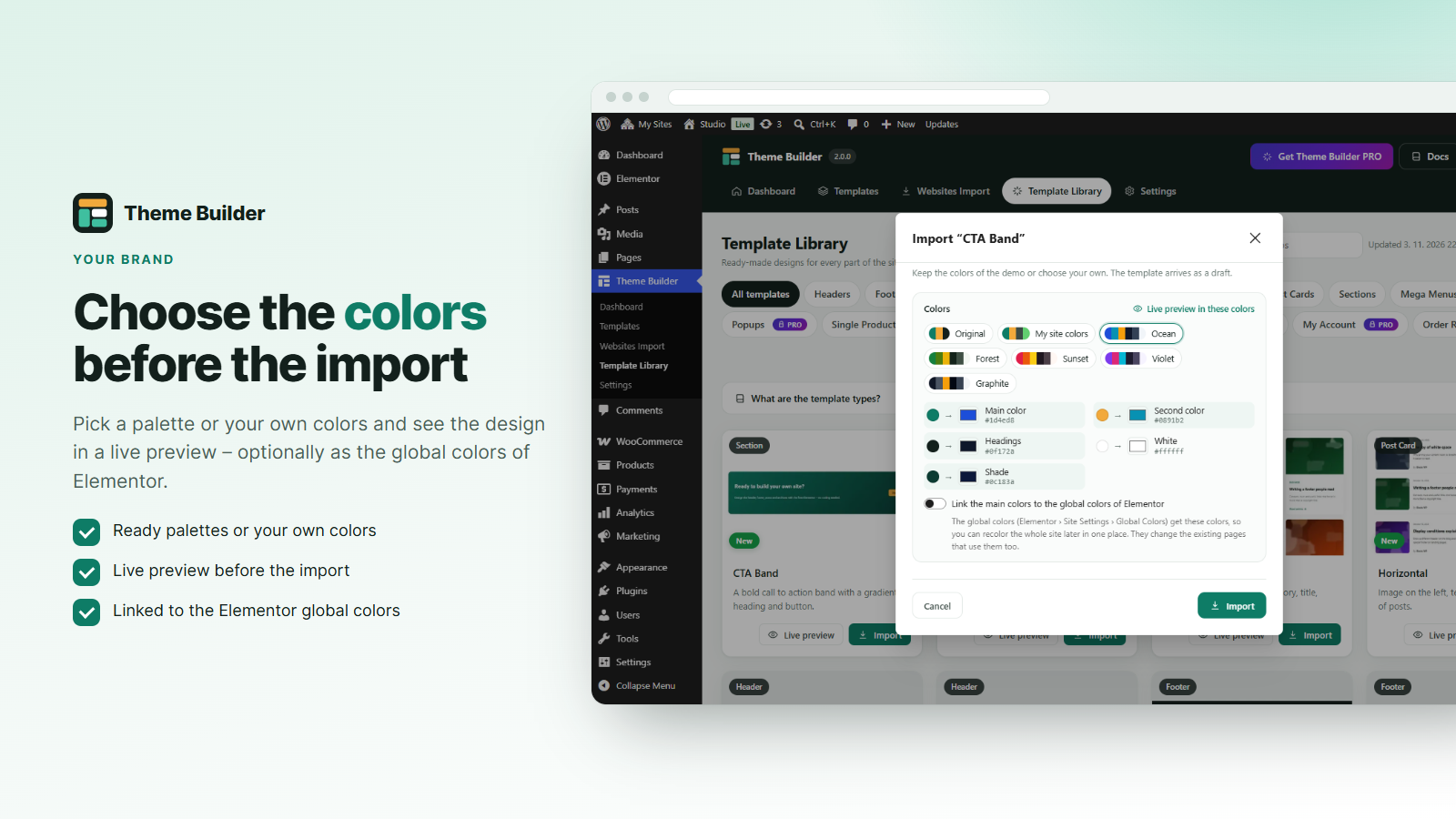
- Your colors – keep the colors of a demo or choose a palette or your own colors in a live preview before the import, optionally as the global colors of Elementor.
- New designs appear without a plugin update, with a short notice in the dashboard showing the newest ones.
npm install, then npm run build). The other files of the plugin are not compiled; the .min.css and .min.js files are minified copies of the files next to them.
安装:
- Install and activate Elementor (the free version is enough).
- Go to Plugins › Add New, search for Theme Builder For Elementor, install and activate it.
- Open Theme Builder: create a template or import one from the Template Library, design it with Elementor and set its display conditions. Step-by-step guides: Getting started.
屏幕截图:
常见问题:
Is Elementor Pro required?
No. The plugin is built for the free Elementor. Its widgets and dynamic tags work without Elementor Pro.
Does it work with my theme?
Yes. It replaces the header, footer and content of classic themes and the template parts of block themes. If a template looks different on the site than in the editor, Theme Builder › Settings › Tools › Regenerate CSS helps; more in the troubleshooting guide.
How do I make the blog and category pages?
Create an Archive template with the Archive Title and Posts widgets. Set the Posts widget to Current query, so it shows the posts of the category, tag, author or search the visitor opened, and choose where the template is shown in the display conditions.
How do I change how one post looks in the list?
Create a Post Card template, design one post with the Post Image, Post Title, Post Date and Read More widgets, and choose it as the Card template of the Posts widget. Every post in the list is shown with your card.
Will an import change my existing pages?
No. Templates are imported as drafts and websites as new pages. An existing page is changed only when you import a design into it from its editor, and you are asked first.
Does it work without an internet connection?
Your templates do. The Template Library and Websites Import need our demo site (see "External services") and can be turned off in Theme Builder › Settings.
I used version 1. What happens with my templates?
They are moved automatically, with the same IDs and designs. Your settings become display conditions and the choices of single pages stay. Nothing of version 1 is deleted: Theme Builder › Settings › Return to version 1 gives the templates back, if you ever need to install 1.2.5 again.
Can I use it with Elementor Pro's theme builder?
Use only one theme builder for the same part of the site.
更新日志:
- Fix: after a Websites Import the buttons in sliders, section templates and post cards link to your site, not to the demo site.
- Fix: the Breadcrumbs widget uses the breadcrumbs of Yoast SEO or Rank Math only when they are switched on there, otherwise its own trail.
- Fix: Single and Archive templates for the blog are no longer used for WooCommerce products, the shop and product categories.
- Fix: themes that print their own header or footer through hooks (e.g. Envo One) no longer show it next to the header or footer of the plugin.
- Fix: header, footer and content of the plugin are no longer changed by theme styles (e.g. Royal Elementor Kit, PopularFX).
- Fix: on pages the theme renders, its content container is kept with the header and footer of the plugin.
- Fix: post cards of the Posts widget are no longer boxed again by the theme (e.g. Astra).
- New: completely rewritten plugin with a new administration.
- New: display conditions with include and exclude rules.
- New: works with any theme, also block themes.
- New: Posts widget, navigation menu, breadcrumbs, post navigation, author box, comments, archive title, site logo, site title, search form, copyright and section template widgets.
- New: Advanced Heading, Post Info, Share Buttons, Table of Contents, Reading Progress, Back to Top and Slider widgets.
- New: Template Library with live previews and one-click import, and Websites Import of whole websites with their header, footer and layouts.
- New: insert sections, templates and demo pages from the library right in the Elementor editor.
- New: choose the colors of a demo before the import (presets, own colors, live preview), optionally linked to the global colors of Elementor.
- New: notice of new templates and websites in the dashboard, "New" badges and industry filters in the library.
- New: 22 dynamic tags for the free Elementor.
- New: sticky, shrinking, hiding and transparent header.
- New: related posts in the Posts widget, search form as an icon, number of results in the archive title, author box on author archives.
- New: Search Results, Post Card and Section templates.
- New: Canvas and Full width page layouts.
- New: the Elementor editor previews templates with real posts.
- Security: the demo import and all actions check permissions and nonces; all output is escaped.
- Templates are no longer public pages and are never indexed.
- Version 1 data is migrated automatically.
- Tested with WP 6.8
- Security update