Product Gallery Slider, Variation Images, Video, Zoom & Lightbox for WooCommerce - Easy Product Gallery
| 开发者 | themewant |
|---|---|
| 更新时间 | 2026年7月9日 12:36 |
| WordPress版本: | 7.0 |
| 版权: | GPLv2 or later |
| 版权网址: | 版权信息 |
详情介绍:
- Enable Additional Variation Images Gallery Slider
- Fully responsive and mobile-friendly design.
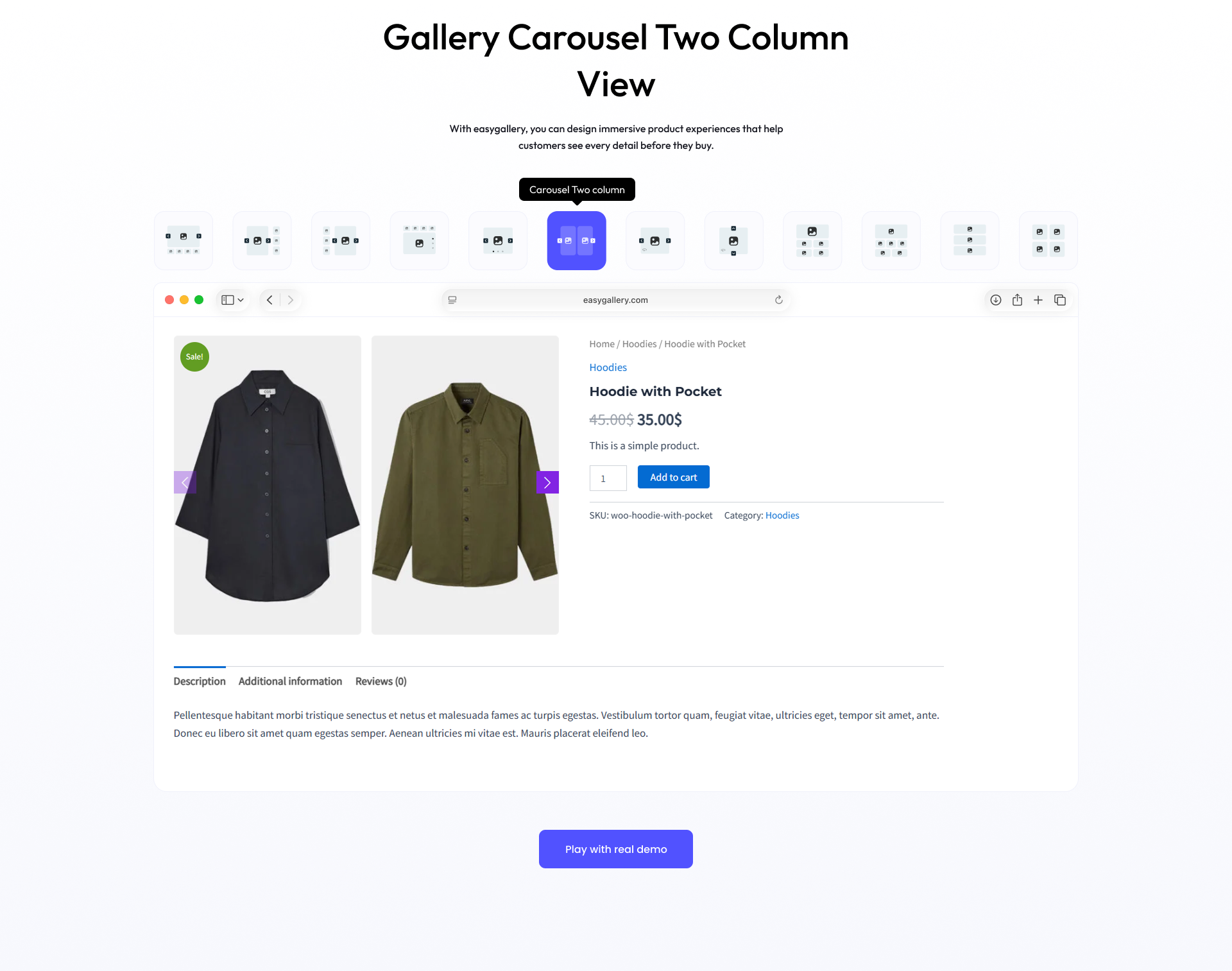
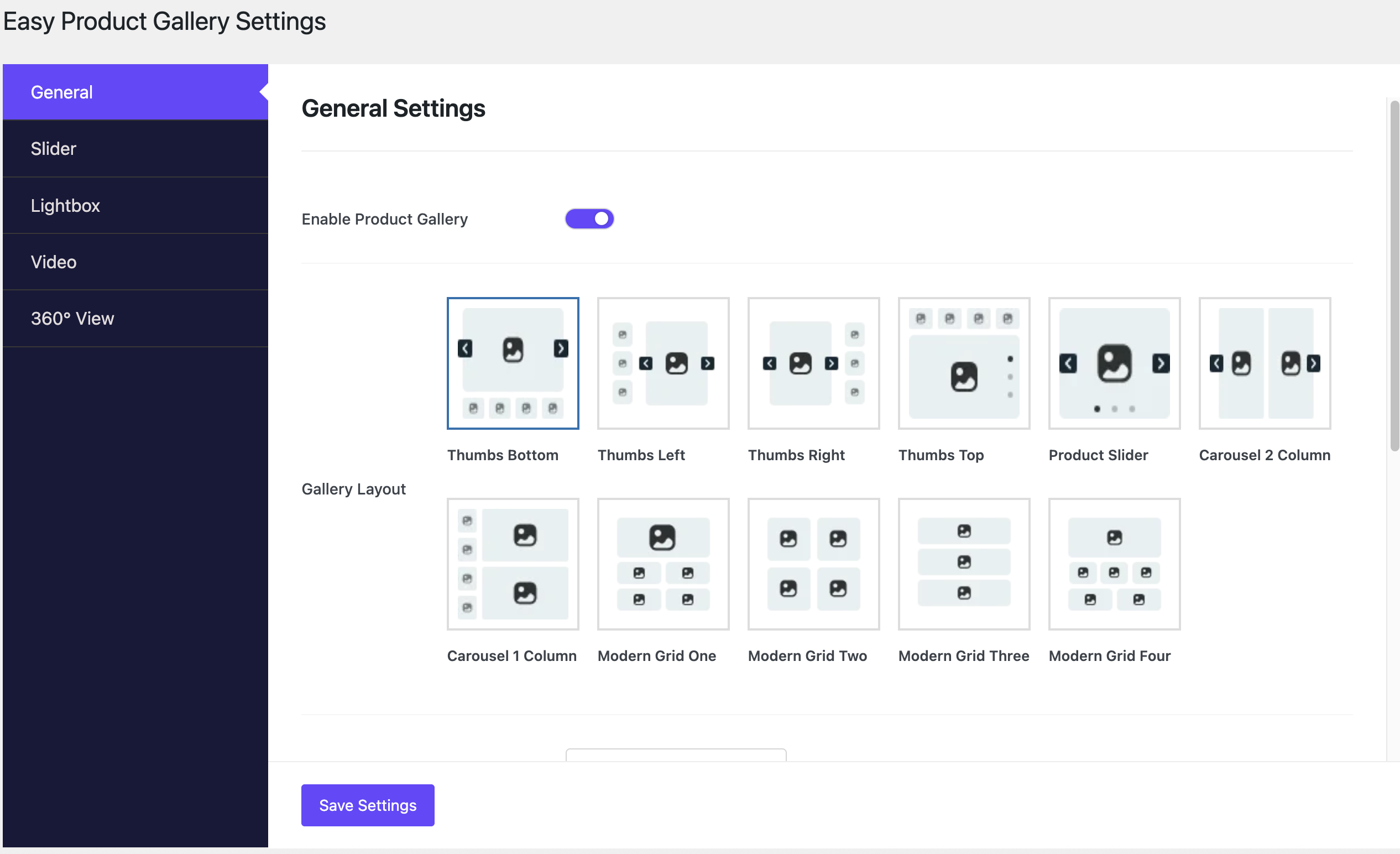
- Customizable gallery layout.
- Easy navigation with image zoom and lightbox support.
- Compatible with most WooCommerce themes.
- Lightweight and optimized for performance.
- Add Engaging Product Video Galleries
- Powerful Image Zoom for Better Product Detail View
- Smooth Lightbox Popup for Product Images
- Image 360 Degree view WooCommerce Product Gallery simplifies the process of enhancing your product pages with an engaging image gallery. Highlight product details with an interactive experience to boost customer confidence and sales. 🚀
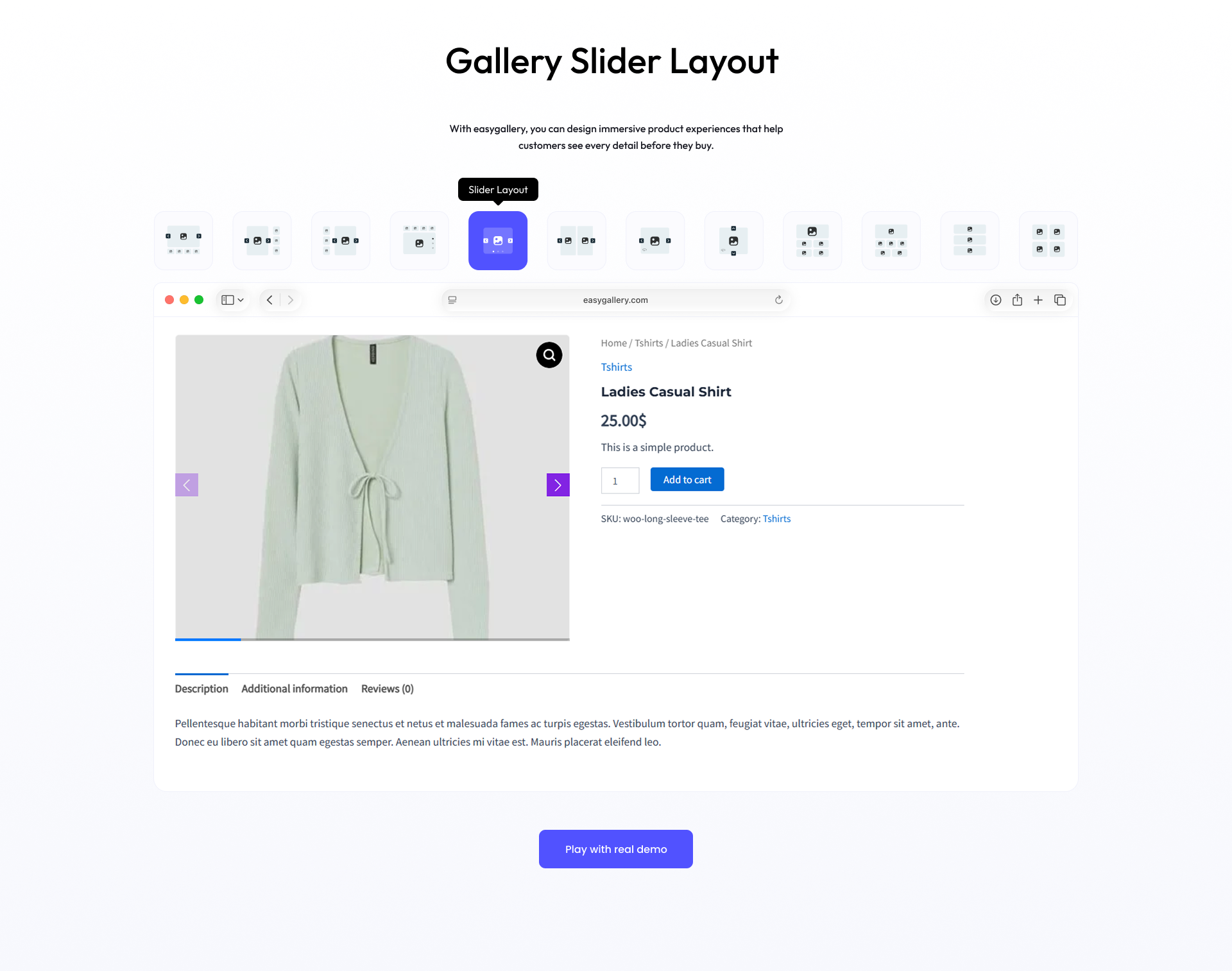
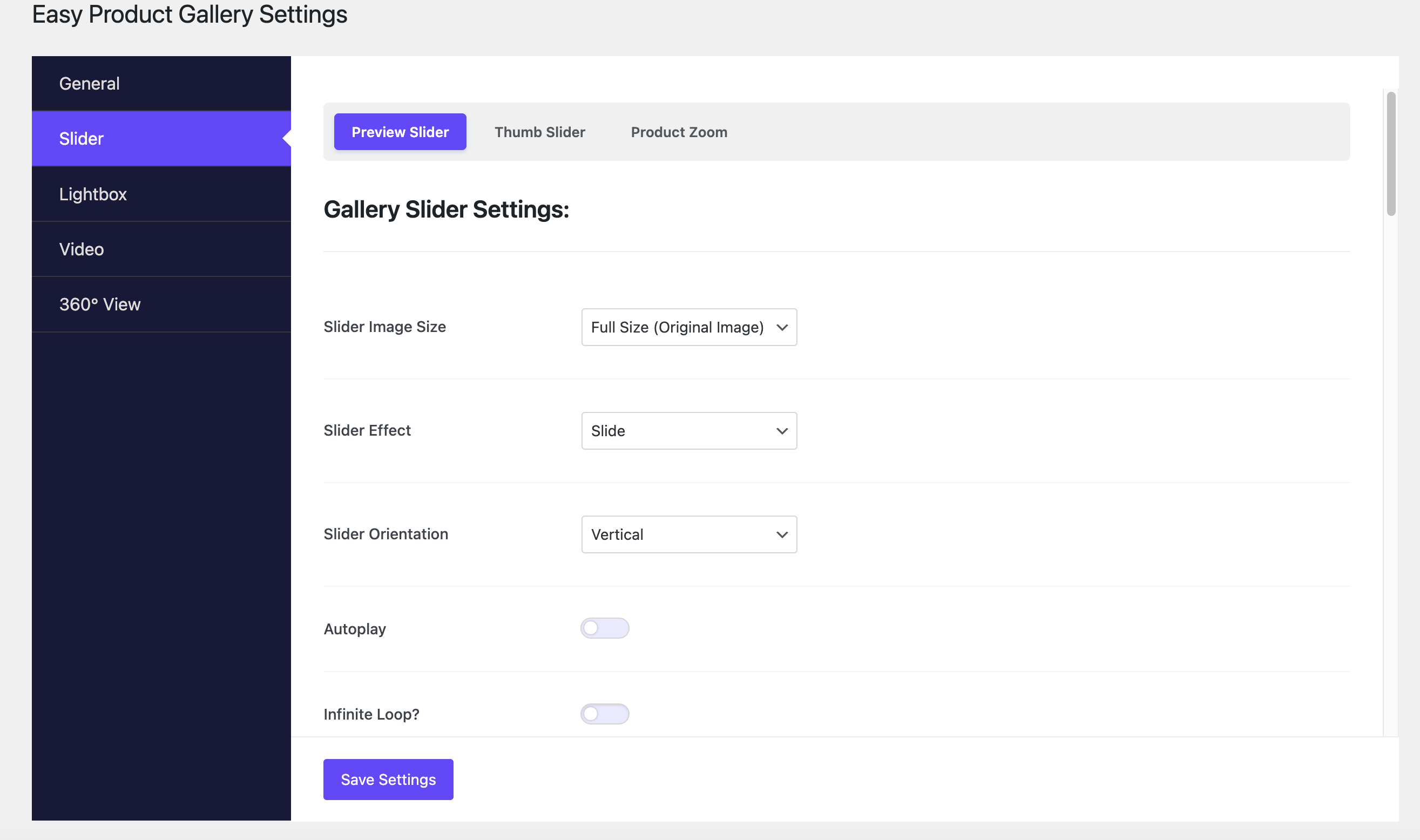
- Slide — Smooth horizontal or vertical sliding transition between product images
- Fade — Elegant fade-in and fade-out transition for a clean image switch
- Cube — 3D cube rotation effect for a dynamic product image transition
- Flip — 3D card-flip animation between product gallery images
- Creative — Unique creative transition animation for a standout gallery experience
- Set slider image size, height, and width for product images
- Choose slider transition effects (Slide, Fade)
- Enable autoplay and infinite loop for continuous image sliding
- Full RTL (Right-to-Left) language support
- Free mode scrolling without snap for natural browsing
- Adjust slider speed in milliseconds for precise control
- Enable mouse wheel control for desktop users
- Set overall slider size, padding, and margin
- Enable main product image navigation arrows
- Control thumbnail navigation visibility, color, hover color, and background
- Set navigation icon size for optimal UX
- Configure slides per view and slides gap
- Enable slider pagination with Dot and Fraction styles
- Customize pagination visibility, background, active background, and position
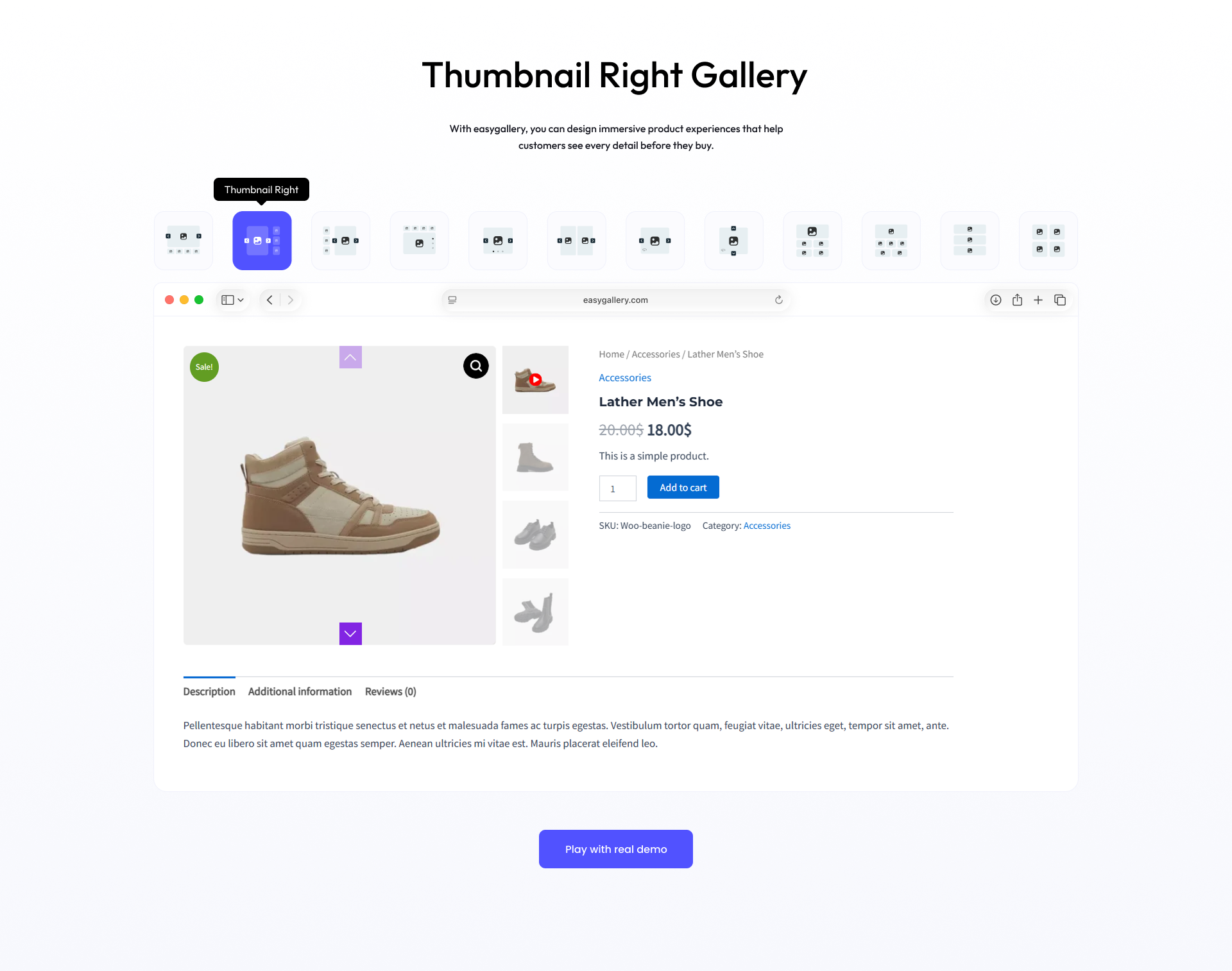
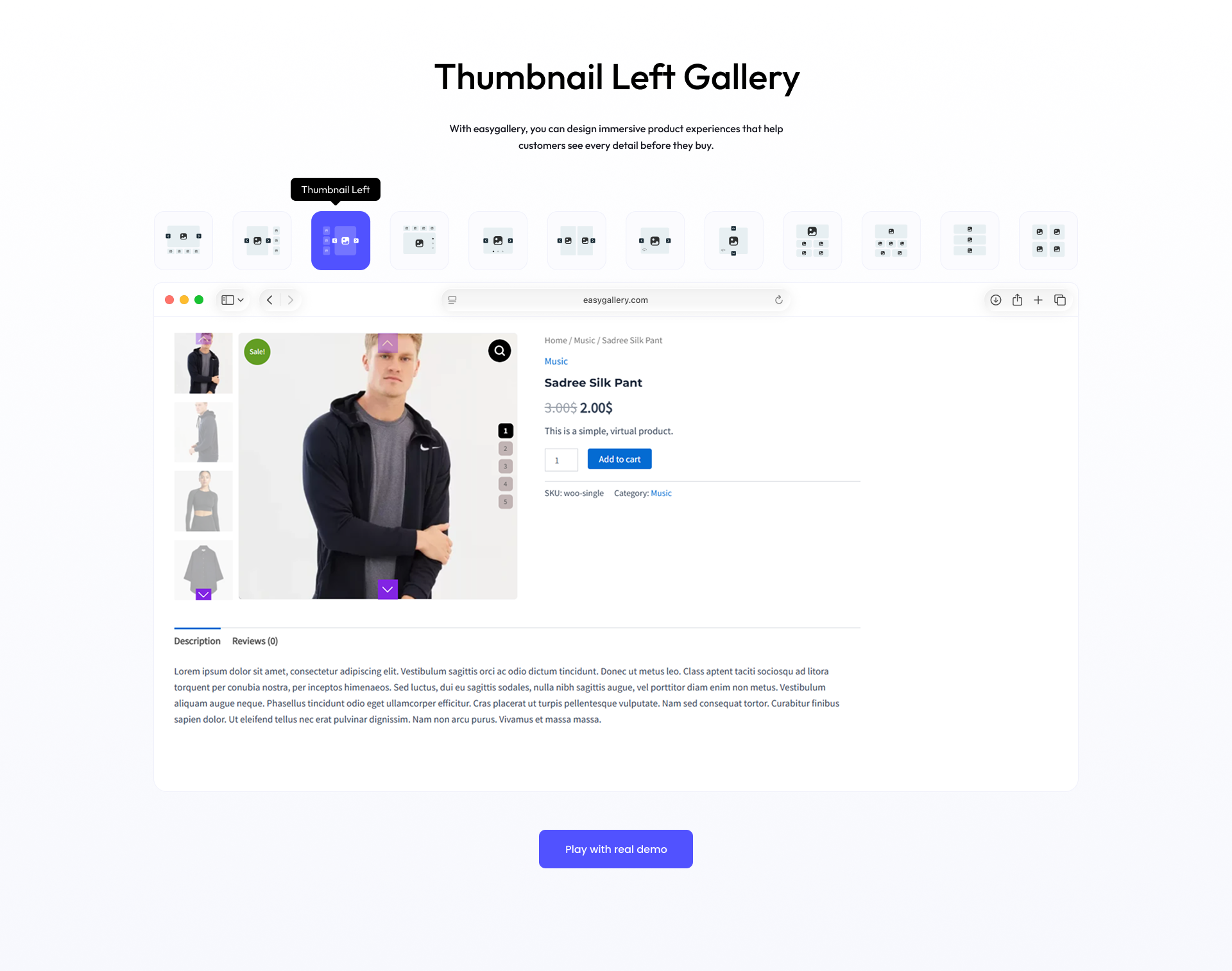
- Top — Display videos above product images
- Left — Show videos on the left side of the gallery
- Bottom — Place videos below product images
- Default — Use the standard gallery order
- Choose video play mode: Inline or Popup
- Set play icon size, color, and hover color
- Customize play icon background and hover background
- Enable or disable video autoplay
- Enable or disable video looping
- Enable video preloader before playback starts
- Enable or disable image zoom on WooCommerce product images
- Standard zoom style included in free version
- Choose lightbox transition effect (e.g., Slide)
- Set lightbox icon positions (Top Right, Top Left, Bottom Right, Bottom Left, Middle)
- Enable or disable lightbox image captions
- Show or hide image counter in the lightbox
- Customize close icon color, hover color, background, and hover background
- Enable or disable the 360 degree product view popup
- Set popup button position (Bottom Left)
- Adjust bottom and left offset percentages for the popup button
- Choose 360 degree gallery layout style
- Configure navigation controls display in the popup
- Set popup content width and height
- Modern Grid One [PRO] — Live Demo
- Modern Grid Two [PRO] — Live Demo
- Modern Grid Three [PRO] — Live Demo
- Modern Grid Four [PRO] — Live Demo
- Layout Vertical Scroll [PRO] — Live Demo
- Flip [PRO] — 3D card-flip transition between product images
- Coverflow [PRO] — Elegant coverflow-style sliding effect
- Creative [PRO] — Unique creative transition animation
- Number Style [PRO] — Display numbered pagination for product images
- Progressbar Style [PRO] — Show a visual progress bar as customers browse images
- Dynamic Bullet [PRO] — Animated bullet pagination for modern gallery navigation
- Zoom Window [PRO] — Display a separate magnified window beside the product image
- Zoom Lens [PRO] — Magnify through a movable lens directly on the image
- Zoom Window Two [PRO] — Alternative zoom window layout for different store designs
- Choose lens shape [PRO]: Round or Square [PRO]
- Customize lens color, border width, border style (Solid, Dashed, Dotted, Double), and border color [PRO]
- Adjust lens overlay opacity for perfect transparency [PRO]
- Set zoom window size (height and width) [PRO]
- Set zoom window background color and overlay opacity [PRO]
- Adjust zoom window left distance from the main product image [PRO]
- Customize zoom window border: width, style, and color [PRO]
- Enable Drag to Rotate [PRO] — Let customers click and drag to spin the product
- Adjustable drag speed and sensitivity[PRO]
- 360 Degree AutoPlay [PRO] — Automatically rotate the product view
- Configurable autoplay speed in milliseconds [PRO]
- Additional button positions [PRO]: Bottom Right, Top Left, Top Right
- Customize navigation icon color and hover color [PRO]
- Set navigation background and hover background colors [PRO]
- Dailymotion Video Support [PRO] — Embed Dailymotion product videos directly in your gallery
- Self-Hosted Video Support [PRO] — Upload and play your own MP4/WebM videos within the gallery
- Facebook Video Support [PRO] — Display Facebook-hosted product videos seamlessly
- Vimeo Video Support [PRO] — Integrate Vimeo product videos for high-quality playback
- Custom Video Aspect Ratio [PRO] — Set precise ratios like 16:9, 4:3, or any custom value
- Video Player Controls [PRO] — Show or hide play, pause, volume, and progress controls
- Mobile Video Playback [PRO] — Enable or disable video playback on mobile devices
- Video Play Icon Position [PRO] — Place the play icon at Top Right, Top Left, Bottom Right, or Bottom Left
安装:
- Upload the
themewant-product-galleryfolder to the/wp-content/plugins/directory, or install the plugin via the WordPress Plugins menu. - Activate the plugin through the 'Plugins' menu in WordPress.
- Navigate to the WooCommerce product page to see the enhanced image gallery.
屏幕截图:
常见问题:
What does WooCommerce Product Gallery do?
= Is WooCommerce Product Gallery compatible with my theme? =\ Yes, WooCommerce Product Gallery is designed to work with most WooCommerce-compatible themes. Product Gallery slider replaces the default WooCommerce product gallery with a modern, responsive image slider that supports images, videos, zoom, lightbox, and variation image galleries to create a better shopping experience.
Can I add multiple images for each product variation?
Yes. Product Gallery Slider allows you to add unlimited images for each product variation such as color, size, or style. When customers switch variations, the gallery automatically updates to show the relevant images.
Which video sources are supported in the product gallery?
The plugin supports multiple video sources including YouTube, Vimeo (Pro), Dailymotion (Pro), Facebook (Pro), and self-hosted videos (Pro). Videos can be displayed alongside product images within the gallery.
Can I choose where product videos appear in the gallery?
Yes. You can control the position of product videos in the gallery slider. Supported positions include Top, Left, Bottom, or Default placement.
Does the plugin support product image zoom?
Yes. WooCommerce Image Gallery includes powerful zoom functionality that allows customers to inspect product details by hovering over images.
What Product zoom styles are available?
The plugin offers multiple zoom styles including: Standard Zoom, Zoom Window (Pro), Zoom Window Two (Pro), Zoom Lens (Pro). You can also customize the zoom lens appearance, overlay opacity, and zoom window settings.
Does the plugin include a lightbox feature?
Yes. The plugin includes a built-in lightbox popup that lets customers open product images in a larger view and navigate through them easily.
Can I customize the Product Slider lightbox design?
Yes. You can customize various lightbox options such as: Transition effects, Close icon color and background, Image captions, Image counter display, Icon positions = Can I customize the gallery layout? =\ Absolutely! The plugin offers multiple layout options that you can configure to match your store’s design. = Does it support Product image zoom and lightbox? =\ Yes, the gallery includes zoom and lightbox functionality for a seamless viewing experience.
Does the plugin support 360° product view?
Yes. You can display products in an interactive 360° image view popup, allowing customers to explore products from every angle.
Can I control the position of the 360° view button?
Yes. You can place the 360° popup button in different positions such as Top Left, Top Right, Bottom Left, or Bottom Right, and adjust the button offset as needed.