TidyBot
| 开发者 | thevikingwebdesign |
|---|---|
| 更新时间 | 2026年2月18日 01:48 |
| 捐献地址: | 去捐款 |
| PHP版本: | 7.4 及以上 |
| WordPress版本: | 6.9 |
| 版权: | GPLv2 or later |
| 版权网址: | 版权信息 |
详情介绍:
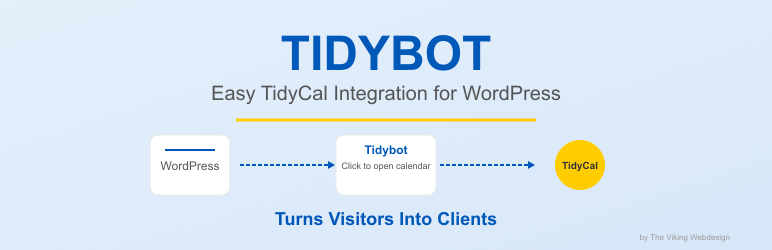
Tidybot is a WordPress plugin that integrates with Tidycal to provide scheduling and appointment booking functionality directly on your website. The plugin displays a customizable chat-like widget that allows your visitors to book appointments through your Tidycal calendar.
Key Features:
- Easy integration with Tidycal
- Customizable widget position (bottom-right or bottom-left)
- Adjustable button color to match your brand
- Configurable delay time for automatic widget opening
- Subscription verification system
安装:
- Upload the
tidybotfolder to the/wp-content/plugins/directory - Activate the plugin through the 'Plugins' menu in WordPress
- Go to the 'Tidybot' settings page
- Enter your email address for subscription verification
- Paste your TidyCal embed code
- Configure additional settings as needed
常见问题:
The widget isn't showing on my site
Make sure you have:
- Entered a valid email address in the Tidybot settings
- Pasted your TidyCal embed code correctly
- Activated your subscription
How do I change the appearance of the widget?
You can customize the widget's position and button color in the Tidybot settings page.
更新日志:
1.9.85
- TidyCal embed code: link in same line as description ("You can find your embed code here!" to tidycal.com/dashboard/booking-types)
- Subscription check runs hourly (WordPress cron)
- Plugin Check: removed hidden .DS_Store file
- TidyCal embed link, subscription check hourly, Plugin Check fix
- Added shop link when subscription ends (https://thevikingwebdesign.com/shop/)
- Trial link only shown if user hasn't used trial yet
- Improved trial detection logic to prevent trial reuse after uninstall/reinstall
- Updated all URLs from localhost to production URLs
- Fixed unlimited subscription detection and entitlements check
- Improved subscription lookup with site_url primary and email fallback
- Updated tested up to WordPress 6.9
- Removed discouraged load_plugin_textdomain() function
- Fixed security issues: input validation and output escaping
- Removed all error logging and console.log statements for production readiness
- Cleaned up debug output throughout the plugin
- Plugin now production-ready without debug information
- Security update: Changed database table name from tidycal_settings to tidybot_settings
- Updated trial link to https://thevikingwebdesign.com/tidybot-14day-trial
- Added website domain to subscription verification
- Fixed database table migration
- Fixed database structure issues by ensuring all required columns exist
- Added robust column verification and creation system
- Improved database table repair system for compatibility across all hosting environments
- Fixed errors related to missing database columns
- Enhanced plugin stability when running on various WordPress configurations
- Added rounded corners to the booking container for improved aesthetics
- Reduced toggle button size from 80px to 65px for less intrusive appearance
- Improved database prefix handling for compatibility with all WordPress configurations
- Enhanced plugin stability with better database table creation and validation
- Fixed issues with color picker in admin settings
- Added database caching for improved performance and reduced direct database queries
- Fixed nonce verification warnings for better security compliance
- Optimized database operations with proper phpcs:ignore comments
- Various code optimizations and cleanup