Tiny Simple AdBlock Detector
| 开发者 | MythThrazz |
|---|---|
| 更新时间 | 2026年8月20日 20:57 |
| 捐献地址: | 去捐款 |
| PHP版本: | 7.4 及以上 |
| WordPress版本: | 7.1 |
| 版权: | GPLv2 or later |
| 版权网址: | 版权信息 |
详情介绍:
class="show-only-when-adblock"— Element appears only when an ad blocker is active.class="hide-only-when-adblock"— Element disappears when an ad blocker is active.
<div>, a Gutenberg block, an Elementor section, a WooCommerce notice — anything.
Real-world examples
- "Please whitelist us" — Show a polite banner only to ad-blocking visitors
- Content gating — Hide exclusive articles or downloads from users blocking your ads
- Alternative monetization — Show a "Support us on Patreon" box only when ads are blocked
- Analytics — Pair with your analytics tool to track ad-blocker adoption rates on your site
- Zero configuration — Activate it and it works. No settings page, no wizard, no API key.
- Ridiculously lightweight — Under 2 KB of JavaScript. Your visitors won't notice.
- No external requests — Nothing leaves your server. Fully GDPR-friendly.
- Works with all major ad blockers — uBlock Origin, AdBlock Plus, AdBlock, AdGuard, Brave Shield, Opera built-in blocker.
- Page builder compatible — Works with Gutenberg, Elementor, Divi, WPBakery, Beaver Builder — anything that lets you add a CSS class.
- Built-in debug mode — Append
?tsad_debug=1to any URL to see live detection results. - Translation-ready — Includes Polish translation. PRs welcome for others.
安装:
- Install through the WordPress plugin directory, or upload to
/wp-content/plugins/. - Activate the plugin. That's it — it's already running.
- Add
class="show-only-when-adblock"orclass="hide-only-when-adblock"to any HTML element. - (Optional) Visit the plugin's admin page for a quick reference and debug link.
屏幕截图:
常见问题:
Which ad blockers does it detect?
Tested and confirmed with: uBlock Origin, AdBlock Plus, AdBlock, AdGuard, Brave Shield, and Opera's built-in blocker. It works by exploiting how ad blockers filter script filenames — so it catches most blockers that follow standard filter lists.
Does it slow down my site?
No. The total JavaScript payload is under 2 KB (two tiny files), loaded asynchronously. It makes zero external HTTP requests. Your PageSpeed score won't budge.
Is it GDPR compliant?
Yes. The plugin doesn't collect, store, or transmit any user data. It doesn't set cookies, fingerprint browsers, or phone home. It's pure client-side CSS class toggling.
How do I test if it's working?
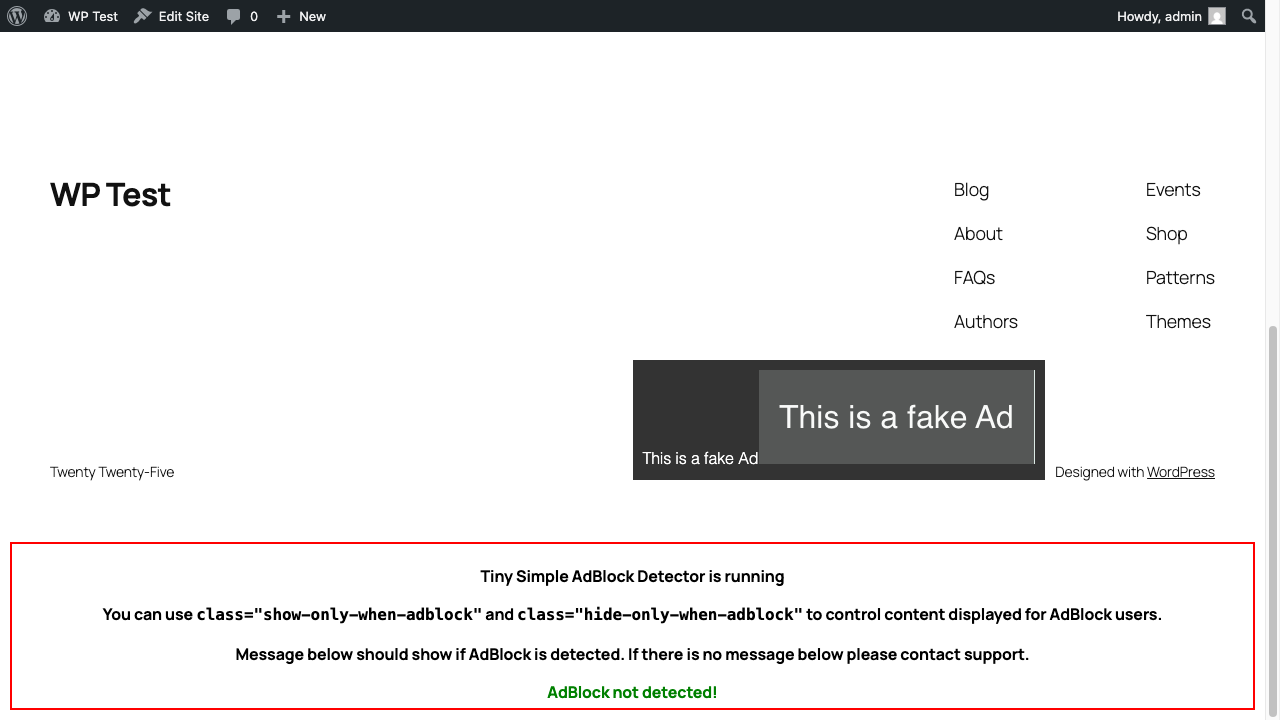
Append ?tsad_debug=1 to any page on your site. A debug panel will appear at the bottom showing detection status in real-time. You can also find this link on the plugin's admin page.
Can I use it with Elementor / Gutenberg / page builders?
Absolutely. Just add the CSS class in your page builder's "Advanced" → "CSS Classes" field. Works with Gutenberg, Elementor, Divi, WPBakery, Beaver Builder, and any builder that supports custom CSS classes.
What if someone uses a blocker you don't detect?
The detection relies on ad blockers blocking scripts with "ad-like" filenames (like showads.js). Very aggressive blockers or custom filter lists will definitely get caught. Very minimal or niche blockers might slip through — but those cover a tiny fraction of users.
Can I style the elements differently instead of show/hide?
The plugin uses display: none and display: initial by default. You can override this in your own CSS by targeting .show-only-when-adblock and .hide-only-when-adblock with higher specificity.
更新日志:
- Verified compatibility with WordPress 7.1 (no code changes required)
- Tested and verified with WordPress 7.0
- Fixed hardcoded localhost URL in admin page — now uses dynamic site URL
- Added proper version strings to enqueued scripts for cache busting
- Updated plugin headers (Requires PHP, Requires at least)
- Completely rewritten readme with real-world usage examples
- Added plugin icon and banner
- Added screenshots
- Code cleanup: removed broken .min.js references
- Tested the functionality with the latest version of WordPress
- Improved the UI
- Added more complex testing
- Fixed the bug with the styling for class="hide-only-when-adblock"
- Initial release