PublishPress Shortlinks - The Link Manager for WordPress
| 开发者 |
pluginbazar
jaedm97 masumwp01 mdsakibhr stevejburge publishpress deji98 |
|---|---|
| 更新时间 | 2026年9月9日 06:03 |
| PHP版本: | 7.2.5 及以上 |
| WordPress版本: | 7.1 |
| 版权: | GPLv2 or later |
| 版权网址: | 版权信息 |
详情介绍:
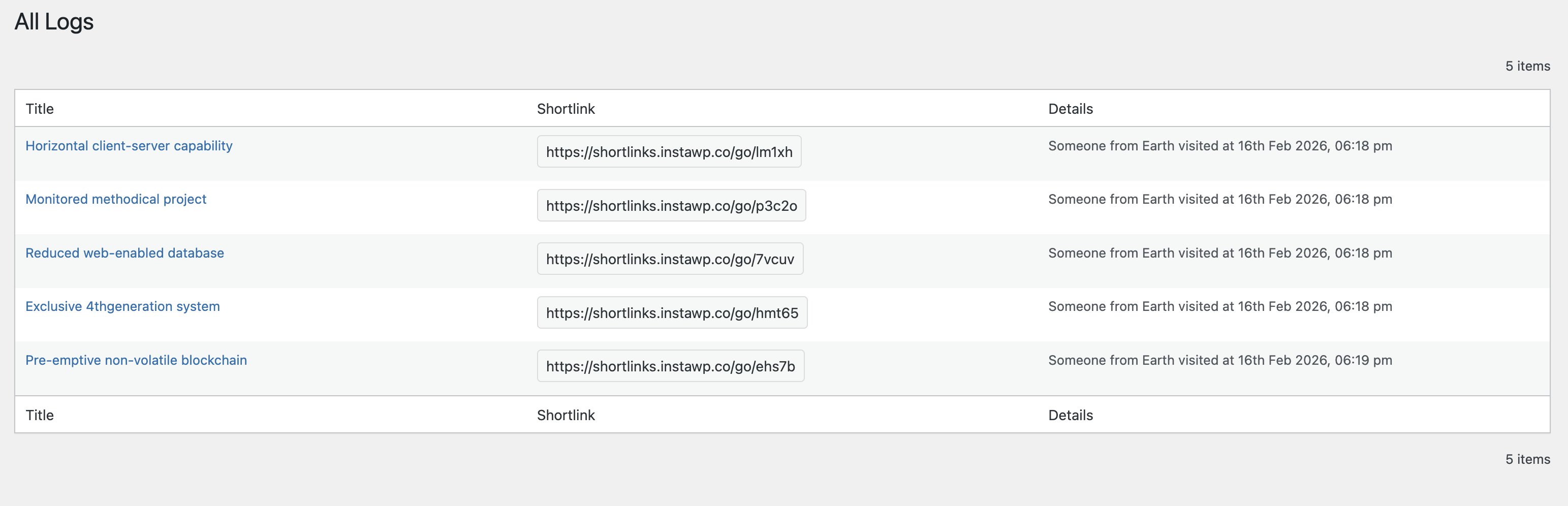
- Track who clicks on your links with detailed analytics.
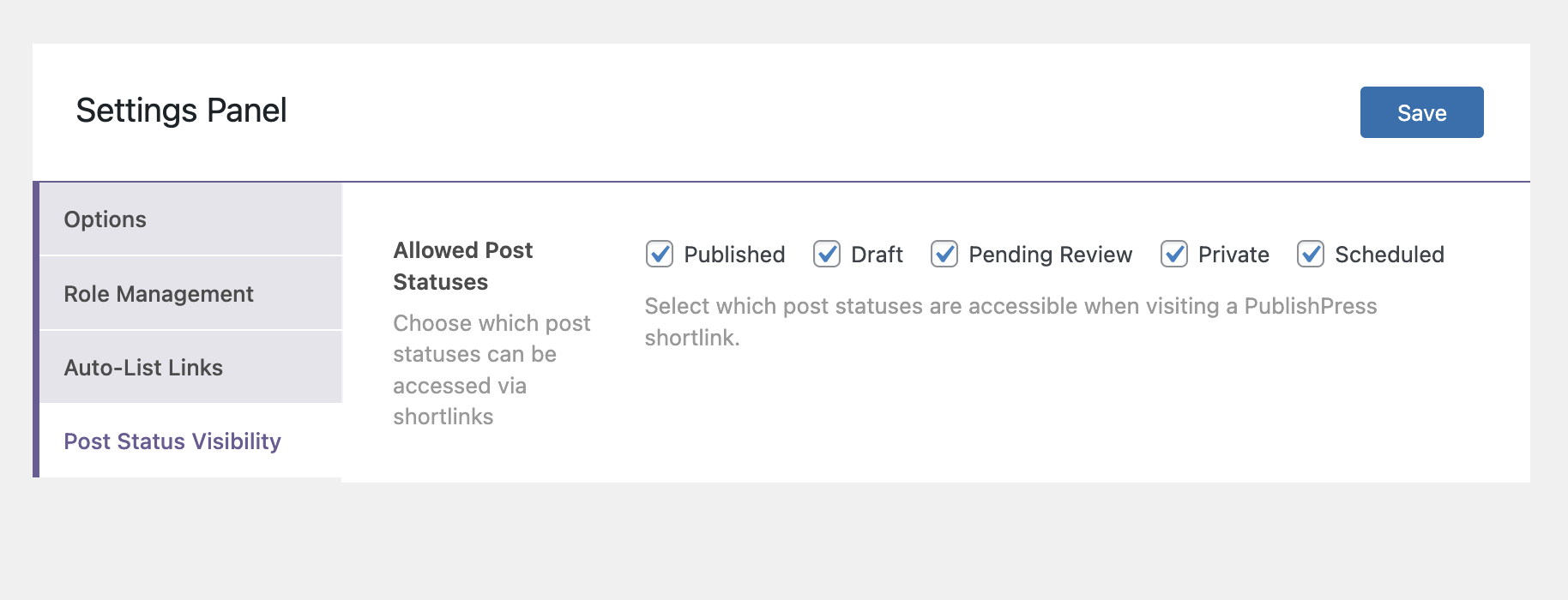
- Safely share posts in any status, even unpublished posts in Draft or Pending Review.
- Make your URLs short and memorable.
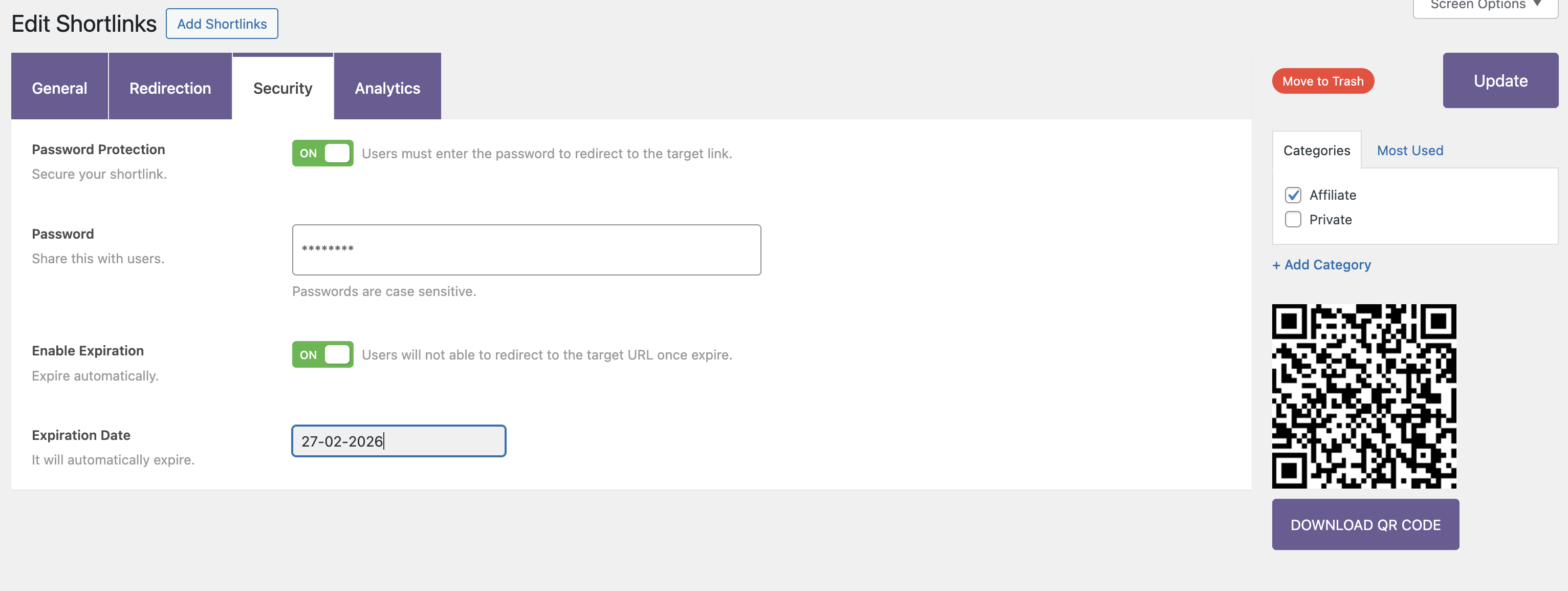
- Control who can visit your links with passwords, expiry dates, and access control.
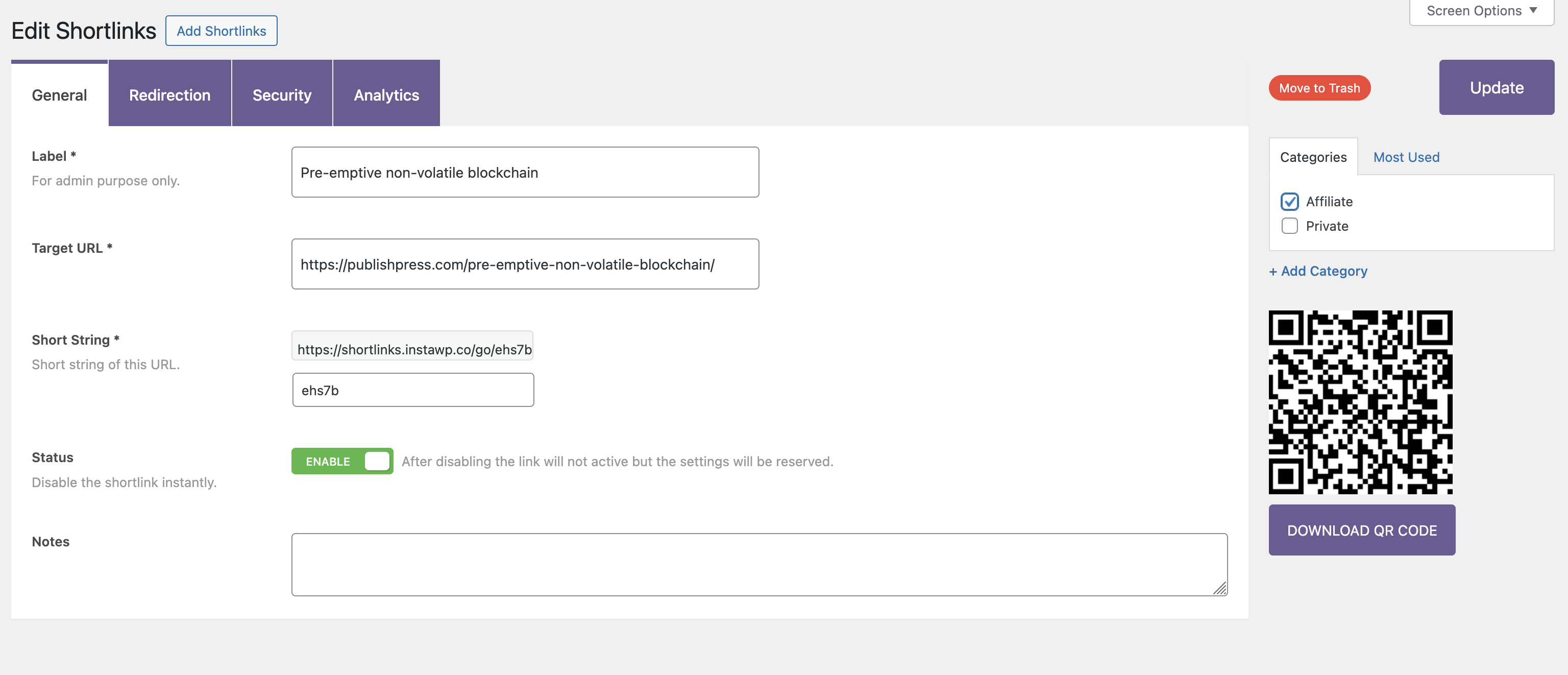
- Generate QR codes to easily share your links.
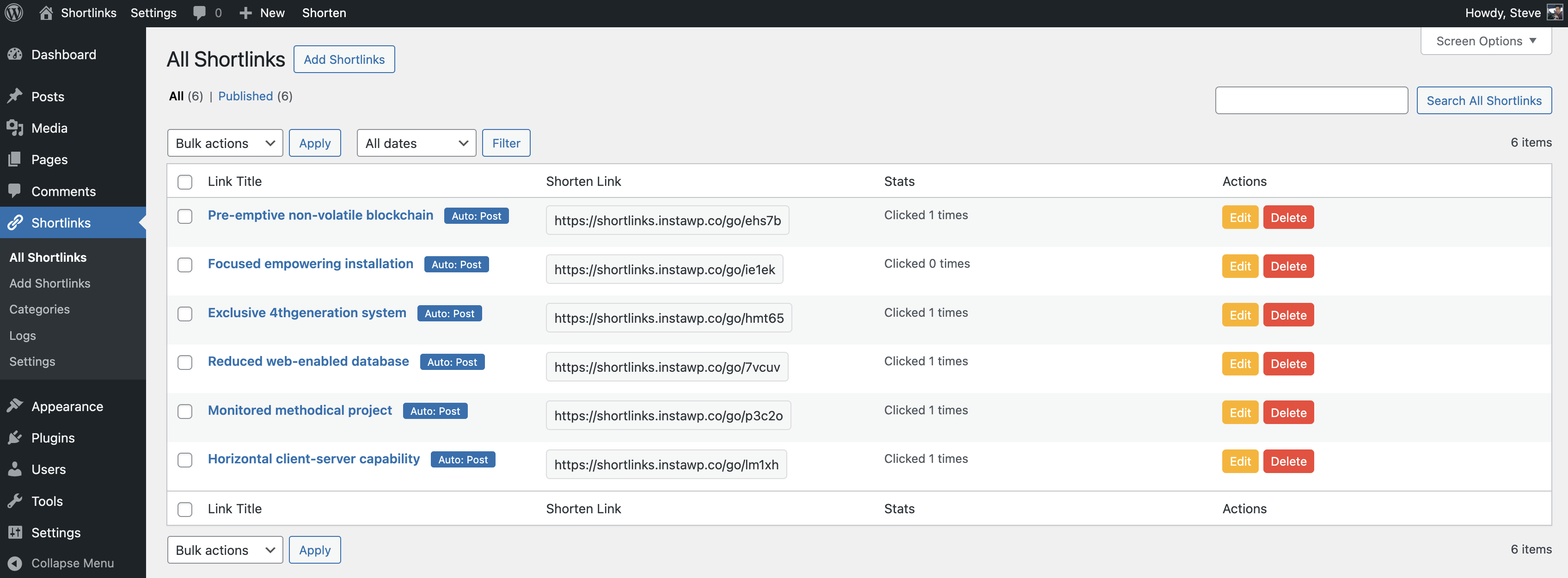
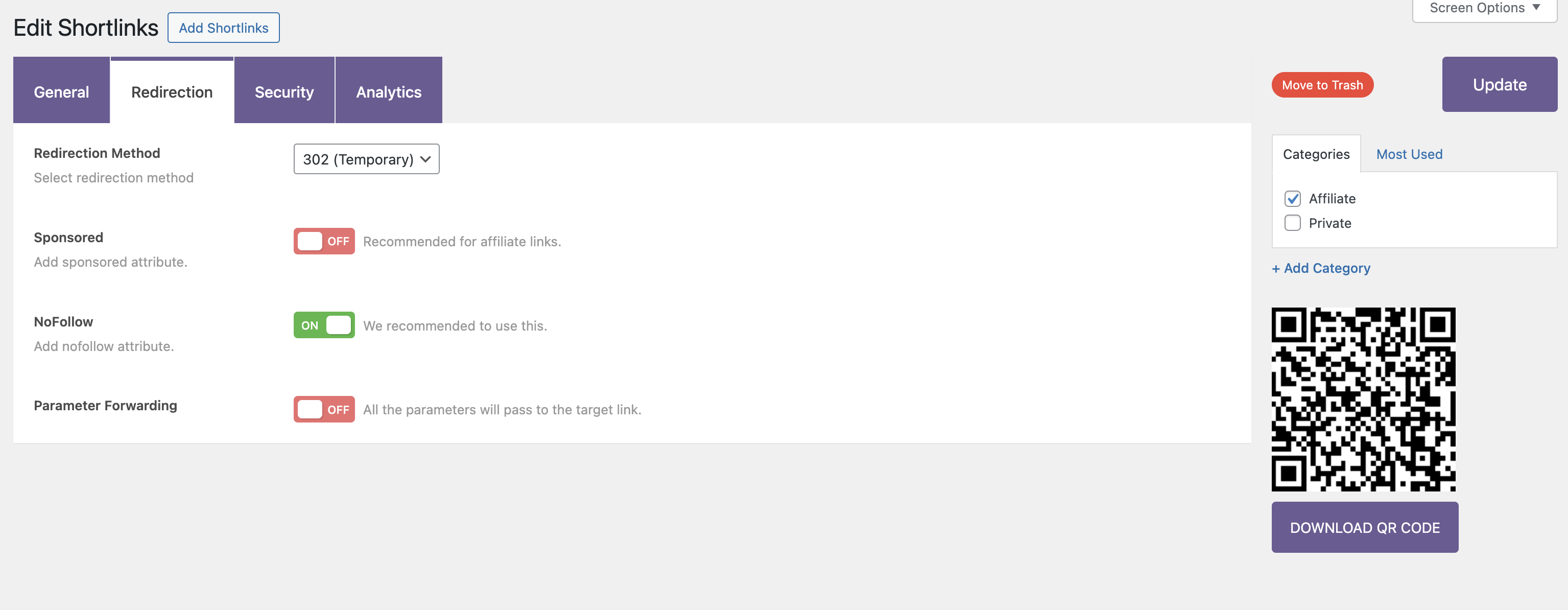
Upgrade to Shortlinks Pro This plugin is the free version of the Shortlinks Pro plugin. The Pro version of PublishPress Shortlinks allows you to control access to editing shortlinks and viewing the click analytics. You can also show a custom message when someone is blocked from accessing a link. And you can import and export links. Click here to purchase the best WordPress link manager now!Key Link Management Features in PublishPress Shortlinks ✅ Automatically create shortlinks for your posts ✅ Use your own website domain for shortlinks ✅ Customize the slug for each shortlink ✅ Share shortlinks for posts in any status ✅ Add password protection to your shortlinks ✅ Automatically expire your shortlinks on a specific date ✅ Choose from 301, 302, and 307 redirects ✅ Track who is clicking your shortlinks with analytics ✅ Generate a QR code for each shortlink to allow easy sharing ✅ Automatically add links to keywords ✅ Cloak your affiliate links Automatically create shortlinks for your posts PublishPress Shortlinks will automatically generate links for all your posts and pages. This makes it really easy to have shareable links for content. These URLs are available from the Posts screen and the Post Edit screen. Get started with PublishPress Shortlinks. Use your own website domain for shortlinks There's no need to use an external service to build and track your links. With PublishPress Shortlinks, all your custom URLs use your own domain name. To avoid conflicts with any regular URLs on your site, there's also a folder which is set to "go" by default. This means that your custom URLs will look like this: https://example.com/go/shortlinks. Every post has its own URL. By default, the final part of the URL will be a unique combination of 5 characters, so your shortlink will look like this: https://example.com/go/8vi3n. However, you can customize the slug so it looks like this: https://example.com/go/shortlinks. More on customizing shortlinks. Share shortlinks for posts in any status When you're writing a draft post, do you sometimes need to share it with someone who doesn't have access to your site? PublishPress Shortlinks is the answer. PublishPress Shortlinks allows you to share posts before you make them public. If you've written a draft of a post, you can share a preview with other people. You can protect these links by combining this with other features, including password protection and automatic expiry of links. This feature is similar to the Public Post Preview plugin, but with more features and customizable features. More on shortlinks for unpublished posts. Add password protection to your shortlinks Edit a shortlink and go to the "Security" tab. You'll be able to create a password for your sharable links. Nobody will be able to access the post via your shortlink unless they know the password. More on passwords for shortlinks. Automatically expire your shortlinks on a specific date Edit a shortlink and go to the "Security" tab. You'll be able to choose an expiration date for your shortlink. Anyone trying to visit your link after the expiration date will see the message, "This link is expired." More on expiry dates for shortlinks. Choose from 301, 302, and 307 redirects Edit a shortlink and go to the "Redirection" tab. You can choose what kind of redirect is used for each link. 301 (Permanent) redirects are used to tell search engines that a requested URL has been permanently moved to another URL. If you're confident that your target URL will never change, then use this redirect type. 302 and 307 (Temporary) redirects tell search engines that the requested URL has been moved temporarily, but will be back eventually. More on redirects for shortlinks. Track who is clicking your shortlinks with analytics PublishPress Shortlinks has a Logs feature that records everyone who clicks your links. These logs are then turned into analytics charts so you can see how popular each shortlink is. More on logs for shortlinks. Generate a QR code for each shortlink to allow easy sharing PublishPress Shortlinks will automatically create a QR code for each link. This makes it easy to download and share the QR code so people can visit your URL. This is great for advertisements, brochures, PDFs, restaurant menus, or anywhere you want to use a QR code. More on QR codes for shortlinks Automatically add links to keywords You can automatically add links to keywords in your post. For example, every time “WordPress” appears in your posts, you can link it to WordPress.org. More on adding links to keywords Cloak affiliate links PublishPress Shortlinks is ideal for websites that have affiliate links in posts. You can manage, clean up, brand, and track your links. It's a great tool for cloaking affiliate links, and for marketers who want to clean up and brand the links they share. Find and fix your broken links PublishPress Shortlinks scans your links and reports the ones that no longer work. The Link Health screen lists every broken destination it finds, with a search box for working through a long list. The scan can run on a schedule rather than only when you ask for it, and it can email you a digest of what it found, so a link that dies quietly on an old post does not stay dead for months. Reports on how your links are performing The Reports screen turns your click data into a summary you can read at a glance, alongside the per-link Analytics screen. Choose which post types get shortlinks By default every post and page can have a shortlink. The post type selector lets you narrow that to the content where links matter, so a site with a dozen custom post types is not generating links nobody will use. Moving from another shortlink plugin PublishPress Shortlinks detects other link plugins on your site and offers to bring your existing links across, so switching does not mean rebuilding your links by hand or breaking the ones already shared. See where your clicks come from As well as recording each click, the analytics track referrer domains, so you can tell a link shared on a newsletter apart from the same link shared on social media. Add a shortlink while you write There is a link tool in the block editor, so a shortlink can be created and inserted without leaving the post you are writing. There is also a keyboard shortcut, below. Create Shortlinks via Keyboard Shortcuts Click
Ctrl/Cmd + / anywhere in the WordPress admin area to instantly create shortlinks.
Join PublishPress and get the Pro plugins
The Pro versions of the PublishPress plugins are well worth your investment. The Pro versions have extra features and faster support. Click here to join PublishPress.
Join PublishPress and you'll get access to these Pro plugins:
- PublishPress Authors Pro allows you to add multiple authors and guest authors to WordPress posts.
- PublishPress Blocks Pro has everything you need to build professional websites with the WordPress block editor.
- PublishPress Capabilities Pro is the plugin to manage your WordPress user roles, permissions, and capabilities.
- PublishPress Checklists Pro enables you to define tasks that must be completed before content is published.
- PublishPress Future Pro is the plugin for scheduling changes to your posts.
- PublishPress Permissions Pro is the plugin for restricted content and advanced WordPress permissions.
- PublishPress Planner Pro is the plugin for managing and scheduling WordPress content.
- PublishPress Revisions Pro allows you to update your published pages with teamwork and precision.
- PublishPress Series Pro enables you to group content together into a series.
- PublishPress Shortlinks Pro allows you to create custom URLs for your posts and external links.
- PublishPress Statuses Pro enables you to create additional publishing steps for your posts.
屏幕截图:
常见问题:
What does a shortlink look like?
By default it uses your own domain with a "go" folder, so it looks like https://example.com/go/8vi3n, where the last part is a unique five-character code. You can change the folder in the settings, and you can replace the code with anything you like, so the same link can read https://example.com/go/shortlinks.
Do I need an external service like Bitly?
No, and that is the point. Every link uses your own domain name, the click data stays on your own site, and there is no account to keep paying for.
How do I add a shortlink to a post?
Shortlinks are generated automatically for your posts and pages, and you will find them on the Posts screen and in the post editor. You can also create one from the link tool in the block editor, or with Ctrl/Cmd + / anywhere in the admin.
Can I share a post before it is published?
Yes. A shortlink works for a post in any status, including Draft and Pending Review, so a reviewer without a login can read it. Combine it with a password or an expiry date if the draft is sensitive.
How do I find broken links on my site?
The Link Health screen scans your links and lists the ones whose destination no longer works. You can run the scan on a schedule and have the results emailed to you as a digest, rather than checking by hand.
Can I protect a link with a password, or make it expire?
Both. Edit a shortlink and open the "Security" tab. You can set a password, an expiry date, or both. After the expiry date a visitor sees a message rather than the content.
Which redirect should I choose: 301, 302 or 307?
301 is permanent and tells search engines the destination will not change, so use it when you are confident. 302 and 307 are temporary and leave the original URL indexed, which is what you want for a campaign link or anything you may repoint later.
Can I move my links over from another shortlink plugin?
Yes. PublishPress Shortlinks detects other link plugins on your site and offers to bring your existing links across, so the links you have already shared keep working.
Does it work with pages and custom post types?
Yes. The post type selector controls which types get shortlinks, so you can turn it on for the content that needs it and leave the rest alone.
What is in the Pro version?
Control over who can create and edit shortlinks, and who can reach the analytics and settings screens. Pro also lets you customize the message shown when a link has expired. See the full comparison.
PublishPress Shortlinks is helpful to whom?
PublishPress Shortlinks is particularly helpful to affiliate marketers & website owners. It helps them to manage, clean up, brand, and track their links. In addition to affiliate marketing, PublishPress Shortlinks is also helpful to SEO marketers, bloggers, merchants, social media marketers, and anyone else who wants to easily take control of their link strategy.
Is it compatible with any WordPress theme?
Yes, absolutely! PublishPress Shortlinks mainly runs in the WordPress admin, so it is not dependent on any one WordPress theme.
Is PublishPress Shortlinks translatable?
Yes! PublishPress Shortlinks is ready for translation. You can easily translate PublishPress Shortlinks into the language of your choice.
Is PublishPress Shortlinks similar to other plugins?
It's similar to the Public Post Preview plugin because it allows you to share posts before you make them public. It's similar to link sharing plugins such as Bitly, Better Links, and URL Shortly because it enables you to create custom URLs for your posts. It's similar to affiliate link plugins such as PrettyLinks and Thirsty Affiliates because it enables you to create affiliate URLs for promoting your partners.