
Titan Social Login
| 开发者 | r0bodev |
|---|---|
| 更新时间 | 2026年5月28日 05:56 |
| PHP版本: | 7.2 及以上 |
| WordPress版本: | 7.0 |
| 版权: | GPL-2.0-or-later |
| 版权网址: | 版权信息 |
详情介绍:
Titan Social Login adds OAuth-based sign-in to WordPress so visitors can use their existing social accounts instead of creating new passwords.
Included providers
- Amazon
- X (Twitter)
- Microsoft
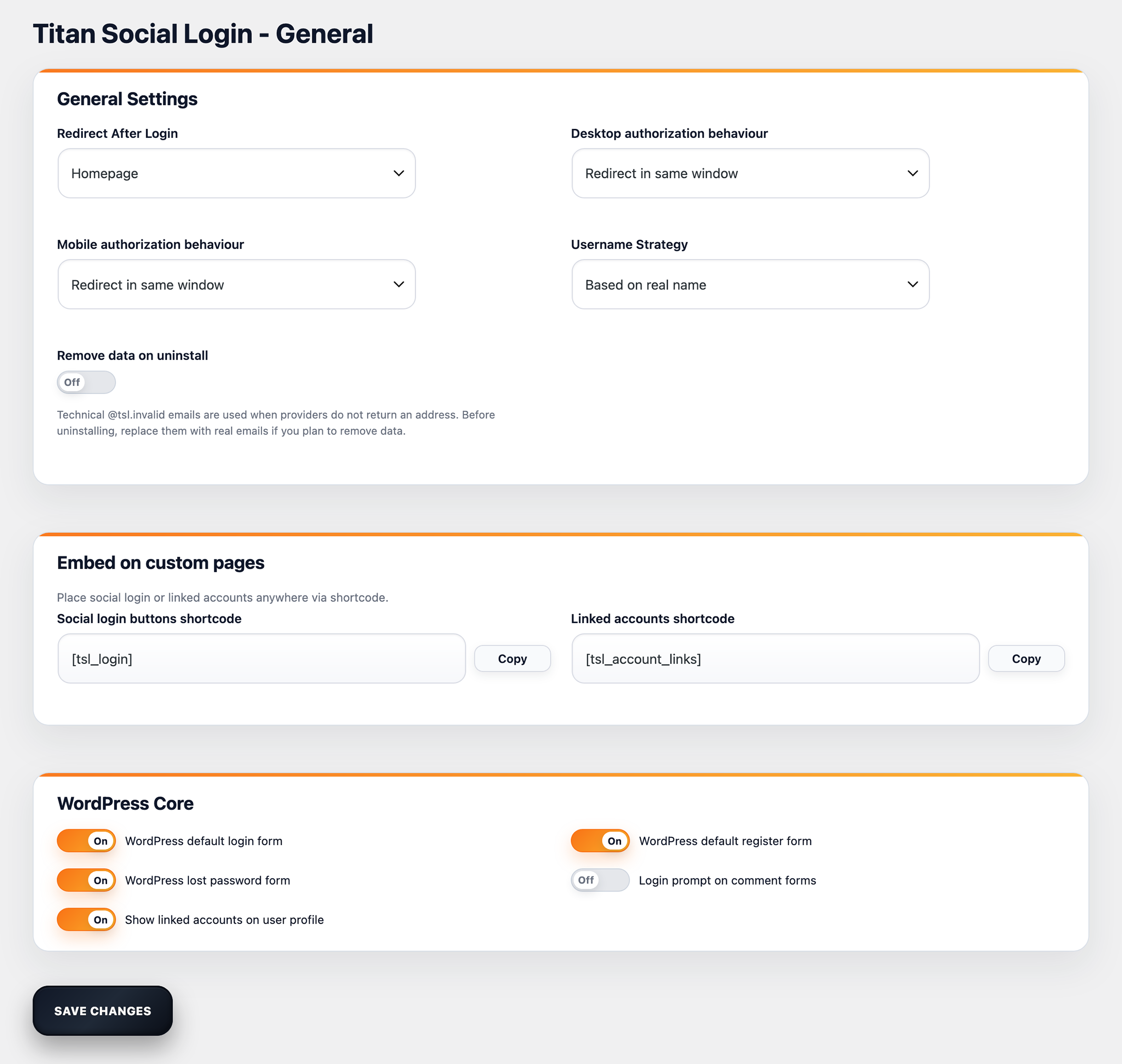
- Adds login buttons to the WordPress login, registration, and lost password screens.
- Optional social login on comment forms.
- Account linking inside WordPress user profiles.
- Shortcodes: [tsl_login], [tsl_account_links].
- Popup or same-window authentication, configurable for desktop and mobile.
- Custom redirect after login or first registration.
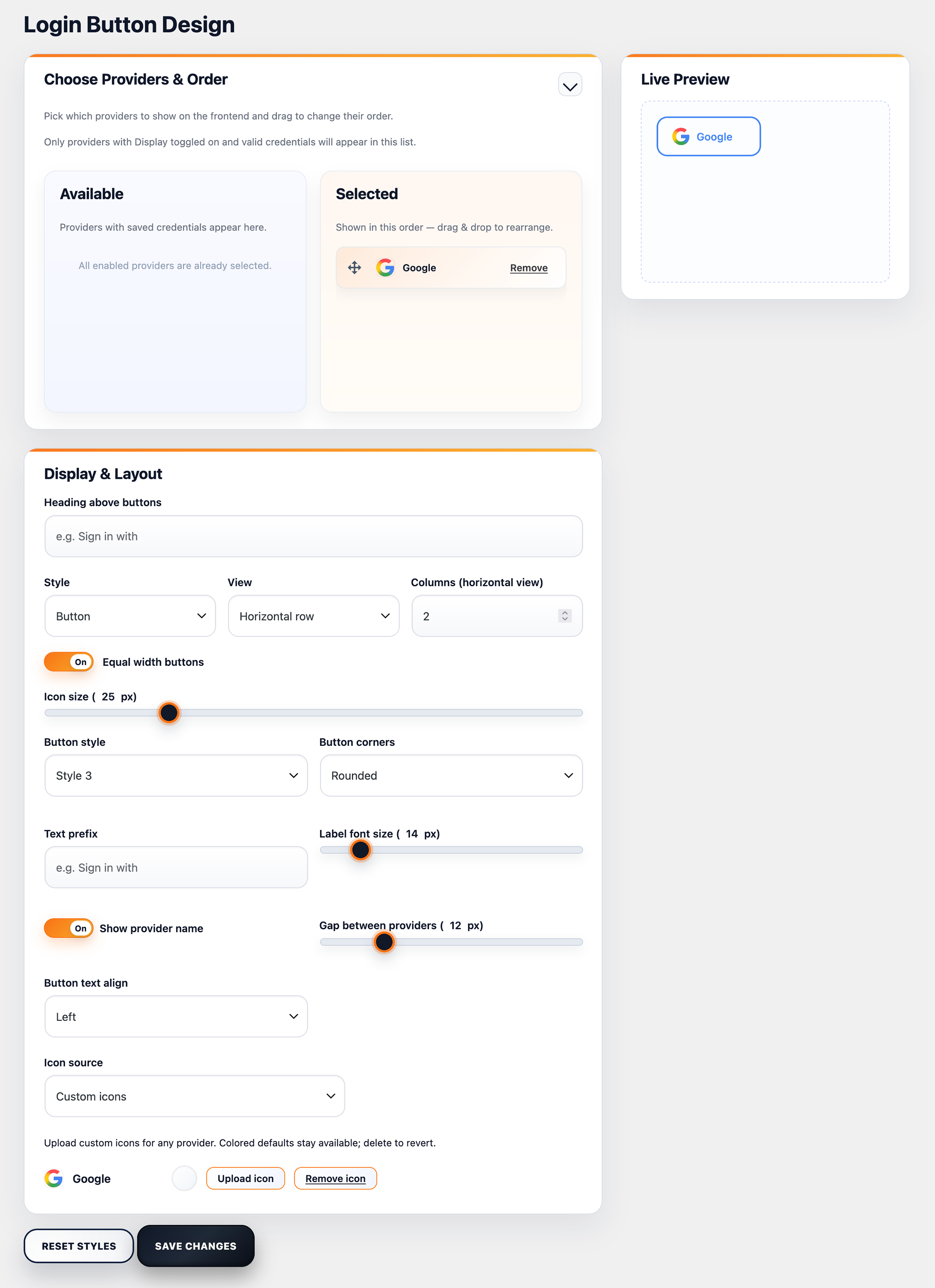
- Design controls for layout, spacing, labels, and button styles.
- Placeholder emails for providers that do not return an email address. This plugin uses external OAuth providers for authentication. See the "External Services" section for details.
- 30+ OAuth providers including Apple, Discord, GitHub, Steam, Telegram, Twitch, Spotify, and more.
- Premium integrations for WooCommerce, BuddyPress, Ultimate Member, and Easy Digital Downloads.
- Statistics dashboard to monitor social login performance.
- Premium updates and priority support.
安装:
Automatic installation
- Go to Plugins -> Add New in your WordPress admin.
- Search for "Titan Social Login".
- Click Install Now, then Activate.
- Open Titan Social Login -> Providers, configure a provider, and enable it.
- Download the plugin ZIP.
- Go to Plugins -> Add New -> Upload Plugin.
- Upload the ZIP and click Install Now.
- Activate the plugin.
- Open Titan Social Login -> Providers, configure a provider, and enable it.
屏幕截图:
常见问题:
Where are the social login buttons displayed?
The plugin adds buttons to the WordPress login, registration, and lost password screens (when enabled in settings). You can also enable buttons on comment forms and place them anywhere with shortcodes.
How do I add buttons to a page or widget area?
Use the shortcodes in any page, post, or block:
- [tsl_login]
- [tsl_account_links]
Does the plugin send data anywhere?
No telemetry is collected or sent. The only external requests are the OAuth calls to the enabled providers during login.
How do I remove all plugin data?
Enable "Remove data on uninstall" in the General settings before uninstalling, or remove options manually if needed.
更新日志:
1.0.3
- Tested with WordPress 7.0.
- Security: hardened admin UI rendering and URL handling.
- Maintenance: small stability improvements.
- Security: added nonce and capability checks for admin actions.
- Compatibility: moved inline JS/CSS to enqueued assets.
- Docs: documented external OAuth services and added policy links.
- Initial release.