Togglix Variation Switcher for WooCommerce
| 开发者 | karthickmurugan |
|---|---|
| 更新时间 | 2026年4月8日 17:47 |
| PHP版本: | 7.4 及以上 |
| WordPress版本: | 6.9 |
| 版权: | GPLv2 or later |
| 版权网址: | 版权信息 |
详情介绍:
Togglix Variation Switcher for WooCommerce helps customers update selected variation attributes (size, color, material, etc.) without leaving the purchase flow.
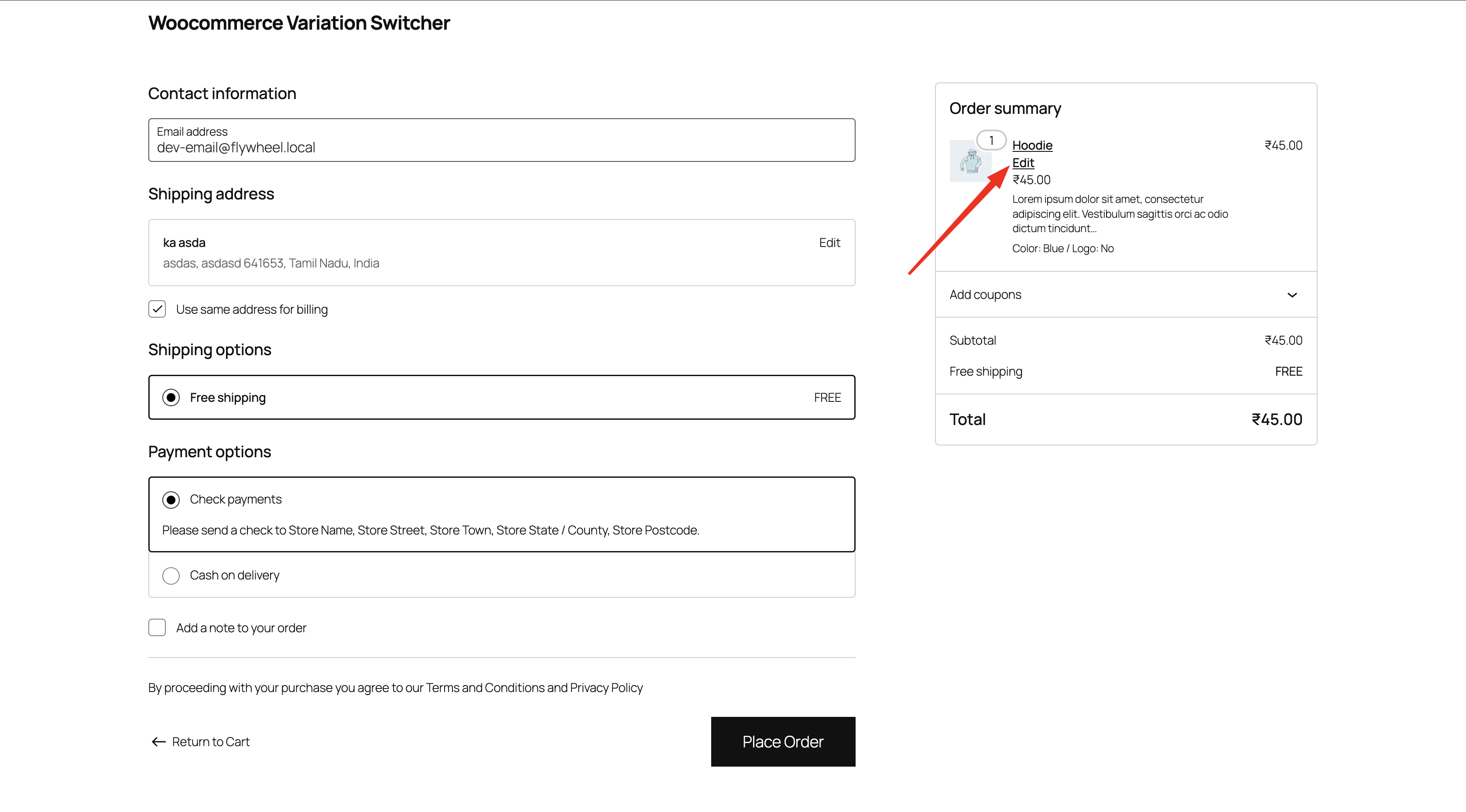
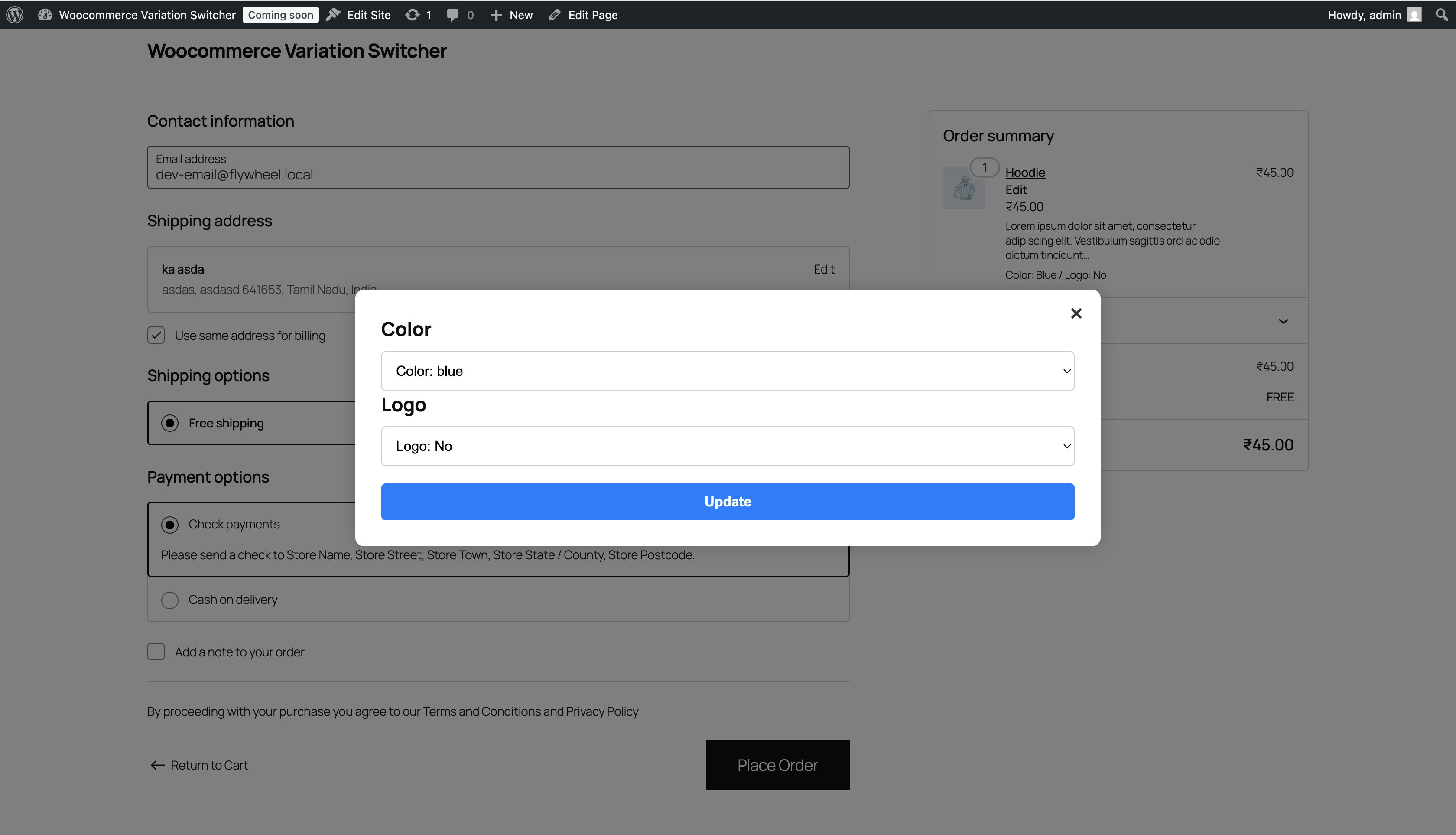
Instead of removing a variable product and searching again on the product page, the customer can click Edit next to the line item, choose another valid combination, and update the existing cart line with AJAX.
The plugin supports both block-based (WooCommerce Blocks) and classic Cart/Checkout experiences, includes runtime compatibility controls, and adds analytics to monitor usage and outcomes.
Key Features
- Edit variable products directly from Cart and Checkout
- Works with both WooCommerce Blocks and classic templates
- Cart-line-aware updates using cart item keys (better accuracy when similar products exist in cart)
- Optional variation preview panel (price, SKU, stock, image)
- Inventory-aware switching (only purchasable combinations)
- Per-product overrides (disable switcher or custom Edit label)
- Rules engine (roles, coupon state, include/exclude products/categories/tags)
- Compatibility profiles + Safe mode for conflict handling
- Analytics with date range, conversion rate, failed reason breakdown, chart, top products, and CSV export
- Translation-ready (
languages/togglix-variation-switcher-for-woocommerce.pot)
安装:
- Upload the plugin folder to
/wp-content/plugins/, or install it from the WordPress Plugins screen. - Activate the plugin through the
Pluginsmenu in WordPress. - Ensure WooCommerce is installed and active.
- Open WooCommerce -> Variation Switcher to configure behavior.
屏幕截图:


常见问题:
Does this work without WooCommerce?
No. WooCommerce must be active.
Does this support simple products?
No. It is designed for variable products.
Does it support WooCommerce Cart/Checkout Blocks?
Yes. Enable/disable this behavior in Compatibility settings.
Does it support classic Cart/Checkout templates?
Yes. The plugin includes a classic filter-based fallback.
Does it work for guest users?
Yes. AJAX endpoints are registered for both authenticated and non-authenticated users.
Does it keep quantity when changing a variation?
Yes. The original quantity is preserved when switching.
Can I restrict which products can be edited?
Yes. Use include/exclude controls for products, categories, and tags in the Rules tab.
Can I export analytics data?
Yes. Use the Analytics tab and click Export CSV.
更新日志:
1.1.0
- Added modular settings UI with tabs (General, Design, Behavior, Compatibility, Rules, Analytics).
- Added variation preview toggle and improved popup controls.
- Added partial refresh/full reload control after update.
- Added compatibility profile modes and safe mode fallback.
- Added product/category/tag include/exclude rules and role/coupon restrictions.
- Added per-product controls (disable switcher, custom Edit label).
- Added analytics storage, date filtering, conversion metric, failed reason report, chart, and CSV export.
- Added admin enhancements (color picker, searchable selectors, diagnostics report copy tool).
- Initial public release.