
Tomanify – Smart Toman & Rial Currency Manager
| 开发者 | araoufi |
|---|---|
| 更新时间 | 2026年6月4日 23:31 |
| PHP版本: | 7.4 及以上 |
| WordPress版本: | 7.0 |
| 版权: | GPL-2.0-or-later |
| 版权网址: | 版权信息 |
详情介绍:
- No external source URLs are pre-filled inside the plugin.
- External requests happen only if an administrator explicitly enters URLs.
- Converted prices are stored using a TOMAN baseline to avoid double-conversion when switching between Toman and Rial.
- You are not required to buy a paid API to use the core workflow. Many stores can start with a compatible free-market JSON feed, then add official RSS/XML, manual rates, or offline estimation as fallback layers.
- It stores a final Toman baseline per foreign product.
- It stores that baseline in product meta and uses it to rewrite WooCommerce price values.
- It lets you switch between Toman and Rial without re-fetching rates.
- It supports multiple rate-source strategies instead of forcing one remote service.
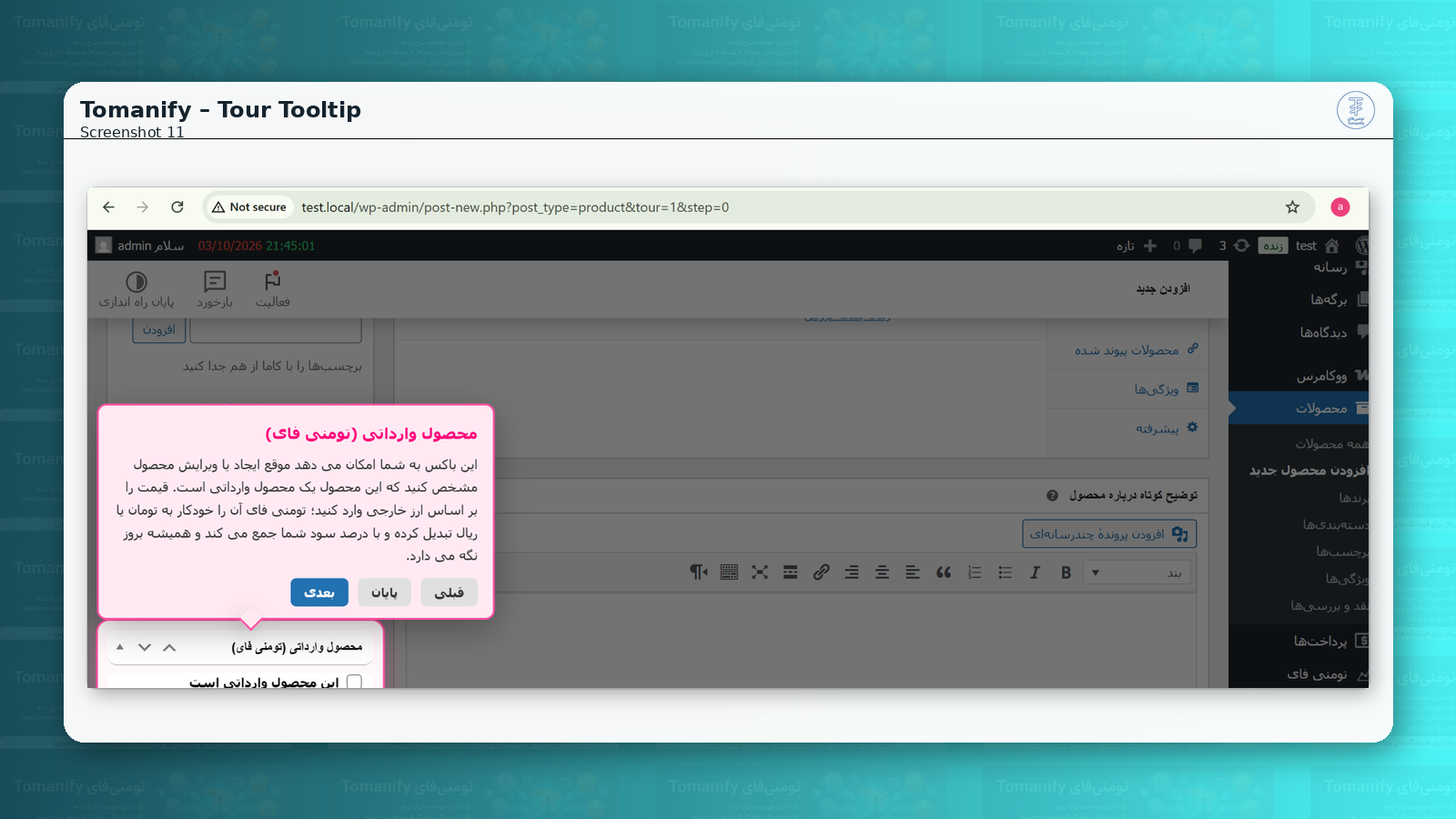
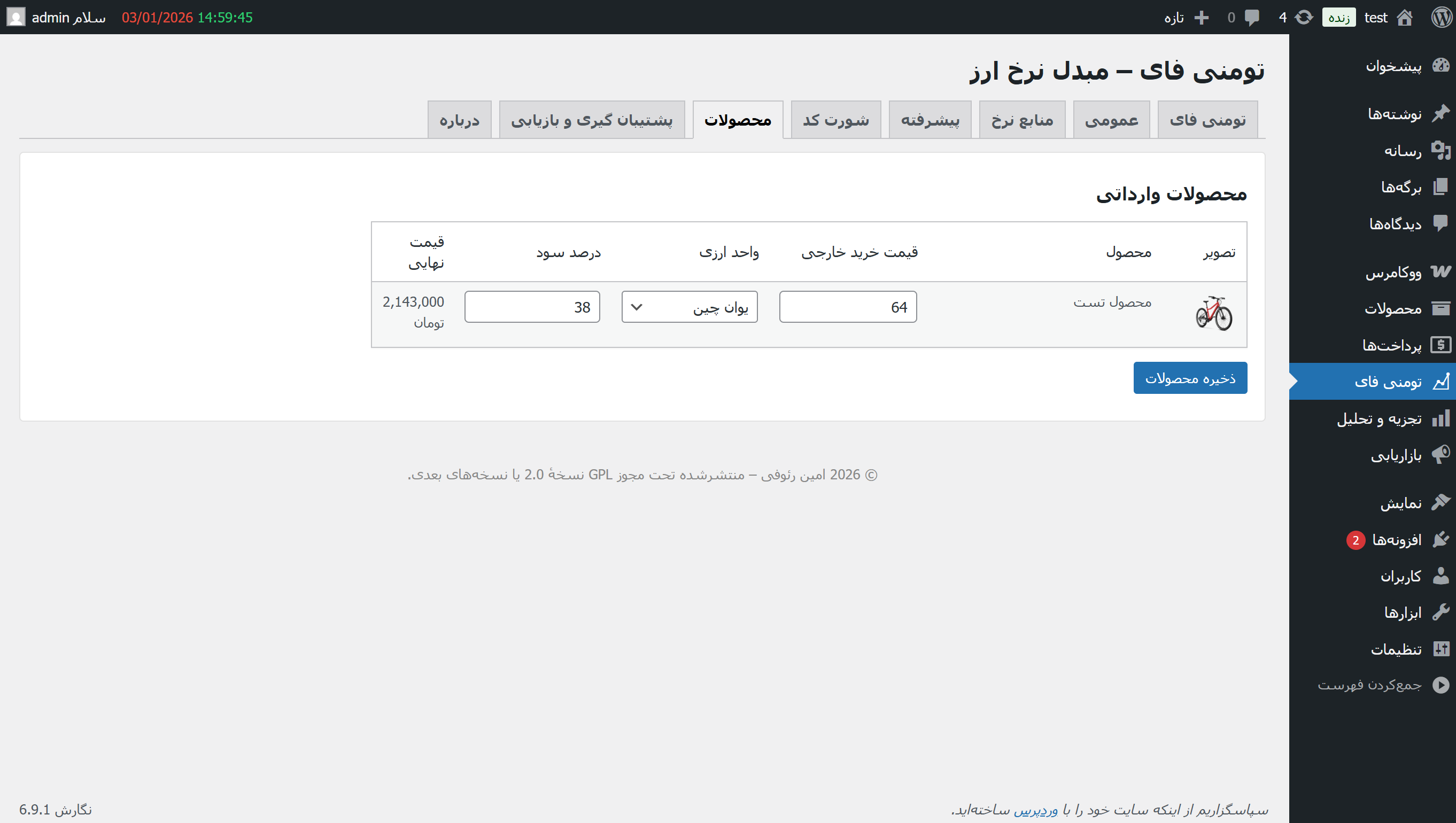
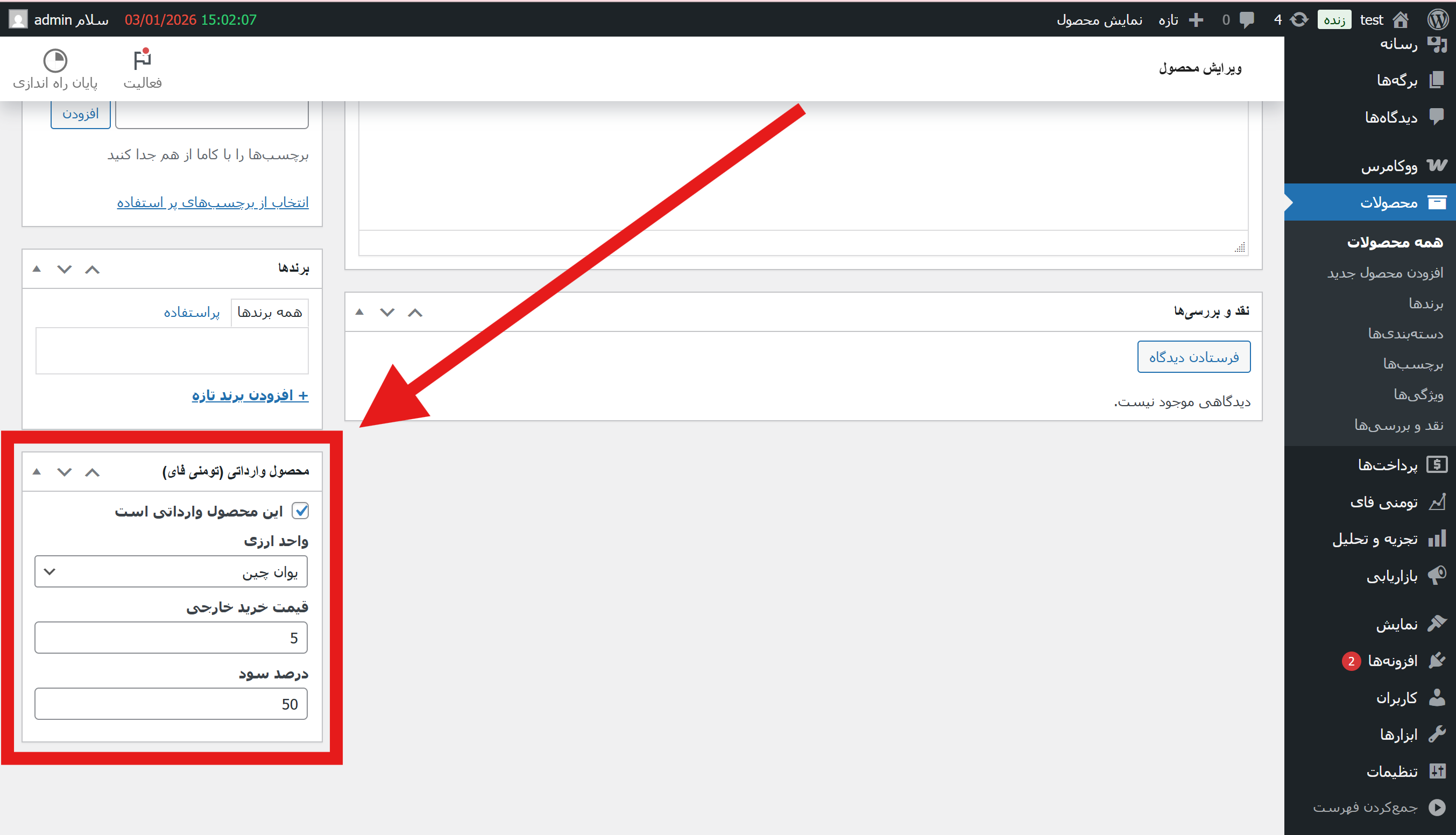
- Per-product foreign pricing: foreign flag + currency + foreign amount + margin (%)
- Automatic conversion to Toman baseline and storage in WooCommerce price meta
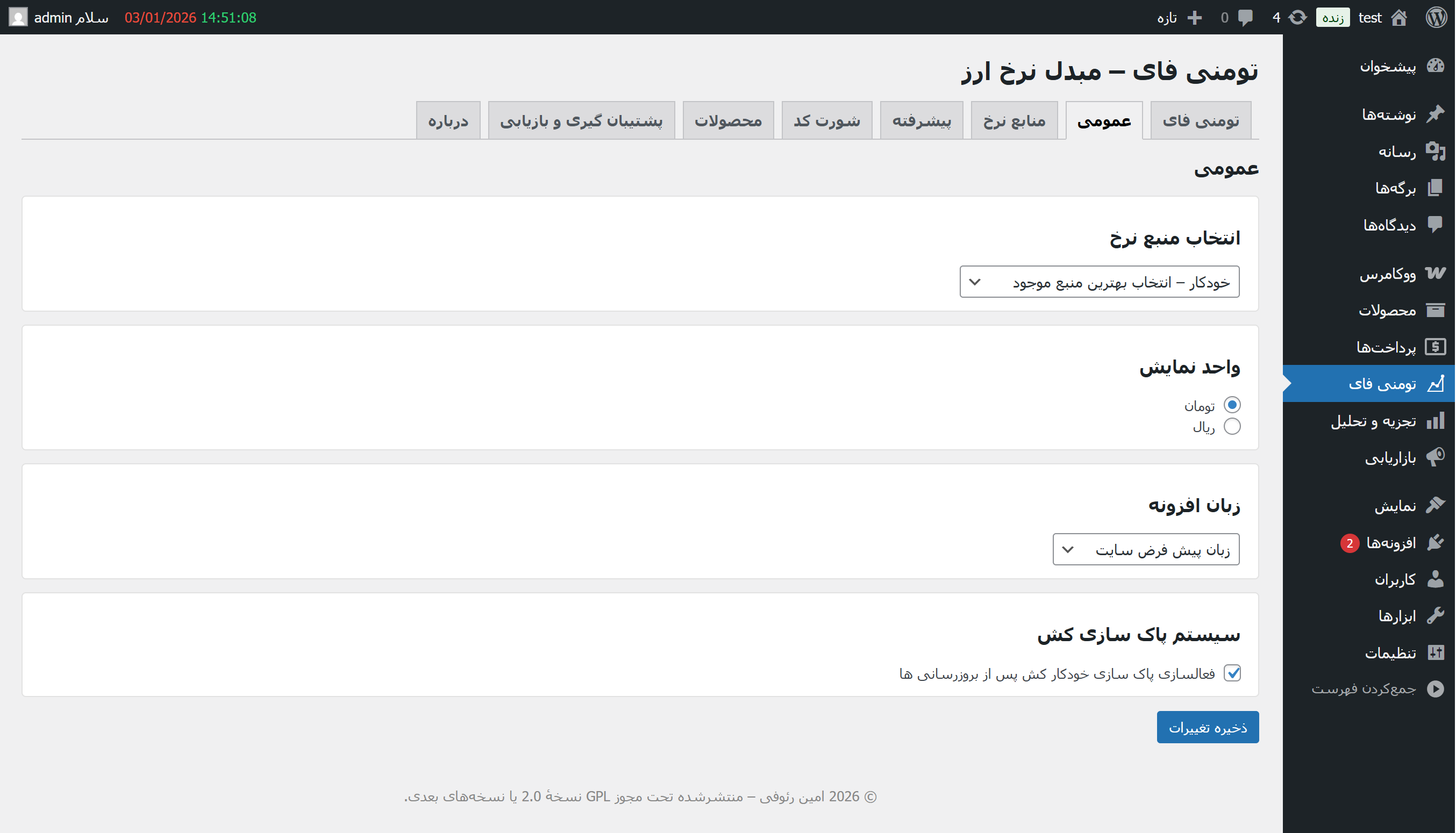
- Switch display unit (Toman/Rial) without re-fetching rates (rewrites from baseline)
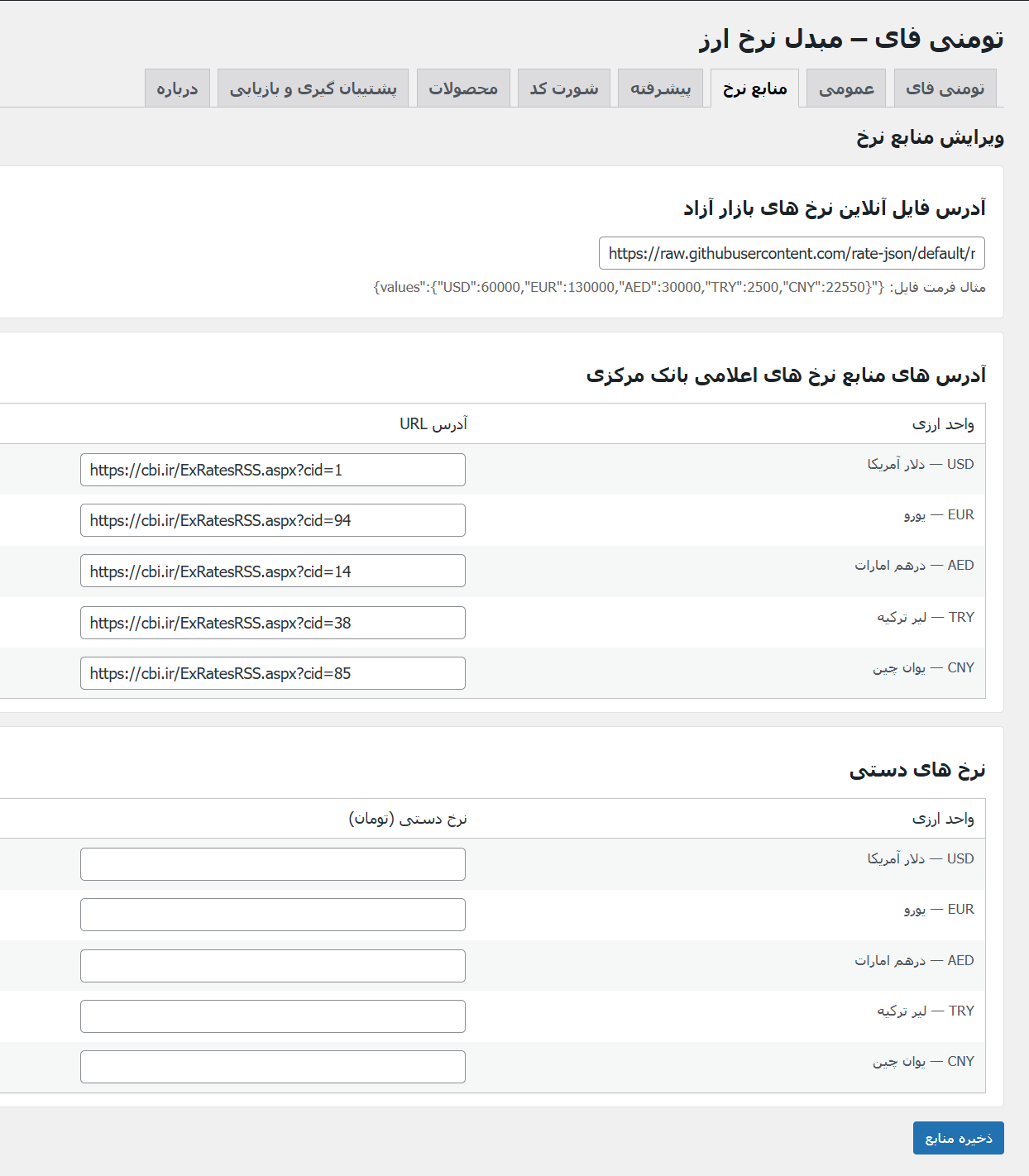
- Rate sources (admin configurable):
- Live free-market JSON endpoint (Toman values)
- Official RSS/XML (per currency) + premium conversion (Free/Official)
- Manual rates (Toman)
- Offline estimation model (reference-based)
- Bulk editor for all foreign products (Products tab)
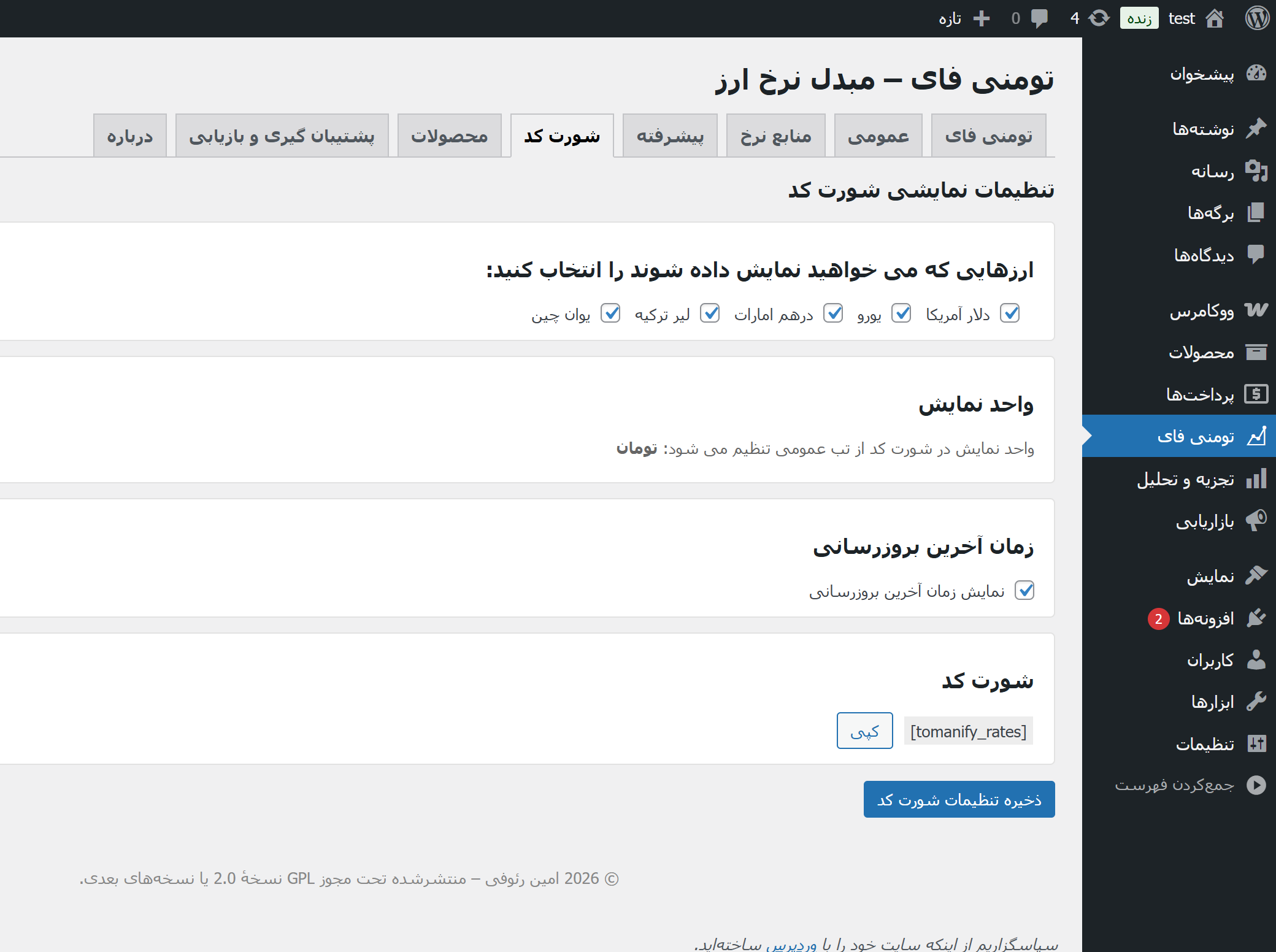
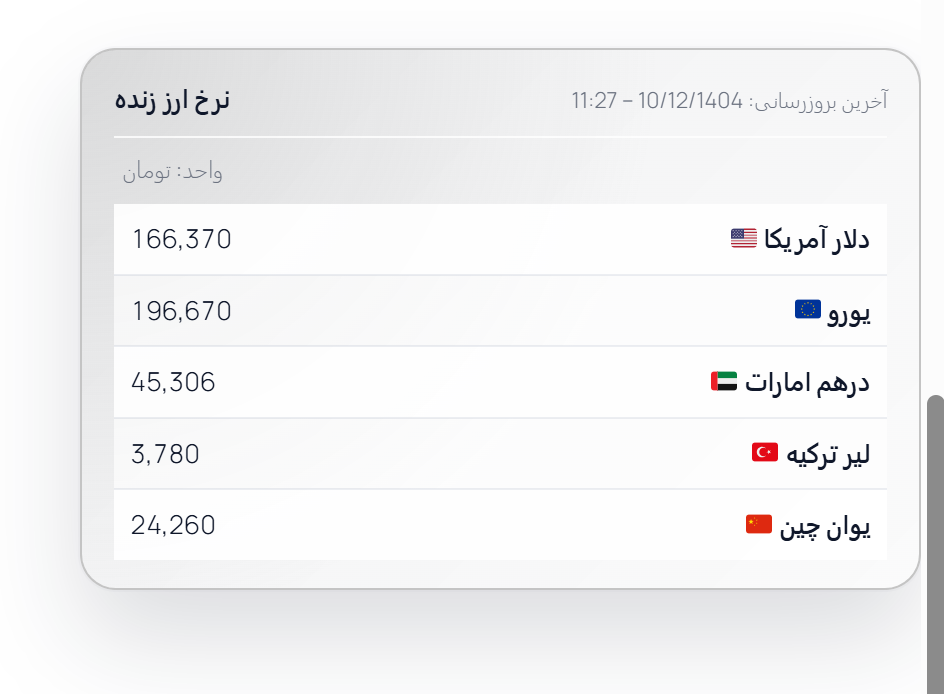
- Frontend widget shortcode: [tomanify_rates] (frontend assets load only when shortcode is used)
- Optional cache purge integration (OFF by default)
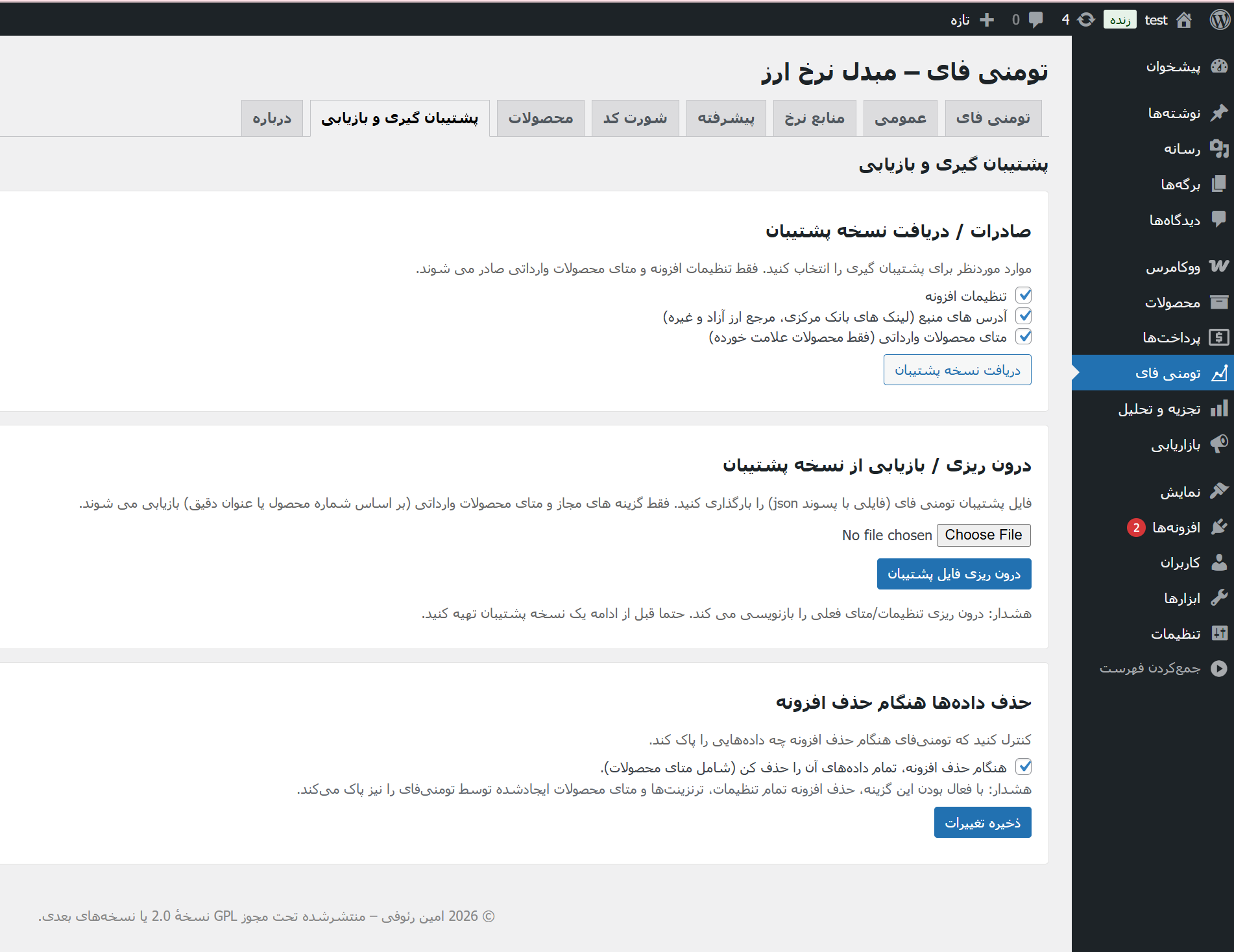
- Backup/Restore (export/import JSON) + uninstall cleanup option
- Independent plugin language (fa_IR / en_US) regardless of site language
- RTL/LTR aware admin and frontend UI
- Faster admin navigation with direct submenu pages, quick Tour access, and plugin-row links to Settings, Docs, API docs, and Community support
安装:
- Install and activate the plugin.
- Go to WP Admin → Tomanify.
- Set your rate source in the Sources tab (JSON / RSS/XML / Manual / Offline).
- Mark products as Foreign Product (Tomanify) and enter:
- Foreign amount
- Currency
- Margin (%)
- Click Update Rates (Dashboard tab) or rely on Cron schedule.
- (Optional) Add shortcode [tomanify_rates] to show a frontend widget.
屏幕截图:
常见问题:
Does Tomanify auto-fill any external URLs by default?
No. All source URL fields are empty by default. External requests only happen after an admin enters URLs.
Does Tomanify itself sell or bundle a paid API?
No. Tomanify is a conversion and pricing engine. It can work with a compatible free-market JSON feed, official RSS/XML, manual rates, offline estimation, or any HTTPS source you choose.
Do I have to buy an API key to make the plugin useful?
Not necessarily. Many stores can start with a compatible free-market JSON source and a sensible margin. Stores with stricter requirements can later move to a paid or self-hosted source.
What JSON structure does Tomanify understand?
The documented schema is: {"values":{"USD":60000,"EUR":130000,"AED":30000,"TRY":2500,"CNY":22550}} Values must be numeric Toman amounts.
My rates changed a little but products did not update. Why?
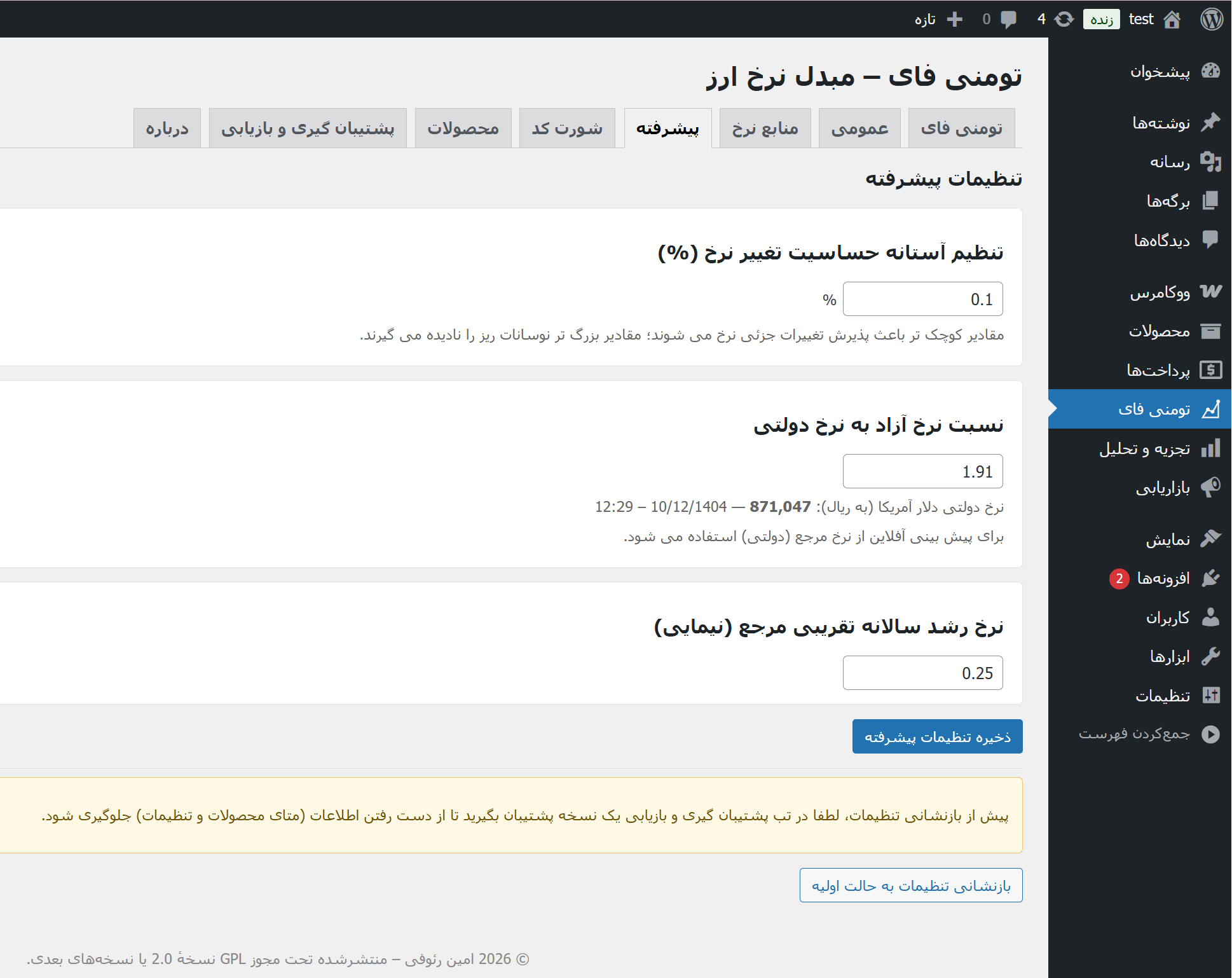
Check Change threshold % in the Advanced tab. Small movements below the threshold are ignored to reduce noise.
Can I use only manual rates?
Yes. Set Source Mode to Manual and fill per-currency values (Toman).
Can I switch between Toman and Rial later?
Yes. Tomanify stores a TOMAN baseline per product and rewrites WooCommerce prices when you switch the unit (no re-fetch needed).
Where can I find the full user-friendly guides?
See the public Persian documentation for full guides and setup walkthroughs.
更新日志:
- Added WordPress 7.0 compatibility metadata and safer HTTPS request handling.
- Improved mobile admin layout, form spacing, card alignment, table scrolling, and reduced-motion support.
- Added documentation links next to source URL fields without pre-filling or saving source URLs.
- Improved plugin-language switching after saving General settings and backup downloads.
- Improved CBI conversion defaults for closer free-market estimation.
- Improved uninstall cleanup, HTTPS-only import handling, and admin action checks.
- Added direct admin submenu entries for all Tomanify tabs for faster navigation.
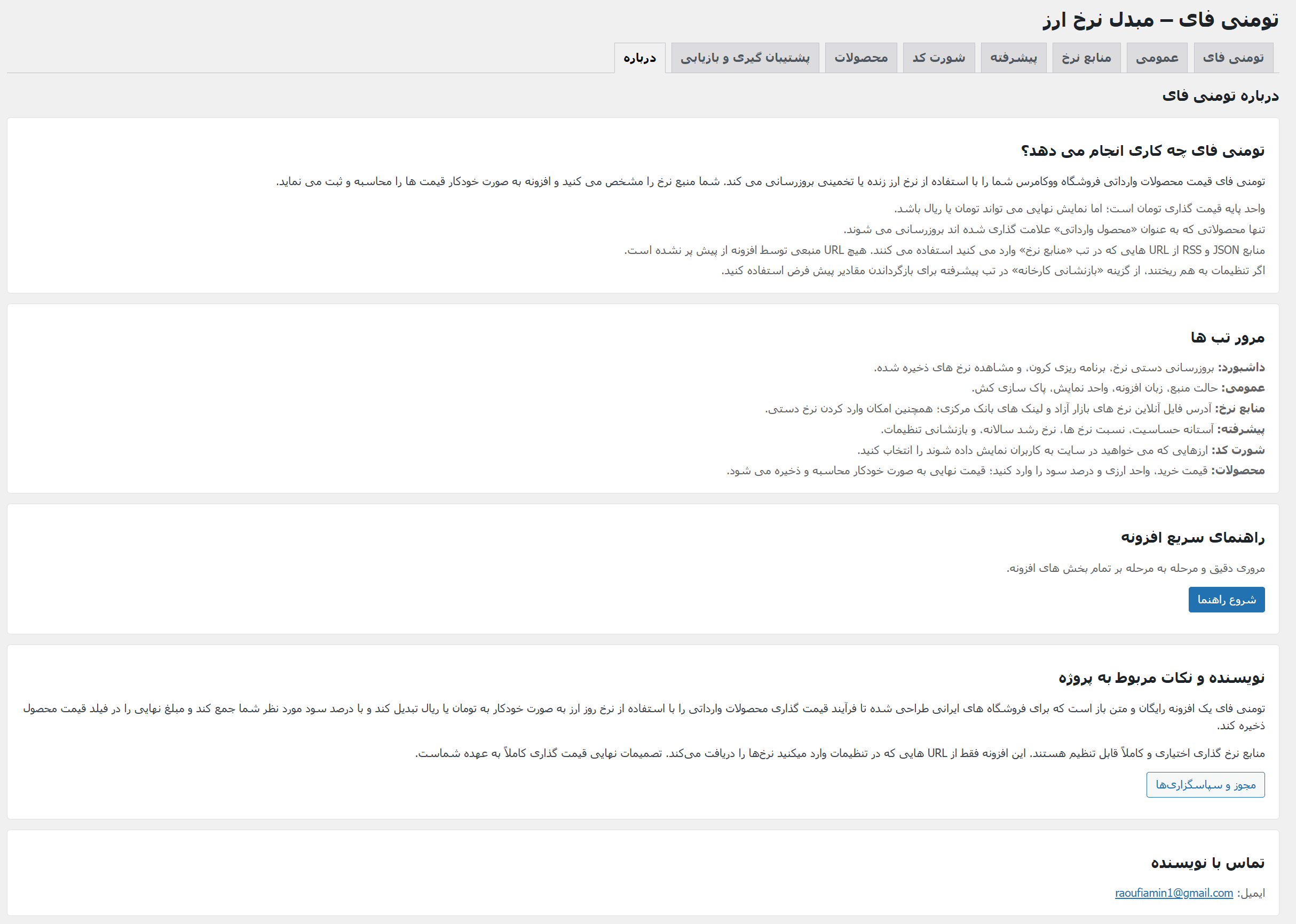
- Added documentation links to the About tab.
- Added plugin row links on the Plugins screen: Settings, Tour, Docs, API docs, and Community support.
- Improved guided tour behavior for the new admin submenu pages and quick Tour link.
- Minor admin navigation improvements.
- Initial public release on WordPress.org.
- Secure admin forms (capability checks + nonces) and full sanitize/validate/escape coverage.
- No pre-filled external URLs; external requests only when admin sets URLs.
- Optional purge feature is OFF by default and restricted to same-host requests.
- Added Backup/Restore and uninstall cleanup option.
- Improved RTL/LTR support and independent plugin locale (fa_IR/en_US).