Tornevall Networks DNSBL Implementation
| 开发者 | Tornevall |
|---|---|
| 更新时间 | 2026年4月29日 14:13 |
| PHP版本: | 8.1 及以上 |
| WordPress版本: | 6.9 |
| 版权: | GPLv2 or later |
详情介绍:
Tornevall Networks DNSBL and FraudBL protection for WordPress. The plugin helps block comment activity, account registrations and other unwanted submissions from addresses flagged by Tornevall Networks DNSBL and FraudBL.
FraudBL is part of the protection layer used by the plugin and is available at fraudbl.org. For general discovery, broader search terms like fraud, blacklist, comment spam and user registration are usually easier to find than niche technical acronyms alone.
The plugin is intended to provide a lightweight anti-spam and anti-abuse layer for WordPress, with support for local caching to reduce repeated lookups and unnecessary load against blacklist services.
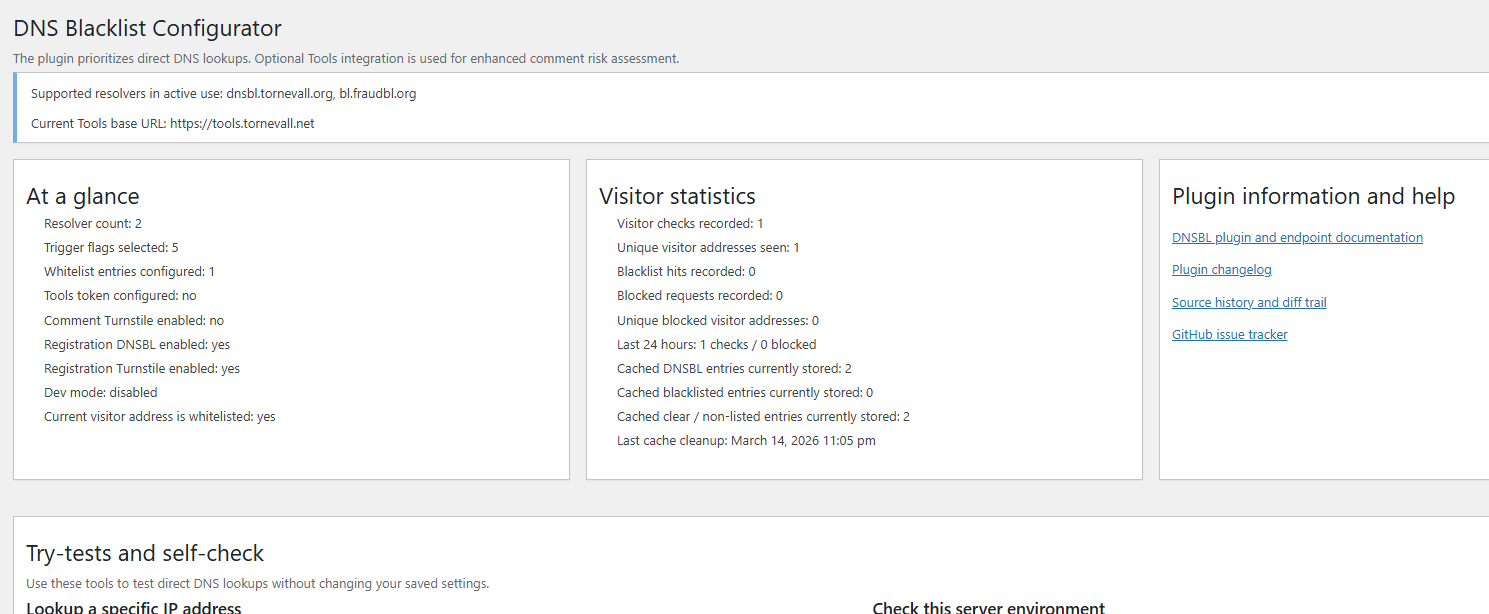
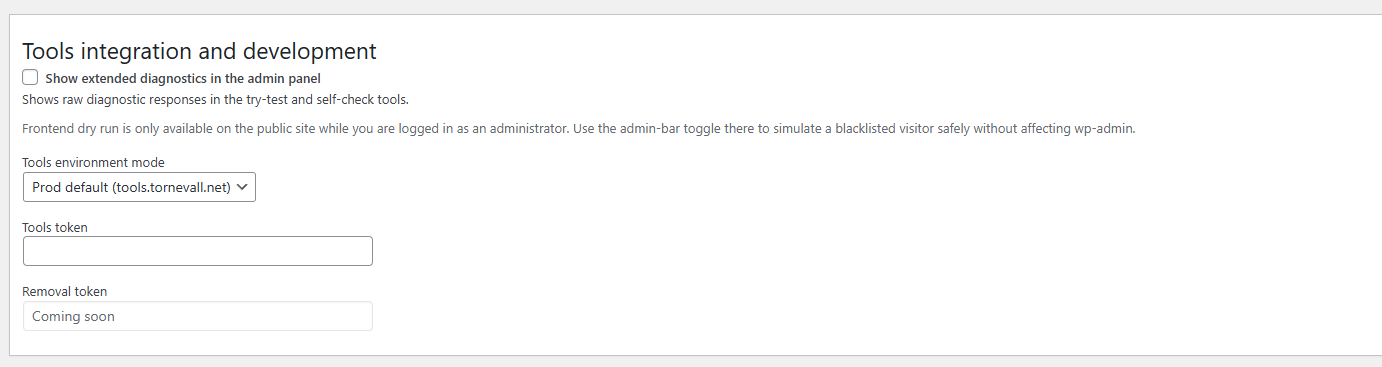
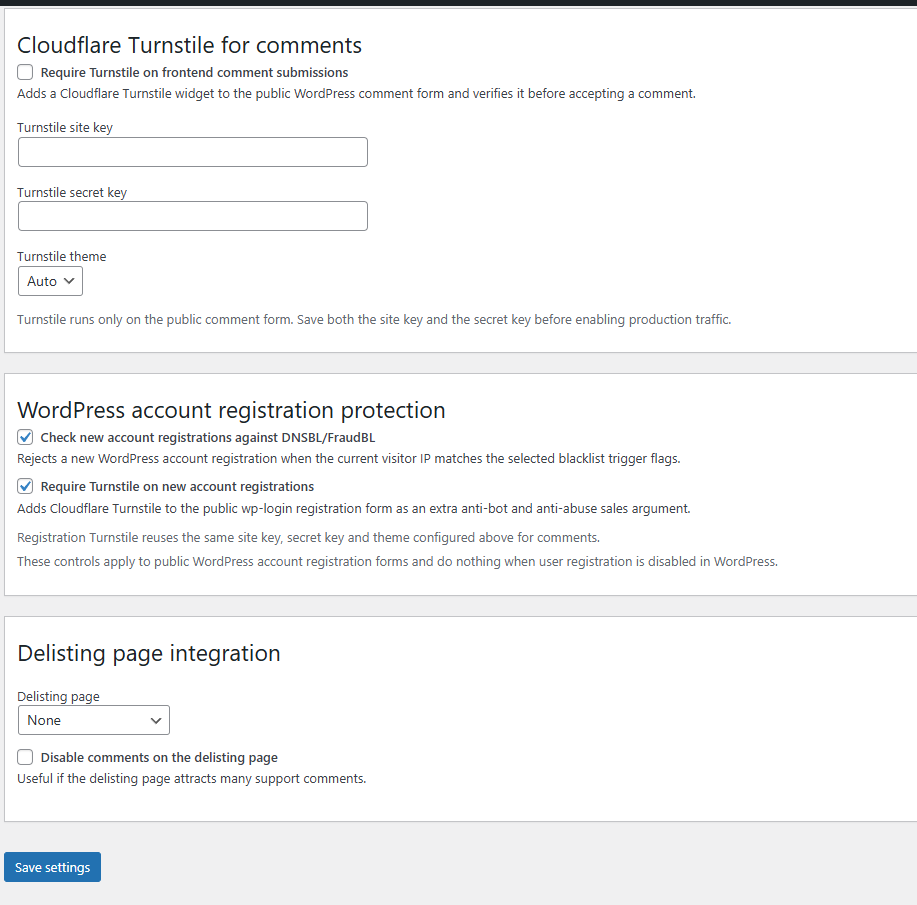
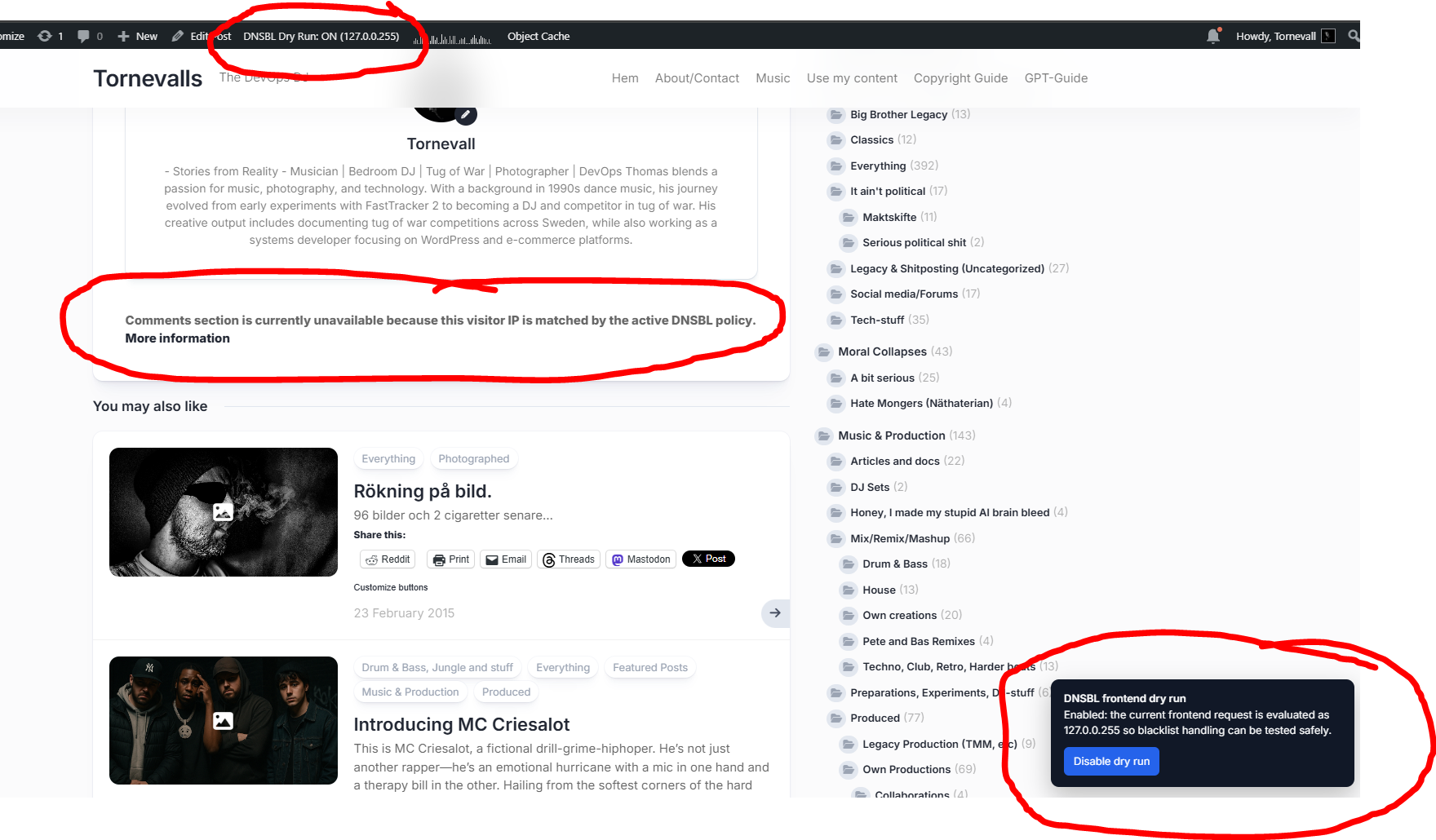
Current admin features include manual DNS lookup tools, self-check tools, visitor statistics, safe IP whitelisting, frontend dry-run support for administrators, Cloudflare Turnstile for comments, DNSBL plus Turnstile protection for new WordPress account registrations, and a separate opt-in Turnstile toggle for the public delisting/removal flow. Tools integration now uses one visible DNSBL / Tools API token field in the plugin UI. The live Check token permissions flow always asks Tools directly, warns clearly when the token exists on the other Tools environment (
tools.tornevall.com vs tools.tornevall.net), and reports the effective DNSBL permissions for the configured token. Active admin-owned Tools tokens are shown as having automatic DNSBL access through the same X-Dnsbl-Token transport. The plugin now also warns on the WordPress dashboard and settings page when the current token cannot perform live delete / delist operations yet, with a direct link to the active Tools access page. The token status area shows current add/delete/update capability instead of only saying that a token exists, and delisting-page controls stay read-only until delete / delist permission has been confirmed. Internal delist slug routing now uses a dedicated rewrite/query-var path and refreshes rewrite rules on activation and slug changes to avoid /delist 404 cases. The managed public delist page now runs as a checker-style IP-only flow (checks listing first, then submits delist), while custom shortcode pages still support the broader permission-aware operations. The plugin also ships a shortcode delisting/removal form ([dnsbl_removal_form]) with AJAX backend proxy and optional API dry-run acknowledgement, plus a built-in primary removal-page template that is only activated when the configured token has live delete permission. Advanced CIDR delist now follows the delegated Tools guardrail delete_min_cidr_prefix, so non-admin tokens can be limited to /25../32, /26../32, or /32 only instead of always exposing /24. Tools-backed DNSBL write/check calls now also include additive site identity metadata so Tools-side delist audits can show which WordPress site submitted the request. The admin UI also now shows a small dismissible reminder with a direct link to the WordPress.org review form.
Report issues and feedback: GitHub issues
Plugin URL: WordPress.org plugin page
Documentation: DNSBL API documentation
Support and feedback
Bug reports and feedback can currently be submitted via GitHub issues.
Full Documentation: DNSBL API documentation
Translations can be contributed via translate.wordpress.org.
安装:
- Upload the plugin archive to the
/wp-content/plugins/directory - 通过 WordPress 的的“Plugins”菜单激活插件
- Configure the plugin via admin control panel
屏幕截图:
更新日志:
3.1.1
- Added an explicit admin checkbox for Turnstile on the public delisting/removal page.
- The public delist flow no longer inherits Turnstile automatically just because comment or registration Turnstile is configured.
- Site owners can now disable only the removal-page challenge when Cloudflare Turnstile has temporary problems, while keeping comment and registration protection enabled.
- Tools-backed DNSBL write/check requests now also carry additive site identity metadata (
source_type,source_name,source_site_url,source_site_host) so backend delist/removal audits can identify which WordPress site submitted the request.
- Added the plugin-side DNSBL write integration (
add,delete,update,bulk) around one visible Write token field, bulk queueing, and optional dry-run acknowledgement through the Tools DNSBL endpoints. - Added the shortcode-based removal form (
[dnsbl_removal_form]) with AJAX backend proxy support, built-in main removal-page templating, and live delisting-page permission gating. - Added the Tools-backed checker/removal follow-up via
POST /api/dnsbl/check-ip, together with the checker-style public delist flow and dashboard/settings warnings when live delete / delist access is still missing. - Added advanced optional CIDR removal flow for permitted tokens, including safe
/24../32validation, plugin-local scan progress, a visible hit list of listed addresses, listed-hit-only delete targeting, sequential per-IP delete requests, and Cloudflare Turnstile verification for live removal-form submissions. - The plugin UI now uses one visible DNSBL / Tools API token field, and the Check token permissions tool now always asks Tools for a live answer and reports effective DNSBL access more clearly.
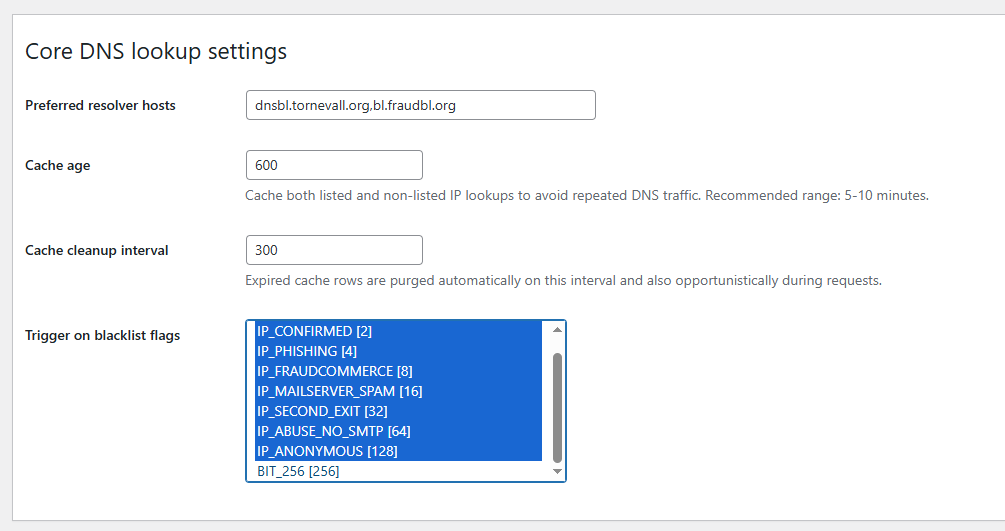
- Preferred resolver hosts now cover all four canonical DNSBL/FraudBL zones, and migrations merge any missing defaults into existing installs without removing custom hosts.
- Shortcode/custom removal pages now expose only the operations allowed by the current token, while the plugin-managed main removal page stays delete-focused.
- Token status panels, delisting-page controls, and checker submits now better reflect real delete capability, including explicit IP reposting when the checker has locked the field before submit.
- Checker follow-up failures now report clearer backend/API errors for remote
419cases, and write/check diagnostics now distinguish true invalid DNSBL tokens from wrong-token-type or inactive admin-key cases. - Checker-mode Turnstile stays hidden during pre-check/background steps, is enforced on actual write submissions, the Delist button now carries the in-flight submit state itself, and checker/delist requests now also show a dedicated busy spinner row.
- CIDR scanning now stays inside WordPress in small local batches so the resolver side is not flooded, while the final delete still goes through the DNSBL write endpoint after the block scan has found at least one listed address and only for the IPs the local scan actually marked as listed, one IP at a time.
- If the user clicks Check if listed while a valid CIDR is still entered in the first checker IP field, the plugin now opens Advanced automatically, moves the CIDR there, and keeps that Advanced CIDR value as the authoritative range for the later scan/delete flow instead of requiring a separate single-IP anchor.
- The admin UI now also shows a dismissible reminder that links directly to the WordPress.org review form for quick feedback.
- Fixed frontend dry-run availability so the public banner and toggle only appear when DNSBL dev mode is enabled and Tools environment mode is set to dev.
- Repackaged the release so updated screenshots and other WordPress.org assets can be picked up properly.
- Restored Markdown-style links in the readme after the previous plain-URL formatting pass.
- Simplified and aligned the public plugin name so it better matches the WordPress.org slug.
- Corrected the author metadata spelling to Thomas Tornevall.
- Reduced the WordPress.org tags to five broader discovery terms with better general search value.
- Refreshed the readme wording for FraudBL/fraud discovery and noted planned WooCommerce-oriented follow-up work.
- Refactored the plugin around WordPress-native DNS lookups, admin AJAX tooling and a namespaced internal structure while keeping the historical main plugin file name and compatibility entry points.
- Added asynchronous admin lookup and self-check tools that run without reloading the page.
- Added visitor statistics for resolved checks, blacklist hits, blocked requests, unique visitor addresses and cached blacklist activity.
- Added configurable cache TTL, configurable cleanup intervals and automatic expiry cleanup for both listed and non-listed DNSBL lookups.
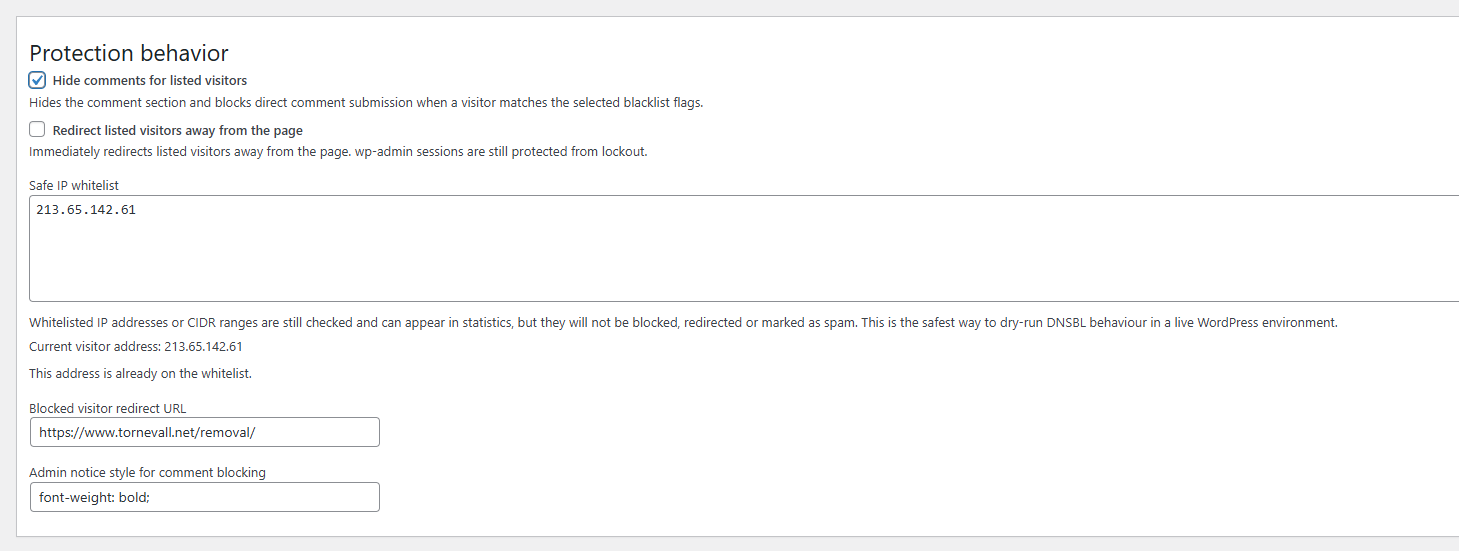
- Added a safe IP whitelist, protected-admin notices and a one-click current-visitor whitelist action.
- Added public documentation links, changelog links and source-history links in the admin help flow.
- Added Cloudflare Turnstile protection for frontend WordPress comments.
- Added DNSBL/FraudBL checks for new WordPress account registrations.
- Added Cloudflare Turnstile protection for new WordPress account registrations.
- Added
IP_FRAUDCOMMERCEto the default trigger-flag profile. - Tightened comment blocking so hidden comment forms also reject direct submissions.
- Restricted dry-run simulation to the public site for logged-in administrators.
- Switched Tools integration default mode to production.
- Updated removal and delisting references to the removal page.
2.1.9is the latest historical tag visible in the repository before the current 3.x cleanup and refactor work.