
Track-A-Bot
| 开发者 | trackabot |
|---|---|
| 更新时间 | 2026年3月3日 13:05 |
| PHP版本: | 7.0 及以上 |
| WordPress版本: | 6.9 |
| 版权: | GPLv2 or later |
| 版权网址: | 版权信息 |
详情介绍:
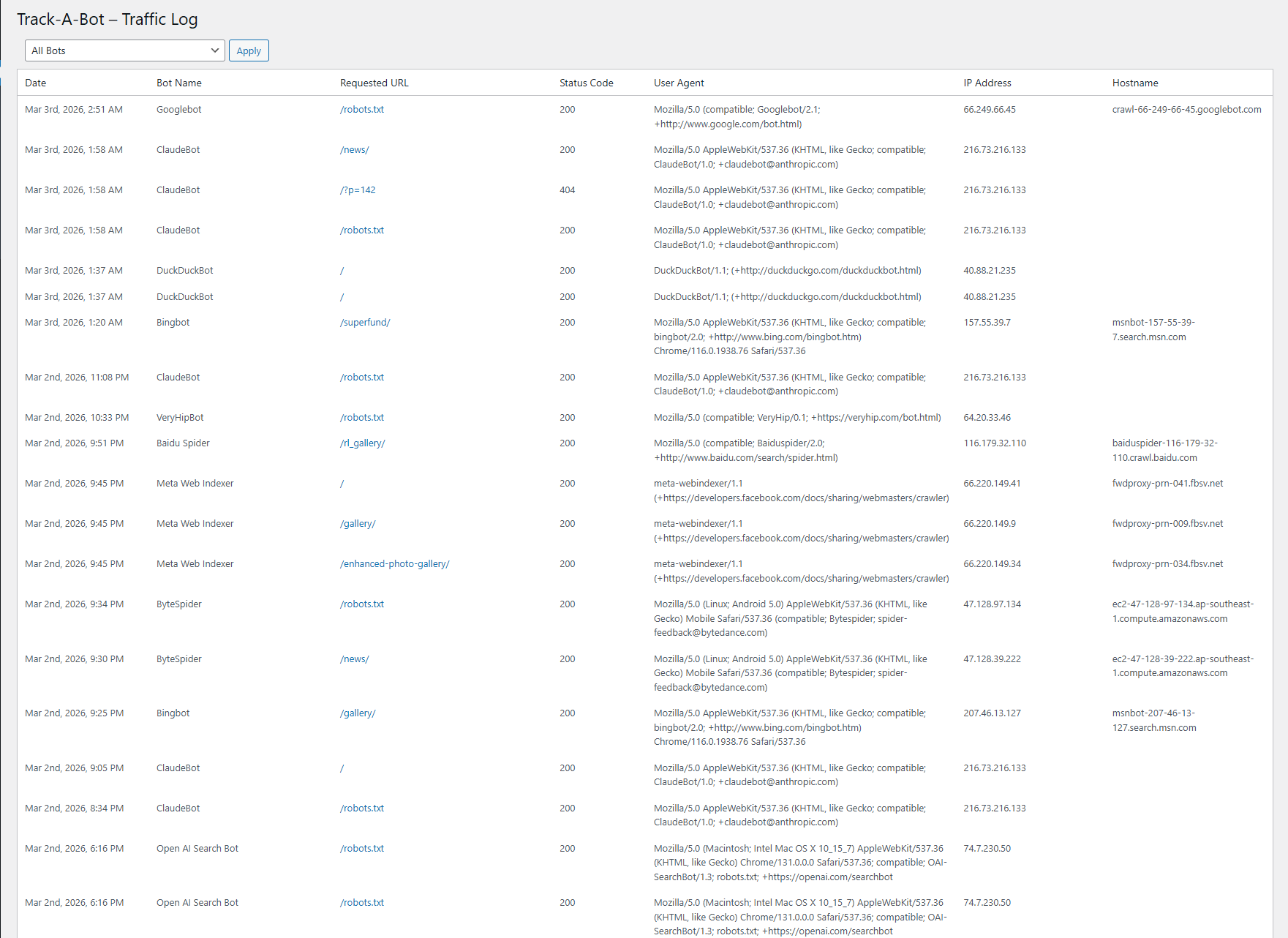
- Logs bot visits on front-end requests by matching against a known bot list (User-Agent match).
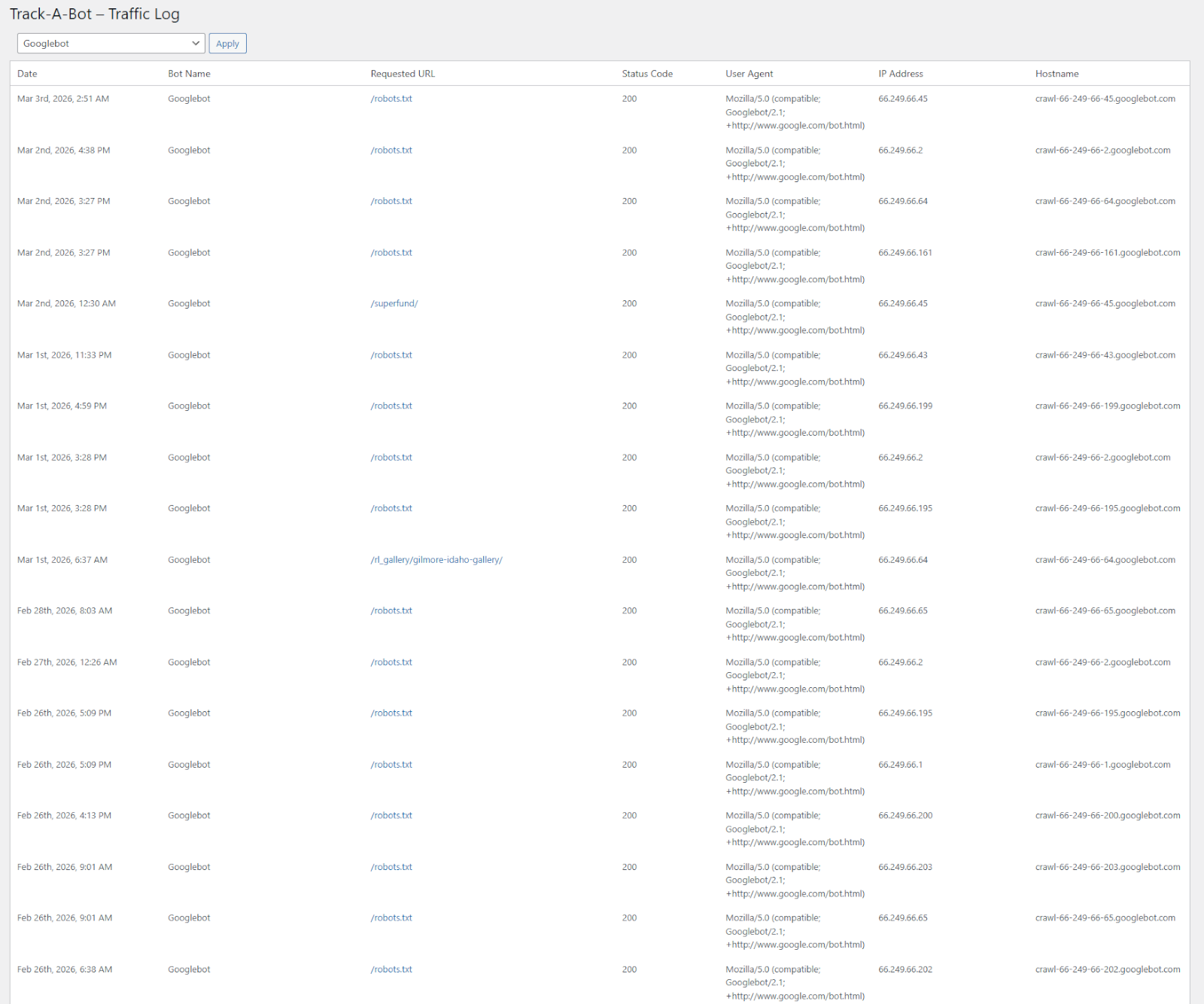
- Admin traffic log with filtering and pagination.
- Settings: choose how many log rows to display per page.
- Optional hostname enrichment in the background via WP-Cron (reverse DNS lookup + caching).
- Safe admin-only controls and nonce validation for filter actions.
安装:
- Upload the
track-a-botfolder to the/wp-content/plugins/directory, or install the plugin through the WordPress Plugins screen. - Activate the plugin through the “Plugins” screen in WordPress.
- In the WordPress admin menu, go to Track-A-Bot to view the bot traffic log.
- (Optional) Go to Track-A-Bot → Settings to change how many rows are displayed per page.
- Track-A-Bot creates a custom database table on activation to store bot traffic logs.
- Track-A-Bot uses WP-Cron to enrich missing hostnames in the background. Your site must receive traffic for WP-Cron to run automatically (or you can use a real cron job that triggers wp-cron.php).
屏幕截图:
常见问题:
What does Track-A-Bot do?
Track-A-Bot tracks and logs automated traffic from SEO bots, AI crawlers, and LLM agents visiting your WordPress site. It helps you understand which bots are accessing your content, when they visit, and what pages they request, using a built-in list of known bots and detailed request-level logging.
How does Track-A-Bot detect bots?
Track-A-Bot matches the request’s User-Agent string against a built-in list of known bots. If a match is found, the visit is logged. (Hostname matching can also be used by the detection function when you supply a hostname, but the front-end logger uses User-Agent matching by default.)
Does this log human visitors too?
No. Track-A-Bot only logs requests that match a known bot in the bot list.
What data is stored when a bot is logged?
The plugin stores the timestamp, bot ID/name, requested URL, HTTP status, user agent, IP address, and (when available) the hostname.
Why is the Hostname column sometimes blank?
Hostnames are resolved using reverse DNS lookups. Track-A-Bot fills in missing hostnames in the background using WP-Cron and caches lookups to reduce load. Some IPs do not have a valid reverse DNS hostname, in which case the hostname will remain blank.
Does Track-A-Bot slow down my site?
The front-end logger is designed to be lightweight: it performs a simple User-Agent match and inserts a row when a known bot is detected. Hostname lookups (the expensive part) are performed later in small batches via WP-Cron and cached using transients.
Can I change how many rows are shown per page?
Yes. Go to Track-A-Bot → Settings and choose “Bots per page”.
Does Track-A-Bot modify my robots.txt?
No, Track-A-Bot does not modify your /robots.txt file.
How many bots are included?
Track-A-Bot includes 250+ bots in its built-in bot list for free.
更新日志:
- Added new “Bot Analytics” dashboard page with 7-day bot activity overview.
- Integrated Chart.js and custom admin chart scripts for visual bot traffic trends.
- Added dynamic 7-day daily bot totals query using prepared SQL and UTC-safe date handling.
- Improved admin menu structure with new top-level “Track-A-Bot” overview page.
- Renamed first submenu item to “Bot Analytics” for improved clarity.
- Hardened activation redirect logic with additional sanitization.
- Improved request logging sanitization (user agent + request URI length limiting and cleanup).
- Updated admin style loading logic to correctly load on all Track-A-Bot admin pages.
- Improved i18n support for fallback bot labels.
- Version bump to 1.0.3.
- Expanded bot detection list to ~250 known bots (bot-list.php update).
- Fixed Settings page so the “Bots per page” option saves and applies correctly.
- Improved validation and sanitization for pagination settings.
- Documentation updates and readme improvements.
- Initial release.