
TrackPluse – Rank & Stats
| 开发者 | som9663 |
|---|---|
| 更新时间 | 2026年11月8日 20:35 |
| PHP版本: | 8.3 及以上 |
| WordPress版本: | 7.1 |
| 版权: | GPLv2 or later |
| 版权网址: | 版权信息 |
详情介绍:
- Rank among every plugin or theme on WordPress.org, with its move over the last week.
- Active installs as WordPress.org reports them, with TrackWP's estimate inside the band.
- Downloads a day on a typical day, so a release's update spike doesn't pass as the usual rate.
- Rating and the number of ratings.
- Version and when it was released.
- Tested up to, flagged when it's behind the current WordPress, which lowers a plugin in WordPress.org search.
- Known vulnerabilities that affect the current version, from the WPVulnerability database, and a warning if WordPress.org has closed it.
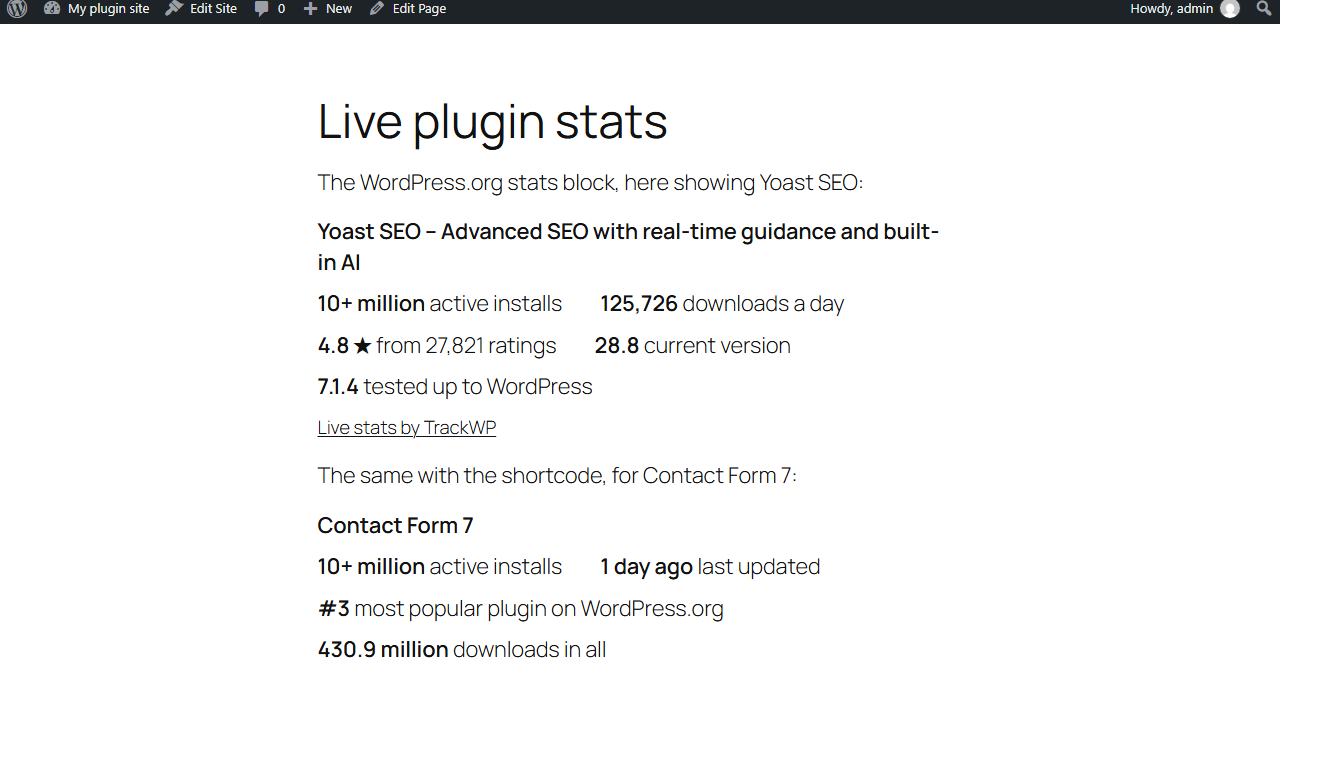
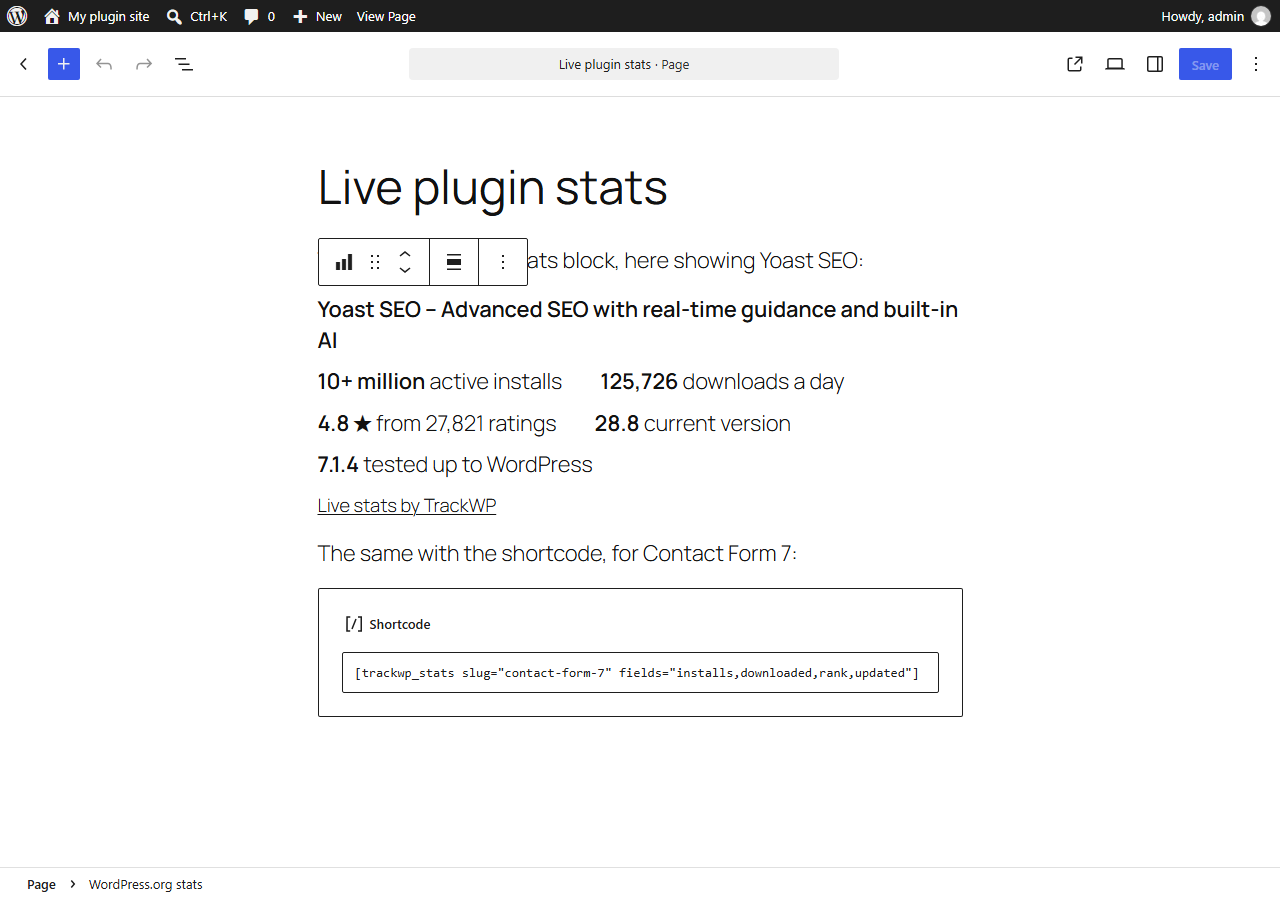
[trackpluse_stats] shortcode, show a plugin's or theme's figures on any page: active installs, rating, downloads a day, total downloads, version, "Tested up to", last update and rank. Pick the figures you want. They stay current without editing the page.
Show the whole list in a sidebar
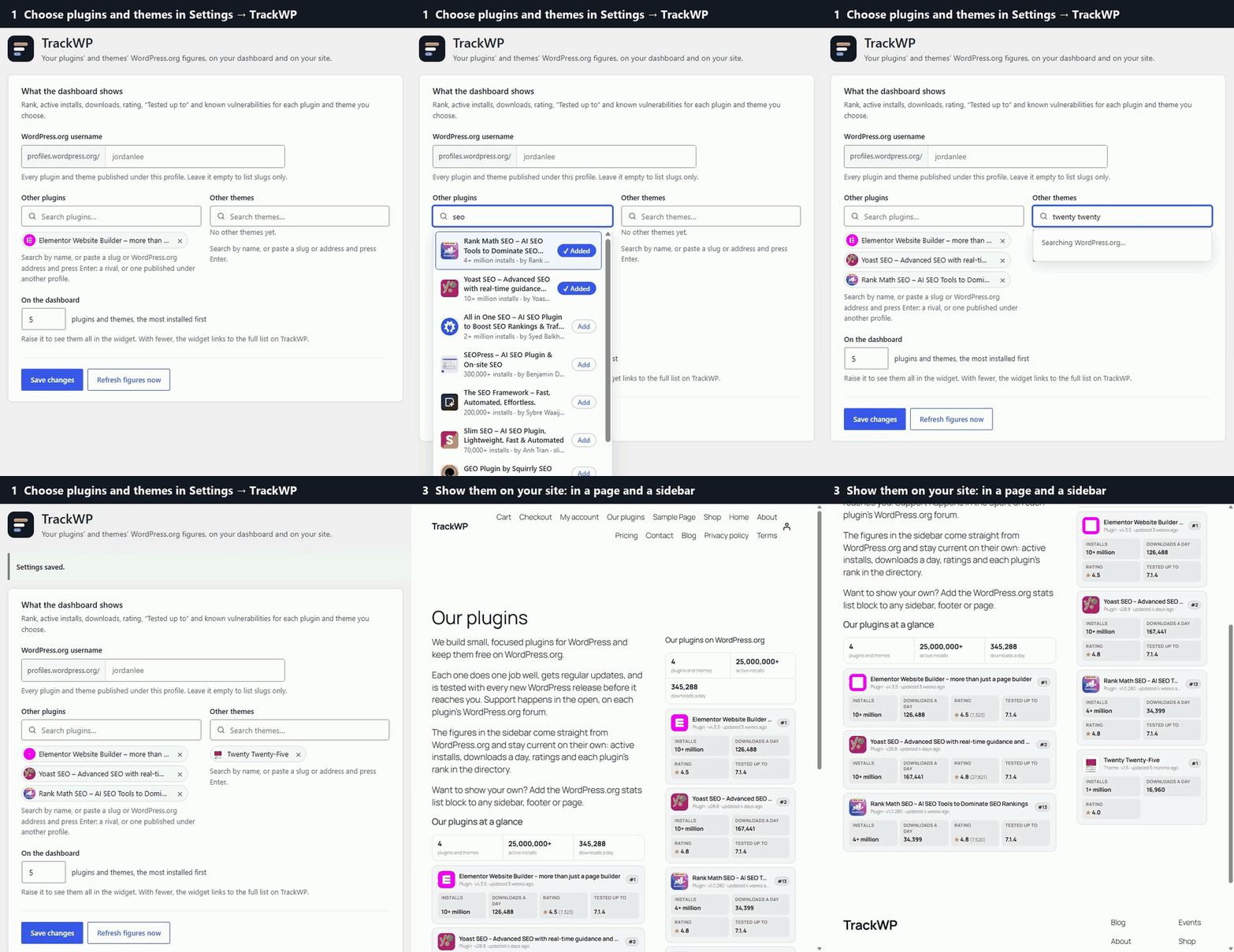
The WordPress.org stats list block, and the [trackpluse_list] shortcode, show the dashboard widget's list on your site: the totals, then each plugin's and theme's rank, installs, downloads a day, rating and "Tested up to". Put it in a widget area (Appearance → Widgets, or a template part in the Site Editor), a footer or any page. It shows what you chose in Settings → TrackPluse unless you give it a username or slugs of its own. Warnings meant for you, like known vulnerabilities, stay on your dashboard.
Your server fetches the figures and keeps them for six hours. Your visitors never contact TrackWP, and nothing is loaded from another site for them. A link to TrackWP appears under the figures only if you turn it on.
No account needed
Everything here works without signing up. If you want more, TrackWP also tracks where your plugin ranks for each search on WordPress.org, alerts you when that or anything else changes, and simulates what would move you up.
安装:
- Install and activate the plugin.
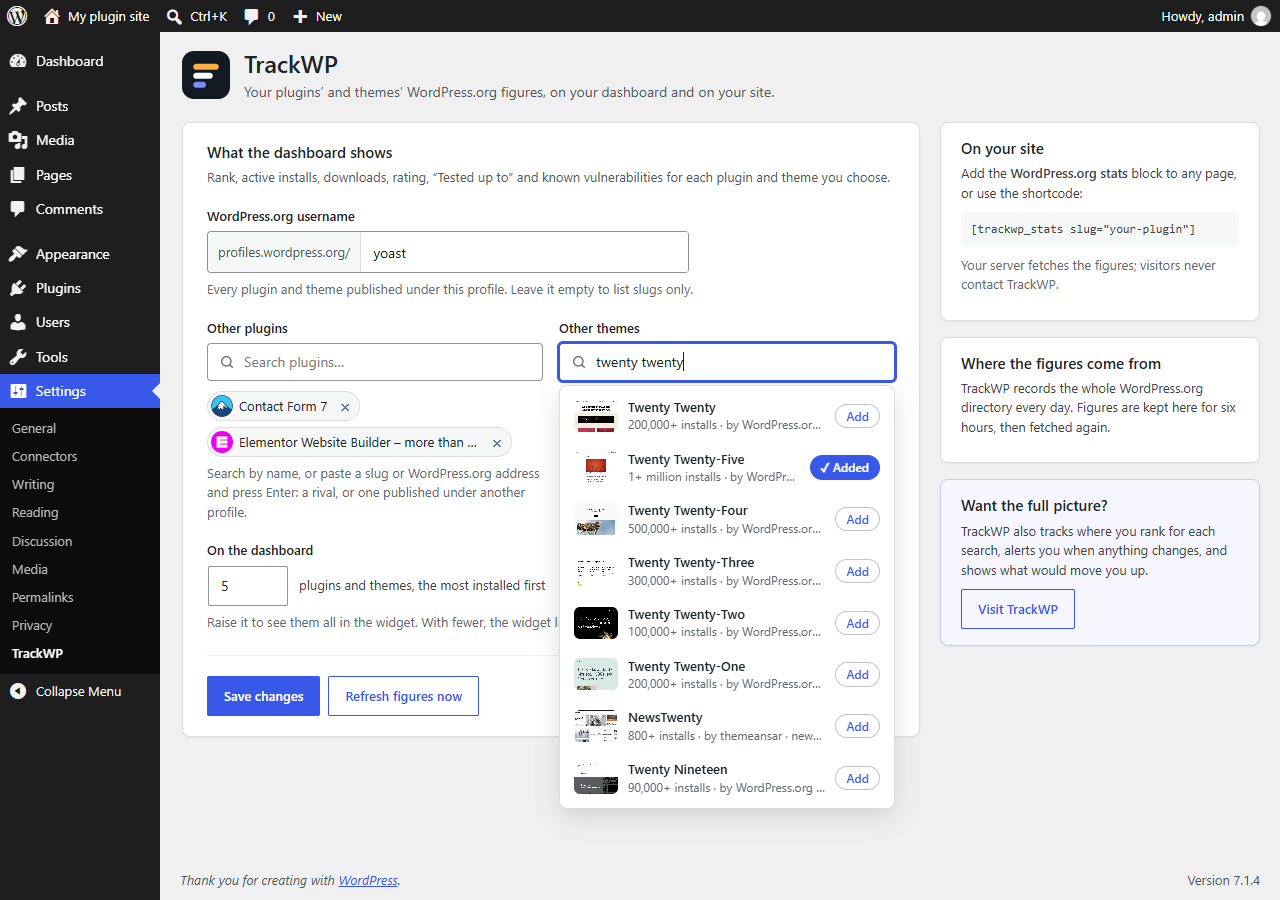
- Go to Settings → TrackPluse and enter your WordPress.org username, or search for the plugins and themes you want to follow and add them.
- Open your dashboard: the WordPress.org stats widget shows them.
- To show figures on a page, add the WordPress.org stats block, or the shortcode
[trackpluse_stats slug="your-plugin"].
屏幕截图:
常见问题:
Do I need a TrackWP account?
No. The widget, the block and the shortcode all work without one.
Where do the figures come from?
From WordPress.org: TrackWP records every plugin and theme in the directory each day. Rank is the position in WordPress.org's "popular" order. Installs are WordPress.org's own band, such as 300,000+. Downloads a day is a typical day of the last two weeks. Known vulnerabilities come from the WPVulnerability database.
How fresh are they?
TrackWP updates every listing once a day; this plugin keeps figures for six hours. Refresh now in the widget or in Settings → TrackPluse fetches them again.
Which shortcode options are there?
[trackpluse_stats slug="contact-form-7" type="plugin" fields="installs,rating,downloads,tested" name="yes" link="no"]
slug: the plugin's or theme's slug, the last part of its WordPress.org address.type:plugin(the default) ortheme.fields: any ofinstalls,downloads,downloaded,rating,version,tested,updatedandrank, separated by commas.name:yesto show the name above the figures,noto leave it out.link:yesadds a "Live stats by TrackWP" link under the figures. It'snounless you set it.
And for the list?
[trackpluse_list author="jordanlee" plugins="my-plugin,my-other-plugin" themes="" shown="5" summary="yes" link="no"]
author,plugins,themes: whose plugins and themes. Leave all three out to use Settings → TrackPluse.shown: how many, the most installed first (1 to 50, 5 by default).summary:nohides the totals above the list.link:yesadds a "Live stats by TrackWP" link under the list. It'snounless you set it.
Does it slow my site down?
No. Figures are fetched by your server, at most once every six hours for each set of slugs, and kept between fetches. If TrackWP can't be reached, the last figures that worked are shown instead.
Who can see the dashboard widget?
Users who can manage the site's options: administrators, by default.
更新日志:
- First release: the dashboard widget, the WordPress.org stats and WordPress.org stats list blocks, and the
[trackpluse_stats]and[trackpluse_list]shortcodes.