
Traffalyzer
| 开发者 | kommune3 |
|---|---|
| 更新时间 | 2026年9月23日 12:42 |
| PHP版本: | 8.0 及以上 |
| WordPress版本: | 7.1 |
| 版权: | GPLv2 or later |
| 版权网址: | 版权信息 |
详情介绍:
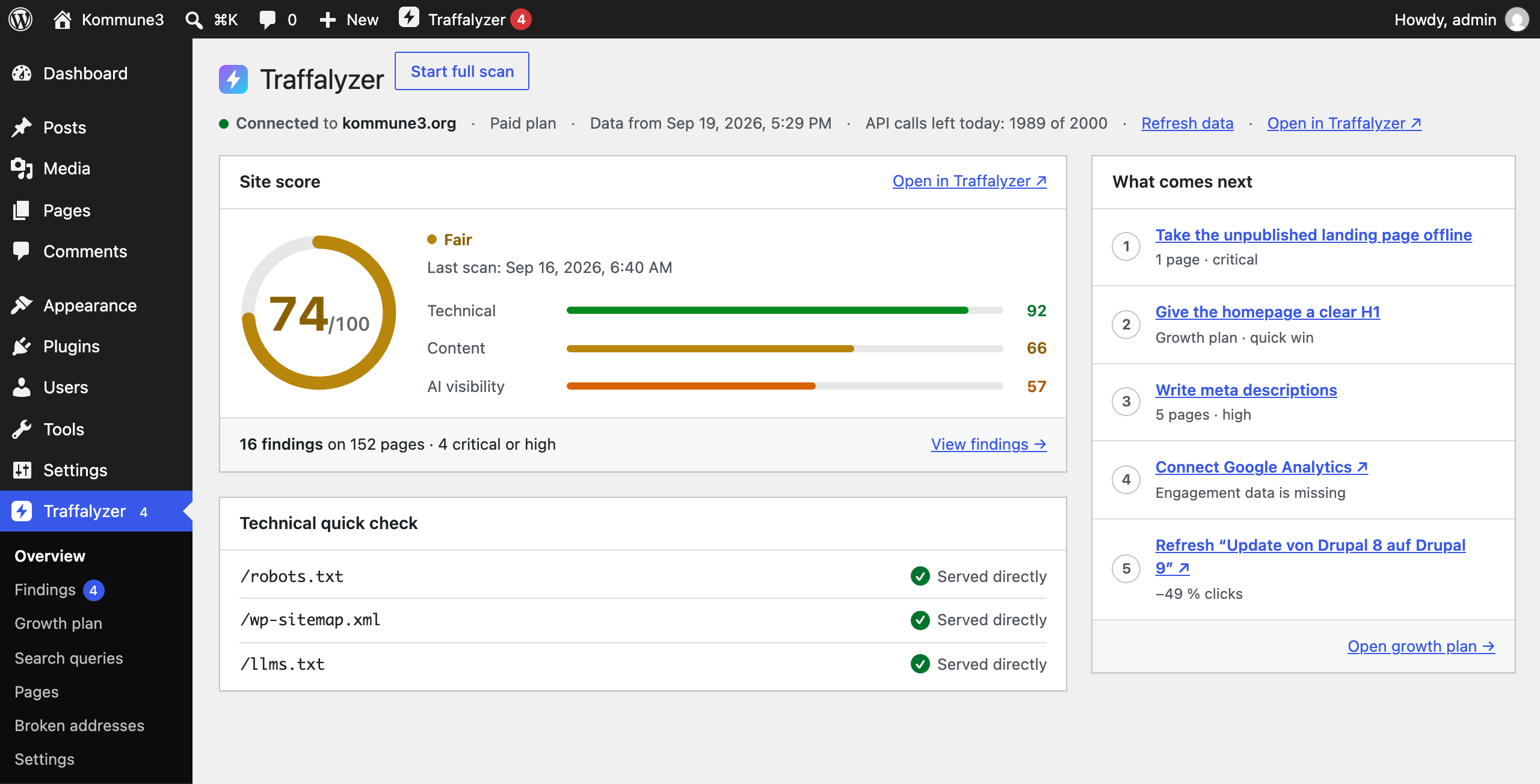
- Overview: site score, last scan, what comes next and a technical quick check of robots.txt, the sitemap and llms.txt.
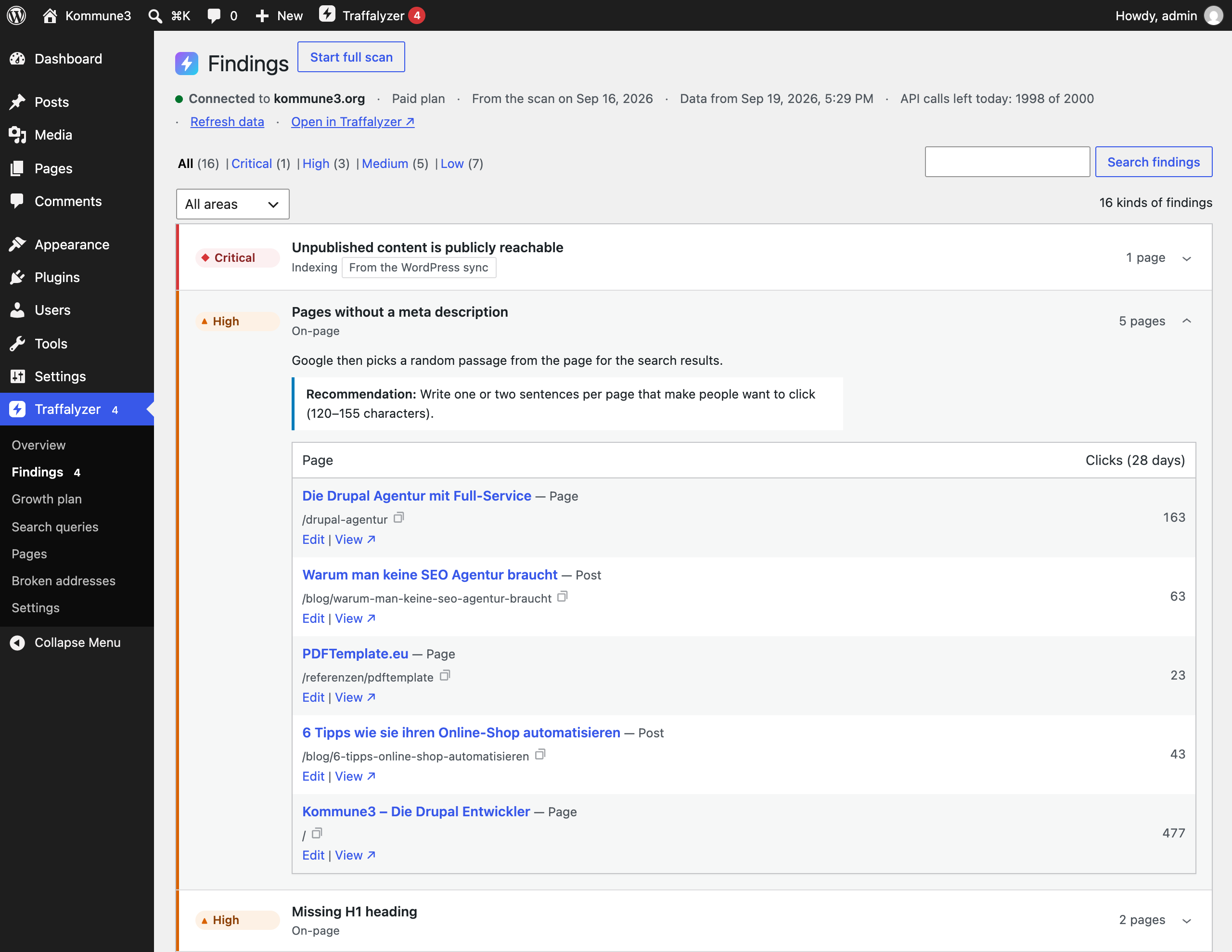
- Findings: everything the crawler found, with an edit link for every affected page.
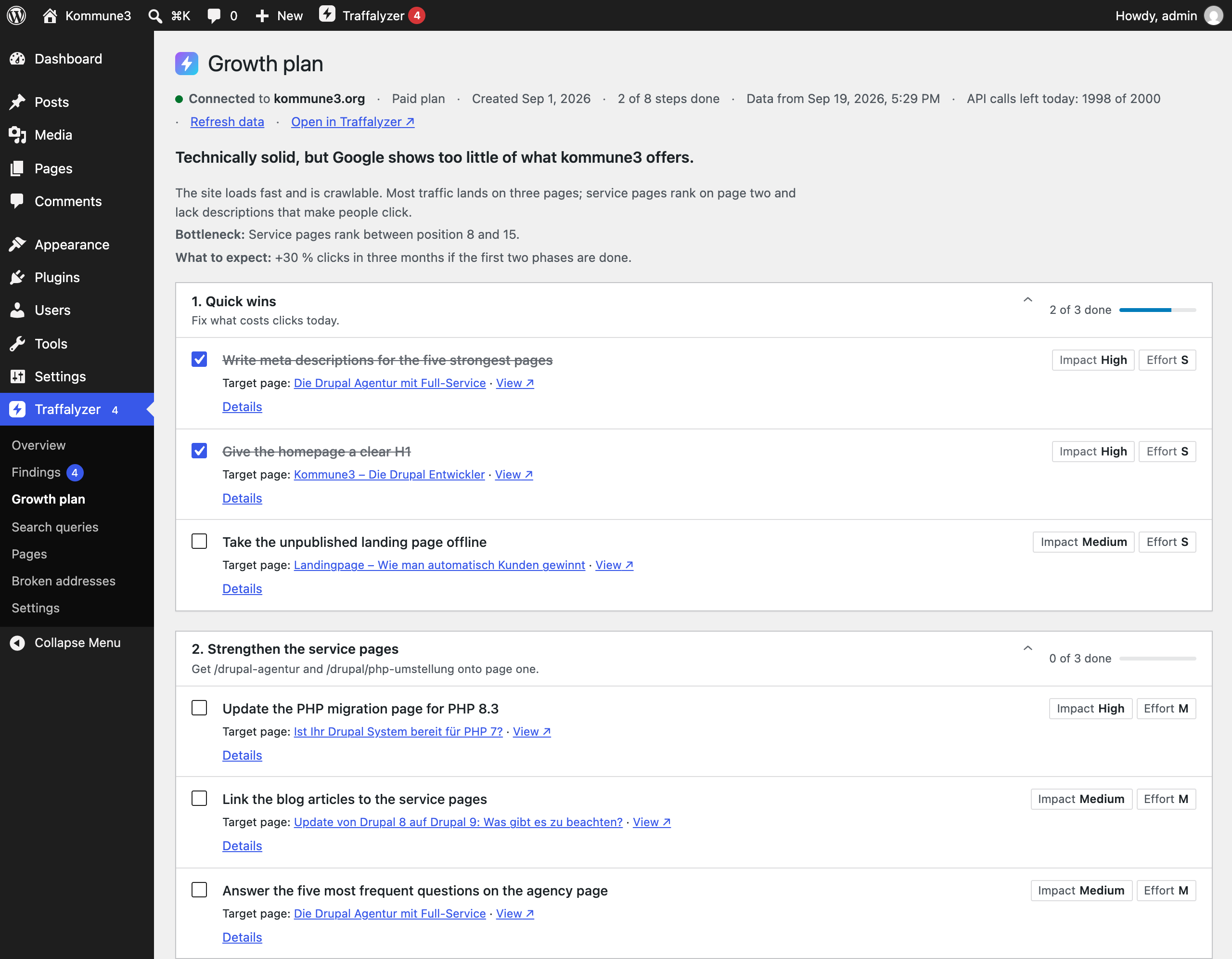
- Growth plan: the steps Traffalyzer suggests; tick them off on paid plans.
- Search queries: strongest queries, opportunities (position 5–20), winners and losers.
- Pages: clicks, impressions, position and open findings for every page, plus the view Needs a refresh: pages that lost at least 20 % of their clicks and have not been changed for twelve months.
- Broken addresses: addresses that returned an error in the last scan, with the pages that link to them and a suggested redirect. With the Redirection plugin or the Rank Math redirections module the redirect is created right there.
/llms.txt generated from your published content.
The inventory. WordPress tells Traffalyzer which addresses exist, whether they are published and indexable (including noindex from Yoast SEO, Rank Math, SEOPress and All in One SEO), which canonical you set deliberately, the content type and when a page was changed. Traffalyzer uses this for findings no crawler can make on its own: unpublished content that is still reachable or still in Google, published pages nothing links to, and canonicals that differ from what WordPress intends. Changes are collected when you save and sent in the background; a complete sync runs once a week.
What the plugin deliberately does not do: start a scan when you save. A crawl takes minutes and uses quota. There is a button for that.
Staging and local copies
Reports and the editor sidebar work on staging and local copies too: addresses are rewritten to the domain Traffalyzer knows. The inventory, however, is only sent from the live site, because a copy would report content the live site does not have.
Free and paid
The Traffalyzer service can be used for free. Some functions depend on the paid Traffalyzer plan (the details of the growth plan steps and ticking them off); the plugin itself locks nothing.
安装:
- Install and activate the plugin.
- Go to Traffalyzer → Settings and click Connect with Traffalyzer. Sign in (or create a free account), choose the domain of this website and confirm. You are sent back and the key is stored automatically; you never have to copy it.
- Send the inventory once when asked (or later under Settings → Content).
- Optional: under Settings → Access, choose which roles see the reports (default: editors) and who may start a scan.
*.test or localhost excepted). Without it, create a key in Traffalyzer under Domain → Integrations → Plugins & API access and enter it under Enter the key manually.
Key in wp-config.php. Instead of the database you can set the key as a constant: define( 'TRAFFALYZER_API_KEY', 'tfz_…' ); or as the environment variable TRAFFALYZER_API_KEY. Both take precedence over the stored key. In a multisite network the constant applies to the main site; further sites can use define( 'TRAFFALYZER_API_KEYS', array( 'blog.example.com' => 'tfz_…' ) );.屏幕截图:

常见问题:
Does the plugin slow down my website?
No. Nothing runs on the public website except the optional /llms.txt. In the admin area, reports load in the background, responses are cached for ten minutes and metrics are fetched once a day.
How much of the API quota does it use?
Traffalyzer allows 200 API calls a day on free domains and 2,000 on paid ones. Thanks to the cache, an editorial team working all day stays far below that. Pages, columns and the dashboard widget read local data and cost no quota at all.
How do I revoke the key?
Disconnect in the settings revokes the key of this website in Traffalyzer. Uninstalling the plugin does the same. You can also revoke keys any time on traffalyzer.com under Domain → Integrations.
Why is the inventory not sent from my staging site?
Because a copy of the website has its own database: drafts, test content, deleted pages. Traffalyzer would compare the live site with a database that is not its own. If the site under another host name really is the live site, confirm it under Settings → Content → Live site.
Is llms.txt switched on automatically?
No. It is off by default. If a file llms.txt already exists in the web root or another plugin serves one, the settings say so.
Can I adjust what is reported?
Yes, with the filter traffalyzer_inventory_entry ( $entry, $post ), which runs last for every entry. traffalyzer_post_types limits the content types.
Which WP-CLI commands are there?
wp traffalyzer status, wp traffalyzer inventory [--dry-run] [--allow-foreign-host], wp traffalyzer scan [--wait], wp traffalyzer metrics, wp traffalyzer queue, wp traffalyzer cache clear, wp traffalyzer llms-txt and wp traffalyzer key set --stdin / key delete.
Multilingual sites (Polylang, WPML)?
Every translation is a post of its own with its own address, and the inventory, the columns and the editor sidebar use exactly that address, including the language directory (e.g. /en/contact/). The homepage is reported once as /; with a static front page per language, the translated front pages are reported under their own addresses. Traffalyzer scans the domain across all languages.
Multisite?
Every site is its own connection with its own key and settings. In subdirectory networks all sites share one domain, so the inventory of a site never removes entries of the others, llms.txt is only served by the main site, and at most five sites can be connected (Traffalyzer allows five keys per domain).
更新日志:
- First release.