Trendly AI Post - AI Content Generator, ChatGPT, Gemini, Claude and Google News Auto Blog
| 开发者 |
nitishsharma6
mandeepsingh11 |
|---|---|
| 更新时间 | 2026年8月6日 20:22 |
| PHP版本: | 7.4 及以上 |
| WordPress版本: | 7.0 |
| 版权: | GPLv2 or later |
| 版权网址: | 版权信息 |
详情介绍:
- Google Gemini (free tier available)
- OpenAI ChatGPT (GPT-4o mini, GPT-4o, GPT-4.1)
- Anthropic Claude (Haiku, Sonnet, Opus)
- Pexels stock photos (free)
- DALL-E 3 by OpenAI
- Google Imagen 3
- One-click SEO post. The plugin writes the full article with title, intro, H2 and H3 headings, FAQ, internal links, featured image and JSON-LD schema. Ready to publish.
- Trending topics from 25+ regions (India, US, UK, AU, DE, FR, IT, ES, BR, JP and more). Fetched live from Google News every cron run and deduped so you never write the same story twice.
- Three AI brains. Gemini for free and fast. GPT-4o or Claude Sonnet for premium long-form. Claude Opus for the most nuanced output. Configure all three at once and switch per post if you want.
- Automatic featured images. Free Pexels stock photos, or AI-generated images using DALL-E 3 or Imagen 3 with smart prompt rewriting so they look editorial.
- Auto schedule or manual. Set 1 or 2 posts per day on autopilot, or generate manually from the Generate page. Drafts can go to a Review Queue so you stay in control.
- SEO built in. Article and FAQPage JSON-LD schema, OpenGraph and Twitter Card meta, auto Table of Contents, reading-time badge, internal linking automation and a Related Articles grid. No extra SEO plugin needed.
- Brand Voice trainer. Paste 3 paragraphs of your own writing, click Analyze and every new post will sound like you.
- Custom prompt templates. News, How-to, Listicle and Opinion ship built-in. Clone any one of them and tweak the tone, length and structure.
- Analytics page. See exactly how many posts you have generated, which AI wrote them, how features are landing and what your top source topics are.
- Privacy first. No telemetry, no tracking pixels, no third-party CDN, no OAuth. Your API keys live in your own database and never leave your server.
- Pick your AI provider (Gemini, OpenAI or Claude) and paste your API key. Free tiers are available for all three.
- Pick your image source (Pexels, DALL-E 3 or Imagen 3).
- Choose a region and a writing style (News, How-to, Listicle, Opinion or your own template).
- Turn on auto-schedule, or generate manually from a trending topic or your own idea.
- Each post comes out with a featured image, internal links, FAQ accordion, JSON-LD schema and social captions. Fully SEO-ready.
安装:
- Upload the plugin files to the
/wp-content/plugins/trendly-ai-postdirectory, or install the plugin through the WordPress plugins screen directly. - Activate the plugin through the 'Plugins' screen in WordPress
- Use the Trendly AI Post menu to configure the plugin
- Add your Google Gemini API key and Pexels API key in the settings
- Configure your preferred region, post length, category, and author
- Enable auto-scheduling or manually generate posts as needed
屏幕截图:


常见问题:
Is Trendly AI Post free?
Yes.100% free. No premium tier, no upsells, no locked features. The plugin itself is GPL-licensed. You only pay your AI provider for usage (Gemini has a generous free tier; OpenAI and Claude are pay-per-token).
Do I need an API key?
Yes. you'll need at least one AI provider key (Gemini, OpenAI, or Claude) and optionally a Pexels key for free stock images. All keys are free to obtain:
- Google Gemini: https://ai.google.dev/
- OpenAI: https://platform.openai.com/api-keys
- Anthropic Claude: https://console.anthropic.com/
- Pexels: https://www.pexels.com/api/
Which AI provider should I pick?
- Just want to try it free? Pick Google Gemini 2.5 Flash. Generous free tier, fast.
- Need the best long-form writing? OpenAI GPT-4o or Claude Sonnet 4.6. Paid but premium output.
- Nuanced, opinionated writing? Claude Opus 4.7 is the top tier.
Does this work with ChatGPT?
Yes. The plugin supports OpenAI's GPT-4o mini, GPT-4o, and GPT-4.1 models via the OpenAI API. Paste your OpenAI API key in Settings -> Providers and pick your preferred model.
Does it write SEO-optimized content?
Yes. Every generated post ships with:
- Article + FAQPage JSON-LD schema for Google rich results
- OpenGraph + Twitter Card meta tags
- Auto Table of Contents with anchor IDs
- AI-generated FAQ accordion
- Internal links to related posts on your site
- Reading-time badge
- Featured image with alt text from title
- SEO-friendly slug + meta description
How many posts can I auto-generate per day?
The auto-schedule supports 1 or 2 posts per day at your preferred time. You can also generate unlimited posts manually from the Generate page (subject to your AI provider's rate limits).
Will it write in my voice?
Yes. use the Brand Voice trainer. Paste 3 paragraphs of your existing writing, click Analyze, and Trendly derives a style profile that's prepended to every prompt going forward. Works across all three AI providers.
Can I generate posts in languages other than English?
Yes. Pick any region from the 25+ supported (India, US, UK, AU, DE, FR, IT, ES, BR, JP, etc.) and the AI will follow Google News' regional language for that locale.
Does it work with my existing theme?
Yes. works with any standard WordPress theme. Posts are written to the standard WordPress post type with normal HTML. No custom post types, no shortcodes, no theme overrides. Your existing posts are untouched on install.
Does this plugin send any data to third parties?
Only when you generate a post. The plugin sends your post topic to the AI provider you selected (Gemini / OpenAI / Claude) and image search keywords to your image provider (Pexels / OpenAI / Imagen). No analytics, no telemetry, no tracking pixels, no third-party CDN. See the full External Services section above for details.
Will my existing posts be modified?
No. Trendly only enhances posts that the plugin itself generated. Your existing posts are completely untouched on install. You can toggle this scope in Settings -> Single post enhancements.
How does the duplicate-prevention work?
The plugin normalizes each topic (lowercase, strips punctuation, sorts tokens, drops short words) and hashes the result. "Apple unveils iPhone 17" and "iPhone 17 launched by Apple" collide as duplicates and only one gets generated.
Where do I get support?
Use the WordPress.org support forum for any questions or bug reports. Maintained by Sprout Sage Solutions.
更新日志:
- New: Completely redesigned admin. The whole dashboard is now a modern single-page app with a dark sidebar, rounded cards, stat tiles and a cleaner layout - every screen (Dashboard, Generate, Prompt Templates, Brand Voice, Analytics, Review Queue, Settings) lives in one fast interface.
- Improvement: Navigation is instant - switching screens no longer reloads the page. Old bookmarked menu URLs redirect automatically into the new app.
- Improvement: Settings, templates, brand voice and the review queue update in place without full-page reloads.
- Change: Now requires WordPress 6.2 or newer.
- Note: All your existing settings, templates, brand voice and generated posts are carried over unchanged.
- New: AI-generated FAQ section. One round-trip per post produces 3-8 Q&A pairs (configurable) stored in post meta. Renders as an accessible
<details>/<summary>accordion at the end of the article. - New: JSON-LD
FAQPageschema injected into<head>so the FAQ is eligible for Google rich results. - New: Reading-time pill ("X min read") at the top of the post, calculated at generation time from word count and stored in
_trendly_reading_timemeta. - New: Auto-generated Table of Contents from H2/H3 headings. Adds
idattributes to headings so jump-links work. Hidden automatically when a post has fewer than 3 headings. - New: "Related articles" grid at the end of every post, derived from the internal linker's
_trendly_internal_linksmeta - featured-image cards that link to genuinely topical neighbors. - New: Settings -> Single post enhancements card with toggles for each of the four sections plus a "limit to generated posts" scope option.
- Improvement: Internal linker now has a soft-fallback pass - when strict word-boundary matching produces zero anchors (typical for niche-topic posts on small sites), the linker retries once with relaxed rules (4+ char tokens, no common-noun filter, cap of 1 anchor) so users still see at least one related link.
- Tested up to WordPress 7.0.
- New: Analytics page. Dedicated admin screen with hero stats (all-time / 30d / 7d / today), a 14-day generation timeline bar chart, AI-provider mix, image-source mix, feature adoption rings (featured image / internal links / social captions), status distribution, and top source topics.
- New: Posts now record
_trendly_provider_used,_trendly_image_provider_used, and_trendly_lengthmeta so historical attribution is accurate even after you switch providers. - New:
Trendly_Analyticsservice - derives every metric from existing post meta in one $wpdb query, caches aggregates for 5 minutes, and auto-flushes on post create/update/delete/trash/untrash. - Improvement: All charts are pure CSS - no third-party charting library, no extra HTTP requests, no tracking pixels.
- Tested up to WordPress 7.0.
- New: Auto social sharing. Every new generated post gets platform-tuned captions (X/Twitter, LinkedIn, Facebook) written by your active AI provider in a single round-trip and stored in post meta.
- New: "Trendly - Social Captions" meta box on the post edit screen - copy any caption with one click, or open the share-intent URL in a new tab to publish to X, LinkedIn, Facebook, WhatsApp, or Reddit.
- New: Optional frontend share buttons (Settings -> Social sharing -> Frontend buttons). Position above/below/both, scope to Trendly-generated posts only, pick which platforms appear. Inline SVG icons - no external CDN, no tracking pixels, no JavaScript required to render.
- New: Regenerate captions on demand from the meta box - same per-user 20/hour rate limit as other AI calls.
- Privacy: Share buttons use click-to-share intent URLs - no OAuth, no auto-posting, no data leaves the visitor's browser until they click. Captions live in your database only.
- Tested up to WordPress 7.0.
- New: Internal linking automation. After a post is generated, Trendly scans your last 50 published posts, scores each by topical overlap (Dice coefficient over tokenized title + body, with stopwords filtered), and injects 1-3 contextual links into the new post's paragraphs.
- New: Settings -> Content defaults -> "Internal links" toggle and "Max links per post" (1-5) for fine control.
- New:
_trendly_internal_linkspost meta records which post IDs were linked into a given post - useful for analytics and future link-recycling features. - Improvement: Anchor tags are tagged with
class="trendly-internal-link"so themes can style them and the linker remains idempotent (never re-injects on the same post). - Improvement: Settings card titles now use a tinted icon badge for consistent vertical alignment across providers, image sources, content defaults, and auto-schedule.
- Tested up to WordPress 7.0.
- New: AI-generated featured images. Choose between Pexels stock photos (free), OpenAI DALL-E 3, or Google Imagen 3.the same API key powers text + image generation.
- New: Image provider abstraction (Trendly_Image_Provider_Interface) - third-party add-ons can register additional image providers via the
trendly_image_providersfilter. - New: Image-source picker in Settings with the same 3-card UI as the AI provider picker.
- Improvement: Image fetching is now unified across providers - Pexels downloads its URLs, AI providers decode base64 to temp files, the post generator just sideloads.
- Improvement: Editorial-style image prompt rewriter ("Professional, high-quality, no text in image") applied automatically to AI-generated images.
- Tested up to WordPress 7.0.
- New: Brand Voice trainer. Paste up to 3 paragraphs of your own writing and Trendly uses your active AI provider to derive a style profile that mimics your voice on every new generation.
- New: Toggle the voice on/off without losing the saved samples and profile.
- New: Voice profile is prepended to every prompt across all providers (Gemini, OpenAI, Claude) when enabled - works alongside custom prompt templates.
- New: Low-level provider - complete() method exposed for power-user features and future analytics.
- Tested up to WordPress 7.0.
- New: Custom prompt templates. Create reusable templates with custom tone, structure, and voice. Ships with 4 built-in templates (News, How-to, Listicle, Opinion).
- New: Template picker on the Generate page - override the default template on a per-generation basis.
- New: Default template selector in Settings -> Content defaults.
- New: Variable substitution in templates - use
{topic},{words}, and{site_name}anywhere in instructions or structure. - New: Clone built-in templates to customize them; built-ins themselves stay protected from deletion.
- New: Each generated post records the template it was generated from in
_trendly_template_idpost meta. - Tested up to WordPress 7.0.
- New: Multi-provider AI support. Choose between Google Gemini, OpenAI (ChatGPT), or Anthropic Claude for content generation.
- New: Model picker per provider (Gemini 2.5 Flash/Pro, GPT-4o mini/4o/4.1, Claude Haiku 4.5 / Sonnet 4.6 / Opus 4.7).
- New: Per-provider "Test connection" button in Settings - validate each provider's key independently.
- New: Provider abstraction layer (Trendly_AI_Provider_Interface) - third-party add-on plugins can now register additional providers via the
trendly_ai_providersfilter. - New: Image-source settings card is now separate from AI-provider settings for clearer organization.
- Improvement: Onboarding wizard now prompts users to pick a provider, paste the key, and validate before continuing.
- Improvement: Existing Gemini users see zero behavior change.
ai_providerdefaults togeminiand existing keys keep working. - Improvement: All providers share a unified HTML normalization pipeline so the editor sees the same post shape regardless of which model produced the draft.
- Tested up to WordPress 7.0.
- New: Dashboard landing page with setup status, generation stats, recent generations, and quick actions.
- New: Setup Wizard that runs on first activation - connect AI keys, set content defaults, generate your first post.
- New: Review Queue with bulk approve / discard. Generated drafts wait for your review before going live.
- New: "Auto-publish" setting - choose between Draft (recommended) or Publish immediately for auto-scheduled posts.
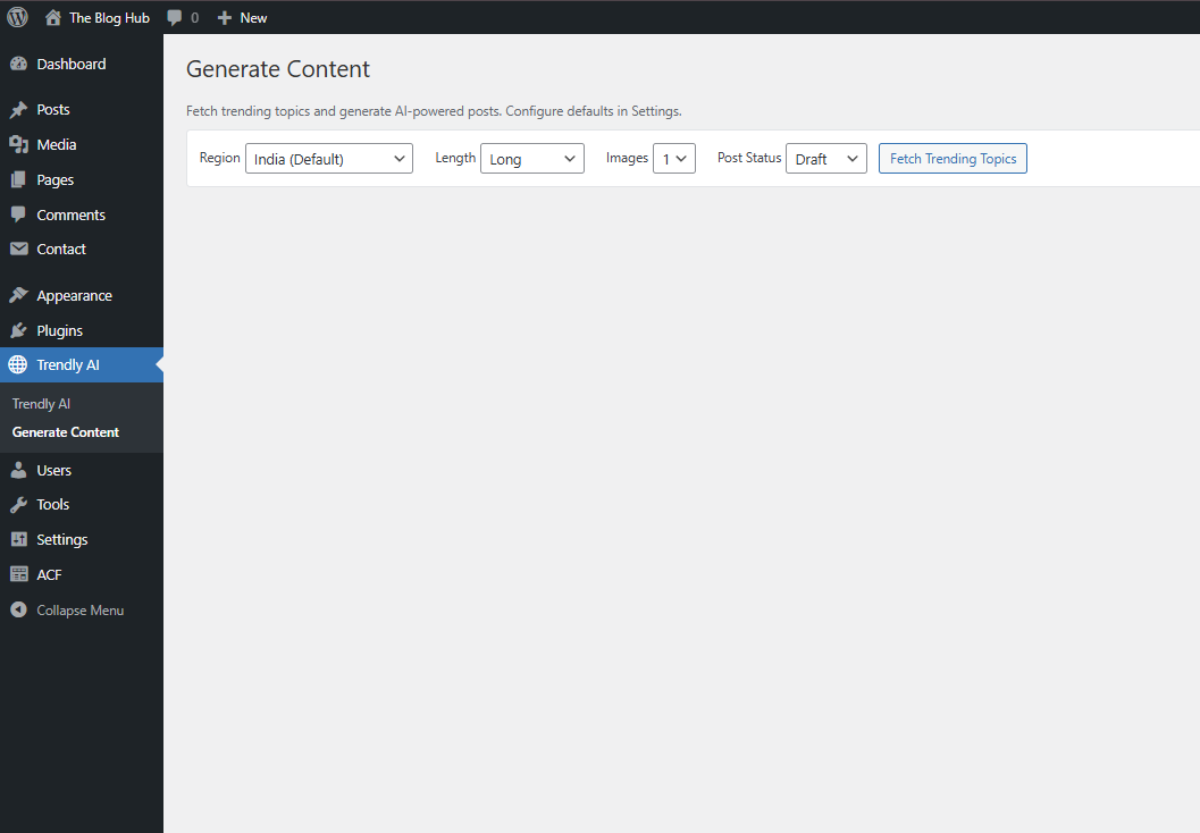
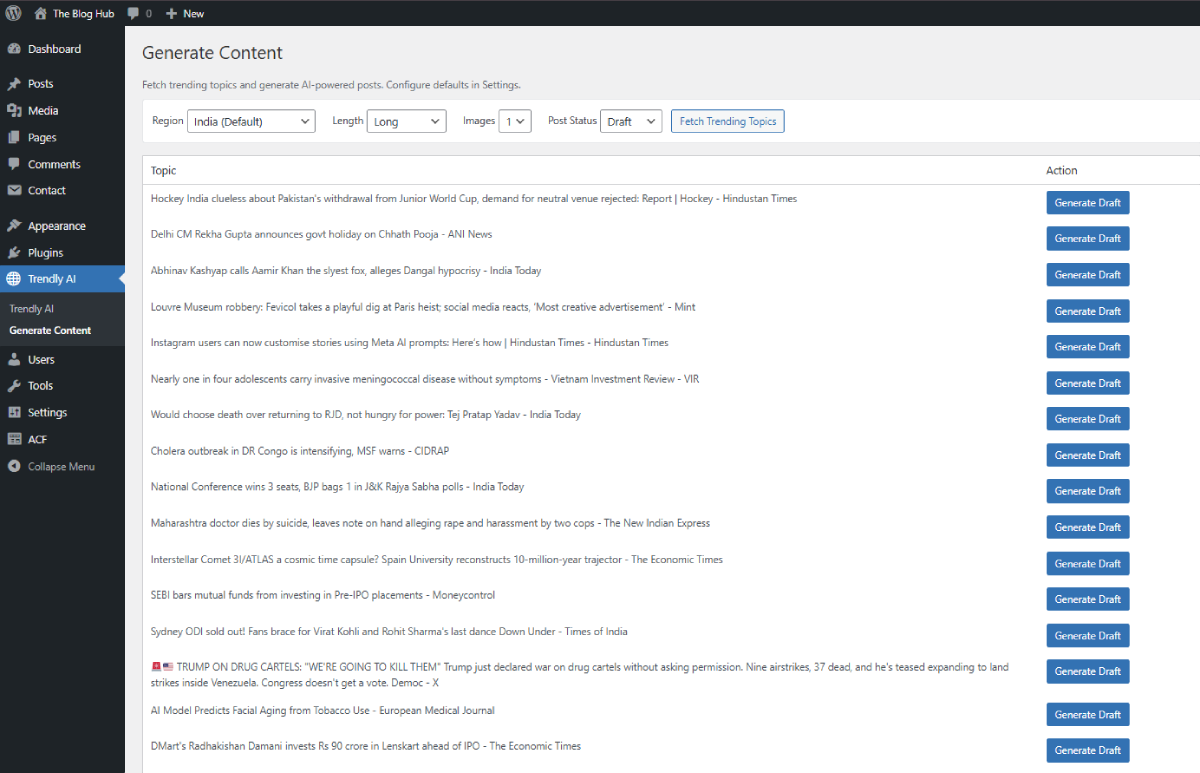
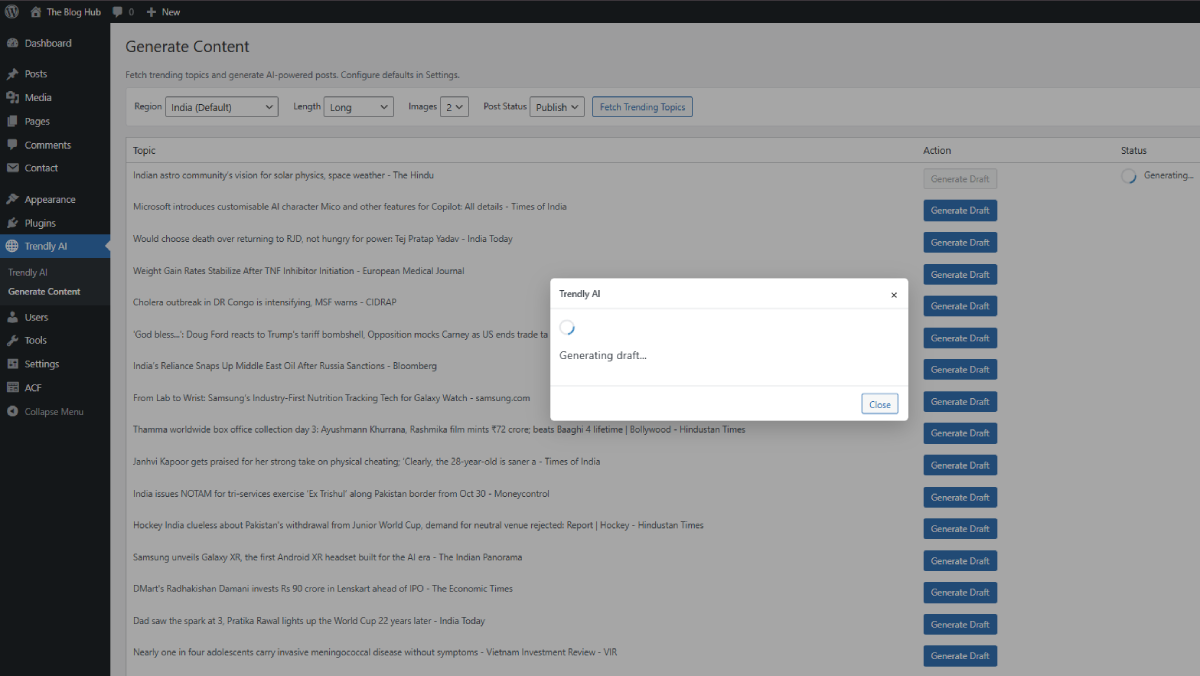
- New: Generate Content page redesigned with trend cards, source attribution, live filter, skeleton loader, and per-card success/error states.
- New: Settings page reorganized into clear card sections (Credentials / Content defaults / Auto-schedule).
- New: JSON-LD Article/NewsArticle schema, og:site_name, og:locale, og:image dimensions, article:published_time / modified_time / author / section / tag for richer search and social previews.
- New: Improved duplicate detection - recognizes the same trending topic even when worded differently.
- New: Trending topics are now cached for 15 minutes per region to reduce duplicate fetches.
- Improvement: Pending-review count badge in the admin menu (like the Comments count).
- Improvement: WP "Discourage search engines" setting is detected and surfaced on the Dashboard so generated posts don't silently fail to rank.
- Fix: Removed duplicate canonical tag (WordPress core already emits one).
- Tested up to WordPress 7.0.
- Security: API key fields now use password inputs to prevent shoulder-surfing.
- Security: All scheduled cron events are now correctly cleared when settings change or the plugin is deactivated.
- Compatibility: Slug-shortening behavior now applies only to plugin-generated posts. Posts created by users or other plugins are no longer affected.
- Improvement: "Test API Keys" now performs real connectivity checks against Gemini and Pexels and reports per-service status.
- Improvement: AI-generated content now preserves formatting (bold, italics, lists, links) more reliably and is filtered through wp_kses_post for safety.
- Improvement: Per-user hourly rate limit added to prevent runaway AI generation.
- Improvement: Translations now load correctly for custom language files in /languages.
- Fix: Removed the silent placeholder content fallback. The plugin now shows a clear setup prompt instead of inserting template content when API keys are missing.
- Fix: Resolved an XML parsing notice that could surface when Google News RSS returned malformed responses.
- Tested up to WordPress 7.0.
- Updated compatibility with WordPress 6.9
- Minor bug fixes and performance improvements
- Initial release
- Google News trending topic integration
- Google Gemini AI content generation
- Pexels image integration
- Automatic scheduling (1-2 posts/day)
- Duplicate prevention system
- SEO preview meta box
- Multi-region support (25+ countries)