
Trill AI Product Chat for WooCommerce
| 开发者 | trillai |
|---|---|
| 更新时间 | 2026年9月14日 00:49 |
| PHP版本: | 8.0 及以上 |
| WordPress版本: | 7.1 |
| 版权: | GPLv2 or later |
| 版权网址: | 版权信息 |
详情介绍:
- GDPR Tools admin page. Look up everything the plugin holds for a visitor's email, review it on screen, download it as JSON or CSV, or erase it permanently — with a typed DELETE confirmation so nothing is removed by accident.
- Audit trail. Every search, view, export and erase is recorded: who, when, and how many records. Emails are stored masked — and there is deliberately no IP column, because I never store IPs.
- Consent gate in the widget. Optionally require visitors to accept your privacy notice before chatting. Consent lives only in their browser and is re-requested automatically if you change the notice.
- "Request My Data" in the widget. Visitors can trigger a WordPress-native personal-data request straight from the chat footer, confirmed by email through WordPress core.
- Retention dashboard. See stored totals and your retention window at a glance, preview what a cleanup would delete, or run it on demand.
- Reinstall without fear. Deleting and reinstalling the plugin now reconnects to Trill Cloud automatically — the plugin proves it controls your site and receives a fresh connection secret. Your plan and monthly usage are preserved.
- Small catalogues get real answers. "What do you sell?" now responds with your featured and latest products instead of coming up empty.
- Policy questions find the right policy. Answers draw from a wider variety of your pages — one snippet per page — so "what's your refund policy?" surfaces the Refund page every time.
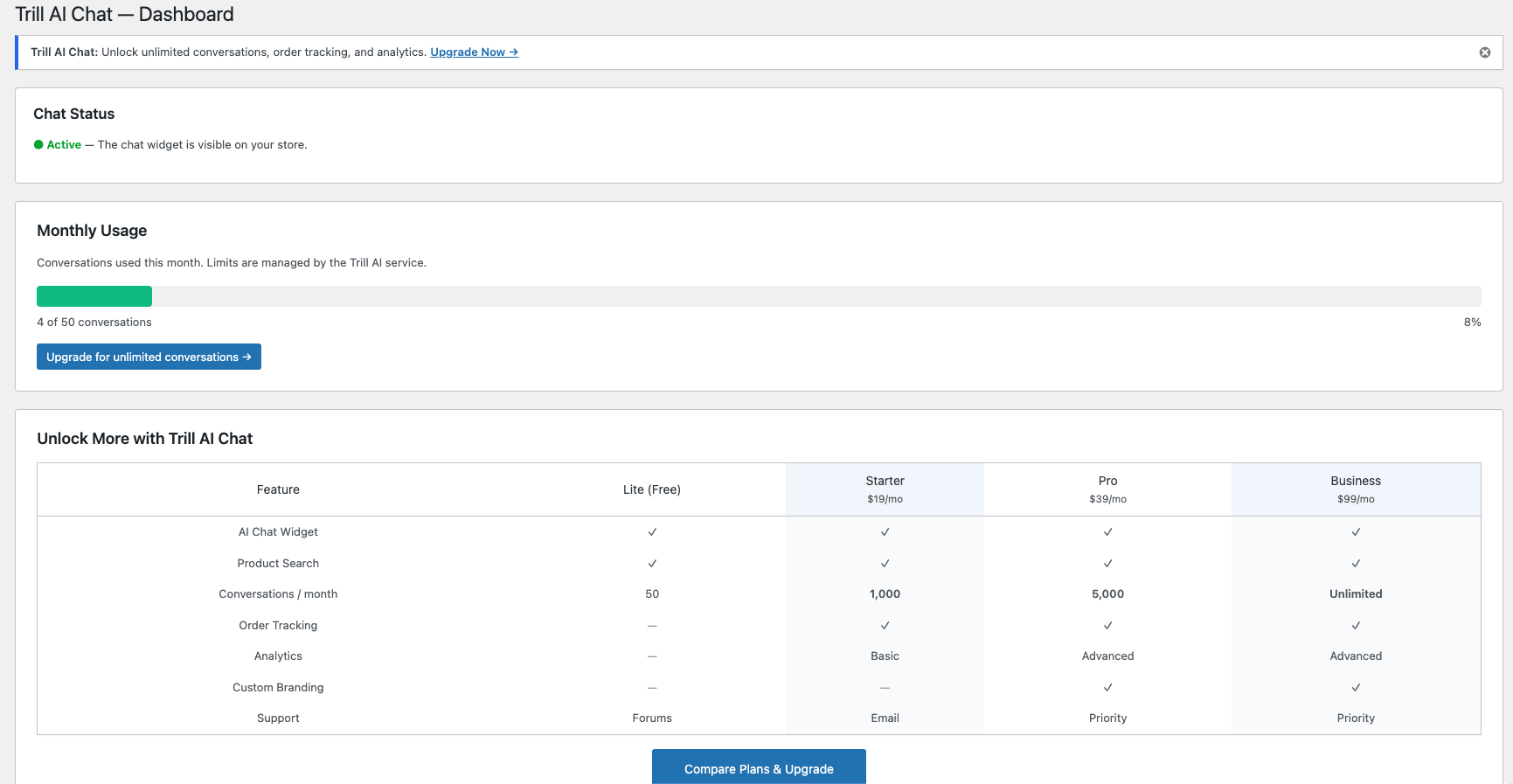
- An honest usage bar. The Monthly Usage panel shows your plan's real allowance (50 free / 2,000 on Trill Cloud) and updates automatically when your plan changes.
- New Conversations admin page. Browse every chat from a new Trill Chat → Conversations screen, with message count, average rating, conversion status and attributed revenue on every row.
- Filter and search. Narrow by date range, status and star rating, and search across message content to find any conversation fast.
- Read full transcripts. Open any conversation in a popup to read the complete back-and-forth, rendered as plain text.
- Export to CSV. Download the whole filtered list, or a single conversation's transcript — exports are hardened against spreadsheet formula injection.
- Tidy up. Permanently delete conversations you no longer need, one at a time or in bulk.
- WooCommerce-native, not bolted on. Understands products, variations, stock, categories, carts and orders out of the box — every code path is designed for e-commerce.
- 5-minute install. No API keys. No external account signup — your WordPress admin is the only login you need.
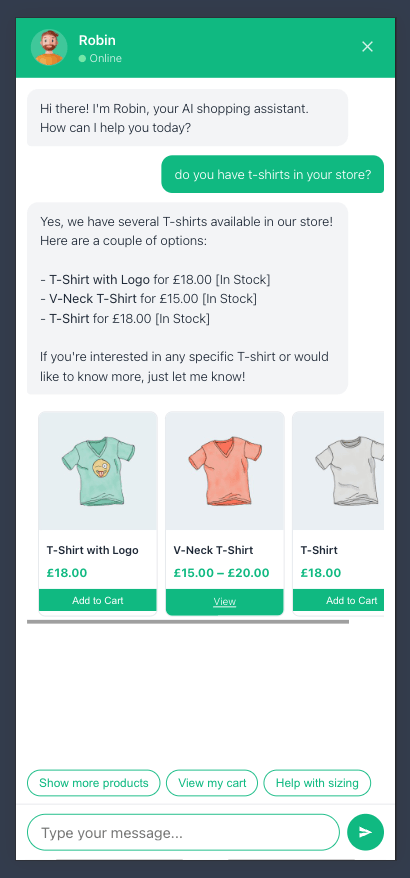
- Reads your real catalogue + your real pages. Real-time product search and page content indexing. Robin can answer "do you have red dresses?" and "what's your return policy?" from the same conversation.
- Knows the cart. Robin sees what shoppers already added and helps them checkout instead of forgetting state.
- Privacy-first order lookup. Identity verified before any order detail is shared. WordPress login for registered customers, email-match for guests, silent fall-through on mismatch.
- Revenue attribution built in. Orders placed within 24h of a chat are tagged as "from chat" and surface on the dashboard with attributed revenue.
- Managed AI, predictable cost. Generous monthly conversation allowance on Trill Cloud. Track usage from the admin dashboard. No OpenAI account required.
- Topic-safe. Built-in guardrails auto-generated from your store metadata keep conversations about shopping, politely declining homework, code generation, medical or legal advice.
- Prompt-injection-protected. The assistant will not reveal system instructions or adopt different personas.
- GDPR-ready, with the tooling to prove it. UK-registered company (Greensolutions Pioneers Limited, Companies House 15693716). HTTPS end-to-end. Chat data is never used to train AI models. A dedicated GDPR Tools page covers access, portability and erasure — audited, and with no IPs ever stored.
- Fast. Sub-second responses on typical product questions.
- AI shopping assistant widget on every page of your store
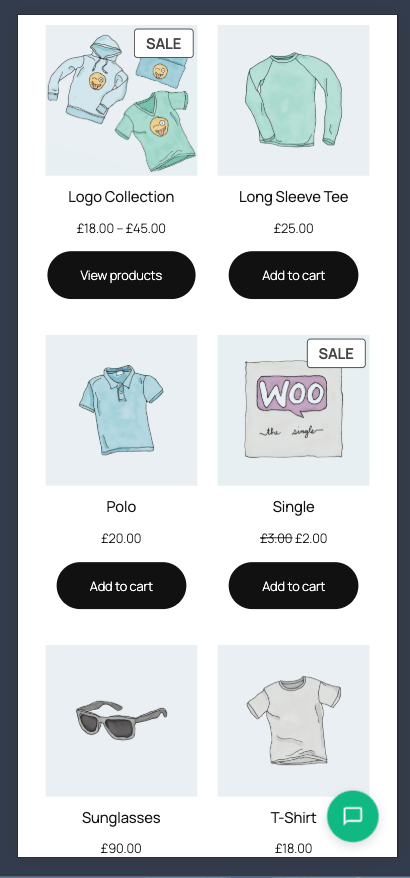
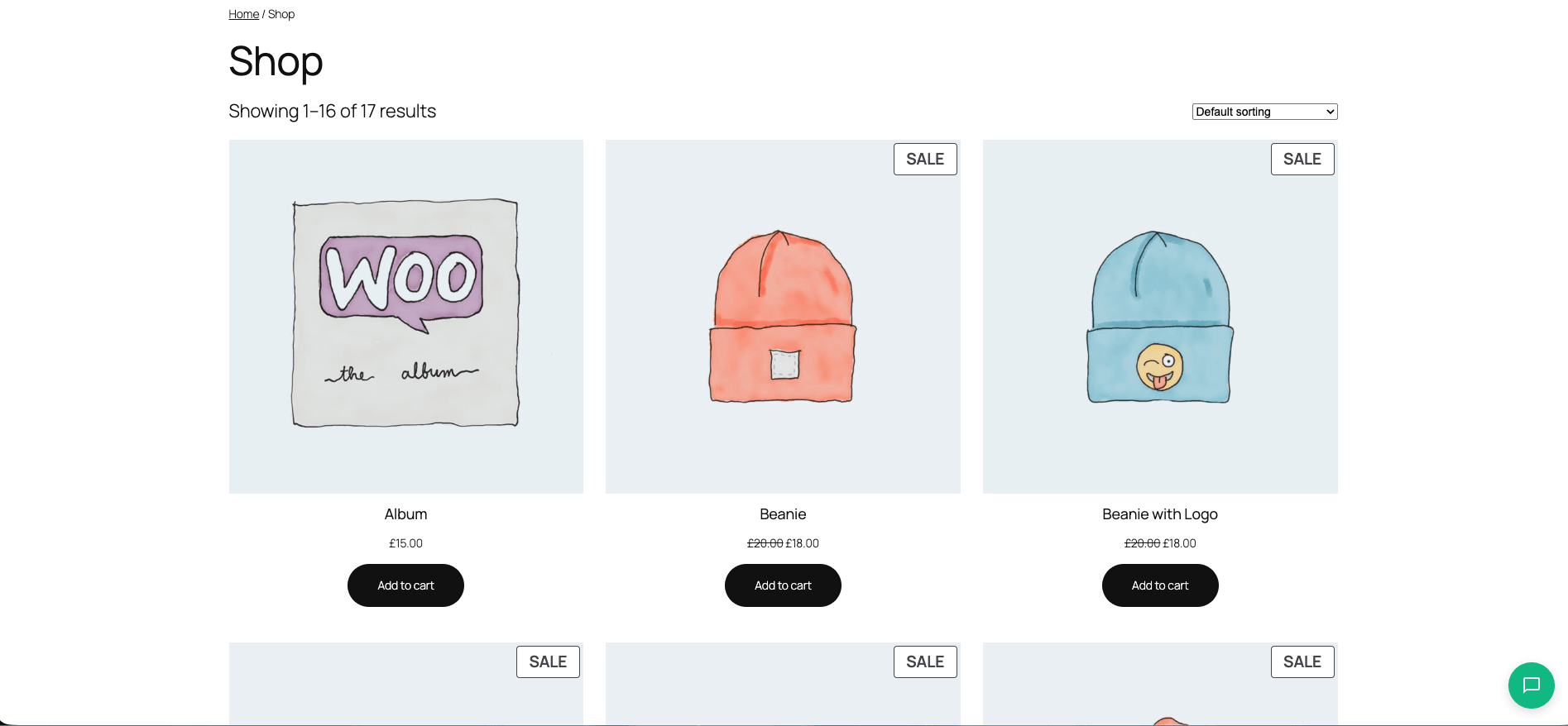
- Smart product discovery — real-time catalogue search with natural-language understanding (50+ shopping phrases, English de-pluralisation) and product cards with one-click AJAX add-to-cart
- Page content indexing — Robin also answers from your FAQ, shipping, returns, contact and policy pages
- Cart-aware chat that sees the current basket and guides to checkout
- Verified order tracking with login or email-match identity check
- Smart lead capture for out-of-stock and price-drop opt-ins, with audited consent
- Revenue analytics dashboard — orders and revenue attributed to chat, 7/30/90-day windows
- Conversation history — browse, filter, full-text search, read, export (CSV) and delete every chat
- Full GDPR toolkit — data subject lookup, on-screen access, JSON/CSV portability and audited erasure from a dedicated admin page; widget consent gate and "Request My Data"; DSAR + erasure via WP Privacy Tools; configurable retention with preview and run-now
- Topic-safe — guardrails and prompt-injection protection keep chats about your store
- Full widget customisation — colours, position, size, assistant name, avatar, font, starter chips and privacy notice, with live preview
- WooCommerce-ready — WordPress 6.0+, WooCommerce 8.0+ and HPOS compatible;
[trill_chat]shortcode to embed anywhere - Built to extend — translation-ready (
.pot, Loco Translate, WPML) and the WordPress 7.0 Abilities API for AI agents and MCP adapters - Generous monthly conversation quota on Trill Cloud, tracked in the dashboard
- Complete guide to AI chat for WooCommerce
- Reduce WooCommerce support tickets with AI
- WooCommerce AI chat vs live chat
trcl_localize_script_data), and debug logging via WP_DEBUG. No Composer dependencies, no external JavaScript libraries.
安装:
- Go to Plugins → Add New in your WordPress admin
- Search for "Trill AI Product Chat"
- Click "Install Now" and then "Activate"
- Visit Trill Chat → Dashboard to confirm the chat is active
- Open your store frontend — the chat widget is already live
- Download the plugin ZIP file
- Upload to
/wp-content/plugins/trill-ai-chat-lite/ - Activate through the Plugins menu in WordPress
- Go to Trill Chat → Dashboard to see your status
- WordPress 6.0 or higher
- WooCommerce 8.0 or higher
- PHP 8.0 or higher
屏幕截图:

常见问题:
My store is behind a proxy or CDN — does rate limiting still work?
Yes. The chat endpoints are rate-limited per visitor IP. Cloudflare is recognised out of the box (the real visitor address is read from CF-Connecting-IP only when the connection genuinely comes from a Cloudflare range). Behind any other reverse proxy or CDN, tell the plugin where the real address is with the trcl_client_ip filter — for example add_filter( 'trcl_client_ip', fn() => sanitize_text_field( wp_unslash( $_SERVER['HTTP_X_REAL_IP'] ?? '' ) ) ); — and, if many shoppers legitimately share one address, raise the limit with trcl_rate_limit_per_minute.
Do I need a WooCommerce store to use this plugin?
Yes. Trill AI Chat Lite is a WooCommerce AI shopping assistant — it reads your WooCommerce product catalogue, your published pages, the current cart and the order history to answer shopper questions. It will not do anything useful on a WordPress site without WooCommerce installed and active.
Do I need an OpenAI or Anthropic API key?
No. I manage the AI infrastructure via Trill Cloud — you do not need to create an account with OpenAI, Anthropic or any other provider. Just install, activate and go.
What happens if I delete and reinstall the plugin?
The plugin reconnects automatically: it proves to Trill Cloud that it controls your site and receives a fresh connection secret. Your plan and monthly usage are preserved. Locally stored conversation history is removed by the uninstall (standard WordPress behaviour). Your site must be publicly reachable (including its REST API) for the verification to succeed.
How does the cart-aware feature work?
On every chat turn the plugin reads the visitor's WooCommerce cart (items, quantities, line totals, cart subtotal and total) and injects a compact summary into the AI's context. Robin can then answer "what's in my cart", "what's my total", or "help me checkout" using real cart state — no hallucination, no asking the shopper to repeat what they already added. The cart context is sent fresh on every message, so it stays accurate even if the visitor adds or removes items mid-conversation.
How is order tracking kept private?
For registered customers, identity is verified through their WordPress login — they only see orders bound to their wp_users.ID. For guests, the plugin requires both the order number and an email that matches the order's billing email. A mismatch silently falls through to "I need to verify your email" instead of confirming or denying the order's existence, so the plugin never leaks order data to an unverified caller.
How is the lead capture consent stored?
When Robin offers to take the visitor's email (out-of-stock notification, price-drop alert, etc.) the exact consent line shown to the visitor is snapshotted into the wp_trcl_leads row alongside the email. If a future DSAR challenges the legitimate-interest basis the merchant can show what the visitor agreed to, verbatim, at capture time. Leads are managed from the Trill Chat → Leads admin page with CSV export.
How are orders attributed to chat conversations?
When woocommerce_thankyou fires, the plugin records an order_completed event and looks up any chat_started events that share the same WooCommerce session customer ID within the last 24 hours. On a match, an order_attributed event is written linking the order to the chat session. The dashboard then surfaces "Orders from chat" and "Revenue from chat" KPIs over a configurable 7/30/90-day window.
Can I see, search and export my chat history?
Yes. The Trill Chat → Conversations admin page lists every conversation with its message count, average rating, conversion status and attributed revenue. Filter by date range, status and rating, run a full-text search across message content, and open any conversation to read the full transcript. Export the whole filtered list or a single transcript to CSV (hardened against spreadsheet formula injection), and delete conversations you no longer need — individually or in bulk.
How many conversations does the plugin include?
The free plugin includes 50 conversations per calendar month, enforced server-side. The Trill Cloud plan (£12/month) raises this to 2,000 conversations per month. Your admin dashboard shows a usage bar with your plan's real allowance so you can track usage at a glance.
What happens when I exceed the monthly conversation quota?
The chat widget remains visible but new shopper conversations are paused until the quota resets at the start of the next calendar month. If you need more headroom, Trill Cloud raises the allowance to 2,000 conversations per month on your existing connection — no reinstall required.
How do I add AI chat to my WooCommerce store?
Install Trill AI Chat Lite from the WordPress plugin directory, activate it, and open Trill Chat → Dashboard. The chat widget appears automatically on every page of your store. No API keys, no OpenAI account, no prompt engineering required — the plugin is ready in under 5 minutes.
Is Trill AI Chat Lite GDPR-compliant?
Yes, fully wired in. Greensolutions Pioneers Limited is a UK-registered company (Companies House 15693716) subject to UK GDPR and EU GDPR. The dedicated Trill Chat → GDPR Tools page lets you look up everything held for a visitor's email, review it on screen (Right of Access), download it as JSON or CSV (Data Portability) and erase it permanently with a typed confirmation (Right to Erasure) — every action recorded in an audit trail with masked emails. The plugin also auto-registers with WordPress's native Tools → Export / Erase Personal Data screens, cascading conversations + messages + leads automatically. Retention is configurable (default 365 days, clamped 7-3650) with a preview and run-now from Settings → Privacy. All messages are transmitted over HTTPS. No IP addresses are ever persisted. Chat data is never used to train AI models. See the Privacy Policy for full details.
Can I require visitors to accept a privacy notice before chatting?
Yes — and it is your choice as the merchant. Configure a privacy policy URL in Settings → Privacy and the widget shows a consent gate: chatting stays blocked until the visitor clicks "I Understand". Consent is stored only in the visitor's browser (no server-side record is created just by showing the notice), and if you later change the notice text or URL, every visitor is asked to consent again automatically. Leave the privacy URL empty and no gate is shown.
How can a visitor request their data?
Two ways. They can click Request My Data in the chat widget footer, which creates a WordPress-native personal-data request confirmed by email through WordPress core (rate-limited, and the response never reveals whether an email is known to the site). Or you can handle it directly from Trill Chat → GDPR Tools by looking up their email and exporting or erasing on the spot.
Does it work with HPOS (High-Performance Order Storage)?
Yes. Trill AI Chat Lite fully declares compatibility with WooCommerce HPOS / Custom Order Tables.
Does it work with variable and grouped products?
Yes. Product cards display variable products with a price range and a "View" button that links to the product page, where shoppers can select their variation before adding to cart. Simple products use direct AJAX "Add to Cart".
Does it work with any WooCommerce theme?
Yes. The chat widget is rendered as a fixed-position overlay and works with any properly coded WooCommerce theme. It has been tested with Storefront, Astra, Flatsome, OceanWP and Kadence.
Can I customise the chat widget appearance?
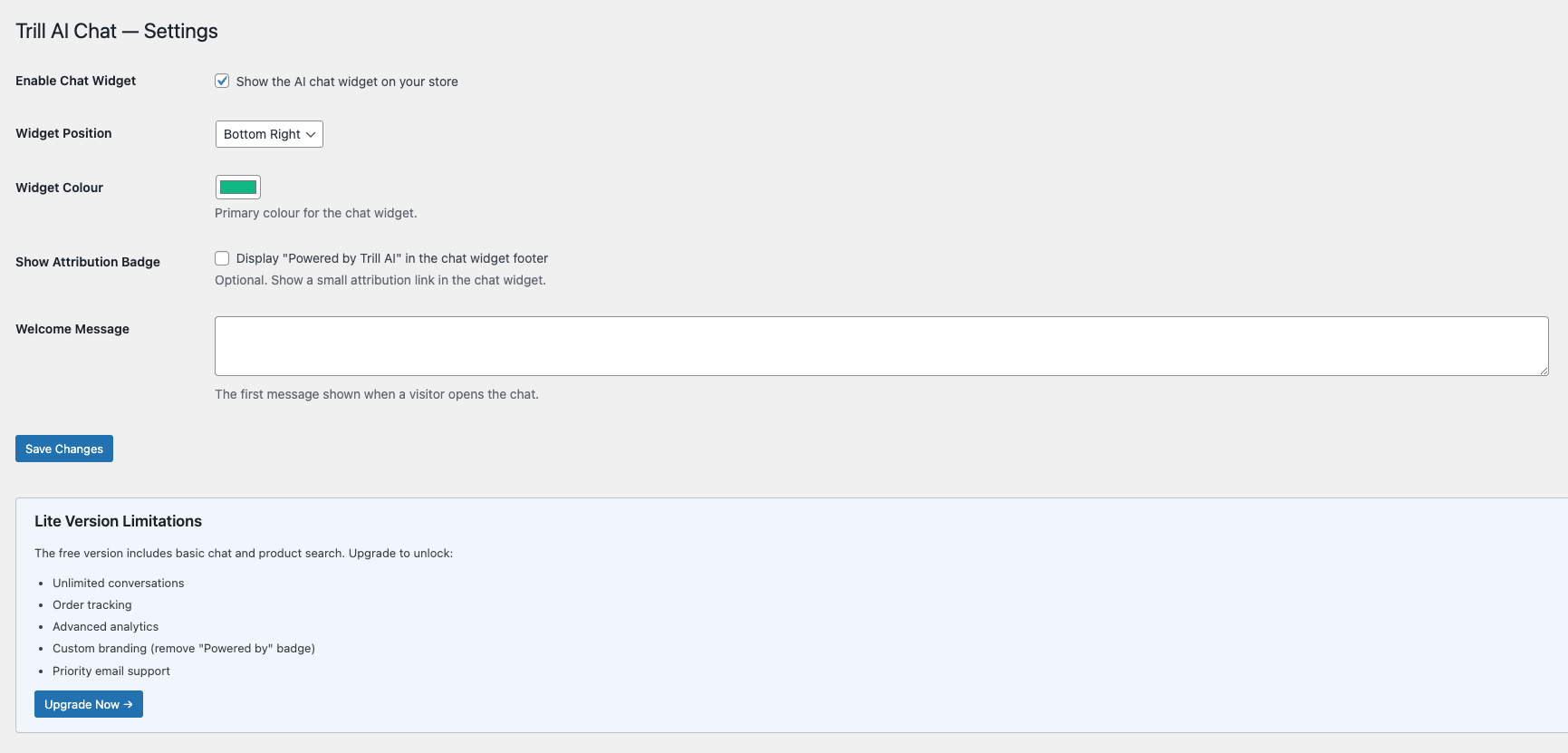
Yes, extensively. The Trill Chat → Settings → Appearance tab offers a 7-colour palette, 4 corner positions, width / height / corner radius sliders, a custom assistant name, a custom avatar from your media library and a curated font picker — all with a live preview that updates as you type. The welcome message and starter chips are configurable too.
Does the AI see my customer data?
The AI processes the chat messages a shopper sends and the product catalogue context needed to answer (product names, prices, descriptions, stock). No personal visitor data is collected or stored by the external service beyond what is strictly necessary to process each individual message. Chat data is never used for AI training.
Does it support multiple languages?
The widget interface is in UK English by default. The AI can understand and respond in many languages (Spanish, French, German, Italian, Portuguese and others). The plugin is fully translation-ready with a .pot file and works with Loco Translate, WPML and other translation tools.
Can I embed the chat on a specific page instead of the whole site?
Yes. Use the [trill_chat] shortcode to place a chat trigger on any page or post. Supports attributes: [trill_chat style="button" button_text="Ask Robin"].
Can I remove the "Powered by Trill AI" badge?
The badge is opt-in and off by default. It only appears if you explicitly enable it in Settings, fully complying with WordPress.org plugin guidelines. There is nothing to remove unless you have turned it on.
What happens if I have another Trill AI plugin installed?
This plugin automatically detects a conflicting Trill AI build (e.g. a legacy full-featured edition) and deactivates itself to prevent conflicts. You only need one version active at a time.
Does the plugin integrate with the WordPress Abilities API?
Yes, on WordPress 7.0 and higher. The plugin registers three abilities under the trill-ai/ namespace in the ecommerce category:
trill-ai/search-products— search the WooCommerce catalogue (input:query, optionallimit1-10). Public read access (mirrorswc_get_products()).trill-ai/get-store-context— store metadata: name, currency, product count, top categories. Public read access (mirrorsget_bloginfo()).trill-ai/get-conversation-summary— last N messages of a chat session by UUID (input:session_id, optionallimit1-50). Administrators (manage_options) always allowed; visitors must pass a valid UUID, matching the existing/wp-json/trcl/v1/conversation/{session_id}REST endpoint posture.
$ability = wp_get_ability( 'trill-ai/search-products' );
if ( $ability ) {
$results = $ability->execute( [ 'query' => 'blue t-shirt', 'limit' => 5 ] );
}
On WordPress 6.x the abilities simply do not register and the rest of the plugin works as normal.
I found a bug or have a feature request.
Use the WordPress.org support forum or email hello@trillai.io. I read every message.
更新日志:
- Fixed: cart totals shown as 0.00. When a shopper asked about their basket, the assistant listed the items correctly but reported a £0.00 subtotal and total. Totals are now calculated before they reach the assistant.
- Fixed: invented products, prices and links. When a product search found nothing, the assistant could make up a product from the store name or tagline, complete with a price and a URL on another domain. The assistant is now instructed to name only products, prices and links it was actually given, and any link that does not point at your site is replaced by your store URL.
- Improved: policies and product facts come only from your content. Refunds, shipping, guarantees, legal rights and "how does it work" questions are answered from your indexed pages or handed to your support channel — never improvised. Complaints and compensation demands are acknowledged and handed over, not negotiated.
- Improved: stays on topic. Maths, trivia, jokes, role-play, recommendations outside your catalogue and "help me buy elsewhere" are now declined like other off-topic requests; replies are plain text (bold for product names), so nothing is rendered as raw Markdown or LaTeX.
- Improved: Spanish shoppers. "Lista de productos", "¿qué vendéis?", "política de devoluciones", "¿dónde está mi pedido?" and similar now trigger the catalogue and content lookups they should.
- New: 👍/👎 on every assistant reply. Ratings are stored per conversation (Conversations page) so you can see which answers land.
- Changed: a guest conversation now expires after 24 hours of inactivity, so a returning visitor starts fresh instead of carrying weeks-old context.
- Improved: "What's on sale?" now answers with the products that are actually discounted (and says so when none are), and the assistant sees sale prices, so its text matches the cards it shows.
- Product cards: the "View" button no longer picks up the theme's link styling.
- Price-drop email offers are only made when a specific product is being discussed.
- New: "Trill Cloud Connection" card on the dashboard showing whether this site is connected, the last request failure in plain words (network, timeout, credentials rejected, limit reached…) with its code and time, and a Reconnect button. No more "deactivate and reactivate" to recover a stuck site.
- Security: the Trill Cloud site credential is now encrypted at rest (AES-256-GCM, key derived from your site's
AUTH_KEY). Existing installs are migrated transparently on first use. If the host ever rotatesAUTH_KEY, the plugin simply reconnects. - Fixed: reinstall recovery could dead-end. When the backend reported no registration to rotate, the plugin gave up permanently instead of registering again. It now falls back to a fresh registration.
- Fixed: failed requests no longer leave empty conversations in the Conversations page and retention counters; a conversation is kept only once the assistant has actually replied, and "chats started" analytics count the same way.
- Fixed: chat stopped working for visitors on sites with page caching. The widget sent a WordPress REST nonce on every request, including for guests. Once the cached page outlived the nonce (12–24 hours), WordPress rejected every guest message with a 403. Guests no longer send a nonce; logged-in users still do, and a stale one is retried once as a guest instead of failing.
- Security: per-IP rate limiting could be bypassed by supplying a forged
X-Forwarded-FororClient-IPheader, allowing anyone to exhaust a store's monthly Trill Cloud allowance. The limiter now uses the connection address; Cloudflare is recognised automatically (CF-Connecting-IPis trusted only from Cloudflare ranges), other proxies can resolve the real address with the newtrcl_client_ipfilter, and the limit itself is adjustable withtrcl_rate_limit_per_minute. - Security: password-protected pages and posts are no longer indexed for the AI, so their content cannot surface in chat answers. Existing entries are removed on the next content re-index.
- Security: the feedback endpoint now requires the session UUID and only accepts ratings for messages of that conversation.
- Privacy: debug logging never records visitor messages or search queries any more (lengths and counts only).
trcl_log()now honoursWP_DEBUG_LOGandTRCL_LOG_LEVEL(defaultinfo), sodebugentries are silent unless you opt in. - Products hidden from the catalogue (visibility "Hidden") are no longer recommended in chat.
- Hardened product-card rendering in the widget (all attributes escaped) and the legacy paid-plugin conflict check (no fatal on the front end).
- Housekeeping: tested up to WordPress 7.1 and WooCommerce 11.1.
- Housekeeping: WooCommerce is now declared as a formal plugin dependency (
Requires Pluginsheader, WordPress 6.5+). The directory listing shows the requirement, and WordPress offers a one-click WooCommerce install instead of allowing activation without it. On WordPress 6.0–6.4 the existing runtime check continues to apply. No functional changes.
- New: GDPR Tools admin page (Trill Chat → GDPR Tools). Look up everything the plugin holds for a visitor's email, review it on screen (Right of Access), download it as JSON or CSV (Data Portability, formula-injection hardened), or erase it permanently after typing DELETE to confirm (Right to Erasure).
- New: GDPR audit trail. Every search, view, export and erase is recorded — who did it, when, and how many records were touched. Emails are stored masked, and there is deliberately no IP column.
- New: privacy consent gate in the chat widget. When a privacy policy is configured, visitors must accept the notice before chatting. Consent is stored only in the visitor's browser and re-requested automatically if the notice changes. Optional — no privacy URL, no gate.
- New: "Request My Data" in the widget. Visitors can trigger a WordPress-native personal-data export request from the chat footer, complete with core's own email confirmation. Rate-limited and enumeration-safe.
- New: retention dashboard on Settings → Privacy: stored totals, retention window, last cleanup, a dry-run Preview Cleanup, and Run Cleanup Now.
- Fixed: uninstall now removes every plugin table. Leads, analytics events and the content index were previously left behind on uninstall.
- Fixed: retention cleanup no longer orphans feedback rows. Feedback left on expired conversations is now removed with them.
- Fixed: the Monthly Usage dashboard now shows your real plan allowance. The usage bar previously assumed the 50-conversation free tier for everyone; paid Trill Cloud sites saw a misleading "0 of 50". The backend now reports the plan's actual cap with every chat and the dashboard reflects it (50 free / 2,000 Cloud), updating automatically on upgrades.
- New: automatic reconnection after reinstall. If the plugin is deleted and reinstalled, it now proves site ownership to Trill Cloud and rotates its connection secret automatically — no more dead chat after a reinstall. Your plan and monthly usage are preserved.
- New: generic catalogue questions get a proper answer. "What do you sell?" now responds with your featured and latest products instead of coming up empty — small catalogues get a proper first impression.
- Improved: policy questions find the right policy. Page-content answers now pull from a wider variety of your pages — one snippet per page — so "what is your refund policy?" surfaces the Refund page even when other policy pages dominate the keyword ranking.
- Improved: no raw URLs. When a search finds nothing, Robin no longer pastes raw links or asks the customer to browse the store themselves — it offers your categories and asks a clarifying question instead.
- Improved: clearer connection-failure notice with actionable guidance when the site cannot be verified (for example, when it is not publicly reachable).
- Fixed: saving one settings tab no longer breaks or resets the others. Each settings tab (General, Appearance, Content, Privacy) now registers its own option group. Previously all tabs shared one group, so saving any tab made WordPress update every registered option — fields missing from that tab's form arrived as null, causing a fatal error on the widget-position sanitiser and silently resetting other tabs' options to defaults.
- Hardened the widget-position sanitiser: null input now preserves the stored value instead of crashing or resetting it.
- Documentation: canonicalised the legal URLs in the plugin listing (
/terms-of-service/and/privacy-policy/).
- Documentation update — no functional code changes.
- Clarified the external service: the plugin connects to Trill Cloud at
api-v2.trillai.io(per-site Bearer authentication), replacing the outdatedapi.trillai.ioreference. - Refined the listing: benefit-led short description, accurate tags, consistent first-person voice, a "Conversation history" feature entry, and a new FAQ on viewing / searching / exporting your chat history.
- New Trill Chat → Conversations admin page listing every conversation with message count, average rating, conversion status and attributed revenue per row.
- Filters + full-text search — narrow by date range, status and rating, and search message content. Search uses a FULLTEXT index where available, with a safe LIKE fallback on hosts without it.
- Transcript viewer — read the full conversation in an accessible popup, rendered exclusively as text so nothing in a chat message can execute in wp-admin.
- CSV export — export the whole filtered list or a single transcript. Exports are hardened against spreadsheet formula / CSV injection.
- Delete conversations — remove conversations you no longer need, individually or in bulk, through the same audited cascade used by the GDPR tools (feedback → messages → conversations). Nonce- and capability-protected.
- Database: schema upgraded to 1.4.0 — adds a FULLTEXT index on message content for fast search. The migration is additive and idempotent via dbDelta.
- New Settings → Appearance tab with a live preview that updates as you type.
- 7-colour palette — primary, primary hover, user bubble, AI bubble, header text, body text and window background, each with a colour picker.
- 4 corner positions — the widget can now also sit top-left or top-right.
- Width, height and corner radius sliders (280–600px / 350–800px / 0–50px).
- Custom assistant name — rename Robin to match your brand; the greeting and "is typing..." follow automatically.
- Custom avatar — pick any image from your media library (falls back safely to the default if the image is later deleted).
- Curated font picker — system font stacks only; the plugin never makes external font requests.
- Expandable chat window on desktop — a new header button grows the chat for longer conversations; hidden on mobile where the chat is already full-screen.
- Two launcher styles — the floating Trill logo (default) or a classic round bubble tinted with your primary colour.
- Reset to Defaults button — one click restores the original look; your welcome message is kept.
- Upgrades are visually silent: every new setting defaults to the exact pre-2.1 look until you change it.
- Fixed: the chat window could snap back to the right edge after the full widget bundle lazy-loaded on bottom-left installs.
- Hardened: assistant name is re-sanitised on output; avatar alt text is now attribute-escaped.
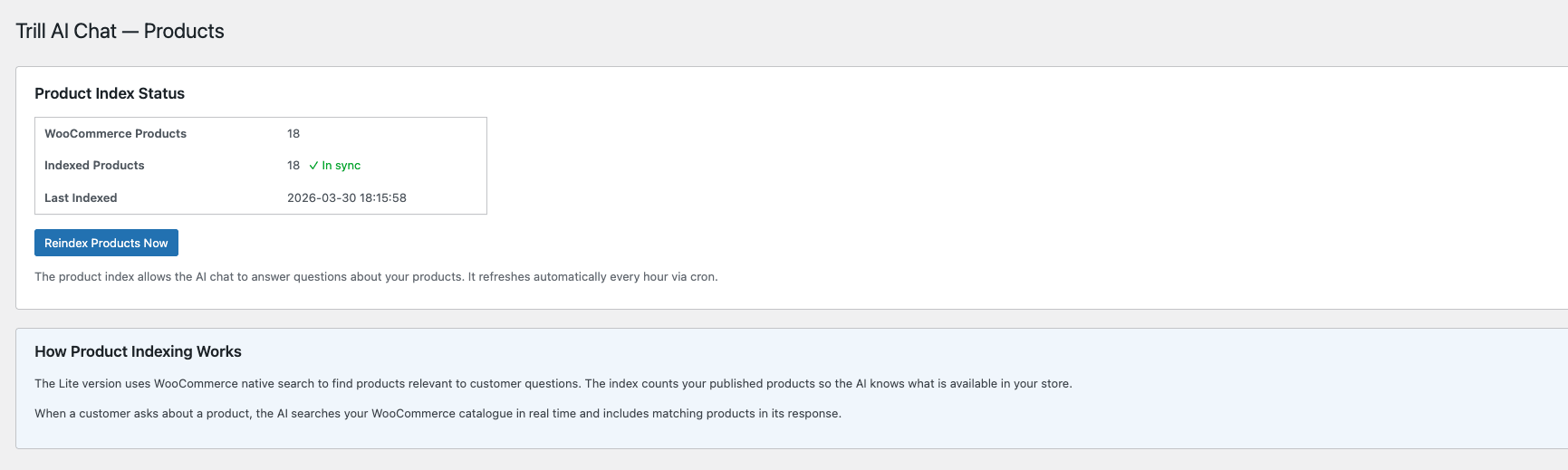
- Page content indexing — Robin can now answer questions about your FAQ, shipping, returns, contact and policy pages, not just products. Pick which pages to index from the new Settings → Content tab.
- Cart-aware chat — Robin sees the current basket on every message and can answer "what's in my cart", "how much is my total" and guide the shopper straight to checkout.
- Verified order tracking — "Where's my order?" answered safely. Identity is verified by WordPress login or by matching the email used at checkout before any order detail is shared. No leaks.
- Smart lead capture — when a product is out of stock or a shopper hesitates on price, Robin offers to take their email with explicit, audited consent. Manage every lead from a dedicated Trill Chat → Leads admin page with CSV export.
- Revenue analytics dashboard — four KPI cards on the Trill Chat dashboard: chats started, orders completed, orders attributed to chat, revenue attributed to chat. Choose 7 / 30 / 90 day windows. Prove ROI at a glance.
- GDPR conversation management — DSAR exports and right-to-erasure now work end-to-end through WordPress's native Tools → Personal Data screens (the plugin registers itself automatically). New Settings → Privacy tab: configurable retention (default 365 days), privacy-policy URL, audited consent text. No IP addresses are ever persisted.
- About & Help page — new submenu with the v2.0 changelog, support links and developer credit.
- Migrated to the new Trill Cloud backend at
api-v2.trillai.iowith per-site Bearer authentication and a clearer free-trial policy (50 conversations / month / site). - Fresh trial registration on activate — no setup wizard, no account creation.
- Bearer token model with hashed-at-rest storage, replacing the legacy site-hash transport.
- Stateful conversation context — Robin remembers the last 20 turns of the same session.
X-Trill-Trial-Remainingresponse header surfaces the live monthly allowance to the dashboard.
- Schema upgraded from 1.0.0 to 1.3.0. Three new tables:
wp_trcl_content_index(page chunks with FULLTEXT),wp_trcl_analytics_events(chats, orders, attribution),wp_trcl_leads(opt-ins). Migrations are additive and idempotent via dbDelta.
- Existing v1.x sites that auto-update will see a one-time admin notice explaining the change. No data loss; conversations and message history persist intact.
- Sites still running v1.x (and not auto-updating) continue to be served by the legacy
api.trillai.ioproxy indefinitely.
- Housekeeping release: bumped "Tested up to: 7.0", hardened
.distignore(recursive.DS_Store+ defensive/binexclusion). No code changes.
- Transitional release while preparing the 2.0 OSS pivot. No user-facing changes.
- Renamed plugin display name to "Trill AI Product Chat for WooCommerce" in accordance with WordPress.org Plugin Directory guidelines on distinctive plugin naming
- Updated admin page headings, activation notices and accessibility labels to reflect the new name
- Regenerated translation template (.pot) with the new strings — no functional changes
- Lazy-loads the chat widget — only a ~4 KB launcher is shipped on first paint; the full chat bundle is fetched on hover, focus or click, improving Core Web Vitals on storefront and product pages
- Smarter asset loading — the widget no longer enqueues on wp-login, feeds, REST, AJAX or cron, with optional opt-outs for WooCommerce checkout and My Account pages
- Added
trcl_should_enqueue_widgetfilter so developers can force-load or skip the widget on specific pages - Ships pre-minified JavaScript and CSS with per-file content-hash cache-busting — browsers only re-download assets whose bytes actually changed
- Conversation memory across reloads — the visible transcript persists for the current browser tab, so refreshing the page or reopening the widget no longer restarts the conversation
- Added configurable starter suggestions — show up to three clickable prompt chips (e.g. "What's on sale?", "Help me choose a product") when the chat opens
- Honours SCRIPT_DEBUG — the unminified source is served automatically for developers with debug mode on
- Added automatic usage guardrails — Robin now stays focused on your store's products and services, politely declining off-topic requests (homework, code generation, medical/legal advice, etc.)
- Guardrails are auto-generated from your store metadata (name, description, categories) — no configuration needed
- Added prompt injection protection — the assistant will not reveal system instructions or adopt different personas
- Redesigned the floating launcher icon with the Trill AI brand mark (SVG, respects your widget colour)
- Reduced launcher footprint by ~19% for a lighter visual presence on the page
- Renamed admin pages to "AI Shopping Assistant — Dashboard / Settings / Products" for clearer branding
- Improved PHPCS compliance across database queries for WordPress.org Plugin Check standards
- Improved output escaping in admin dashboard for enhanced security
- Upgraded AI model to GPT-5.4 Nano for faster, more accurate product recommendations
- Fixed add-to-cart button for variable and grouped products — now correctly shows "View" instead of a non-functional "Add to Cart"
- Fixed welcome message losing line breaks when saved from the settings page
- Fixed chat widget ignoring the "bottom-left" position setting
- Improved AI response quality — Robin no longer repeats raw product URLs in text replies
- Updated dashboard plan comparison table with current pricing tiers and added Business plan column
- Updated documentation link to https://trillai.io/documentation/
- Improved product search accuracy with smarter English de-pluralisation (e.g. "t-shirts" now matches "T-Shirt", "accessories" matches "Accessory")
- Added taxonomy-based fallback search across product categories and tags when the native search returns no results
- Expanded conversational query extraction to recognise over 50 common shopping phrases (e.g. "tell me about", "what's the price of", "got any", "do you stock")
- Fixed chatbot incorrectly responding "I don't have access to the store catalogue" — the AI now always acknowledges product search capability
- Added intelligent empty-search handling that suggests alternative terms and store categories
- Fixed currency symbol encoding issue when sending store context to the AI service
- Added non-product query filters for shipping, payment, order status and cancellation questions to reduce unnecessary product searches
- Improved PHP 7.4 compatibility
- Added monthly conversation usage widget to the admin dashboard
- Initial release