
Trinity Backup - Backup, Migrate, Restore, Clone & Schedule Backups
| 开发者 |
kingaddons
alxrlov olgadev |
|---|---|
| 更新时间 | 2026年5月21日 01:58 |
| PHP版本: | 8.0 及以上 |
| WordPress版本: | 7.0 |
| 版权: | GPLv2 or later |
| 版权网址: | 版权信息 |
详情介绍:
- Zero timeouts — Processes everything in safe, resumable AJAX chunks. Even if the browser is closed, you can continue where you left off.
- Ultra-low memory usage — Uses streaming archive technology instead of loading files into RAM. Works on hosts with 64 MB memory limits.
- Any site size — Designed for sites with thousands of posts, large media libraries, and massive databases.
- Resumable operations — Automatically resumes after interruptions, browser refreshes, or temporary server issues.
- Single-file archives — Each backup is one
.trinityfile that contains your entire site: database, plugins, themes, uploads, and all wp-content.
.trinity archive contains everything needed to fully restore or migrate your site:
- Database export — All tables including posts, pages, users, options, WooCommerce orders, custom post types, and any custom tables.
- Files export — All files in wp-content: plugins, themes, uploads, mu-plugins, and custom directories.
- Selective backup — Choose exactly what to include or exclude: media uploads, plugins, themes, database, spam comments.
- Auto-download — Automatically downloads the backup file to your computer after creation.
- Real-time progress — Visual progress bar and detailed log showing every step of the backup process.
- Automatic URL replacement — Intelligently replaces all old URLs with new ones across the entire database, including serialized data in options, widgets, and page builders.
- Serialized data safe — Properly handles serialized PHP data (used by most themes and plugins) so nothing breaks after migration.
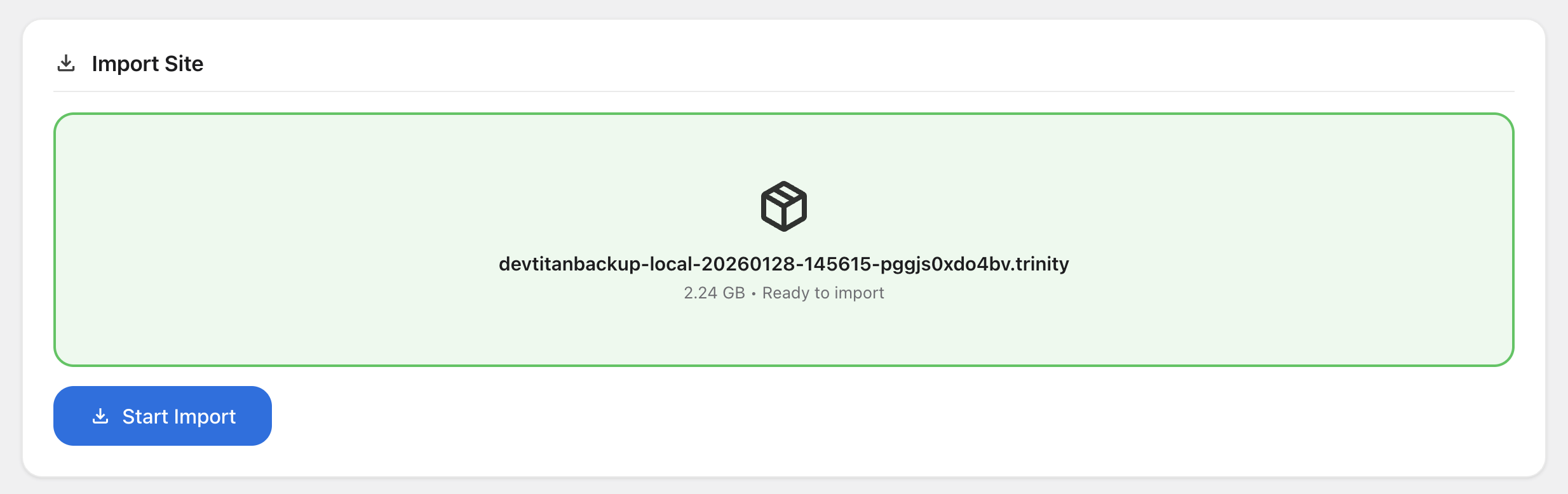
- Drag & drop import — Simply drag your
.trinityfile into the import area or click to browse. No FTP, no phpMyAdmin, no command line needed. - Cross-host compatible — Works across any hosting provider: cPanel, Plesk, LocalWP, Flywheel, SiteGround, Bluehost, GoDaddy, Cloudways, AWS, and more.
- Local ↔ Live — Perfect for moving sites between local development environments (LocalWP, MAMP, XAMPP, Laragon) and live servers.
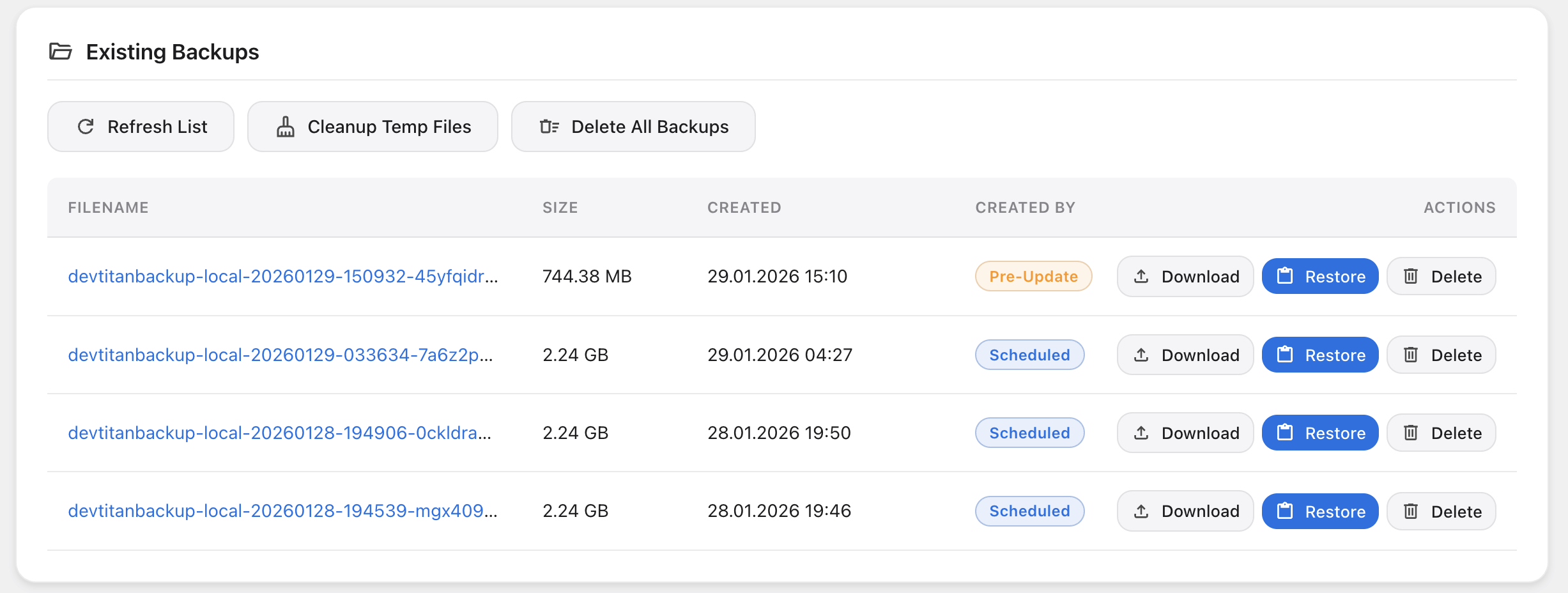
- Backup list — View all existing backups with filename, size, creation date, and who created them.
- Bulk actions — Delete individual backups, delete all backups at once, or clean up incomplete temporary files.
- Refresh — Instantly refresh the backup list without reloading the page.
- Responsive design — Clean, card-based layout that works great on any screen size.
- Light theme — Clean white design that matches the default WordPress admin.
- Dark theme — Eye-friendly dark appearance for comfortable use in low-light environments.
- Auto theme — Automatically follows your operating system's light/dark preference.
- Instant switching — Change theme with one click, no page reload needed. Your preference is saved per user.
- AES-256-GCM — The same encryption standard used by banks. Your backup data is fully encrypted at rest.
- Password protection — Set a password when creating a backup. The same password is required for import.
- Secure key derivation — Uses proper cryptographic key derivation to turn your password into an encryption key.
- Streaming encryption — Files are encrypted in chunks during backup, keeping memory usage low even for encrypted backups.
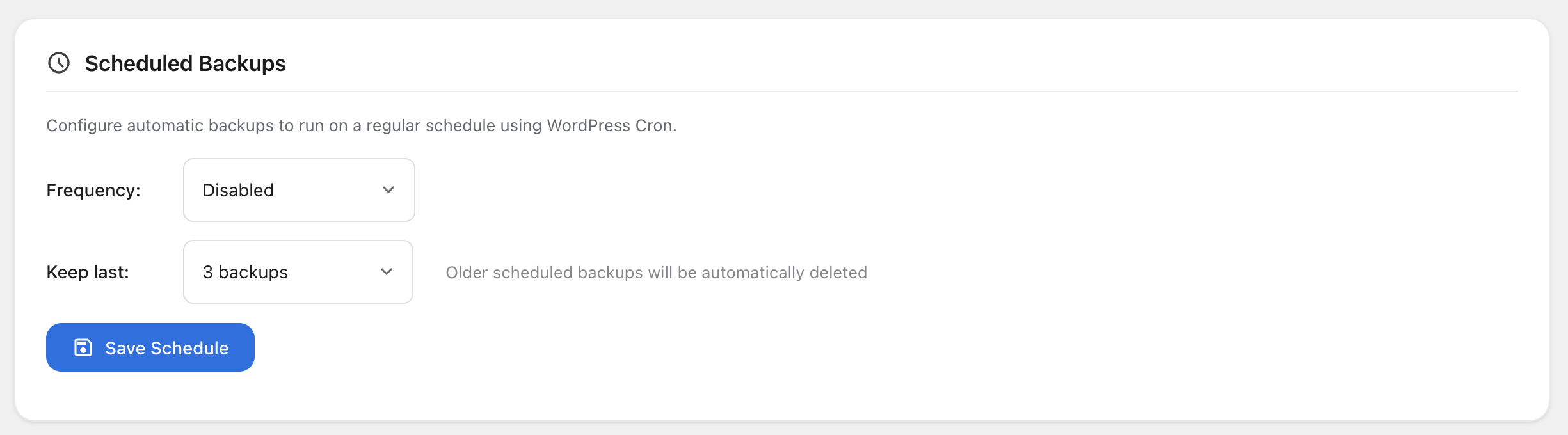
- Multiple frequencies — Hourly, every 2/4/6/12 hours, daily, or weekly.
- Custom time selection — Choose the exact hour when daily or weekly backups should run.
- Backup retention — Automatically delete old scheduled backups. Keep the last 1–10 backups and save disk space.
- Next run display — See exactly when the next scheduled backup will run.
- Reliable execution — Uses WordPress Cron with automatic rescheduling if a run is missed.
- Exclude content — Customize what each scheduled backup includes: skip media, plugins, themes, database, or spam comments.
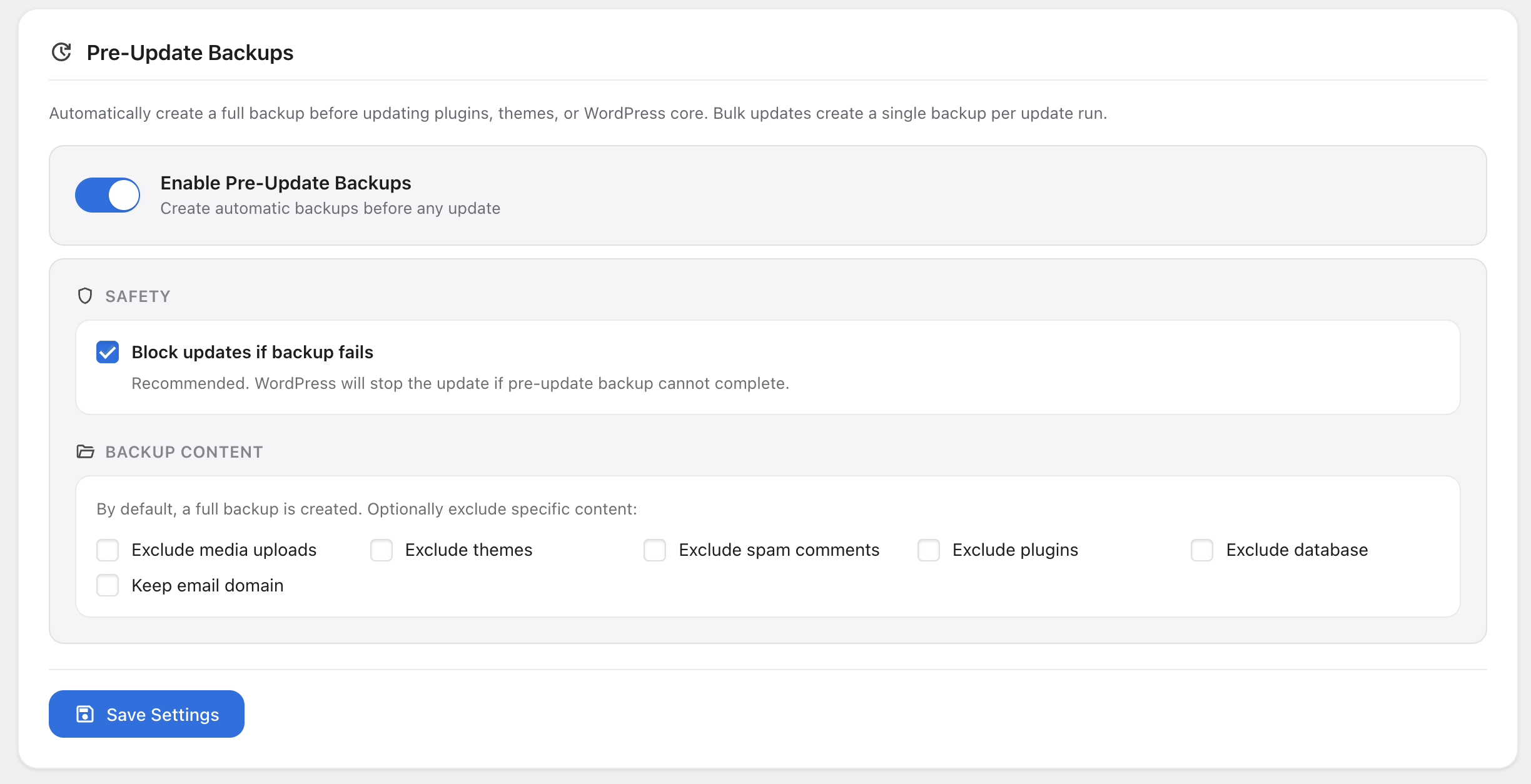
- Plugin updates — Automatic backup before installing plugin updates, including bulk updates.
- Theme updates — Automatic backup before theme updates.
- Core updates — Automatic backup before WordPress core updates.
- Block failed backups — Optionally prevent the update from proceeding if the pre-update backup fails. Recommended for maximum safety.
- Single backup per batch — Bulk updates create only one backup per update run, saving disk space and time.
- Selective content — Exclude media, themes, plugins, database, or spam comments from pre-update backups.
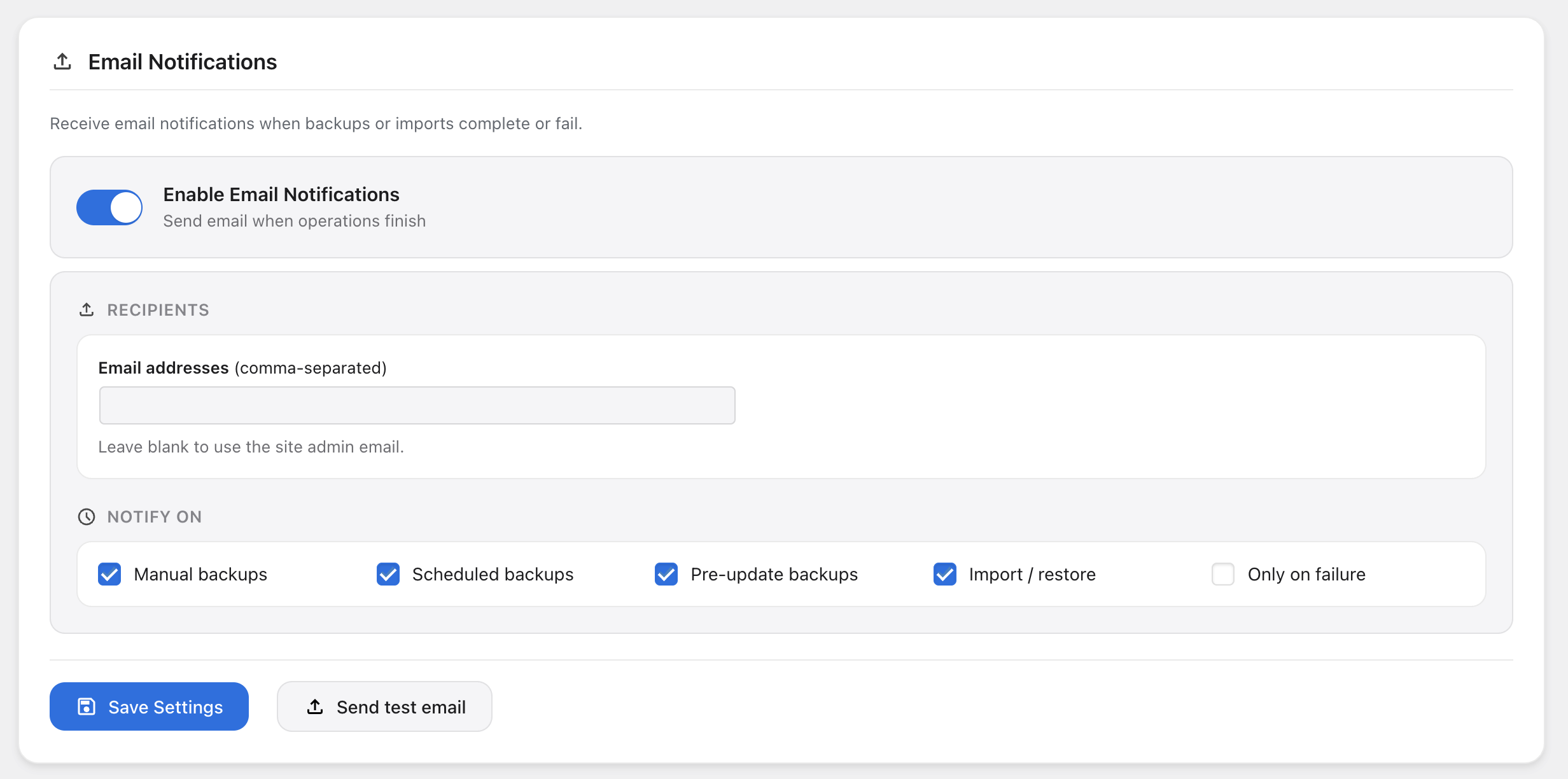
- Success & failure alerts — Get notified when backups complete successfully or when they fail.
- Multiple recipients — Send notifications to multiple email addresses (comma-separated).
- Event filtering — Choose which events to be notified about: manual backups, scheduled backups, pre-update backups, and imports/restores.
- Failure-only mode — Option to only receive emails when something goes wrong — no noise when everything is OK.
- Test email — Send a test email to verify your configuration works with a single click.
- HTML emails — Professional, well-formatted HTML email notifications with backup details.
- wp trinity export — Create backups from the command line with all export options (exclude media, plugins, themes, database, spam).
- wp trinity import — Restore from a
.trinityarchive file by specifying the path. - wp trinity list — List all existing backups with size and date.
- wp trinity delete — Delete a specific backup by ID.
- wp trinity schedule — Configure scheduled backups (frequency, time, retention) from the terminal.
- Encrypted CLI backups — Pass
--password=secretto create encrypted backups via CLI. - CI/CD ready — Integrate Trinity Backup into your GitHub Actions, GitLab CI, Bitbucket Pipelines, or custom deployment scripts.
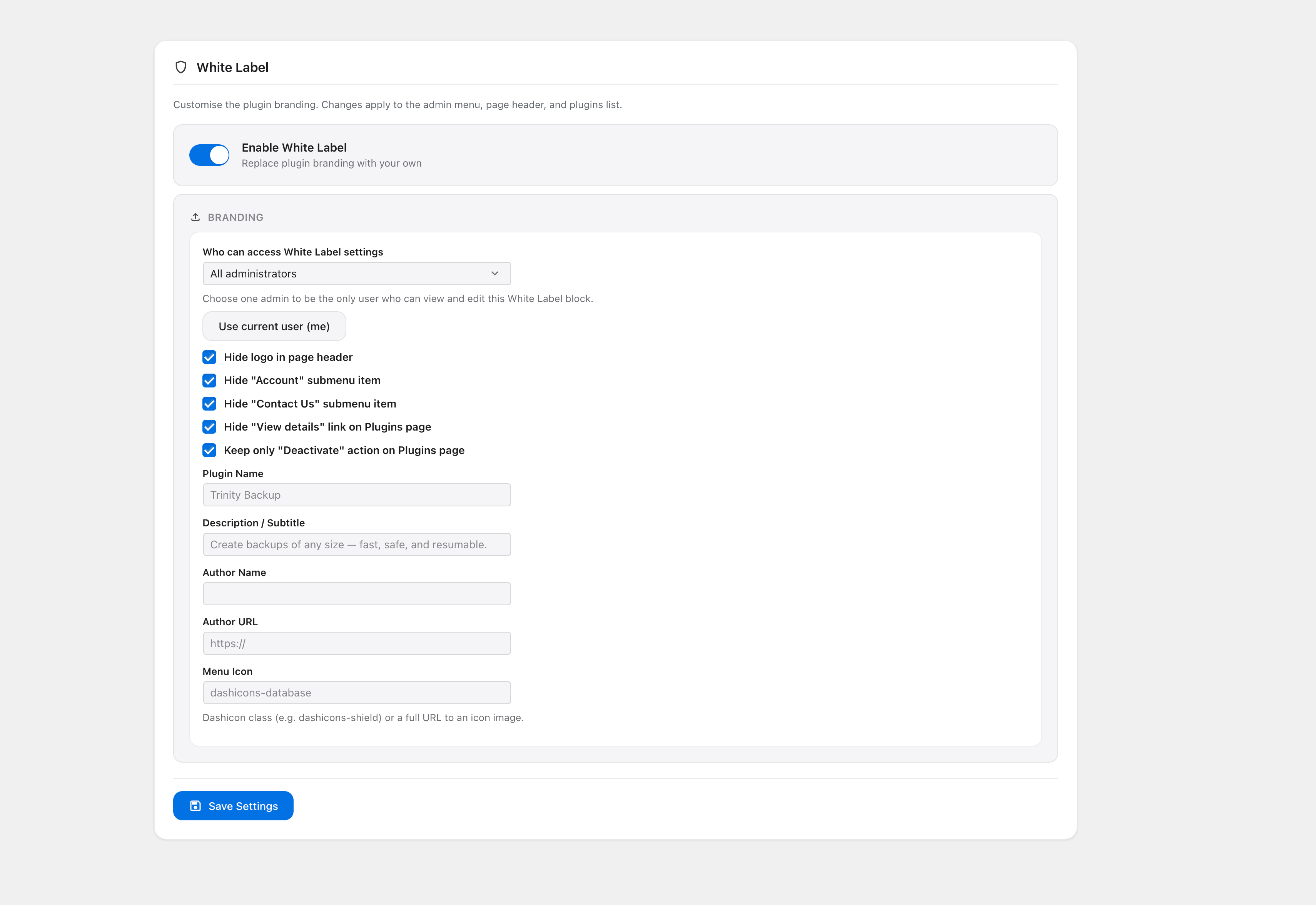
- Custom plugin name — Replace "Trinity Backup" with your own brand name in the admin menu, page header, and plugins list.
- Custom description — Set a custom subtitle/description displayed on the plugin page.
- Custom author — Replace the author name and URL on the plugins list page.
- Custom menu icon — Use any Dashicon class or a custom image URL as the admin menu icon.
- Hide branding — Remove the Trinity Backup logo from the page header.
- Hide submenus — Selectively hide "Account" and "Contact Us" submenu items.
- Hide plugin actions — Hide "View details" on the plugins page, or keep only the "Deactivate" link.
- Access control — Restrict White Label settings access to a specific administrator. Other admins won't even see the settings section.
- Persistent settings — All White Label settings survive plugin updates.
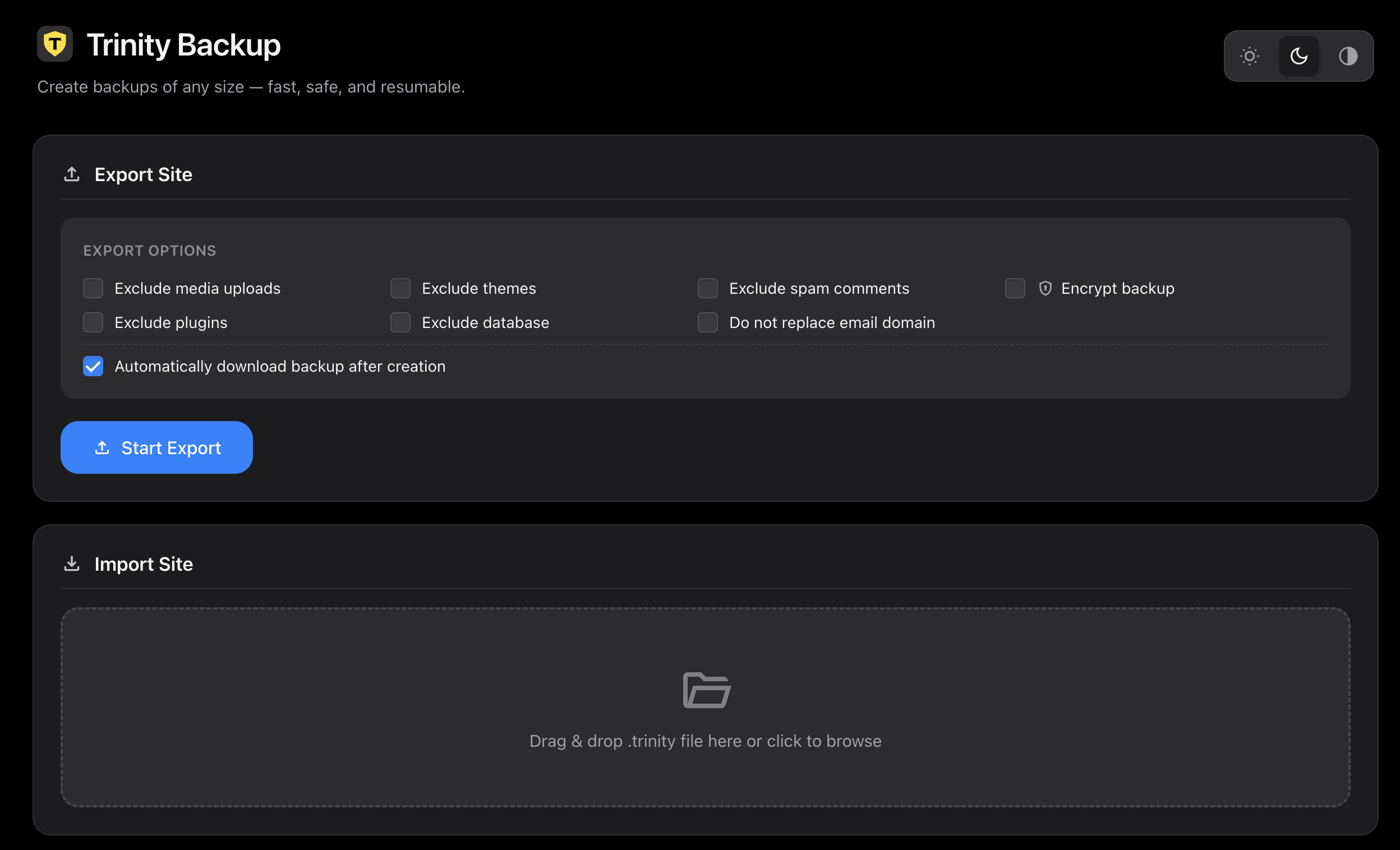
- Exclude media uploads — Skip the wp-content/uploads folder to create smaller backups.
- Exclude plugins — Skip the plugins directory if you only need themes and content.
- Exclude themes — Skip the themes directory.
- Exclude database — Create a files-only backup without the database.
- Exclude spam comments — Keep your backups clean by skipping spam comment data.
- Keep email domain — Optionally preserve email addresses during migration instead of replacing them.
- URL replacement — Automatic, safe URL replacement across the entire database including serialized data.
- Drag & drop upload — Modern drag-and-drop file upload area. No page reloads needed.
- Import progress — Real-time progress bar and detailed log during import.
- Confirmation dialog — Safety confirmation before starting a destructive import operation.
- Encrypted archive import — Seamlessly import password-protected backup archives.
- PHP 8.0+ — Built with modern PHP, strict types, and clean architecture.
- No external dependencies — No cloud accounts, no third-party services, no API keys required.
- No file size limits — Handles sites of any size without hitting PHP upload_max_filesize limits.
- WordPress Multisite aware — Compatible with WordPress Multisite installations.
- Translation ready — Fully translatable with standard WordPress i18n functions.
- Clean uninstall — Removes all options and data when the plugin is deleted.
- Regular website backups — Protect your blog, business site, or portfolio with automatic daily or weekly backups.
- WordPress migration — Move your site from one host to another, or from a local dev environment to a live server.
- Site cloning — Duplicate a WordPress site for staging, development, or client review.
- Pre-update safety net — Automatically back up before plugin, theme, or WordPress core updates.
- Developer workflow — Use WP-CLI to integrate backups into your development and deployment scripts.
- Agency white label — Rebrand the plugin for client sites with your agency name and logo.
- WooCommerce backup — Safely back up WooCommerce stores including orders, products, and customer data.
- Disaster recovery — Restore a broken site from a backup archive in minutes.
- SiteGround, Bluehost, HostGator, GoDaddy, DreamHost
- Cloudways, DigitalOcean, Linode, Vultr, AWS Lightsail
- WP Engine, Flywheel, Kinsta, Pantheon
- cPanel, Plesk, DirectAdmin
- LocalWP, MAMP, XAMPP, Laragon, Docker
安装:
- Upload the
trinity-backupfolder to/wp-content/plugins/ - Activate the plugin through the 'Plugins' menu in WordPress
- Go to Trinity Backup in the admin menu
- Click Start Export to create your first backup
- To restore, drag a
.trinityfile into the import area and click Start Import
屏幕截图:
常见问题:
What PHP version is required?
PHP 8.0 or higher is required.
How large of a site can Trinity Backup handle?
Trinity Backup uses chunked AJAX processing and streaming archives, so it can handle sites of virtually any size — hundreds of thousands of files and multi-gigabyte databases — without running into memory limits or PHP timeouts.
Does it work on shared hosting?
Yes. Trinity Backup is specifically designed for shared hosting environments with strict PHP limits. It processes data in small, resumable chunks and uses minimal memory.
Are backups encrypted?
Optional AES-256-GCM encryption is available in the Pro version. Set a password when creating a backup, and the same password is required to restore it.
Can I schedule automatic backups?
Yes (Pro feature). You can schedule backups hourly, every few hours, daily, or weekly. Older backups are automatically cleaned up based on your retention setting.
Does it back up before updates?
Yes (Pro feature). Trinity Backup can automatically create a full backup before any plugin, theme, or WordPress core update. You can even block the update if the backup fails.
Can I migrate my site to a new domain?
Yes. When you import a backup on a different domain, Trinity Backup automatically replaces all URLs in the database, including serialized data used by themes and page builders like Elementor, Divi, and WPBakery.
Does it support WP-CLI?
Yes (Pro feature). Full WP-CLI support with commands for export, import, list, delete, and schedule management. Perfect for CI/CD pipelines and automated workflows.
Can I white-label this plugin?
Yes (Pro feature). Replace the plugin name, description, author, menu icon, and hide branding elements. You can even restrict White Label settings to a single administrator.
Does it work with WooCommerce?
Yes. Trinity Backup creates a full database backup including all WooCommerce tables: orders, products, customers, subscriptions, and settings.
What file format does it use?
Trinity Backup uses its own .trinity archive format — a streaming binary format designed for memory efficiency and resumability.
Do I need FTP or phpMyAdmin?
No. Everything is done from the WordPress admin dashboard. Export, import, schedule, and manage — all with a visual UI.
Does it support dark mode?
Yes. Trinity Backup includes Light, Dark, and Auto (system-following) themes. Switch with one click in the top-right corner of the plugin page.
Is it compatible with WordPress Multisite?
Trinity Backup is compatible with WordPress Multisite installations.
更新日志:
- Improved Security: Block direct web access to backup storage and serve backup downloads through authenticated WordPress requests
- Improved Security: Remove public job marker files and move restore state files into protected storage
- Improved Security: Delete temporary database and manifest files after completed backup and restore jobs
- Improved Security: Exclude transient Trinity Backup job state from database exports
- Added option to preserve email addresses during migration instead of replacing them
- Added Scheduled Backups (Pro) with flexible frequency and retention
- Added Pre-Update Backups (Pro) before plugin, theme, and core updates
- Added Email Notifications (Pro) for backup/import success and failure
- Added WP-CLI support (Pro): export, import, list, delete, and schedule commands
- Added White Label (Pro): custom branding, plugin actions control, and admin visibility settings
- Improved AES-256-GCM encryption performance for large archives
- Optimized streaming encryption to reduce memory overhead
- Better error handling during encrypted backup creation
- Redesigned dashboard with modern card-based UI
- Added Light, Dark, and Auto theme switcher
- Improved progress bar and status display
- Updated icons and visual polish for both light and dark modes
- Improved responsive layout for smaller screens
- Initial release
- Full site export — database and all wp-content files
- Full site import with automatic URL replacement
- Chunked AJAX processing — no PHP timeouts
- Streaming archive format — minimal memory usage
- Selective backup — exclude media, plugins, themes, database, or spam
- Real-time progress tracking with visual progress bar
- Drag & drop file import
- Backup management — list, download, delete, bulk delete
- AES-256-GCM encryption (Pro)
- Scheduled backups with retention policy (Pro)
- Pre-update automatic backups for plugins, themes, and core (Pro)
- Email notifications for backup success and failure (Pro)
- WP-CLI commands: export, import, list, delete, schedule (Pro)
- White label — custom name, description, author, icon, and access control (Pro)
- Auto-download backup after creation
- Password-protected archive import support