
TrustBio — Author Credentials, Medical Reviewer Bylines & Author Box
| 开发者 | rayetun |
|---|---|
| 更新时间 | 2026年11月13日 01:57 |
| 捐献地址: | 去捐款 |
| PHP版本: | 7.4 及以上 |
| WordPress版本: | 7.1 |
| 版权: | GPLv2 or later |
| 版权网址: | 版权信息 |
详情介绍:
hasCredential and reviewedBy JSON-LD for search engines.
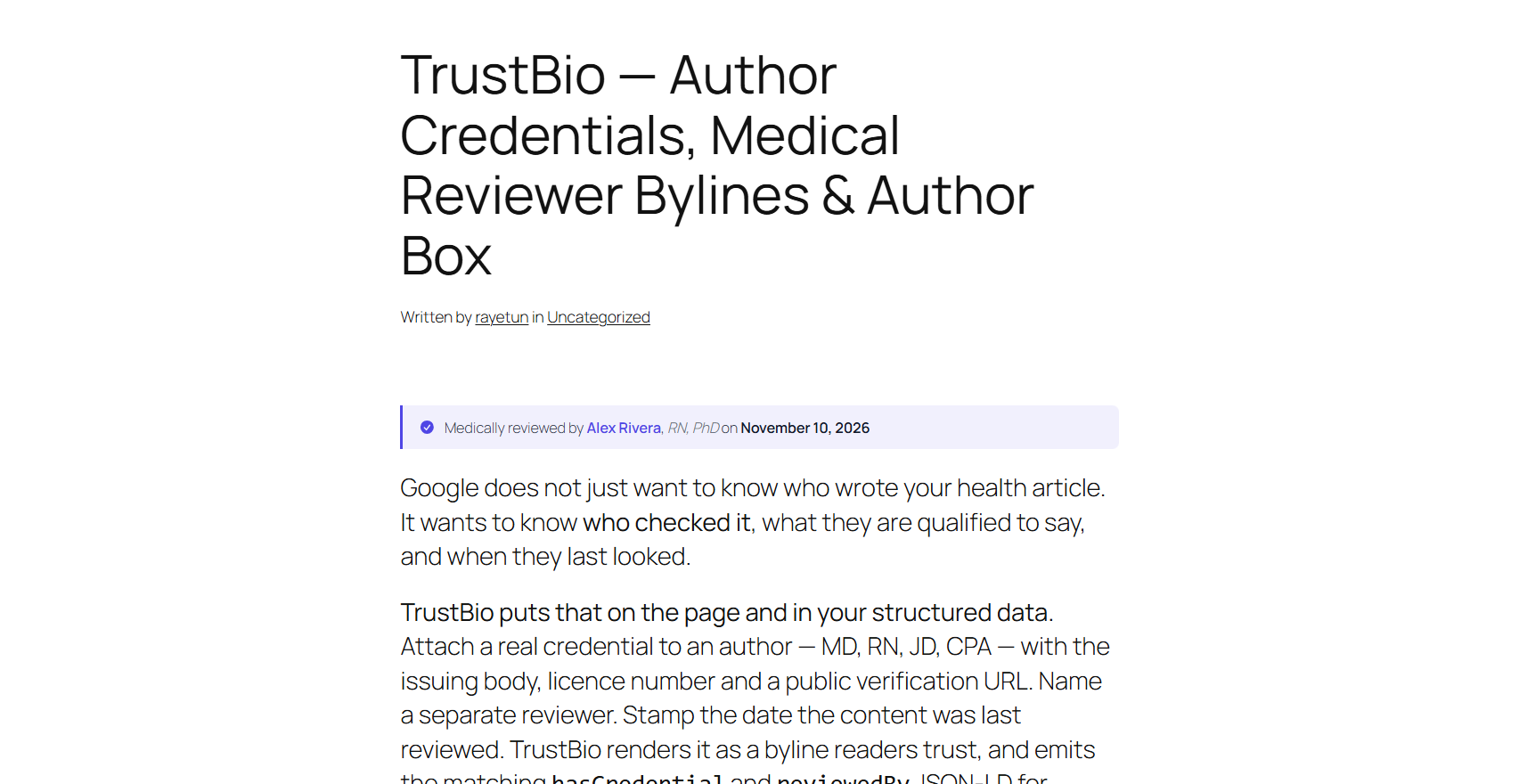
Written by Dr. Jane Smith, MD · Medically reviewed by Alex Rivera, RN · Last reviewed 14 March 2026If you publish health, legal, or financial content, that line is not decoration. It is the credibility signal readers look for, and the one search engines increasingly expect on Your Money or Your Life topics. A name, a bio and a row of social icons do not carry that signal. A structured credential does: the qualification, the body that issued it, the licence number, a public verification URL, and an expiry date — written into the page and into your structured data, so a reader and a search engine are told the same thing. What makes TrustBio different
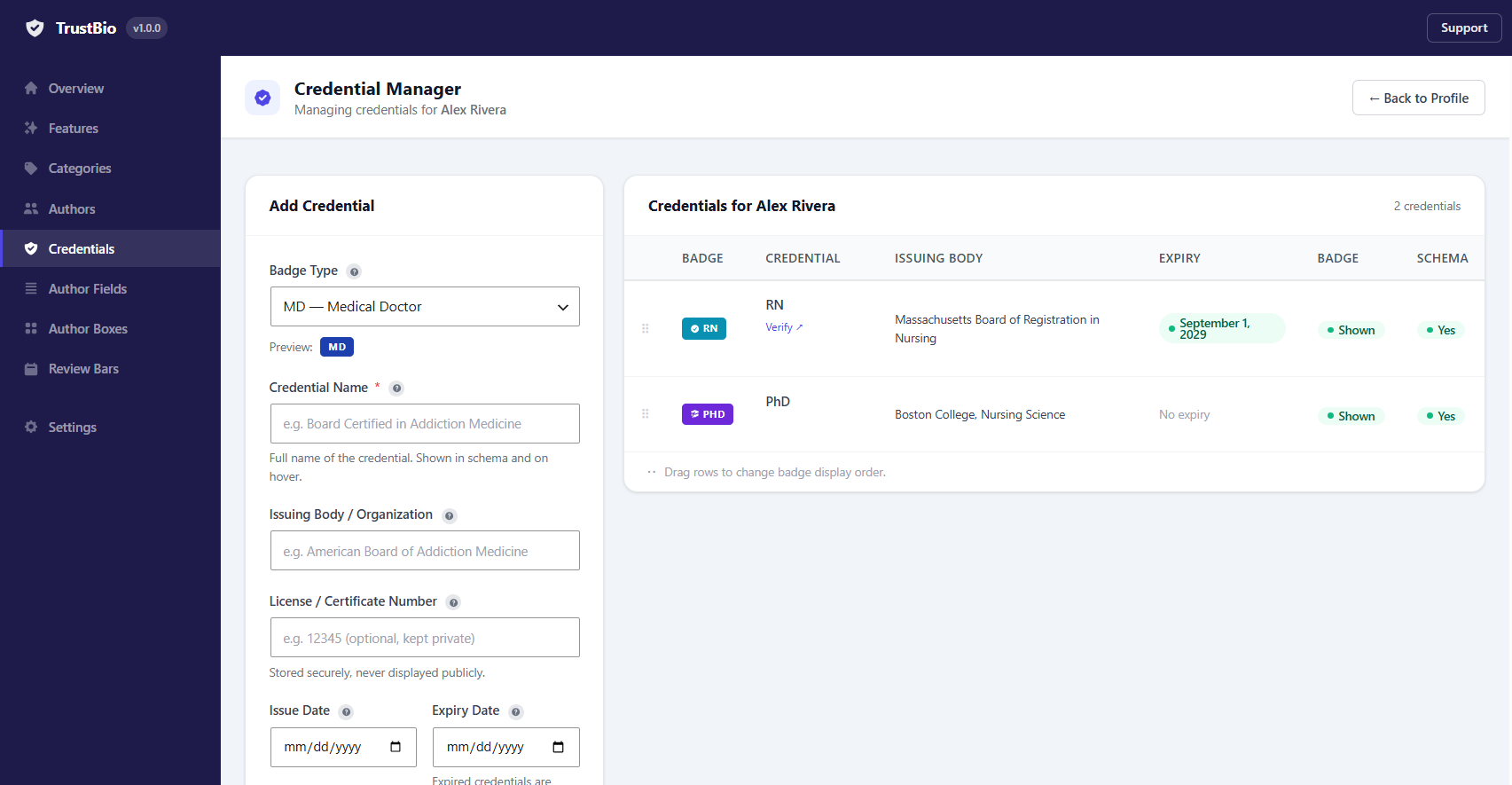
- Structured credentials, not a text field. 13 credential types plus custom, each with an issuing body, licence number and verification URL.
- Credentials that expire. Set an expiry date and TrustBio hides the credential automatically, on the page and in the schema, so your site never claims a lapsed qualification.
- Reviewers as a first-class concept. "Medically Reviewed By" is not a label you type — it is an author category that maps to the
reviewedByschema property. - A last-reviewed date on every post, with the reviewer named and their credentials shown.
hasCredential,reviewedByandknowsAboutJSON-LD on top of the usualPersonmarkup.
- Attach professional credentials to any author: MD, PhD, RN, MBA, JD, CPA and more, plus any custom credential you need
- Record the issuing body, licence number and a public verification URL so a reader can check the claim themselves
- Optional expiry dates — an expired credential disappears from the page and from the schema automatically
- Credential labels appear beside the author name on every box and bar layout
- Each credential is emitted as its own
hasCredentialJSON-LD entry - Choose per credential whether it shows as a visible badge, in the schema, or both
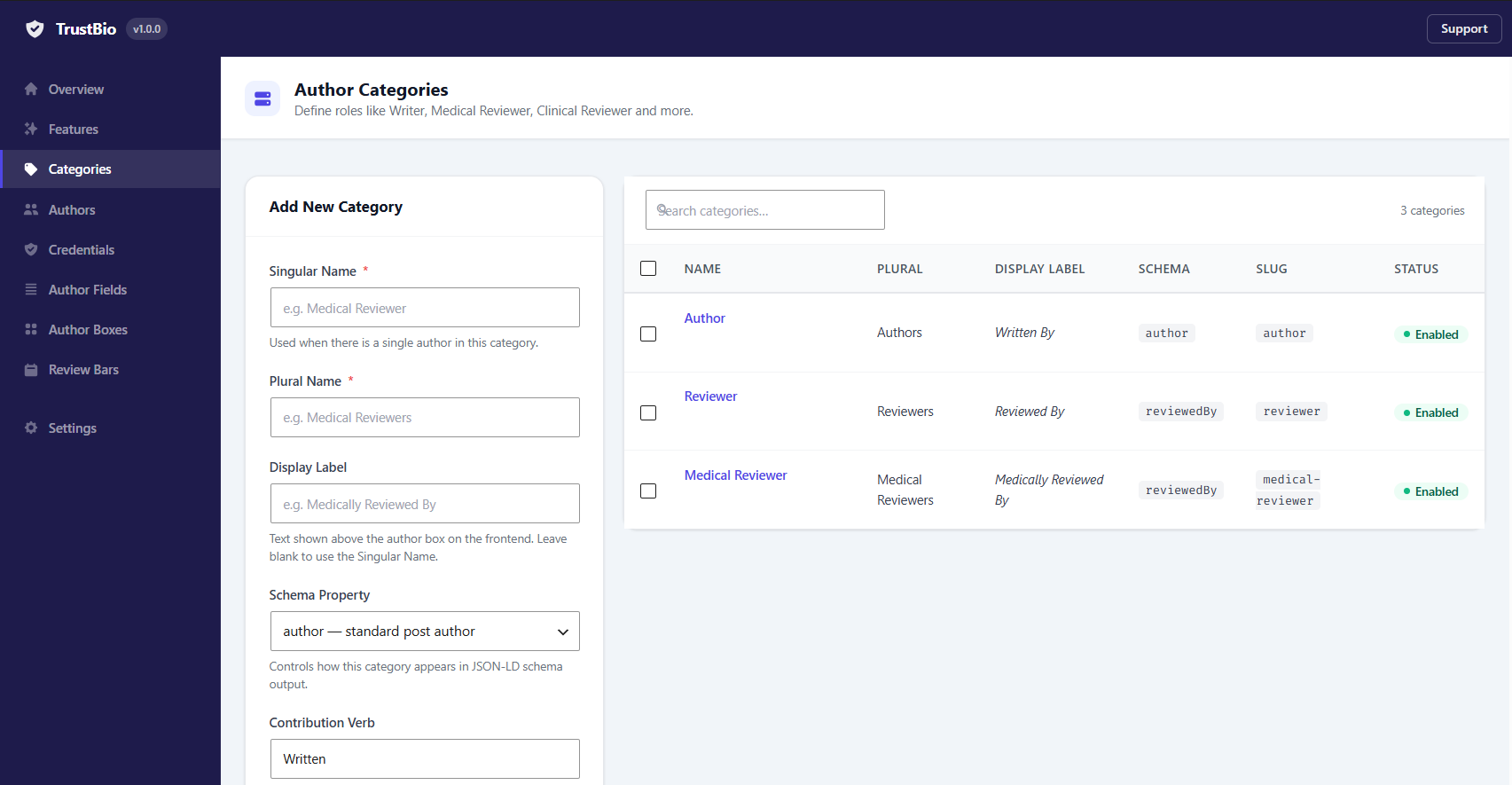
- Create the roles you actually use: Medical Reviewer, Clinical Reviewer (RN), Fact-Checker, Editor, Contributing Writer
- Each category carries its own display label — "Written By", "Medically Reviewed By", "Fact-Checked By"
- Each category maps to a schema.org property:
author,reviewedBy,contributororeditor - Assign several people with different roles to the same post, and each is attributed correctly in the markup
- Show the reviewer's name, their credentials, and the exact date the content was last reviewed
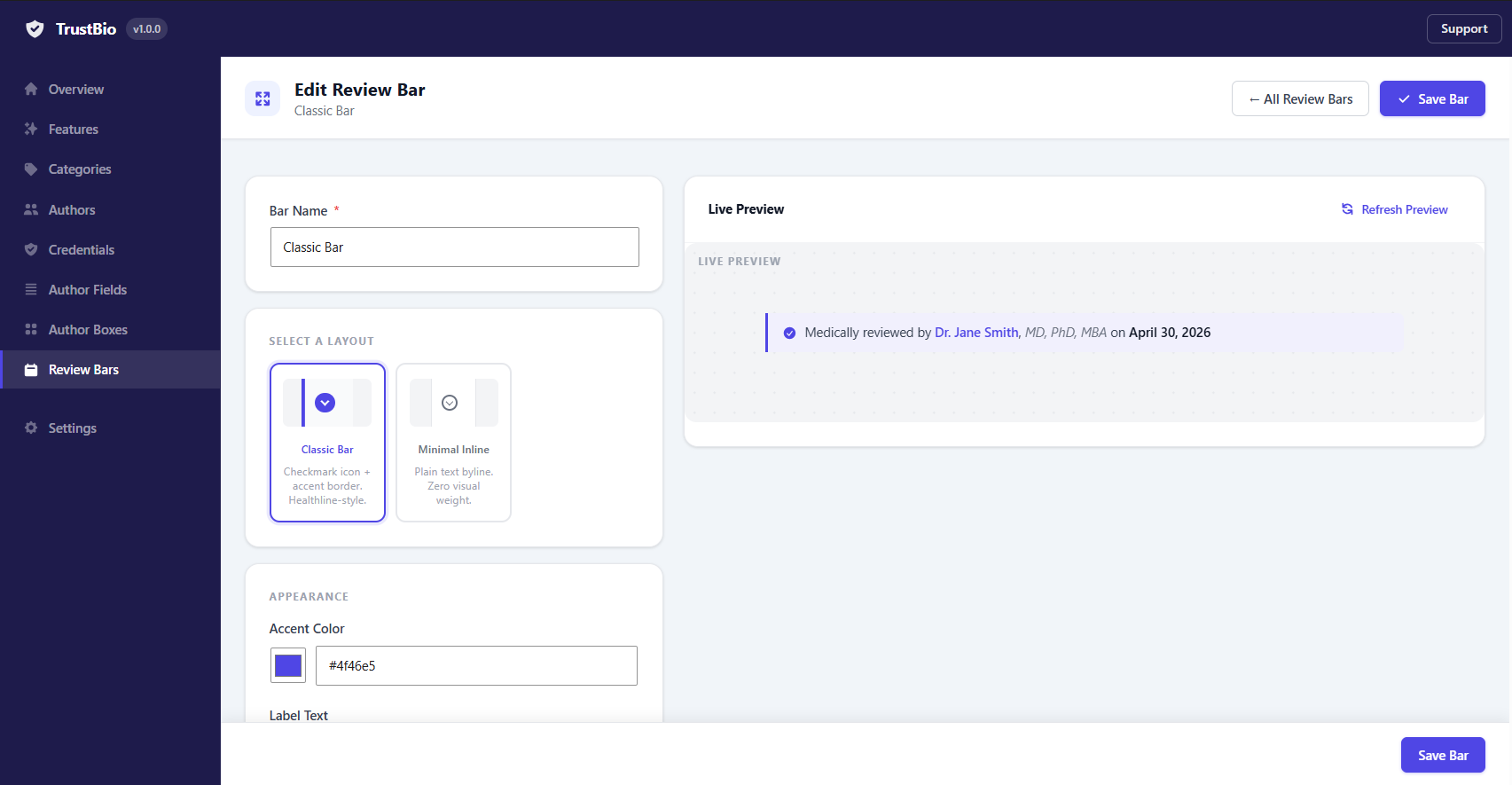
- 2 layouts: Classic Bar and Minimal Inline, or render it as plain inline text inside the author box
- Set the review date, reviewer and a custom label per post, right in the editor
- Auto-insert before or after content, or place it with
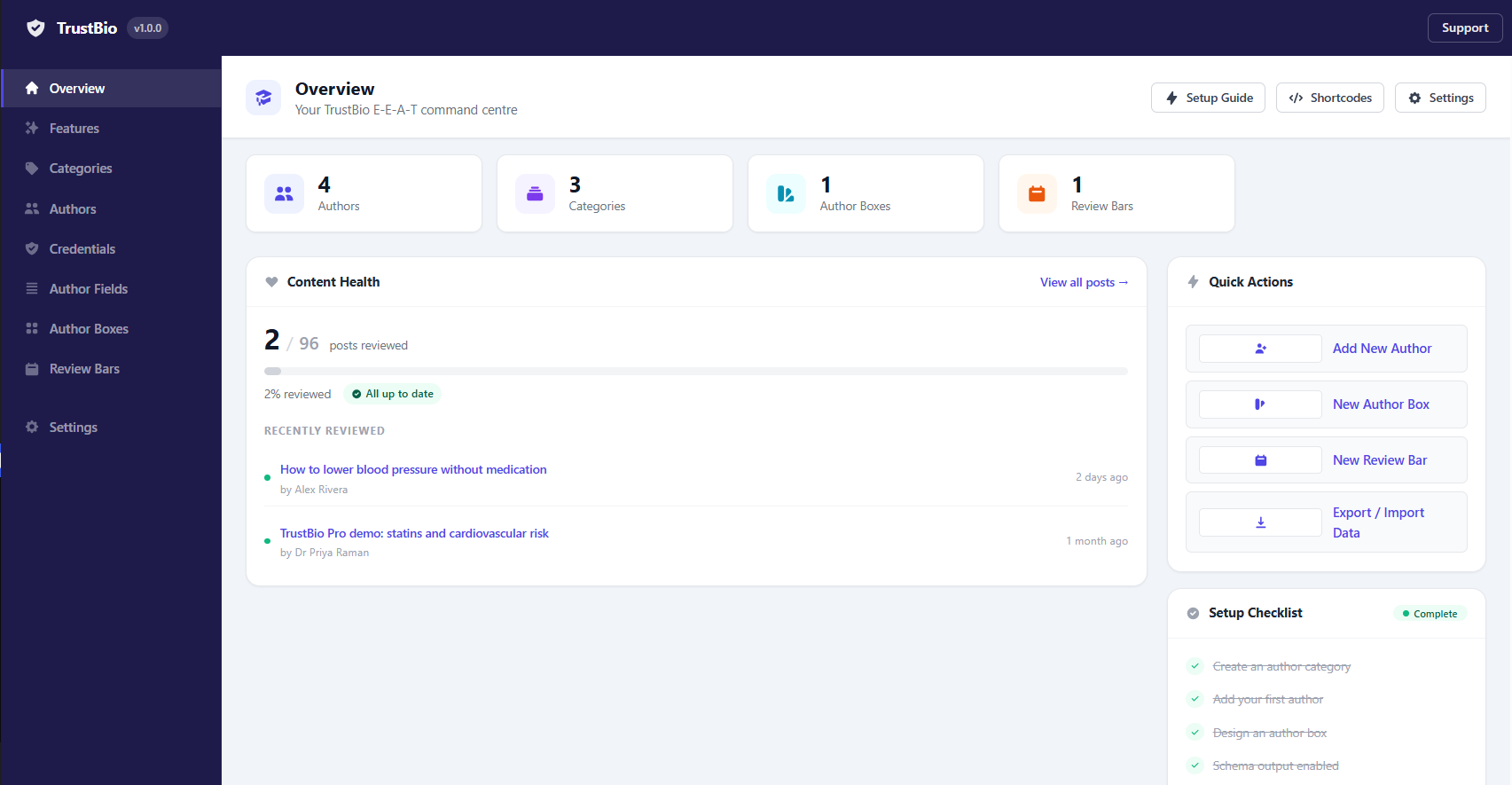
[trustbio_review] - Configurable stale threshold, plus a dashboard widget listing every post that is overdue for review
schema.org/Personstructured data for every author on every posthasCredentialentries for each verified, unexpired credentialreviewedByfor content reviewerssameAsarray built automatically from the author's social profilesknowsAbouton author archive pages, as part ofProfilePageschema- Yoast SEO and Rank Math compatibility — TrustBio detects them and merges, rather than emitting a second author node
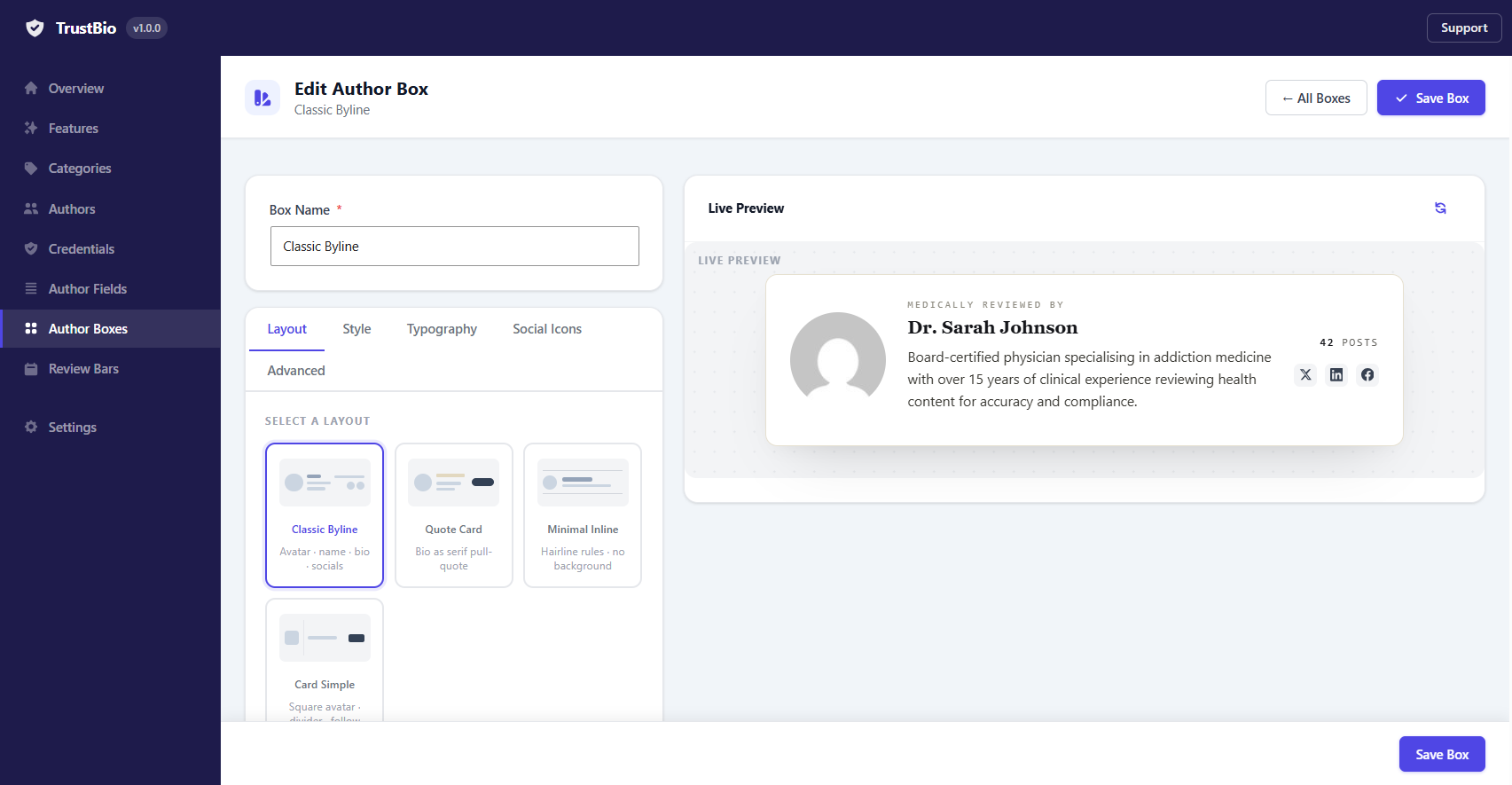
- 4 layouts with a live-preview builder: Classic Byline, Card Simple, Minimal Inline, and Quote Card
- 33 styling controls: accent colour, background, border, font sizes, avatar size and shape, and more
- Assign multiple co-authors to any post and drag to reorder them
- Per-post options to hide the box, or use a different box design
- Auto-insert after content, before content, both, or place it yourself with a shortcode or the Gutenberg block
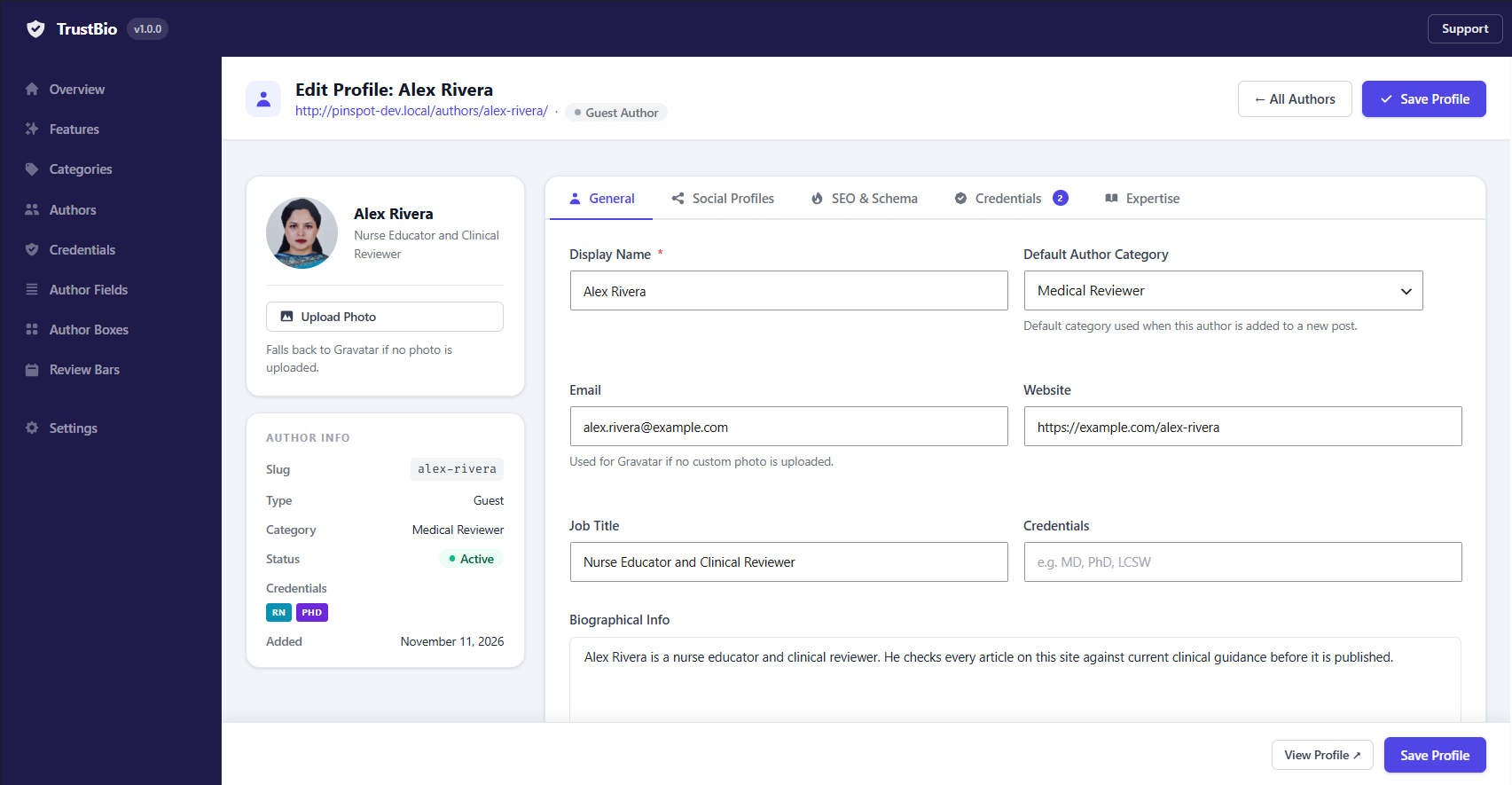
- Profile editor with General, Avatar, Social and SEO tabs
- 31 built-in social and profile fields: Twitter/X, LinkedIn, GitHub, ORCID, Google Scholar, Wikipedia, ResearchGate and more
- Add your own custom profile fields
- Guest author support — full profiles for contributors who have no WordPress account
- Custom avatar upload with Gravatar fallback
- Author archive pages at a URL base you choose, e.g.
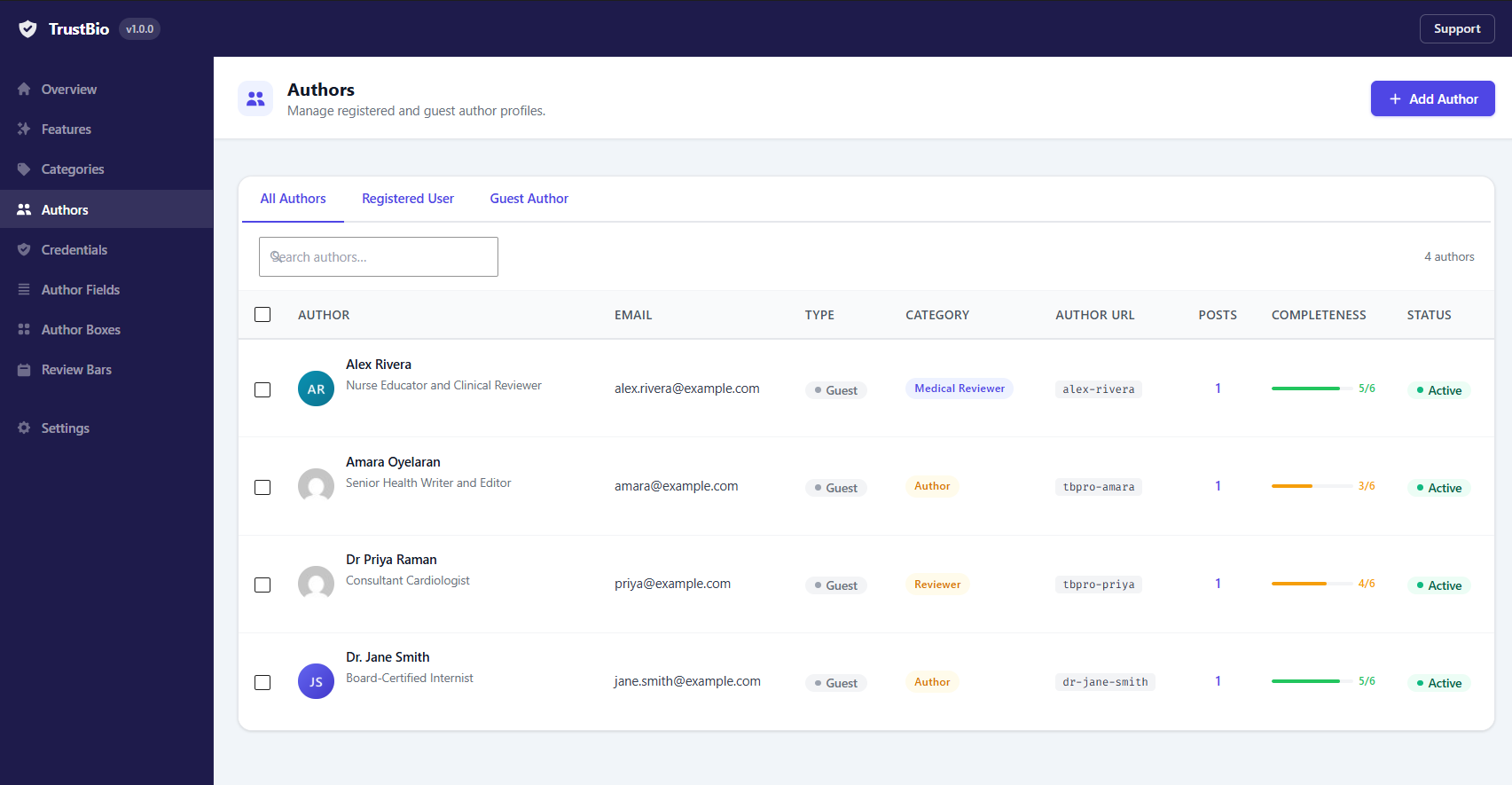
yoursite.com/authors/dr-jane - Completeness progress bar on the Authors list, so you can see which profiles still need a photo, bio, job title, social link, credential or expertise topic
- Tag an author with the WordPress categories they actually know about
- Outputs
knowsAboutstructured data on their archive page
- Gutenberg sidebar panel with author search and assignment
- Gutenberg author-box block
- Classic Editor meta box
- Quick Edit and Bulk Edit support
- REST API endpoint at
/wp-json/trustbio/v1/authors - Full JSON export and import of every TrustBio table — import is non-destructive
[trustbio] — author box for the current post
[trustbio id="5"] — a specific author by TrustBio ID
[trustbio slug="dr-jane-smith"] — a specific author by slug
[trustbio box="Compact"] — use a specific author box by its title
[trustbio category="medical-reviewer"] — only authors in a given category
Last Review Bar — [trustbio_review]
[trustbio_review] — review bar for the current post
[trustbio_review post_id="42"] — review bar for a specific post
[trustbio_review style="inline"] — inline text instead of a bar
[trustbio_review label="Fact-checked by"] — override the label for this instance
Who this is for
- Health and medical publishers — "Written By [Author, MD]", "Medically Reviewed By [Reviewer, RN]", with licence numbers on file and a verification URL for each
- Legal sites — author plus legal reviewer plus compliance officer, each with their bar admission on record
- Finance and insurance — author plus CPA or CFP reviewer, with credentials that expire when the certification does
- Clinics, hospitals and practices — a named clinician behind every piece of patient-facing advice
- Addiction and recovery — medical director, clinical supervisor and recovery coach, each attributed correctly
- News and media — author, editor and fact-checker, each mapped to the right schema property
- Any multi-author site — a clear, auditable record of who wrote and who reviewed every piece of content
- NPI Registry verification — free lets you type a verification URL; Pro checks the claim against the CMS registry
- Credential change log — free keeps no record of credential edits; Pro logs every change with who made it
- Credential audit — a dated, exportable record of every credential and its status that day
- Expiry reminders — free hides a lapsed credential; Pro emails you before it lapses
- Reviewer workflow — free displays a review; Pro requests one by a date and chases it
- Content review scheduler — recurring review cycles across the whole library
- Front-end profile editing — authors update their own profile without an admin account
- Author health and leaderboard — a composite E-E-A-T score per author, ranked
- Deeper medical schema — Physician and MedicalWebPage types for YMYL sites
- ORCID publications — pulls an author's publication list from their ORCID iD
- Disclosure blocks — reusable funding, conflict-of-interest and disclaimer statements
- Team directory — a single "our team" page, grouped and filterable
- Sidebar author boxes — a widget and shortcode with their own builder
- Elementor integration — a TrustBio section in Elementor's Document Settings
- Author importers — one-click import from Co-Authors Plus, PublishPress Authors, Molongui and CSV
trustbio_before_box/trustbio_after_box— before and after each author boxtrustbio_register_admin_pages— add submenu pages to the TrustBio menutrustbio_register_admin_hooks/trustbio_register_public_hooks/trustbio_register_cron_hookstrustbio_settings_panels/trustbio_settings_savedtrustbio_dashboard_panels— add panels to the Overview screen
trustbio_box_output— the complete box HTMLtrustbio_box_layouts/trustbio_box_templates/trustbio_box_template_dir— register your own box layoutstrustbio_review_bar_layouts/trustbio_review_bar_template_dir— register your own review bar layoutstrustbio_social_fields/trustbio_author_fields— add or remove profile fieldstrustbio_schema_data— the schema data array before outputtrustbio_review_label— the default review label stringtrustbio_feature_modules— register a module on the Features screen
includes/class-pro-bridge.php.
安装:
- Upload the
trustbiofolder to/wp-content/plugins/, or install through Plugins → Add New - Activate through the Plugins menu
- Go to TrustBio → Author Categories and create the roles you need, e.g. "Medical Reviewer"
- Go to TrustBio → Authors and add your first author profile
- On that profile, open the Credentials screen and add their qualification, issuing body and verification URL
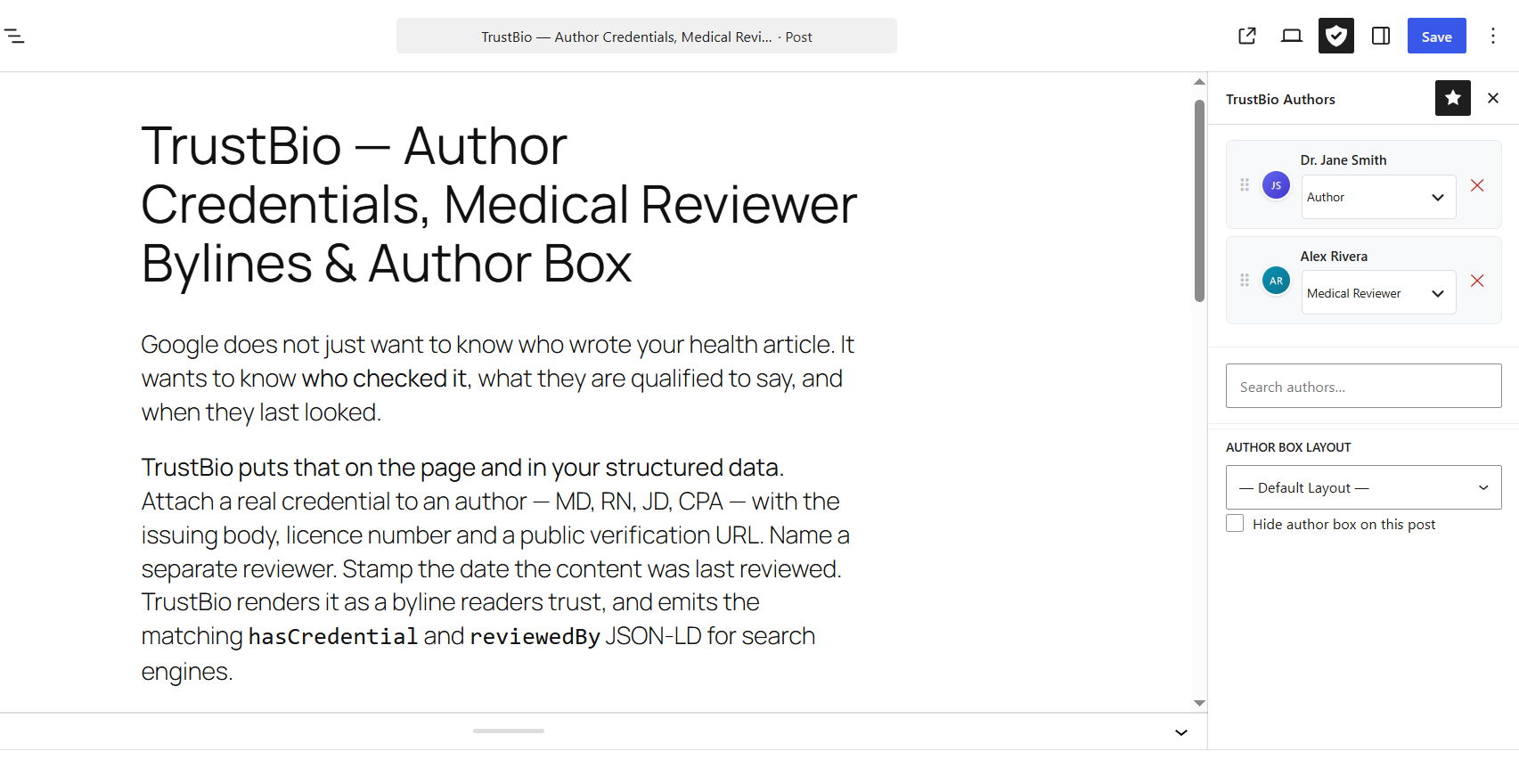
- Edit any post — the TrustBio Authors panel appears in the editor sidebar
- Assign an author, assign a reviewer, and set the review date
- The author box and review bar appear automatically
屏幕截图:
常见问题:
Is anything in this plugin locked behind a payment?
No. Every feature described here works in full, on any number of sites, with no licence key and no account. There is no trial period, no usage cap and no feature that stops working later. There is a paid add-on, TrustBio Pro, but it is a separate plugin — its code is not in this one, so there is nothing here to unlock.
Do I need TrustBio Pro?
Only if you want what it adds: credential verification against the NPI registry, an audit trail of credential changes, scheduled review cycles, front-end profile editing, ORCID publications, deeper medical schema, a team directory page or the importers. Everything this plugin's description lists is free and stays free.
What happens to my data if I install Pro and later remove it?
Nothing is lost. Authors, credentials, categories, author boxes and review bars all live in this plugin's own tables. Removing the add-on takes away its screens, not your content.
What happens when a credential expires?
TrustBio hides it automatically, on the frontend and in the schema output, so your site never displays a lapsed qualification. Leave the expiry date blank for credentials that do not expire, such as a university degree.
Can one post have both an author and a separate reviewer?
Yes — that is the main thing TrustBio is for. Create an author category such as "Medically Reviewed By", map it to the reviewedBy schema property, and assign a second person to the post under that category. Both appear in the byline, and both are attributed correctly in the JSON-LD.
Do the credentials actually appear in my structured data?
Yes. Each credential an author holds is output as a separate hasCredential entry on their Person node, including the issuing body and verification URL where you have supplied them. Expired credentials are excluded.
Does TrustBio conflict with Yoast SEO or Rank Math?
No. TrustBio detects whether Yoast SEO or Rank Math is active and adjusts its schema output so you do not end up with two author nodes. For extra safety, enable "Schema Compatibility Mode" in Settings → Advanced.
Can I add authors and reviewers who do not have a WordPress account?
Yes. Guest authors get a full profile — photo, bio, job title, social links, credentials and expertise topics — with no user account and no login. Most medical reviewers are not WordPress users, so this is the normal case.
Can I use TrustBio with the Classic Editor?
Yes. A meta box appears below the Classic Editor for author assignment, and every feature works in both Gutenberg and the Classic Editor.
Can I assign a different author box layout per post?
Yes. In the TrustBio panel in the post editor, pick any box design to override the global default for that post.
Can I hide the author box on specific posts?
Yes. Tick "Hide Author Box on this post" in the TrustBio Authors panel in the editor.
Does TrustBio support custom post types?
Yes. Go to TrustBio → Settings → General and enable TrustBio for any registered post type on your site.
How do I find posts that are overdue for review?
A dashboard widget lists them, based on the stale threshold you set in Settings → Review Bars. Each entry links straight to the post.
Can I change the author archive URL structure?
Yes. Go to Settings → General, set your own base slug, and click "Apply and Flush Rewrite Rules" — for example yoursite.com/authors/dr-jane.
Will deleting the plugin remove my data?
Only if you explicitly enable "Delete all data on uninstall" in Settings → Maintenance. By default your authors, boxes and credentials are preserved even if you delete the plugin.
Is TrustBio GDPR compatible?
Yes. TrustBio does not track visitors and collects no personal data beyond what you type into author profiles, and all of it stays in your own WordPress database. The one exception is the avatar fallback. If an author has no uploaded photo, TrustBio shows their Gravatar, which sends a hashed form of their email address to Gravatar — exactly as WordPress does for user avatars. Upload a photo for each author to stop it entirely.
Can I export and re-import all my data?
Yes. Settings → Maintenance exports all authors, categories, fields, boxes, review bars, credentials and field values as a single JSON file. Import is non-destructive — existing records are updated and nothing is deleted.
更新日志:
- Initial public release.
- Credential badges with issuing body, licence number, verification URL and optional expiry, output as hasCredential JSON-LD. Expired credentials are hidden automatically.
- Author Categories with schema property mapping (author, reviewedBy, contributor, editor) and a per-category display label.
- Two Last Review Bar layouts with per-post review date, reviewer and label, and a dashboard widget for posts overdue for review.
- Automatic Person, sameAs, hasCredential, reviewedBy and ProfilePage JSON-LD, with Yoast SEO and Rank Math duplicate avoidance.
- Author profiles: unlimited registered and guest authors, 31 social and profile fields, user-defined custom fields, custom avatar with Gravatar fallback.
- Author expertise topics, output as knowsAbout on author archive pages.
- Four author box layouts with a live-preview builder and 33 styling controls.
- Multiple co-authors per post with drag-to-reorder, plus per-post hide and layout overrides.
- Author archive pages at a configurable URL base, with pagination and SEO meta.
- Gutenberg block and editor sidebar panel, Classic Editor meta box, Quick Edit and Bulk Edit.
- Shortcodes: [trustbio] and [trustbio_review].
- REST API endpoint for author data.
- Full JSON export and import of every TrustBio table; import is non-destructive.
- Feature Modules screen for switching off any module you do not need.