TryAura: AI Virtual Try-On, Product Visualization & Product Videos for WooCommerce
| 开发者 |
wedevs
tareq1988 nizamuddinbabu |
|---|---|
| 更新时间 | 2026年10月7日 18:03 |
| PHP版本: | 7.4 及以上 |
| WordPress版本: | 7.0 |
| 版权: | GPLv2 or later |
| 版权网址: | 版权信息 |
详情介绍:
安装:
- Install using the WordPress Plugin Installer, or upload the plugin to the
wp-content/plugins/directory. - Activate the plugin through the Plugins menu in WordPress.
- Ensure WooCommerce is installed and active.
- Go to TryAura > Settings and enter your Google Gemini API key.
- Open any WooCommerce product, generate visuals, or enable virtual try-on from the product editor.
- Save and publish the product.
屏幕截图:

常见问题:
What is TryAura and how does it work with WooCommerce?
TryAura is a WooCommerce plugin that helps you upgrade product images, create short videos, and enable virtual try-on directly inside your store. You select a product, generate visuals, and publish them to your product pages.
What is new in TryAura 2.0?
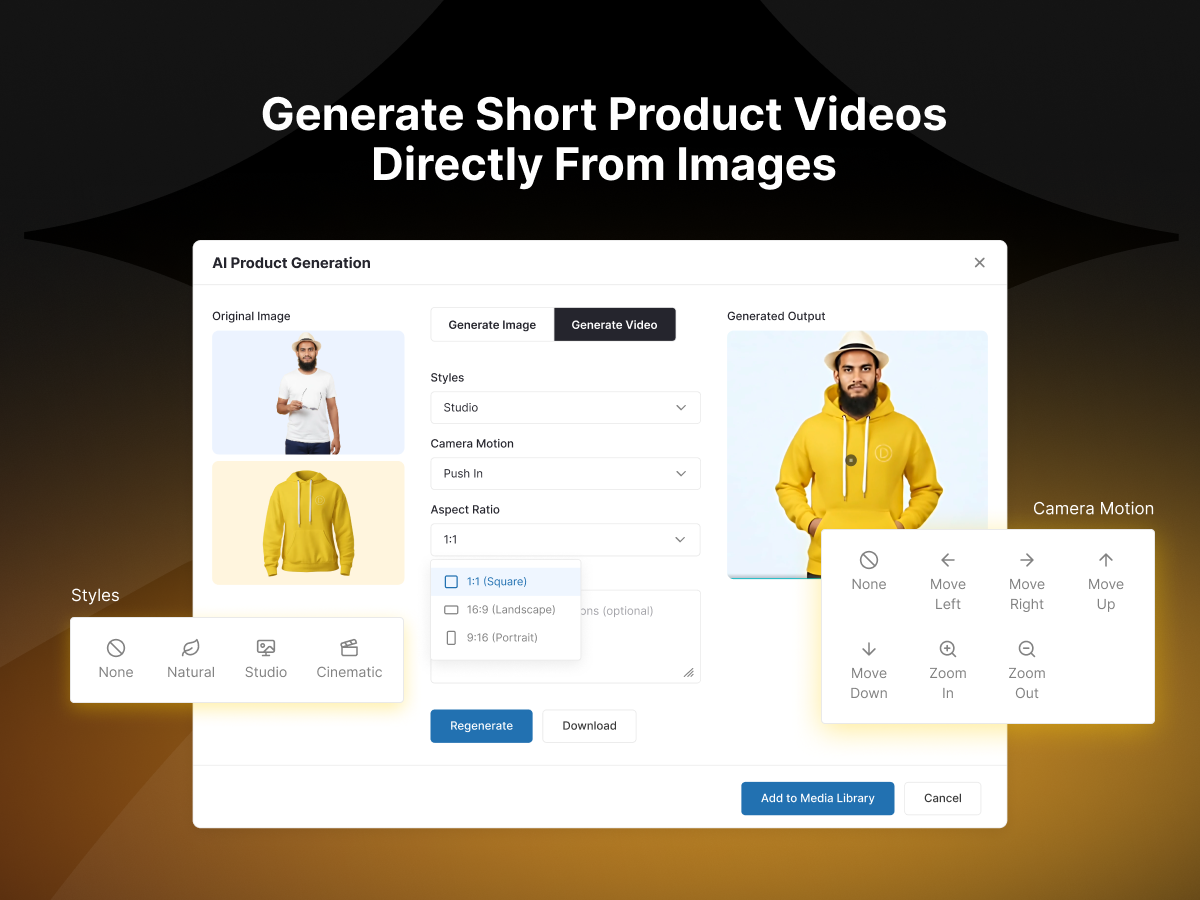
TryAura 2.0 adds reference images, ready-made scene staging, 1K, 2K, and 4K image output, image negative prompts, automatic AI alt text, On model apparel output, clearer generation controls, and a new admin top bar. TryAura Pro adds reusable looks, product image editing, protected cleanup, Ghost mannequin output, 15 camera motions, first and last frames, video reference images, video duration and resolution controls, and editable video negative prompts.
How does virtual try-on help with conversions and returns?
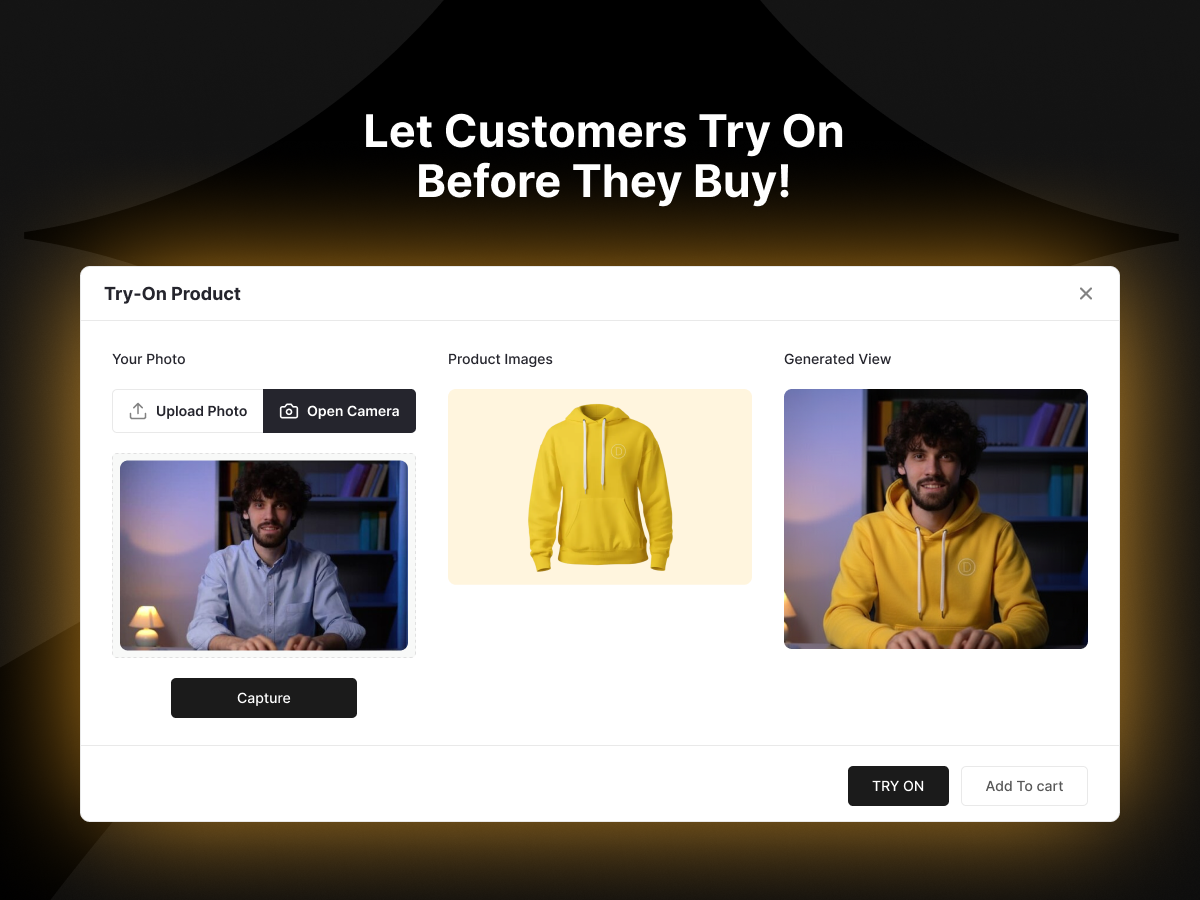
A virtual try-on, or virtual mirror, helps shoppers see how a product looks before buying. Clearer product visualization reduces hesitation and supports more confident decisions, which helps with engagement and fewer surprises after purchase.
What types of products work best with TryAura virtual try-on?
TryAura works best with products where visual appearance matters, such as fashion items, accessories, jewelry, beauty, and other visually driven eCommerce products. Results may vary depending on product photography quality and angles.
Do I need special product images for it to work well?
No. TryAura works with your existing WooCommerce product images. Clear images with good lighting and minimal background noise produce more reliable product visualization results.
Can I choose which products show virtual try-on?
Yes. Virtual try-on can be enabled or disabled on a per-product basis from the WooCommerce product editor, or across your whole catalog from TryAura settings. This lets you use try-on only where it makes sense.
What does "bring your own key" (BYOK) mean?
TryAura connects to your own Google Gemini API key. This allows unlimited creation without per-image charges, while you keep full control of AI usage and cost through your own Google account. There are no TryAura credits and no expiring packs.
Is the Free plan really unlimited?
Yes. The Free plan includes unlimited product image generation and unlimited virtual try-on for one WooCommerce site. You can upgrade later to unlock the custom prompt field, advanced controls, and video generation.
Can I create both product images and product videos?
Yes. TryAura generates product images, short product videos, and virtual try-on experiences. Video generation and advanced controls are available in the Pro plans.
Can I use generated images and videos outside WooCommerce?
Yes. All generated images and videos are saved to the WordPress Media Library, so you can use them anywhere on your site, including product galleries, landing pages, and marketing content.
Does TryAura replace professional product photography?
TryAura is designed to reduce reliance on repeated photoshoots, not to replace all photography. Many store owners use it to improve or extend existing visuals without reshooting.
Can I customize the visual style of generated images?
Yes. TryAura includes built-in presets and visual controls that help you generate consistent product images with different backgrounds, lighting styles, and compositions. The custom prompt field on paid plans gives you even more control.
What happens if a customer does not allow camera access?
If camera access is denied or unavailable, customers can upload a photo instead. Virtual try-on continues to work without requiring camera permission.
Does TryAura store customer photos or personal data?
No. Camera usage is optional, uploaded images are used only to generate the preview, and customer try-on photos are not stored in your website backend.
Is TryAura suitable for large WooCommerce stores?
Yes. TryAura works with stores of all sizes. You control where try-on and visual generation are used, which makes gradual rollout across large catalogs easy.
Will TryAura slow down my store?
No. Features load only on product pages where you enable them, generation runs without blocking the admin, and pages where TryAura is not used are not affected.
Where can I get support?
We provide ongoing support through the WordPress.org support forum, the TryAura Help Center, and our contact page. Support covers usage questions, setup guidance, and known issues. Custom development or theme-specific customizations may require additional review.
更新日志:
- new: Added a Live Try-On card to Settings, introducing real-time camera try-on available with TryAura Pro.
- update: Added dashboard and Recent Activity extension points so add-ons can contribute their own activity types, tabs and stats filters.
- update: Recent Activity tabs can now require WooCommerce, matching the existing Try Ons tab.
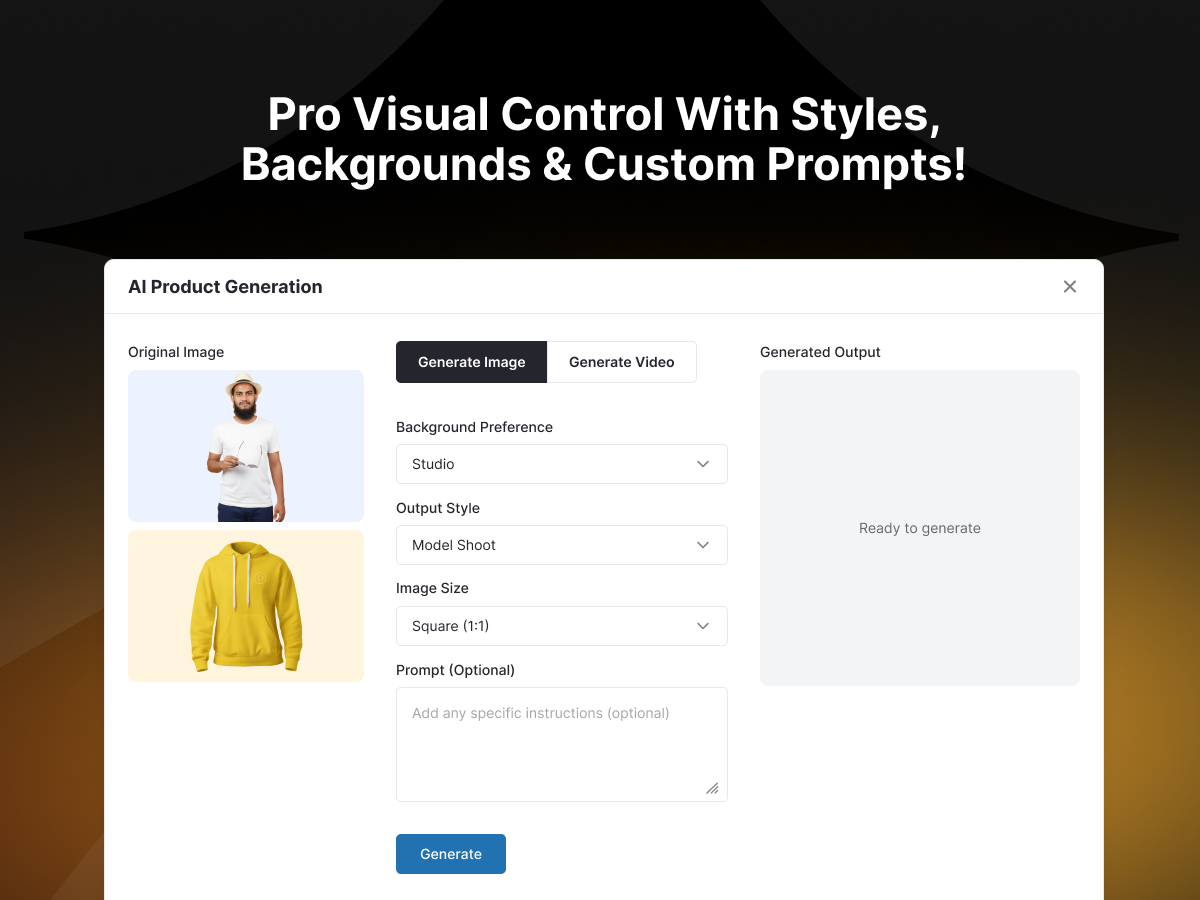
- new: Added an Edit tab for targeted image edits — Remove text, Recolor, Remove object, Clean up and Swap background — with an optional instruction field to refine the change. Only the area you describe is edited; the rest of the shot is left untouched.
- new: Added an Apparel Output control with On model and Ghost mannequin presentations, so a garment can be shown worn or holding its 3D shape with no visible model.
- new: Added Reference angles — attach extra photos of the same product so the AI keeps details it cannot see in the main image.
- new: Added an image Resolution control with 1K, 2K and 4K output.
- new: Expanded background and scene staging with Lifestyle, Marble surface, Wood table, Outdoor and Room/interior options alongside the existing Plain, Studio and Natural.
- new: Added AI-generated alt text for every image, editable before saving and written to the attachment's alt text for SEO and accessibility.
- new: Added a negative prompt field to steer the AI away from unwanted elements.
- update: Renamed "Image Size" to "Aspect Ratio" and limited the choices to the ratios Gemini officially supports (1:1, 2:3, 3:2, 3:4, 4:3, 9:16, 16:9, 21:9).
- update: Your typed instruction now leads the image prompt instead of being placed behind a fixed try-on template, so custom directions carry more weight.
- update: Shortened the enhancer tabs to Image, Video and Edit.
- update: The saved image model is now validated against the available model list, and a decommissioned preview model is no longer used as a fallback.
- fix: Virtual try-on no longer fails when Gemini returns the image in a different position in its response.
- fix: Thumbnail generation no longer hangs or breaks on cross-origin product images; it now times out cleanly instead.
- fix: Close and X now cancel an in-progress generation instead of being disabled until it finishes.
- fix: Selecting 2K on an older image model no longer renders silently at 1K.
- fix: Generation is no longer blocked in the block editor when a cleanup or apparel option is chosen without typing an instruction.
- new: Added new Gemini image models — Nano Banana 2 (gemini-3.1-flash-image) and Nano Banana Pro (gemini-3-pro-image) — to the image model selector.
- update: Set Nano Banana 2 (gemini-3.1-flash-image) as the default image model and relabelled options as "Name (model-string)".
- fix: Declared WooCommerce HPOS and cart/checkout blocks compatibility.
- update: Updated plugin display name on WordPress.org to improve search visibility and clarity.
- fix: Made storefront product video frame responsive to support any aspect ratio without breaking the layout.
- update: Update redirection URL across all modal entry points
- Initial release