TryLoom - AI Virtual Try On for WooCommerce
| 开发者 |
ToolTeek
dinethchamuditha TryLoom |
|---|---|
| 更新时间 | 2026年8月11日 23:30 |
| PHP版本: | 7.2 及以上 |
| WordPress版本: | 7.0 |
| 版权: | GPLv2 or later |
| 版权网址: | 版权信息 |
详情介绍:
- Zero 3D Models: Works with your standard flat-lay product images. No expensive 3D assets needed.
- Best of Both Worlds: The only plugin that offers both Generative AI (for style & viral social content) and Strict Try-On (for accurate fit & realism).
- One-Click Setup: Install, connect, and go. No complex configuration or developer knowledge required.
- Boost Confidence: Help customers visualize the "vibe" and style of the product on themselves instantly.
- Unlimited Products: TryLoom works on your entire catalog instantly, even on the free plan.
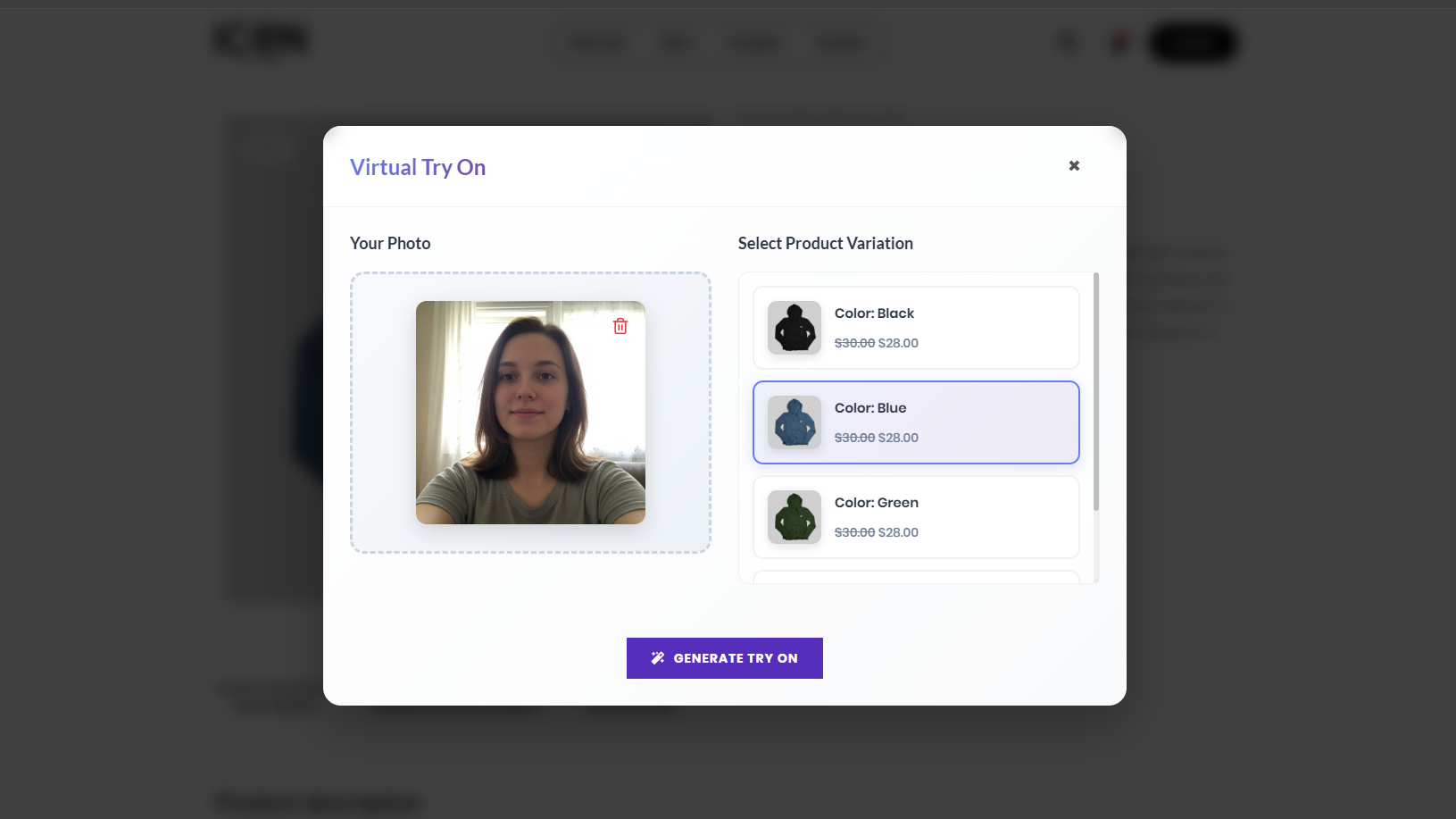
- Smart Auto-Routing Our proprietary "AI Brain" analyzes every uploaded user photo. If it’s a selfie, it routes to Studio Mode to reconstruct the body. If it’s a full-body shot, it routes to Try-On Mode for maximum accuracy.
- Dual-Core AI Engine
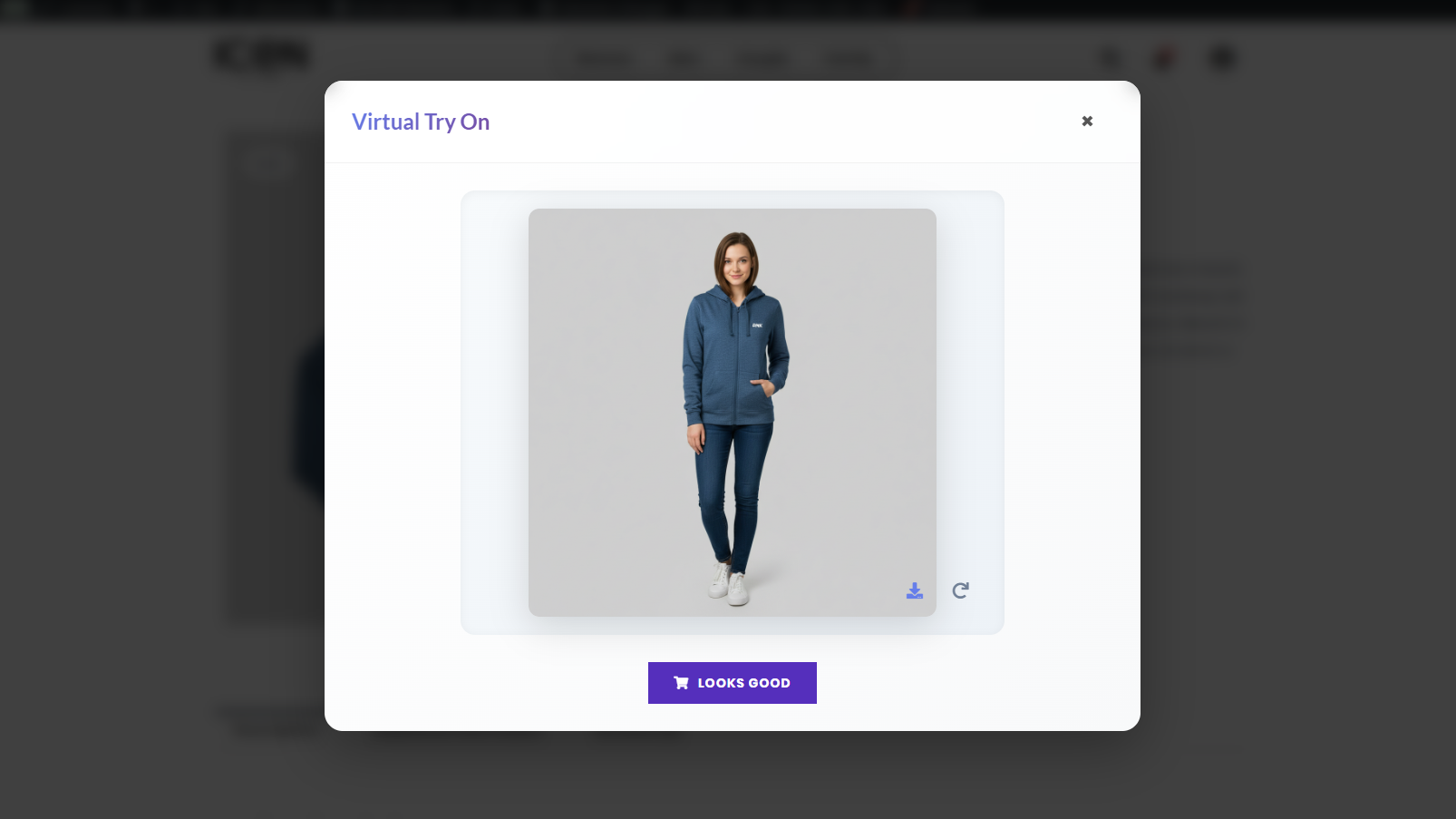
- Studio Mode: Automatically fixes bad lighting, reconstructs missing body parts, and places the user in a pro photo studio.
- Try-On Mode: Preserves the user’s original background and pose with 100% face consistency for a realistic "Fitting Room" experience.
- Generative Body Reconstruction Customer uploaded a tight headshot? No problem. Our AI "paints in" the missing body parts so they can still see how the t-shirt or dress looks on them.
- Fast Cloud Processing All heavy GPU tasks happen on our secure cloud servers, ensuring your website speed stays lightning fast (100% optimized for Core Web Vitals).
- Mobile Optimized Widget A sleek, responsive popup designed for the "TikTok Generation." Works perfectly on iPhone and Android devices.
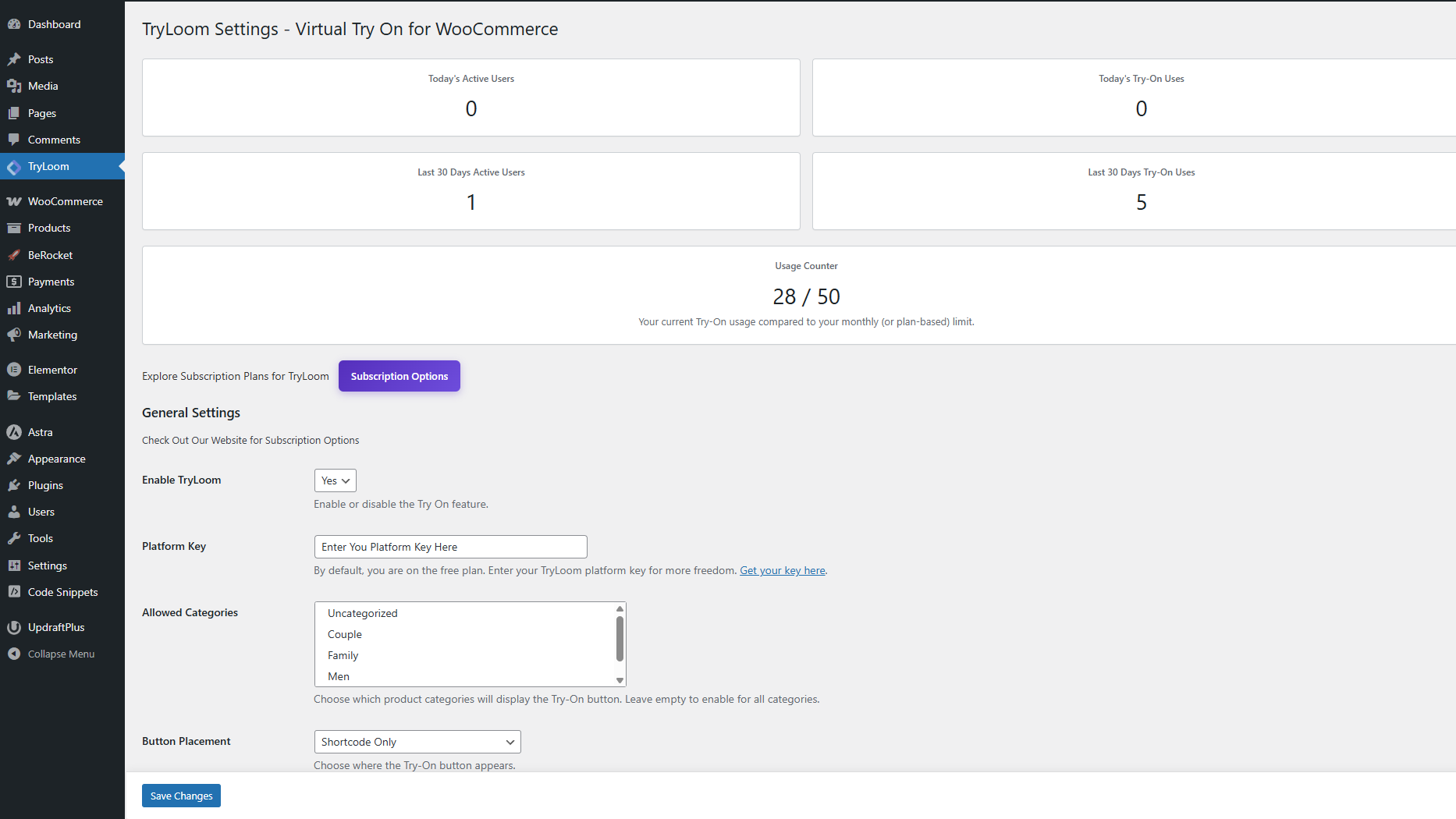
- Fully Customizable Match your brand identity perfectly. Change button colors, text, and position (Before/After Add to Cart) directly from your dashboard settings.
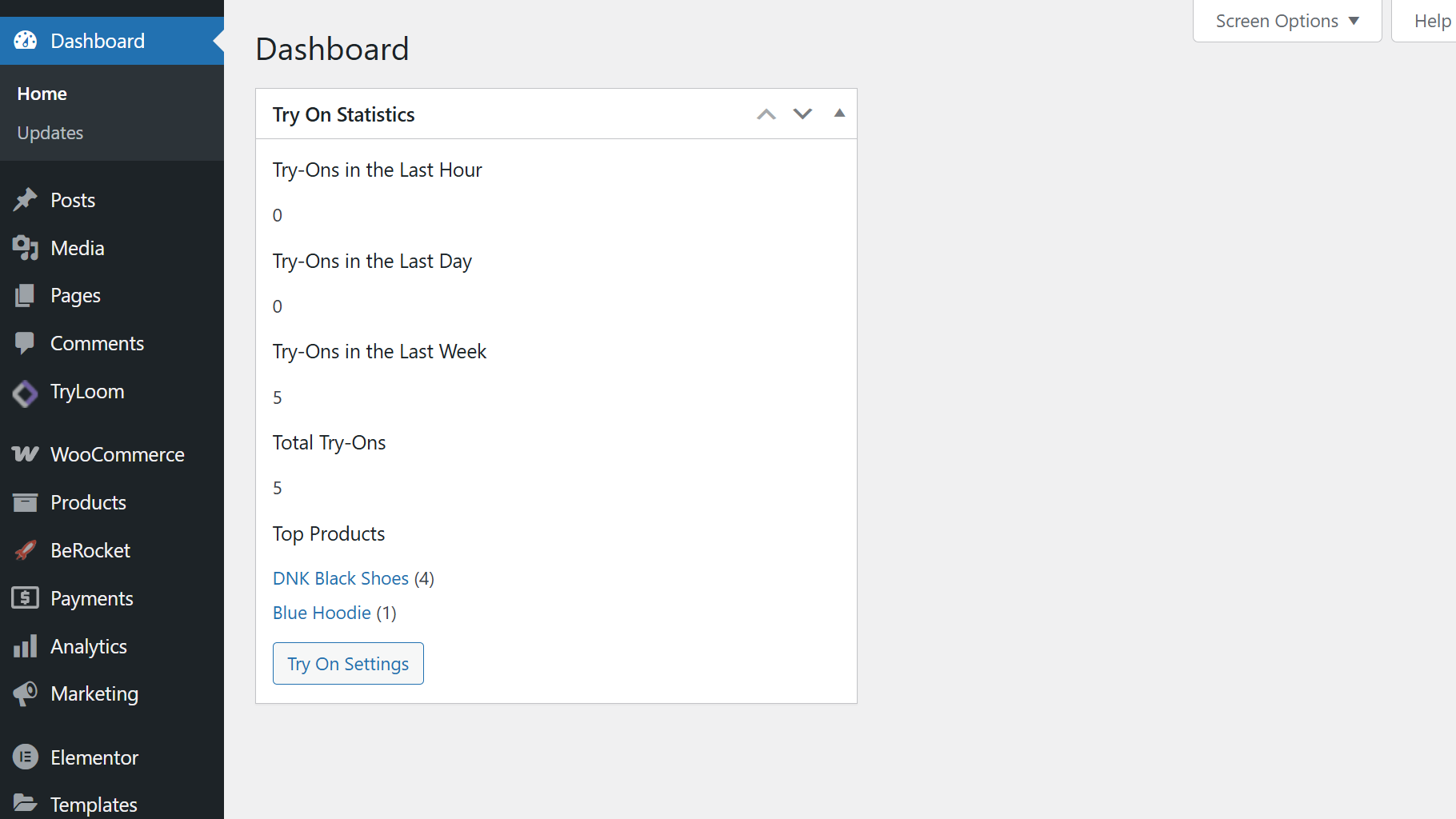
- Usage Analytics Track which products are getting "tried on" the most directly from your WordPress dashboard to understand customer intent and stock demand.
- Apparel Brands: T-shirts, Hoodies, Jackets, Coats.
- Boutiques: Dresses, Skirts, Blouses, Tops.
- Streetwear: Oversized fits, Graphic Tees.
- Accessories: Hats, Caps, Shoes.
安装:
- Upload the
tryloomfolder to the/wp-content/plugins/directory. - Activate the plugin through the Plugins menu in WordPress.
- Go to Admin Menu → TryLoom to configure the plugin.
- Ensure WooCommerce is installed and active.
- Click "Start for Free" to automatically connect to our cloud service (or enter your Pro key).
- Download the plugin ZIP file.
- In your WordPress dashboard, go to Plugins → Add New → Upload Plugin.
- Upload the ZIP file and activate.
屏幕截图:
常见问题:
Do I need 3D models of my clothes?
No! That is the magic of TryLoom. We use Generative AI to interpret your standard 2D product photos (flat lay or mannequin). You do not need expensive 3D assets.
Why does the background change?
To ensure the best possible lighting and color accuracy for your products, TryLoom automatically places the user in a "Virtual Studio" setting. This removes distracting elements (like messy rooms) and ensures the focus remains 100% on your clothing.
Is it compatible with my theme?
Yes, TryLoom is designed to work with any standard WooCommerce theme. The "Try On" button automatically hooks into the product page. If you have a custom layout, you can use the [tryloom] shortcode to place it anywhere.
Does it work on mobile?
Absolutely. The popup interface is fully responsive and designed for a "thumb-friendly" mobile shopping experience.
Is it free?
The plugin is free to download and includes a Free Tier for the API service so you can test it out. For higher volume stores, we offer affordable subscription plans.
Where are user images stored?
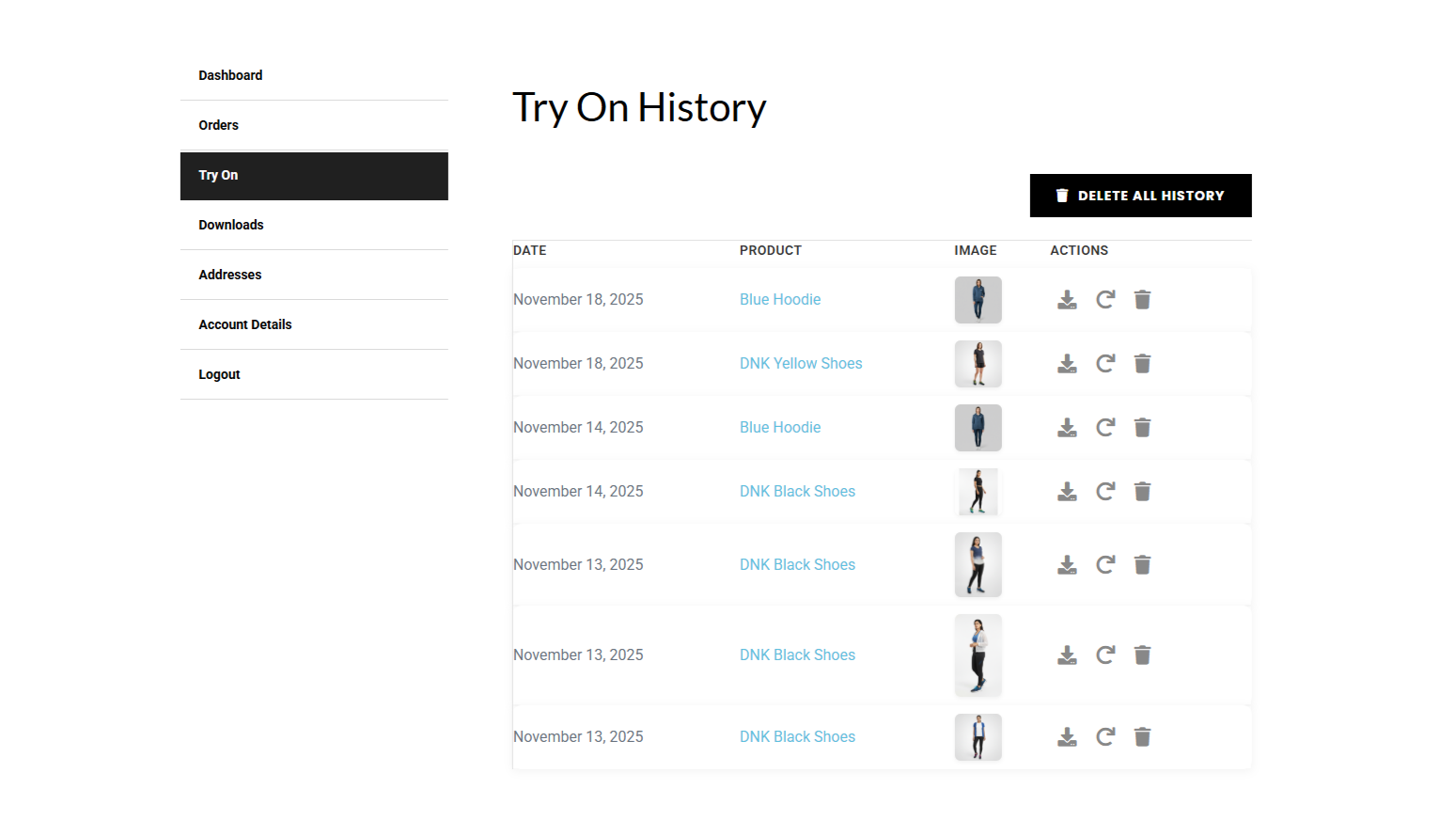
Images are stored securely in a protected directory on your server (wp-content/uploads/tryloom/). They are not publicly accessible without authentication. You can disable the 'Enable Try On History' option at any time in the dashboard.
更新日志:
- Improved: Streamlined the initial setup workflow to help new users connect their API keys faster.
- Added: Smart dashboard routing—the plugin now automatically directs you to the exact setup or renewal page you need, saving you clicks.
- Fixed: Minor UI and workflow improvements to make the onboarding experience seamless.
- Fix: Added missing html close tag
- Security: Patched a critical Server-Side Request Forgery (SSRF) vulnerability in the image fetch API to prevent internal network scanning.
- Security: Secured the My Account and Try On popup upload endpoints against Cross-Site Request Forgery (CSRF) and restricted file types to prevent unauthorized script uploads.
- Security: Implemented a strict transient locking mechanism to fix a race condition that allowed users to bypass generation quotas.
- Security: Hardened admin dashboard notices and frontend UI rendering to prevent potential Cross-Site Scripting (XSS).
- Fix: Overhauled the plugin uninstaller to properly sweep orphaned transient data and safely delete media attachments without leaving broken "ghost" images in the WordPress library.
- Fix: Resolved a storage leak where guest users uploading photos but abandoning the generation process would leave unrecorded files on the server.
- Fix: Added safe fallback logic to eliminate a PHP undefined variable notice when processing simple, non-variable WooCommerce products.
- Fix: Implemented a safe loopback check to prevent the plugin from executing slow HTTP requests when attempting to load local staging environment files.
- New: Integrated Cloudflare Turnstile for bot protection and spam prevention.
- New: Added dynamic Privacy Policy note suggestions tailored to your specific image storage configurations.
- Enhancement: Completely reorganized the admin settings menu into a clean, tabbed interface for a significantly better user experience.
- Enhancement: Rolled out various frontend UI improvements for a smoother and more polished look.
- Security: Hardened role-based access restrictions to improve overall site security.
- Performance: Overhauled the generation limit engine to use lightweight user metadata instead of heavy database queries, making load times lightning fast for high-volume stores.
- Performance: Completely removed heavy Font Awesome dependencies. All UI icons are now ultra-lightweight, zero-dependency inline SVGs to significantly boost PageSpeed scores.
- Performance: Rebuilt the variation caching engine to prevent wp_options database bloat and strictly isolate price caching, eliminating potential wholesale pricing leaks.
- New: Introduced a Role-Based Limitations engine. Administrators can now assign custom generation limits to specific user roles (e.g., VIP, Wholesale).
- New: Added an admin toggle to completely hide the variation selector for streamlined, zero-query Try-On experiences.
- Improvement: Added a smart UI filter that visually deduplicates product variations sharing the exact same thumbnail image.
- Update: Completely refactored the frontend popup utilizing strict BEM CSS architecture and CSS Grid, ensuring perfectly smooth crossfade transitions and zero conflicts with aggressive WooCommerce themes.
- Update: Modernized the admin dashboard statistics layout with a custom, responsive grid architecture for a cleaner backend aesthetic.
- Security: Closed a loophole that allowed users to bypass generation limits by disabling the history feature.
- Fix: Calibrated generation limit resets to mathematically synchronize with the specific WordPress local timezone settings rather than strict UTC.
- Fix: Integrated directly with WooCommerce native stock hooks to automatically clear variation caches when inventory runs out, preventing "ghost" variations.
- Fix: Resolved a JavaScript race condition that caused duplicate variations to load when rapidly opening and closing the popup.
- Fix: Cleaned up PHP background warnings during file deletion processes and purged deprecated hook registrations.
- Performance: Implemented Transient Caching for product variations. The "Try On" button is now instant.
- Performance: Added Database Indexes to history tables. Dashboard statistics load significantly faster.
- Performance: Optimized "Autoload" options to reduce database bloat on every page load.
- Stability: Fixed "Memory Exhausted" and "Time Limit" crashes on shared hosting environments.
- Stability: Implemented Batch Processing for cron cleanup tasks to prevent server timeouts.
- Security: Added self-healing directory protection that adapts to server environment (Apache/Nginx).
- Fix: Reduced database queries on product pages from 4 to 1 per load.
- Fix: Critical fix for theme compatibility - Added pointer-events: none to hidden popup container to prevent blocking clicks on theme elements (cart drawer, login modal, search popup, etc.) when plugin is active but popup is not open.
- Fix: Resolves "page freeze" issue where users couldn't click navigation icons after installing the plugin.
- Fix: Resolved a critical "Scroll Lock" conflict that caused the page interface to freeze on certain themes (e.g., Minimog) when interacting with Cart or Search drawers.
- Update: Replaced aggressive inline-style scroll locking with a passive "Class-Based" system (tryloom-scroll-lock) to prevent interference with theme navigation.
- Fix: Corrected a Z-Index layering issue where the plugin container could block clicks on underlying buttons even when closed.
- Improvement: Added a "Safety Net" script to force-release any scroll locks immediately upon page load.
- Improvement: Optimized CSS pointer-events to ensure the plugin is completely "transparent" to mouse clicks when not in use.
- Fix: Resolved a critical "Scroll Lock" conflict that caused the page interface to freeze on certain themes (e.g., Minimog) when interacting with Cart or Search drawers.
- Update: Replaced aggressive inline-style scroll locking with a passive "Class-Based" system (tryloom-scroll-lock) to prevent interference with theme navigation.
- Fix: Corrected a Z-Index layering issue where the plugin container could block clicks on underlying buttons even when closed.
- Improvement: Added a "Safety Net" script to force-release any scroll locks immediately upon page load.
- Improvement: Optimized CSS pointer-events to ensure the plugin is completely "transparent" to mouse clicks when not in use.
- Fix: Optimized asset loading logic to prevent script execution on non-product pages.
- Update: Refactored wp_footer hooks with strict conditional checks for enhanced theme compatibility.
- Fix: Resolved a JavaScript execution conflict that affected navigation menus on certain premium themes.
- Improvement: Added defensive null-checks to the core initialization script to prevent global execution errors.
- Update: Migrated to new backend infrastructure for service continuity.
- Fix: Updated all API endpoints to match new configuration.
- New: Implemented cloud status check endpoint for reliable usage tracking.
- Update: Enhanced SSL verification for all API calls.
- Fix: Added strict directory traversal protection for file handling.
- Update: Optimized database queries for the dashboard and settings page.
- Update: Improved image serving with binary streaming to reduce server memory usage.
- Update: Switched to local hosting for Font Awesome icons (GDPR compliance).
- Update: Refreshed "My Virtual Closet" pagination and layout.
- NEW: Added "Generation Mode" selector (Try-On, Studio, Auto).
- NEW: "Studio Mode" now regenerates the background and lighting for professional results.
- NEW: "Auto Mode" intelligently detects if the uploaded photo needs full studio processing.
- UPDATE: Migrated API endpoint to US-Central1 for 3x faster generation speeds.
- FIX: Critical update for backend connectivity.
- Fix: Updated external service documentation to match specific API domain.
- Fix: Implemented late escaping for inline styles.
- Fix: Replaced echo with readfile for binary image output.
- Security: Added nonce verification for GET requests (pagination and image protection).
- Security: Fixed file path resolution to use wp_upload_dir() for all server setups.
- Security: Added validation for local file paths before using WP_Filesystem.
- Security: Sanitized custom CSS before adding inline styles.
- Fix: Improved binary image data output with proper documentation.
- Security: Added nonce verification to all AJAX handlers and REST API endpoints.
- Security: Implemented WP_Filesystem for safe file operations and remote requests.
- Fix: Updated filter prefixes to avoid namespace conflicts.
- Fix: Refactored file path resolution logic using WordPress standards.
- Improved: Added detailed documentation for external API services.
- Fixed image loading issues in popup after generation.
- Improved error handling and image fallback mechanisms.
- Removed guest user option from allowed user roles.
- Fixed minor bug in try-on popup.
- Improved image handling.
- Initial release: Core virtual try-on functionality, admin settings, user account integration, and API support.