
TryMode
| 开发者 | som9663 |
|---|---|
| 更新时间 | 2026年10月1日 23:51 |
| PHP版本: | 7.4 及以上 |
| WordPress版本: | 7.1 |
| 版权: | GPLv2 or later |
| 版权网址: | 版权信息 |
详情介绍:
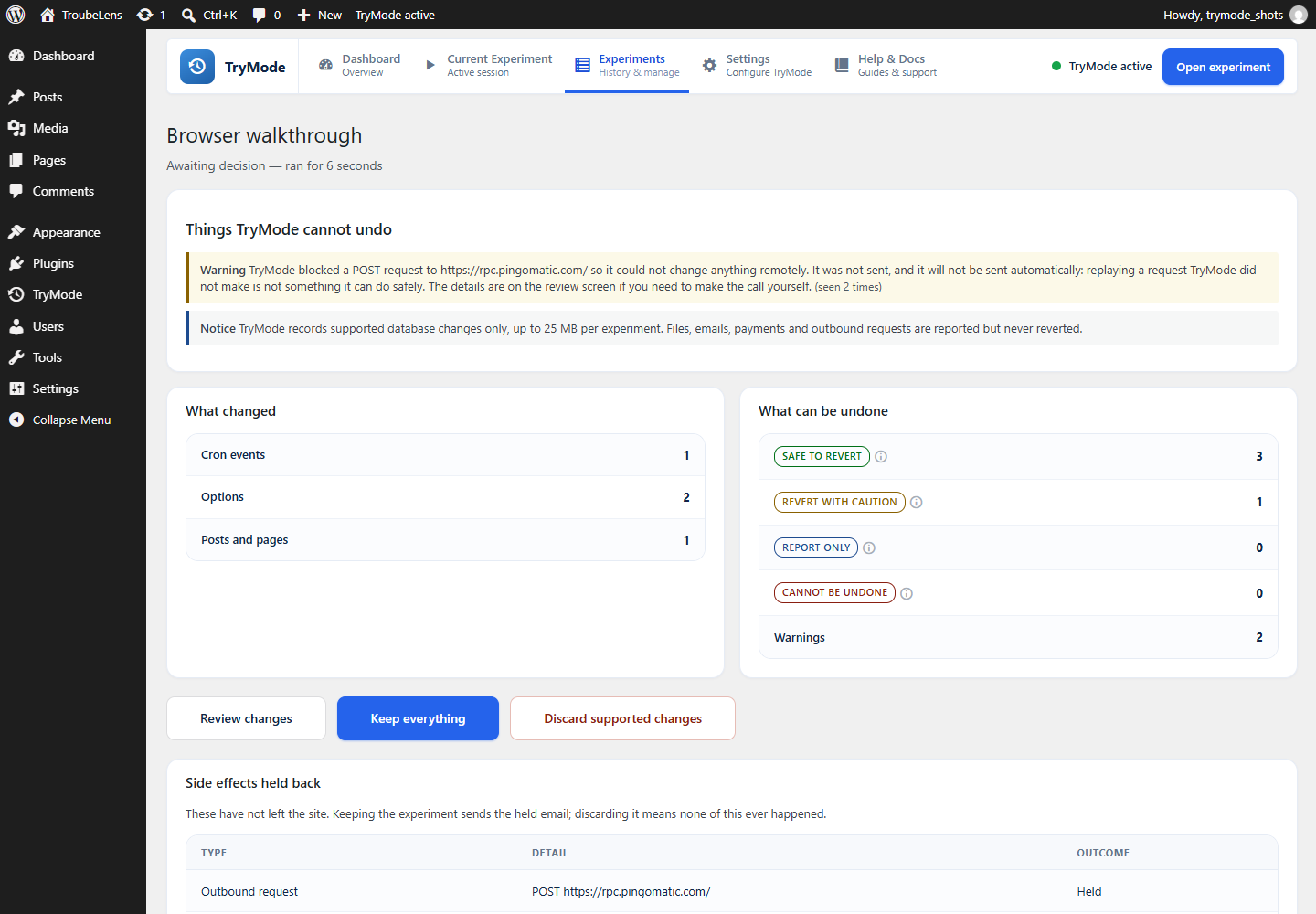
- Safe to revert — the previous value was recorded and can be written back and verified.
- Revert with caution — revert is implemented but has known side effects, which are spelled out.
- Report only — detected and shown, never written back.
- Cannot be undone — it already left this site.
- Options created, changed or deleted through the options API
- Posts, pages and other content created, edited or deleted — including post meta and taxonomy links
- Post meta and term meta
- Terms created, edited or deleted
- Comments created, edited, moderated or deleted
- Media items deleted during an experiment, including the original file and every generated size
- Scheduled events added during an experiment
- Plugin activation and deactivation — reactivating re-runs the plugin's activation routine
- Theme switches — switching back re-runs theme setup
- Deleted content — restored at its original ID only while that ID is still free
- Removed scheduled events — a restored event whose time has passed runs on the next cron sweep
- Values containing PHP objects — restorable only while the defining class is still loaded
- User accounts, roles, capabilities and user meta
- WooCommerce orders, payments and refunds
- Custom database tables created, dropped or altered by other plugins
- Files on disk, including plugin and theme installs, updates and deletions
- The site address and other settings where a wrong value would lock you out
- Values that looked like secrets, which are stored as a fingerprint and never in plain text
- Rows written with direct SQL, which never reach a WordPress hook
- Journalled revert. Every operation is written down before it is attempted. If the browser closes or the request times out, TryMode offers to resume from exactly where it stopped.
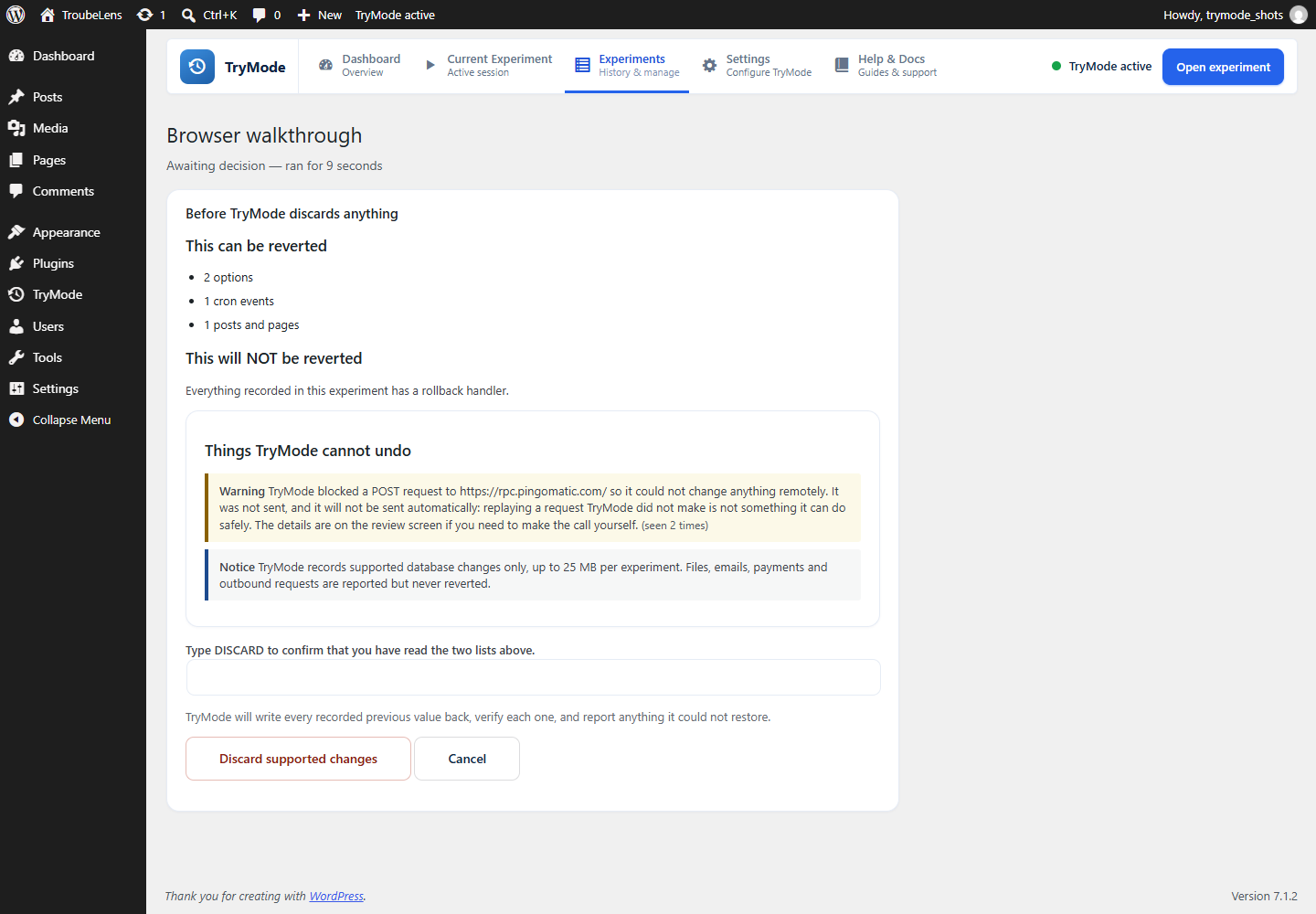
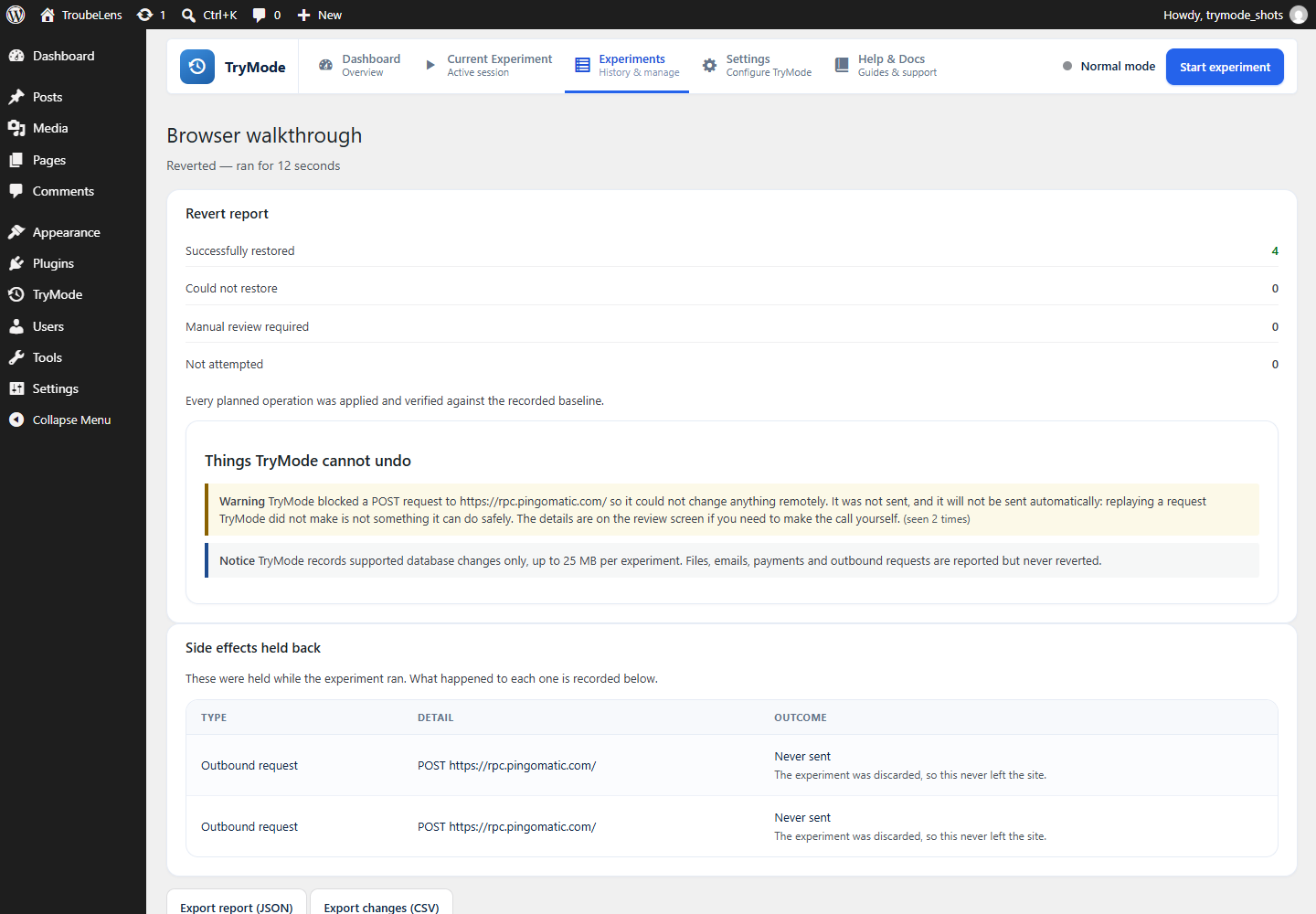
- Verification. After a revert, TryMode reads the database back and compares it against the recorded baseline, then reports how much was restored, what failed and what needs a human.
- Conflict detection. If something changed a value again after the experiment ended, TryMode does not overwrite it. It reports the conflict, and offers a separate, explicitly confirmed "overwrite anyway" if you decide the recorded value should win.
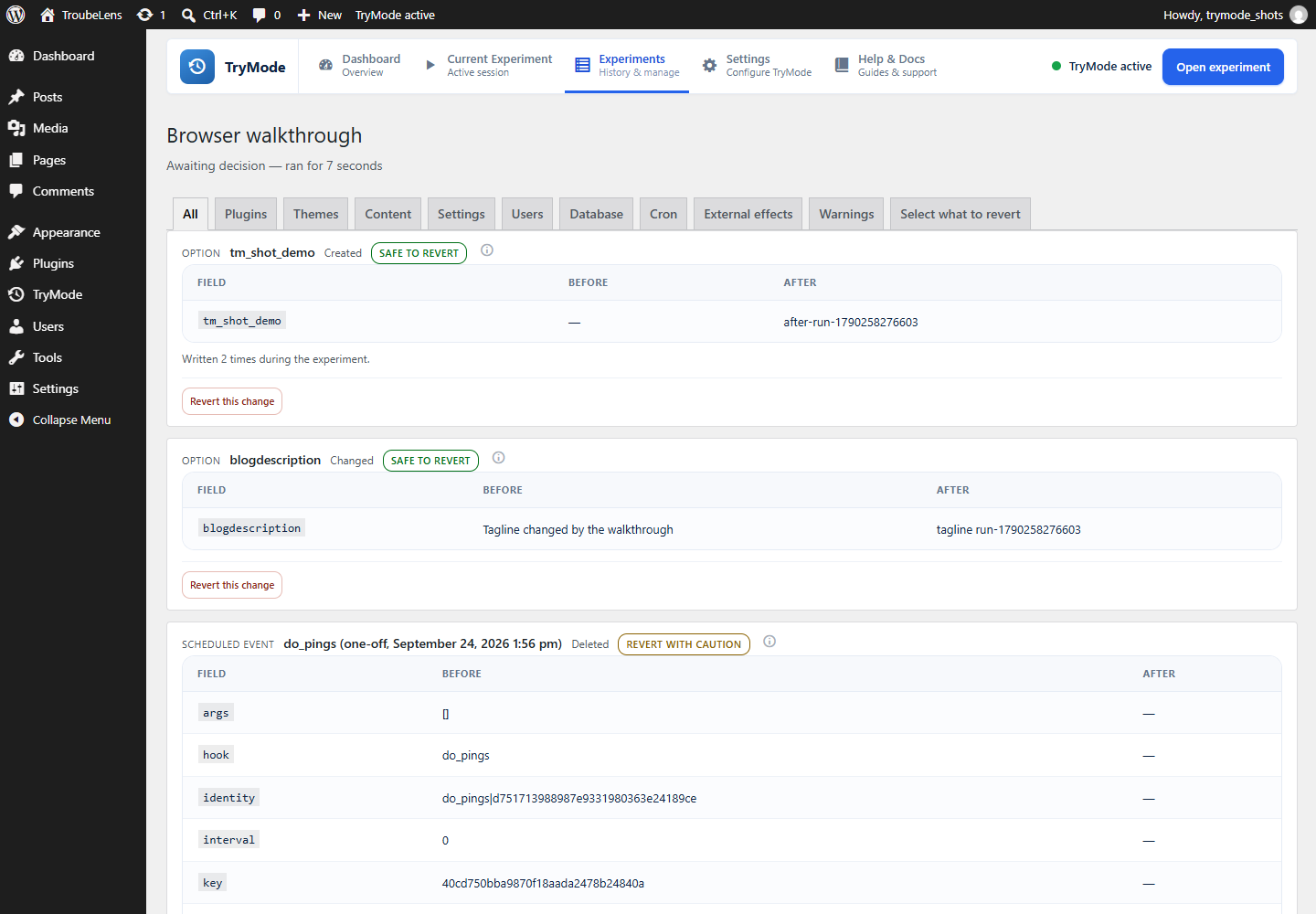
- Field-level diffs. Changes show what actually moved: a line diff for post content, a key-by-key comparison for settings arrays, rather than two walls of serialized text.
- Exportable reports. Any experiment can be exported as JSON or CSV, with every change keeping its reversibility status and its reason.
- Secret redaction. Passwords, API keys, tokens and licence keys are replaced by a one-way fingerprint at the moment they would be recorded — which also means TryMode says plainly that it cannot restore them.
- No telemetry. TryMode makes no outbound requests of its own, ever.
安装:
- Upload the
trymodefolder to/wp-content/plugins/, or install the ZIP through Plugins → Add New → Upload. - Activate TryMode.
- Go to TryMode in the admin menu (also linked from Tools).
- Start an experiment, make your changes, then finish and decide.
屏幕截图:
常见问题:
Is this a backup?
No, and it should not be used as one. TryMode records changes made through WordPress APIs during a bounded experiment. It does not copy your database or your files. Keep taking real backups.
Can it undo an email or a payment?
No. Nothing installed on your site can. TryMode records that they happened and shows you before you decide, rather than pretending otherwise.
Will it slow my site down?
Not when no experiment is running: no tracking hooks are registered at all. While an experiment is running, TryMode records the previous value of each object the first time it is touched, which is one small write per distinct thing changed.
What if somebody else changes the same thing while my experiment is running?
They can. TryMode does not lock your site, and other people and background jobs keep working normally. It records the value it saw when the change happened. If something wrote to the same setting at almost the same moment, the value on the site may end up being a later one than the value TryMode recorded. When you discard, it compares the two first: if they no longer match it reports a conflict and leaves that one alone, rather than restoring a value it is not sure about. You can then look at it and overwrite it deliberately if you want to.
What happens if the revert is interrupted?
Every operation is journalled before it runs. On your next admin page load TryMode tells you the revert did not finish and offers to resume it from where it stopped, or to show you exactly what happened.
What if TryMode is deactivated while an experiment is running?
Nothing is destroyed. Recording stops, and the unfinished experiment is detected again when you reactivate the plugin.
Does it support multisite?
Not in version 1.0. Network-level state cannot be tracked or reverted safely yet, so TryMode detects multisite and refuses to start an experiment rather than half-working.
Does it work with WooCommerce?
Yes, with a deliberate restriction: orders, payments and refunds are recognised and never reverted. An order is a record of something that happened between a shop and a person, and rewriting the row would not reverse any of it.
Can other plugins extend it?
Yes. Register a tracker through the trymode_trackers filter and a matching rollback handler through trymode_rollback_handlers. There are also filters for redaction decisions, protected options, tracked post types and the directories watched for file changes.
Why can I not revert a single change on its own?
Because reverting half of something is how a plugin like this corrupts a site. A post and its meta, a term and the posts attached to it, a comment and the post it belongs to: each pair has to move together or the database ends up internally inconsistent. TryMode groups changes into units, shows you what each unit drags in with it, and lets you choose units.
更新日志:
- Feature - ( Multisite support ) An experiment runs on one site in a network and reverts only that site, leaving every other site alone.
- Feature - Deleting a media item can be undone. The library entry comes back and so does every file behind it.
- Added - Switching the plugin on for a network sets up every site, and a site created later is set up as it is created.
- Added - The original image and every size made from it are copied aside before a media item is deleted, and written back exactly as they were.
- Added - Starting an experiment on a network tells you which site it covers before you begin.
- Modify - What a network shares between its sites, such as users, network settings and the list of sites, is reported rather than reverted: changing it from one site would change it for all of them.
- Modify - Nothing is recorded while WordPress is working on another site, so a change cannot land in the wrong site's history.
- Modify - Where a deleted media item's files cannot be kept, the change is marked as one TryMode will not undo rather than leaving an entry pointing at a missing file.
- Fix - Deleting a media item was barely recorded and could not be undone. The change list showed a single stray row marked safe while the entry and its files were gone for good.
- Fix - Holding email and blocking outbound writes did not take effect until the next request, so turning either on during a WP-CLI command or a scheduled task did nothing.
- Fix - Uninstalling left the hourly expiry check scheduled, pointing at code that was no longer there.
- Fix - Uninstalling on a network asked only one site whether its data should be deleted.
- Modify - Scripts on the Plugins screen are registered properly instead of being printed into the page.
- Modify - Copies of watched files are kept in the plugin's own database table rather than in your uploads folder, and the one file TryMode writes now goes through WordPress, so your server's file settings are respected.
- Modify - Development files are left out of the release package.
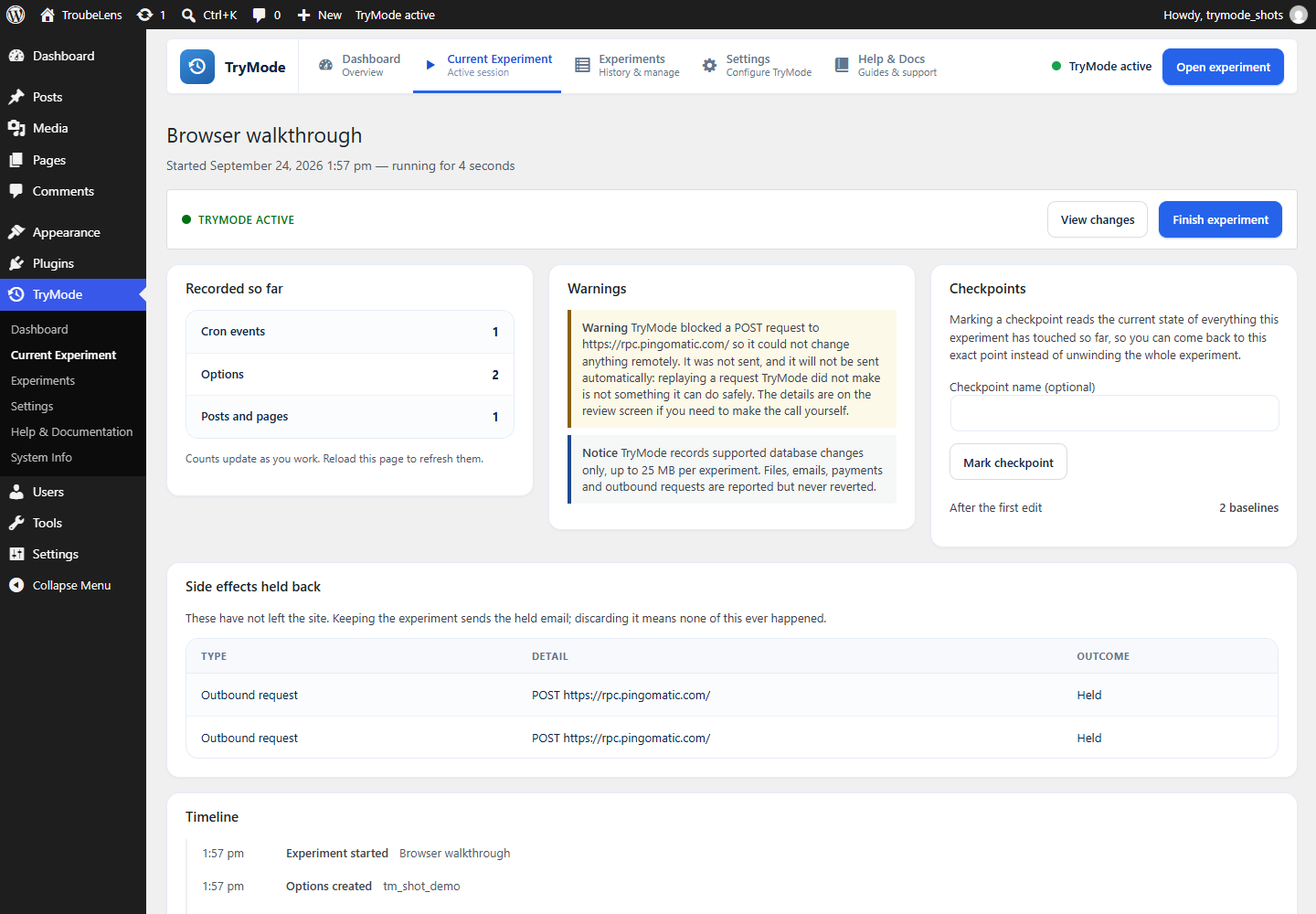
- Feature - Start a temporary experiment, make WordPress changes, review exactly what changed, then keep it or discard the parts that can be safely reverted.
- Feature - Every recorded change is sorted into one of four states -- safe to revert, revert with caution, report only, cannot be undone -- and each one carries the evidence for where it landed.
- Feature - Reverts are verified: TryMode reads the database back afterwards and reports what it restored, what it could not, and what needs a human.
- Feature - Put an experiment back: a discard can itself be undone, using the same handlers, journal and verification pass.
- Feature - Checkpoints, so you can return to a moment during the experiment rather than only to its start.
- Feature - Selective revert: choose individual changes, with anything they depend on added for you.
- Feature - Side-effect sandbox: email is held rather than sent, and outbound writes can be blocked, so discarding an experiment means they never happened.
- Feature - File restore from a content-addressed store, protected custom tables restored from row snapshots, and health-checked unattended updates.
- Feature - Before and after page comparison, and optional two-person approval for a decision.
- Feature - WP-CLI throughout with "wp trymode", which is the way back in if wp-admin itself is what broke.
- Added - A value that changed again after the experiment ended is reported as a conflict rather than overwritten, with the option to overwrite it deliberately.
- Added - Recording stops automatically on an experiment left running past a limit you set. Nothing is kept and nothing is discarded, and it can be resumed.
- Added - Readable diffs: fields inside serialized options are named, including widget areas, roles and capabilities, Customizer settings, and the block theme Site Editor documents that hold global styles.