Tuning4Web – Delayed Order Processing Notice for WooCommerce
| 开发者 | kuperman87 |
|---|---|
| 更新时间 | 2026年7月20日 17:57 |
| PHP版本: | 7.4 及以上 |
| WordPress版本: | 7.0 |
| 版权: | GPLv2 or later |
| 版权网址: | 版权信息 |
详情介绍:
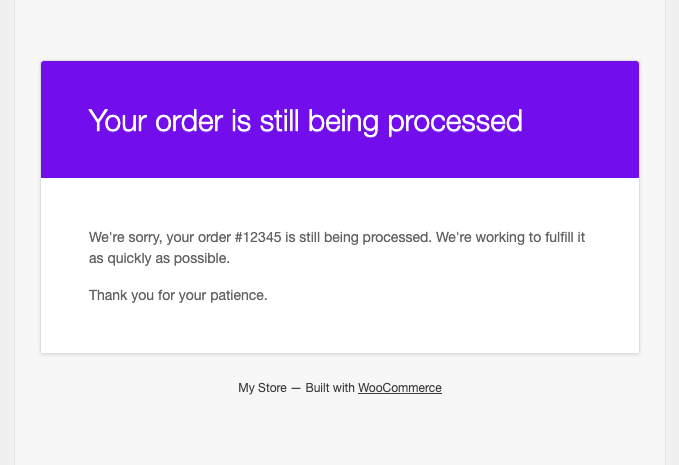
Tuning4Web – Delayed Order Processing Notice for WooCommerce keeps customers informed when an order takes longer than expected to fulfill.
Every hour, the plugin checks for orders still in the "Processing" status. Once an order has been in that status longer than the configured delay threshold, the plugin sends the customer a one-time courtesy email letting them know their order is still being worked on.
Features
- Configurable delay threshold (in hours) — set from WooCommerce > Settings > Emails
- Editable subject, heading, and email type, using the standard WooCommerce email settings screen
- Sends the notice only once per order (tracked via order meta), avoiding duplicate emails
- Runs on Action Scheduler, the same background job library used by WooCommerce itself — no extra cron setup required
- Re-checks the order status right before sending, so an order that has already moved on is skipped
- Fully translatable
- WooCommerce must be installed and active.
安装:
- Upload the plugin files to the
/wp-content/plugins/tuning4web-delayed-processing-noticedirectory, or install the plugin through the WordPress plugins screen directly. - Activate the plugin through the "Plugins" screen in WordPress.
- Go to WooCommerce > Settings > Emails > "Delayed Processing Notice" to enable the email and set the delay threshold (in hours), subject, and heading.
屏幕截图:
常见问题:
Does this replace the standard WooCommerce order emails?
No. It sends one additional, one-time email on top of the standard WooCommerce order notifications, only when an order has been stuck in "Processing" for longer than the configured threshold.
Will the customer receive the notice more than once per order?
No. Once the notice has been sent for an order, the plugin records that on the order and will not send it again for that order.
Can I change how many hours the plugin waits before sending the notice?
Yes. Go to WooCommerce > Settings > Emails > "Delayed Processing Notice" and set the "Delay threshold (hours)" field. The default is 48 hours.
Does this plugin add its own cron scheduling?
No. It schedules a recurring hourly check using Action Scheduler, the same library WooCommerce uses internally for background tasks.
更新日志:
1.0.0
- Initial release.