
Turbo Rate Limiter
| 开发者 | ahriad |
|---|---|
| 更新时间 | 2026年3月26日 12:25 |
| PHP版本: | 7.4 及以上 |
| WordPress版本: | 6.9 |
| 版权: | GPL v2 or later |
| 版权网址: | 版权信息 |
详情介绍:
- URI-based filtering - Set rate limits for specific URLs, paths, or patterns
- Multiple match types - Exact match, contains, starts with, ends with, or regex
- Flexible time windows - Configure rate limits per second, minute, or hour
- Multiple actions - Return HTTP 429, redirect to URL, or redirect to page
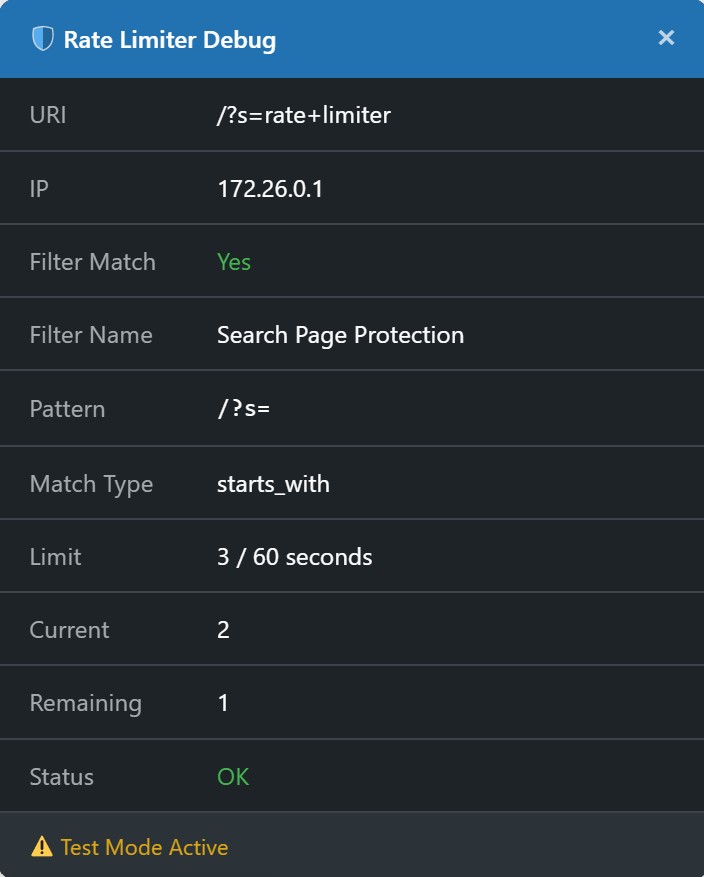
- Test mode - Preview rate limiting behavior without blocking visitors
- Debug panel - Visual debug panel for administrators
- Cloudflare support - Full IPv4 and IPv6 proxy detection
- Localization ready - Translations available for multiple languages
- API protection - Limit API calls to prevent abuse
- Login protection - Prevent brute force attacks on login pages
- Form spam prevention - Limit form submission rates
- Resource protection - Protect heavy database queries
- CDN compatibility - Works with Cloudflare and other proxies
安装:
- Go to Plugins > Add New
- Search for "Turbo Rate Limiter"
- Click "Install Now" and activate the plugin
- Upload the
turbo-rate-limiterfolder to/wp-content/plugins/ - Activate the plugin through the 'Plugins' menu in WordPress
- Go to Settings > Turbo Rate Limiter to configure
- Navigate to Settings > Turbo Rate Limiter
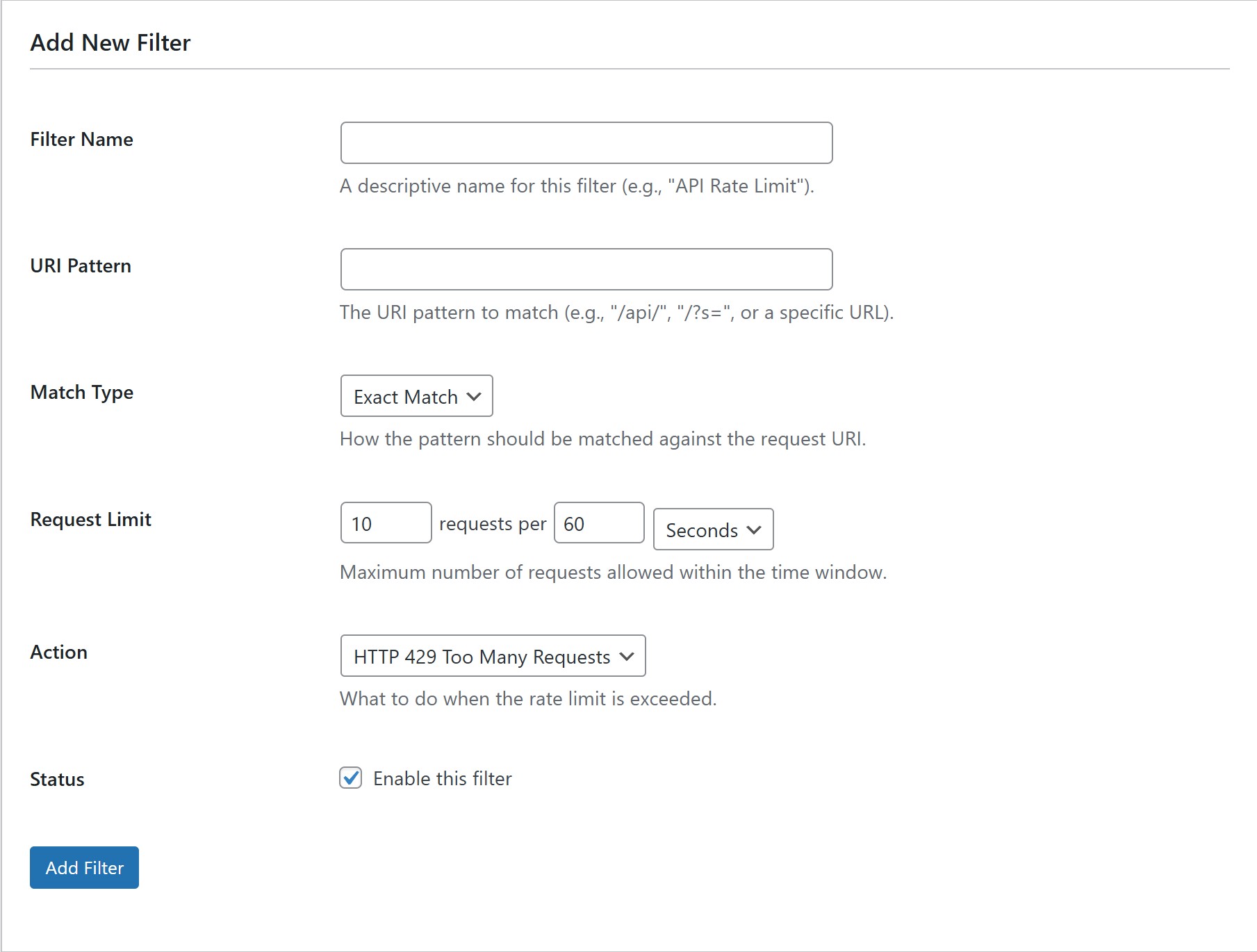
- Click "Add New Filter" to create your first rate limit rule
- Configure the URI pattern, match type, request limit, and action
- Enable the filter and save
屏幕截图:
常见问题:
Does this work with caching plugins?
Yes, with an important caveat: this plugin enforces rate limits only for requests that reach WordPress. If a page is served before WordPress loads (for example, by CDN or server-level/full-page cache), that request can bypass plugin-level checks. For full coverage, pair this plugin with edge/server rate limiting and exclude sensitive routes from full-page cache where needed.
Will this block legitimate traffic?
Configure your filters carefully. Use the test mode to preview behavior before enabling blocking. We recommend starting with generous limits and adjusting based on your site's traffic patterns.
Does it work with Cloudflare?
Yes! The plugin fully supports Cloudflare and other reverse proxies. Configure your trusted proxies in the developer documentation to enable proper IP detection.
Can I whitelist specific IPs?
Currently, you can configure trusted proxies for IP detection. For IP whitelisting to bypass rate limiting, you would need to modify the plugin code or request this as a feature.
What happens when a rate limit is exceeded?
You can configure the action: return HTTP 429 (Too Many Requests), redirect to a custom URL, or redirect to a specific WordPress page.
Will this slow down my site?
The plugin is optimized for performance with compiled filter caching and transient storage. The impact on page load time is minimal.
更新日志:
- Preserve encoded Unicode request URIs in the rate limiter.
- Removed the unused cleanup cron because WordPress already expires rate-limit transients automatically.
- Initial release
- URI-based rate limiting with multiple match types
- Configurable time windows and request limits
- Test mode for safe configuration
- Debug panel for administrators
- Full IPv4 and IPv6 Cloudflare support
- Localization support for multiple languages